
Shopee 聊天功能升级:订单服务表单全面整合
Shopee 聊天是用户可通过 Shopee App 或卖家中心访问的客服入口,支持 24/7 智能机器人响应及人工客服协助,覆盖售前咨询、订单履约、售后问题等全链路服务。
自 10 月 7 日起,原需通过卖家服务页面单独提交的以下高频订单类问题表单,已正式集成至 Shopee 聊天界面,实现“一入口、快响应、准对接”:
- 骑手问题
- 免除积分
- 跟进订单状态
- 运费差异
如何使用 Shopee 聊天?
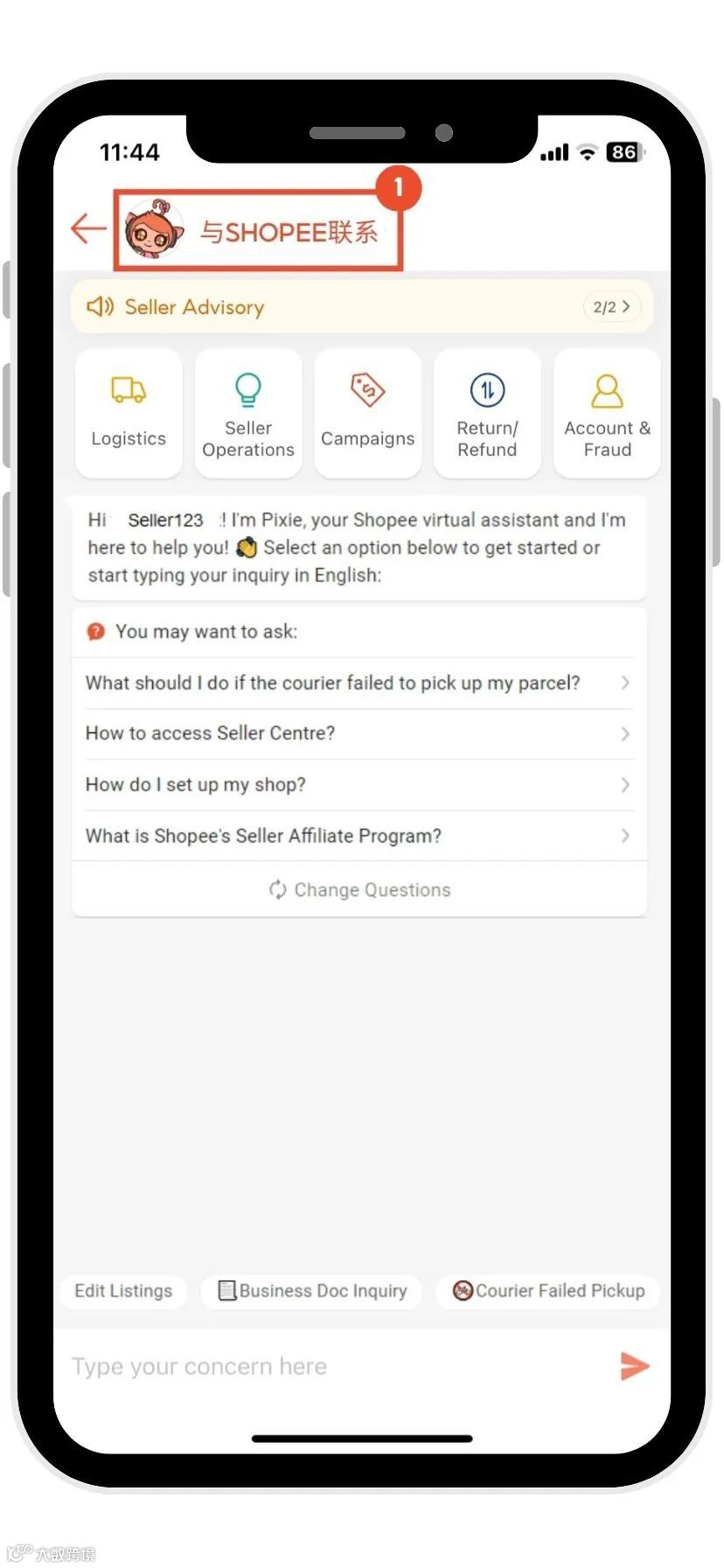
卖家可通过以下两种方式快速进入 Shopee 聊天:
01 虾皮应用程序操作路径
- 点击底部导航栏“我”;
- 进入“我的商店” → “学习和帮助”;
- 选择“与 Shopee 联系”。
02 卖家中心操作路径
- 登录卖家中心;
- 点击屏幕右上角“联系 Shopee”图标(对话气泡图标)。
如何在聊天中调取对应服务表单?
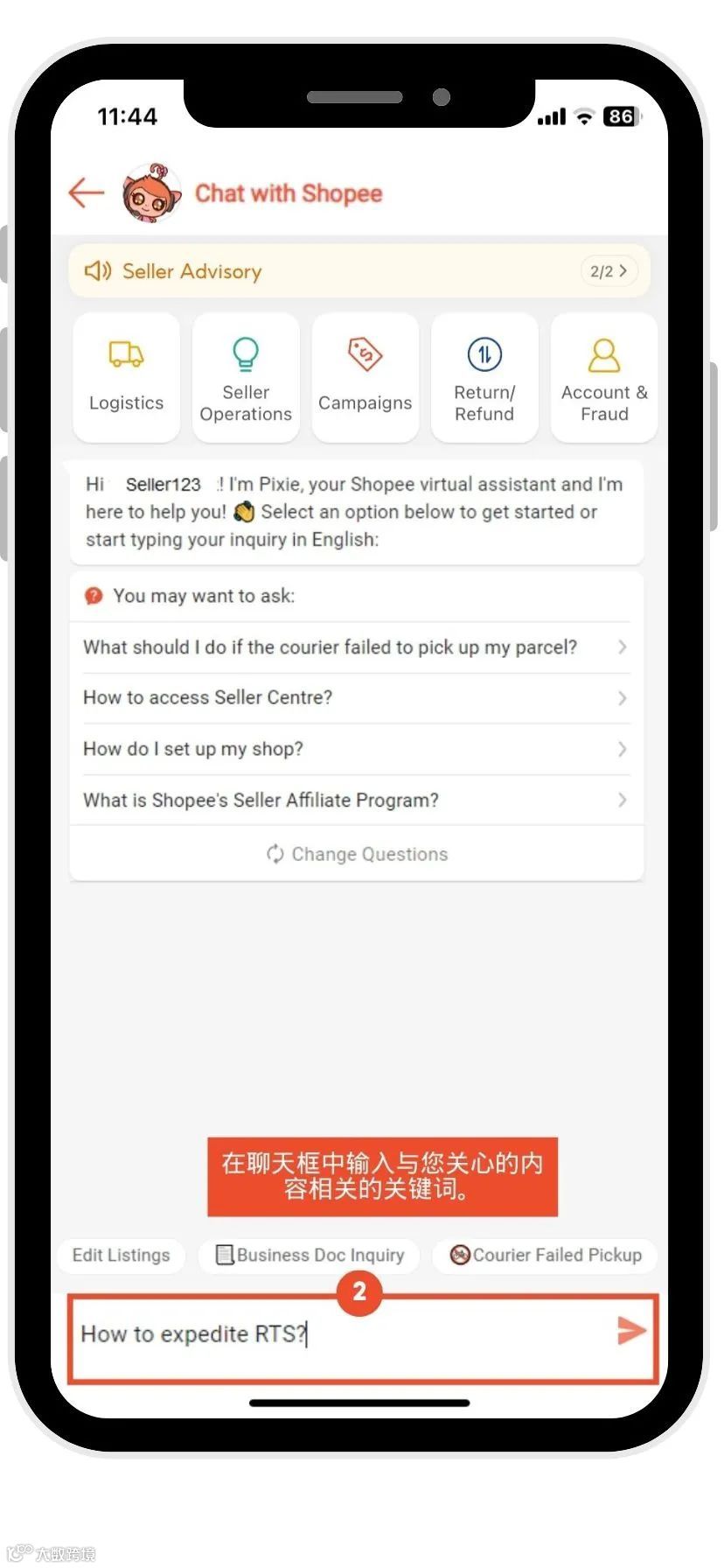
为提升表单匹配准确率与提交效率,系统采用关键词触发机制。卖家需在聊天框中输入指定关键词,即可自动推送对应服务表单链接。
| 问题类型 | 关键词 | 示例提问(含关键词) |
| 快递员未取件或仅部分取件,可能引发罚款 | Failed pick up | “What should I do if the courier failed to pick up my parcel?” |
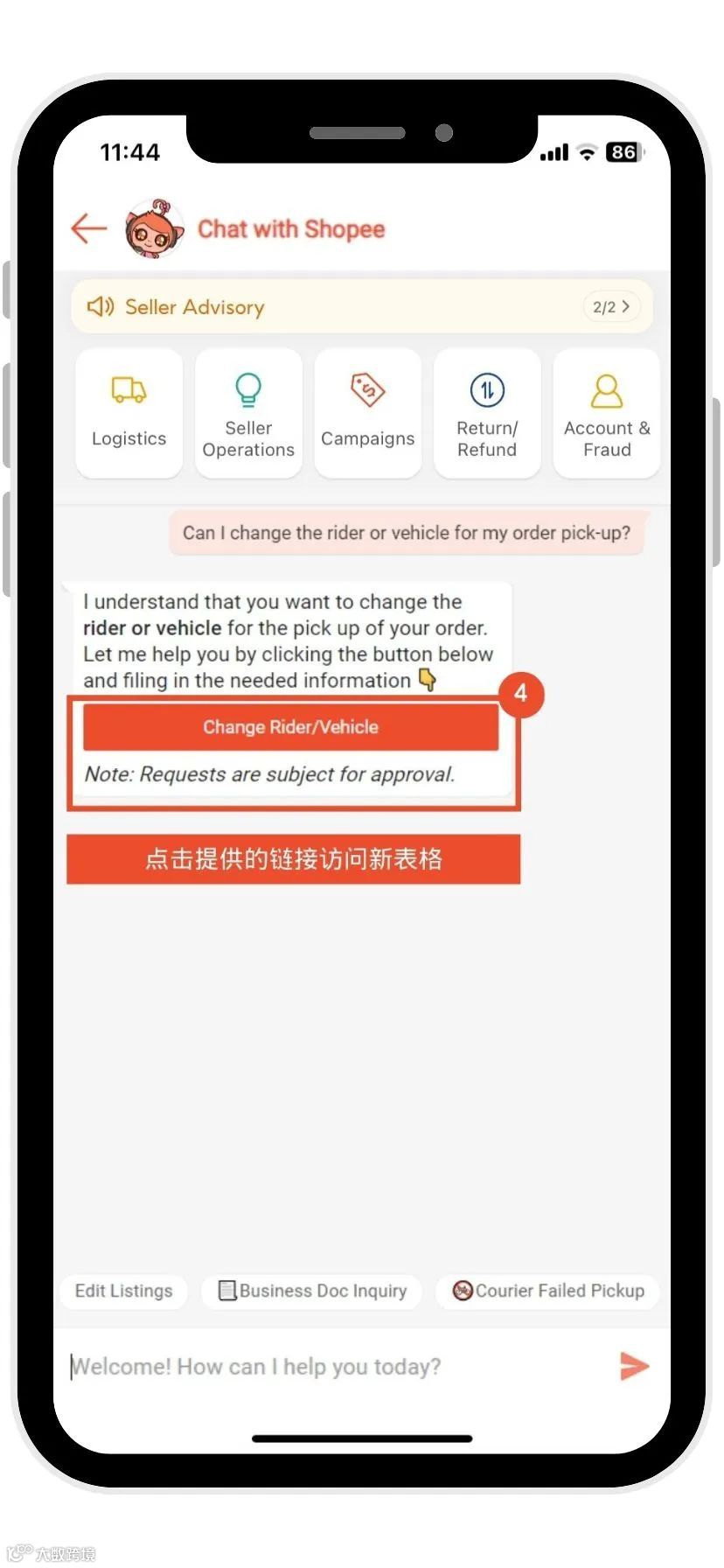
| 申请更换骑手或运输车辆 | Change rider | “Can I change the rider or vehicle for my order pick-up?” |
| 骑手服务投诉 | Report Rider | “How do I report a rider for misbehavior?” |
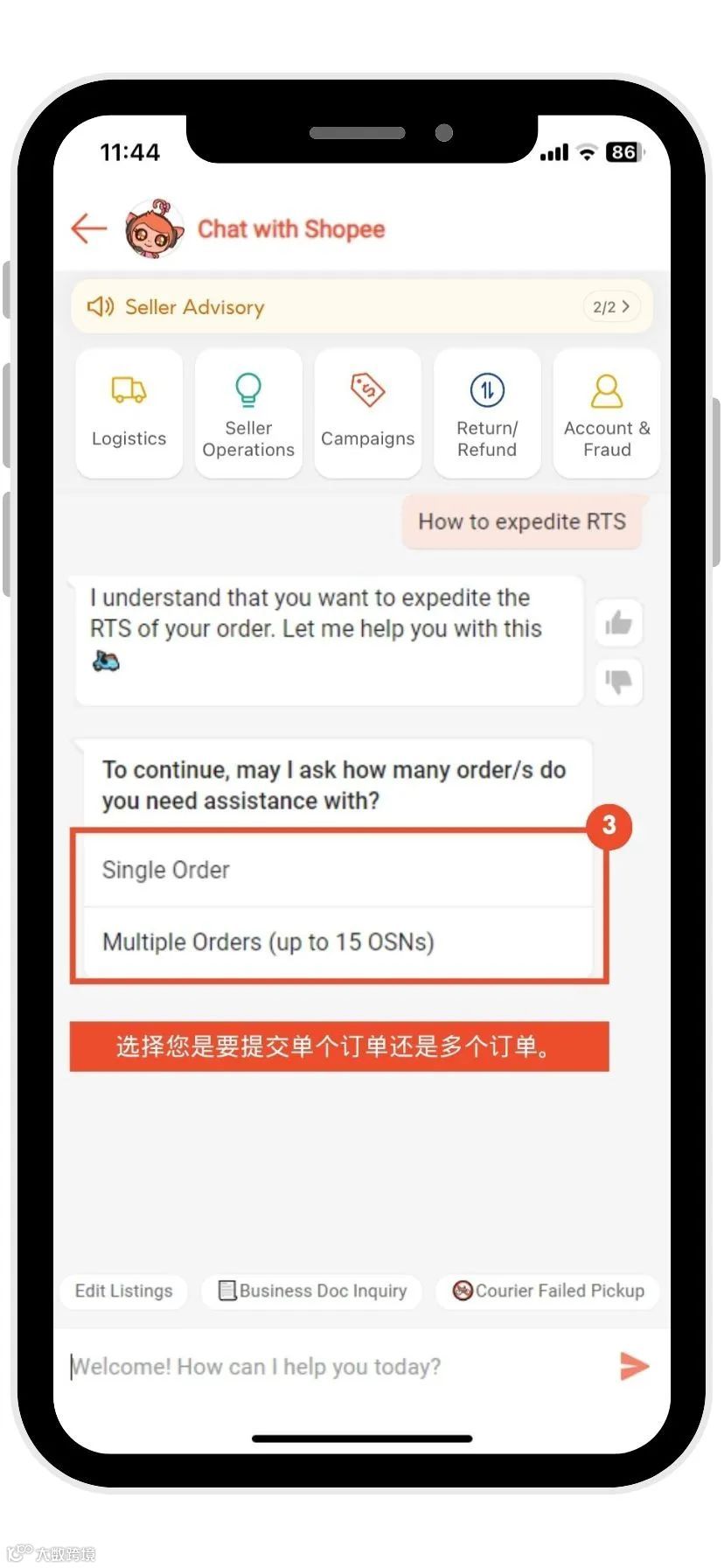
| 加速处理标记为“退回发件人”(RTS)的包裹 | Expedite RTS | “How to expedite RTS?” |
| 订单状态显示“退回/取消”,但实际已送达买家 | Returned/Cancelled but delivered | “What to do if the order status is cancelled/returned but was delivered to the buyer?” |
| 订单标记为“退回”,但卖家未收到退货 | Returned but Not Received | “What to do if the returned item was not received?” |
| 订单实际已送达,但后台状态仍显示“运送中” | Delivered but Status Not Updated | “What to do if the order has been delivered but status is still not updated?” |
| 订单状态卡在“待出货”,但已被骑手取件 | Order stuck in To Ship | “What to do if I have shipped order but stuck in To Ship status?” |
| 运费收取异常或存在差额 | Shipping Fee Claim | “Why was I charged extra for shipping fee?” |
| 因台风、仓库关闭、系统延迟等不可抗力导致无法发货 | Cannot ship due to warehouse closure/ typhoon/system delays | “What to do if I cannot ship out my order due to typhoon/warehouse closure/system delays?” |
| 申诉恢复被删除的商品列表 | Deleted Listings Appeal | “How can I appeal to reinstate my deleted listings?” |
| 账户被停用后的申诉与重新激活 | Account Reactivation | “How can my account be reinstated?” |
提交流程
- 进入 Shopee 聊天;
- 在对话框中输入对应问题的关键词;
- 根据提示选择适用于单个订单或多个订单;
- 点击系统推送的链接,直达专属服务表单。