


PCSWMM 7.0版本亮点
Some Highlights
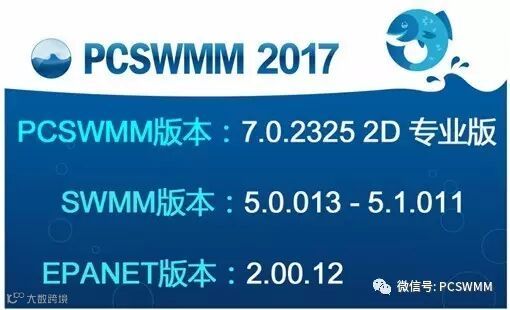
1.支持 EPANET 2.0
New EPANET 2.0 support
我们添加了支持EPA SWMM5模型相匹配的创建,打开,运行,编辑和分析EPANET水分配模型的功能。您可以使用与EPANET相同GIS,时间序列和决策支持工具。
We've added the ability to create, open, run, edit and analyze EPANET water distribution models in the same way EPA SWMM5 models are supported. You will be able to leverage the same familiar GIS, time series and decision support tools for EPANET.
2.数据源标记
New data source flagging
您可以使用新功能标识SWMM模型中每个实体属性和对象属性的数据源,并相应地渲染表格面板 - 与当前渲染参数的不确定性的方式相似。
This new feature allows you to identify the data source for each entity attribute and object property in a SWMM model, and color render the Table panel accordingly - in much the same way uncertainty is currently rendered.
3.“地图”面板中的新图表
New charting in the Map panel
在地图面板中,通过每个实体上显示的饼状图或条状图比较实体属性。例如,基于汇水区的水量平衡结果的可视化或管道容量的图表表示。存储图表设置到“收藏夹”中以用于快捷调用,或从预定义的列表中选择。
Compare entity attributes via pie or bar charts displayed on each entity in the Map panel. For example, visualize water balance on a subcatchment basis or chart pipe capacity. Store favorite chart setups for quick recall, or choose from a predefined list.
4.改进的数据导入工具
Improved data importing tool
添加了将导入配置存储到收藏夹的功能,可以同时快速更新多个图层,同时也为数学表达式提供支持(例如,用于单位转换等)。还包括在导入期间直接创建用户定义的新属性字段和为新属性分配数据源(请参阅上面的数据源标记)的功能。
This release adds ability to store import configurations as favorites to quickly update multiple layers simultaneously, as well as provides support for mathematical expressions (e.g. for unit conversions and more). Also includes ability to create new user-defined attribute fields and assign data source (see data source flagging above) directly during import.
5.直接打开ESRI文件地理数据库图层
Direct opening of ESRI File Geodatabase layers
添加对图层浏览的支持,用于从地理数据库(.gdb格式)文件夹直接浏览和打开多个矢量图层。一旦打开,可以使用更新后的导入数据工具导入文件地理数据库图层。
Add support to the Layer Browser for directly browsing and opening of multiple vector layers from a File Geodatabase (.gdb) folder. Once open, File Geodatabase layers can be imported from using the updated Import data tool.
6.研究区域和单位流量的计算
Calculation of contributing areas and unit flows
模型一经运行,对模型中每个节点和管线计算SWMM5贡献区域面积和单位峰值流量,并将其存储为实体属性用于查询,渲染和报告
Both contributing SWMM5 area and unit peak flows are computed for each node and link in the model after a model run and stored as entity attributes for querying, rendering and reporting.
PCSWMM 7.0版本新功能详细列表
Detailed List of All The New Features in PCSWMM 7.0
1.支持EPANET 2水资源调配模型
Support EPANET 2 for water distribution modeling.
2.支持表格面板中的数据源渲染
Support Data Source rendering in the Table panel.
(1) “不确定度”按钮由“渲染”按钮替代
Replace Uncertainty button with Render button
(2)添加数据源选择器到表格面板工具栏
Add data source picker to the table panel toolbar
(3)使用数据源管理器管理数据来源
Manage data source with data source manager
(4)在图层表下显示数据源图例
Show data source legend under layer tables
3.更改“导入”工具
Make changes to the Import tool
(1)支持导入收藏夹以存储多图层导入设置
Support import favorites for storing multiple layer import settings
(2)更改导入源图层到一系列加载的背景图层的下拉列表
Change source layer control to drop-down list of loaded background layers
(3)支持属性字段匹配表中的数学表达式
Support mathematical expressions in attribute field matching table
(4)支持导入新实体(选项)
Support importing new entities only (option)
(5)支持重组图层在导入工具内部
Support restructure layer directly inside the import tool
(6)支持标签属性设置
Support setting Tag attribute
(7)支持为导入的属性设置数据源
Support setting data source for imported attributes
4.支持图层属性对话框中的地图制图和图表收藏
Support map charting and chart favorites in the layer properties dialog
5.在图层浏览器中直接浏览和打开ESRI文件地理数据库中的矢量图层
Directly browse and open vector layers from ESRI File Geodatabase in layer browser
6.支持打开来自ESRI个人地理数据库中的多个图层
Support opening multiple layers from ESRI Personal Geodatabase
7. 在图表面板中支持XML时间序列格式
Support XML time series format in the Graph panel
8.改进报告工具,将保存的图表自动生成XML格式的时间序列文件
Improve report tool to report saved graphs to XML time series files
9.改进报告工具,将保存的图表写入多个时间系列文件
Improve report tool to write saved graphs to multiple time series files
10.导入具有指定的名称的时间系列时,支持“小时/分钟”
Support Hour/Minute when importing time series with Name specified
11.在“图表”面板中支持底部单线图例
Support bottom single line legend in the Graph panel
12.支持在控制规则编辑器中为所有规则添加注释
Support commenting out all rules in control rules editor
13.创建设计暴雨方案时,将水量图分配给创建的雨量计
Assign unit hydrographs to the created raingage when creating design storm scenarios
14.避免在层浏览器和范围管理器中使用JET引擎,以避免64位PCSWMM中的JET问题
Avoid JET engine usage in both the layer browser and extent manager to avoid JET issues in 64 bit PCSWMM
15.在所有对话框和工具添加帮助按钮和F1键以支持相关帮助文档的打开
Add Help button and F1 key support to all dialogs and tools to open relevant help article
16.在所有管线和节点上添加上游面积的自动计算功能
Add automatic calculation of upstream area for all links and nodes
17.增加替换工具中WEIGHT()和NUMVERTICES()函数
Add WEIGHT() and NUMVERTICES() functions to expressions in the Replace tool
18.重命名“属性”面板中的“点”为“顶点”(形状属性下)
Rename "Points" to "Vertices" in the Attributes panel (under Shape category)
19.添加一列“颜色”到设计暴雨/事件方案创建工具
Add color column to design storm/events scenario creator tool
20.添加“选择所有”按钮到“方案”对话框
Add “Select all” button to Scenario properties dialog
21.在打印预览中的图例中添加“下划线标题”选项
Add “Underline headings” option to the Legend object in Print Preview
22.添加“排除2D节点”选项到“设置出口”工具
Add "Exclude 2D nodes" option to the Set Outlet tool
23.添加上沿标高和路长属性到属性分布工具
Add Rim Elevation and Flow length attributes to the Attributes distribution tool
24.删除图层时将文件移动到回收站(以支持Windows操作系统恢复)
Move files to recycle bin when deleting a layer (to support recovery via Windows OS)
25.排除打包项目时的Web平铺背景图层
Exclude background web tiles layer when packaging project
26.恢复面积加权工具中缺失的默认土壤查找表
Restore missing default soil lookup tables for Area weighting tool
27.错误修正:最小标高未在汇总工具中设置为非附加节点
Fix bug: Min. Freeboard not set for non-surcharge node in the Summary tool
28.错误修正:“范围内选择”按钮在勾选“搜索所有SWMM5图层”时失效
Fix bug: Select Within does not work when “search all SWMM5 layers” is chosen
29.错误修正:工具栏有时候不在摘要/比较工具中显示
Fix bug: toolbar not shown in the Summary tool occasionally
30.错误修正:划分的子流域不能与Web显示的瓦片背景图层匹配
Fix bug: splitting subcatchments does not work with web tiles background layer displayed
31.错误修正:无法从DXF文件导入的问题
Fix bug: fail to import from DXF file
32.错误修正:从SWMM5的报告文件读取控制规则的时间序列(SWMM5.1.011)
Fix bug: reading control rules timeseries from SWMM5 report file (for SWMM5.1.011)
欢迎咨询
王女士,天津市龙网科技发展有限公司
电话:022-24102119转8837
邮箱:shupcswmm@126.com