大数跨境
0
0

“3·7女生节” 程序员表白终极大杀器,脱单全靠它了!

“3·7女生节” 程序员表白终极大杀器,脱单全靠它了! 芯板坊
2018-03-07
2
导读:既有恋人的浪漫,又有家人般的温暖,百变乐高给你最两全其美的礼物!


一年365天

大大小小的节日算下来

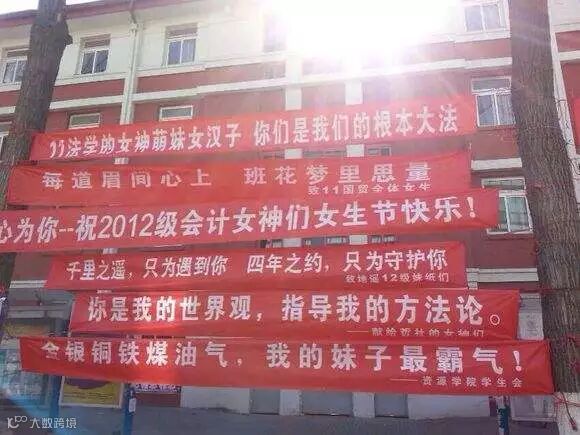
但仅单单给女生过的节日

怕是只有今天了吧


然程序员在这一天

送什么好


选择困难症患者们已濒临崩溃

再逼就只能丢红包了......


左思右想,给广大程序猿推荐一款

终极大杀器——Lego!

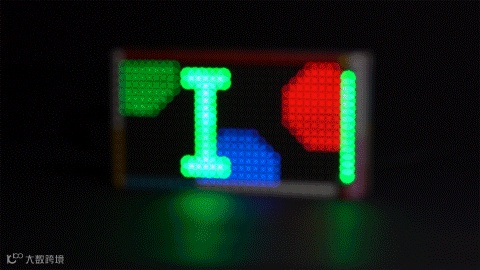
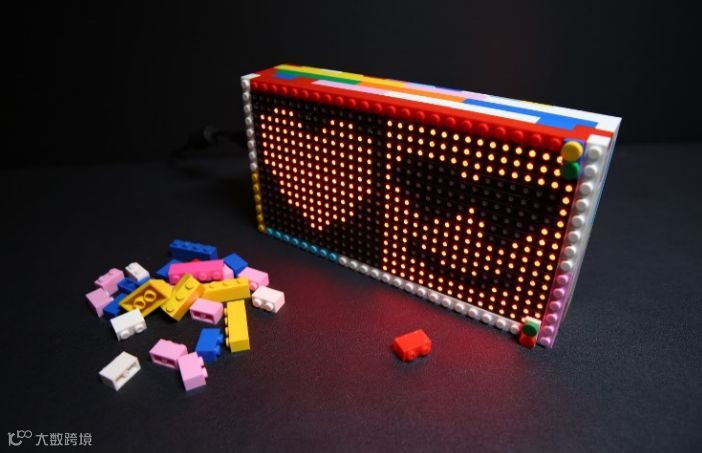
乐高自带像素画风

加上电子设计,

瞬间逼格妥妥的


首先高颜值,科技范儿,够炫酷

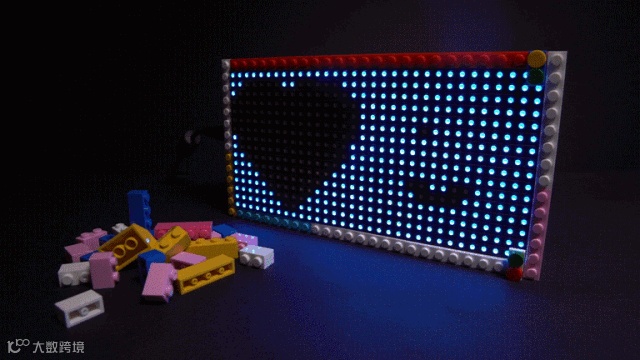
情人节最佳表白神器!


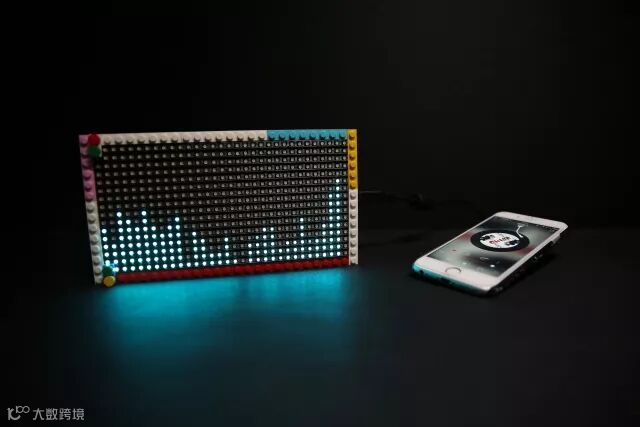
还能兼具生活实用功能

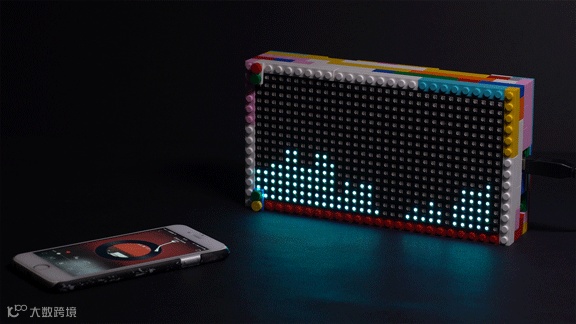
比如带音乐频谱的蓝牙播放器!


 1. 材料清单 


 ·  32x16 RGB LED Matrix 点阵屏
 .  DFRduino Mega2560 V3.0控制器 
 .  蓝牙音频模块
 .  无源音箱小喇叭
 .  乐高积木颗粒(40粒左右)

 .  I2C颜色识别传感器 - TCS34725 (可选做拓展应用)


 2. 硬件制作 


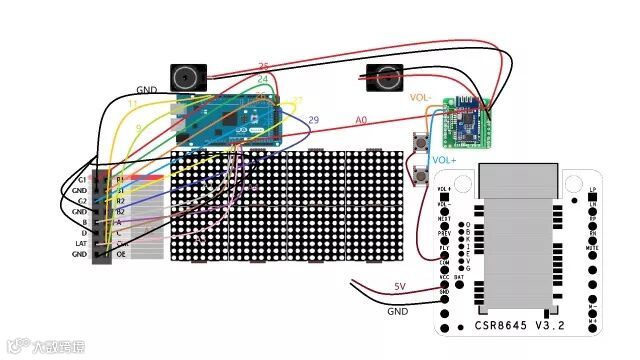
电子部分连接图


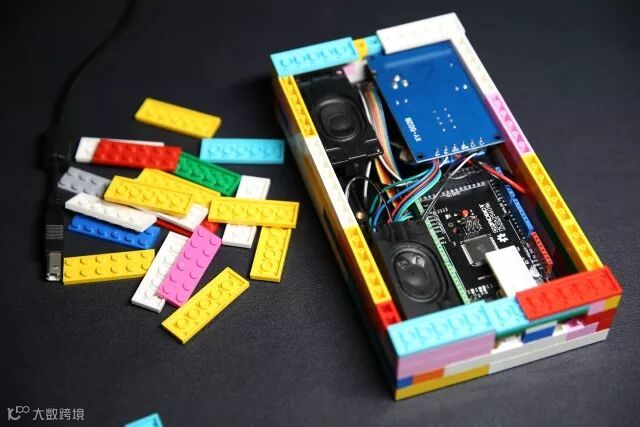
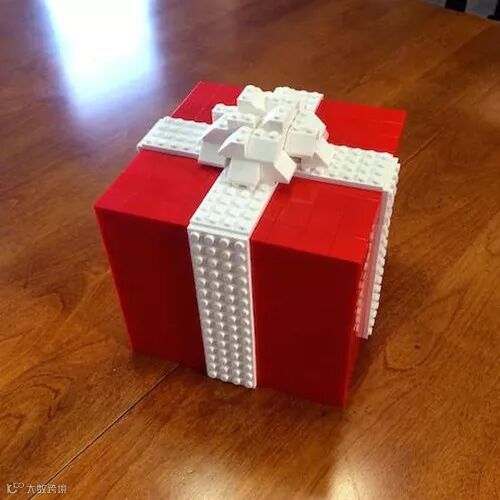
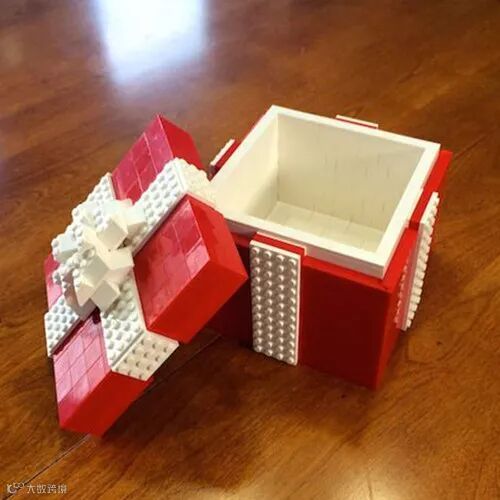
外观用乐高积木自行DIY搭建


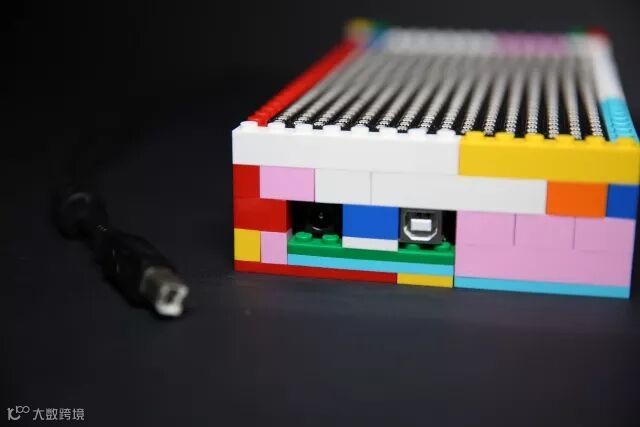
电源接口、下载接口细节


 3. 音频变换 


从物理科学的角度来看

音乐的本质就是一个随着时间变化的震动


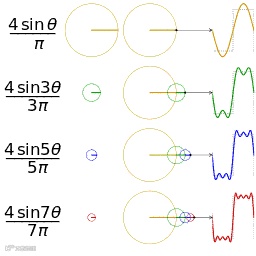
如何让音乐看得见?傅里叶变换(FFT)就派上用场啦!


当音乐播放时,点阵屏将显示:在32个频域上的幅度变化!


(向下滑动可查看完整代码)


音频.c代码:


#define LOG_OUT 1 // use the log output function

#define FFT_N 256 // FFT采样数:16.32.64.128.256

//#define DEBUG

#include <FFT.h> //快速傅里叶转换头文件声明

#include <Adafruit_GFX.h>   // Core graphics library

#include // Hardware-spe cific library


#define Cycle 3 //因为单次采样会有极大的噪音干扰,故用多次采样取平均值的方法

#define SIZE_WIDTH 32    //rgb显示宽度

//#define MAX_SPECTRUM 32 

#define GAIN 2.3

//#define FREQUENCY_INDEX(I) ((I)*3 + 10)

int Spectrum[SIZE_WIDTH];//数组记录多次采样值并在最后取平均数

// Similar to F(), but for PROGMEM string pointers rather than literals

//#define F2(progmem_ptr) (const __FlashStringHelper *)progmem_ptr

#define CLK 11 // MUST be on PORTB! (Use pin 11 on Mega)

#define LAT A3

#define OE  9

#define A   A4

#define B   A1

#define C   A2

RGBmatrixPanel matrix(A, B, C, CLK, LAT, OE, false);

const unsigned char myBitmap [] PROGMEM = {

  // 'Designbolts-Free-Valentine-Heart-Heart, 16x16px

  0x00, 0x00, 0x1c, 0x38, 0x7e, 0x7e, 0x7f, 0xfe, 0x7f, 0xfe, 0x7f, 0xfe, 0x7f, 0xfe, 0x7f, 0xfe, 

  0x3f, 0xfc, 0x1f, 0xf8, 0x1f, 0xf8, 0x0f, 0xf0, 0x03, 0xc0, 0x01, 0x80, 0x00, 0x00, 0x00, 0x00, 

};

void setup() {

   Serial.begin(115200); // use the serial port

   TIMSK0 = 0; // turn off timer0 for lower jitter - delay() and millis() killed

   ADCSRA = 0xe5; // set the adc to free running mode

   ADMUX = 0x40; // use adc0

   DIDR0 = 0x01; // turn off the digital input for adc0


   matrix.begin();

//           matrix.fillScreen(matrix.Color888(0, 150, 255));

//while(true);

 }


void loop() {

  int ave;

//  matrix.fillScreen(0);

  for (int m=0;m<SIZE_WIDTH;m++){

    Spectrum[m]=0;

  }

  for (int n=0;n<Cycle;n++){   //n记录采样次数

  //while(1) { // reduces jitter

    for (int i = 0 ; i < 512 ; i += 2) { // save 256 samples

         // cli();  // UDRE interrupt slows this way down on arduino1.0

      while(!(ADCSRA & 0x10)); // wait for adc to be ready

        ADCSRA = 0xf5; // restart adc

        byte m = ADCL; // fetch adc data

        byte j = ADCH;

         int k = (j << 8) | m; // form into an int

         k -= 0x0200; // form into a signed int

         k <<= 6; // form into a 16b signed int

         fft_input[i] = k; // put real data into even bins

         fft_input[i+1] = 0; // set odd bins to 0

       }

            // sei(); // turn interrupts back on

       // window data, then reorder, then run, then take output

       fft_window(); // window the data for better frequency response

       fft_reorder(); // reorder the data before doing the fft

       fft_run(); // process the data in the fft

       fft_mag_log(); // take the output of the fft

      /* for (byte i = 0 ; i < FFT_N/2 ; i++) 

       { 

          Serial.println(fft_log_out[i]); // <--输出到串口  

       }*/

       //Serial.write(255); // send a start byte

       //Serial.write(fft_log_out, 128); // send out the data

      }


      static int times = 0;


        if(times++ == 0){

          times=0;

                for(int m=0;m<SIZE_WIDTH;m++){

        ave=0;

        for (byte i=m*4;i<(m+1)*4;i++){

          ave+=fft_log_out[i];

        }

        ave/=4;

        ave/=2;

        Spectrum[m]=ave;

        Spectrum[m]/=Cycle;

        Serial.print(Spectrum[m]);

        Serial.print("-");

        if (m ==15)

        {

          Serial.println("||");

        }


          Spectrum[0] = Spectrum[1]-22;

          //Spectrum[1] = Spectrum[1]-7;

          //Spectrum[2] = Spectrum[2]-6;

          //Spectrum[3] = Spectrum[3]-6;


        int y = Spectrum[m]-8;

        if(y>26)

        y = 15;


        /*if(y<=7){


           //y = 0;

           matrix.fillScreen(0);

        }*/


       matrix.drawLine(m, 0, m, y, matrix.Color888(0, 150, 255));

       matrix.drawLine(m, y+1, m, 15, matrix.Color888(0, 0, 0));

      }

        }


}



 4. 表情制作 


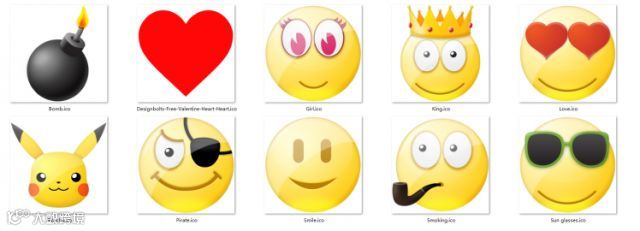
先将你喜欢的表情搜罗好


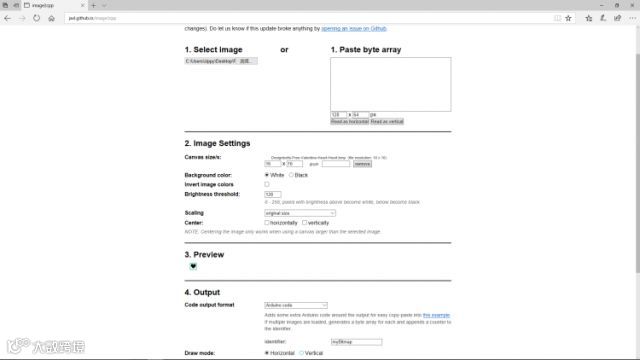
选择已经绘制好的图形,可更改设置或预览。


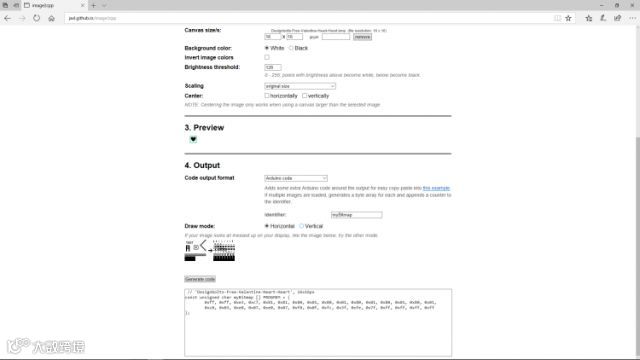
然后设置数据输出格式和绘制模式(水平或者垂直)


通过控制LED 灯的交替亮灭,形成点阵屏上的动态表情。


(向下滑动可查看完整代码)


表情.c代码:


#include <Adafruit_GFX.h>

#include <Adafruit_SPITFT.h>

#include <Adafruit_SPITFT_Macros.h>

#include <gfxfont.h>


// testshapes demo for Adafruit RGBmatrixPanel library.

// Demonstrates the drawing abilities of the RGBmatrixPanel library.

// For 16x32 RGB LED matrix:

// [url=http://www.adafruit.com/products/420]http://www.adafruit.com/products/420[/url]


// Written by Limor Fried/Ladyada & Phil Burgess/PaintYourDragon

// for Adafruit Industries.

// BSD license, all text above must be included in any redistribution.


#include <RGBmatrixPanel.h> // Hardware-specific library


#define CLK 11  // MUST be on PORTB! (Use pin 11 on Mega)

#define LAT A4

#define OE  9

#define A   A0

#define B   A1

#define C   A2

RGBmatrixPanel matrix(A, B, C, CLK, LAT, OE, false);

 // 'Designbolts-Free-Valentine-Heart-Heart', 16x16px

const unsigned char myBitmap [] PROGMEM = {

  0xff, 0xff, 0xe3, 0xc7, 0x81, 0x81, 0x80, 0x01, 0x80, 0x01, 0x80, 0x01, 0x80, 0x01, 0x80, 0x01, 

  0xc0, 0x03, 0xe0, 0x07, 0xe0, 0x07, 0xf0, 0x0f, 0xfc, 0x3f, 0xfe, 0x7f, 0xff, 0xff, 0xff, 0xff

};


void setup() {


  matrix.begin();

  matrix.drawBitmap(0,0,myBitmap,16,16,0xff);


}


void loop() {

  // do nothing

}


点阵屏的玩法很多!你也可以自己添加更多新创意,比如显示文字“爱的告白”。用颜色传感器进行颜色变幻,然后用乐高搭建浪漫惊喜的外观......


有了它,你还怕表白不成功么?


文转自DFrobot,版权归原作者,如有侵权,请联系我们删除!


芯板坊

免费提供最热门开发板

供大家免费申请

还等啥呢

详情请点击点击菜单栏

【声明】内容源于网络
0
0
芯板坊
芯板坊为您提供最全面国内外开发板资讯、评测、试用,折扣等信息,包括现今的热门开发板,如树莓派、Arduino、人工智能开发板、RK3588、STM32、开源硬件等
内容 1203
粉丝 0
芯板坊 芯板坊为您提供最全面国内外开发板资讯、评测、试用,折扣等信息,包括现今的热门开发板,如树莓派、Arduino、人工智能开发板、RK3588、STM32、开源硬件等
总阅读180
粉丝0
内容1.2k