再不点蓝字关注,机会就要飞走了哦
我们的电脑在使用过程中经常需要定期升级更新一些程序。经常有客户报修系统出了问题,无法安装微软的更新程序,提示“Setup could not verify the integrity of the file Update.inf. Make sure the Cryptographic service is running on this computer”等信息,导致系统无法升级更新。
遇到这种系统无法升级更新的问题我们该如何解决呢?
下面邦百家IT运维工程师简单介绍一种解决方案:
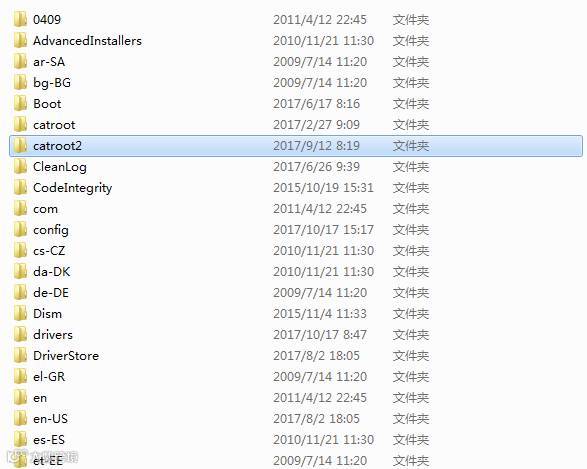
删除C:WindowsSystem32CATROOT2 文件夹,然后重新安装更新程序。 问题解决。