


环保工作者经常需要制作风玫瑰图,下面是0基础教程:
步骤一:
打开DeepSeek,输入提示词:请用python编写代码,帮我制作一个风玫瑰图。实现下面的要求:365天内,北风75天(1到2级:25天,3到4级:25天;5级以上:25天),西风45天(1到2级:15天,3到4级:15天,5级以上:15天),东风105天(1到2级:90天,3到4级:10天,5级以上:5天),南风125天(1到2级:90天,3到4级:10天,5级以上:25天),东南风15天(都是5级以上)。
你可以根据你掌握的数据改动提示词。
步骤二:
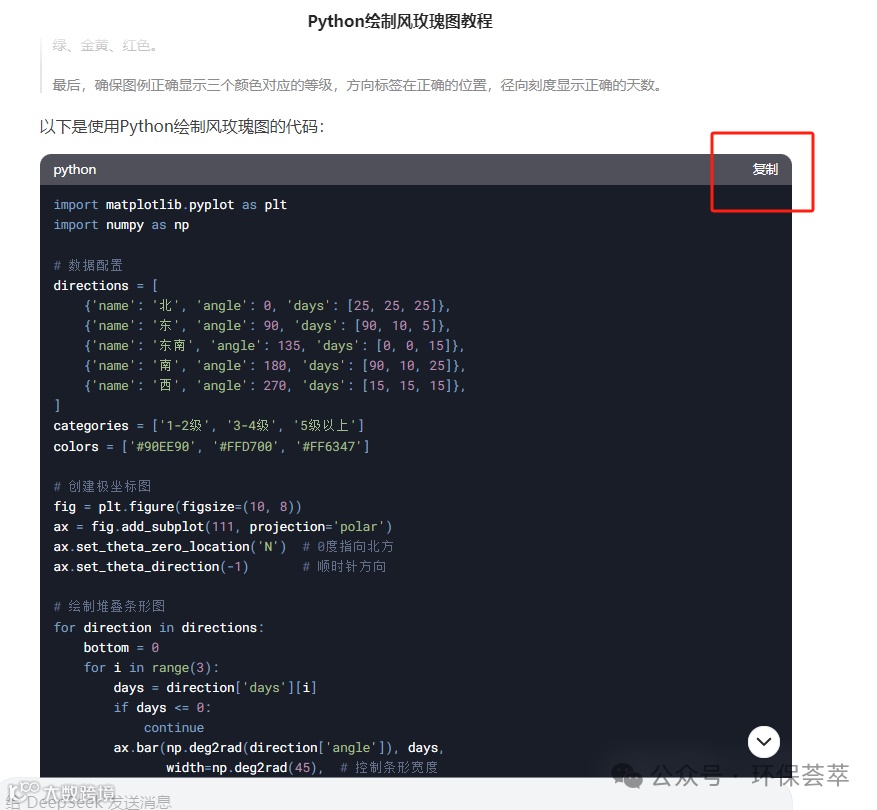
将DeepSeek生成的代码,复制到一个新建的文本文档中,然后将这个文本文档的后缀名称从.txt改为.py。

步骤三:
安装python,可以从各大主流应用商店找到。安装时,如果是Windows电脑请一定要勾选“Add Python to PATH”。

步骤四:
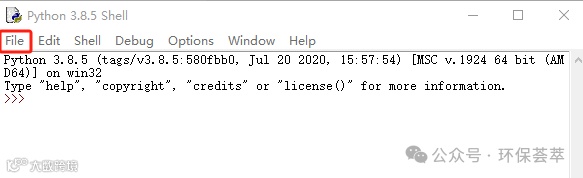
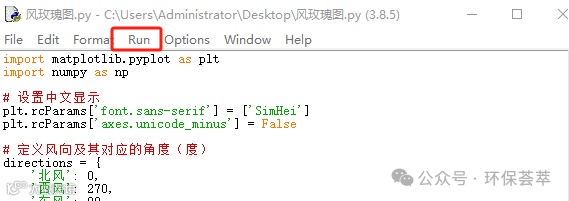
安装好后,从你电脑的左下角找到搜索栏,搜索IDLE(python),然后点击。在出现的对话框中选择Flie-Open,然后选择刚刚你保存的.py文件,点击Run-Module。
步骤五:
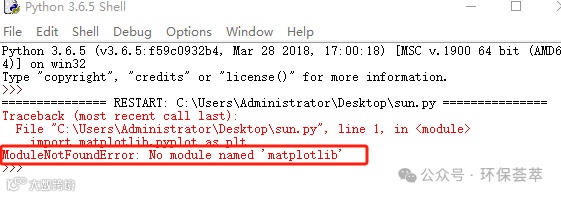
可能会提醒你“ModuleNotFoundError: No module named 'matplotlib'”,意思是你缺少matplotlib这个库。有的时候也会提示你缺少windrose。
这时,你要先安装matplotlib或者windrose。请按键盘“win+R”,在对话框中输入cmd,然后敲击点击确定。

接着在新弹出的对话框中输入“pip install matplotlib”,意思是:安装matplotlib。或者输入“pip install windrose”回车后,就会自动安装了。(安装过程可能会比较长,如果科学上网会非常快)

步骤六:等安装好之后,再重复步骤四即可。你就可以得到下面这张图了。

import matplotlib.pyplot as plt
import numpy as np
# 设置中文显示
plt.rcParams['font.sans-serif'] = ['SimHei']
plt.rcParams['axes.unicode_minus'] = False
# 定义风向及其对应的角度(度)
directions = {
'北风': 0,
'西风': 270,
'东风': 90,
'南风': 180,
'东南风': 135
}
# 各风向各风速等级的天数
data = {
'北风': {'1-2级': 25, '3-4级': 25, '5级以上': 25},
'西风': {'1-2级': 15, '3-4级': 15, '5级以上': 15},
'东风': {'1-2级': 90, '3-4级': 10, '5级以上': 5},
'南风': {'1-2级': 90, '3-4级': 10, '5级以上': 25},
'东南风': {'5级以上': 15}
}
# 风速等级的颜色和顺序
speed_order = ['1-2级', '3-4级', '5级以上']
colors = ['#4CAF50', '#FFEB3B', '#F44336']
# 创建极坐标图
fig = plt.figure(figsize=(10, 8))
ax = fig.add_subplot(111, projection='polar')
ax.set_theta_zero_location('N') # 0度指向北方
ax.set_theta_direction(-1) # 顺时针方向
# 绘制堆叠条形图
for dir_name, angle_deg in directions.items():
angle = np.deg2rad(angle_deg) # 转换为弧度
cumulative = 0
dir_data = data[dir_name]
# 按风速等级堆叠
for i, speed in enumerate(speed_order):
if speed in dir_data:
days = dir_data[speed]
width = np.deg2rad(30) # 条形宽度30度
ax.bar(angle, days, width=width, bottom=cumulative,
color=colors[i], edgecolor='white', linewidth=0.5)
cumulative += days
# 设置图形属性
ax.set_rlabel_position(22.5) # 半径标签位置
plt.title('风玫瑰图', pad=20)
plt.legend(speed_order, title='风速等级', loc='upper right', bbox_to_anchor=(1.25, 1))
plt.show()