
如何在微玛购物?
How to shop at MicroMart?
在微玛购物十分简单
以下是微玛详尽的购物教学:
Shopping at MicroMart is very simple!
Here’s step by step instructions on how to shop at MicroMart
单一件商品
Single Product
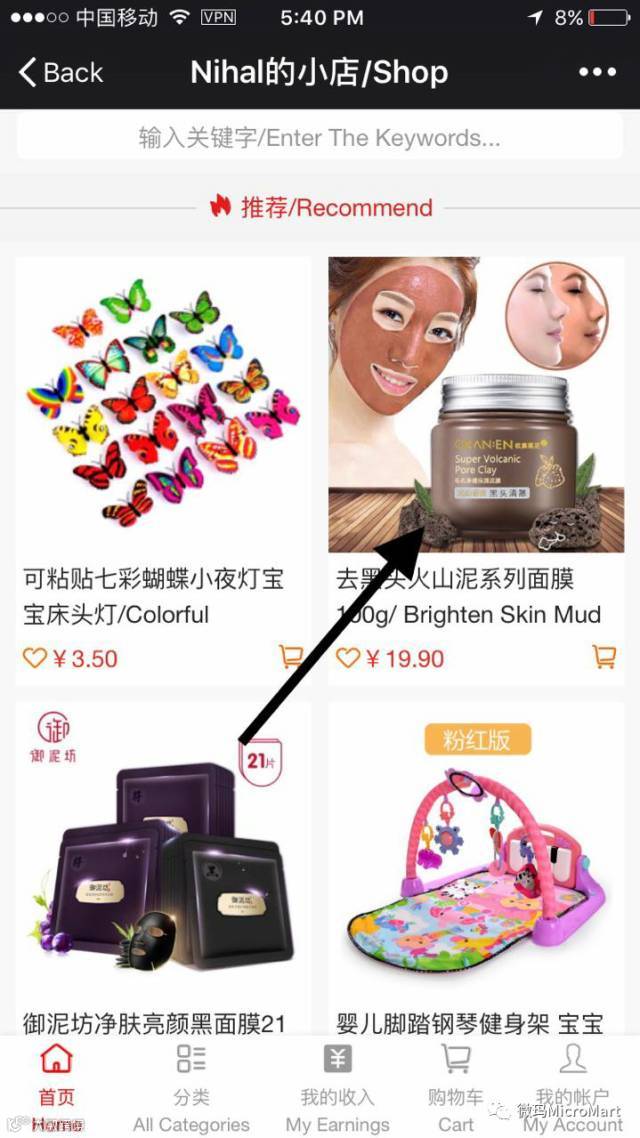
选取商
Choose your product
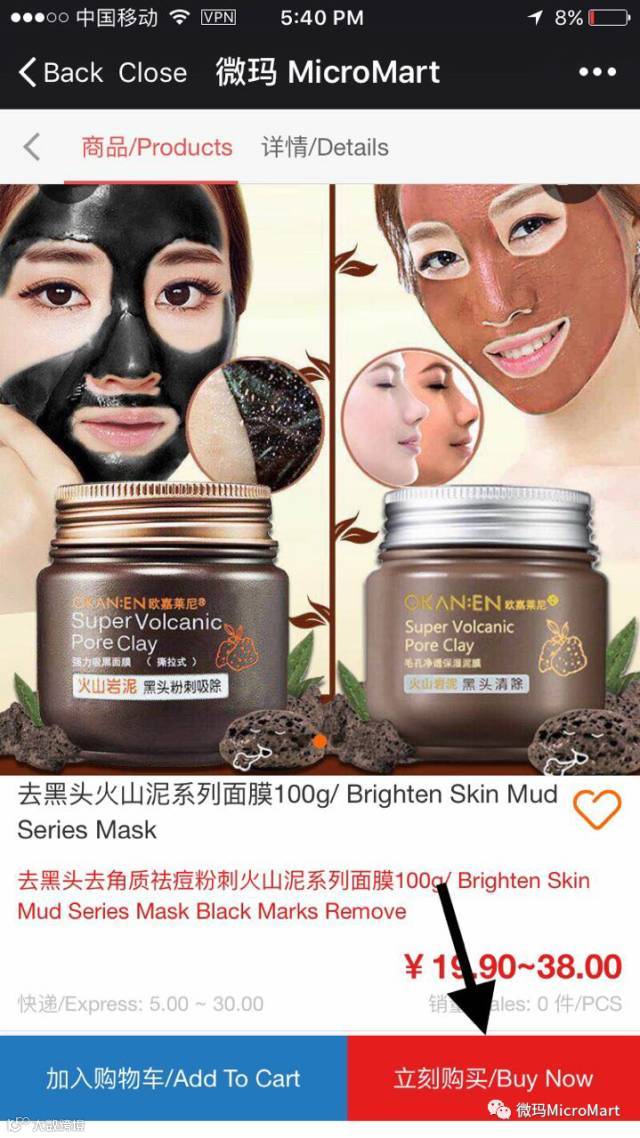
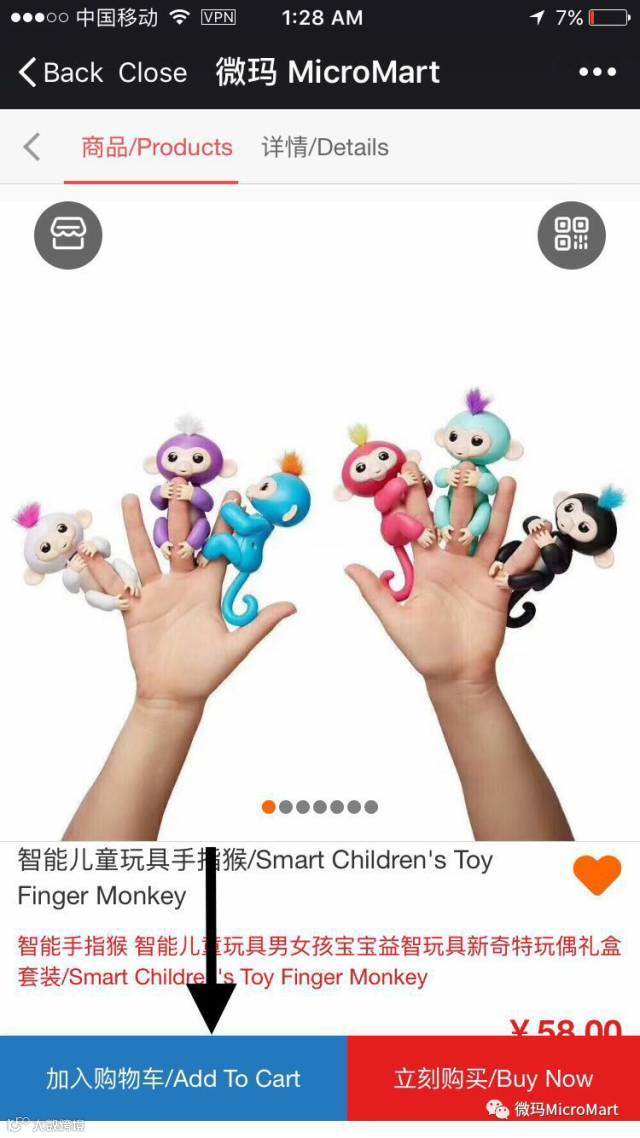
按加入购物车或立刻购买
Click on 'Add To Cart' or 'Buy Now'
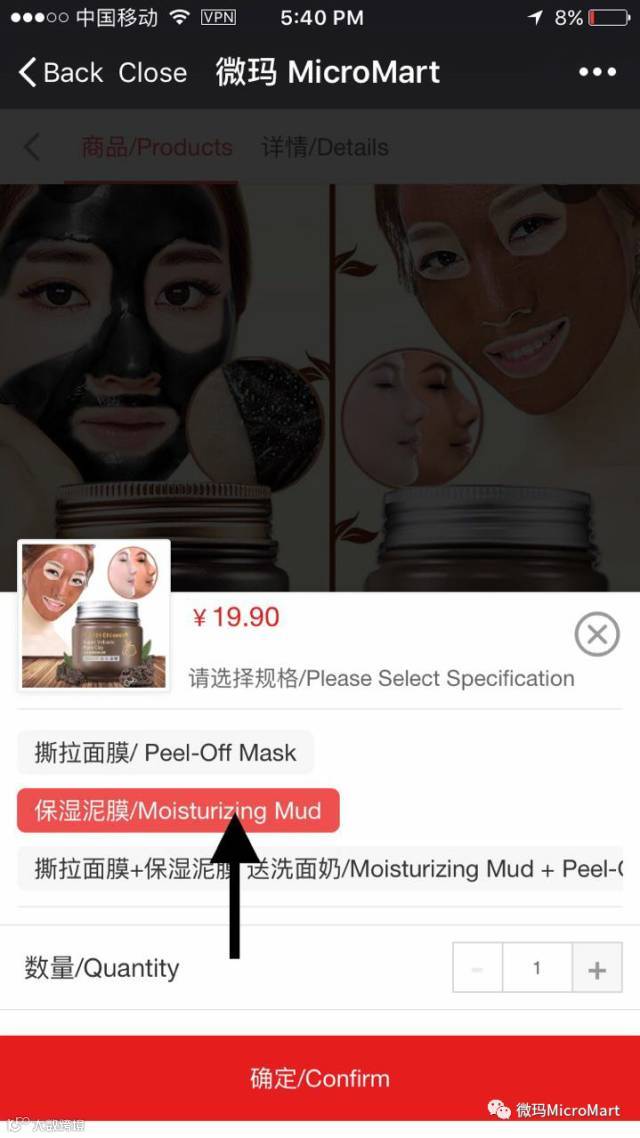
选择商品规格及数量
Choose the type and quantity
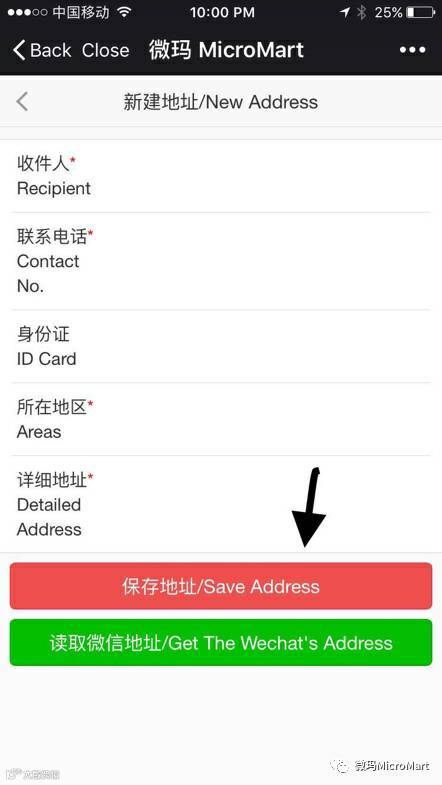
输入收货地址
Enter your address
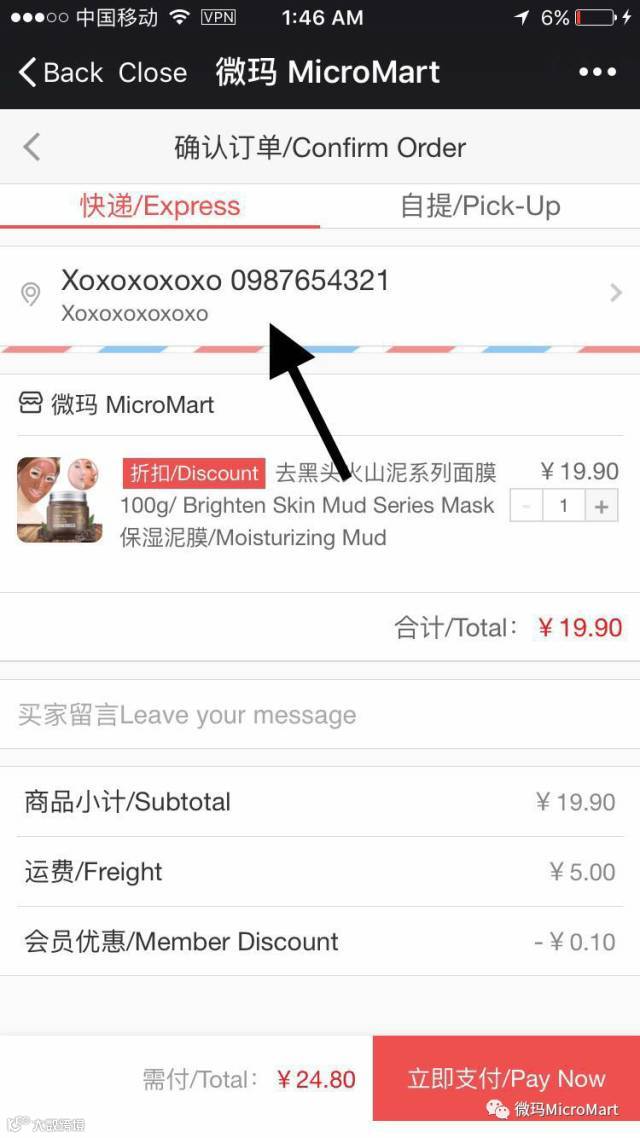
选择商品规格及数量
Save the address
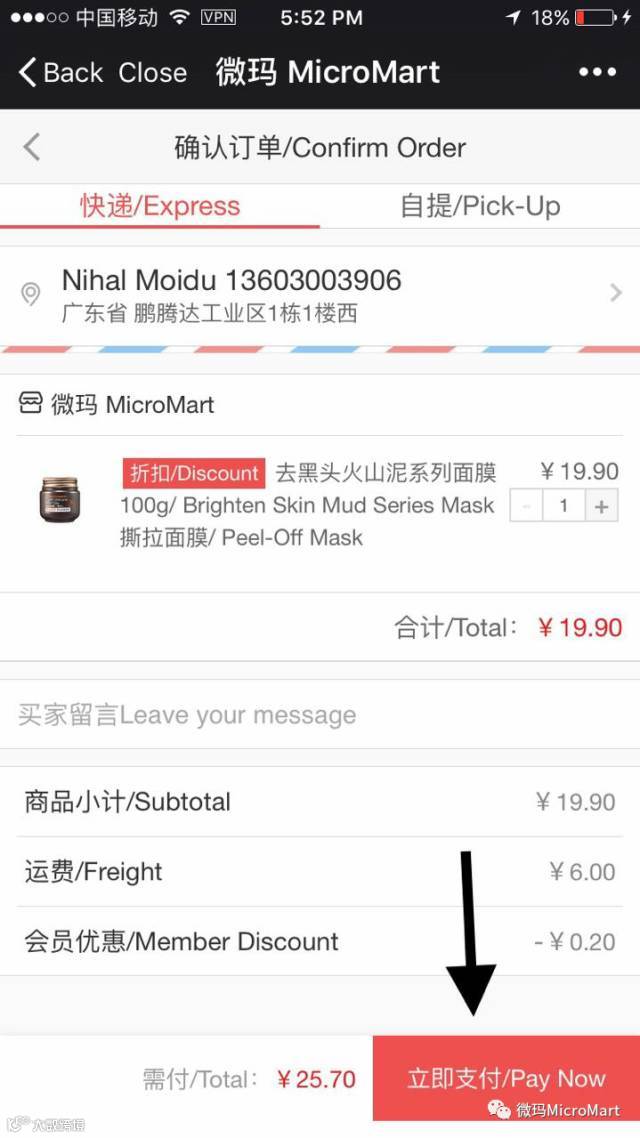
按立即支付
Click on pay now
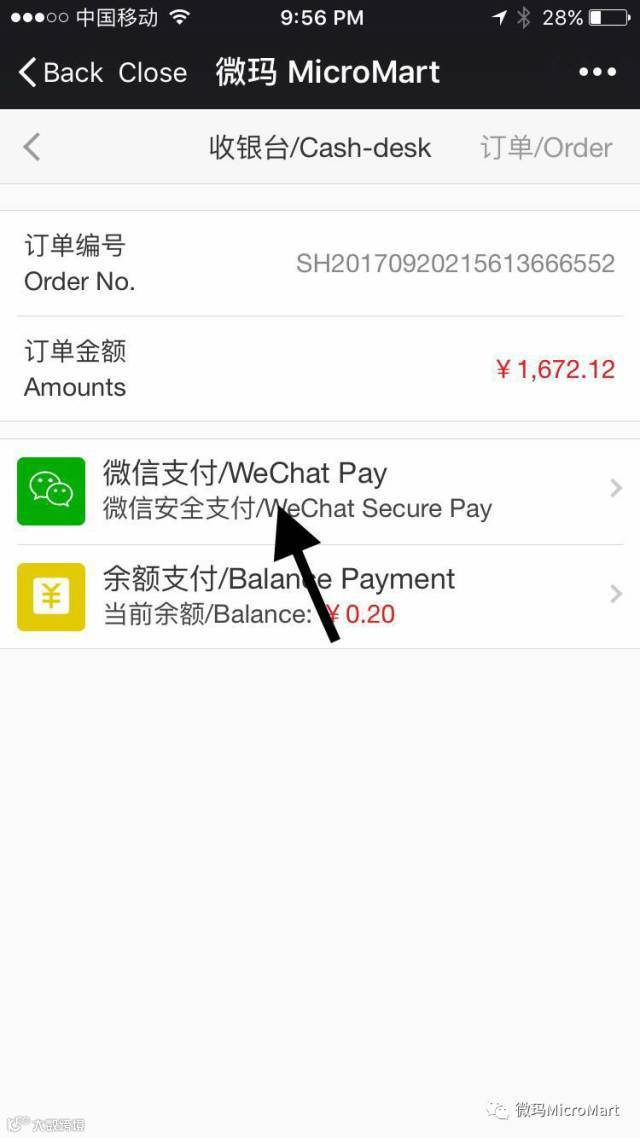
按微信支付透过微信完成支付
Click on WeChat Pay and pay through WeChat
多项商品
Multiple Products
选取第一件商品
Choose your first product
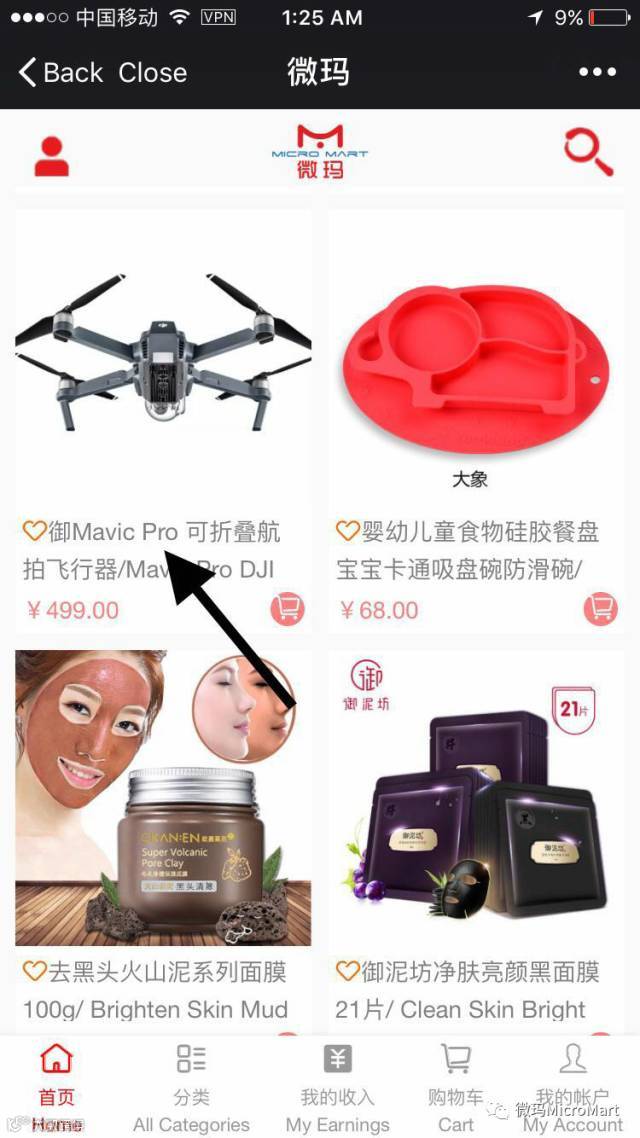
按加入购物车
Click on add to cart
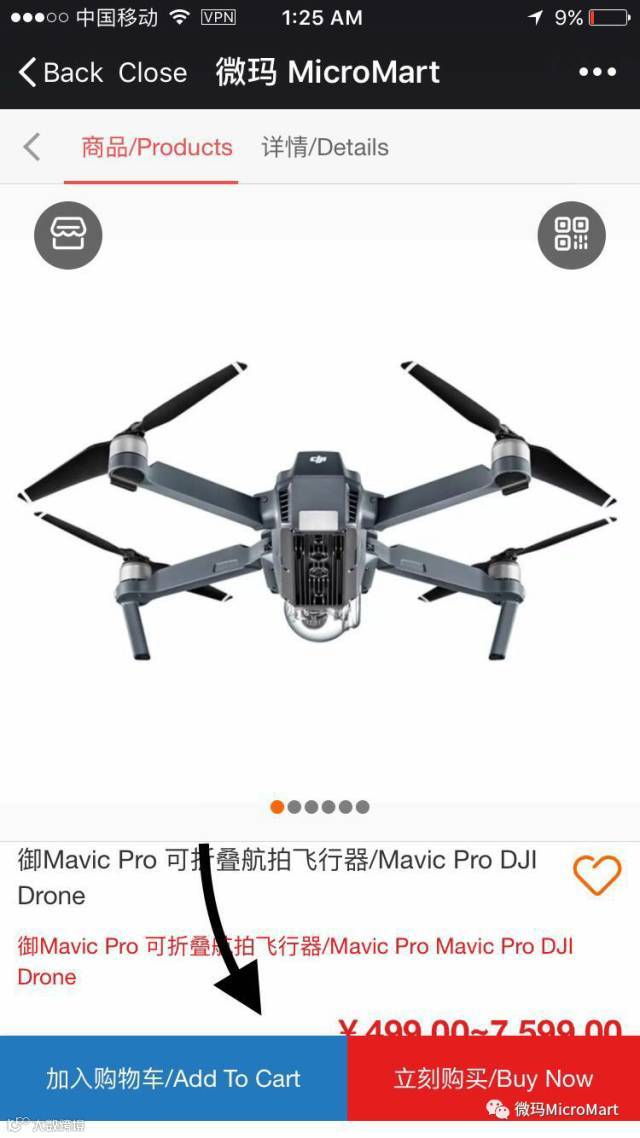
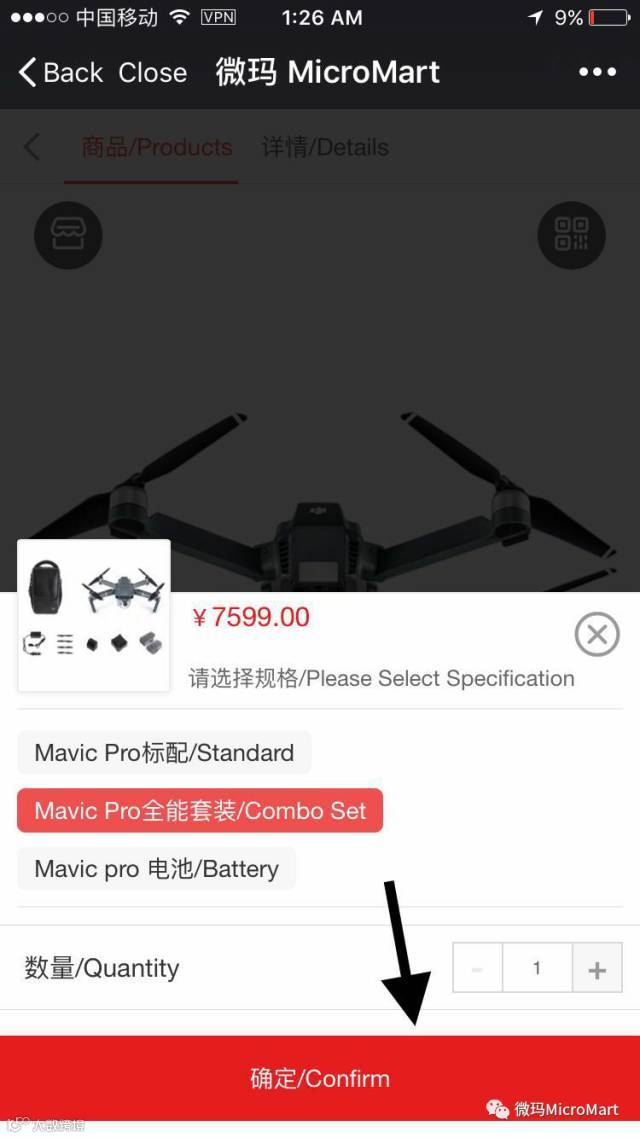
第三步 – 选择商品规格及数量后按确定
Step 3 – Click on Confirm.
选择商品规格及数量后按确定
Click on Confirm
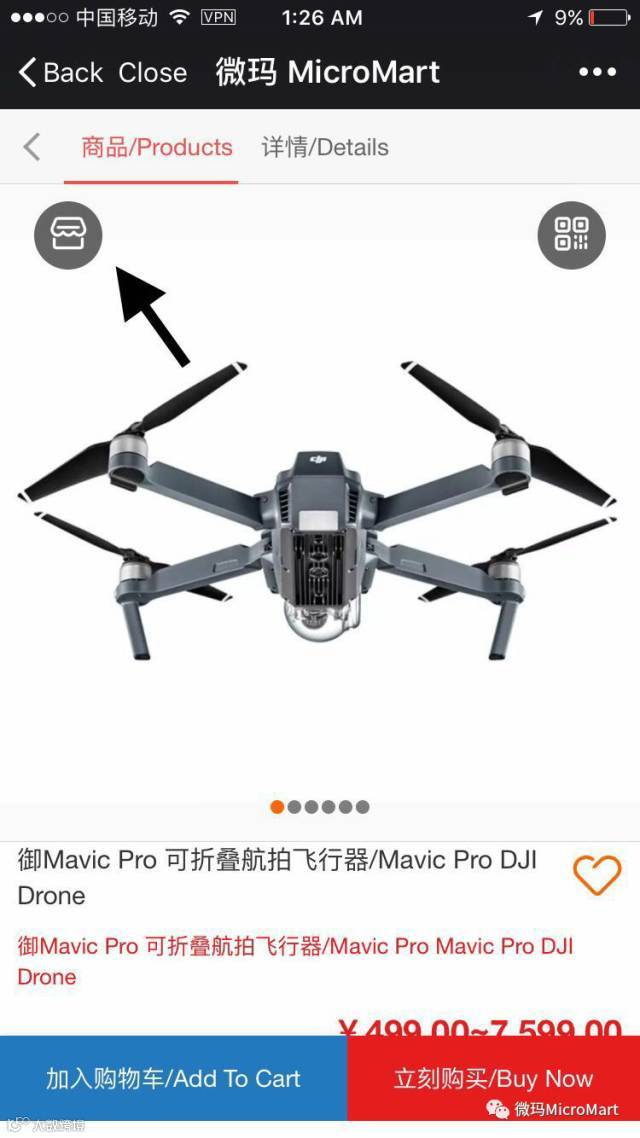
按这个图标
Click on this icon
选取下一项商品
Click on your next product
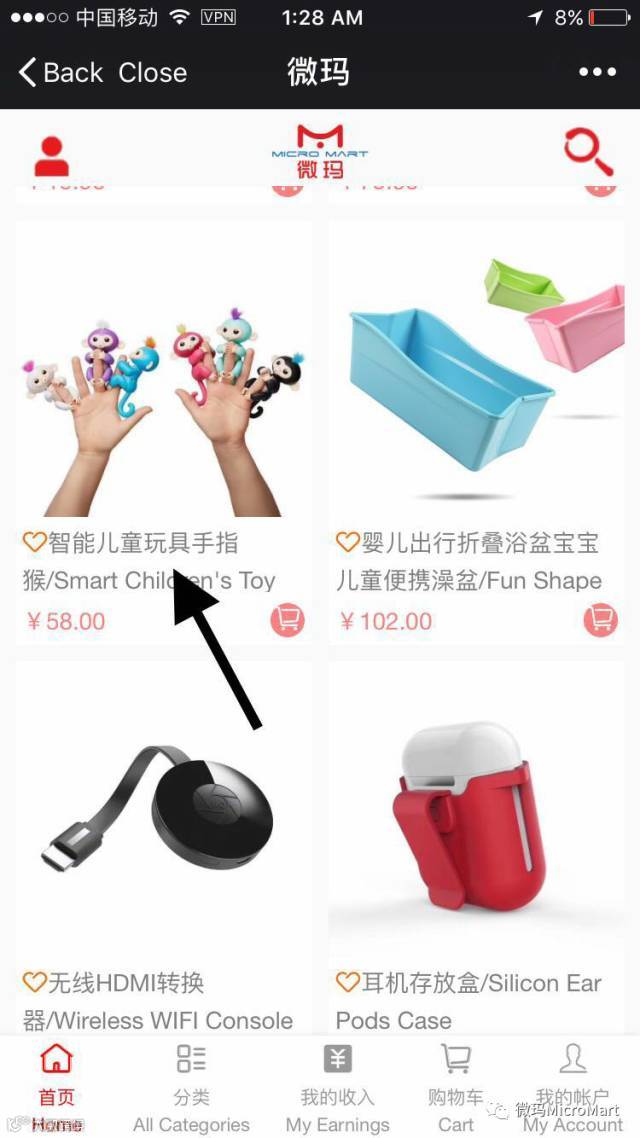
重复第二至四步
Click on add to Cart then follow step 3 and step 4 again
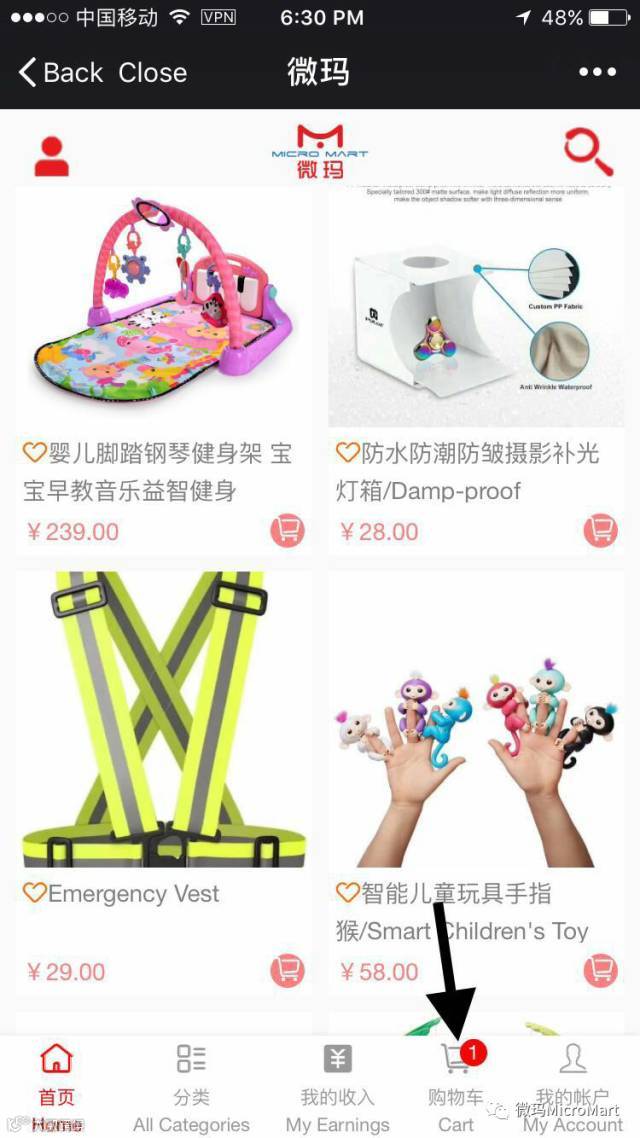
按购物车
Click on Cart
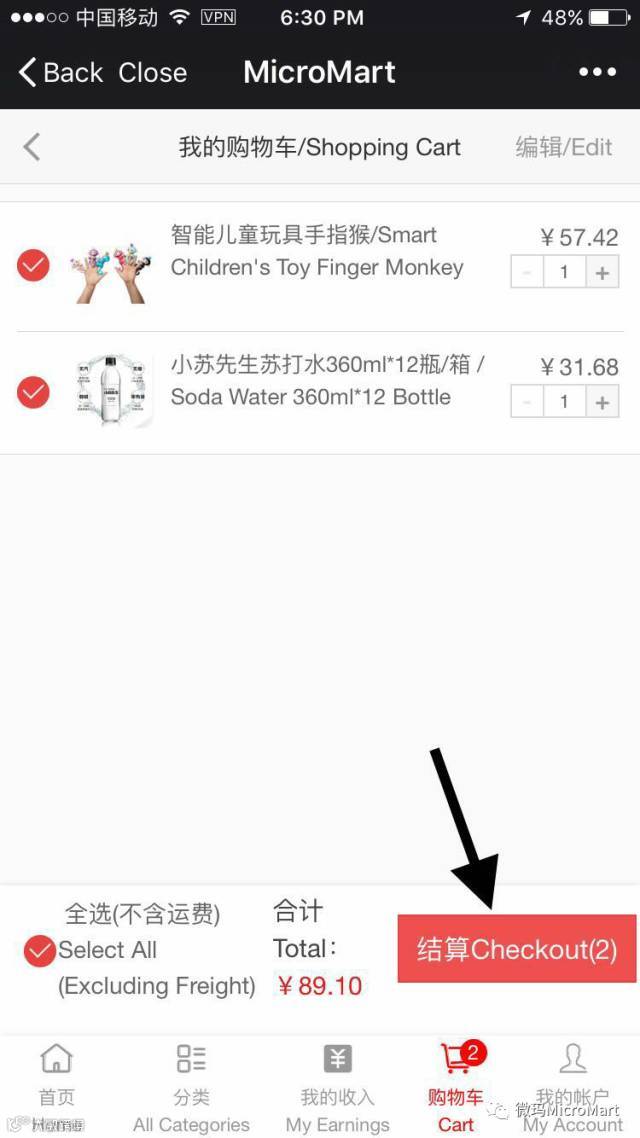
按结算并依照单一项商品教学完成支付
Click on checkout and follow the same payment instructions as before
将商品加入到我的关注
Adding products to Favorites
选取想关注的商品并按下心形图标
Choose your favorite products and Click on the heart icon
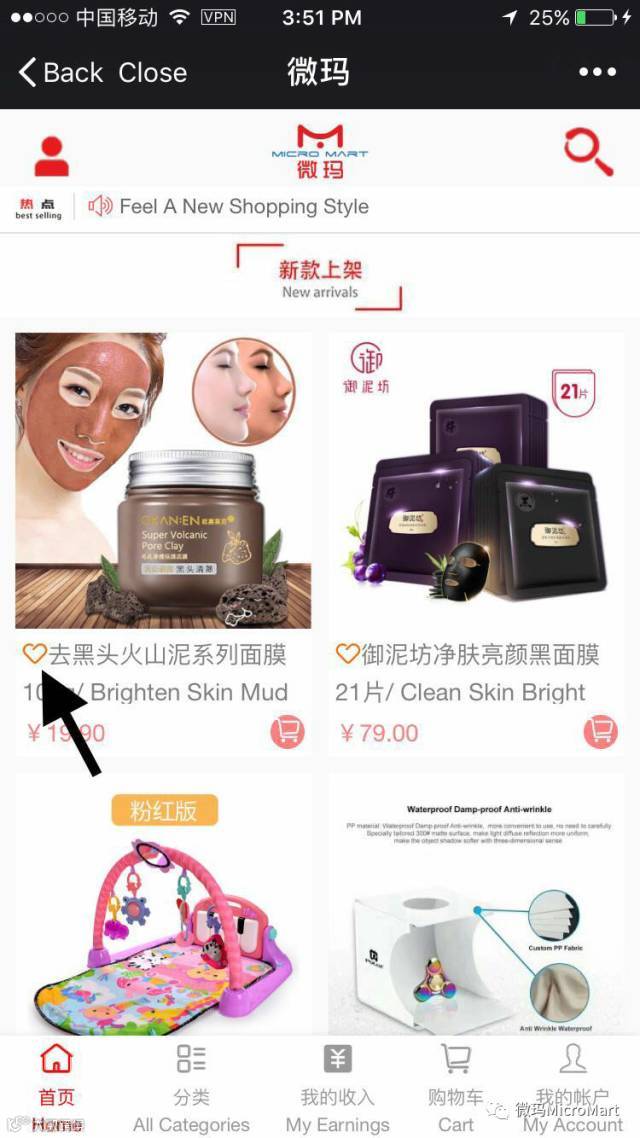
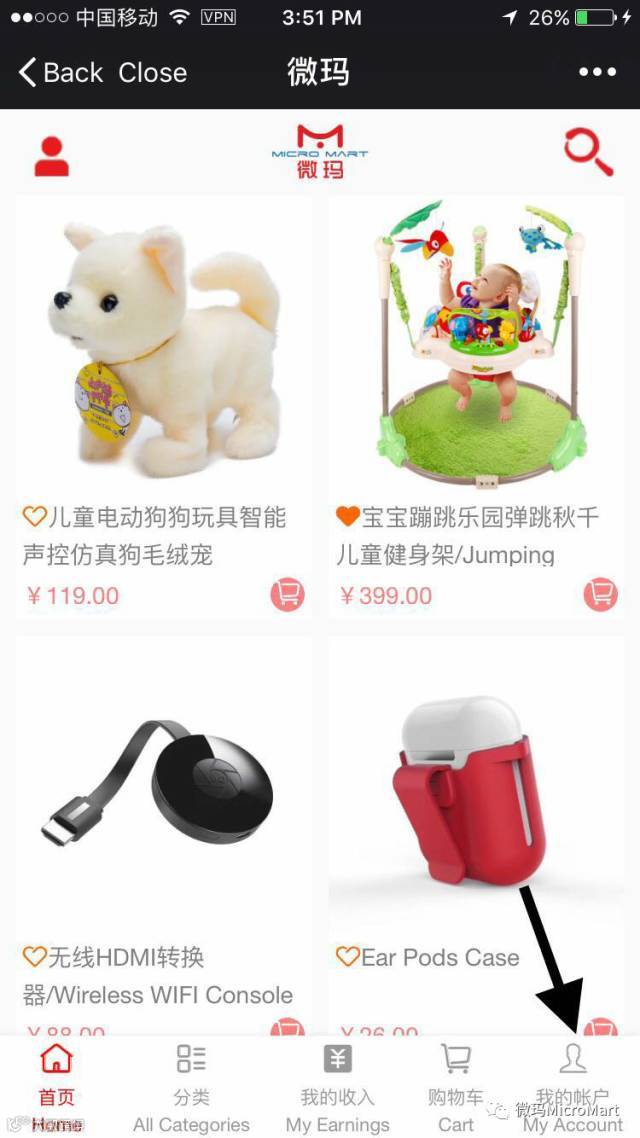
按下心形图标后按我的帐户
After clicking the heart icon on all your favorite products click on my account
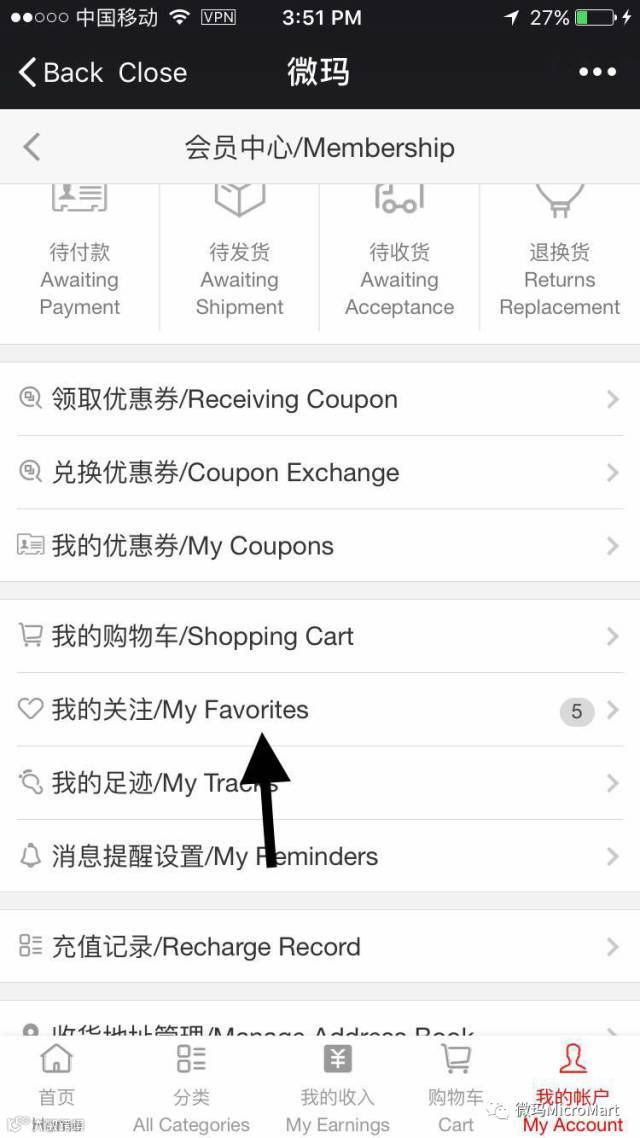
按我的关注
Click on My Favorites
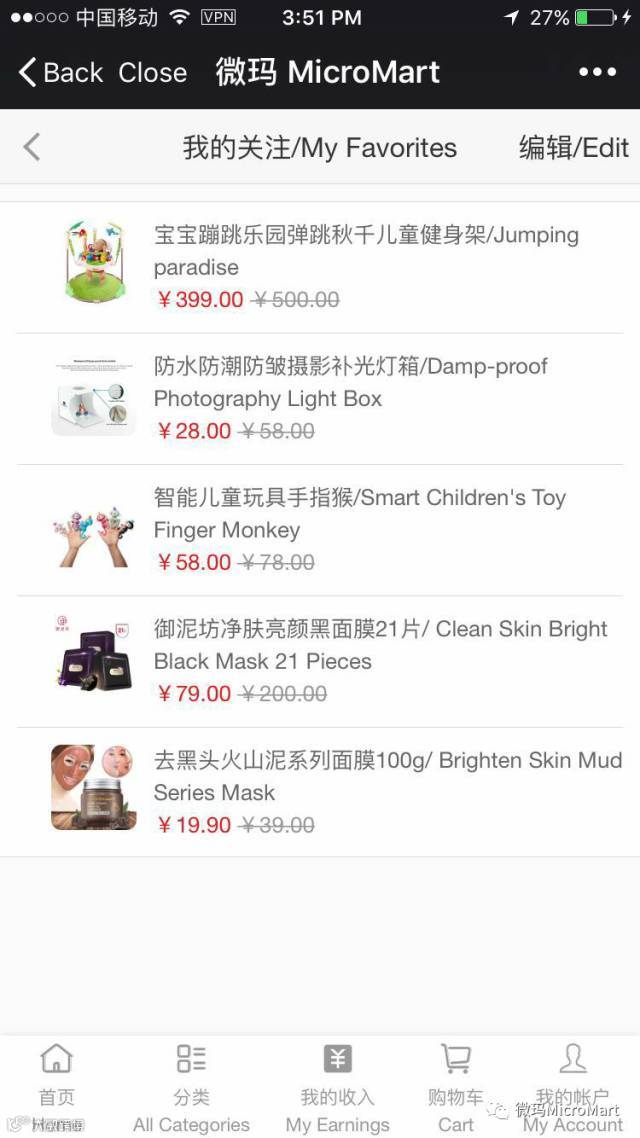
查看已关注商品
You can view your favorite products here
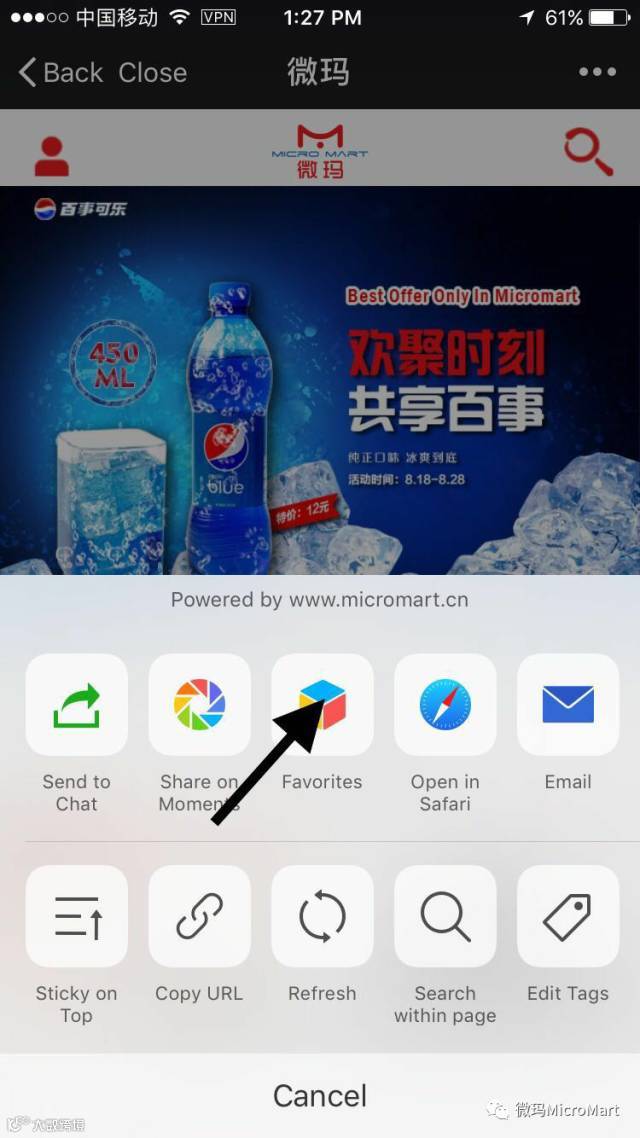
将微玛加入到收藏
ADDING Micromart TO FAVORITES
按此图标
Click on this icon
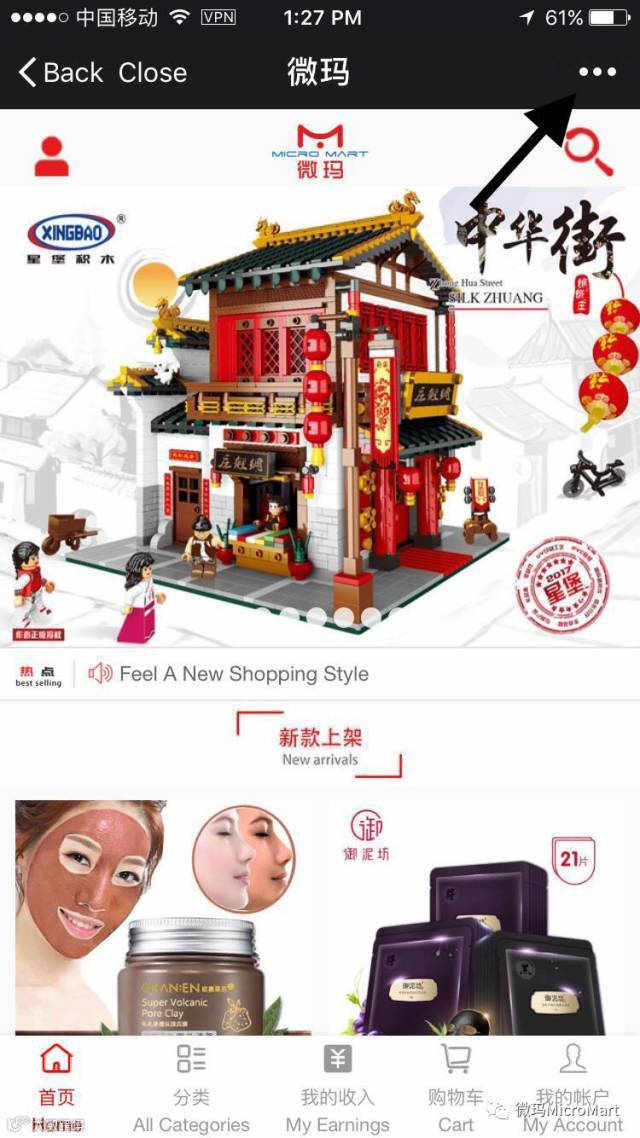
第二步 – 按收藏
Step 2 – Click on Add to favorites.
按收藏
Click on Add to favorites
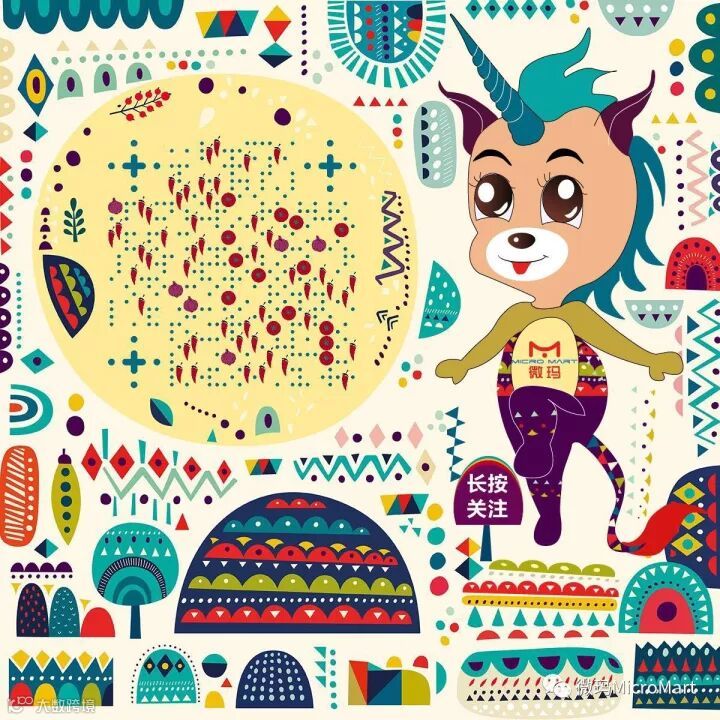
To Access MicroMart, Scan the Below QR Code
扫瞄下面QRCODE直接到商店页面
Click the Link to or the Picture to Check 11.11 Deals :