


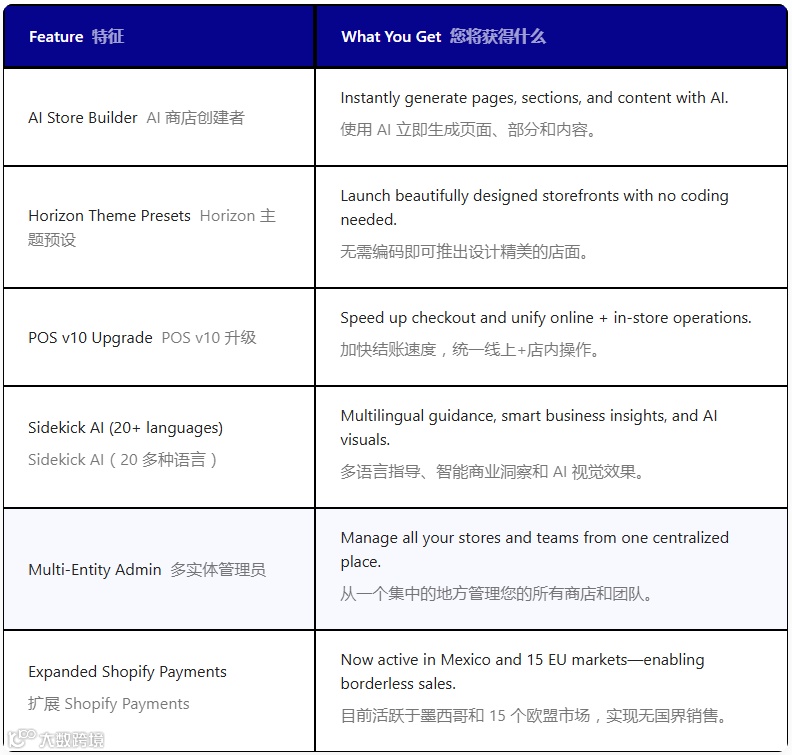
Shopify 推出强大的 AI 工具:
-
AI Block Generation
-
AI Store Builder
这意味着每个人,即使没有技术技能,也可以快速实现一些功能或模块。
另外,AI 生成的模块 与 Shopify 的最新版本和主题高度兼容,最大限度地减少潜在冲突并确保流畅、稳定的用户体验。
与手动构建和更新布局变体相比,Shopify 卖家可以节省大量时间和精力。
这次 Shopify 提供的 AI 区块生成功能,可以在以下几种套餐中使用 :
-
免费试用 (Free trials)
-
基础版(Basic)
-
成长版(Growth)
-
高级版(Advanced)
-
Plus 版(Plus)
因此,如果您使用的是入门版(Starter plan),则无法使用此功能。除此以外,还有以下限制:
-
确保您的帐户语言设置为英语
-
您的主题必须支持自定义块
-
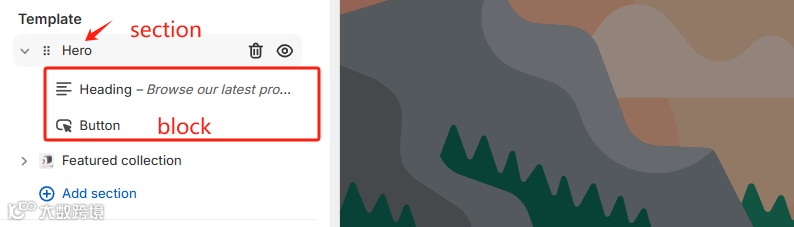
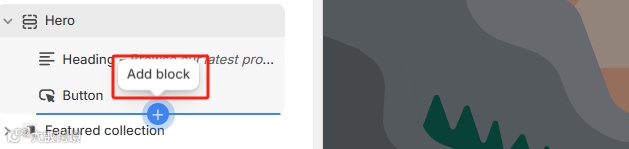
只能在【block】中添加 AI 代码
-
您必须要了解并且知道怎么调试生成的代码
-
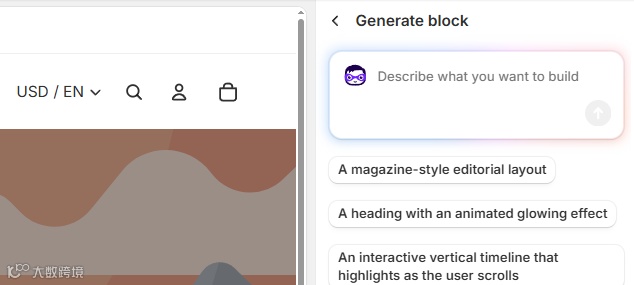
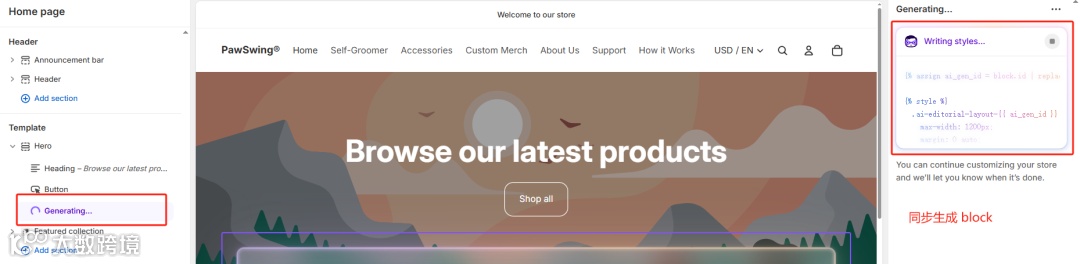
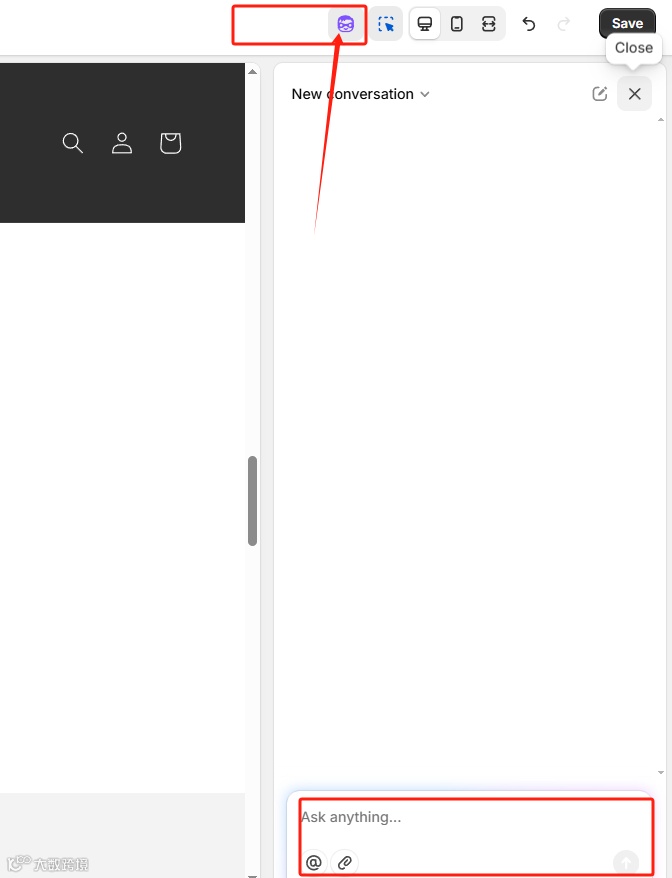
选择 Horizon 主题系列之一/ 当前主题 ,然后单击 “自定义”

-
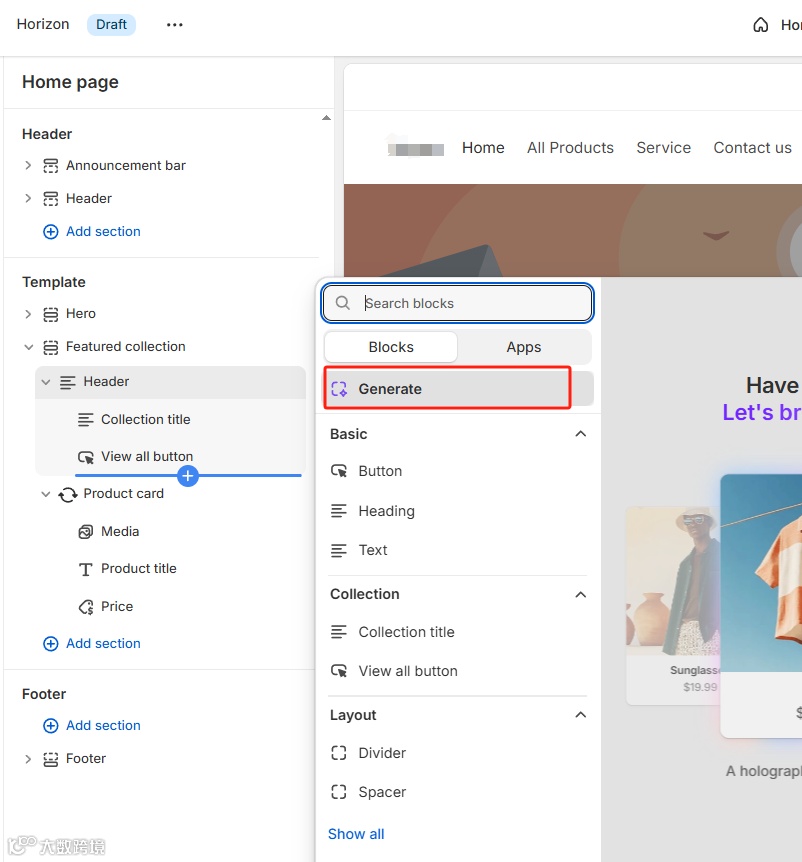
在左侧栏中 ,单击 “添加部分” 并选择目标部分 ,随机点开任意一个secion
|
|
|
|
|
-
提示语要明确
AI提示语需要高度具体的模块效果相符,才能创造出与愿景完美契合的理想模块。
"例如: 不要写“创建一个banner横幅”。而是尝试这样的描述语“生成一个全宽banner横幅,其中包含一个大背景图像、一个覆盖标题‘夏季促销’、一个副标题‘最高 50% 折扣’,以及一个位于图像中心的‘立即购买’按钮,链接到网站上的‘促销’系列'"-
包含4个要素
-
内容 (准确列出您需要的内容)
-
布局 (描述元素的排列方式)
-
自定义设置 (提及哪些内容以后可以编辑)
-
移动端交互 (解释布局如何在较小的屏幕上进行适配)
"创建一个包含大标题、短段落、号召性用语按钮和产品图片的英雄版块。布局应该左侧显示文本,右侧显示图片。确保我稍后可以自定义标题文本、段落、按钮标签、按钮链接和图片。在移动设备上,垂直堆叠元素,图像显示在文本上方。"-
与 其它 AI工具配合使用
如果您不确定区块中要包含哪些内容或如何构建区块,可以考虑使用其他 AI 解决方案进行头脑风暴 ,例如 Chat GPT、Gemini 或 Canva Magic Design 。这些平台可以极大地激发创意,生成示例文案。
10 个使用 Shopify AI Block 的示例
1. 带有五星图标的 轮播
"创建客户评价轮播。每张轮播都应显示客户的评价、姓名、国家以及五星评分图标。底部应包含导航箭头和分页点。轮播应该自动播放,并有选项来设置自动播放速度和显示的推荐数量。""Create a testimonials carousel. Each slide should display a customer's quote, their name, and a 5-star rating icon. Include navigation arrows and pagination dots at the bottom. The carousel should autoplay and have options to set the autoplay speed and number of testimonials shown. "2. 双列 banner
"创建一个两列英雄横幅。左列包含一张醒目的大图,右列包含一个醒目的标题、一个简洁的副标题和一个行动号召 (CTA) 按钮。允许自定义图片、文本、按钮文本和按钮链接。确保图像能够很好地适应移动设备。""Create a two-column hero banner. The left column features a large, eye-catching image, and the right column contains a prominent headline, a concise subheadline, and a CTA button. Allow customization of image, text, button text, and button link.Ensure images adapt well on mobile."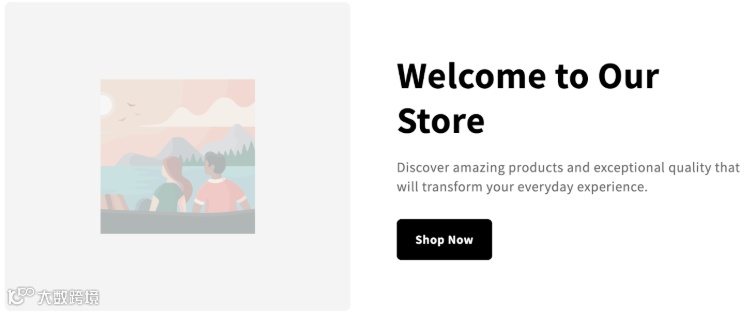
3. 促销的倒计时器
"为限时抢购区设计一个倒计时模块。该模块应显示天、小时、分钟和秒,清晰地指示距离指定日期的剩余时间。在计时器上方添加一条消息,例如'销售结束于:',并允许自定义日期和时间。""Design a countdown timer block for a flash sale section. The timer should display days, hours, minutes, and seconds, clearly indicating the time remaining until a specified date.Include a message above the timer like 'Sale Ends In:' and allow the customization of the date and time."4. 带图标的服务流程
"创建一个包含三个步骤的流程部分。每个步骤应包含一个数字指示符(1、2、3)、一个粗体步骤标题以及一个简短的流程说明。桌面端使用水平布局,移动设备使用垂直布局。轻松定制步骤标题和描述。""Create a process section with three steps. Each step should include a numerical indicator (1, 2, 3), a bold title for the step, and a short description explaining the process. Use a horizontal layout for desktop and stack vertically on mobile.Easy to customize step titles and descriptions."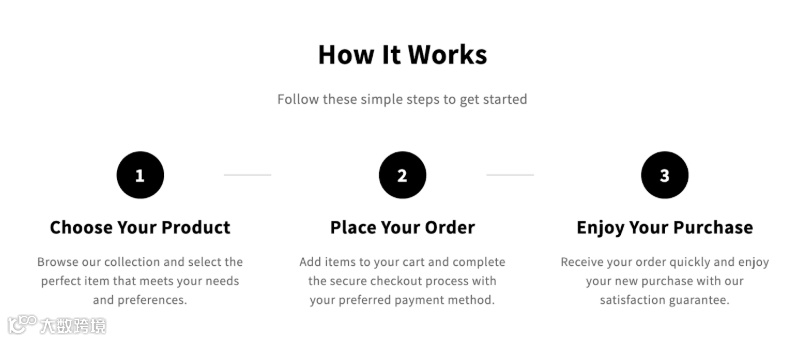
5. 手风琴效果的 FAQ
"使用手风琴式布局构建常见问题解答版块。每个常见问题解答条目都应包含一个可点击的问题,并展开显示答案。至少从三个常见问题解答示例开始。确保该版块允许根据需要添加或删除常见问题解答条目,并修改问题和答案。""Build an FAQ section with an accordion layout. Each FAQ item should have a clickable question that expands to reveal the answer. Start with at least three example FAQ items. Ensure the section allows adding or removing FAQ items if needed and modifying questions and answers."6. 带有自定义图标的 “为什么选择我们”
"创建一个“为什么选择我们”版块,其中包含四张不同的优惠卡片。每张卡片都应包含一个自定义图标(允许选择或上传图标)、一个醒目的优惠标题以及一段简短的支持性描述。在桌面上将这些卡片以二乘二的网格排列,并在移动设备上垂直堆叠。""Develop a 'Why Choose Us' section with four distinct benefit cards. Each card should feature a custom icon (allow icon selection or upload), a bold benefit title, and a brief supporting description.Arrange these cards in a two-by-two grid on the desktop and stack vertically on mobile."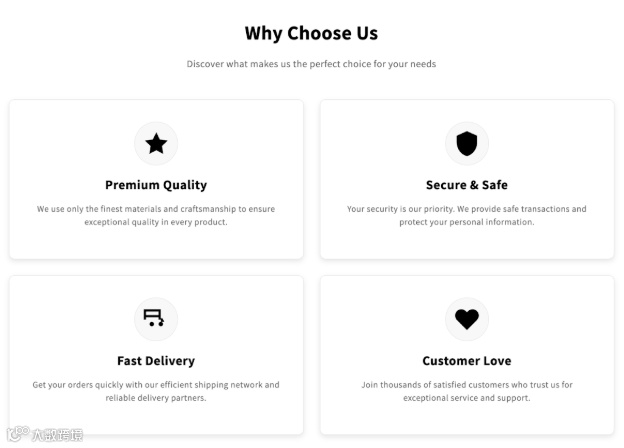
7. 带有激励文本的新闻通讯注册
"创建一个新闻通讯注册区块。它包含一个吸引人的标题,例如“加入我们的社区,首单享 10% 折扣”,一段简短的正文,一个电子邮件输入字段和一个“订阅”按钮。输入字段和按钮应水平放置。允许自定义文本和按钮颜色。""Create a newsletter signup block. It includes an enticing headline like 'Join Our Community & Get 10% Off Your First Order,' a short body text, an email input field, and a 'Subscribe' button. Position the input field and button horizontally.Allow customization of the text and button color."8. 垂直的轮播信息卡
"创建一个垂直信息卡片块。此卡片顶部有一个圆形小图片,后面是粗体标题,以及一段关于产品功能的描述性文字。底部可以添加一个可选的“了解更多”按钮,卡片需要轮播。允许自定义图像、标题、描述和按钮链接。""Create a vertical info card block. This card features a small circular image at the top, followed by a bold title, and a descriptive paragraph about a product feature. Include an optional 'Learn More' button at the bottom.Allow customization of the image, title, description, and button link."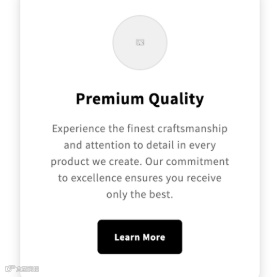
9. 产品比较表
"设计一个产品对比表。该表可以让你并排比较两款产品至少五个可定制的功能。包括一列功能,并为每个产品提供单独的列来列出它们是否具有该功能(例如,复选标记/交叉图标或“是”/“否”)。""Design a product comparison table. This table allows you to compare two products side-by-side across at least five customizable features.Include a column for features and separate columns for each product to list whether they have that feature (e.g., checkmark/cross icon or 'Yes'/'No'). "10. 带筛选的集合页
"生成一个精选系列网格,用于显示所选系列中的产品。该网格应在桌面设备上每行显示三个产品,在移动设备上每行显示一个产品。包含基本的筛选选项(例如按价格范围、库存情况)。每个产品缩略图都应清晰易读地显示产品图片、标题和价格。支持选择精选系列。""Generate a featured collection grid that displays products from a selected collection. The grid should show three products per row on desktop and one on mobile. Include basic filtering options (e.g., by price range, availability).Each product thumbnail should display the product image, title, and price with easy-to-read content. Enable the selection of the featured collection."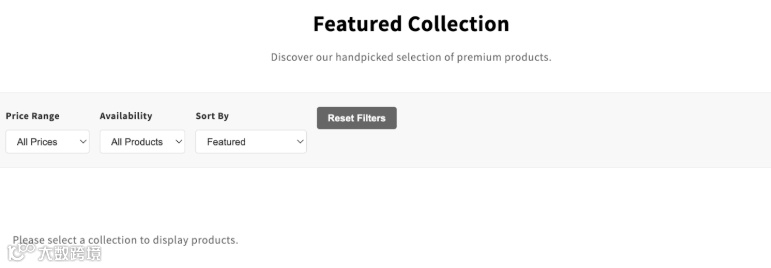
如果您尝试N遍还是没有达到想要的效果。除了 Shopify AI Block Generator 之外 ,Shopify 卖家还可以使用 GemPages 等强大的第三方应用程序,通过更高级的功能增强其 AI 驱动的区块生成。
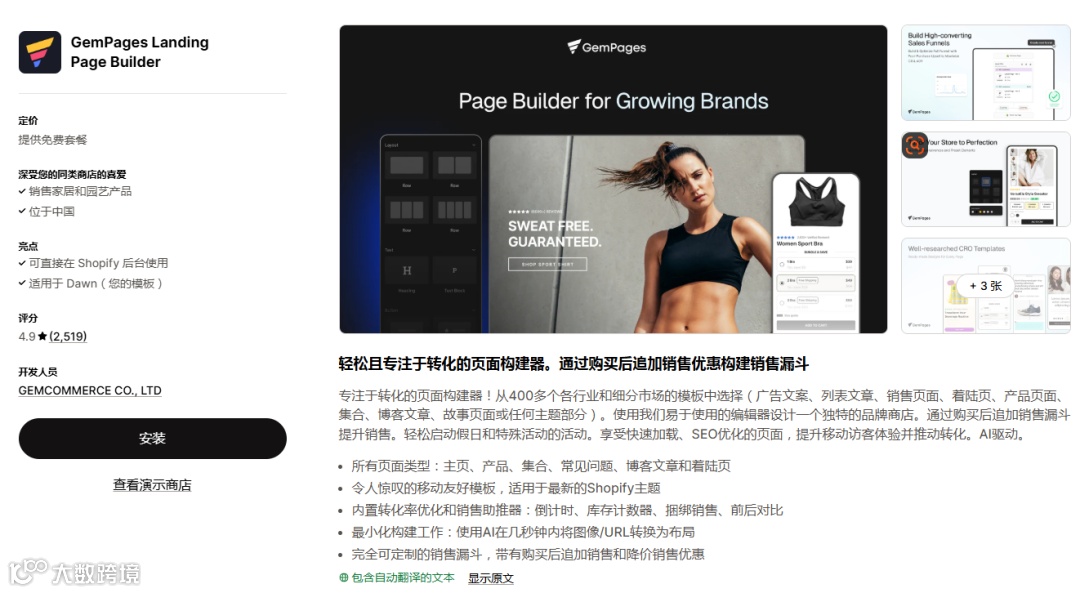
这个插件有 200 多个模块,还有 A/B 测试工具。
想了解更多关于电商、Shopify 以及 AI 在店铺中的更多玩法,关注【Shopify 主题开发】。
使用 shopify AI 工具,说不准可以为您节约至少一个人工成本。