环境:Springboot2.4.12 + Spring Security 5.4.9
本篇主要内容:请求拦截及自定义登录页面
上一篇:《Spring Security权限控制系列(一)》
自定义拦截请求
默认项目中引入Spring Security后会拦截所有的请求,这其中包括了静态资源,这肯定不是我们希望的,接下来我们看如何进行资源自定义的拦截。
新建如下静态资源

配置静态资源访问路径
由于静态资源默认访问路径是/**,这里为了区分静态资源与Controller给静态资源加一个前缀。
spring:mvc:static-path-pattern: /resources/**
访问静态资源
先将Spring Security从项目中移除,然后进行访问。分别访问index.js和index.html
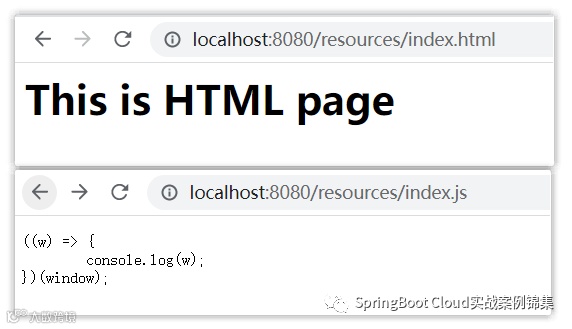
都能正常访问,接下来将Spring Security加到项目中后,再进行访问会发现之前还能访问的现在直接跳转到了登录页面
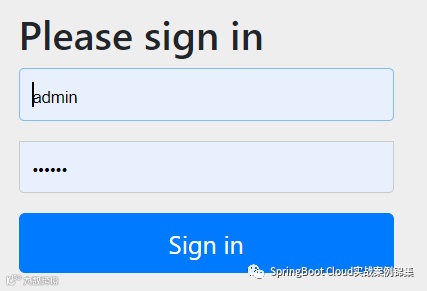
静态资源放行
自定义配置设置路径方向规则
public class SecurityConfig extends WebSecurityConfigurerAdapter {protected void configure(HttpSecurity http) throws Exception {http.authorizeRequests() // 获取基于SpEL表达式的基于URL的授权对象.antMatchers("/resources/**") // 设定URI路径规则以/resoures开头的任意请求.permitAll() ; // 只要是基于上面/resources开头的请求都进行放行http.formLogin() ; // 如果请求不是上面配置的访问uri前缀则进行登录}}
再次访问静态资源,这时候就能正常访问了,没有跳转到登录页面,在访问Controller接口 GET /demos/home运行结果
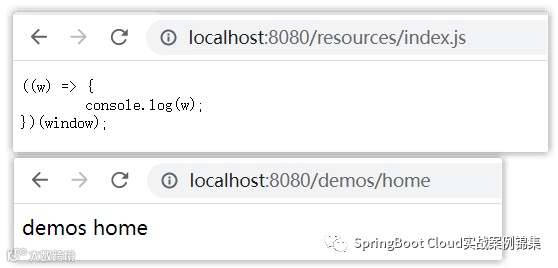
发现静态资源能访问,同时我们的Controller也能访问
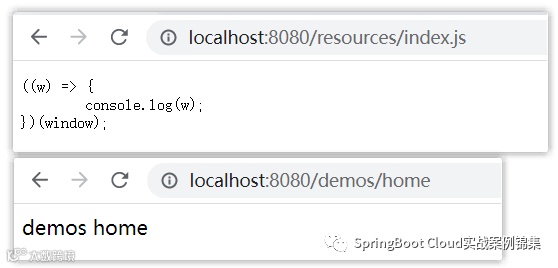
修改配置只放行指定的资源
protected void configure(HttpSecurity http) throws Exception {http.authorizeRequests().antMatchers("/resources/**").permitAll() ; // 方向/resource请求的资源 ①http.authorizeRequests().anyRequest() // 任意请求.authenticated() ; // 必须进行登录认证授权 ②http.formLogin() ;}
以上配置后以/resources前缀的请求都会方向,其它任意的请求都会进行拦截跳转到登录页面。
注意:上面的 ① ② 如果顺序进行颠倒后服务启动会报错。报错信息如下
Caused by: java.lang.IllegalStateException: Can't configure antMatchers after anyRequestat org.springframework.util.Assert.state(Assert.java:76) ~[spring-core-5.3.12.jar:5.3.12]
不能在anyRequest之后配置antMatchers。
为请求配置角色
定义2个Controller
public class DemoController {public Object home() {return "demos home" ;}}public class ApiController {public Object get( Integer id) {return "获取 - " + id + " - 数据" ;}}
我们期望/demos/**接口访问必须拥有USERS权限,/api/**接口访问必须拥有ADMIN权限, 配置如下:
protected void configure(AuthenticationManagerBuilder auth) throws Exception {// 配置guest用户,该用户拥有ADMIN角色auth.inMemoryAuthentication().passwordEncoder(NoOpPasswordEncoder.getInstance()).withUser("guest").password("123456").roles("ADMIN") ;}protected void configure(HttpSecurity http) throws Exception {http.csrf().disable() ;http.authorizeRequests().antMatchers("/resources/**").permitAll() ;// 这里无需使用ROLE_前缀,系统会自动插入该前缀http.authorizeRequests().antMatchers("/demos/**").hasRole("USERS") ; // /demos/**必须具备USERS角色http.authorizeRequests().antMatchers("/api/**").hasRole("ADMIN") ; // /api/**必须具备ADMIN角色http.authorizeRequests().anyRequest().authenticated() ;http.formLogin() ;}
分别访问/demos/home 和 /api/1接口
通过guest/123456登录后,该接口之间返回了403的状态错误(读取403.html)
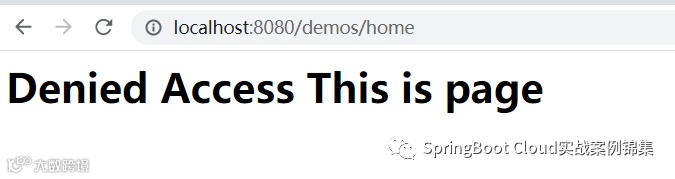 我的项目中在static/error下新建了403.html错误页面
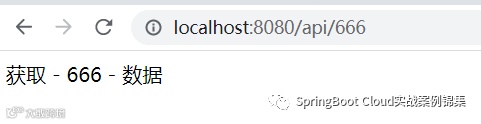
/api/**接口访问正常,接下来我们在配置一个用于USERS权限的用户
protected void configure(AuthenticationManagerBuilder auth) throws Exception {auth.inMemoryAuthentication().passwordEncoder(NoOpPasswordEncoder.getInstance()).withUser("guest").password("123456").roles("ADMIN").and().withUser("test").password("666666").roles("USERS") ;}
通过test用户访问/demos/home接口登录后能正常访问。
配置多权限
在很多情况下我们期望只要用户用于任意其中一个权限就认定可以访问该资源,如何配置?
http.authorizeRequests().antMatchers("/demos/**").hasAnyRole("USERS", "AKKF", "BLLE") ;http.authorizeRequests().antMatchers("/api/**").hasAnyRole("ADMIN", "MGR", "SYSTEM") ;
通过上面的配置即可满足只要拥有任意一个权限就可以放行。
其它配置
多个URI具有相同的权限
http.authorizeRequests().antMatchers("/demos/**", "/api/**").hasAnyAuthoriy("ROLE_USERS", "ROLE_ADMIN") ;对请求的Method控制
http.authorizeRequests().antMatchers(HttpMethod.GET).permitAll() ;自定义登录页面
引入依赖
<dependency><groupId>org.thymeleaf</groupId><artifactId>thymeleaf-spring5</artifactId></dependency><dependency><groupId>org.springframework.boot</groupId><artifactId>spring-boot-starter-thymeleaf</artifactId></dependency>
thymeleaf配置
spring:thymeleaf:prefix: classpath:/templates/
登录页面
在/resources/templates/下新建login.html页面
这里省去无关紧要的东西
<div class="loginContainer"><div class="pageTitle"><h3>认证登录</h3></div><div class="loginPanel"><div class="loginTitle">安全登录</div><div class="loginContent"><form method="post" action="login"><div class="c-row"><label>安全帐号</label><input type="text" class="input-control" id="username" name="username" placeholder="帐号"></div><div class="c-row"><label>安全密码</label><input type="password" class="input-control" id="password" name="password" placeholder="密码"></div><div class="c-row" style="height: auto;"><input type="checkbox" class="checkbox-control" id="remember-me" name="remember-me"/><label for="remember-me">记住我</label></div><div class="c-row" style="margin-top: 20px;"><button type="submit" class="btn btn-sm btn-primary" style="padding: 10px 15px;width: 60%;border-radius: 20px;">安全登录</button></div></form><div class="c-row"><div th:if="${param.error}" th:text="${session.SPRING_SECURITY_LAST_EXCEPTION?.message }" class="alert alert-danger" style="padding:5px; margin-bottom:5px;"></div></div></div></div></div>
Controller定义login页面
public class LoginController {public String login() {return "login" ;}}
自定义配置登录页
protected void configure(HttpSecurity http) throws Exception {http.csrf().disable() ;http.authorizeRequests().antMatchers("/resources/**").permitAll() ;http.authorizeRequests().antMatchers("/demos/**").hasRole("USERS") ;http.authorizeRequests().antMatchers("/api/**").hasRole("ADMIN") ;// 登录页面指向上面配置的Controller即可http.formLogin().loginPage("/custom/login") ;}
测试
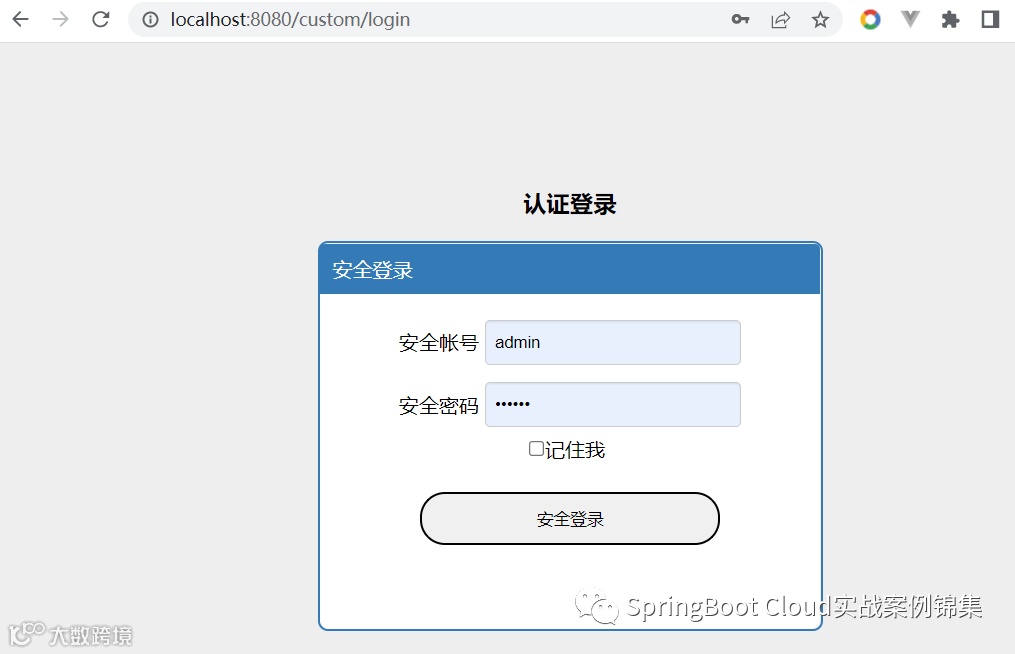
总结:
Spring Security如何配置拦截请求
资源访问必须具备权限的配置
自定义登录页面
到此本篇内容结束。下一篇将介绍:
自定义异常处理