环境:Springboot2.5.12
假设现在要实现这样的一个消息格式:
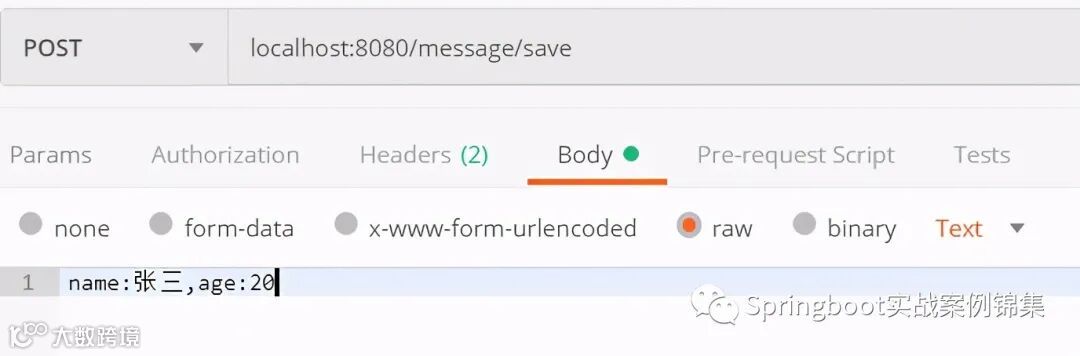
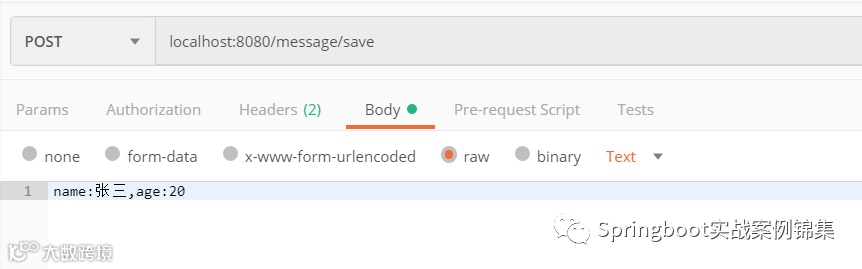
入参:
name:张三,age:20
接口接收对象Users
自定义消息转换器
public class CustomHttpMessageConverter extends AbstractHttpMessageConverter<Object> {private static Logger logger = LoggerFactory.getLogger(CustomHttpMessageConverter.class) ;// 这里指明了只要接收参数是Users类型的都能进行转换protected boolean supports(Class<?> clazz) {return Users.class == clazz ;}// 读取内容进行内容的转换protected Object readInternal(Class<? extends Object> clazz, HttpInputMessage inputMessage)throws IOException, HttpMessageNotReadableException {String content = inToString(inputMessage.getBody()) ;String[] keys = content.split(",") ;Users instance = null ;try {instance = (Users) clazz.newInstance();} catch (Exception e1) {e1.printStackTrace() ;}for (String key : keys) {String[] vk = key.split(":") ;try {Field[] fields = clazz.getDeclaredFields() ;for (Field f:fields) {if (f.getName().equals(vk[0])) {f.setAccessible(true) ;Class<?> type = f.getType() ;if (String.class == type) {f.set(instance, vk[1]) ;} else if (Integer.class == type) {f.set(instance, Integer.parseInt(vk[1])) ;}break ;}}} catch (Exception e) {logger.error("错误:{}", e) ;}}return instance ;}// 如果将返回值以什么形式输出,这里就是调用了对象的toString方法。protected void writeInternal(Object t, HttpOutputMessage outputMessage)throws IOException, HttpMessageNotWritableException {outputMessage.getBody().write(t.toString().getBytes()) ;}protected boolean canWrite(MediaType mediaType) {if (mediaType == null || MediaType.ALL.equalsTypeAndSubtype(mediaType)) {return true;}for (MediaType supportedMediaType : getSupportedMediaTypes()) {if (supportedMediaType.isCompatibleWith(mediaType)) {return true;}}return false;}private String inToString(InputStream is) {byte[] buf = new byte[10 * 1024] ;int leng = -1 ;StringBuilder sb = new StringBuilder() ;try {while ((leng = is.read(buf)) != -1) {sb.append(new String(buf, 0, leng)) ;}return sb.toString() ;} catch (IOException e) {throw new RuntimeException(e) ;}}}
配置消息转换器
public class WebConfig implements WebMvcConfigurer {public void configureMessageConverters(List<HttpMessageConverter<?>> converters) {CustomHttpMessageConverter messageConvert = new CustomHttpMessageConverter() ;List<MediaType> supportedMediaTypes = new ArrayList<>() ;supportedMediaTypes.add(new MediaType("application", "fm")) ;messageConvert.setSupportedMediaTypes(supportedMediaTypes) ;converters.add(messageConvert) ;WebMvcConfigurer.super.configureMessageConverters(converters);}}
在配置消息转换器时,指明了当前这个消息转换器能够接收的内容类型,也就是客户端请求时需要设定Content-Type为application/fm。
参数对象
public class Users {private String name ;private Integer age ;public String toString() {return "【name = " + this.name + ", age = " + this.age + "】" ;}}
Controller接口
public class MessageController {public Users save( Users user) {System.out.println("接受到内容:" + user) ;return user ;}}
测试
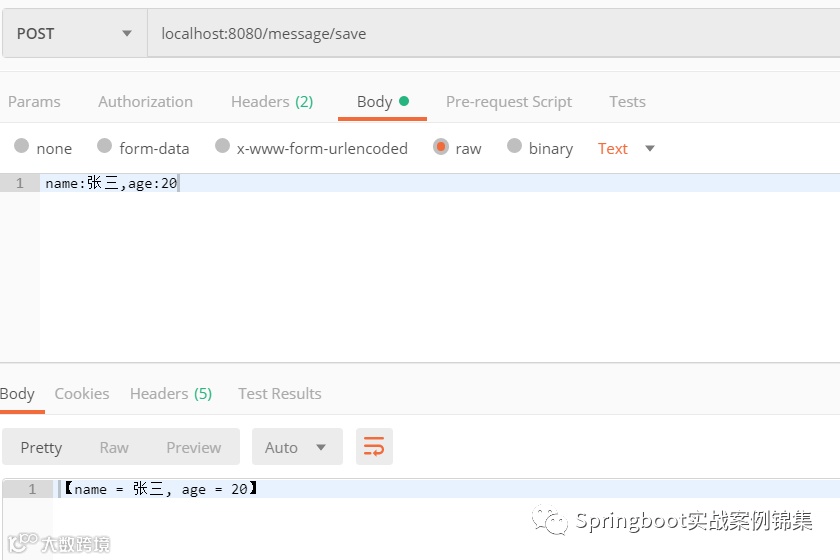
请求:
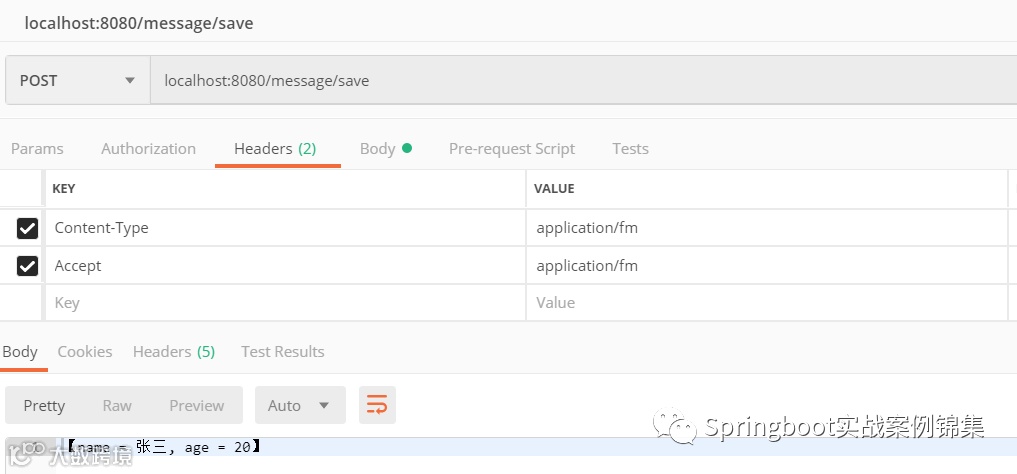
响应
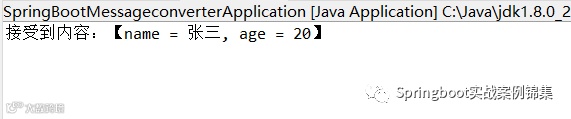
源码分析为何自定义消息转换器时要重写那几个方法:
由于我们的接口参数用@RequestBody 注解了,系统采用了
RequestResponseBodyMethodProcessor这个参数解析器进行参数的处理。
整个处理流程的入口是DispatcherServlet中的这行代码:
mv = ha.handle(processedRequest, response, mappedHandler.getHandler());接着进入
RequestMappingHandlerAdapter#handleInternal方法中的这行代码:
mav = invokeHandlerMethod(request, response, handlerMethod);接着进入
RequestMappingHandlerAdapter#invokeHandlerMethod方法的这行代码:
invocableMethod.invokeAndHandle(webRequest, mavContainer);接着进入
ServletInvocableHandlerMethod#invokeAndHandle方法中的这行代码:
Object returnValue = invokeForRequest(webRequest, mavContainer, providedArgs);接着进入invokeForRequest方法
public Object invokeForRequest(NativeWebRequest request, ModelAndViewContainer mavContainer,Object... providedArgs) throws Exception {Object[] args = getMethodArgumentValues(request, mavContainer, providedArgs);if (logger.isTraceEnabled()) {logger.trace("Arguments: " + Arrays.toString(args));}return doInvoke(args);}
接着进入getMethodArgumentValues方法
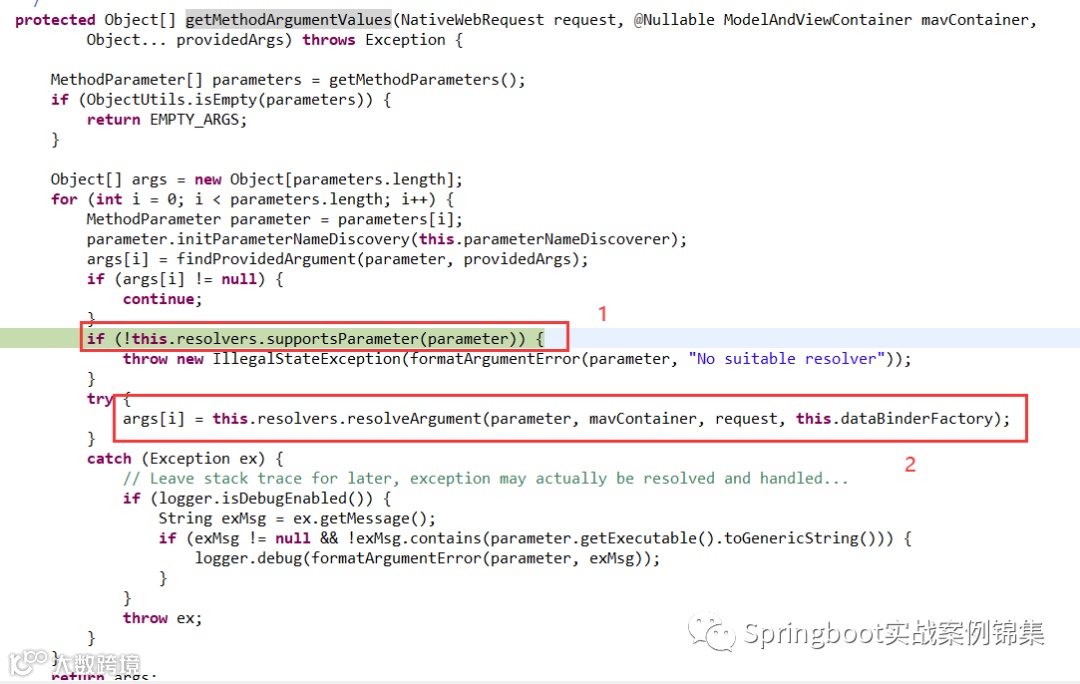
1、这里就开始判断有没有参数解析器可以处理,如果没有会抛出异常。
这里还会吧找到处理的参数解析器缓存起来
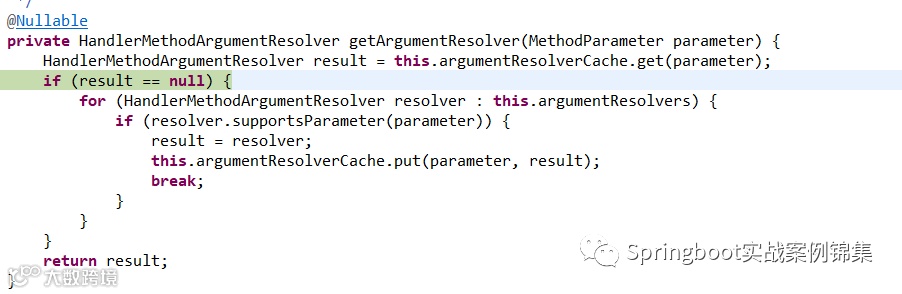
this.argumentResolverCache.put(parameter, result);
这行代码缓存了当前可以处理的解析器。
2、开始解析参数,直接从缓存中获取。因为上一步已经得到了解析器。
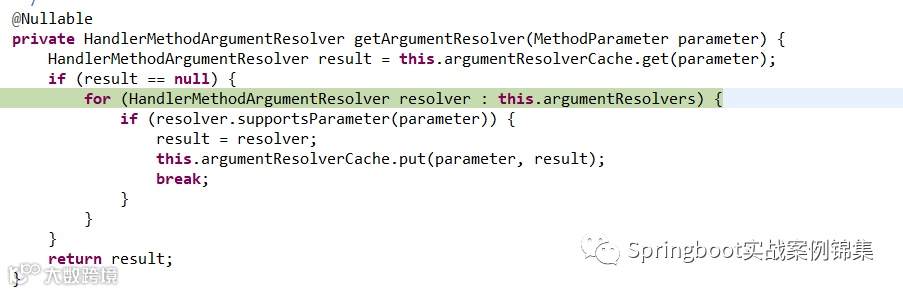
得到了解析器后:
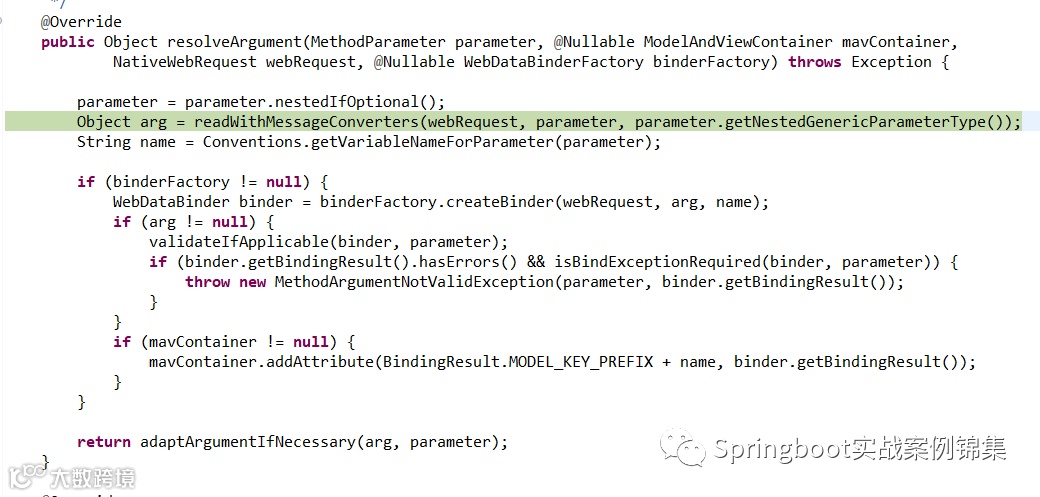
进行入选中的方法,这个方法最终会进入父类
AbstractMessageConverterMethodArgumentResolver的如下方法:
protected <T> Object readWithMessageConverters(HttpInputMessage inputMessage, MethodParameter parameter,Type targetType) throws IOException, HttpMediaTypeNotSupportedException, HttpMessageNotReadableException {MediaType contentType;boolean noContentType = false;try {contentType = inputMessage.getHeaders().getContentType();}catch (InvalidMediaTypeException ex) {throw new HttpMediaTypeNotSupportedException(ex.getMessage());}if (contentType == null) {noContentType = true;contentType = MediaType.APPLICATION_OCTET_STREAM;}Class<?> contextClass = parameter.getContainingClass();Class<T> targetClass = (targetType instanceof Class ? (Class<T>) targetType : null);if (targetClass == null) {ResolvableType resolvableType = ResolvableType.forMethodParameter(parameter);targetClass = (Class<T>) resolvableType.resolve();}HttpMethod httpMethod = (inputMessage instanceof HttpRequest ? ((HttpRequest) inputMessage).getMethod() : null);Object body = NO_VALUE;EmptyBodyCheckingHttpInputMessage message;try {message = new EmptyBodyCheckingHttpInputMessage(inputMessage);for (HttpMessageConverter<?> converter : this.messageConverters) {Class<HttpMessageConverter<?>> converterType = (Class<HttpMessageConverter<?>>) converter.getClass();GenericHttpMessageConverter<?> genericConverter =(converter instanceof GenericHttpMessageConverter ? (GenericHttpMessageConverter<?>) converter : null);if (genericConverter != null ? genericConverter.canRead(targetType, contextClass, contentType) :(targetClass != null && converter.canRead(targetClass, contentType))) {if (message.hasBody()) {HttpInputMessage msgToUse =getAdvice().beforeBodyRead(message, parameter, targetType, converterType);body = (genericConverter != null ? genericConverter.read(targetType, contextClass, msgToUse) :((HttpMessageConverter<T>) converter).read(targetClass, msgToUse));body = getAdvice().afterBodyRead(body, msgToUse, parameter, targetType, converterType);}else {body = getAdvice().handleEmptyBody(null, message, parameter, targetType, converterType);}break;}}}catch (IOException ex) {throw new HttpMessageNotReadableException("I/O error while reading input message", ex, inputMessage);}if (body == NO_VALUE) {if (httpMethod == null || !SUPPORTED_METHODS.contains(httpMethod) ||(noContentType && !message.hasBody())) {return null;}throw new HttpMediaTypeNotSupportedException(contentType, this.allSupportedMediaTypes);}MediaType selectedContentType = contentType;Object theBody = body;LogFormatUtils.traceDebug(logger, traceOn -> {String formatted = LogFormatUtils.formatValue(theBody, !traceOn);return "Read \"" + selectedContentType + "\" to [" + formatted + "]";});return body;}
该方法中的this.messageConverters数据如下:
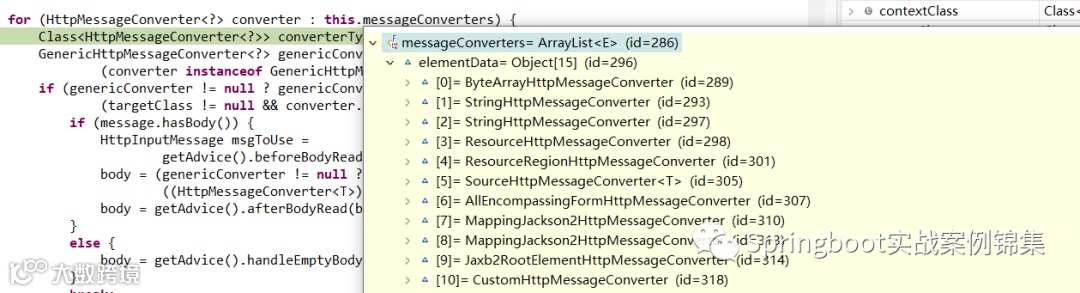
这里可以看到我们自定义的
CustomHttpMessageConverter。
继续调试到我们自定义的这个Converter
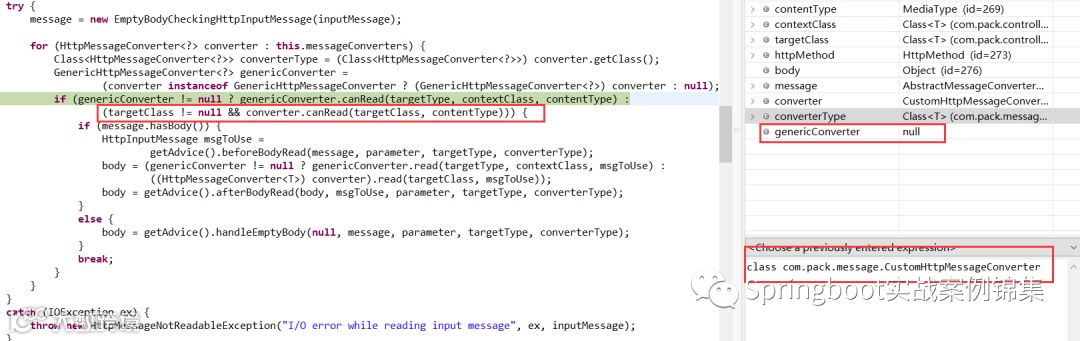
从这里看出,会执行 else(:)中的代码
targetClass != null && converter.canRead(targetClass, contentType)
这个canRead是父类中的方法:
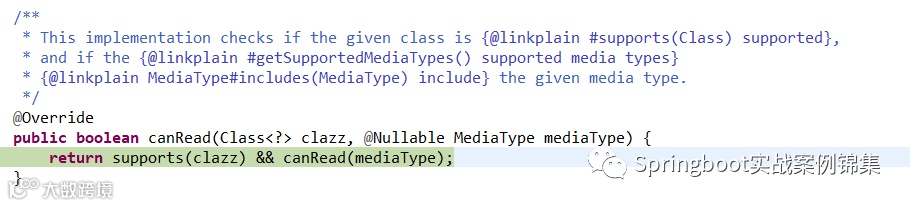
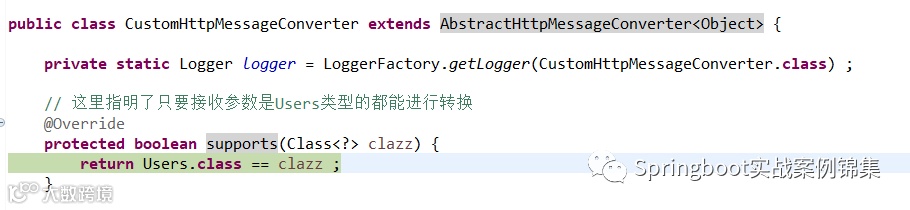
support这里就进入到了我们自定义的Converter中。
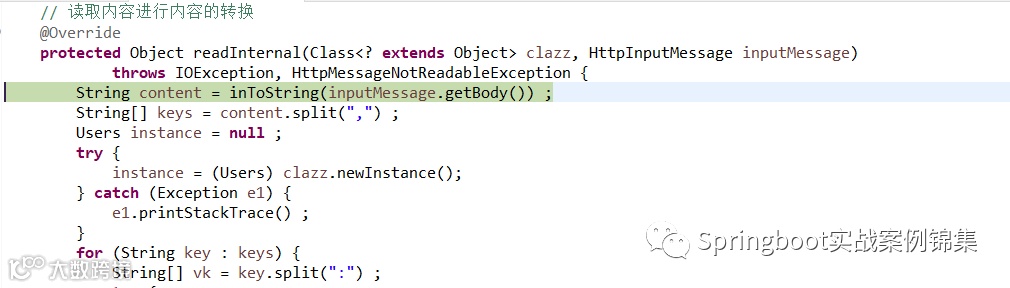
继续就会进入到read方法,真正读取处理消息内容的代码了

这里的readInternal就是我们自定义的方法了
关于write的相关方法和read差不多,也就是判断能否write,然后调用对应的writeInternal方法。
关注+转发