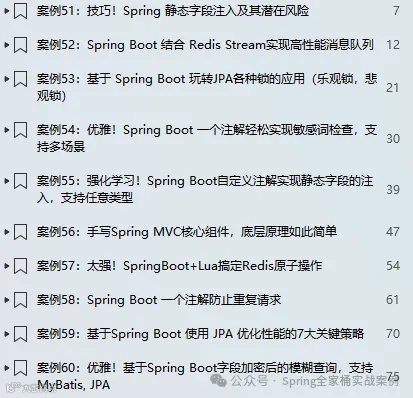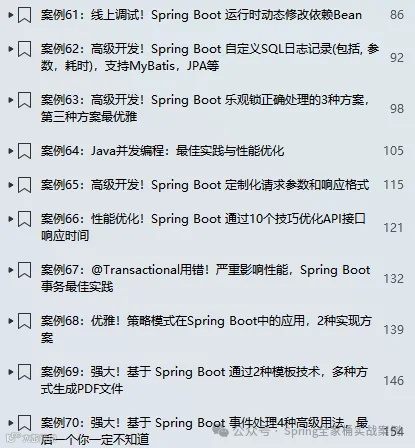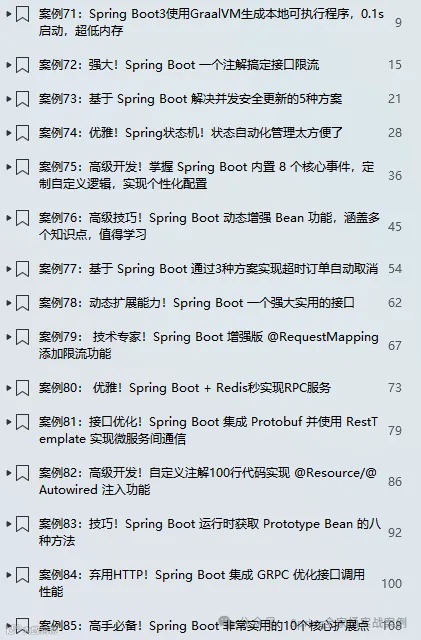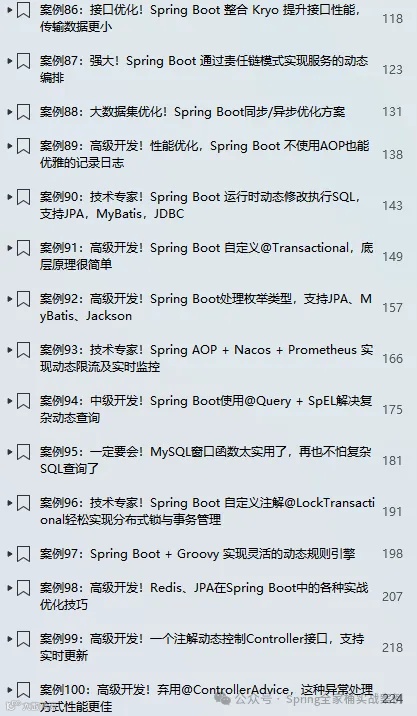
🎉🎉《Spring Boot实战案例合集》目前已更新159个案例,我们将持续不断的更新。文末有电子书目录。
💪💪永久更新承诺
我们郑重承诺,所有订阅合集的粉丝都将享受永久免费的后续更新服务。
💌💌如何获取
订阅我们的合集《点我订阅》,并通过私信联系我们,我们将第一时间将电子书发送给您。
环境:SpringBoot3.4.2
1. 简介
在核心业务逻辑处理之前对API请求数据进行验证,有助于尽早发现错误,确保应用程序行为可预测。对于处理JSON数据的API而言,JSON Schema提供了一种正式的方法来描述请求必须遵循的结构、数据类型和限制条件。这使得我们能够在将数据转换为Java对象之前,进行数据有效性检查。
在本篇文章中,我们将深入探讨如何借助Filter来实现数据有效性校验。Filter作为Spring Boot请求处理流程中的前端关卡,具有在请求早期介入处理的特性。通过Filter进行数据有效性校验,能够在数据还未进入后续的核心业务处理逻辑,甚至在JSON数据转换为Java对象之前,就及时发现数据存在的问题。一旦检测到数据不符合要求,便可立即返回相应的错误信息,避免无效数据进一步在系统中流转,从而有效提升系统的稳定性和处理效率。
2.1 引入依赖
<!--该依赖用来生成要验证的json schema文件--><dependency><groupId>com.github.victools</groupId><artifactId>jsonschema-generator</artifactId><version>4.38.0</version></dependency><!--该依赖用来校验json数据--><dependency><groupId>com.networknt</groupId><artifactId>json-schema-validator</artifactId><version>1.5.6</version></dependency>
说明:
jsonschema-generator 可以根据Java对象自动生成对应的JSON Schema文件,方便开发者定义和验证JSON数据的结构
json-schema-validator 用于根据生成的JSON Schema文件来校验实际的JSON数据是否符合预期的结构和格式
2.2 定义Controller接口
声明实体对象
public class User {private String name ;private String password ;private Integer age ;private String email ;// getters, setters, constructors}
Controller接口
public class UserController {public ResponseEntity<?> create( User user) {return ResponseEntity.ok(user) ;}}
2.3 生成JSON Schema
接下来,我们将为上述 User 实体生成对应的 JSON Schema 文件。此步骤旨在为后续在 Filter 中进行数据校验工作做好充分准备。
public static String genUserSchema() {// 创建SchemaGeneratorConfigBuilder,指定Schema版本SchemaGeneratorConfigBuilder configBuilder = new SchemaGeneratorConfigBuilder(SchemaVersion.DRAFT_2020_12, OptionPreset.PLAIN_JSON) ;// 设置必须的字段configBuilder.forFields().withRequiredCheck(field -> "name".equals(field.getName())).withRequiredCheck(field -> "email".equals(field.getName())).withIgnoreCheck(field -> "password".equals(field.getName()));// 构建SchemaGeneratorConfigSchemaGeneratorConfig config = configBuilder.build();// 创建SchemaGenerator实例SchemaGenerator generator = new SchemaGenerator(config);// 根据User类生成Schema内容JsonNode jsonSchema = generator.generateSchema(User.class);// 将JsonNode转换为ObjectNode以便修改ObjectNode schemaObject = (ObjectNode) jsonSchema;// 设置additionalProperties为false,禁止额外属性schemaObject.put("additionalProperties", false);// 打印生成的JSON Schemareturn jsonSchema.toPrettyString() ;}
执行上面的方法生成JSON Schema如下:
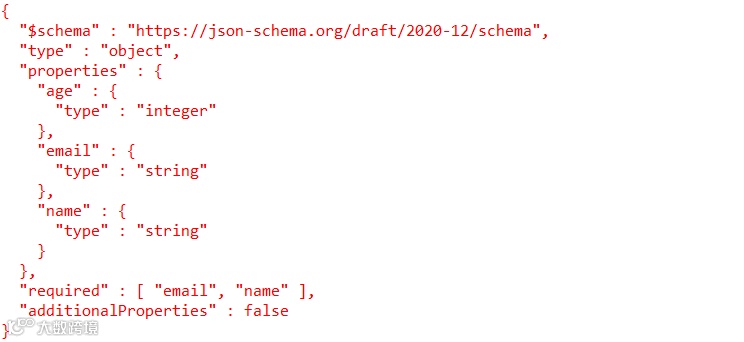
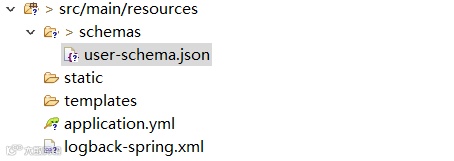
我们将上面的内容保存到classpath: schemas/user-schema.json
2.4 定义Filter
public class ValidationJsonFilter extends OncePerRequestFilter {private final JsonSchema schema;private final ObjectMapper mapper ;public ValidationJsonFilter(ObjectMapper mapper) {InputStream is;try {is = new ClassPathResource("schemas/user-schema.json").getInputStream();} catch (IOException e) {throw new RuntimeException(e) ;}this.schema = JsonSchemaFactory.getInstance(SpecVersion.VersionFlag.V202012).getSchema(is) ;this.mapper = mapper ;}protected void doFilterInternal(HttpServletRequest request, HttpServletResponse response, FilterChain filterChain)throws ServletException, IOException {if (request.getServletPath().equals("/users") && "POST".equalsIgnoreCase(request.getMethod())) {String body = readBody(request);final JsonNode node;try {node = mapper.readTree(body);} catch (JsonProcessingException ex) {response.setContentType("application/json;charset=utf-8");String content = this.mapper.writeValueAsString(Map.of("code", -1, "message", "JSON数据错误"));response.getWriter().println(content);return;}Set<ValidationMessage> errors = schema.validate(node);if (!errors.isEmpty()) {response.setContentType("application/json;charset=utf-8");List<String> list = errors.stream().map(ValidationMessage::getMessage).toList() ;mapper.writeValue(response.getWriter(),Map.of("code", -1, "message", list)) ;return;}filterChain.doFilter(new CachedBodyRequestWrapper(request, body), response);return;}filterChain.doFilter(request, response);}private String readBody(HttpServletRequest request) throws IOException {return StreamUtils.copyToString(request.getInputStream(), StandardCharsets.UTF_8) ;}}
由于要多次读取请求body,所以我们必须对request对象进行保证
public class CachedBodyRequestWrapper extends HttpServletRequestWrapper {private final String cachedBody;public CachedBodyRequestWrapper(HttpServletRequest request, String cachedBody) {super(request);this.cachedBody = cachedBody;}public ServletInputStream getInputStream() throws IOException {byte[] bytes = cachedBody.getBytes();return new CachedBodyServletInputStream(new ByteArrayInputStream(bytes));}public BufferedReader getReader() throws IOException {return new BufferedReader(new InputStreamReader(this.getInputStream()));}private static class CachedBodyServletInputStream extends ServletInputStream {private final InputStream inputStream;public CachedBodyServletInputStream(InputStream inputStream) {this.inputStream = inputStream;}public boolean isFinished() {try {return inputStream.available() == 0;} catch (IOException e) {return false;}}public boolean isReady() {return true;}public void setReadListener(ReadListener readListener) {throw new UnsupportedOperationException();}public int read() throws IOException {return inputStream.read();}}}
最后,注册Filter
FilterRegistrationBean<ValidationJsonFilter> validationJsonFilter(ObjectMapper mapper) {FilterRegistrationBean<ValidationJsonFilter> reg = new FilterRegistrationBean<>() ;reg.setFilter(new ValidationJsonFilter(mapper)) ;reg.setUrlPatterns(List.of("/*")) ;return reg ;}
2.5 测试
不输入任何属性
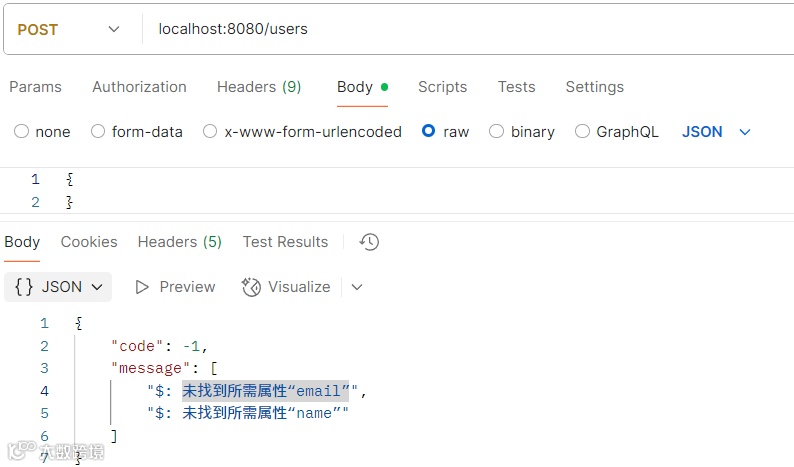
输出必填字段后
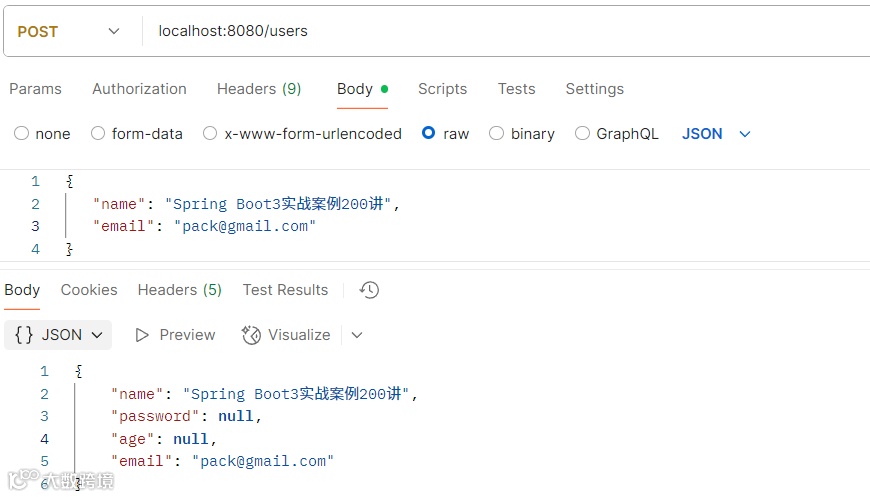
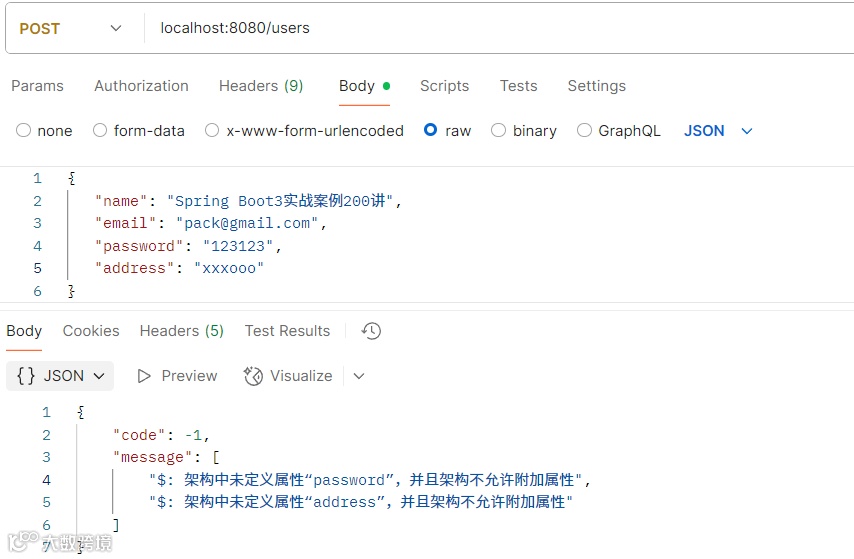
我们再添加其它字段,如:password或user不存在的字段
推荐文章
一个接口,N 种实现?Spring Boot 中的10种切换方式
Tika 与 Spring Boot 的完美结合:支持任意文档解析的神器
高级开发!Spring Boot 乐观锁正确处理的3种方案,第三种方案最优雅
高级开发!Controller接口参数与响应结果四种记录方式,第四种对性能无任何影响
Spring Boot 记录Controller接口请求日志7种方式,第六种性能极高
高级开发!基于Spring Boot自定义注解@Interceptor动态注册拦截器,非常强大
@HttpExchange 强势登场,彻底终结 Feign 时代!