


Danswer是一个开源企业问答工具,使用 MIT 许可证。可轻松部署在任意地方,支持 ChatGPT、本地开源模型(正在支持)、文件上传、网站知识、OpenID 等。
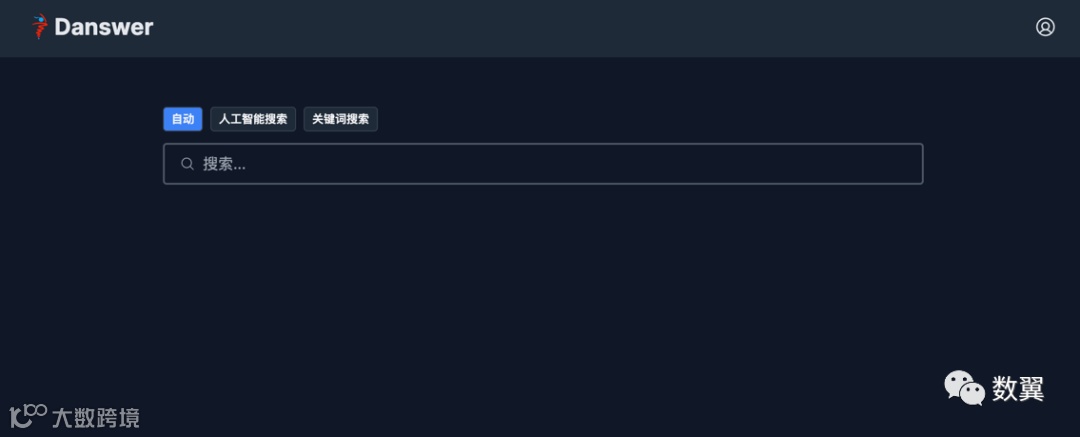
整体来说,项目很强大,由于用了 OpenAI,个人和企业使用的时候还是有一定门槛的。我自己部署的时候也不是像官网说的那么一帆风顺,中途遇到的几个问题都有记录。
介绍
Danswer允许您针对内部文档提出自然语言问题,并获得由源材料中的引用和参考文献支持的可靠答案,以便您始终可以信任您得到的结果。您可以连接到许多常用工具,例如 Slack、GitHub、Confluence 等。
特点:
• 由生成式人工智能模型提供支持的直接质量检查,答案由引用和源链接支持。
• 使用最新的法学硕士进行智能文档检索(语义搜索/重新排名)。
• 由自定义深度学习模型支持的人工智能助手,用于解释用户意图。
• 用户身份验证和文档级访问管理。
• Slack、GitHub、GoogleDrive、Confluence、本地文件和网络抓取的连接器,未来还会有更多连接器。
• 选择使用 Orca、Falcon 等开源 LLM 代替 OpenAI GPT。(UI 正在支持)
• 管理仪表板用于管理连接器并设置实时更新获取等功能。
• 一行 Docker Compose(或 Kubernetes)可在任何地方托管部署 Danswer。
安装启动
我们先 Clone 项目:
git clone https://github.com/danswer-ai/danswer.git
cd danswer/deployment/docker_compose
使用 Docker Compose 启动,
docker compose -f docker-compose.dev.yml -p danswer-stack up -d --pull always --force-recreate镜像总共下载7个多 G,下载过程有点儿长,


运行成功之后查看一下:
docker ps
后端服务启动比较耗时,如果还没启动好会开到这个界面:
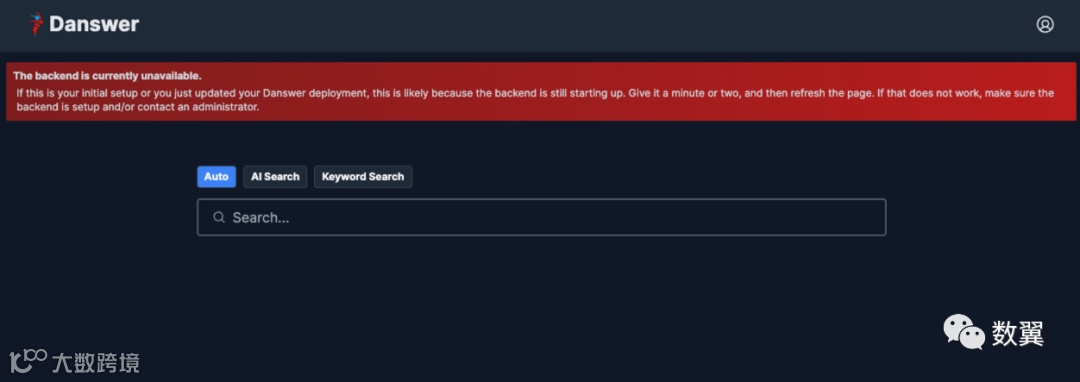
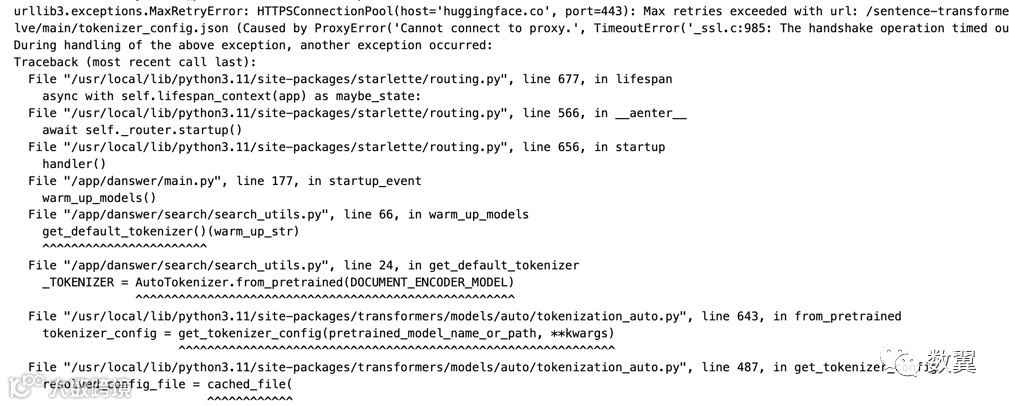
等待过程中检查服务,发现 api 服务一直重启:

查看日志发现错误,网络问题:
添加 Dockerd 代理:
sudo mkdir -p /etc/systemd/system/docker.service.d
sudo touch /etc/systemd/system/docker.service.d/proxy.conf
[Service]
Environment="HTTP_PROXY=http://proxy.example.com:8080/"
Environment="HTTPS_PROXY=http://proxy.example.com:8080/"
Environment="NO_PROXY=localhost,127.0.0.1,.example.com"添加 Container 运行代理 ~/.docker/config.json,
{
 "proxies":
 {
   "default":
   {
     "httpProxy": "http://12.1.110.240:7890",
     "httpsProxy": "http://12.1.110.240:7890",
     "all_proxy": "socks5://12.1.110.240:7891",
     "noProxy": "localhost,127.0.0.1,.example.com"
   }
 }
}
也可以在容器启动前配置:
export https_proxy=http://12.1.110.240:7890 http_proxy=http://12.1.110.240:7890 all_proxy=socks5://12.1.110.240:7891启动容器后测试:
curl https://huggingface.co/sentence-transformers/all-distilroberta-v1/resolve/main/tokenizer_config.json网络成功:

然后重新启动会自动下载模型:
danswer/intent-model模型下载成功之后:
INFO:     Started server process [10]
INFO:     Waiting for application startup.
08/11/2023 08:10:12 AM              main.py 155 : Using Internal Model: openai-chat-completion
08/11/2023 08:10:12 AM              main.py 156 : Actual LLM model version: gpt-3.5-turbo
08/11/2023 08:10:12 AM              main.py 159 : User Authentication is turned off
08/11/2023 08:10:12 AM              main.py 176 : Warming up local NLP models.
All model checkpoint layers were used when initializing TFDistilBertForSequenceClassification.
All the layers of TFDistilBertForSequenceClassification were initialized from the model checkpoint at danswer/intent-model.
If your task is similar to the task the model of the checkpoint was trained on, you can already use TFDistilBertForSequenceClassification for predictions without further training.
08/11/2023 08:10:24 AM              main.py 181 : Verifying query preprocessing (NLTK) data is downloaded
[nltk_data] Downloading package stopwords to /root/nltk_data...
[nltk_data]   Package stopwords is already up-to-date!
[nltk_data] Downloading package wordnet to /root/nltk_data...
[nltk_data]   Package wordnet is already up-to-date!
[nltk_data] Downloading package punkt to /root/nltk_data...
[nltk_data]   Package punkt is already up-to-date!
08/11/2023 08:10:25 AM              main.py 186 : Verifying public credential exists.
08/11/2023 08:10:25 AM              main.py 189 : Verifying Document Indexes are available.
向量数据库链接出错:
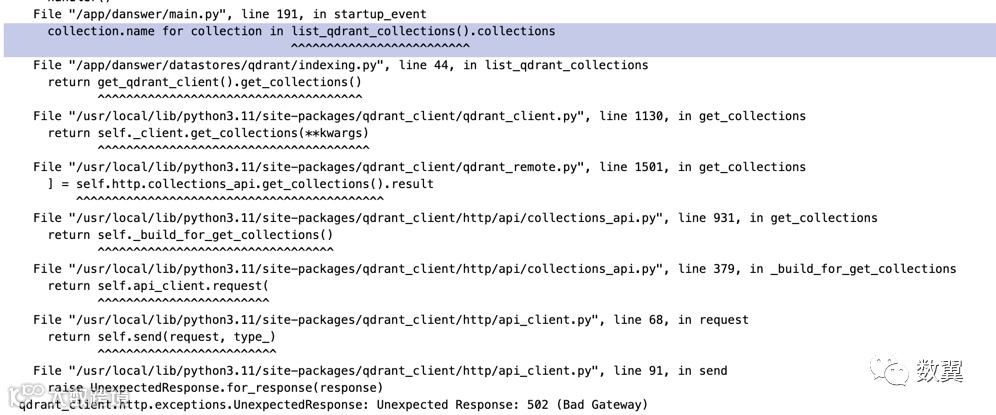
确认 qdrant 运行正常:
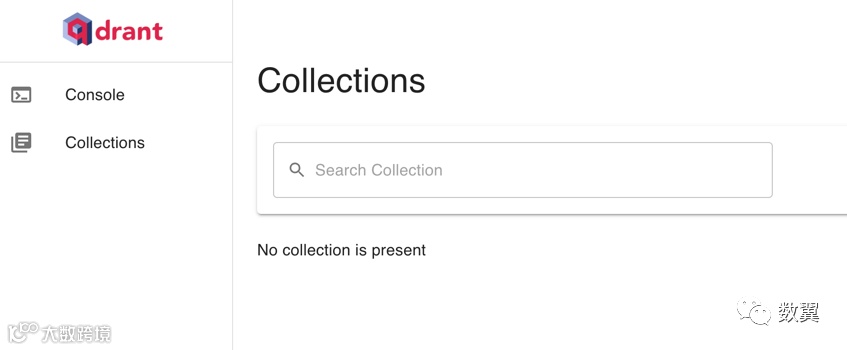
然后查看代码,配置 api_server 容器的环境变量, 先直接使用 IP:
•
backend/danswer/utils/clients.py•
backend/danswer/configs/app_configs.py
- QDRANT_HOST=172.18.0.4 #vector_db在容器内测试:
from qdrant_client import QdrantClient
import os

QDRANT_HOST = os.environ.get("QDRANT_HOST", "localhost")
QDRANT_HOST
QDRANT_HOST = "172.18.0.4"
QDRANT_PORT = 6333
client = QdrantClient(host=QDRANT_HOST, port=QDRANT_PORT)
client.get_collections()
重启容器发现 typesense 链接也报错,重新配置环境变量:
08/11/2023 09:48:06 AM              main.py 186 : Verifying public credential exists.
08/11/2023 09:48:06 AM              main.py 189 : Verifying Document Indexes are available.
ERROR:    Traceback (most recent call last):
  File "/usr/local/lib/python3.11/site-packages/starlette/routing.py", line 677, in lifespan
    async with self.lifespan_context(app) as maybe_state:
  File "/usr/local/lib/python3.11/site-packages/starlette/routing.py", line 566, in __aenter__
    await self._router.startup()
  File "/usr/local/lib/python3.11/site-packages/starlette/routing.py", line 656, in startup
    handler()
  File "/app/danswer/main.py", line 197, in startup_event
    if not check_typesense_collection_exist(TYPESENSE_DEFAULT_COLLECTION):
           ^^^^^^^^^^^^^^^^^^^^^^^^^^^^^^^^^^^^^^^^^^^^^^^^^^^^^^^^^^^^^^
  File "/app/danswer/datastores/typesense/store.py", line 53, in check_typesense_collection_exist
    client.collections[collection_name].retrieve()
  File "/usr/local/lib/python3.11/site-packages/typesense/collection.py", line 19, in retrieve
    return self.api_call.get(self._endpoint_path())
           ^^^^^^^^^^^^^^^^^^^^^^^^^^^^^^^^^^^^^^^^
  File "/usr/local/lib/python3.11/site-packages/typesense/api_call.py", line 138, in get
    return self.make_request(requests.get, endpoint, as_json,
           ^^^^^^^^^^^^^^^^^^^^^^^^^^^^^^^^^^^^^^^^^^^^^^^^^^
  File "/usr/local/lib/python3.11/site-packages/typesense/api_call.py", line 116, in make_request
    raise ApiCall.get_exception(r.status_code)(r.status_code, error_message)
typesense.exceptions.TypesenseClientError: [Errno 502] API error.
ERROR:    Application startup failed. Exiting.
- QDRANT_HOST=172.18.0.4 #vector_db
- TYPESENSE_HOST=172.18.0.2 #search_engine看到运行成功:
If your task is similar to the task the model of the checkpoint was trained on, you can already use TFDistilBertForSequenceClassification for predictions without further training.
08/11/2023 09:57:25 AM              main.py 181 : Verifying query preprocessing (NLTK) data is downloaded
[nltk_data] Downloading package stopwords to /root/nltk_data...
[nltk_data]   Package stopwords is already up-to-date!
[nltk_data] Downloading package wordnet to /root/nltk_data...
[nltk_data]   Package wordnet is already up-to-date!
[nltk_data] Downloading package punkt to /root/nltk_data...
[nltk_data]   Package punkt is already up-to-date!
08/11/2023 09:57:27 AM              main.py 186 : Verifying public credential exists.
08/11/2023 09:57:27 AM              main.py 189 : Verifying Document Indexes are available.
08/11/2023 09:57:27 AM              main.py 198 : Creating Typesense collection with name: danswer_index
INFO:     Application startup complete.
INFO:     Uvicorn running on http://0.0.0.0:8080 (Press CTRL+C to quit)
刷新界面看到,没有报错,提示我们输入 OpenAI 的 Key:
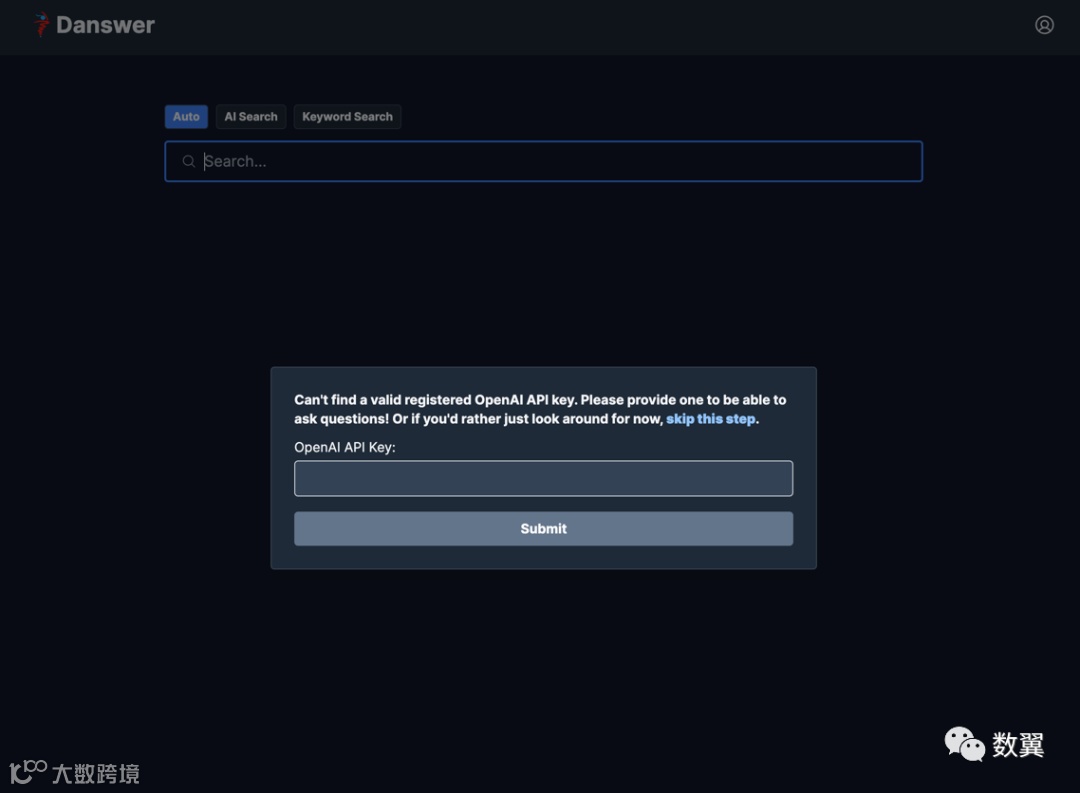
验证 Key:
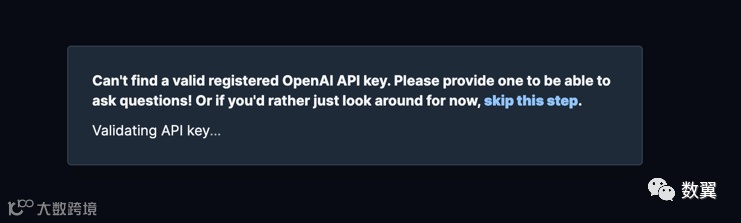
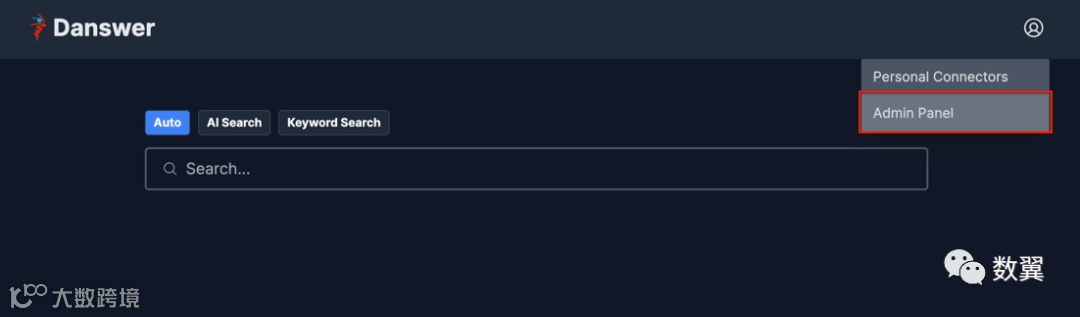
配置入口
等模型加载好,页面正常之后,点击配置:
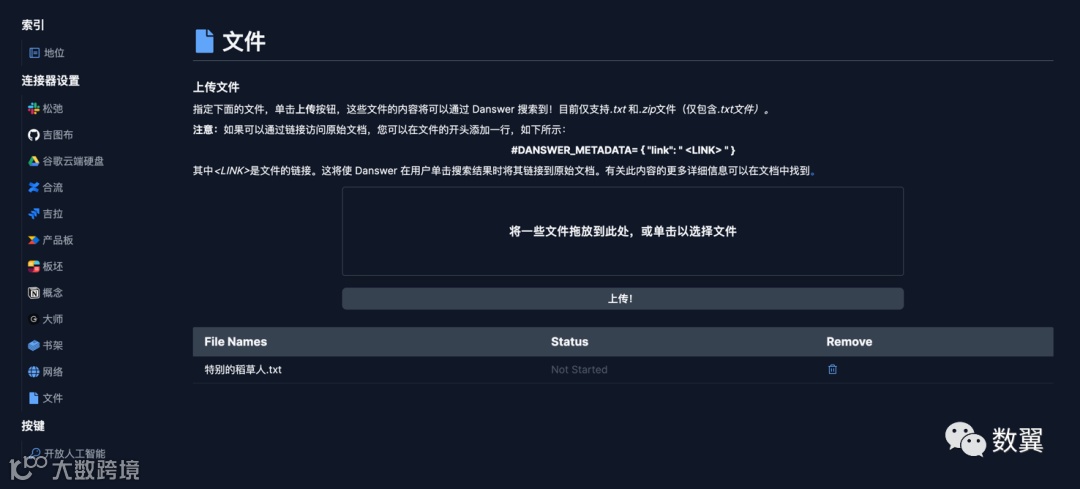
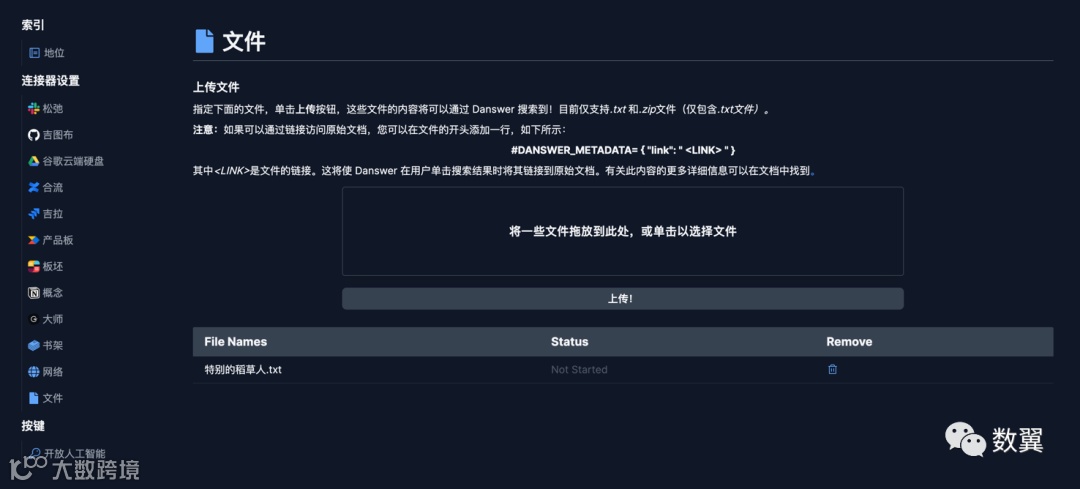
索引本地文件
文件连接器可以让 Danswer 从本地文件访问知识。
文件连接器会索引用户上传的文件。
• 目前支持
.txt文件或包含.txt文件.zip的文件。
选择文件然后上传即可:
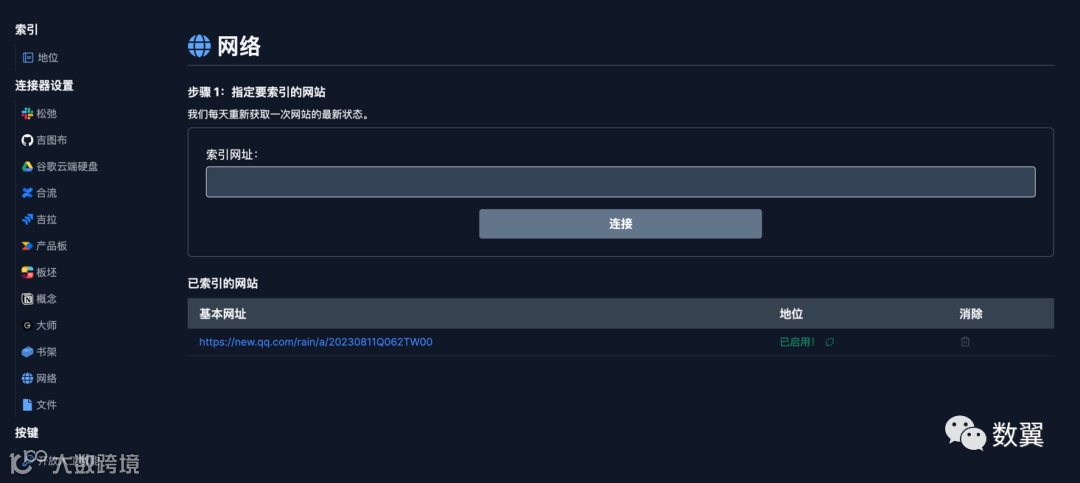
索引网页
网页连接器可以让 Danswer 从网页获取知识。
Web 连接器根据基本 URL 抓取站点。
• 它仅索引来自同一域并包含相同基本路径的文件。
• 它将索引可通过基本 URL 的超链接访问的页面。
• 通过一些启发式方法清理文本内容,并提取一些元数据(例如页面标题)。
其他连接器
Danswer 还支持其他连接器,比如:
• Slack、
• Github、
• Confluence、
• Jira、
• Google Driver、
• Notion
关于开源模型
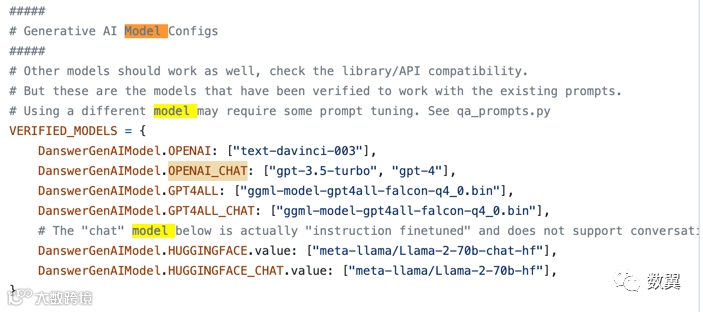
使用 OpenAI 的 Key 可以和方便实现,作者文档上也说了支持开源模型,但是系统内没有找到开启关闭的地方, 我从代码里面找到了后端关于模型的配置,是支持 GPT4ALL 生态的:
--- END ---