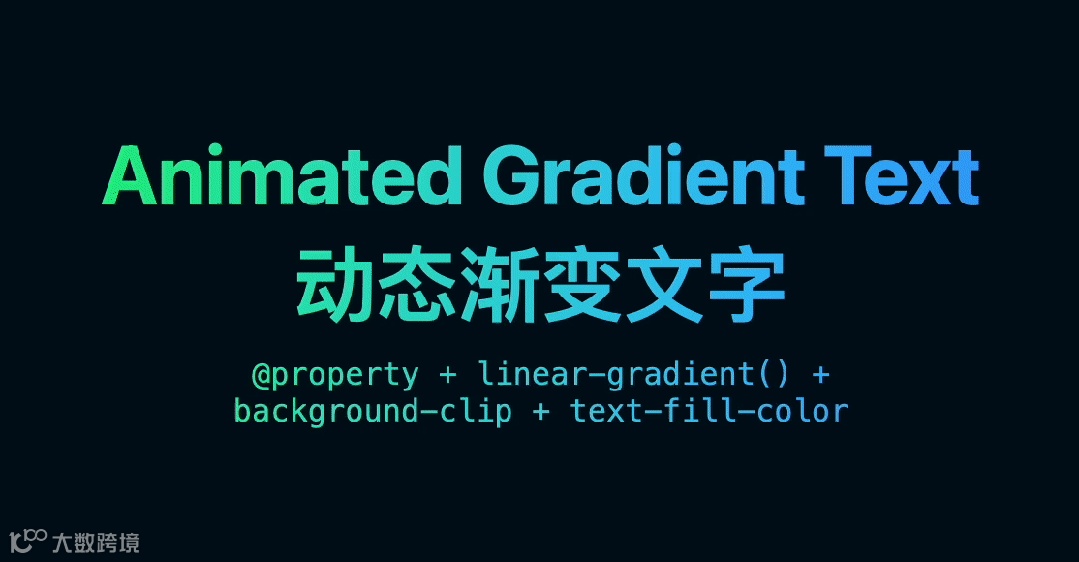
效果图


定义颜色变量:用@property声明两个颜色变量,像给调色盘预设两种基础色(青蓝和紫粉),浏览器会记住它们并支持动画变化;
动画驱动变色:@keyframes规定颜色变化的「剧本」——2 秒内从青蓝渐变为蓝紫,再从紫粉变回青蓝,循环播放;
渐变与渲染:linear-gradient用 OKLCH 色彩空间调配更鲜艳的渐变(类似画家混合颜料),再通过background-clip:text把渐变色「裁剪」到文字轮廓内,最后用color:transparent隐藏文字原色,让渐变背景透过文字显示。

手动控制变色:点击文字时用 JS 修改 CSS 变量,让渐变从自动循环变成「点击换色」;
动态生成效果:通过 JS 获取用户输入的文字,自动为新文字添加渐变动画,就像魔术师根据观众指令变换戏法;
设备适配:检测屏幕尺寸后用 JS 调整渐变速度,比如手机端让动画变慢更省电。

<html lang="en"><head><meta charset="UTF-8" /><title>动态渐变文字</title><meta name="viewport" content="width=device-width, initial-scale=1" /><style>/*these type the CSS variable as colorunlocking the ability for the browserto animate just that portion*/@property --@color-1 {syntax: "<color>";inherits: false;initial-value: hsl(98 100% 62%);}@property --@color-2 {syntax: "<color>";inherits: false;initial-value: hsl(204 100% 59%);}/* keyframes that change the color variable */@-webkit-keyframes gradient-change {to {--@color-1: hsl(210 100% 59%);--@color-2: hsl(310 100% 59%);}}@keyframes gradient-change {to {--@color-1: hsl(210 100% 59%);--@color-2: hsl(310 100% 59%);}}article {/* apply variable changes over time */-webkit-animation: gradient-change 2s linear infinite alternate;animation: gradient-change 2s linear infinite alternate;background: linear-gradient(/*in oklch produces more vibrant gradient resultslearn more https://developer.chrome.com/docs/css-ui/access-colors-spaces#color_interpolation*/to right in oklch,/* use the variables in a gradient (or wherever!) */ var(--@color-1),var(--@color-2));/* old browser support */-webkit-background-clip: text;-webkit-text-fill-color: transparent;/* modern browser version */background-clip: text;color: transparent;}@layer demo.support {h1 {font-size: 10vmin;line-height: 1.1;}body {background: hsl(204 100% 5%);min-block-size: 100%;box-sizing: border-box;display: grid;place-content: center;font-family: system-ui, sans-serif;font-size: min(200%, 4vmin);padding: 5vmin;}h1,p,body {margin: 0;text-wrap: balance;}h1 {line-height: 1.25cap;}p {font-family: "Dank Mono", ui-monospace, monospace;}html {block-size: 100%;}article {display: grid;gap: 1lh;text-align: center;}}</style></head><body><article><h1>Animated Gradient Text</h1><h1>动态渐变文字</h1><p>@property + linear-gradient() + background-clip + text-fill-color</p></article></body></html>