


LLM数据框架《Llama Index》之:五花八门的连接器
第一次接触到 Llama Index 是因为 MongoDB 的连接器,今天在 LlamaHub 上看了下慢慢一大屏的连接器。
LlamaIndex Hub 上提供了 135 个连接器之多,从各种数据库,各种文件,SaaS 服务,你能想到的他几乎都提供了连接器。
• https://llamahub.ai/
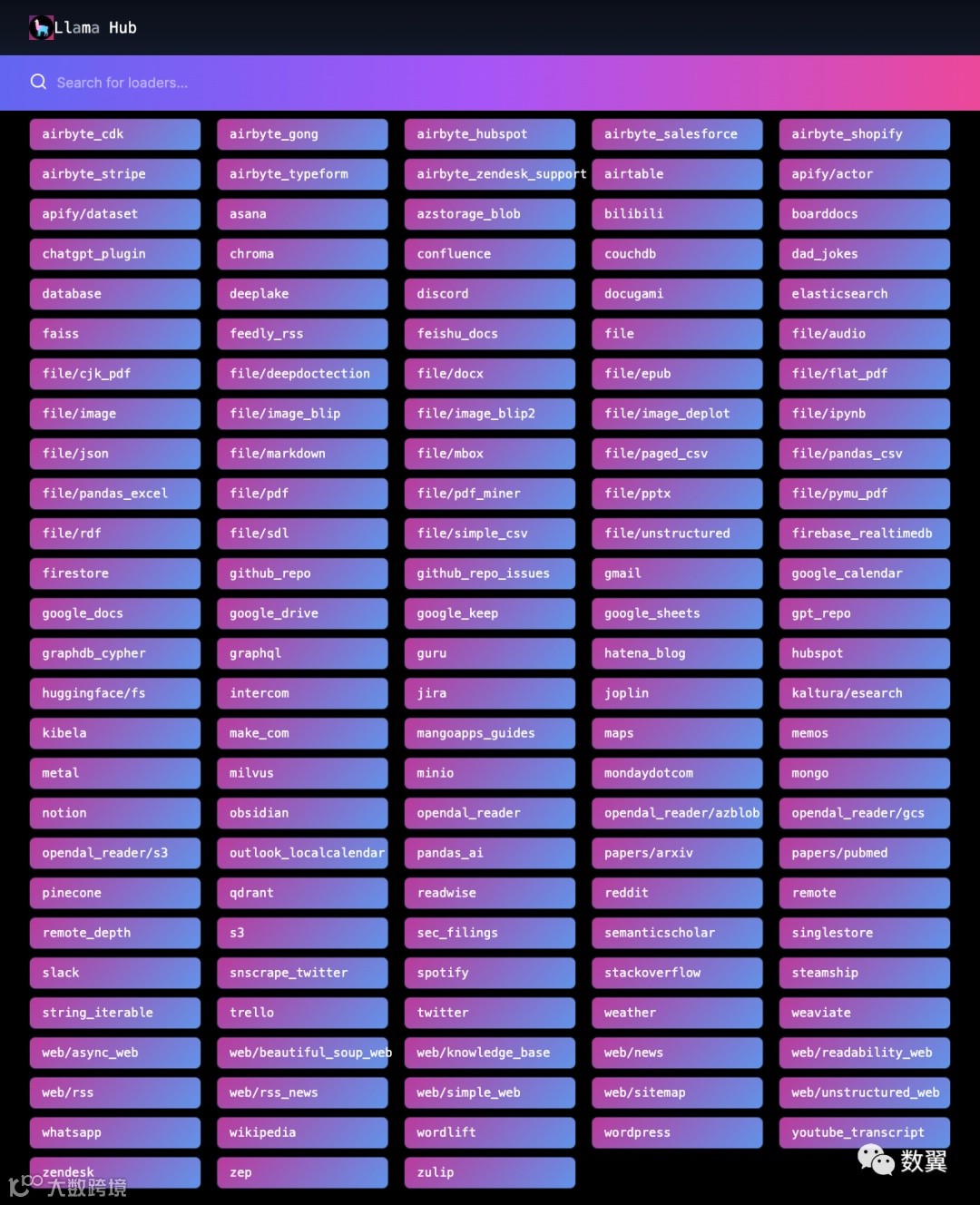
我下面挑选几个我们常用的连接器给大家看下怎么用。
简单目录
SimpleDirectoryReader是最常用且可以正常工作的数据连接器。
只需传入输入目录或文件列表即可。它将根据文件扩展名选择最佳的文件阅读器。
from llama_index import SimpleDirectoryReader加载特定文件
reader = SimpleDirectoryReader(
    input_files=["../data/paul_graham/paul_graham_essay.txt"]
)
docs = reader.load_data()
print(f"Loaded {len(docs)} docs")
输出:
Loaded 1 docs从目录加载所有(顶级)文件
reader = SimpleDirectoryReader(input_dir="../../end_to_end_tutorials/")
docs = reader.load_data()
print(f"Loaded {len(docs)} docs")

# Loaded 72 docs
从目录加载所有(递归)文件
# only load markdown files
required_exts = [".md"]

reader = SimpleDirectoryReader(
    input_dir="../documents", required_exts=required_exts, recursive=True
)
docs = reader.load_data()
print(f"Loaded {len(docs)} docs")

# Loaded 174 docs
微软 Word
加载程序从本地 Microsoft Word (.docx) 文件中提取文本。文档中的非文本项将被忽略。每次调用时都会传入一个本地文件load_data。
from pathlib import Path
from llama_index import download_loader

DocxReader = download_loader("DocxReader")

loader = DocxReader()
documents = loader.load_data(file=Path('./homework.docx'))
图片
图片加载器从从包含文本的图像中提取文本,例如收据(键值对)或纯文本图像。
如果图像具有纯文本,则加载程序使用pytesseract。如果图像像发票一样包含键值对中的文本,则使用Donut转换器模型。
首选文件扩展名 .png、.jpg 和 .jpeg。
from pathlib import Path
from llama_index import download_loader

ImageReader = download_loader("ImageReader")

loader = ImageReader(text_type = "key_value")
documents = loader.load_data(file=Path('./receipt.png'))

loader = ImageReader(text_type = "plain_text")
documents = loader.load_data(file=Path('./image.png'))使用 Python 包 PyPDF2 从本地 PDF 文件中提取文本。任何非文本元素都将被忽略。
from pathlib import Path
from llama_index import download_loader

PDFReader = download_loader("PDFReader")

loader = PDFReader()
documents = loader.load_data(file=Path('./article.pdf'))
Excel
使用 pandas 从本地 .xlsx 文件的一列中提取文本。
from pathlib import Path
from llama_index import download_loader

PandasExcelReader = download_loader("PandasExcelReader")

loader = PandasExcelReader(pandas_config={"header": 0})
documents = loader.load_data(file=Path('./data.xlsx'))
MongoDB 连接器
import logging
import sys

logging.basicConfig(stream=sys.stdout, level=logging.INFO)
logging.getLogger().addHandler(logging.StreamHandler(stream=sys.stdout))

from llama_index import ListIndex, SimpleMongoReader
from IPython.display import Markdown, display
import os
链接 Mongo:
host = "<host>"
port = "<port>"
db_name = "<db_name>"
collection_name = "<collection_name>"
# query_dict is passed into db.collection.find()
query_dict = {}
field_names = ["text"]
reader = SimpleMongoReader(host, port)
documents = reader.load_data(
    db_name, collection_name, field_names, query_dict=query_dict
)
构建索引:
index = ListIndex.from_documents(documents)查询数据:
query_engine = index.as_query_engine()
response = query_engine.query("<query_text>")
显示结果:
display(Markdown(f"<b>{response}</b>"))Obsidian 记事本
Obsidian 是一个很好的本地笔记工具,LlamaIndex 也提供了对应的连接器。
构建连接器:
from llama_index import ObsidianReader, VectorStoreIndex
documents = ObsidianReader(
    "/Users/xxx/vault"
).load_data()  # Returns list of documents
构建索引并查询:
index = VectorStoreIndex.from_documents(documents)  # Initialize index with documents
# set Logging to DEBUG for more detailed outputs
query_engine = index.as_query_engine()
res = query_engine.query("What is the meaning of life?")
print(res.response)
网页连接器
使用 SimpleWebPageReader
SimpleWebPageReader 用来获取单个网页页面数据。
from llama_index import ListIndex, SimpleWebPageReader
from IPython.display import Markdown, display
import os
# NOTE: the html_to_text=True option requires html2text to be installed
documents = SimpleWebPageReader(html_to_text=True).load_data(
    ["http://paulgraham.com/worked.html"]
)
print(documents[0])
构建索引并查询:
index = ListIndex.from_documents(documents)
# set Logging to DEBUG for more detailed outputs
query_engine = index.as_query_engine()
response = query_engine.query("What did the author do growing up?")
display(Markdown(f"<b>{response}</b>"))
使用 TrafilaturaWebReader
如果你要整个网站的多个页面可以使用 TrafilaturaWebReader。
https://trafilatura.readthedocs.io/en/latest/
Trafilatura 是一个Python 包和命令行工具,旨在收集 Web 上的文本。
它包括发现、提取和文本处理组件,不需要数据库,输出可以转换为各种常用格式。其主要应用是
• 网络爬虫、
• 下载、
• 抓取以及主要文本、元数据和评论的提取。
from llama_index import TrafilaturaWebReader

documents = TrafilaturaWebReader().load_data(["http://paulgraham.com/worked.html"])
index = ListIndex.from_documents(documents)
# set Logging to DEBUG for more detailed outputs
query_engine = index.as_query_engine()
response = query_engine.query("What did the author do growing up?")
display(Markdown(f"<b>{response}</b>"))
使用 RssReader
如果你想把你的 RSS 订阅作为连接器,使用这个 Reader
from llama_index import ListIndex, RssReader

documents = RssReader().load_data(
    ["https://rss.nytimes.com/services/xml/rss/nyt/HomePage.xml"]
)

index = ListIndex.from_documents(documents)

# set Logging to DEBUG for more detailed outputs
query_engine = index.as_query_engine()
response = query_engine.query("What happened in the news today?")
Github 存储库阅读器
如果你想对某个 Github 仓库进行搜索,可以使用这个连接器。
github_token = os.environ.get("GITHUB_TOKEN")
owner = "jerryjliu"
repo = "llama_index"
branch = "main"

documents = GithubRepositoryReader(
    github_token=github_token,
    owner=owner,
    repo=repo,
    use_parser=False,
    verbose=False,
    ignore_directories=["examples"],
).load_data(branch=branch)

index = VectorStoreIndex.from_documents(documents)

query_engine = index.as_query_engine()
response = query_engine.query(
    "What is the difference between VectorStoreIndex and ListIndex?", verbose=True
)
display(Markdown(f"<b>{response}</b>"))
飞书文档
您只需传入飞书文档 ID 数组即可加载飞书文档。
默认的 API 接口是飞书的,如果要切换到 Lark,我们应该使用set_lark_domain。
from llama_index import download_loader

app_id="cli_slkdjasdksd"
app_secret="dskdkasdasdKK"
doc_ids = ['HIv219okVxjwc1W0kf']
FeishuDocsReader = download_loader('FeishuDocsReader')
loader = FeishuDocsReader(app_id, app_secret)
documents = loader.load_data(document_ids=doc_ids)
Google Docs
谷歌文档虽然很强大, 但是由于已知原因,国内用的很少。
from llama_index import ListIndex, GoogleDocsReader
from IPython.display import Markdown, display
import os

document_ids = ["<document_id>"]
documents = GoogleDocsReader().load_data(document_ids=document_ids)

index = ListIndex.from_documents(documents)

query_engine = index.as_query_engine()
response = query_engine.query("<query_text>")
display(Markdown(f"<b>{response}</b>"))
数据库
关系型数据肯定是大家的最爱,当然也可能是又爱又恨,但是不得不说,大部分的企业数据都是存在数据库里面的。
根据参数初始化:
from llama_index.readers.database import DatabaseReader
from llama_index import VectorStoreIndex

db = DatabaseReader(
    scheme="postgresql",  # Database Scheme
    host="localhost",  # Database Host
    port="5432",  # Database Port
    user="postgres",  # Database User
    password="FakeExamplePassword",  # Database Password
    dbname="postgres",  # Database Name
)
用连接器获取数据库的各种信息:
print(type(db))
print(type(db.load_data))

print(type(db.sql_database))

print(type(db.sql_database.from_uri))
print(type(db.sql_database.get_single_table_info))
print(type(db.sql_database.get_table_columns))
print(type(db.sql_database.get_table_info))
print(type(db.sql_database.get_table_names))
print(type(db.sql_database.insert_into_table))
print(type(db.sql_database.run))
print(type(db.sql_database.run_sql))

print(type(db.sql_database.dialect))
print(type(db.sql_database.engine))
print(type(db.sql_database.table_info))
执行查询:
query = f"""
    SELECT
        CONCAT(name, ' is ', age, ' years old.') AS text
    FROM public.users
    WHERE age >= 18
    """

texts = db.sql_database.run_sql(command=query)

print(type(texts))
print(texts)
从查询加载文档构建索引:
documents = db.load_data(query=query)

print(type(documents))
print(documents)

index = VectorStoreIndex.from_documents(documents)
总结
五花八门的数据连接器是不是一下子满足了你对数据的所有需求,再也不用去写程序加载数据了,想象我之前《万物皆可 LLM》系列中还写手写代码从 Sqlite 中 对数据,单条数据调用 LLM 进行分析,简自弱爆了。
--- END ---