

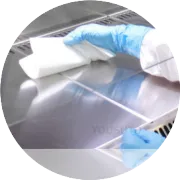
Proper maintenance of your Evolis printer ensures consistent print quality, smooth card feeding, and extends the printer's lifespan. One of the key aspects of printer maintenance is cleaning. Here are the recommended frequencies for cleaning your Evolis printer:

1. Clean the Printer Every 1,000 to 2,000 Prints
For most environments, it’s recommended to clean the Evolis printer every 1,000 to 2,000 prints. This helps remove dust, debris, and ink residue from the printhead, rollers, and card path, preventing performance issues and ensuring optimal print quality.
2. Clean After Replacing Consumables
Whenever you replace the ribbon or cards, it’s a good idea to clean the printer. New consumables can introduce dust or debris into the system, so cleaning after a change ensures that the printer operates smoothly from the start.
3. Clean More Often in High-Volume Environments
In high-volume printing environments or if your printer handles large quantities of cards daily, you may need to clean the printer more frequently—every 500 to 1,000 prints.
4. Clean If Print Quality Declines
If you notice print quality issues such as streaking, fading, or discoloration, it’s time to clean the printhead and other components, even if you haven’t reached the recommended cleaning interval.
5. Environmental Considerations
If your printer is exposed to high levels of dust, humidity, or contaminants, you may need to clean it more often to avoid build-up that can affect the printer’s performance.
6. Cleaning After Specific Events
If you experience card feeding issues (misfeeds or jams), perform a cleaning.
Clean after any spill, dust exposure, or when the printer has been idle for an extended period.
7. Use Cleaning Cards and Swabs
Always use Evolis-approved cleaning cards and swabs to maintain the printer. These tools are specifically designed to clean the printhead, rollers, and card path without damaging sensitive components.