


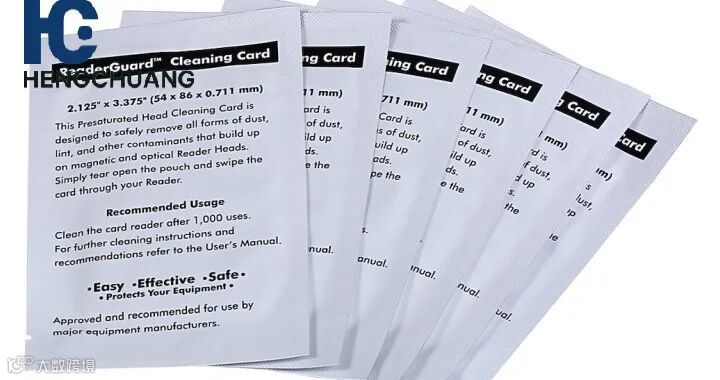
Fargo cleaning cards are essential for maintaining print quality and preventing printer issues such as misfeeds and streaks. Here’s a step-by-step guide for using Fargo cleaning cards effectively:
1. Power Off the Printer
Before starting, turn off and unplug your Fargo printer to ensure safety during cleaning.
2. Select the Correct Cleaning Card
Use a Fargo-approved cleaning card that matches your printer model. These cards are pre-saturated with a cleaning solution to remove dust and ink residue.
3. Insert the Cleaning Card
Feed the cleaning card into the card input slot just like a regular card.
The printer will automatically pull the card through the card path, cleaning the printhead, rollers, and card feed mechanisms.
4. Allow the Card to Pass Through
Let the card move through naturally. Do not force it, as this can damage the printer.
The card removes debris, dust, and residue that may affect print quality.
5. Inspect the Printer
After the cleaning card has passed through, check the printhead and rollers. If necessary, use a cleaning swab for detailed cleaning of hard-to-reach areas.
6. Run a Test Print
Power the printer back on and perform a test print to verify that cleaning has restored optimal print quality.
7. Schedule Regular Cleaning
For best results, use a cleaning card every 1,000 to 2,000 prints or whenever you notice declining print quality or misfeeds.