


前言
在ABAP[1] Cloud环境中,已经不能使用CL_HTTP_CLIENT来消费HTTP服务,取而代之的是通过CL_WEB_HTTP_CLIENT_MANAGER,既可以在OP端使用也可以在Cloud端使用。
为了实现HTTP通信[2],有以下不同的方法:
-
• Communication target(通信目标):当创建Communication arrangement的时候,application destination会自动创建,而通信目标可以基于属性来判定具体调用哪个application destination(SAP推荐做法)。 -
• Communication arrangement(通信安排):通过通信安排,来确定实际通信的通信系统(SAP推荐做法)。 -
• Destination service(目标服务):仅使用于从SAP BTP destination中获取连接信息,配置内容在SAP BTP cockpit中完成(在公有云环境不可用)。 -
• URL approach(直接URL):通过使用纯URL在编码中实现通信(不推荐,仅建议在测试时使用)。
本文将在公用云环境中采用Communication target + Communication arrangement的方式提供一个简单示例,用来根据所选模型来调用对应的AI大模型服务,本文包含的内容概览如下:
-
1. 使用向导快速创建一个RAP应用并添加一个按钮,用来调用http服务; -
2. 通过选择不同的AI模型来选择调用不同的AI服务地址; -
3. 通过bgPF触发实际的HTTP调用; -
4. 通过XCO框架解析返回的JSON报文; -
5. 触发Business Event来异步刷新界面;
正文
完整源码将在底部提供。
消费HTTP服务的通用过程如下:
-
1. 创建一个Communication Target。 -
2. 创建一个类型为Communication Target的Outbound Service。 -
3. 创建一个Communication Scenario。 -
4. 将Outbound Service添加到Communication Scenario。 -
5. 发布Communication Scenario,用于后续在Communication Management中使用。 -
6. 在Fiori Launchpad中完成Communication Arrangement和Communication System的配置。 -
7. 在ABAP Class中通过进行服务调用。
实现过程如下图所示:
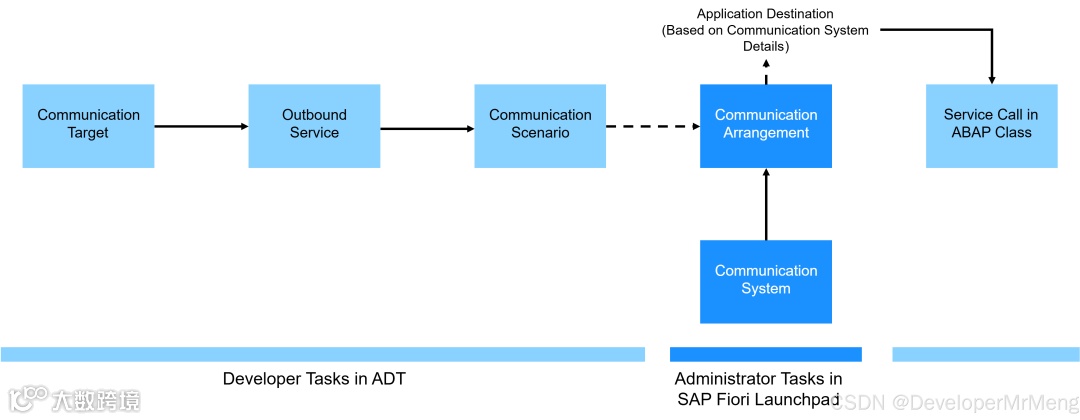
完整实现步骤
示例内容只是为了完整的演示,所以可能有些步骤并不是你实际需要的,仅关注需要的部分即可。
1. 使用向导快速创建RAP应用
首先创建一张自自建表:
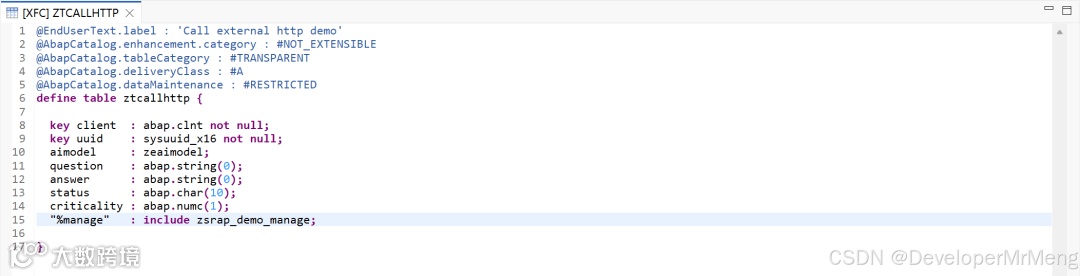
   1. @EndUserText.label : 'Call external http demo'
2. @AbapCatalog.enhancement.category : #NOT_EXTENSIBLE
3. @AbapCatalog.tableCategory : #TRANSPARENT
4. @AbapCatalog.deliveryClass : #A
5. @AbapCatalog.dataMaintenance : #RESTRICTED
6. define table ztcallhttp {
7.
8. key client  : abap.clnt not null;
9. key uuid    : sysuuid_x16 not null;
10. aimodel     : zeaimodel;
11. question    : abap.string(0);
12. answer      : abap.string(0);
13. status      : abap.char(10);
14. criticality : abap.numc(1);
15. "%manage"   : include zsrap_demo_manage;
16.
17. }
使用到的数据元素如下,后面步骤会用到:
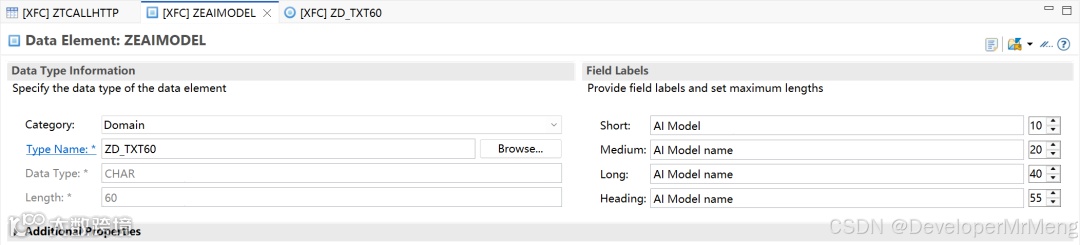
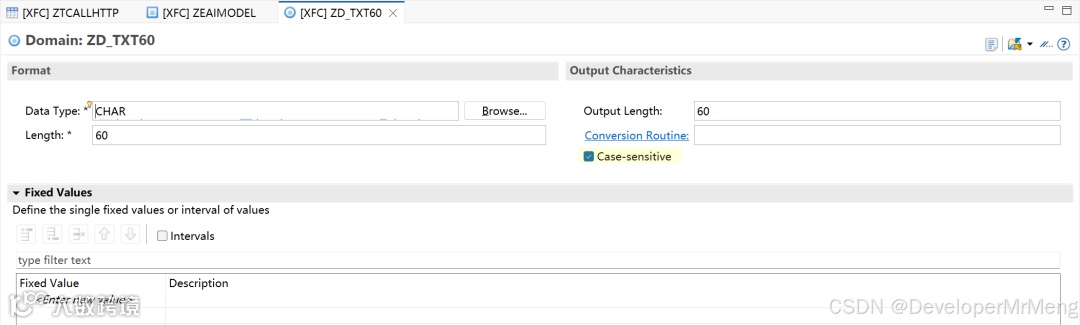
然后使用向导一键创建RAP应用,这在之前文章已经演示过多次,此处不再详细贴图:

将会自动生成激活以下内容,只需要手动publish服务绑定即可:
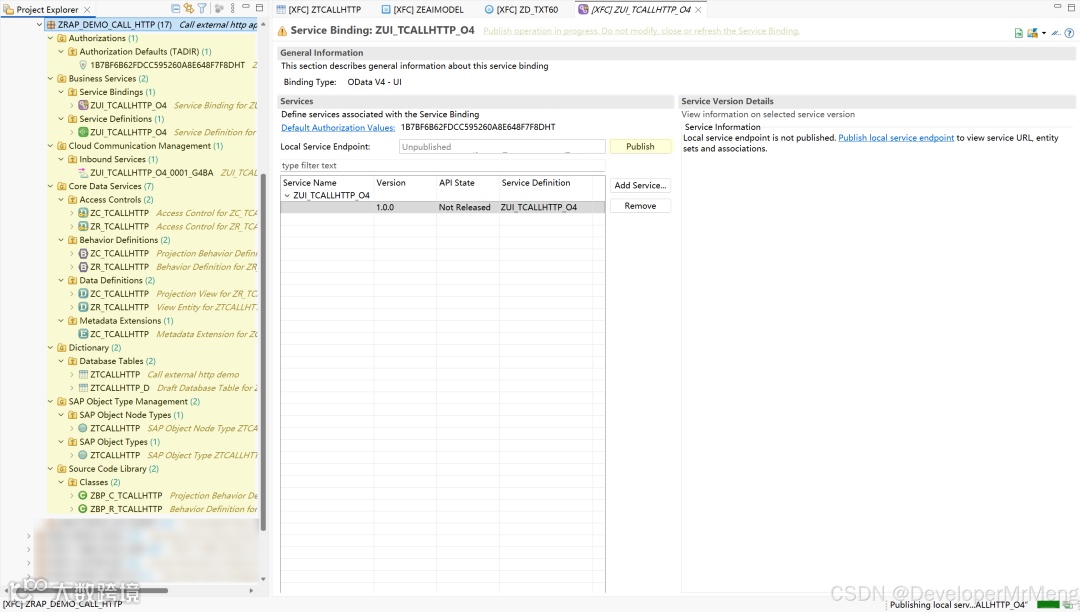
2. 添加自定义Action和Event
action用于发起实际的http请求,with additional save用于触发bgPF调用AI,event用于当AI返回结果时刷新界面,然后按照快速修复建议创建缺失的行为方法:
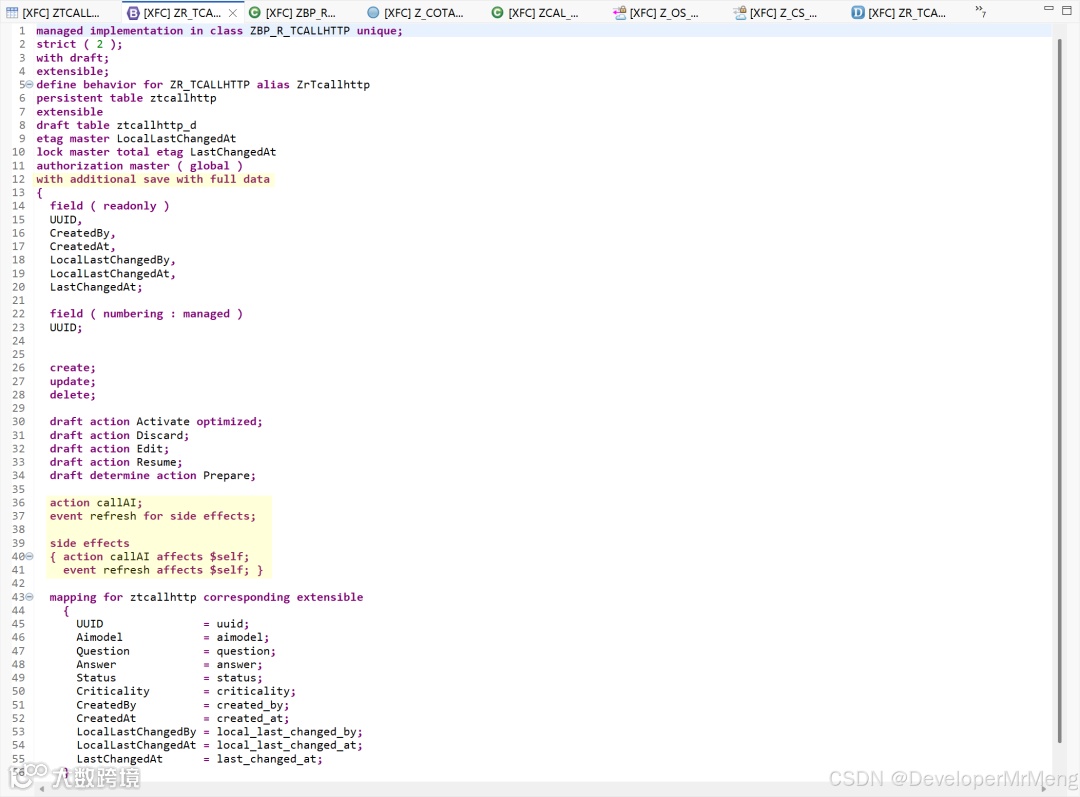
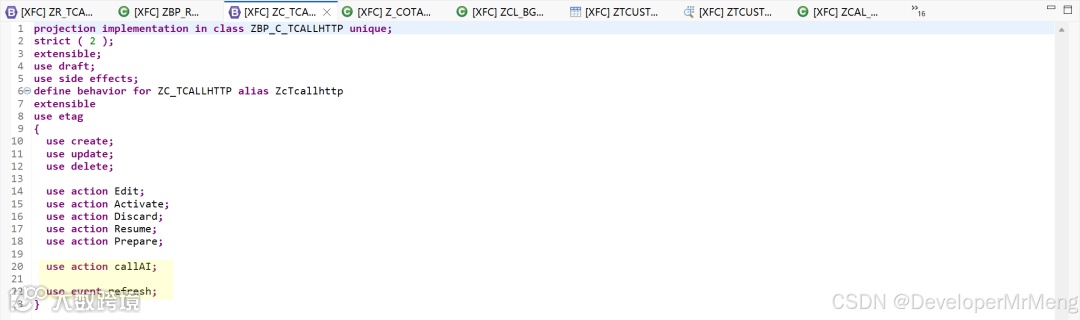
记得在行为投影中暴露新增的action和event:
更新UI注解:
-
1. 添加action至Object Page界面 -
2. 为Question和Answer字段添加长文本注解 @UI.multiLineText: true -
3. 为Status字段添加criticality属性 -
4. 隐藏Criticality以及管理字段 -
5. 对字段做下faect分组
   1. @Metadata.layer: #CORE
2. @UI.headerInfo.title.type: #STANDARD
3. @UI.headerInfo.title.value: 'UUID'
4. @UI.headerInfo.description.type: #STANDARD
5. @UI.headerInfo.description.value: 'UUID'
6. annotate view ZC_TCALLHTTP with
7. {
8. @EndUserText.label: 'UUID'
9. @UI.facet: [ {
10. label: 'General Information',
11. id: 'GeneralInfo',
12. purpose: #STANDARD,
13. position: 10 ,
14. type: #IDENTIFICATION_REFERENCE
15. },
16. {
17. label:'User Question',
18. id:'usermessage',
19. purpose: #STANDARD,
20. position: 20,
21. type:#FIELDGROUP_REFERENCE,
22. targetQualifier: 'User'
23. },
24. {
25. label:'AI Answer',
26. id:'aimessage',
27. purpose: #STANDARD,
28. position: 30,
29. type:#FIELDGROUP_REFERENCE,
30. targetQualifier: 'AI'
31. }
32. ]
33. @UI.identification: [ { position: 10 , label: 'UUID' } ]
34. @UI.lineItem: [ {
35. position: 10 ,
36. label: 'UUID'
37. } ]
38. @UI.selectionField: [ {
39. position: 10
40. } ]
41. @UI.hidden: true
42. UUID;
43.
44. @UI.identification: [ { position: 20 },
45. { type: #FOR_ACTION,dataAction: 'callAI',label: 'Call AI',position: 10 } ]
46. @UI.lineItem: [ { position: 20 } ]
47. @UI.selectionField: [ { position: 20 } ]
48. Aimodel;
49.
50. @EndUserText.label: 'Question'
51. @UI.fieldGroup: [{ position: 30 ,label: 'Question',qualifier: 'User' }]
52. @UI.lineItem: [ {
53. position: 30 ,
54. label: 'Question'
55. } ]
56. @UI.selectionField: [ {
57. position: 30
58. } ]
59. @UI.multiLineText: true
60. Question;
61.
62. @EndUserText.label: 'Answer'
63. @UI.fieldGroup: [{ position: 40 ,label: 'Answer',qualifier: 'AI' }]
64. @UI.lineItem: [ {
65. position: 40 ,
66. label: 'Answer'
67. } ]
68. @UI.selectionField: [ {
69. position: 40
70. } ]
71. @UI.multiLineText: true
72. Answer;
73.
74. @EndUserText.label: 'Status'
75. @UI.identification: [ {
76. position: 50 ,
77. label: 'Status',
78. criticality: 'Criticality'
79. } ]
80. @UI.lineItem: [ {
81. position: 50 ,
82. label: 'Status',
83. criticality: 'Criticality'
84. } ]
85. @UI.selectionField: [ {
86. position: 50
87. } ]
88. Status;
89.
90. @EndUserText.label: 'Criticality'
91. @UI.identification: [ {
92. position: 60 ,
93. label: 'Criticality'
94. } ]
95. @UI.lineItem: [ {
96. position: 60 ,
97. label: 'Criticality'
98. } ]
99. @UI.selectionField: [ {
100. position: 60
101. } ]
102. @UI.hidden: true
103. Criticality;
104. }
刷新界面查看效果:
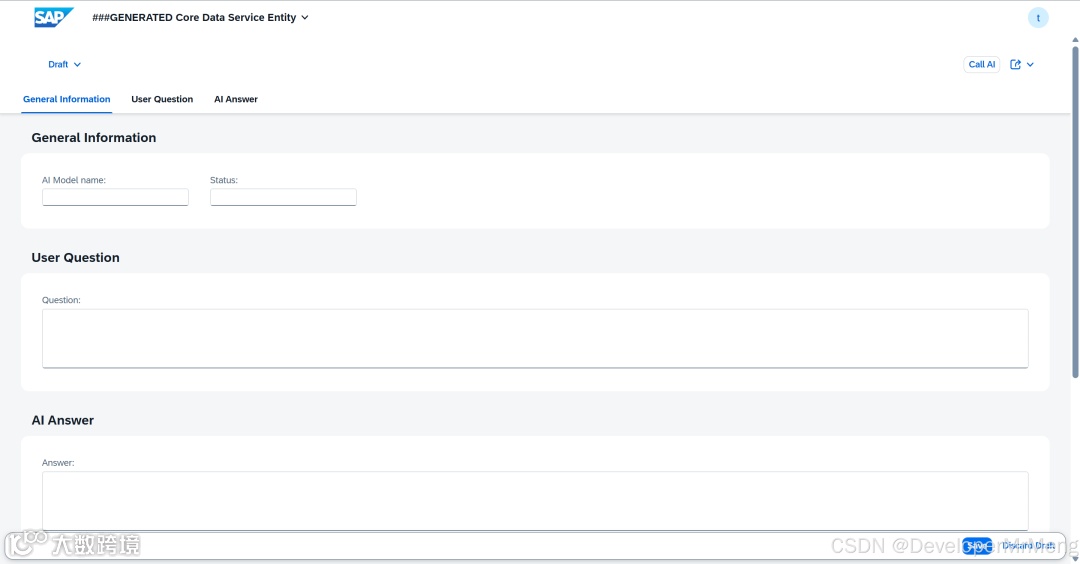
ok一些准备就绪,接下来准备调用AI API的事项。
3. 创建需要调用的大模型的API Key
这里为了测试,我使用的是DeepSeek和阿里云的千问免费模型,千问新用户可以免费使用100万token,DeepSeek之前充值了一点token,还没用完,刚好一起拿来做测试用用,没有DeepSeek API Key的也可以仅创建一个千问的免费API Key,或者使用自己实际要调用的服务地址即可。
首先需要去各自开发者平台申请对应的API Key,参考官方文档说明创建即可。
关于AI相关的知识不在本文中介绍,自行查看相关文档。
阿里云官方文档指引:
大模型服务平台百炼控制台[3]
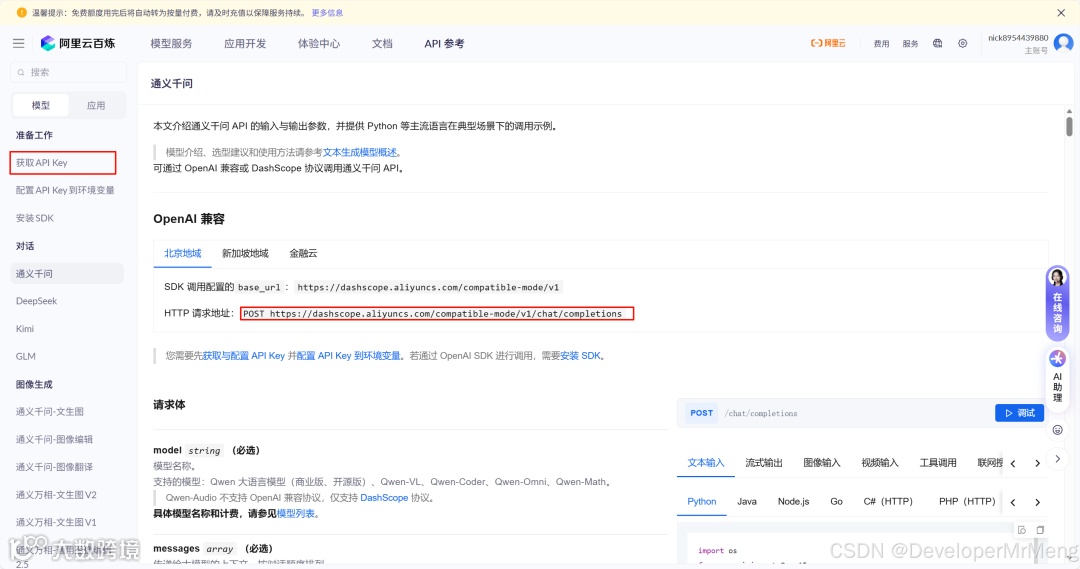
保存好你的API Key:
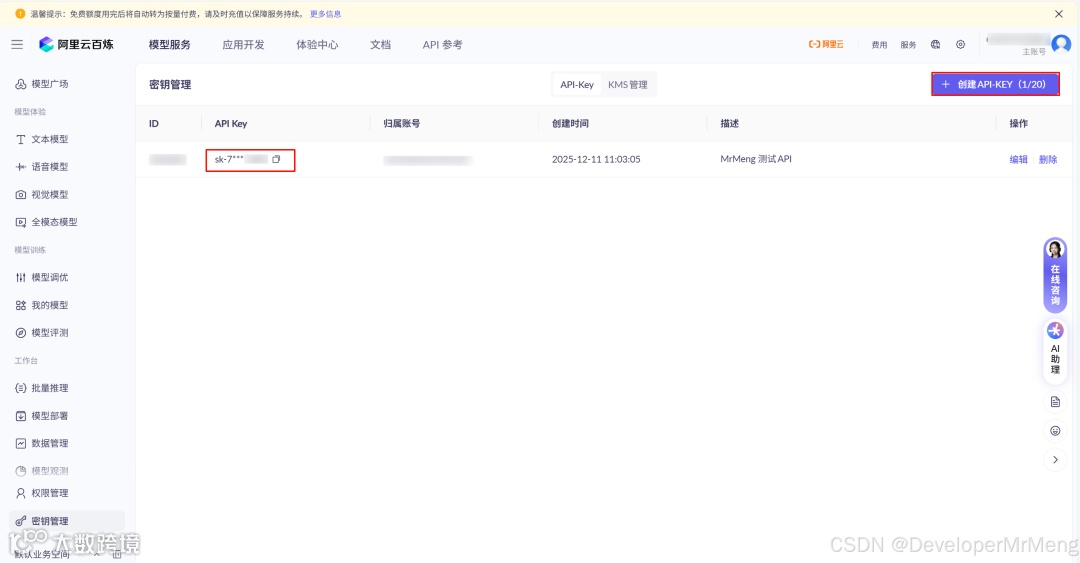
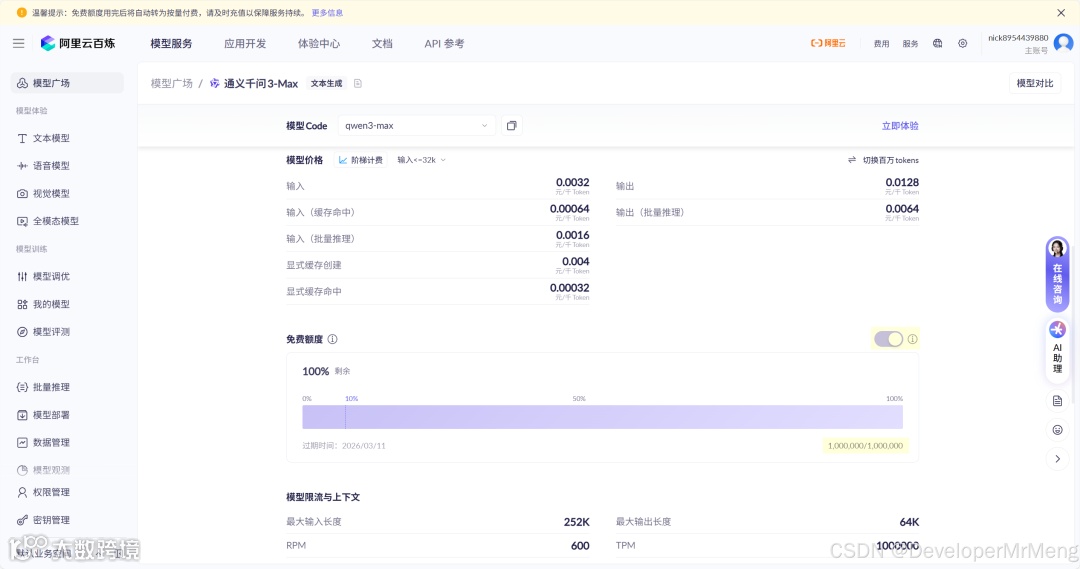
DeepSeek官方文档指引:
DeepSeek 开放平台[4]
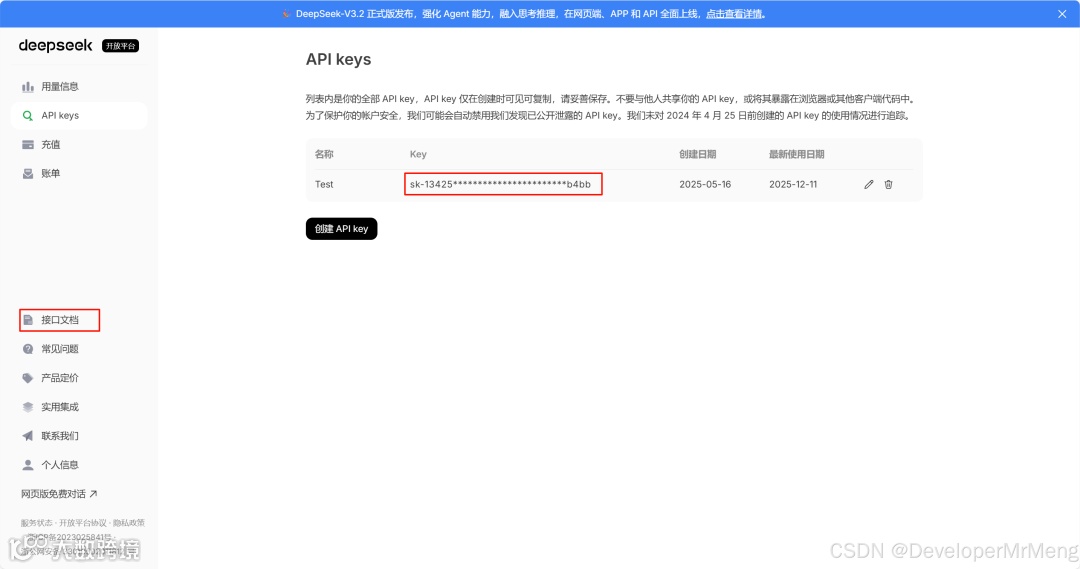
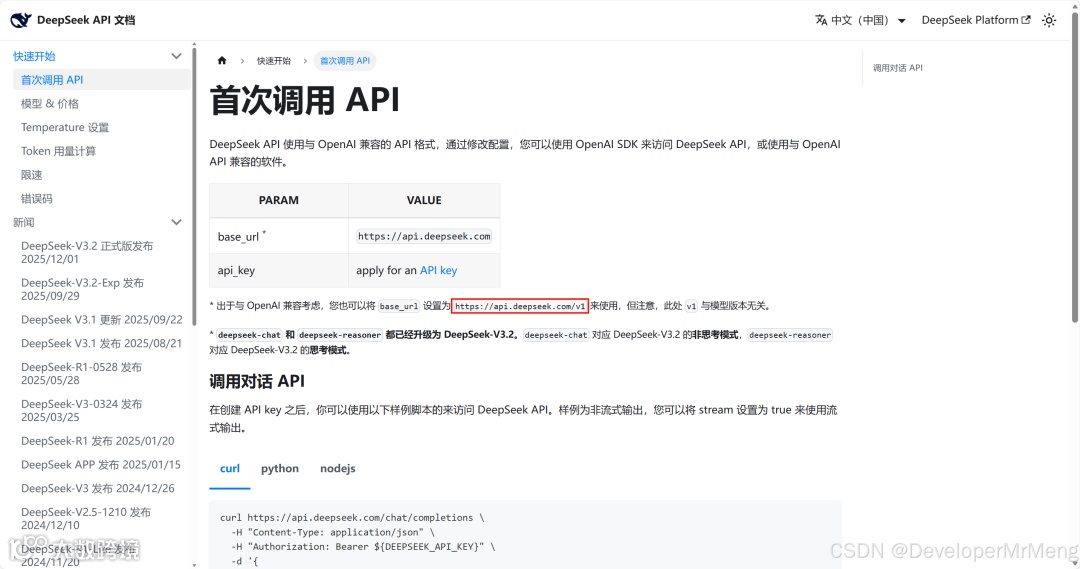
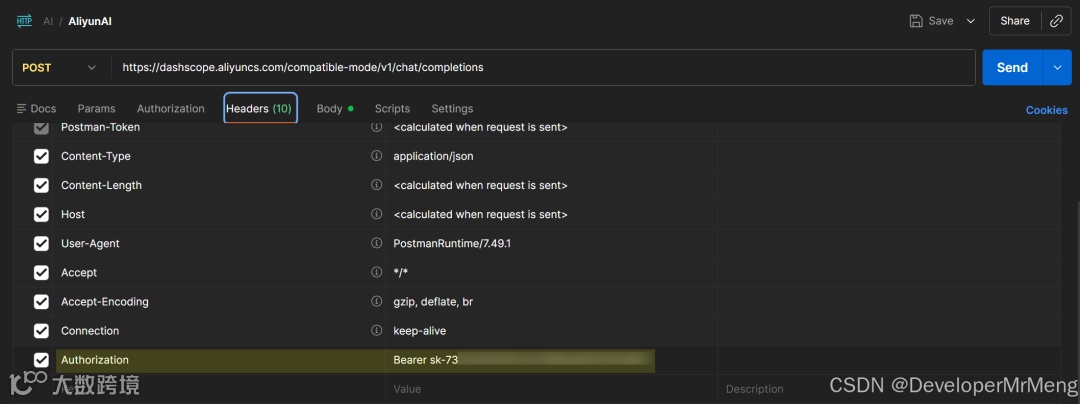
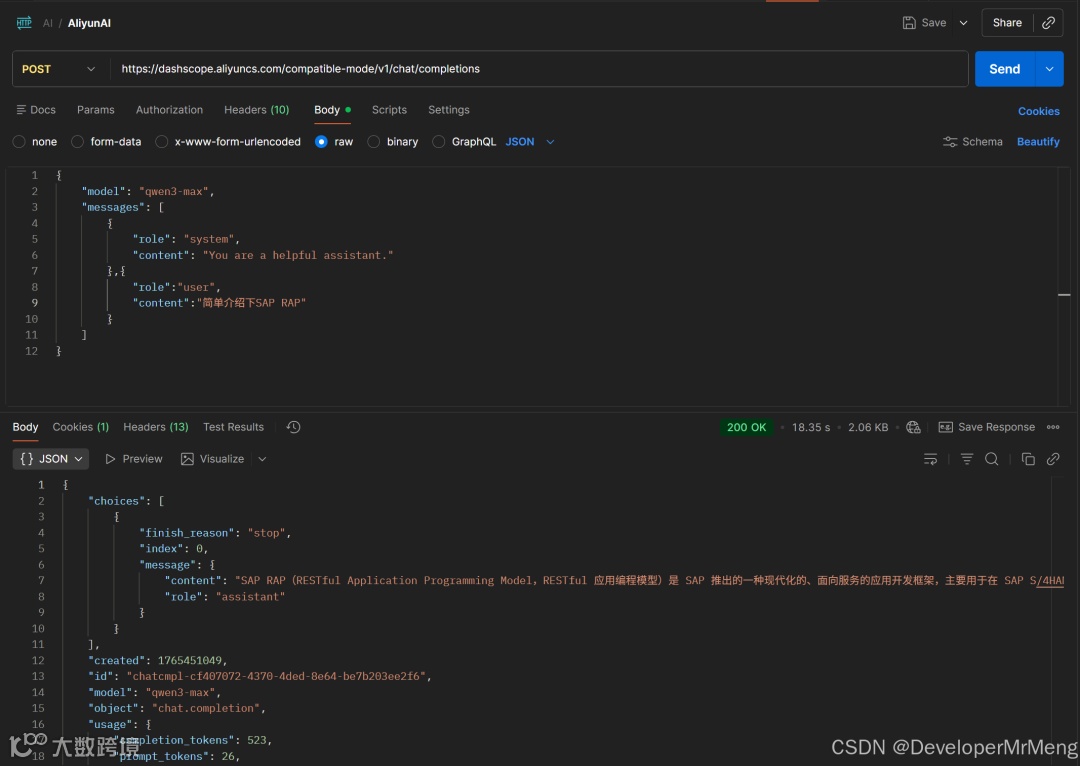
有了API Key就可以先自己在postman测试一下了:
测试千问
API地址:https://dashscope.aliyuncs.com/compatible-mode/v1/chat/completions
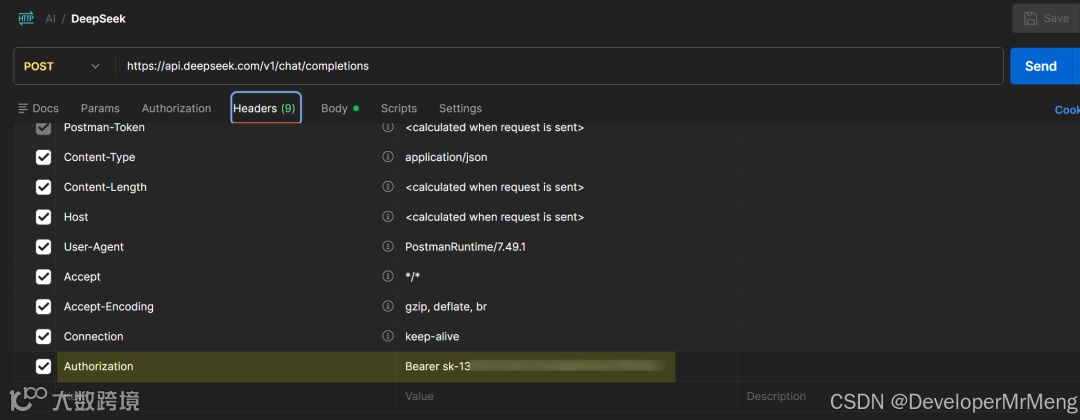
测试DeepSeek
API地址:https://api.deepseek.com/v1/chat/completions
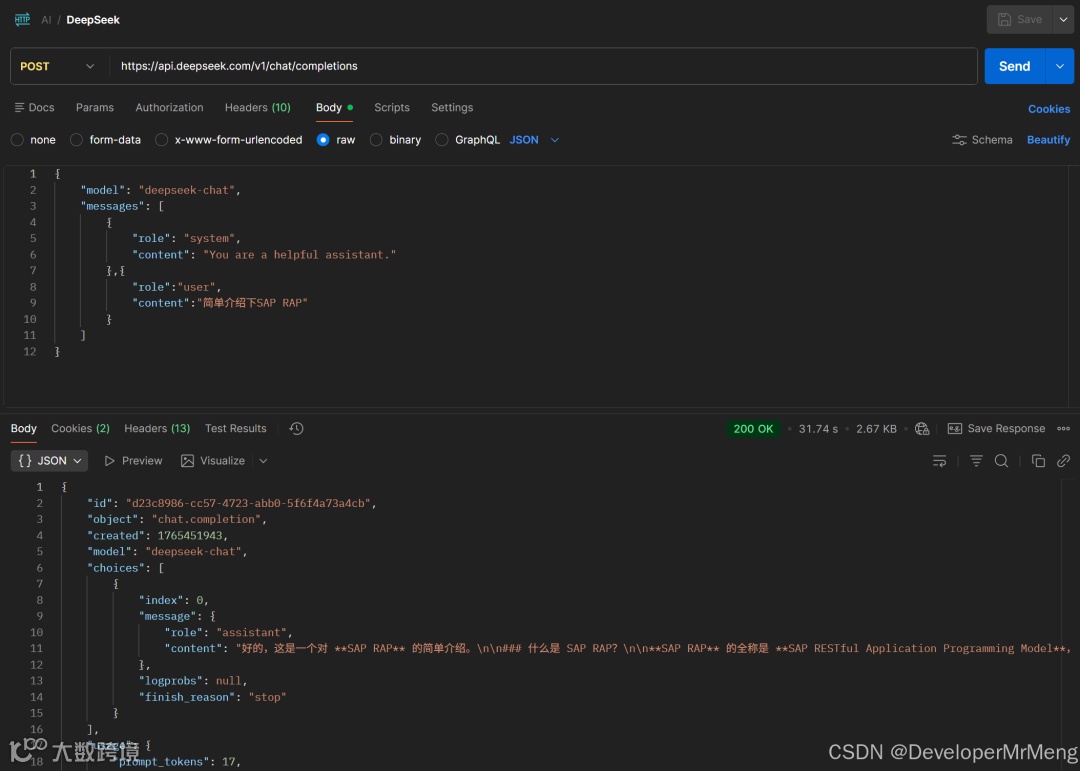
一切准备就绪,开始SAP端的配置环节。
4. 创建Communication Target
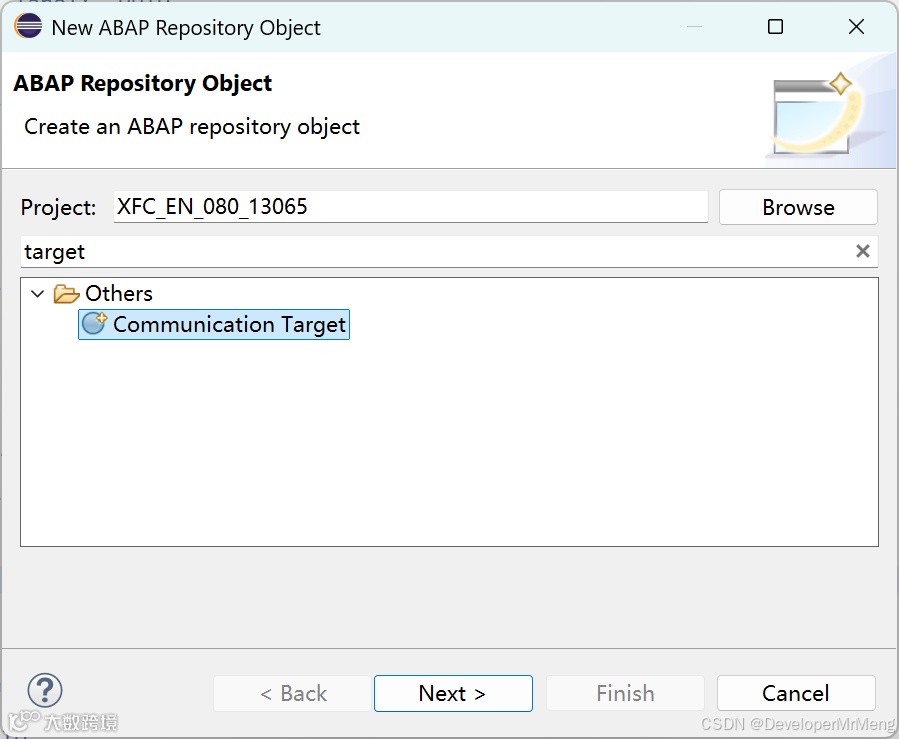
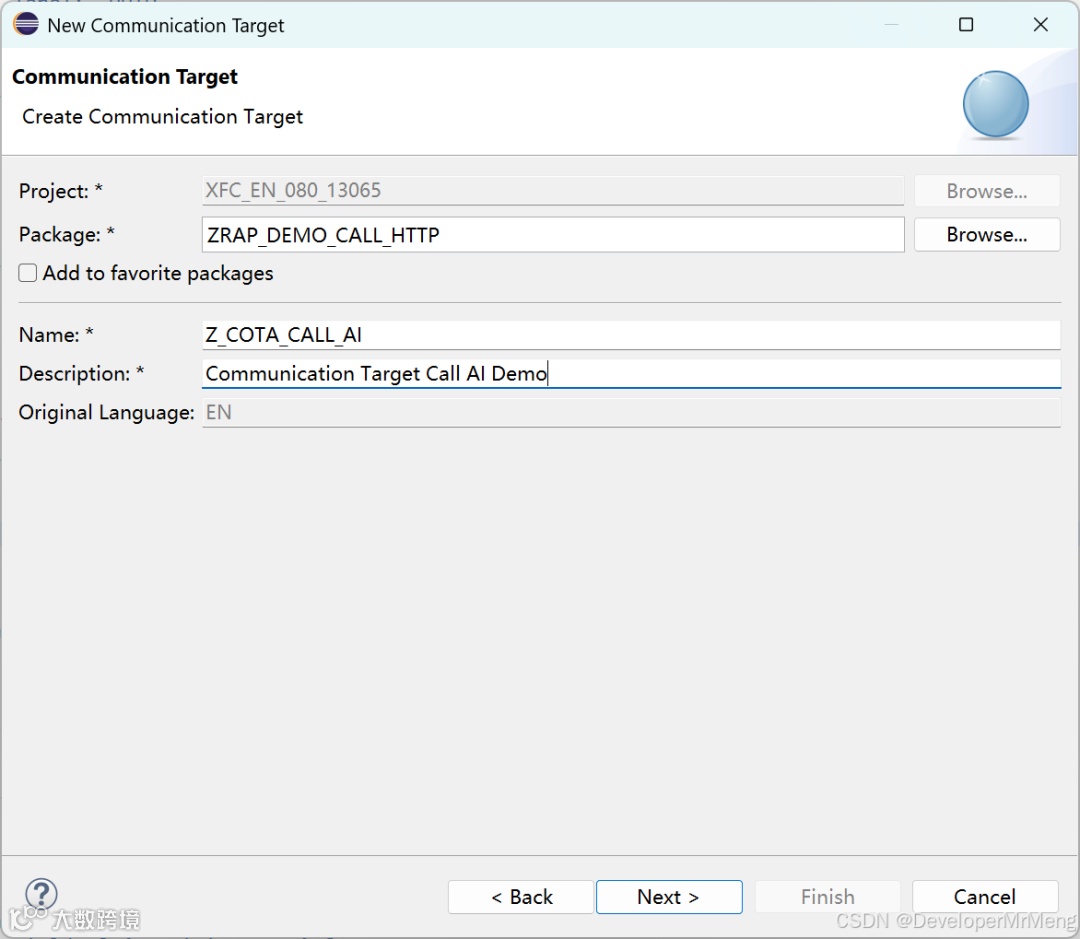
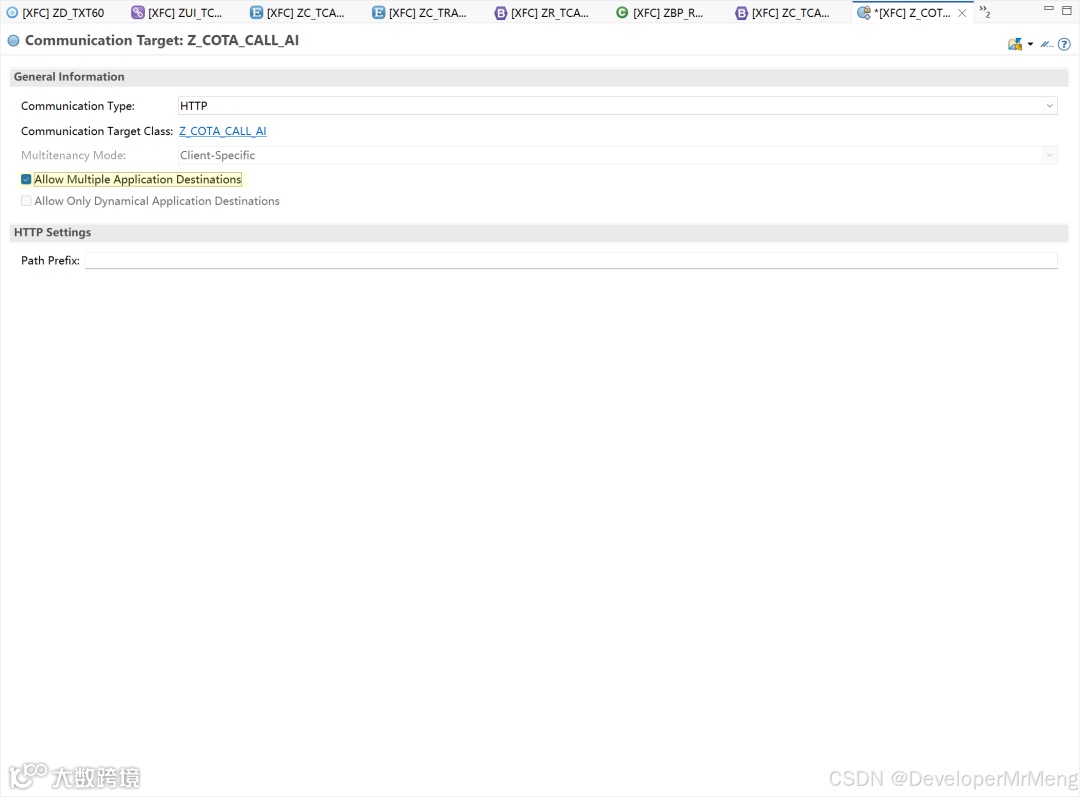
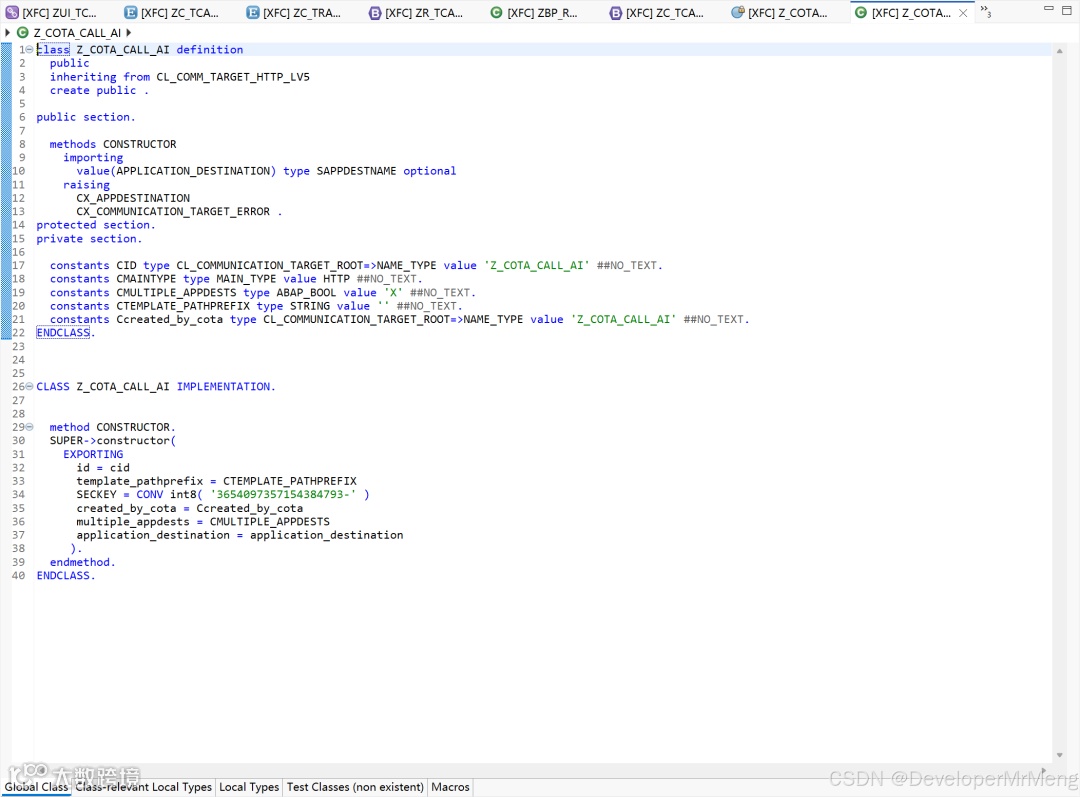
激活后会同步创建一个class,这个类无法手工更改,后续将使用此类来创建http client。
5. 创建Outbound Service
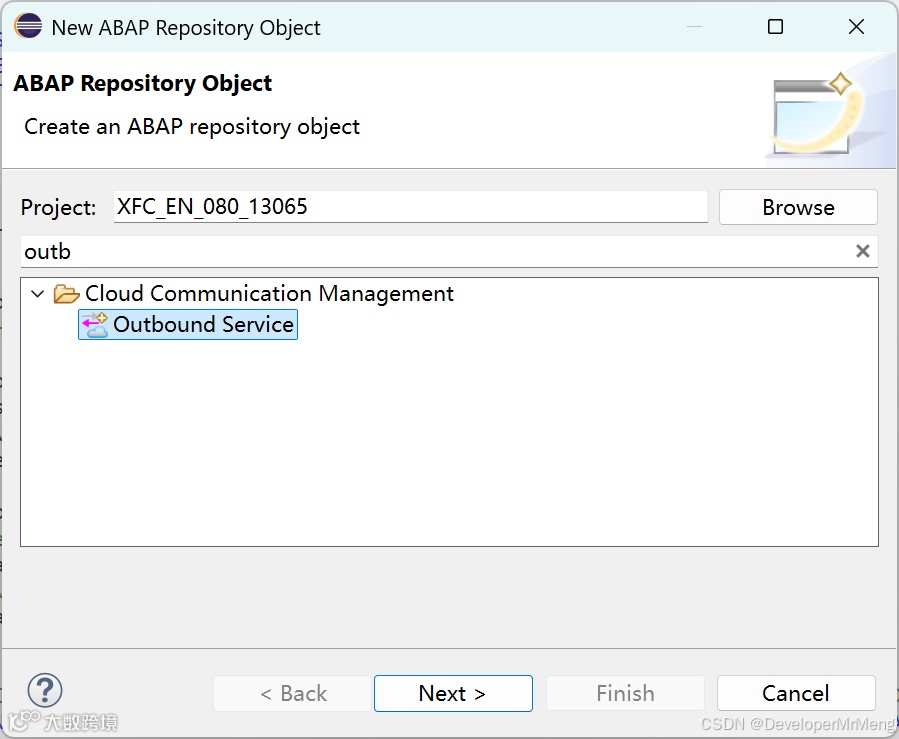
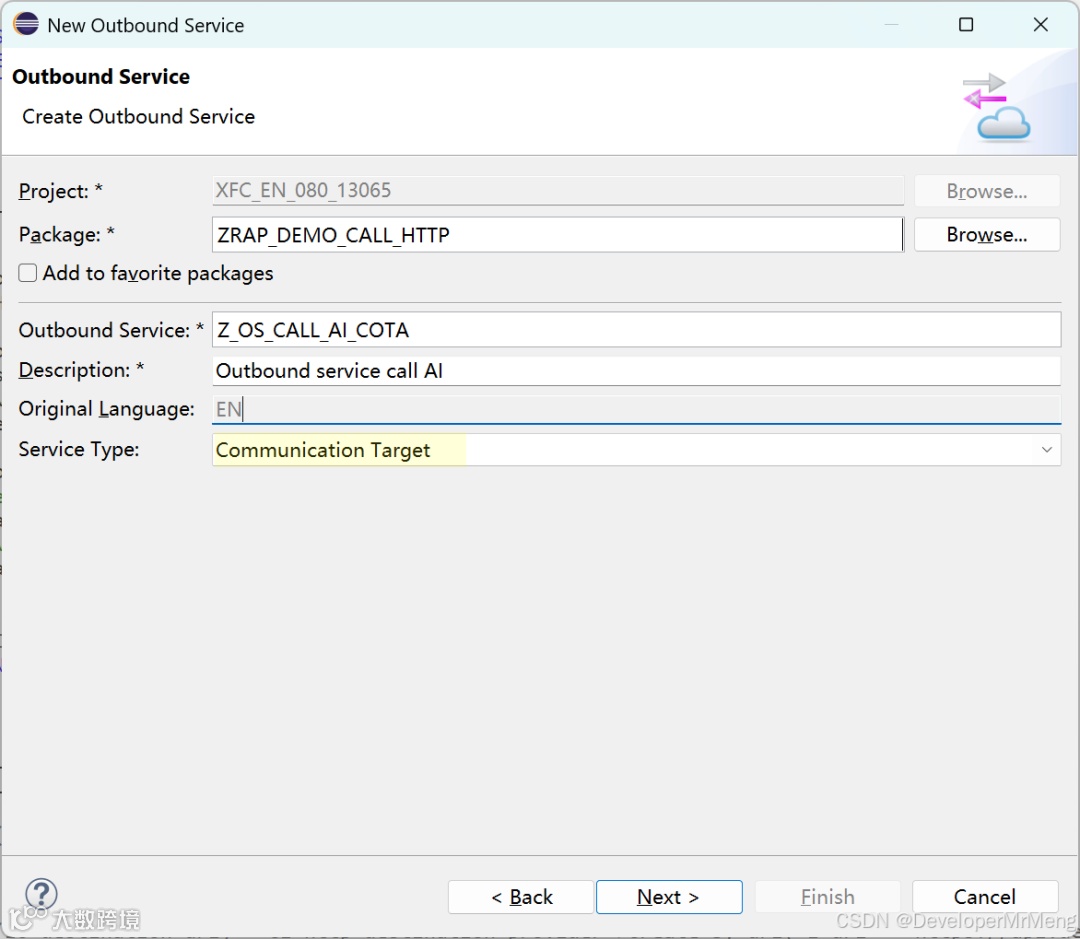
这里Service Type选择Communication Target:
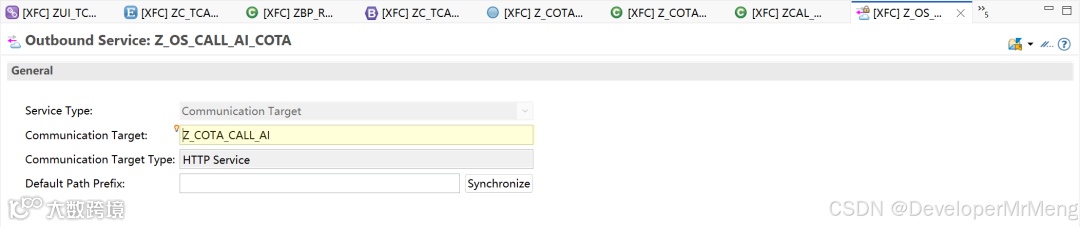
填入步骤4创建的Communication Target:
6. 创建Communication Scenario
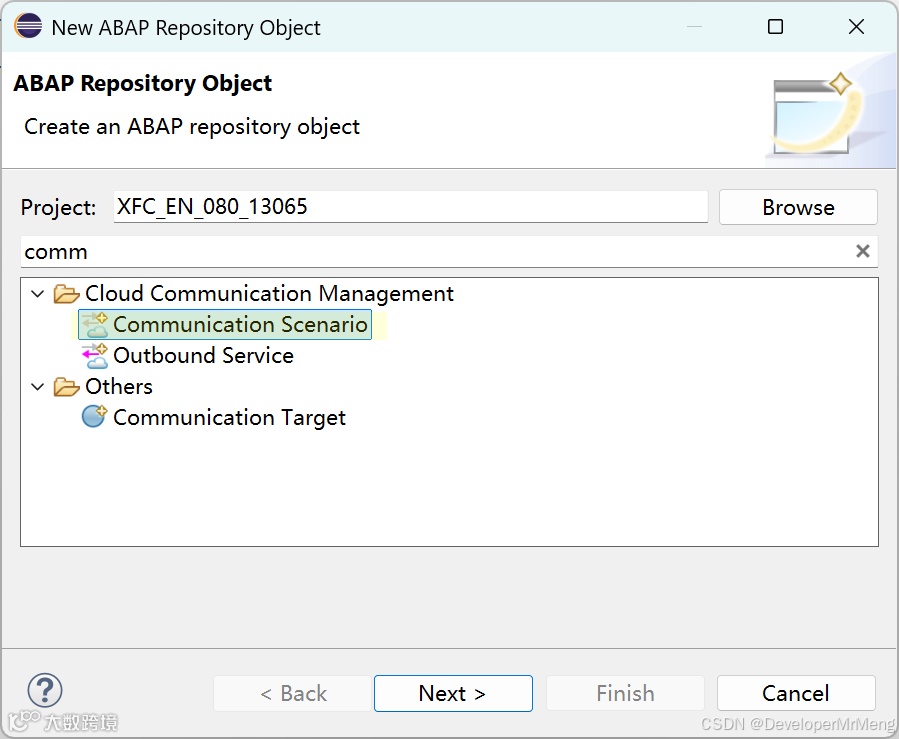
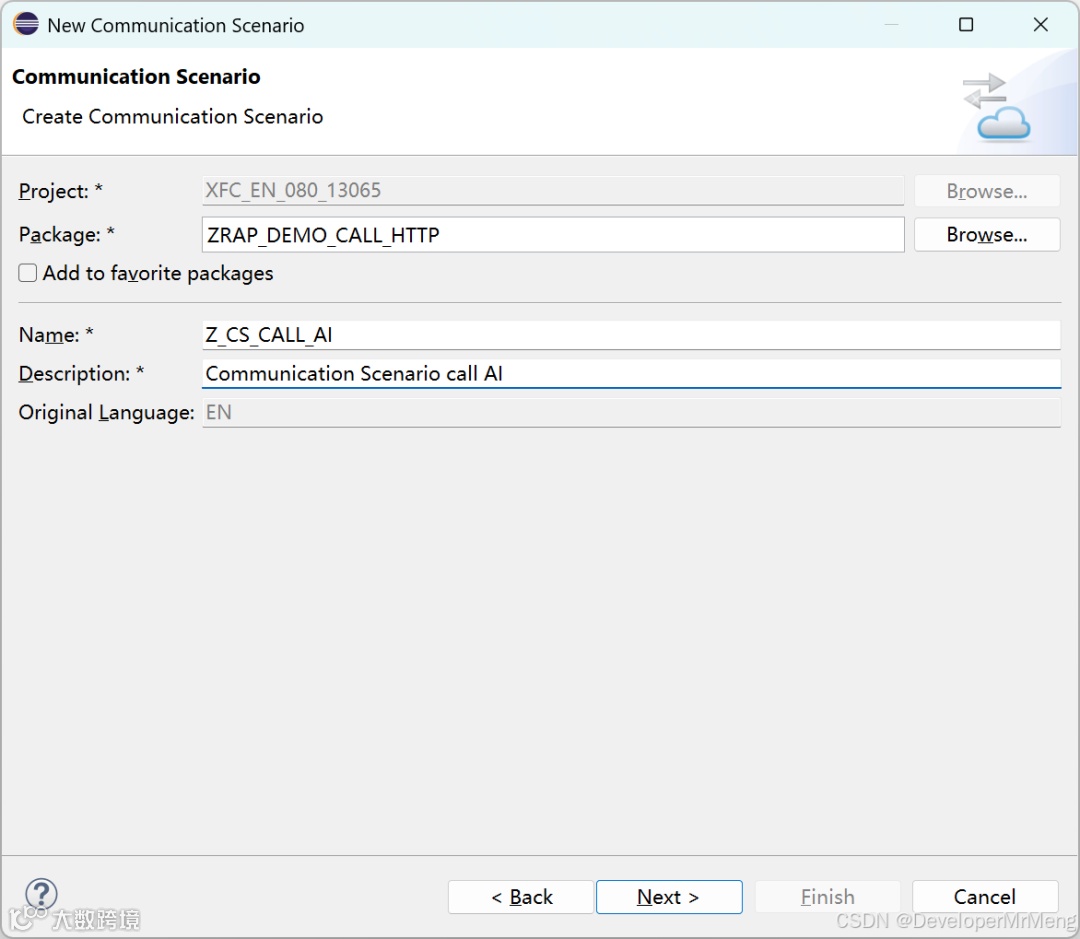
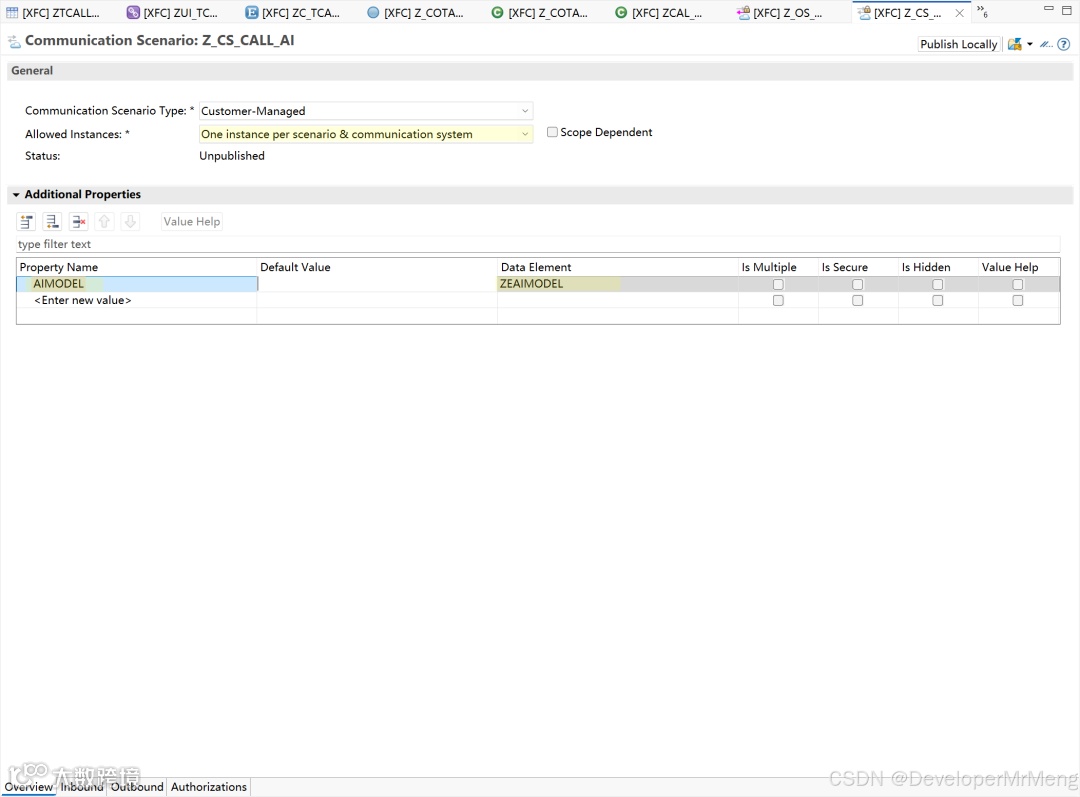
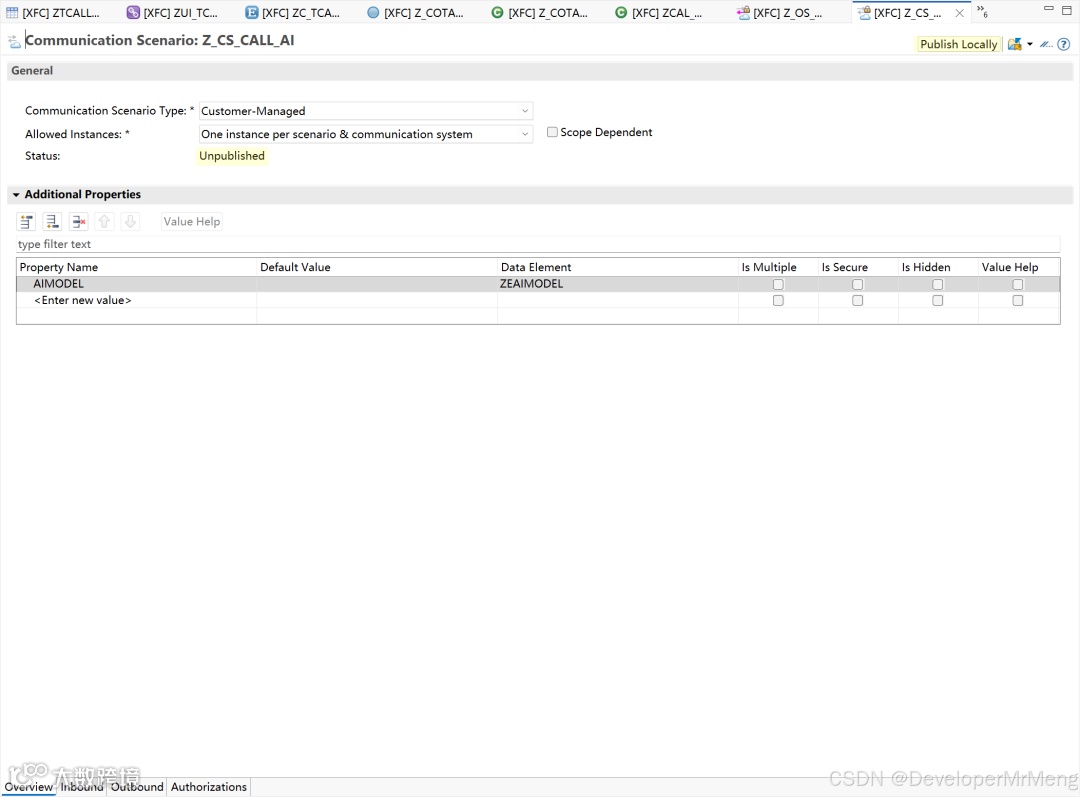
添加一个属性,属性名称填写AIMODEL,数据元素填写步骤1中使用到的数据元素ZEAIMODEL,后用将用来根据此参数值来分别获取对应的Application Destination:
注意,如果你只需要调用一个API,而不是像本例中这样要同一份报文根据条件调用不同的服务地址,则Allow Instances选择One instance per client即可。
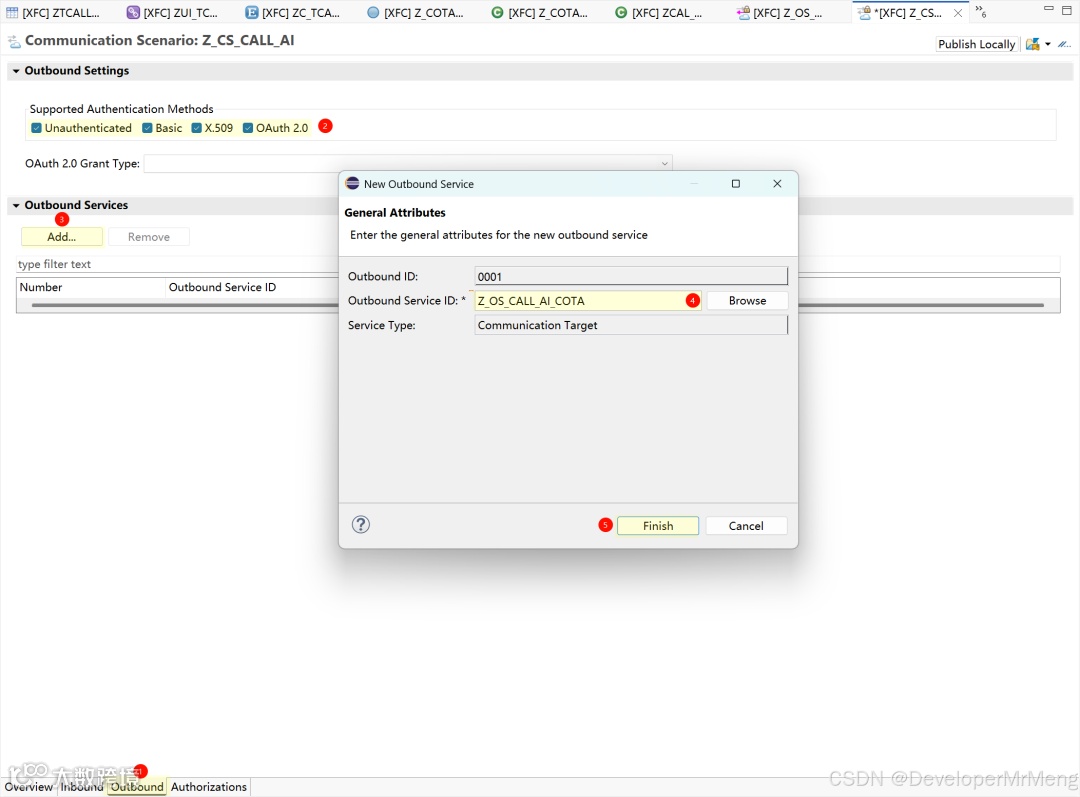
切换到Outbound页签,按照如下步骤添加步骤5创建的Outbound Service:
保存后点击Publish Locally,等待状态变成为Published:
7. 创建Communication System
注意,如果你只需要调用一个API,则此步骤只需要创建一个通信系统。
打开Fiori Launchpad,打开Communication System应用,点击New创建一个新的通信系统。