前言
截止到上一篇,关于managed场景下从0到1的开发步骤已经介绍完了,包括从建表到数据建模到UI发布再到行为定义中每个功能的介绍和实现,再到最后的发布(包括OP和ES两个版本下使用VSCode和BAS进行部署发布)都已经介绍完成,本篇将介绍unmanaged场景下从0到1的开发步骤,unmanaged和managed最大的区别就是,unmanaged模式中所有的数据更新(Create/Update/Delete),权限检查,锁机制等等都需要自行实现,比较麻烦但逻辑完全由自己控制。
unmanaged在以下场景中会比较有用:
-
• 你需要针对现有的数据库表(包括标准表)进行操作。 -
• 你的业务更新逻辑特别复杂。 -
• 你需要和现有的遗留ABAP代码集成。
正文
因为单层的业务对象往往不能包含一些细节实现,比如层级之间如何关联,如何使用EML读取子节点,如何关联创建子节点等等,所以关于unmanaged的开发示例将采用两层的采购订单对象来进行演示。
本篇将主要包含以下两大块内容:
-
• 创建所需要的所有技术对象(表、视图、行为定义、实施类) -
• 实现每个层级增删改查对应的具体逻辑
1.创建所有的技术对象
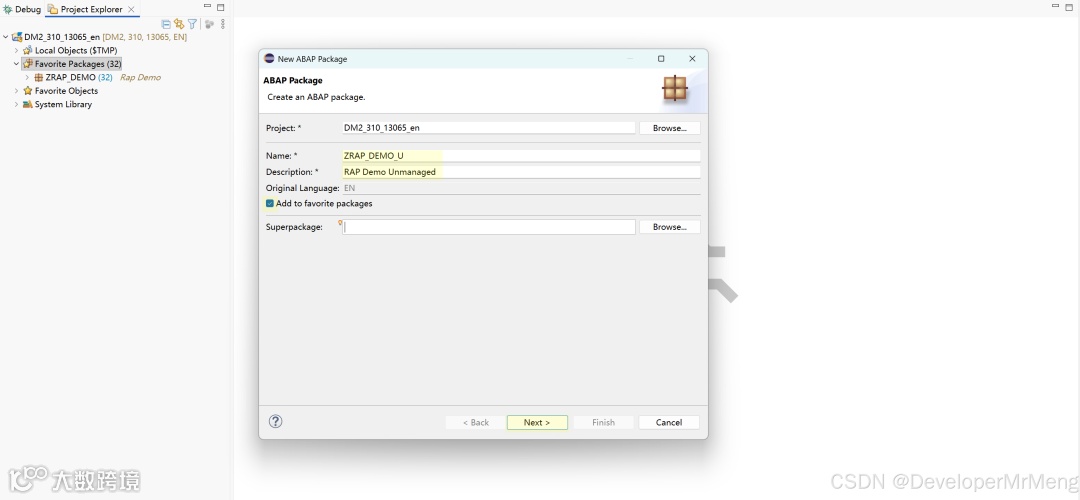
为了和之前managed场景的代码区分开,在unmanaged场景中重新创建一个新的开发包来包含本例所有相关的开发对象。
不同层级的实体之间如何关联和managed场景都是一样的,所以此处不再赘述,一些关键字的解释可以参考之前的文章:
1.1 创建package
1.2 创建table
抬头表:
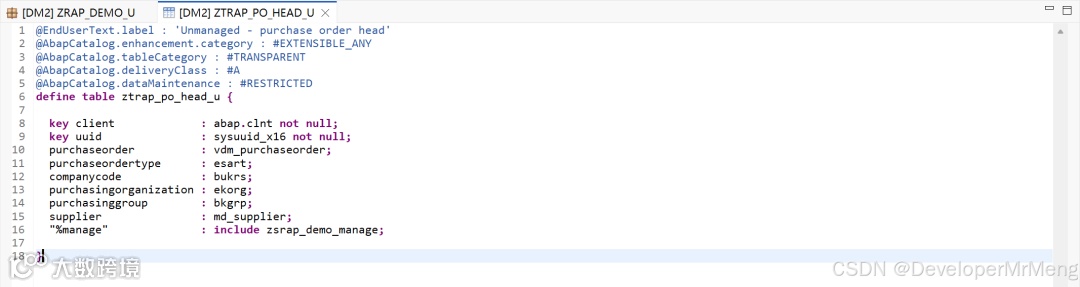
1. @EndUserText.label : 'Unmanaged - purchase order head'
2. @AbapCatalog.enhancement.category : #EXTENSIBLE_ANY
3. @AbapCatalog.tableCategory : #TRANSPARENT
4. @AbapCatalog.deliveryClass : #A
5. @AbapCatalog.dataMaintenance : #RESTRICTED
6. define table ztrap_po_head_u {
7.
8. key client : abap.clnt not null;
9. key uuid : sysuuid_x16 not null;
10. purchaseorder : vdm_purchaseorder;
11. purchaseordertype : esart;
12. companycode : bukrs;
13. purchasingorganization : ekorg;
14. purchasinggroup : bkgrp;
15. supplier : md_supplier;
16. "%manage" : include zsrap_demo_manage;
17.
18. }
AI写代码
明细表:
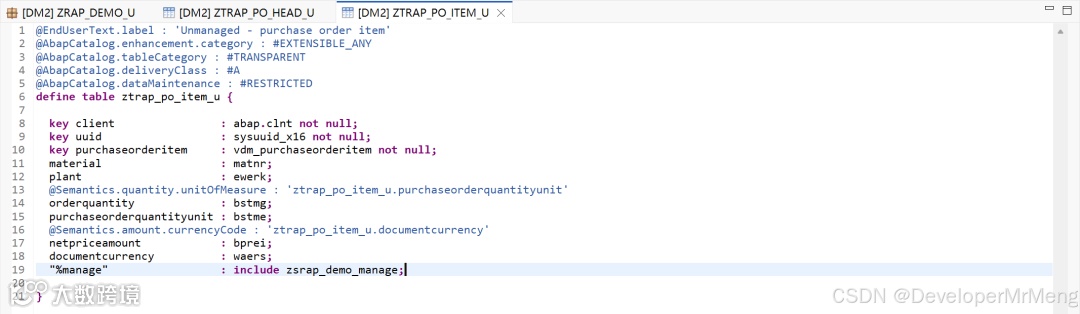
1. @EndUserText.label : 'Unmanaged - purchase order item'
2. @AbapCatalog.enhancement.category : #EXTENSIBLE_ANY
3. @AbapCatalog.tableCategory : #TRANSPARENT
4. @AbapCatalog.deliveryClass : #A
5. @AbapCatalog.dataMaintenance : #RESTRICTED
6. define table ztrap_po_item_u {
7.
8. key client : abap.clnt not null;
9. key uuid : sysuuid_x16 not null;
10. key purchaseorderitem : vdm_purchaseorderitem not null;
11. material : matnr;
12. plant : ewerk;
13. @Semantics.quantity.unitOfMeasure : 'ztrap_po_item_u.purchaseorderquantityunit'
14. orderquantity : bstmg;
15. purchaseorderquantityunit : bstme;
16. @Semantics.amount.currencyCode : 'ztrap_po_item_u.documentcurrency'
17. netpriceamount : bprei;
18. documentcurrency : waers;
19. "%manage" : include zsrap_demo_manage;
20.
21. }
AI写代码
1.3 创建基本接口视图
抬头层接口视图:
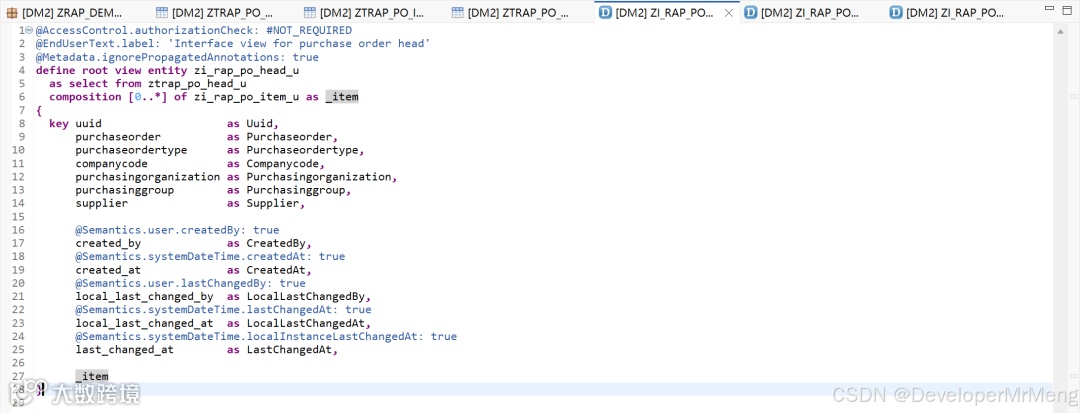
1. @AccessControl.authorizationCheck: #NOT_REQUIRED
2. @EndUserText.label: 'Interface view for purchase order head'
3. @Metadata.ignorePropagatedAnnotations: true
4. define root view entity zi_rap_po_head_u
5. as select from ztrap_po_head_u
6. composition [0..*] of zi_rap_po_item_u as _item
7. {
8. key uuid as Uuid,
9. purchaseorder as Purchaseorder,
10. purchaseordertype as Purchaseordertype,
11. companycode as Companycode,
12. purchasingorganization as Purchasingorganization,
13. purchasinggroup as Purchasinggroup,
14. supplier as Supplier,
15.
16. @Semantics.user.createdBy: true
17. created_by as CreatedBy,
18. @Semantics.systemDateTime.createdAt: true
19. created_at as CreatedAt,
20. @Semantics.user.lastChangedBy: true
21. local_last_changed_by as LocalLastChangedBy,
22. @Semantics.systemDateTime.lastChangedAt: true
23. local_last_changed_at as LocalLastChangedAt,
24. @Semantics.systemDateTime.localInstanceLastChangedAt: true
25. last_changed_at as LastChangedAt,
26.
27. _item
28. }
AI写代码
明细层接口视图:
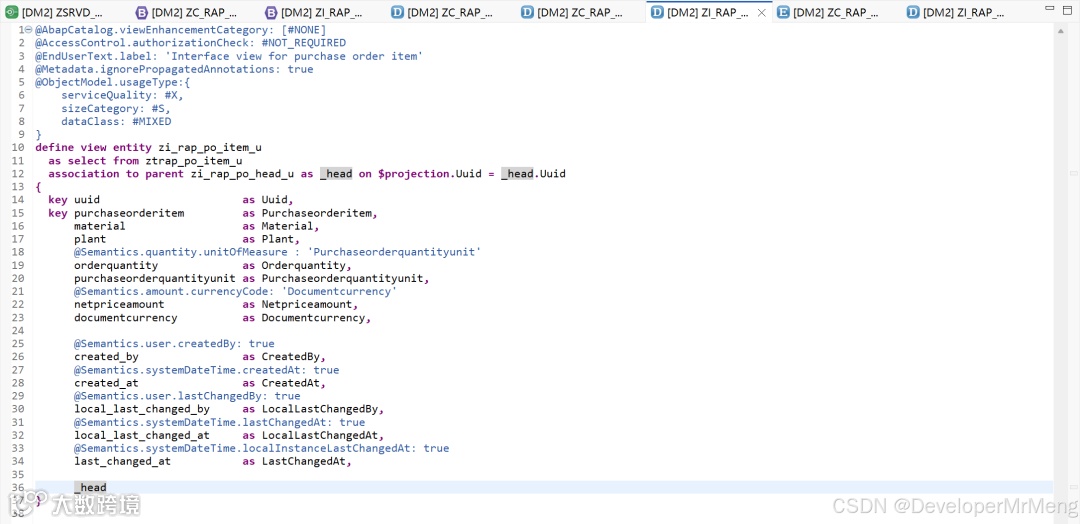
1. @AbapCatalog.viewEnhancementCategory: [#NONE]
2. @AccessControl.authorizationCheck: #NOT_REQUIRED
3. @EndUserText.label: 'Interface view for purchase order item'
4. @Metadata.ignorePropagatedAnnotations: true
5. @ObjectModel.usageType:{
6. serviceQuality: #X,
7. sizeCategory: #S,
8. dataClass: #MIXED
9. }
10. define view entity zi_rap_po_item_u
11. as select from ztrap_po_item_u
12. association to parent zi_rap_po_head_u as _head on $projection.Uuid = _head.Uuid
13. {
14. key uuid as Uuid,
15. key purchaseorderitem as Purchaseorderitem,
16. material as Material,
17. plant as Plant,
18. @Semantics.quantity.unitOfMeasure : 'Purchaseorderquantityunit'
19. orderquantity as Orderquantity,
20. purchaseorderquantityunit as Purchaseorderquantityunit,
21. @Semantics.amount.currencyCode: 'Documentcurrency'
22. netpriceamount as Netpriceamount,
23. documentcurrency as Documentcurrency,
24.
25. @Semantics.user.createdBy: true
26. created_by as CreatedBy,
27. @Semantics.systemDateTime.createdAt: true
28. created_at as CreatedAt,
29. @Semantics.user.lastChangedBy: true
30. local_last_changed_by as LocalLastChangedBy,
31. @Semantics.systemDateTime.lastChangedAt: true
32. local_last_changed_at as LocalLastChangedAt,
33. @Semantics.systemDateTime.localInstanceLastChangedAt: true
34. last_changed_at as LastChangedAt,
35.
36. _head
37. }
AI写代码
1.4 创建投影视图
抬头层级投影视图:
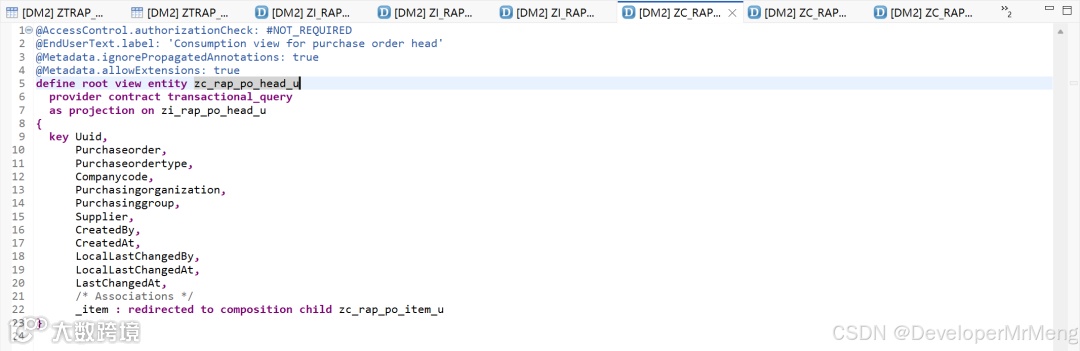
1. @AccessControl.authorizationCheck: #NOT_REQUIRED
2. @EndUserText.label: 'Consumption view for purchase order head'
3. @Metadata.ignorePropagatedAnnotations: true
4. @Metadata.allowExtensions: true
5. define root view entity zc_rap_po_head_u
6. provider contract transactional_query
7. as projection on zi_rap_po_head_u
8. {
9. key Uuid,
10. Purchaseorder,
11. Purchaseordertype,
12. Companycode,
13. Purchasingorganization,
14. Purchasinggroup,
15. Supplier,
16. CreatedBy,
17. CreatedAt,
18. LocalLastChangedBy,
19. LocalLastChangedAt,
20. LastChangedAt,
21. /* Associations */
22. _item : redirected to composition child zc_rap_po_item_u
23. }
AI写代码
明细层级投影视图:
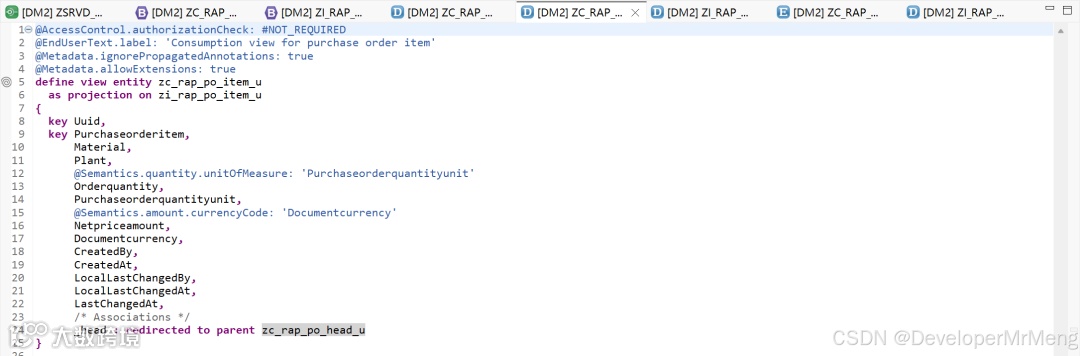
1. @AccessControl.authorizationCheck: #NOT_REQUIRED
2. @EndUserText.label: 'Consumption view for purchase order item'
3. @Metadata.ignorePropagatedAnnotations: true
4. @Metadata.allowExtensions: true
5. define view entity zc_rap_po_item_u
6. as projection on zi_rap_po_item_u
7. {
8. key Uuid,
9. key Purchaseorderitem,
10. Material,
11. Plant,
12. @Semantics.quantity.unitOfMeasure: 'Purchaseorderquantityunit'
13. Orderquantity,
14. Purchaseorderquantityunit,
15. @Semantics.amount.currencyCode: 'Documentcurrency'
16. Netpriceamount,
17. Documentcurrency,
18. CreatedBy,
19. CreatedAt,
20. LocalLastChangedBy,
21. LocalLastChangedAt,
22. LastChangedAt,
23. /* Associations */
24. _head : redirected to parent zc_rap_po_head_u
25. }
AI写代码
1.5 创建元数据扩展
抬头层级元数据扩展:
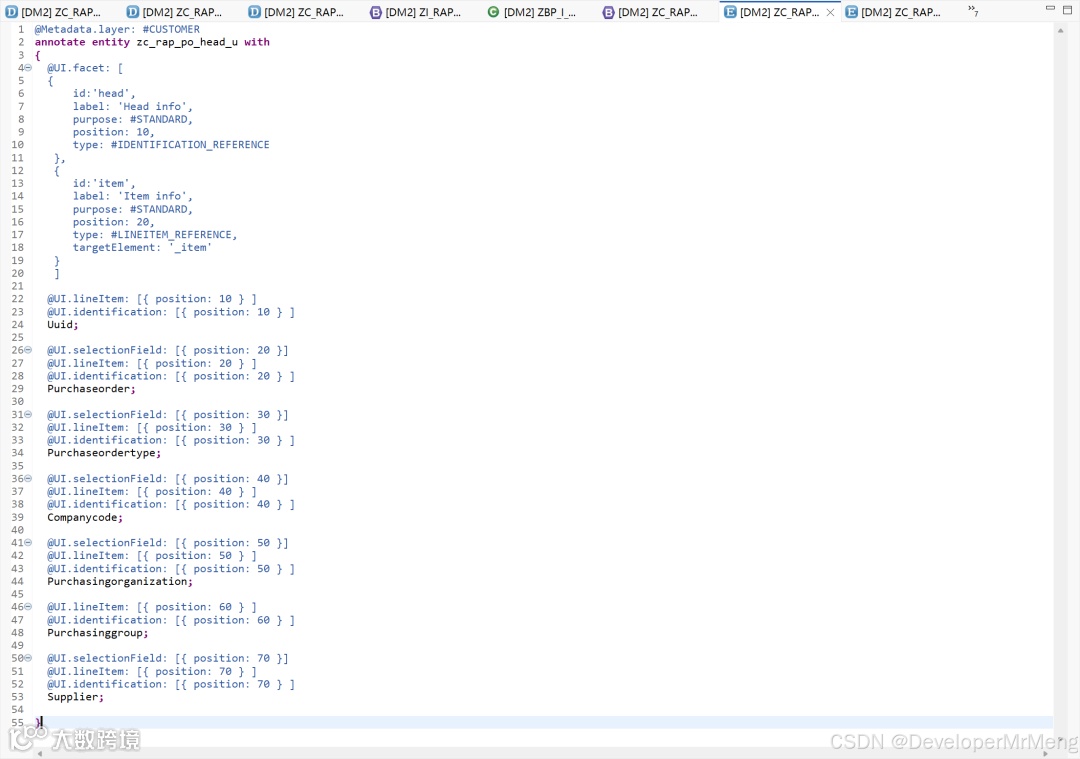
1. @Metadata.layer: #CUSTOMER
2. annotate entity zc_rap_po_head_u with
3. {
4. @UI.facet: [
5. {
6. id:'head',
7. label: 'Head info',
8. purpose: #STANDARD,
9. position: 10,
10. type: #IDENTIFICATION_REFERENCE
11. },
12. {
13. id:'item',
14. label: 'Item info',
15. purpose: #STANDARD,
16. position: 20,
17. type: #LINEITEM_REFERENCE,
18. targetElement: '_item'
19. }
20. ]
21.
22. @UI.lineItem: [{ position: 10 } ]
23. @UI.identification: [{ position: 10 } ]
24. Uuid;
25.
26. @UI.selectionField: [{ position: 20 }]
27. @UI.lineItem: [{ position: 20 } ]
28. @UI.identification: [{ position: 20 } ]
29. Purchaseorder;
30.
31. @UI.selectionField: [{ position: 30 }]
32. @UI.lineItem: [{ position: 30 } ]
33. @UI.identification: [{ position: 30 } ]
34. Purchaseordertype;
35.
36. @UI.selectionField: [{ position: 40 }]
37. @UI.lineItem: [{ position: 40 } ]
38. @UI.identification: [{ position: 40 } ]
39. Companycode;
40.
41. @UI.selectionField: [{ position: 50 }]
42. @UI.lineItem: [{ position: 50 } ]
43. @UI.identification: [{ position: 50 } ]
44. Purchasingorganization;
45.
46. @UI.lineItem: [{ position: 60 } ]
47. @UI.identification: [{ position: 60 } ]
48. Purchasinggroup;
49.
50. @UI.selectionField: [{ position: 70 }]
51. @UI.lineItem: [{ position: 70 } ]
52. @UI.identification: [{ position: 70 } ]
53. Supplier;
54.
55. }
AI写代码
明细层级元数据扩展:
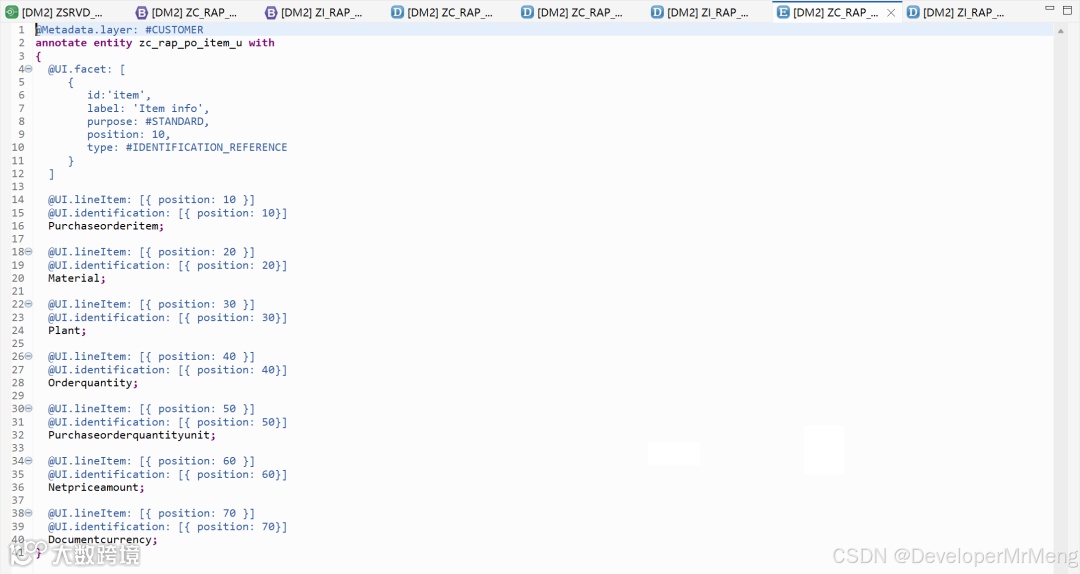
1. @Metadata.layer: #CUSTOMER
2. annotate entity zc_rap_po_item_u with
3. {
4. @UI.facet: [
5. {
6. id:'item',
7. label: 'Item info',
8. purpose: #STANDARD,
9. position: 10,
10. type: #IDENTIFICATION_REFERENCE
11. }
12. ]
13.
14. @UI.lineItem: [{ position: 10 }]
15. @UI.identification: [{ position: 10}]
16. Purchaseorderitem;
17.
18. @UI.lineItem: [{ position: 20 }]
19. @UI.identification: [{ position: 20}]
20. Material;
21.
22. @UI.lineItem: [{ position: 30 }]
23. @UI.identification: [{ position: 30}]
24. Plant;
25.
26. @UI.lineItem: [{ position: 40 }]
27. @UI.identification: [{ position: 40}]
28. Orderquantity;
29.
30. @UI.lineItem: [{ position: 50 }]
31. @UI.identification: [{ position: 50}]
32. Purchaseorderquantityunit;
33.
34. @UI.lineItem: [{ position: 60 }]
35. @UI.identification: [{ position: 60}]
36. Netpriceamount;
37.
38. @UI.lineItem: [{ position: 70 }]
39. @UI.identification: [{ position: 70}]
40. Documentcurrency;
41. }
AI写代码
1.6 创建行为定义
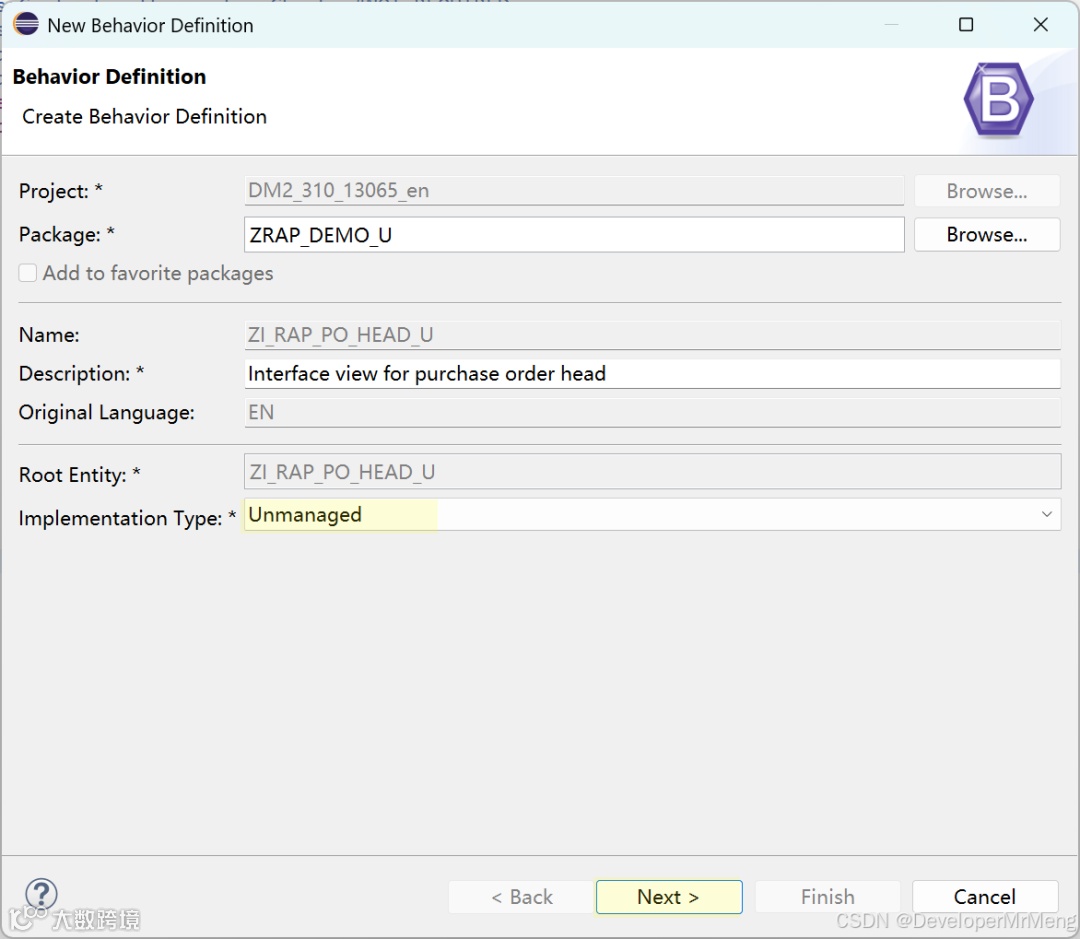
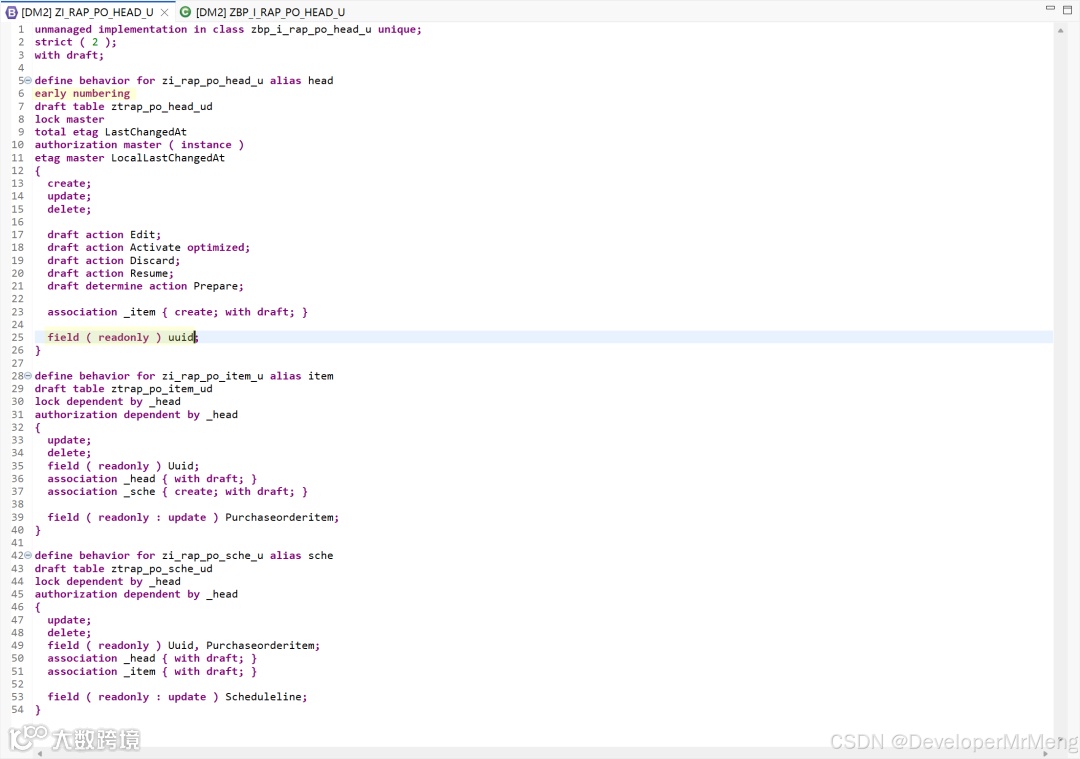
参考下图内容进行一些字段设置,消除警告,同时为每个实体指定别名,在行为实现类中可以缩短一点点代码,并且可以更加直观的表示当前操作的是哪个业务对象。
strict( 2 ) 是代码检查的最高严格等级,此关键字会保证你的代码始终符合SAP最佳实践,框架会自动检查你的代码哪里不符合规范并给出提示,而删除后框架将不会帮你检查这些,所以强烈建议不要删除此关键字。
因为要使用编辑功能,所以草稿相关的所有内容也需要一并定义。
关于草稿的更多介绍可以看之前的这篇:【学习系列】SAP RAP 7:行为定义-Draft
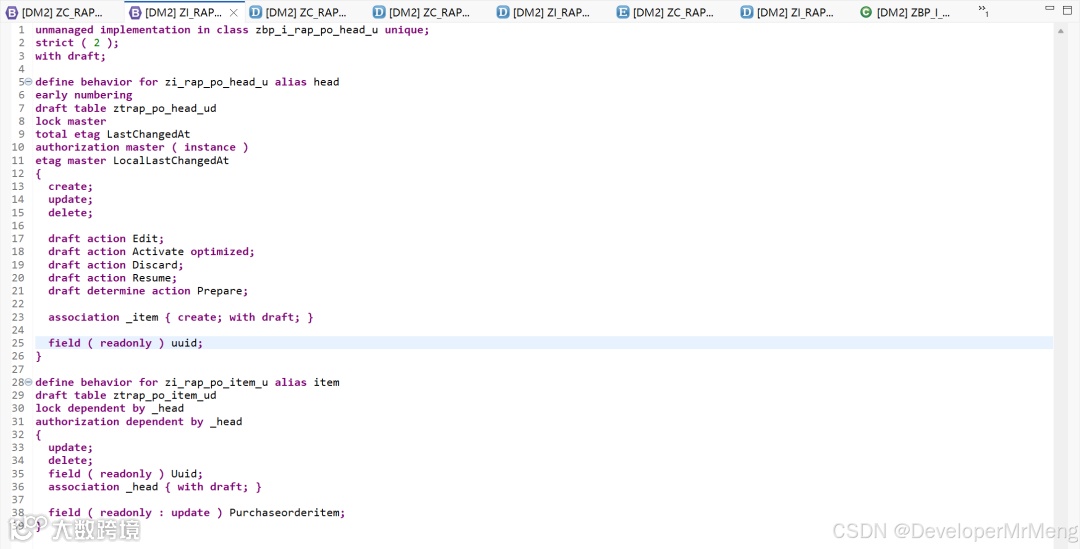
1. unmanaged implementation in class zbp_i_rap_po_head_u unique;
2. strict ( 2 );
3. with draft;
4.
5. define behavior for zi_rap_po_head_u alias head
6. early numbering
7. draft table ztrap_po_head_ud
8. lock master
9. total etag LastChangedAt
10. authorization master ( instance )
11. etag master LocalLastChangedAt
12. {
13. create;
14. update;
15. delete;
16.
17. draft action Edit;
18. draft action Activate optimized;
19. draft action Discard;
20. draft action Resume;
21. draft determine action Prepare;
22.
23. association _item { create; with draft; }
24.
25. field ( readonly ) uuid;
26. }
27.
28. define behavior for zi_rap_po_item_u alias item
29. draft table ztrap_po_item_ud
30. lock dependent by _head
31. authorization dependent by _head
32. {
33. update;
34. delete;
35. field ( readonly ) Uuid;
36. association _head { with draft; }
37.
38. field ( readonly : update ) Purchaseorderitem;
39. }
AI写代码
Crtl+1按照修复建议创建行为实施类:zbp_i_rap_po_head_u
可以看到创建出来的实施类主要包含两大类,对应RAP LUW的两个主要阶段(交互阶段和保存阶段),而在unmanaged场景下,这里面的所有方法都需要我们自行实现,具体实现逻辑将在本文后面的部分进行具体说明,此处先继续创建后续开发对象。
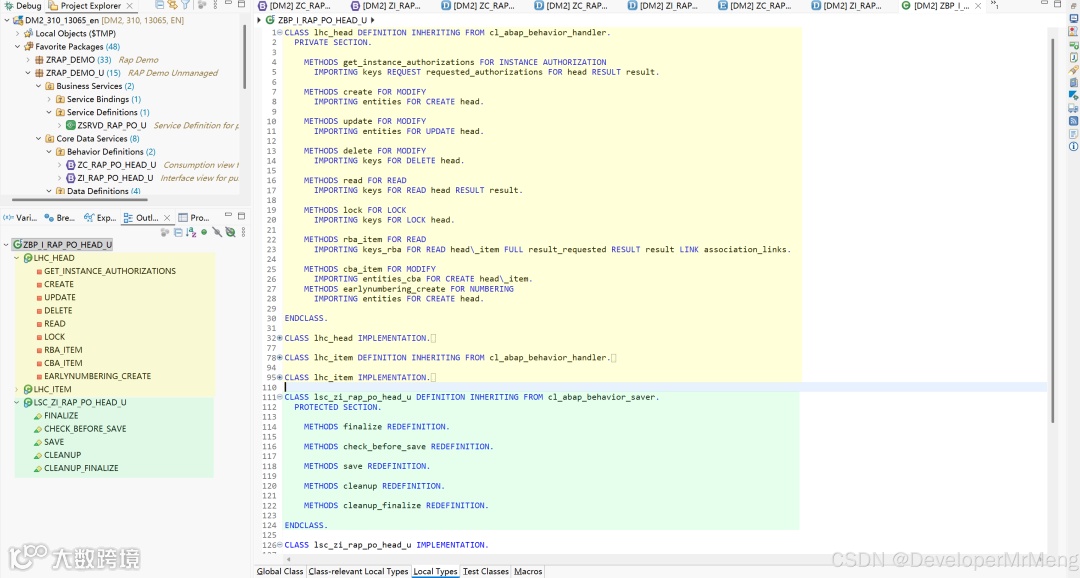
LHC_ 开头(Local Handle Class),用于处理交互阶段的步骤:
-
• CREATE:创建时触发。 -
• UPDATE:更新时触发。 -
• DELETE:删除时触发。 -
• READ:编辑时或者使用EML语法读取实体内容时触发。 -
• LOCK:编辑时触发。 -
• RBA_:使用EML语句read by association时触发。 -
• CBA_:使用EML语句create by association时触发。 -
• GET_INSTANCE_FEATURES:加载实例数据时触发。 -
• GET_INSTANCE_AUTHORIZATIONS:点击按钮时触发。
LSC_ 开头(Local Saver Class),用于处理保存阶段的步骤:
-
• FINALIZE:在数据持久化存储之前,最后一次更改数据机会,在这一步之后任何的EML修改语句都会导致运行时错误。 -
• CHECK_BEFORE_SAVE:检查缓冲区数据的方法,此方法用来最后一次确认数据是否检查成功,在此方法之后必须确保数据被成功保存,如果检查不通过,则会终止保存序列。 -
• ADJUST_NUMBERS:在保存序列不可回滚点之后被调用,仅在late numbering场景中需要使用,用来确定最终编号。 -
• SAVE:将缓存区中的所有数据持久化保存至数据库中。 -
• CLEANUP:保存序列的最后一个步骤,无论成功还是失败都会触发,用来清理事务缓冲区中的数据。 -
• CLEANUP_FINALIZE:仅在FINALIZE或者CHECK_BEFORE_SAVE方法失败时被调用,同样的用来清理缓冲区中的数据。
1.7 创建行为投影
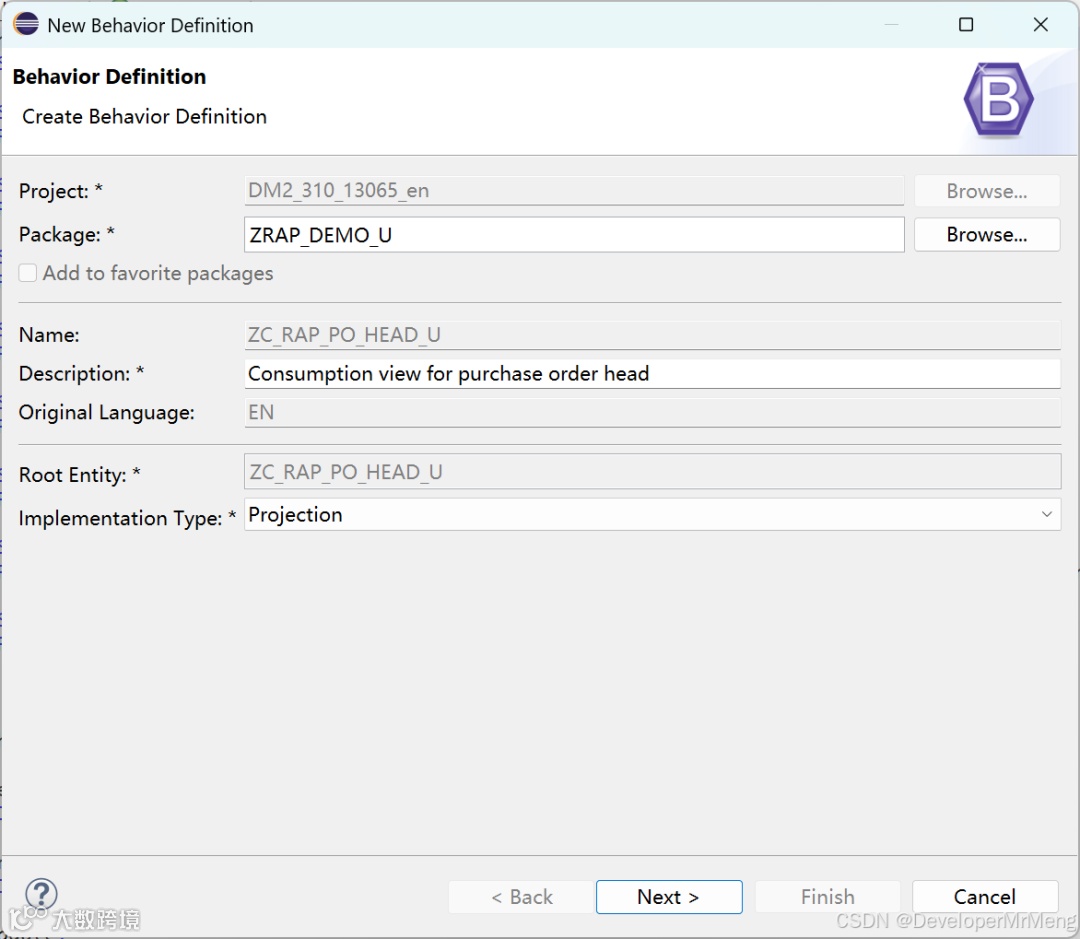
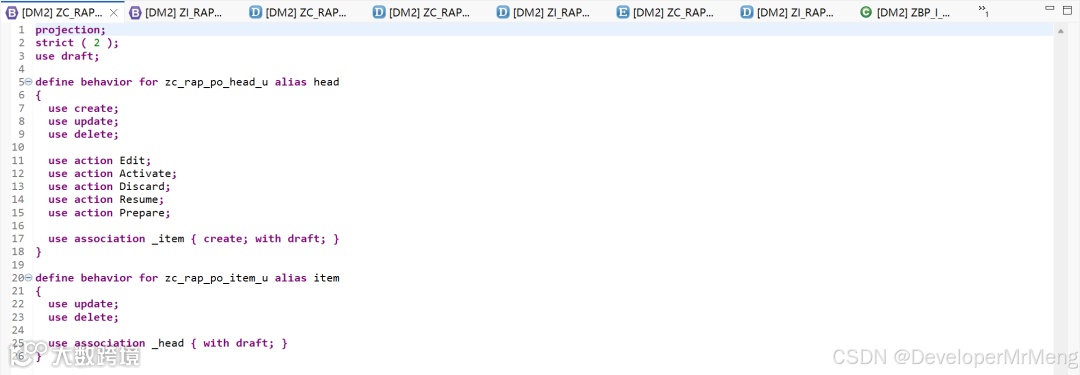
1. projection;
2. strict ( 2 );
3. use draft;
4.
5. define behavior for zc_rap_po_head_u alias head
6. {
7. use create;
8. use update;
9. use delete;
10.
11. use action Edit;
12. use action Activate;
13. use action Discard;
14. use action Resume;
15. use action Prepare;
16.
17. use association _item { create; with draft; }
18. }
19.
20. define behavior for zc_rap_po_item_u alias item
21. {
22. use update;
23. use delete;
24.
25. use association _head { with draft; }
26. }
AI写代码
1.8 创建服务定义

   1. @EndUserText.label: 'Service Definition for purcharse order'
2. @ObjectModel.leadingEntity.name: 'zc_rap_po_head_u'
3. define service zsrvd_rap_po_u {
4. expose zc_rap_po_head_u as head;
5. expose zc_rap_po_item_u as item;
6. }
AI写代码
1.9 创建服务绑定
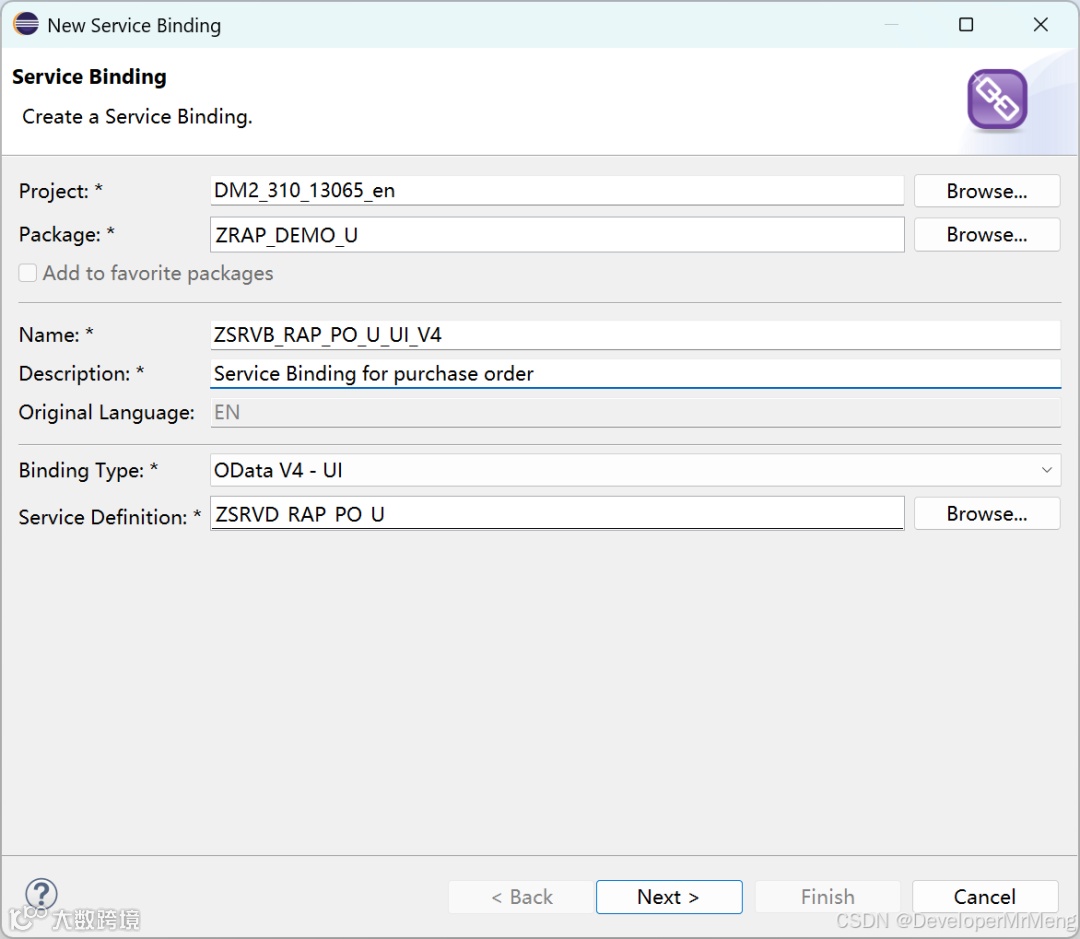
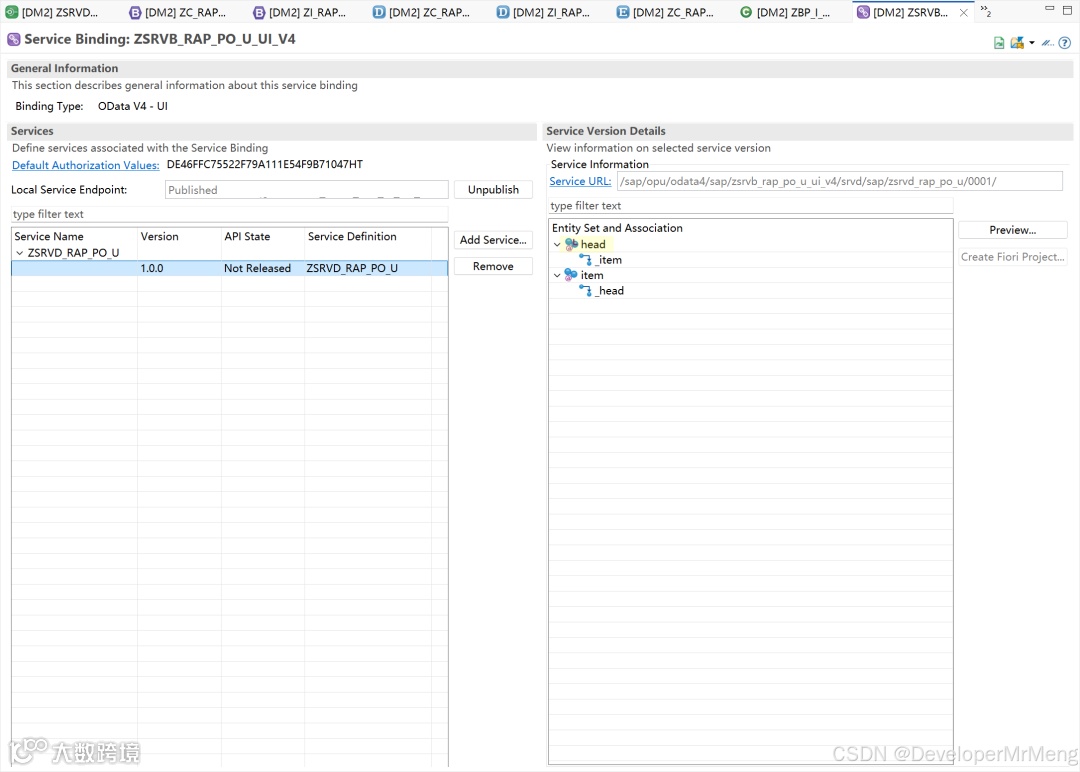
或许你会注意到这里的根节点实体图标上有一个L的标识,代表此实体为leadingEntity或者说根实体,将始终位于列表最顶部的位置,这正是使用 @ObjectModel.leadingEntity.name 注解的效果:

1.10 预览应用现状效果
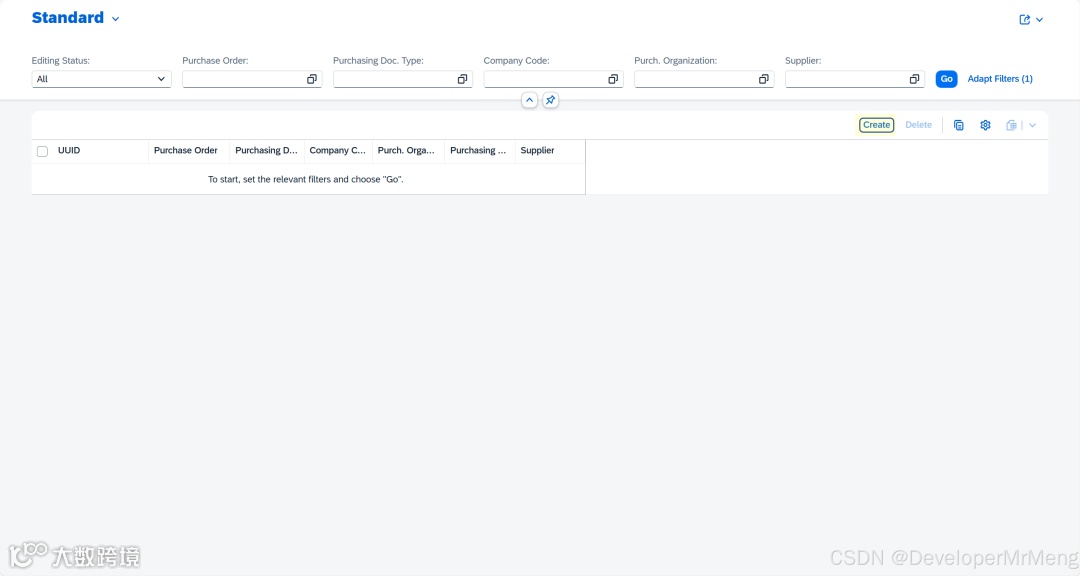
此时创建更新删除这些动作都是无法正常保存的,因为我们没有实现具体的处理逻辑,所以接下面我们将具体实现每一个应该实现的方法。
2.实现具体的处理逻辑
2.1 实现早期编号early numbering
由于设置了抬头视图的主键为UUID,所以创建记录时需要输入UUID,而UUID是有格式要求的,手动输入比较麻烦,和managed场景不同,unmanaged场景下无法使用 field ( readonly, numbering:managed ) KeyField1便捷的进行自动赋值,所以我们需要手动实现 early numbering来进行早期编号。
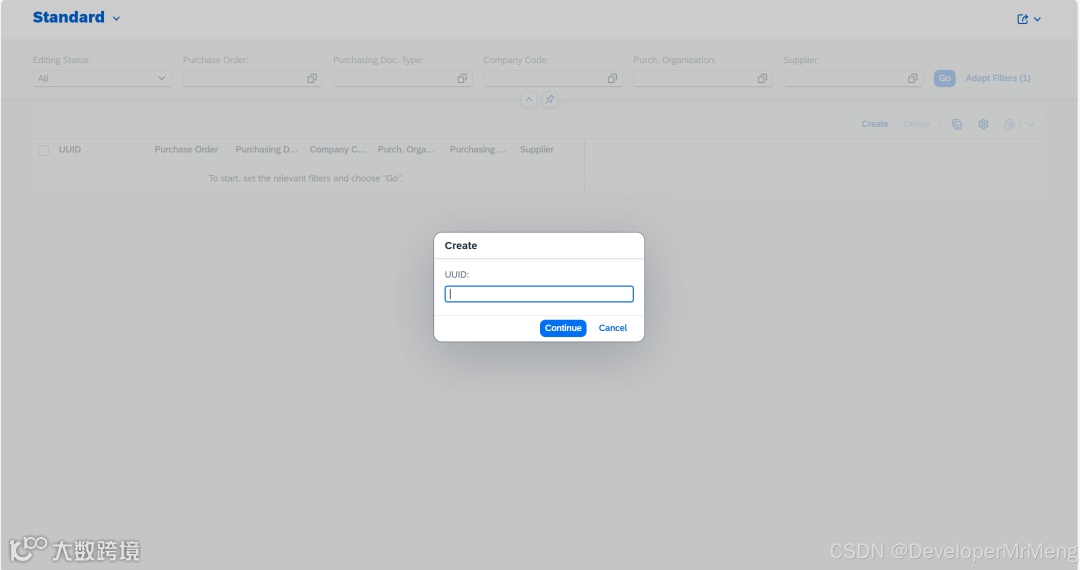
返回行为定义中,使用early numbering关键字,并创建缺失的方法:
注意,UUID需要设置为readonly,而不是readonly: update,否则不会在create的时候触发早期编号。
然后实现具体的实现方法:
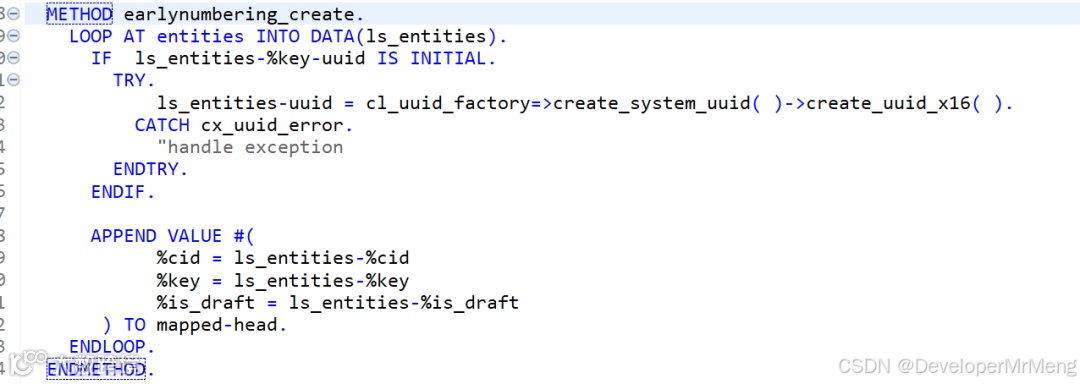
1. METHOD earlynumbering_create.
2. LOOP AT entities INTO DATA(ls_entities).
3. IF ls_entities-%key-uuid IS INITIAL.
4. TRY.
5. ls_entities-uuid = cl_uuid_factory=>create_system_uuid( )->create_uuid_x16( ).
6. CATCH cx_uuid_error.
7. "handle exception
8. ENDTRY.
9. ENDIF.
10.
11. APPEND VALUE #(
12. %cid = ls_entities-%cid
13. %key = ls_entities-%key
14. %is_draft = ls_entities-%is_draft
15. ) TO mapped-head.
16. ENDLOOP.
17. ENDMETHOD.
AI写代码
激活后查看效果:
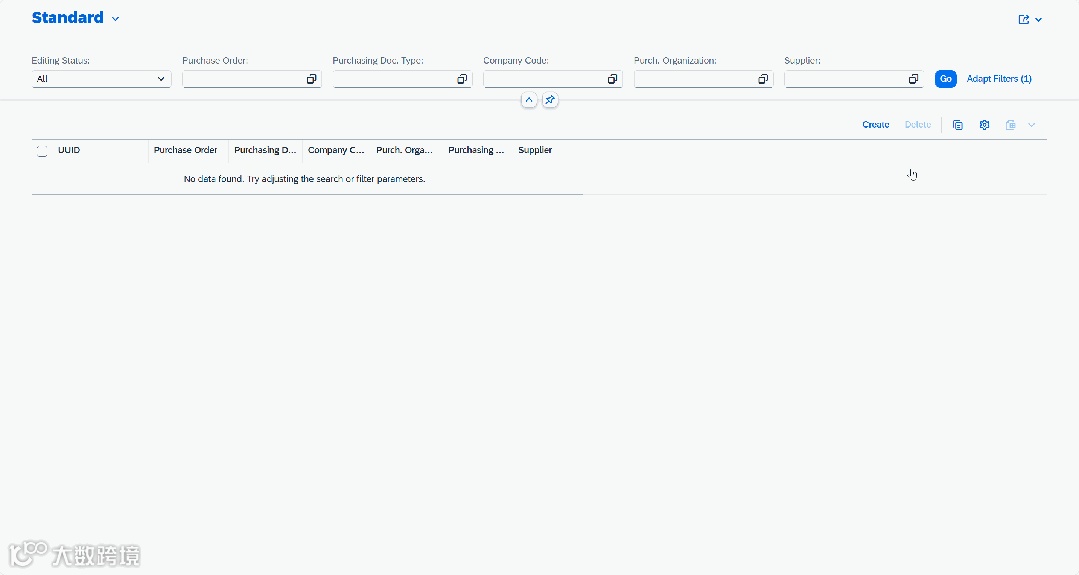
此时点击create,虽然会出现创建成功的消息,但实际上返回查询列表,将不会出现任何数据,因为目前还没有实现具体的保存方法,所以接下来实现具体的保存更新方法。
2.2 实现Create/Update/Delete方法
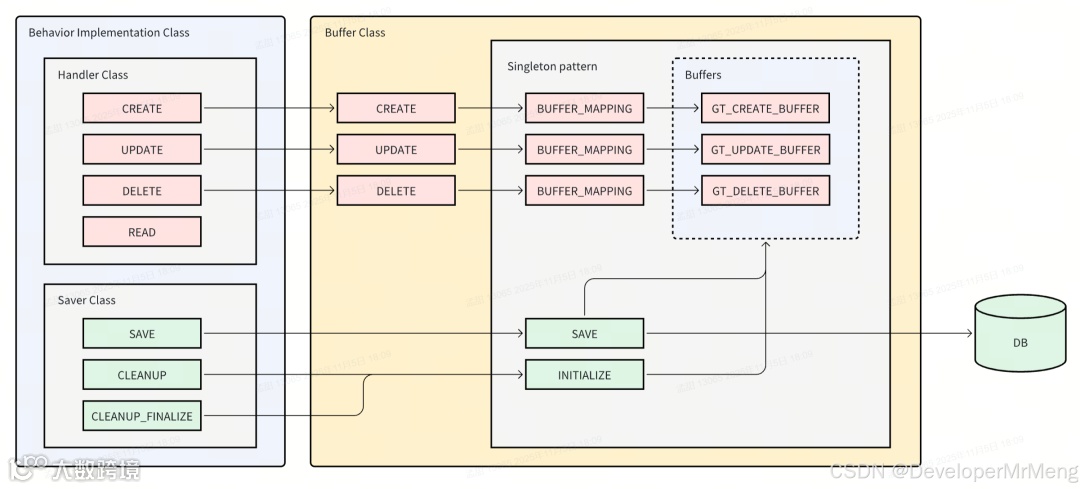
在managed场景中,所有的事务缓冲区由框架自动完成,但是unmanaged场景下,事务缓冲区需要由开发者自行实现。
事务缓冲区的存在是为了确保数据一致性,因为业务数据有可能有多组互相关联的层级数据,比如典型的采购订单数据还包含明细、计划行、甚至附件等,所有的数据要么全部成功,要么全部失败,交互阶段的所有修改操作都应该同步更新到缓冲区,而不是每次都直接更新到持久数据库中,这样无法保证事务一致性,只有在保存阶段时,才将所有的更新作为一个更新单元统一提交更新,另一方面也可以隔离草稿数据和活动数据,所以事务缓冲区的存在是必要的。
在当前unmanaged场景下,要实现数据的正确更新,必须要实现的是create、update、delete以及save方法,create和update和delete方法负责将数据更新到事务缓冲区,save方法负责统一提交事务,所以接下来需要先创建一个负责收集更新事务缓冲区的类。
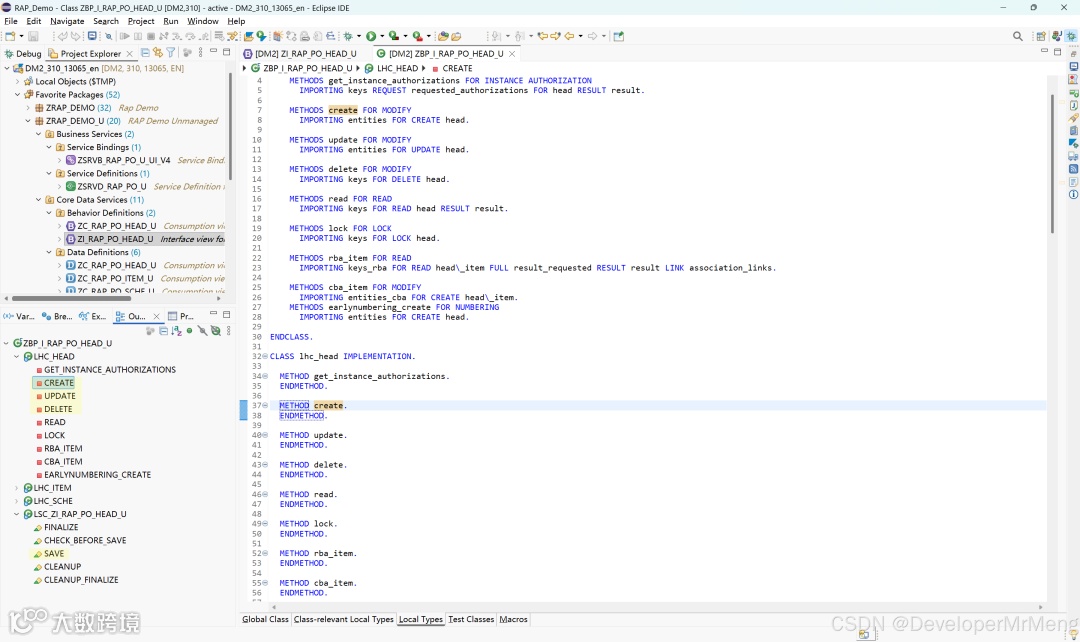
2.2.1 创建事务缓冲类
缓冲类的所有完整代码统一在文末提供,文中先仅使用截图进行说明。