


前言
在之前的文档中已经学习总结了managed、unmanaged场景下关于事务操作的基本用例,以及一些扩展用例,本篇介绍下unmanaged query下的实现方式:Custom Entity。
unmanaged query是通过实现特定ABAP接口来实现对持久或者非持久的只读访问,当查询框架的标准SQL下推不足以支撑复杂数据的查询时,或者无法直接从持久数据源获取时,可以选择这种方式来实现查询,其实可以把Custom Entity理解为经典的ABAP ALV报表,当取数逻辑非常复杂,无法直接通过视图关联以及无法通过标准的CDS函数得到结果的,比如某些字段是需要通过调用类或者函数,甚至是从第三方服务获取的,则使用Custom Entity是最适合的选择。
正文
本文以一个实际的例子来说明Custom Entity的基本使用示例,主要将包含两个部分:
-
1. 如何实现基本的查询接口 -
2. 如何实现行为定义来完成数据更新 -
3. 如何将OData V2默认的单选框改为多选框
测试环境为S4 HANA Cloud Public Edition,所有的完整示例代码在文末统一提供。
下图是unmanaged query的运行时示例图:
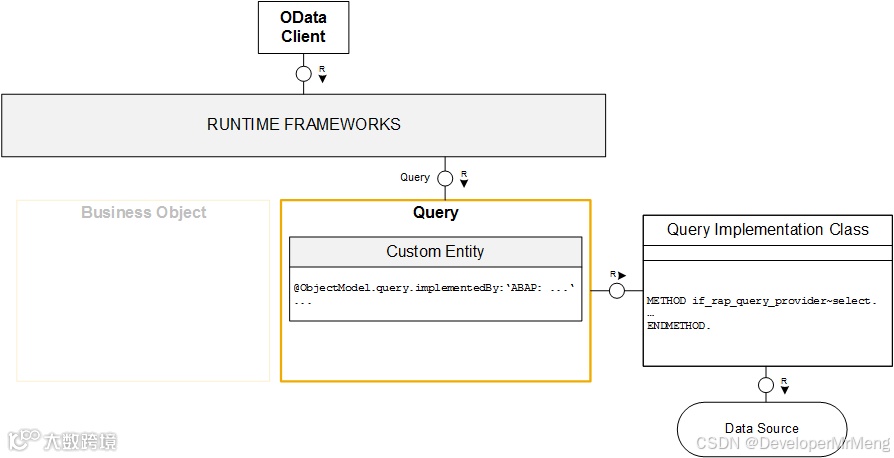
可以看到实现方式和之前的方式略有不同,需要使用custom entity来定义查询实体,通过实现接口IF_RAP_QUERY_PROVIDER来实现具体的查询逻辑,所以接下来按照此步骤来完成具体的开发,还是用一个具有父子层级的实体作为示例进行演示说明,这样可以和之前的文章有对比,也能对unmanaged的实现过程有进一步理解。
创建基本实体
1.创建根实体
可以选择将所有的UI注解直接在custom entity中添加,也可以选择单独创建Metadata Extension,这样UI层面的注解单独分离,定义数据的实体看起来会更清爽一些。
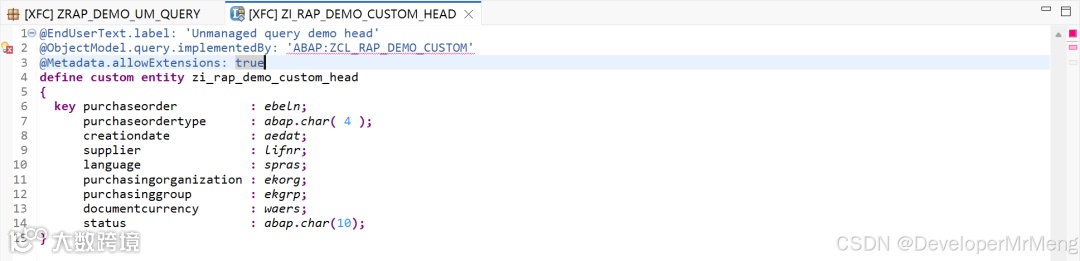
   1. @EndUserText.label: 'Unmanaged query demo head'
2. @ObjectModel.query.implementedBy: 'ABAP:ZCL_RAP_DEMO_CUSTOM'
3. @Metadata.allowExtensions: true
4. define custom entity zi_rap_demo_custom_head
5. {
6. key purchaseorder          : ebeln;
7. purchaseordertype      : abap.char( 4 );
8. creationdate           : aedat;
9. supplier               : lifnr;
10. language               : spras;
11. purchasingorganization : ekorg;
12. purchasinggroup        : ekgrp;
13. documentcurrency       : waers;
14. status                 : abap.char(10);
15. }
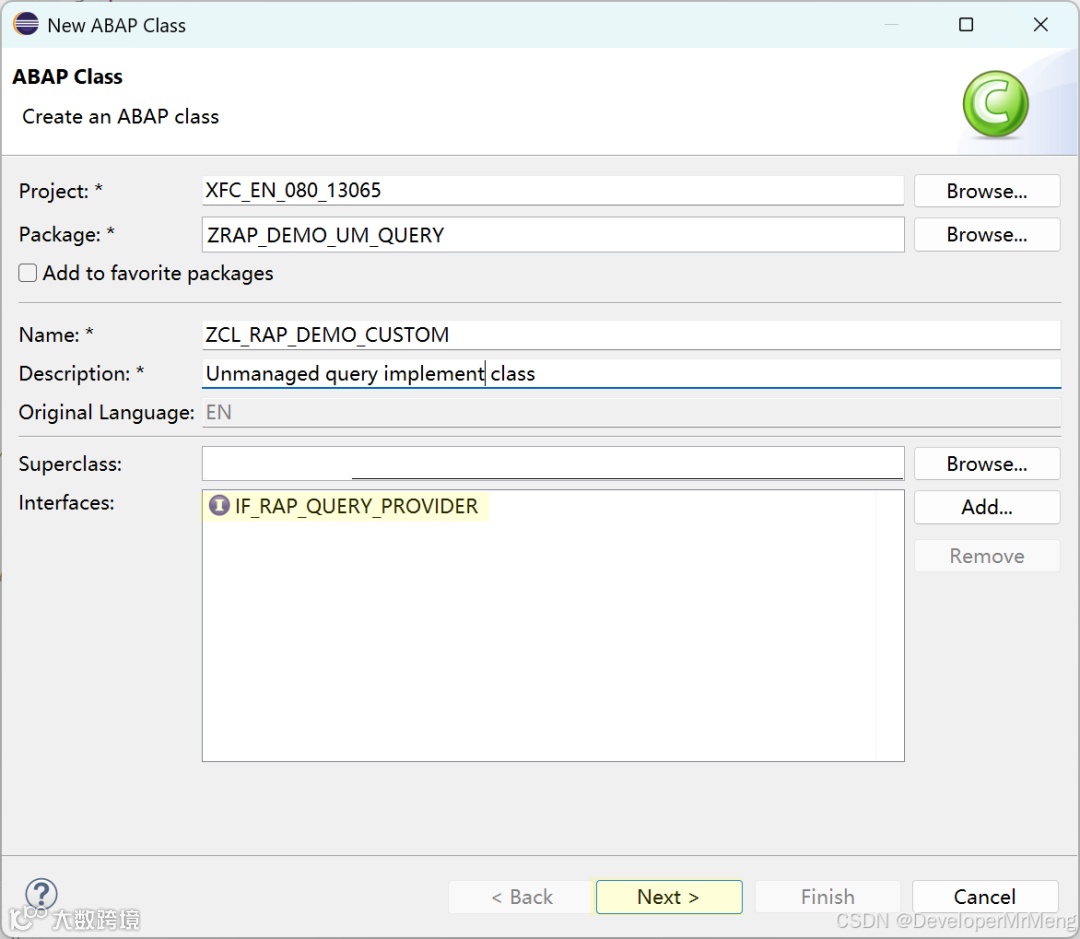
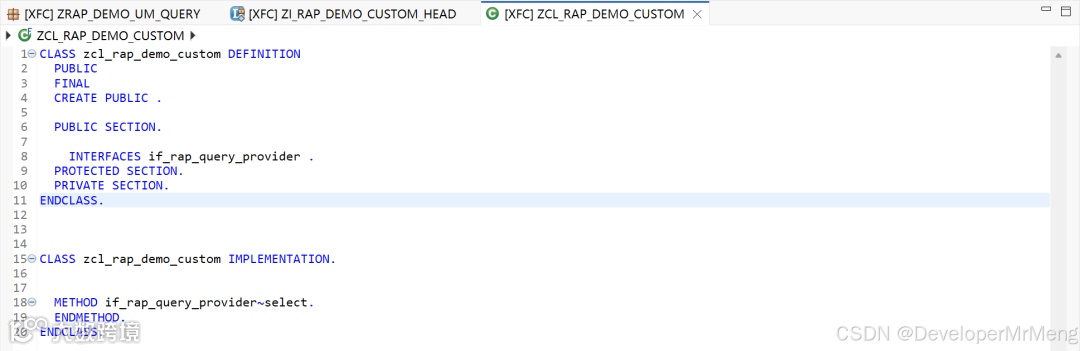
2.创建实施类
必须实现接口if_rap_query_provider
3.创建根实体UI扩展
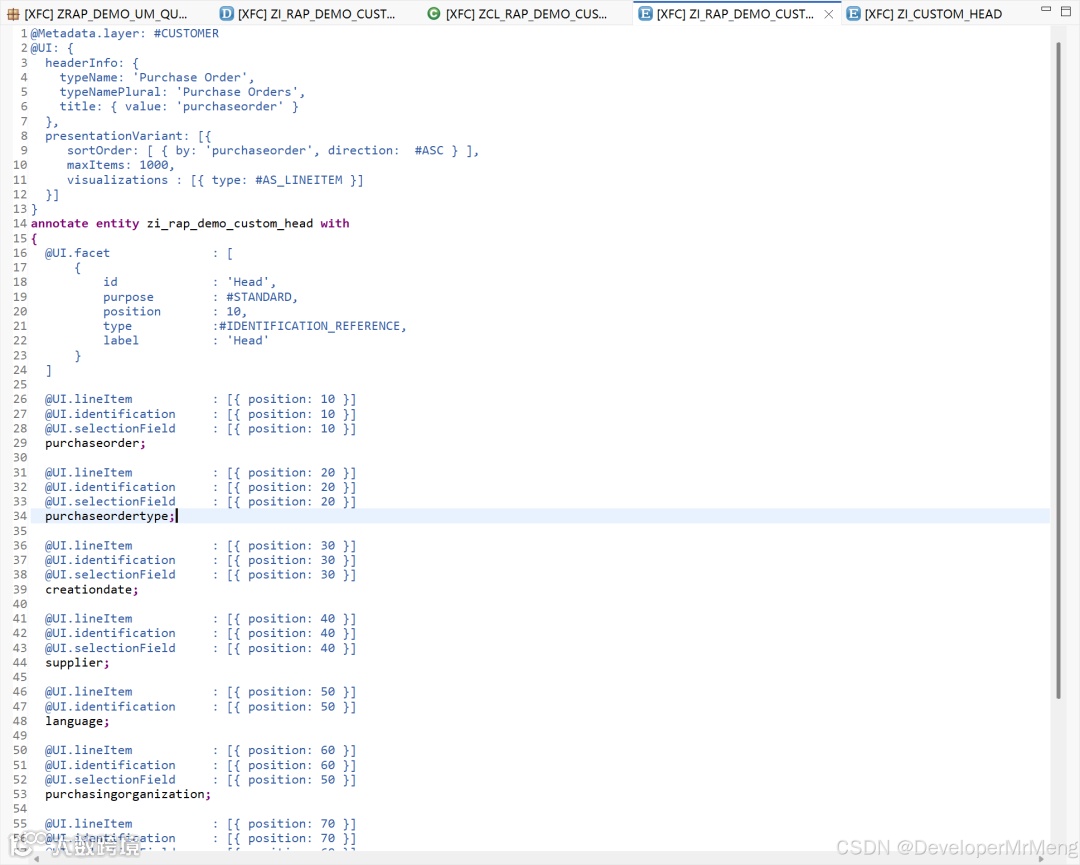
   1. @Metadata.layer: #CUSTOMER
2. @UI: {
3. headerInfo: {
4. typeName: 'Purchase Order',
5. typeNamePlural: 'Purchase Orders',
6. title: { value: 'purchaseorder' }
7. },
8. presentationVariant: [{
9. sortOrder: [ { by: 'purchaseorder', direction:  #ASC } ],
10. maxItems: 1000,
11. visualizations : [{ type: #AS_LINEITEM }]
12. }]
13. }
14. annotate entity zi_rap_demo_custom_head with
15. {
16. @UI.facet              : [
17. {
18. id             : 'Head',
19. purpose        : #STANDARD,
20. position       : 10,
21. type           :#IDENTIFICATION_REFERENCE,
22. label          : 'Head'
23. }
24. ]
25.
26. @UI.lineItem           : [{ position: 10 }]
27. @UI.identification     : [{ position: 10 }]
28. @UI.selectionField     : [{ position: 10 }]
29. purchaseorder;
30.
31. @UI.lineItem           : [{ position: 20 }]
32. @UI.identification     : [{ position: 20 }]
33. @UI.selectionField     : [{ position: 20 }]
34. purchaseordertype;
35.
36. @UI.lineItem           : [{ position: 30 }]
37. @UI.identification     : [{ position: 30 }]
38. @UI.selectionField     : [{ position: 30 }]
39. creationdate;
40.
41. @UI.lineItem           : [{ position: 40 }]
42. @UI.identification     : [{ position: 40 }]
43. @UI.selectionField     : [{ position: 40 }]
44. supplier;
45.
46. @UI.lineItem           : [{ position: 50 }]
47. @UI.identification     : [{ position: 50 }]
48. language;
49.
50. @UI.lineItem           : [{ position: 60 }]
51. @UI.identification     : [{ position: 60 }]
52. @UI.selectionField     : [{ position: 50 }]
53. purchasingorganization;
54.
55. @UI.lineItem           : [{ position: 70 }]
56. @UI.identification     : [{ position: 70 }]
57. @UI.selectionField     : [{ position: 60 }]
58. purchasinggroup;
59.
60. @UI.lineItem           : [{ position: 80 }]
61. @UI.identification     : [{ position: 80 }]
62. documentcurrency;
63.
64. @EndUserText.label     : 'Status'
65. @UI.lineItem           : [{ position: 90 }]
66. @UI.identification     : [{ position: 90 }]
67. status;
68. }
4.创建子实体
注意需要通过association to parent关联父实体,实施类这里选择和父实体同一个实施类即可:
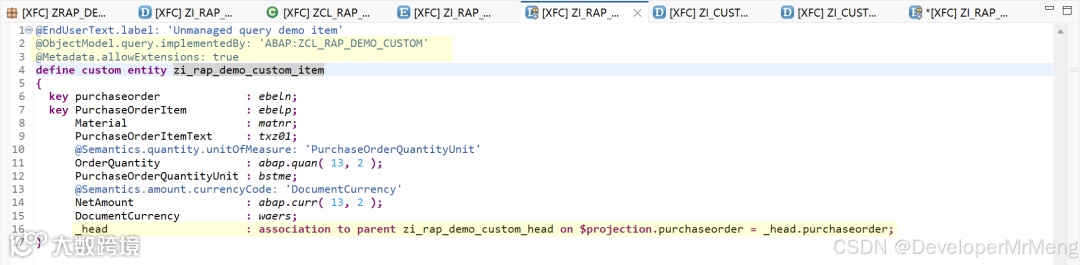
   1. @EndUserText.label: 'Unmanaged query demo item'
2. @ObjectModel.query.implementedBy: 'ABAP:ZCL_RAP_DEMO_CUSTOM'
3. @Metadata.allowExtensions: true
4. define custom entity zi_rap_demo_custom_item
5. {
6. key purchaseorder             : ebeln;
7. key PurchaseOrderItem         : ebelp;
8. Material                  : matnr;
9. PurchaseOrderItemText     : txz01;
10. @Semantics.quantity.unitOfMeasure: 'PurchaseOrderQuantityUnit'
11. OrderQuantity             : abap.quan( 13, 2 );
12. PurchaseOrderQuantityUnit : bstme;
13. @Semantics.amount.currencyCode: 'DocumentCurrency'
14. NetAmount                 : abap.curr( 13, 2 );
15. DocumentCurrency          : waers;
16. _head                     : association to parent zi_rap_demo_custom_head on $projection.purchaseorder = _head.purchaseorder;
17. }
同时父实体中也需要关联子实体,父实体需要添加root关键字,因为后续要创建对应的行为定义:
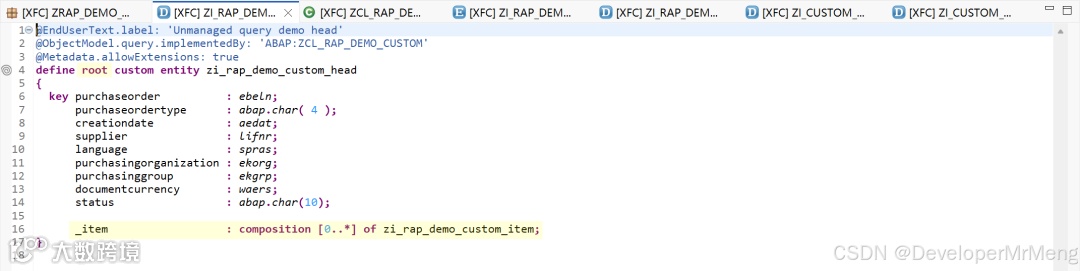
_item : composition [0..*] of zi_rap_demo_custom_item;
5.创建子实体UI扩展
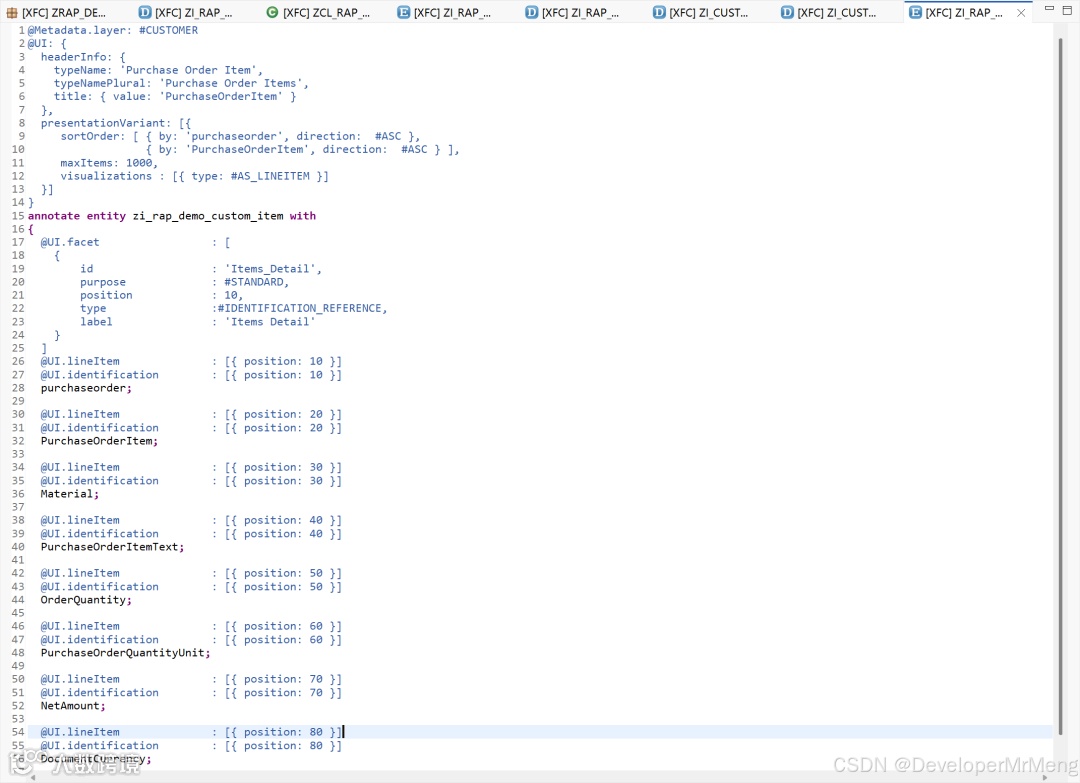
   1. @Metadata.layer: #CUSTOMER
2. @UI: {
3. headerInfo: {
4. typeName: 'Purchase Order Item',
5. typeNamePlural: 'Purchase Order Items',
6. title: { value: 'PurchaseOrderItem' }
7. },
8. presentationVariant: [{
9. sortOrder: [ { by: 'purchaseorder', direction:  #ASC },
10. { by: 'PurchaseOrderItem', direction:  #ASC } ],
11. maxItems: 1000,
12. visualizations : [{ type: #AS_LINEITEM }]
13. }]
14. }
15. annotate entity zi_rap_demo_custom_item with
16. {
17. @UI.facet                 : [
18. {
19. id                  : 'Items_Detail',
20. purpose             : #STANDARD,
21. position            : 10,
22. type                :#IDENTIFICATION_REFERENCE,
23. label               : 'Items Detail'
24. }
25. ]
26. @UI.lineItem              : [{ position: 10 }]
27. @UI.identification        : [{ position: 10 }]
28. purchaseorder;
29.
30. @UI.lineItem              : [{ position: 20 }]
31. @UI.identification        : [{ position: 20 }]
32. PurchaseOrderItem;
33.
34. @UI.lineItem              : [{ position: 30 }]
35. @UI.identification        : [{ position: 30 }]
36. Material;
37.
38. @UI.lineItem              : [{ position: 40 }]
39. @UI.identification        : [{ position: 40 }]
40. PurchaseOrderItemText;
41.
42. @UI.lineItem              : [{ position: 50 }]
43. @UI.identification        : [{ position: 50 }]
44. OrderQuantity;
45.
46. @UI.lineItem              : [{ position: 60 }]
47. @UI.identification        : [{ position: 60 }]
48. PurchaseOrderQuantityUnit;
49.
50. @UI.lineItem              : [{ position: 70 }]
51. @UI.identification        : [{ position: 70 }]
52. NetAmount;
53.
54. @UI.lineItem              : [{ position: 80 }]
55. @UI.identification        : [{ position: 80 }]
56. DocumentCurrency;
57.
58. }
更新根实体UI扩展,添加子实体的导航
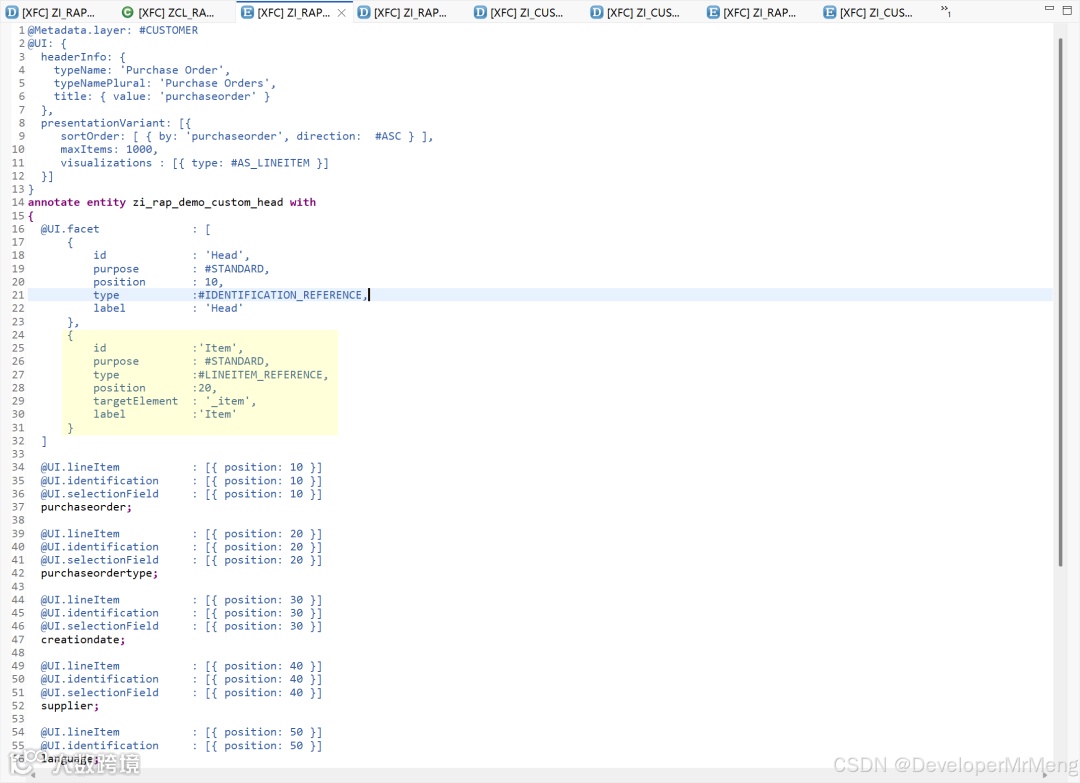
   1. {
2. id             :'Item',
3. purpose        : #STANDARD,
4. type           :#LINEITEM_REFERENCE,
5. position       :20,
6. targetElement  : '_item',
7. label          :'Item'
8. }
6.创建服务定义
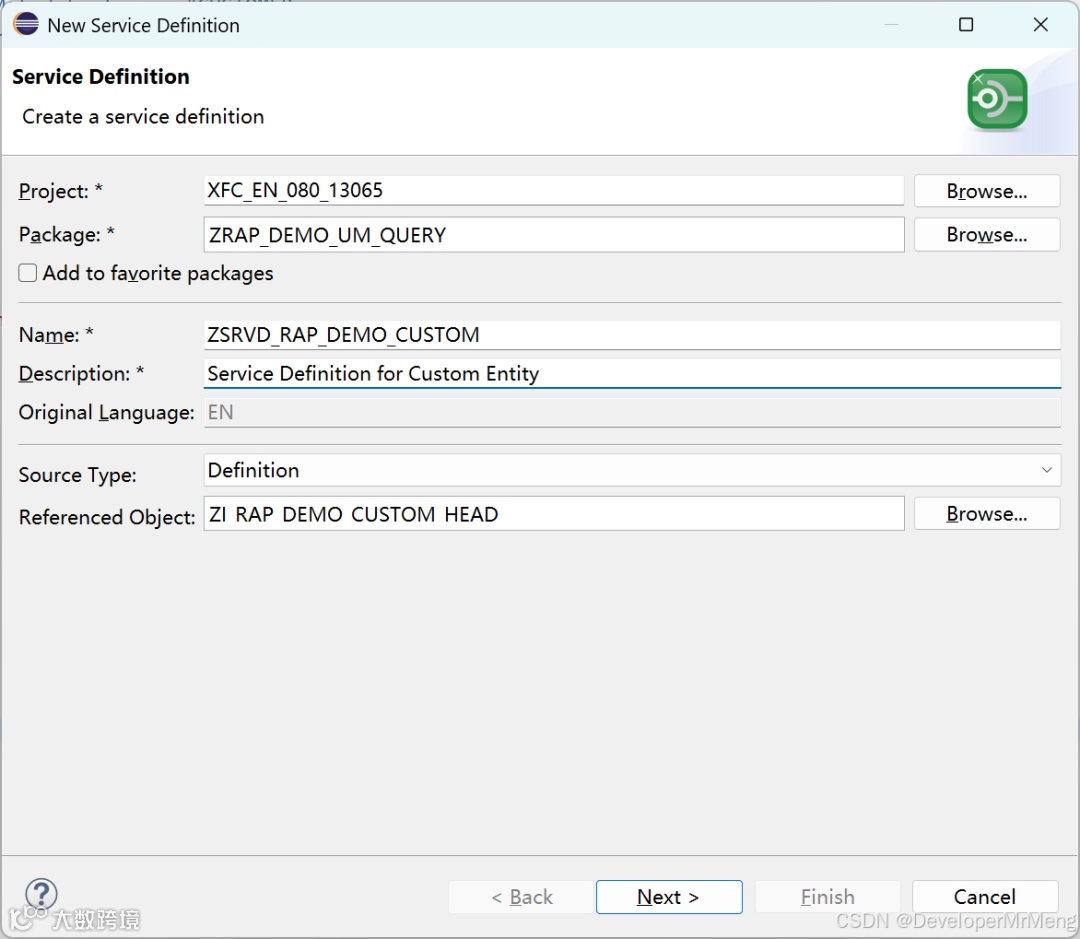

   1. @EndUserText.label: 'Service Definition for Custom Entity'
2. @ObjectModel.leadingEntity.name: 'zi_rap_demo_custom_head'
3. define service zsrvd_rap_demo_custom {
4. expose zi_rap_demo_custom_head as head;
5. expose zi_rap_demo_custom_item as item;
6. }
7.创建服务绑定
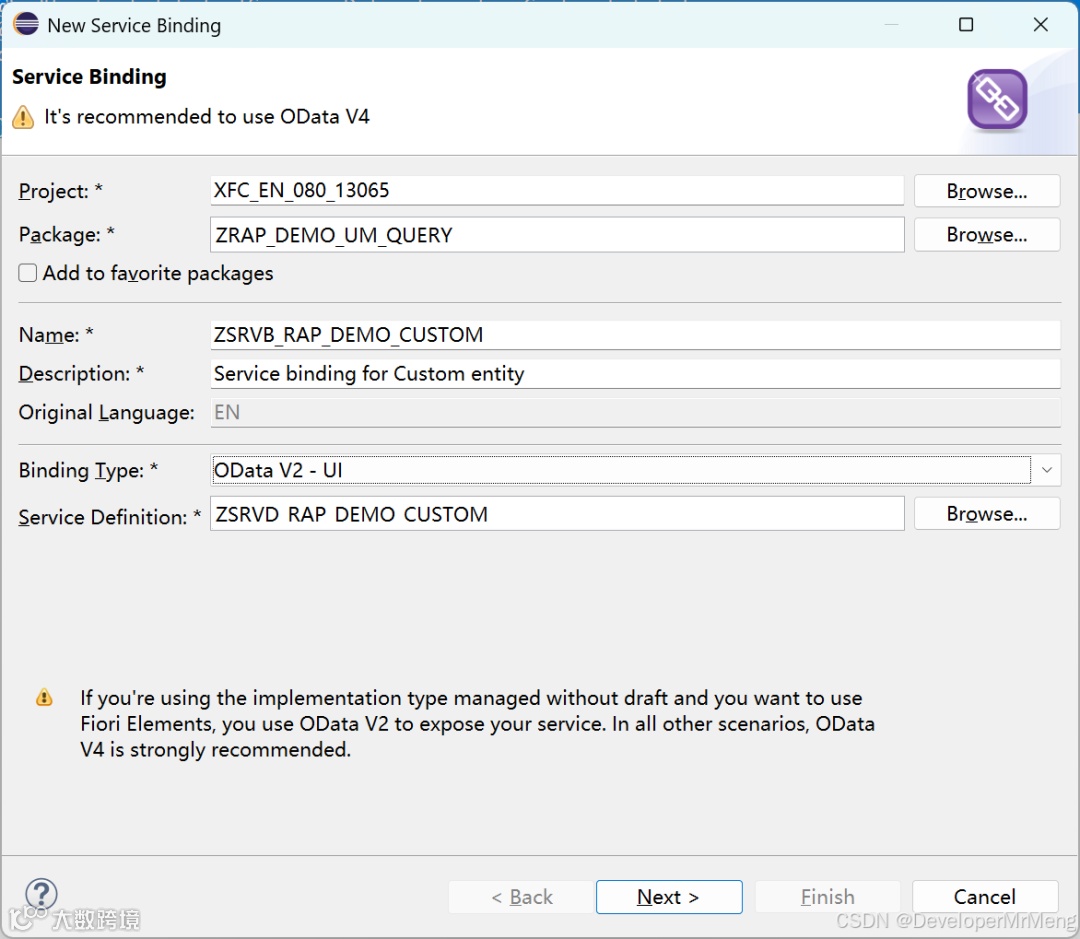
这里选择了OData V2,因为后续的示例步骤中想使用标准的编辑功能,OData V4要启用编辑必须启用草稿,而custom entity不支持草稿,所以想同时使用标准的action时只能使用V2。
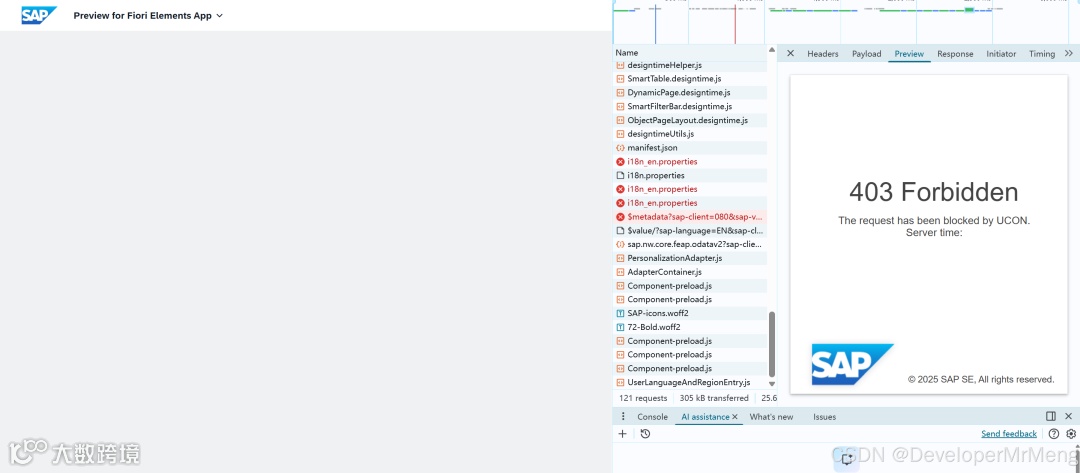
公有云环境首次激活后一般直接打不开,没事等一会就好,先做后续的步骤:
实现具体查询逻辑
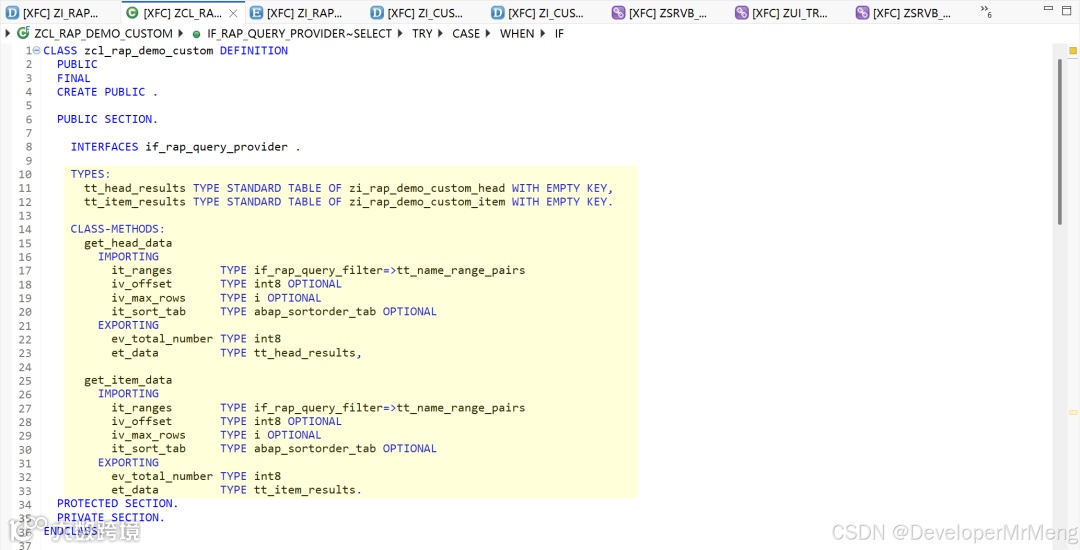
类型和方法定义
因为这里我们有两个实体,所以我们将核心差异的取数逻辑单独封装在各自的方法中进行实现:
-
• 目的1是为了分离取数逻辑 -
• 目的2是为了后续在行为的实现方法中复用
实现select方法
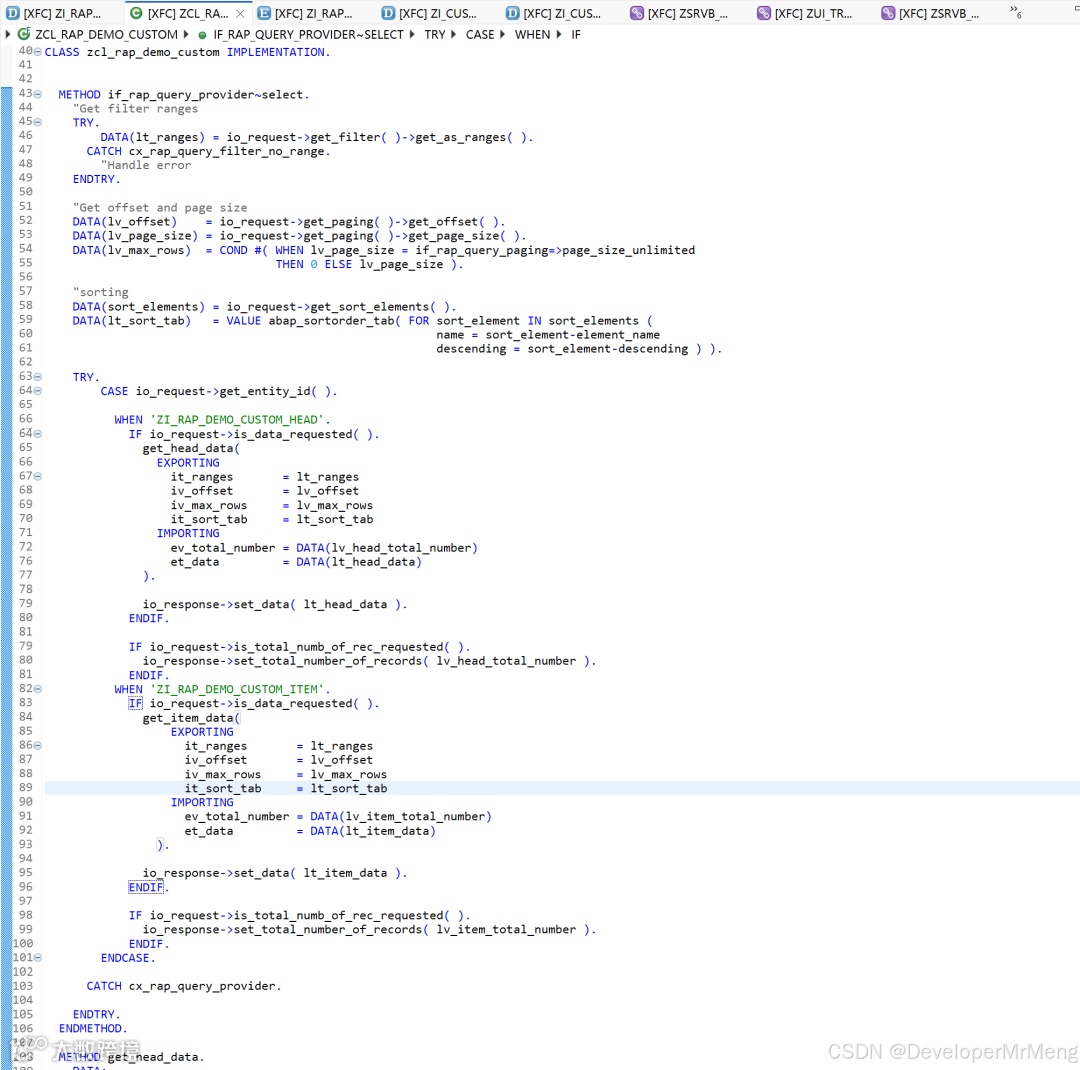
这里使用的是比较通用的一些方法和步骤,下面简单说明一下:
1.获取筛选条件
   1. "Get filter ranges
2. TRY.
3. DATA(lt_ranges) = io_request->get_filter( )->get_as_ranges( ).
4. CATCH cx_rap_query_filter_no_range.
5. "Handle error
6. ENDTRY.
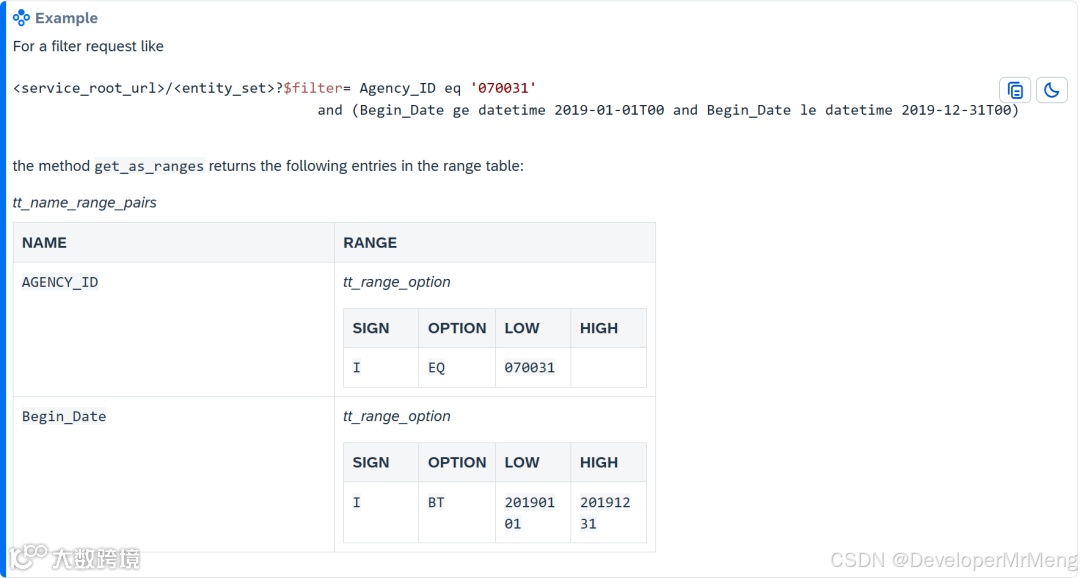
get_as_ranges方法实际上是将界面上实际输入的选择条件转换为range表,类比于ALV程序中的select-option:
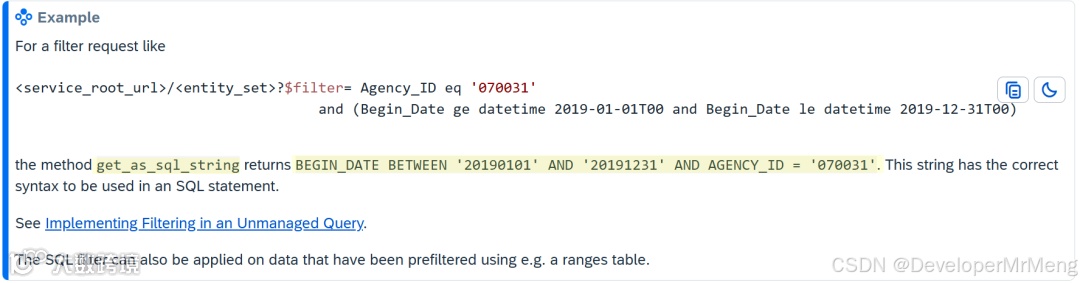
如果使用get_as_sql_string则转换效果如下,使用range表比较符合以前开发传统报表的习惯。
2.获取分页大小
   1. "Get offset and page size
2. DATA(lv_offset)    = io_request->get_paging( )->get_offset( ).
3. DATA(lv_page_size) = io_request->get_paging( )->get_page_size( ).
4. DATA(lv_max_rows)  = COND #( WHEN lv_page_size = if_rap_query_paging=>page_size_unlimited
5. THEN 0 ELSE lv_page_size ).