Too many free trial accounts used on this machine.
Please upgrade to pro. We have this limitin place
to prevent abuse. Please let us know if you believe
this is a mistake.
⚠️ 重要通知
此工具目前支持:
✅ Windows:最新 1.0.x 版本(支持)
✅ Mac/Linux:最新 1.0.x 版本(支持,欢迎反馈)
在使用此工具之前,请检查您的 Cursor 版本。
⚠️ 光标的通用解决方案
关闭光标,注销账号,在官网设置中删除账号(刷新IP节点:日本、新加坡、美国、香港,优先低延迟——不一定需要,但条件允许时更改;建议 Windows 用户刷新 DNS 缓存:) 前往 Cursor 官网删除当前帐户 步骤:用户头像->设置->左下角高级▼->删除账号ipconfig /flushdns
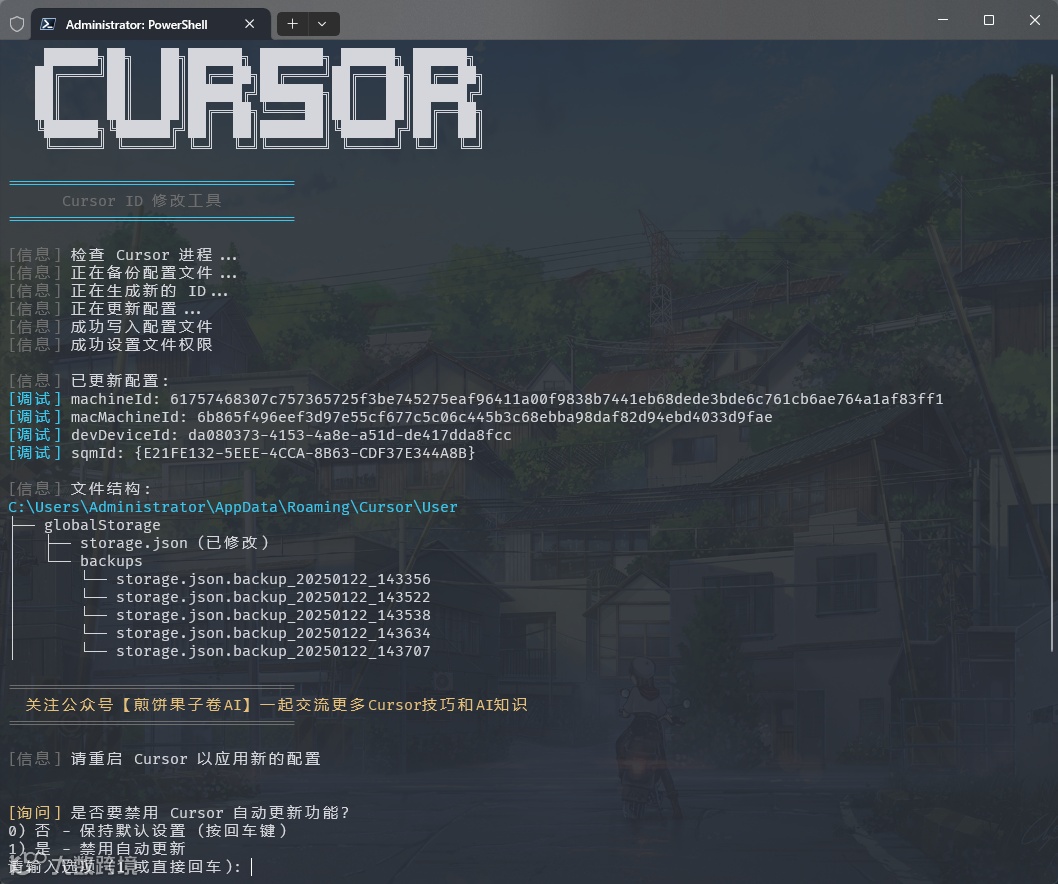
[Question] Do you want to disable Cursor auto-update feature?
0) No - Keep default settings (Press Enter)
1) Yes - Disable auto-update
选择以自动完成禁用作。1
方法二:手动禁用
窗户:
关闭所有游标进程
删除目录:%LOCALAPPDATA%\cursor-updater
在同一位置创建具有相同名称(无扩展名)的文件
macOS作系统:
# NOTE: As tested, this method only works for version 0.45.11 and below.
# Close Cursor
pkill -f "Cursor"
# Replacing app-update.yml with a blank/read-only file
cd /Applications/Cursor.app/Contents/Resourcesmv app-update.yml app-update.yml.baktouch app-update.ymlchmod 444 app-update.yml

# Go to Settings -> Application -> Update, set Mode to none.
# This must be done to prevent Cursor from checking for updates.

# NOTE: The cursor-updater modification method may no longer be effective
# In any case, remove update directory and create blocking file
rm -rf ~/Library/Application\ Support/Caches/cursor-updatertouch ~/Library/Application\ Support/Caches/cursor-updater
Linux:
# Close Cursor
pkill -f "Cursor"
# Remove update directory and create blocking file
rm -rf ~/.config/cursor-updatertouch ~/.config/cursor-updater
⚠️ **注意:**禁用自动更新后,您需要手动下载并安装新版本。建议仅在确认新版本兼容后进行更新。
📝 描述
当您遇到以下任何消息时:
问题 1:试用账户限制
Too many free trial accounts used on this machine. Please upgrade to pro. We have this limitin place to prevent abuse. Please let us know if you believe this is a mistake.
问题 2:API 密钥限制
[New Issue]

Composer relies on custom models that cannot be billed to an API key.
Please disable API keys and use a Pro or Business subscription.
Request ID: xxxxxxxx-xxxx-xxxx-xxxx-xxxxxxxxxxxx
问题 3:试用请求限制
这表示您在 VIP 免费试用期内已达到使用限制:
You've reached your trial request limit.
问题 4:Claude 3.7 高负载
High Load
We're experiencing high demand for Claude 3.7 Sonnet right now. Please upgrade to Pro, or switch to the
'default' model, Claude 3.5 sonnet, another model, or try again in a few moments.
解决方案:完全卸载光标并重新安装(API 密钥问题)
下载Geek.exe卸载程序[免费]
完全卸载光标应用程序
重新安装光标应用程序
继续执行解决方案 1
临时解决方案:
解决方案 1:快速重置(推荐)
关闭光标应用程序
运行机器码重置脚本(请参阅下面的安装说明)
重新打开光标以继续使用
解决方案 2:帐户切换
文件 -> 光标设置 -> 注销
关闭光标
运行机器代码重置脚本
使用新帐户登录
解决方案 3:网络优化
如果上述解决方案不起作用,请尝试:
切换到低延迟节点(推荐地区:日本、新加坡、美国、香港)
确保网络稳定性
清除浏览器缓存并重试
解决方案 4:Claude 3.7 访问问题(高负载)
如果您看到 Claude 3.7 Sonnet 的“高负载”消息,则表明 Cursor 正在限制免费试用帐户在一天中的某些时间使用 3.7 模型。尝试:
1. Press Win + X key combination
2. Select one of these options from the menu:   - "Windows PowerShell (Administrator)"   - "Windows Terminal (Administrator)"   - "Terminal (Administrator)"   (Options may vary depending on Windows version)
方法 2:使用 Win + R 运行命令
1. Press Win + R key combination
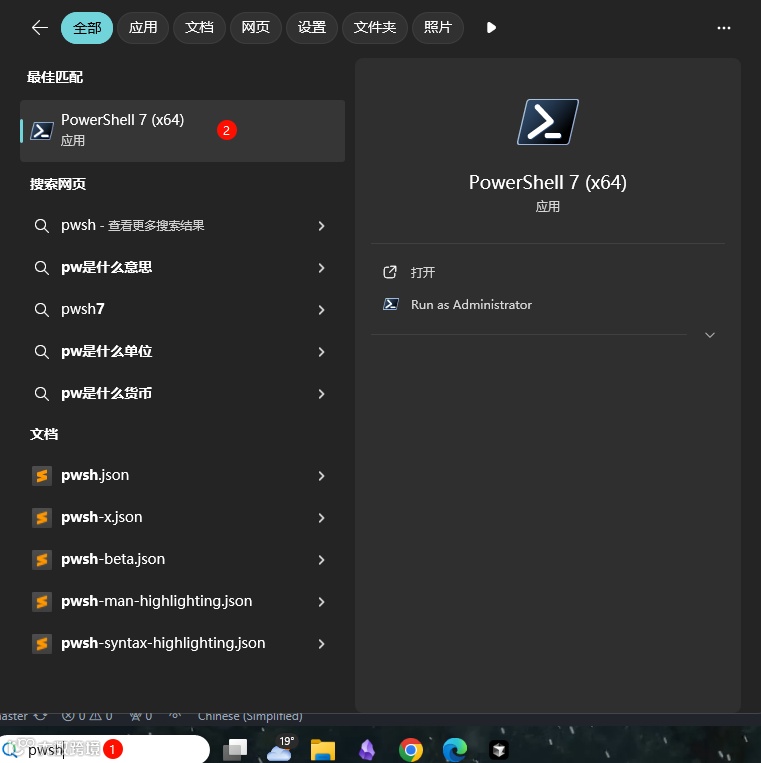
2. Type powershell or pwsh in the Run dialog
3. Press Ctrl + Shift + Enter to run as administrator   or type in the opened window: Start-Process pwsh -Verb RunAs
4. Enter the reset script in the administrator terminal:irm https://aizaozao.com/accelerate.php/https://raw.githubusercontent.com/yuaotian/go-cursor-help/refs/heads/master/scripts/run/cursor_win_id_modifier.ps1 | iex