


(文章转载自开发者的个人博客,以下为正文)
-
谷歌紧急推出 “Bard” 对抗 ChatGPT -
微软发布新 Bing 集成 ChatGPT -
复旦发布首个类 ChatGPT 模型 MOSS -
国内阿里、百度、昆仑万维、网易、京东都开始新一轮 AI 军备
与以往的统计模型不行,ChatGPT 不是那种「一切都从语料统计里学习」的 AI,相反 ChatGPT 具备有临场学习的能力,业内称之为 in-context learning ,这也是为什么 ChatGPT 可以在上下文中学习的原因。
PS:在此之前有人通过指示在 ChatGPT 界面下实现了一个虚拟机,虽然这是一个极端的例子,但是可以很直观地感受到:「ChatGPT 对我们开发的影响是肉眼可见」。
基于 ChatGPT 开发
01
开发之前
假设我们现在有一个开发「直播」的需求,那我们可以直接求助 ChatGPT:
「开发一个直播app,是使用第三方SDK好还是自己从0开发好」?


有没有发现,在获取资料的检索方式上,ChatGPT 确实比搜索引擎更直观且高效。
「移动端哪个跨平台框架更适合做直播」?


关于注册获取 App ID 等步骤这里就省略了,毕竟目前这部分 ChatGPT 也无能为力。
02
开始开发
那么到这里我们就假定大家已经准备好了开发环境,接下来可以直接进行开发。
为什么关键词是「视频通话」?因为它比直播场景更精准简单,生成的代码更靠谱(经过提问测试),而基于视频通话部分,后面我们可以快速拓展为互动直播场景;而指定版本是为了避免 AI 使用旧版本 API。
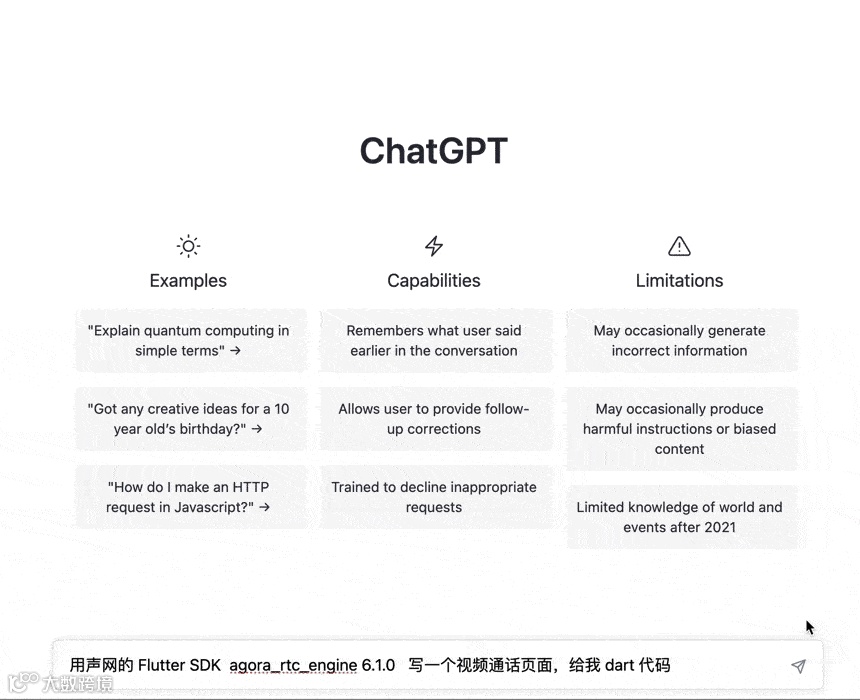

从这里也可以感觉到 ,ChatGPT 不是一个单纯的完全只会基于语料答复整合的 AI 。
采用
createAgoraRtcEngineinitialize创建和初始化RtcEngine将
setEventHandler修改为最新的registerEventHandler将
AgoraRenderWidget修改为AgoraVideoView
class VideoCallPage extends StatefulWidget {final String channelName;const VideoCallPage({Key? key, required this.channelName}) : super(key: key);@override_VideoCallPageState createState() => _VideoCallPageState();}class _VideoCallPageState extends State<VideoCallPage> {late RtcEngine _engine;bool _localUserJoined = false;bool _remoteUserJoined = false;rUid;@overridevoid initState() {super.initState();initAgora();}@overridevoid dispose() {_engine.leaveChannel();super.dispose();}initAgora() async {await [Permission.microphone, Permission.camera].request();_engine = createAgoraRtcEngine();await _engine.initialize(RtcEngineContext(appId: config.appId,channelProfile: ChannelProfileType.channelProfileLiveBroadcasting,));_engine.registerEventHandler(RtcEngineEventHandler(onJoinChannelSuccess: (RtcConnection connection, int elapsed) {{_localUserJoined = true;});},onUserJoined: (connection, remoteUid, elapsed) {{_remoteUserJoined = true;rUid = remoteUid;});},onUserOffline: (RtcConnection connection, int remoteUid,UserOfflineReasonType reason) {{_remoteUserJoined = false;rUid = null;});},));await _engine.enableVideo();await _engine.startPreview();await _engine.joinChannel(token: config.token,channelId: widget.channelName,uid: config.uid,options: const ChannelMediaOptions(channelProfile: ChannelProfileType.channelProfileLiveBroadcasting,clientRoleType: ClientRoleType.clientRoleBroadcaster,),);}@overrideWidget build(BuildContext context) {return Scaffold(appBar: AppBar(title: Text("VideoCallPage"),),body: Center(child: Stack(children: [_remoteUserJoined ? _remoteVideoView(rUid) : _placeholderView(),_localUserJoined ? _localVideoView() : _placeholderView(),],),),);}Widget _placeholderView() {return Container(color: Colors.black,);}Widget _remoteVideoView(id) {return AgoraVideoView(controller: VideoViewController.remote(rtcEngine: _engine,canvas: VideoCanvas(uid: id),connection: RtcConnection(channelId: widget.channelName),),);}Widget _localVideoView() {return Positioned(right: 16,bottom: 16,width: 100,height: 160,child: AgoraVideoView(controller: VideoViewController(rtcEngine: _engine,canvas: const VideoCanvas(uid: 0),),),);}}
接下来,如下图所示,在将项目运行到手机和 PC 端之后,可以看到我们就完成了最简单的直播视频场景,而基于我们打算做直播的念头仅仅过去了 40 分钟,这其中还包含了注册声网账号和申请 App ID 的过程,我们通过简单的提问、复制、粘贴、修改,就完成了一个直播需求的 demo。

红色方块是后期加上的打码~
03
进阶开发
这里为什么还强制写 agora_rtc_engine 6.1.0?因为如果不写,默认可能会输出 4.x 版本的老 API。
registerEventHandler 和 Message 我们捕抓到了,简单对比一下,就是 Flutter SDK 里的 registerEventHandler 对象,可以发现平替的接口就是 onStreamMessage 回调。

这里是我自己加的粉色,不然都是白色会糊成一坨,不得不说 ChatGPT 在绘制能力上“很抽象”。

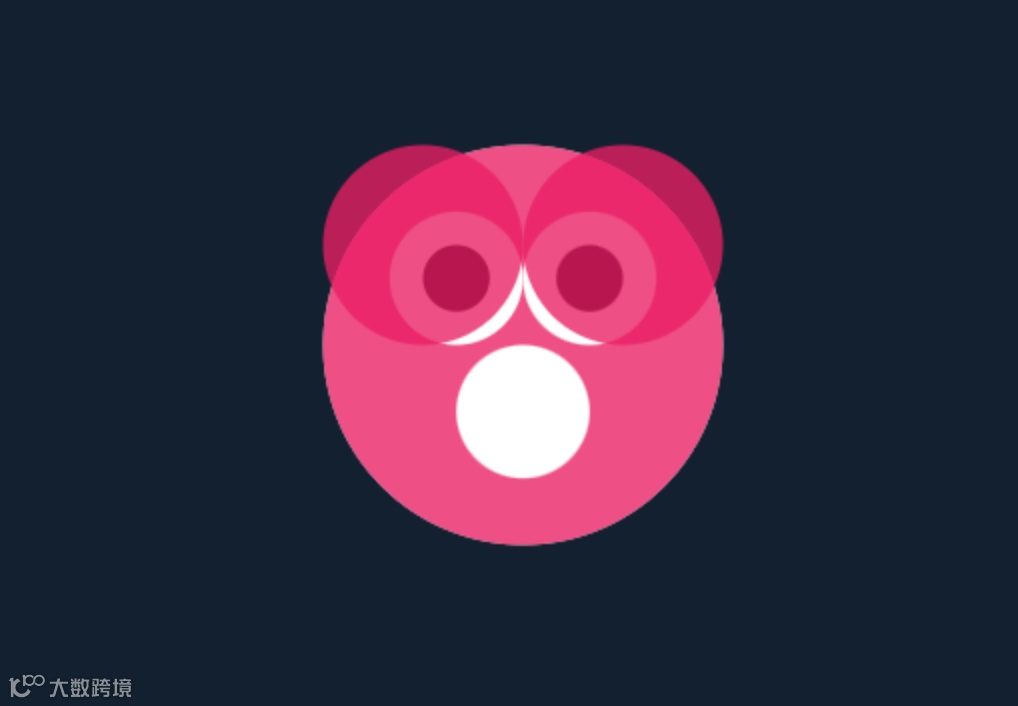


这就是 ChatGPT 在每次会话上下文里学习的表现。

源码在后面。

class BunnyPainter extends CustomPainter {void paint(Canvas canvas, Size size) {// 设置画笔final paint = Paint()..color = Colors.white..style = PaintingStyle.fill;final path = Path();// 绘制左耳path.moveTo(size.width / 2 - 40, size.height / 2 - 80);path.lineTo(size.width / 2 - 60, size.height / 2 - 120);path.quadraticBezierTo(size.width / 2 - 70, size.height / 2 - 135,size.width / 2 - 50, size.height / 2 - 160);path.lineTo(size.width / 2 - 30, size.height / 2 - 120);path.quadraticBezierTo(size.width / 2 - 40, size.height / 2 - 100,size.width / 2 - 40, size.height / 2 - 80);// 绘制路径canvas.drawPath(path, paint);final path2 = Path();// 绘制右耳path2.moveTo(size.width / 2 + 40, size.height / 2 - 80);path2.lineTo(size.width / 2 + 60, size.height / 2 - 120);path2.quadraticBezierTo(size.width / 2 + 70, size.height / 2 - 135,size.width / 2 + 50, size.height / 2 - 160);path2.lineTo(size.width / 2 + 30, size.height / 2 - 120);path2.quadraticBezierTo(size.width / 2 + 40, size.height / 2 - 100,size.width / 2 + 40, size.height / 2 - 80);// 绘制路径canvas.drawPath(path2, paint);final path3 = Path();// 绘制头部final rect =Rect.fromLTWH(size.width / 2 - 60, size.height / 2 - 140, 120, 120);path3.addOval(rect);// 绘制路径canvas.drawPath(path3, paint);final path4 = Path();// 绘制眼睛final leftEyeCenter = Offset(size.width / 2 - 20, size.height / 2 - 80);final rightEyeCenter = Offset(size.width / 2 + 20, size.height / 2 - 80);final eyeRadius = 8.0;path4.addArc(Rect.fromCircle(center: leftEyeCenter, radius: eyeRadius), 0, pi * 2);path4.addArc(Rect.fromCircle(center: rightEyeCenter, radius: eyeRadius), 0, pi * 2);// 设置画笔final paint2 = Paint()..color = Colors.black..style = PaintingStyle.fill;// 绘制路径canvas.drawPath(path4, paint2);final path5 = Path();// 绘制鼻子final noseCenter = Offset(size.width / 2, size.height / 2 - 50);final noseRadius = 10.0;path5.addArc(Rect.fromCircle(center: noseCenter, radius: noseRadius), 0, pi * 2);// 绘制路径canvas.drawPath(path5, paint2);}bool shouldRepaint(BunnyPainter oldDelegate) => false;}
class StarPaint extends StatelessWidget {Widget build(BuildContext context) {return CustomPaint(painter: HeartPainter(),size: Size(50, 50),);}}class StarPaint extends CustomPainter {void paint(Canvas canvas, Size size) {final paint = Paint()..color = Colors.red..style = PaintingStyle.fill;final path = Path();final halfWidth = size.width / 2;final halfHeight = size.height / 2;final radius = halfWidth;path.moveTo(halfWidth, halfHeight + radius);path.arcToPoint(Offset(halfWidth + radius, halfHeight),radius: Radius.circular(radius),clockwise: true,);path.arcToPoint(Offset(halfWidth, halfHeight - radius),radius: Radius.circular(radius),clockwise: true,);path.arcToPoint(Offset(halfWidth - radius, halfHeight),radius: Radius.circular(radius),clockwise: true,);path.arcToPoint(Offset(halfWidth, halfHeight + radius),radius: Radius.circular(radius),clockwise: true,);canvas.drawPath(path, paint);}bool shouldRepaint(covariant StarPaint oldDelegate) {return false;}}
onStreamMessage: (RtcConnection connection, int remoteUid, int streamId,Uint8List data, int length, int sentTs) {var message = utf8.decode(data);if (message == "兔子") {showDialog(context: context,builder: (context) {return AnimaWidget(Rabbit());});} else if (message == "星星") {showDialog(context: context,builder: (context) {return Center(child: AnimaWidget(StarPaint()),);});}Future.delayed(Duration(seconds: 3), () {Navigator.pop(context);});},Future<void> _onPressSend() async {try {final streamId = await _engine.createDataStream(const DataStreamConfig(syncWithAudio: false, ordered: false));var txt = (Random().nextInt(10) % 2 == 0) ? "星星" : "兔子";final data = Uint8List.fromList(utf8.encode(txt));await _engine.sendStreamMessage(streamId: streamId, data: data, length: data.length);} catch (e) {print(e);}}class AnimaWidget extends StatefulWidget {final Widget child;const AnimaWidget(this.child);State<AnimaWidget> createState() => _AnimaWidgetState();}class _AnimaWidgetState extends State<AnimaWidget> {double animaScale = 1;void initState() {super.initState();Future.delayed(Duration(seconds: 1), () {animaScale = 5;setState(() {});});}Widget build(BuildContext context) {return AnimatedScale(scale: animaScale,duration: Duration(seconds: 1),curve: Curves.bounceIn,child: Container(child: widget.child));}}
chatgpt_api_client 插件,你可以在 App 里直接向 ChatGPT 提问,比如通过 OpenAI 的 API 实现一个可以互动的虚拟主播。
我怎么知道这个插件?肯定也是问 ChatGPT 的啊~


04
最后
到这里,相信大家应该能感受到,在使用 ChatGPT 之后,整个开发效率能够得到很大的提升,特别是内容检索的高效和准确上比搜索引擎更加靠谱,另外也能帮我们完成一些“体力活”形式的代码。
「当你抱怨 ChatGPT 鬼话连篇满嘴跑火车的时候,这可能有点像你看到一只猴子在沙滩上用石头写下1+1=3。它确实算错了,但这不是重点。它有一天会算对的。」