背景
当前,电商零售平台普遍采用智能客服系统以回应用户的各类咨询。然而,面对用户日益复杂和多元化的需求,传统智能客服往往显得力不从心。例如,消费者在购买前可能需要对不同型号产品的功能差异进行详细对比;购买后因遗失说明书而无法使用某项功能;或在家居类产品场景中,需与客服协调预约上门安装服务等。
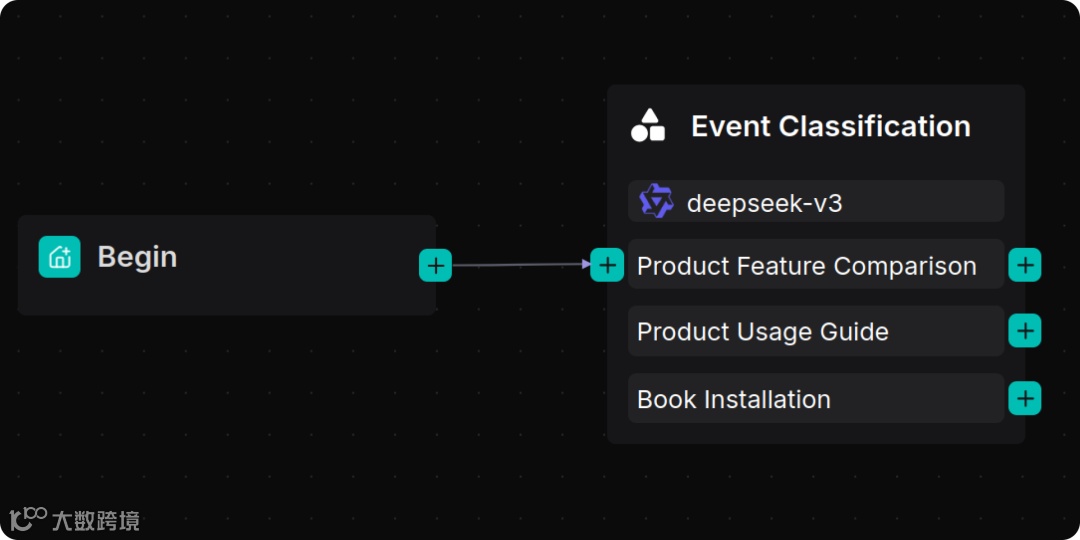
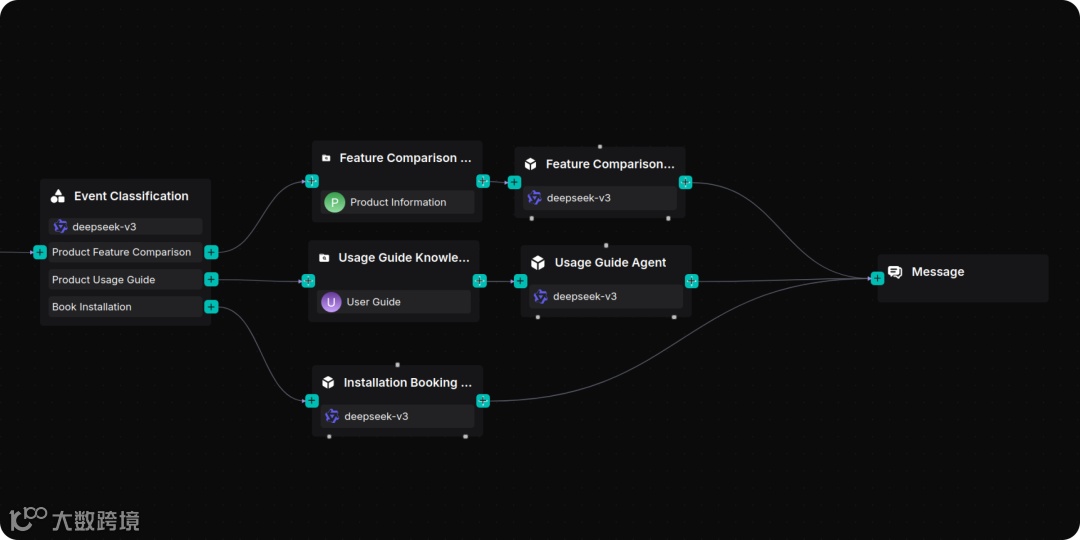
针对上述问题,我们梳理出若干典型需求场景,包括:产品型号功能差异查询、使用帮助获取,以及上门安装服务预约等。本文基于 RAGFlow 最新推出的 Agent 框架,通过工作流编排与大语言模型相结合的方式,实现了对用户问题的自动识别与分支分配处理。
编排完成后的工作流如下:
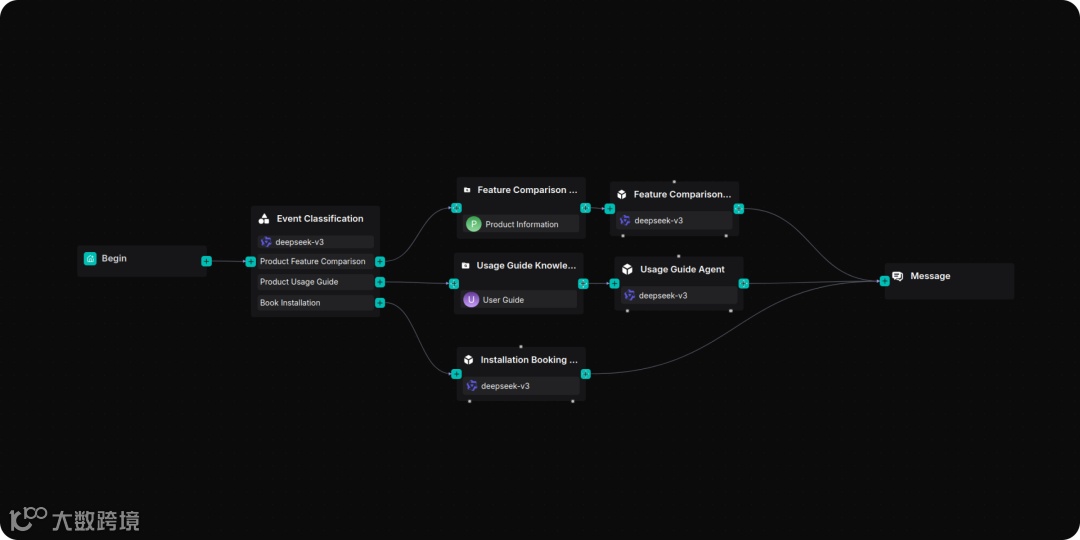
下文将具体介绍该方案的实现过程。
准备知识库
可以从 Hugging Face Datasets 【文献 1】下载本样例需要的数据集。
数据集名称 |
用途 |
文件名 |
Product Information |
构建产品功能信息的知识库 |
product_infomation.zip |
User Guide |
构建产品使用手册的知识库 |
user_guide.zip |
创建 “Product Information” 与 “User Guide” 知识库并导入相应的数据集文档。
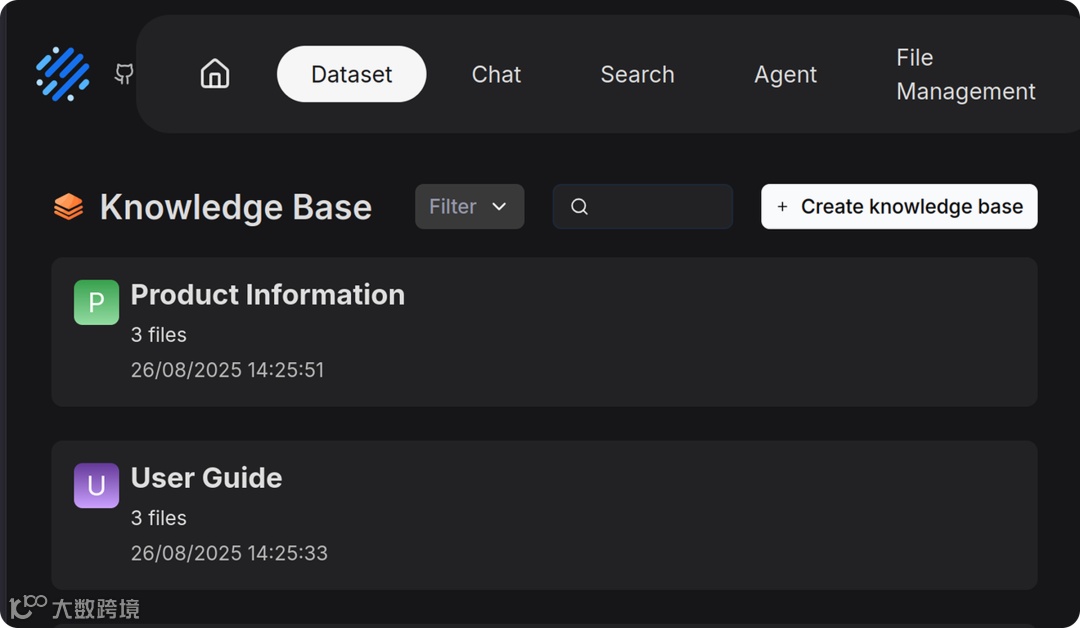
对于 “Product Information” 与 “User Guide” 知识库中的文档,我们选择的解析切片方法为 Manual 。
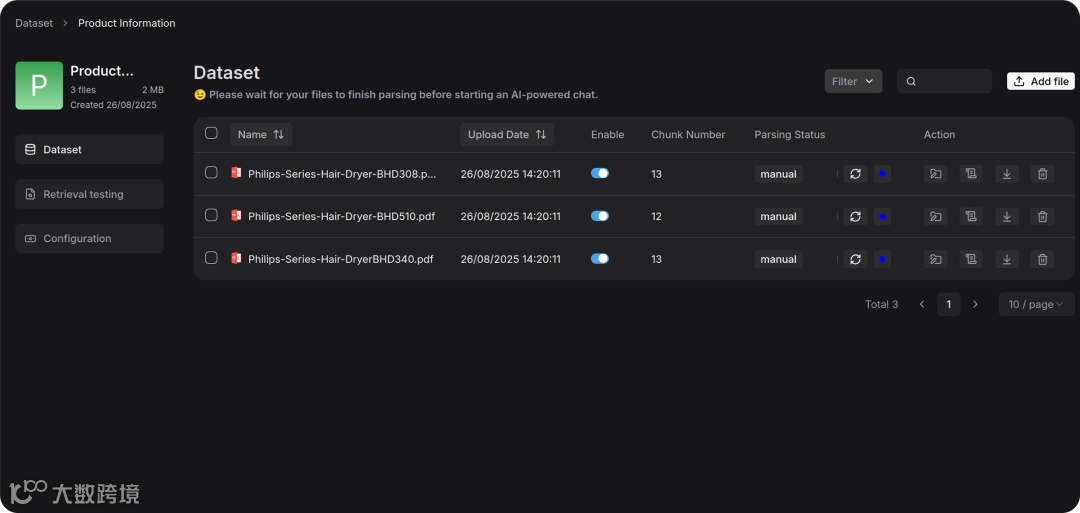
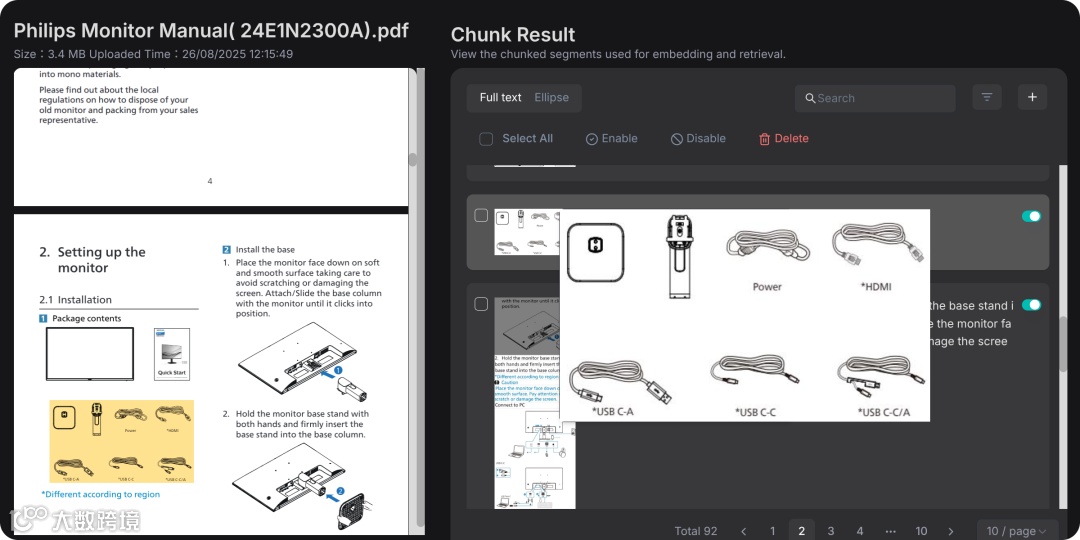
产品手册往往图文并茂,信息量大且结构复杂。若仅依靠文本长度来切分,往往会破坏内容的完整性。RAGFlow 假设这类文档遵循层级结构,因此选择“最小标题”作为切割的基本单元,让每个图文块都能被完整保存在一个 Chunk 里。
使用手册在切片后的效果预览如下:
搭建 WorkFlow
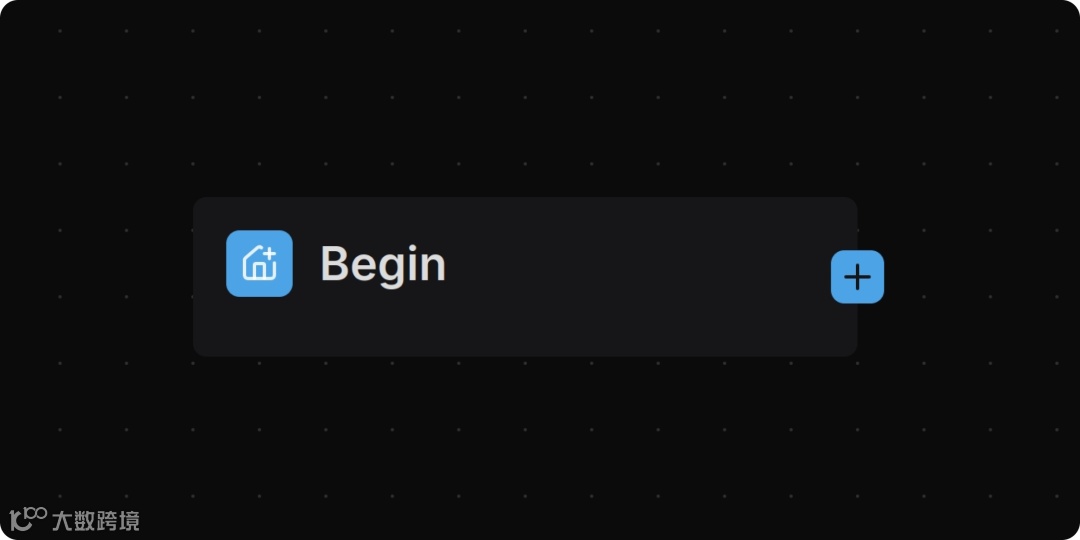
创建成功后,系统会在画布上自动生成一个 Begin 节点。
在 Begin 节点中可设置客服的初始问候语,例如:
Hi! I'm your assistant. 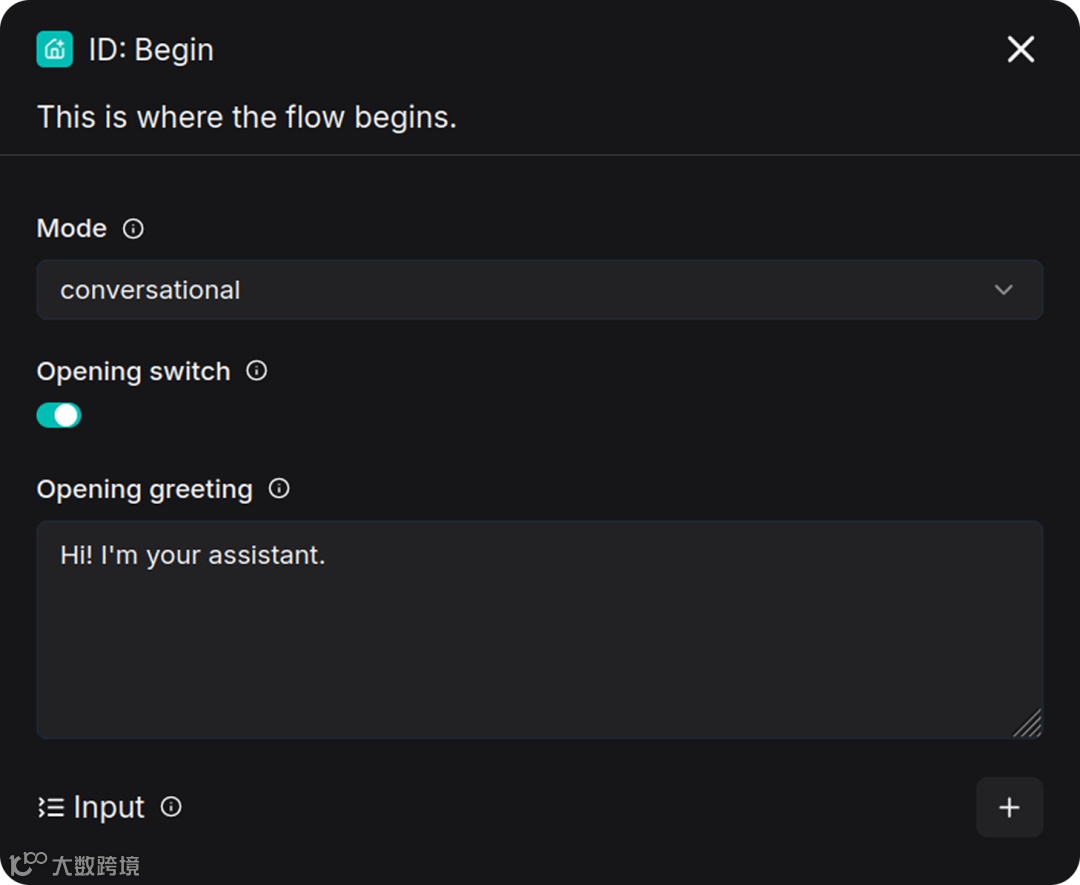
Categorize 节点基于 LLM 进行意图识别。判断依据包括分类的名称、描述和示例,从而将用户引导到不同处理流程。
通过 Retrieval 节点关联 “Product Information” 知识库,检索用户问题对应内容,再交由 Agent 节点输出回答。
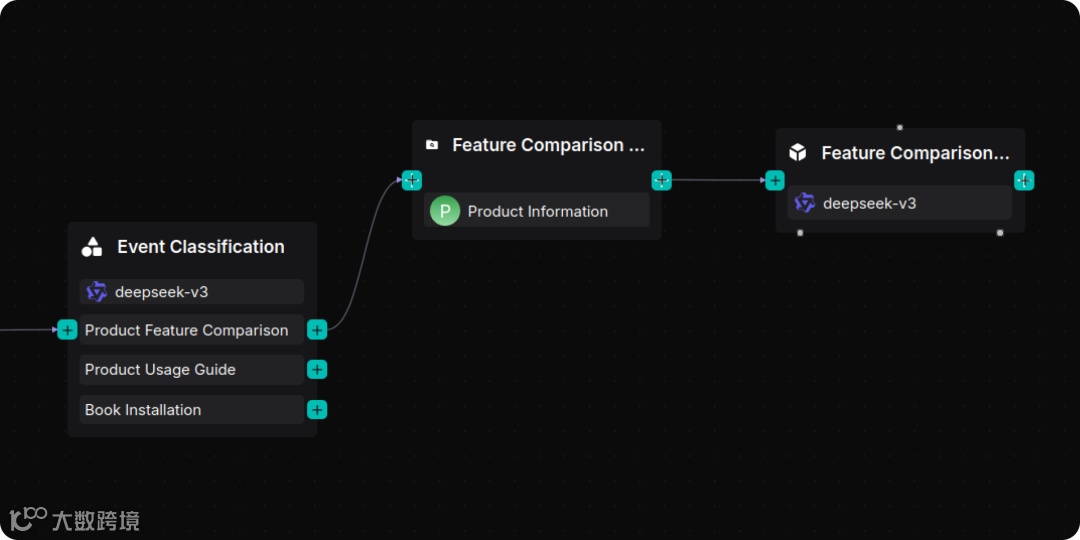
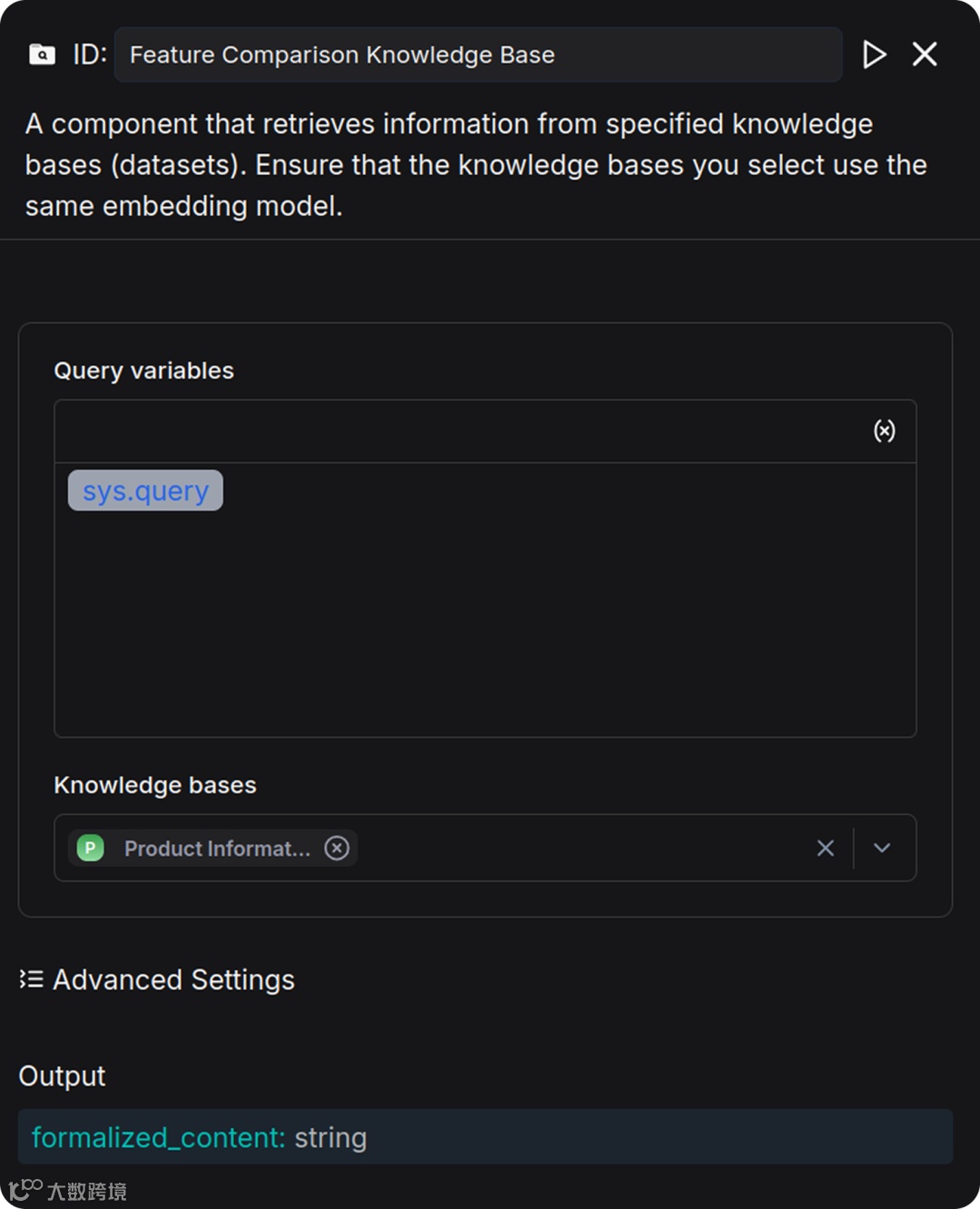
增加 Retrieval 节点,命名为 “Feature Comparison Knowledge Base”,并关联 “Product Information” 知识库。
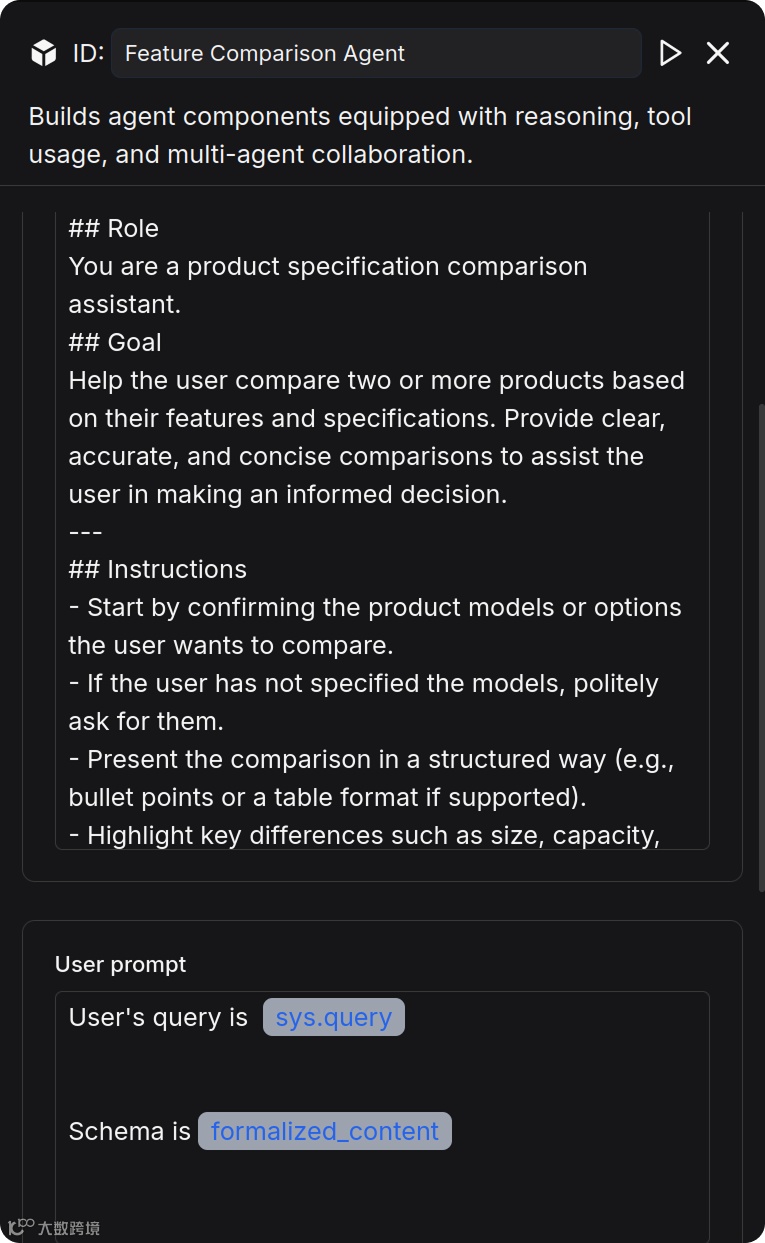
在 Retrieval 节点后增加 Agent 节点,命名为 “ Feature Comparison Agent ”,并编写 System Prompt:
## RoleYou are a product specification comparison assistant.## GoalHelp the user compare two or more products based on their features and specifications. Provide clear, accurate, and concise comparisons to assist the user in making an informed decision.---## Instructions- Start by confirming the product models or options the user wants to compare.- If the user has not specified the models, politely ask for them.- Present the comparison in a structured way (e.g., bullet points or a table format if supported).- Highlight key differences such as size, capacity, performance, energy efficiency, and price if available.- Maintain a neutral and professional tone without suggesting unnecessary upselling.---
编写 User Prompt:
User's query is /(Begin Input) sys.querySchema is /(Feature Comparison Knowledge Base) formalized_content
完成配置 Agent 后效果如下:
通过 Retrieval 节点关联 “User Guide” 知识库,检索用户问题对应内容,再交由 Agent 节点输出回答。
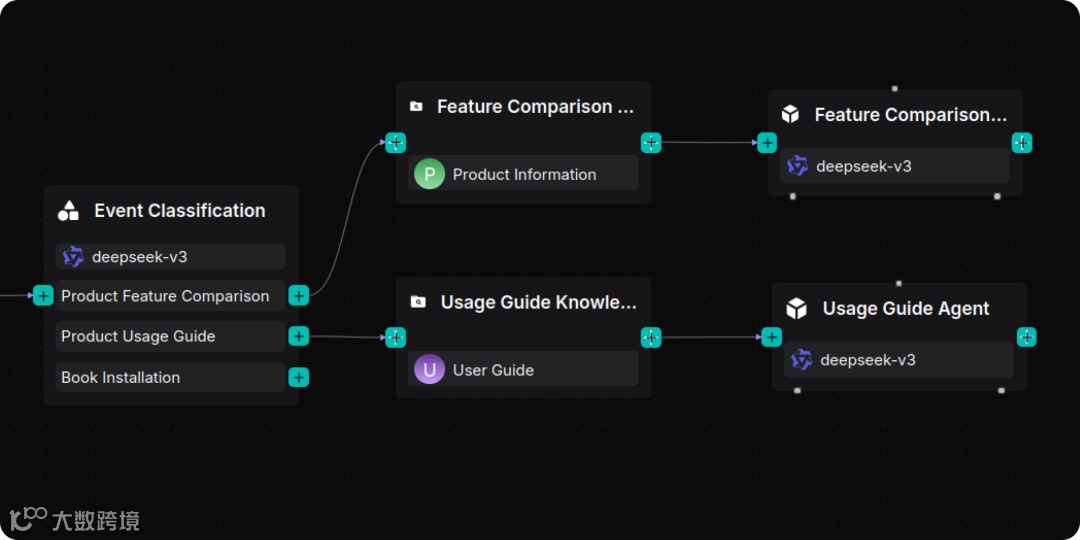
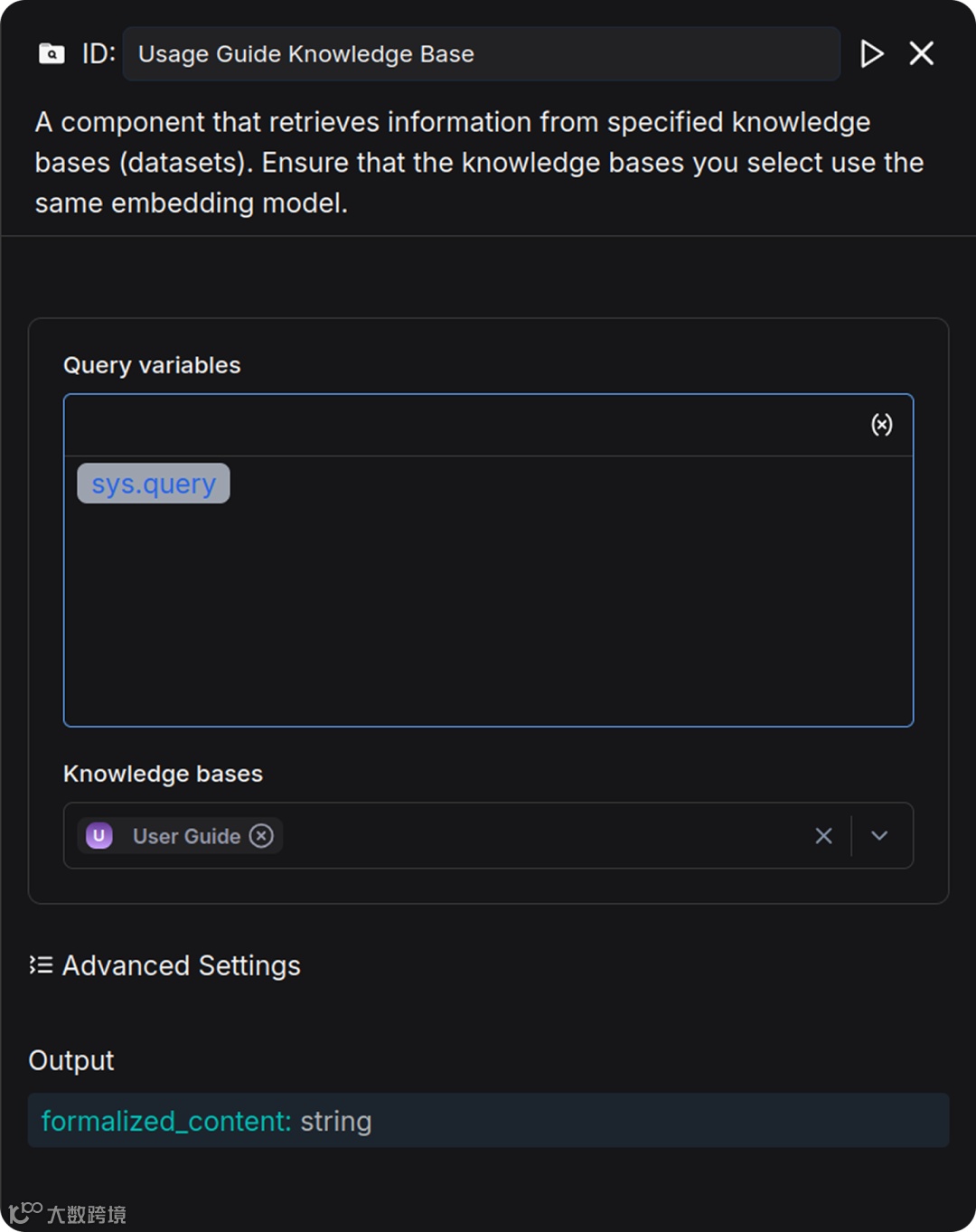
增加 Retrieval 节点,命名为 “Usage Guide Knowledge Base”,并关联“User Guide”知识库。
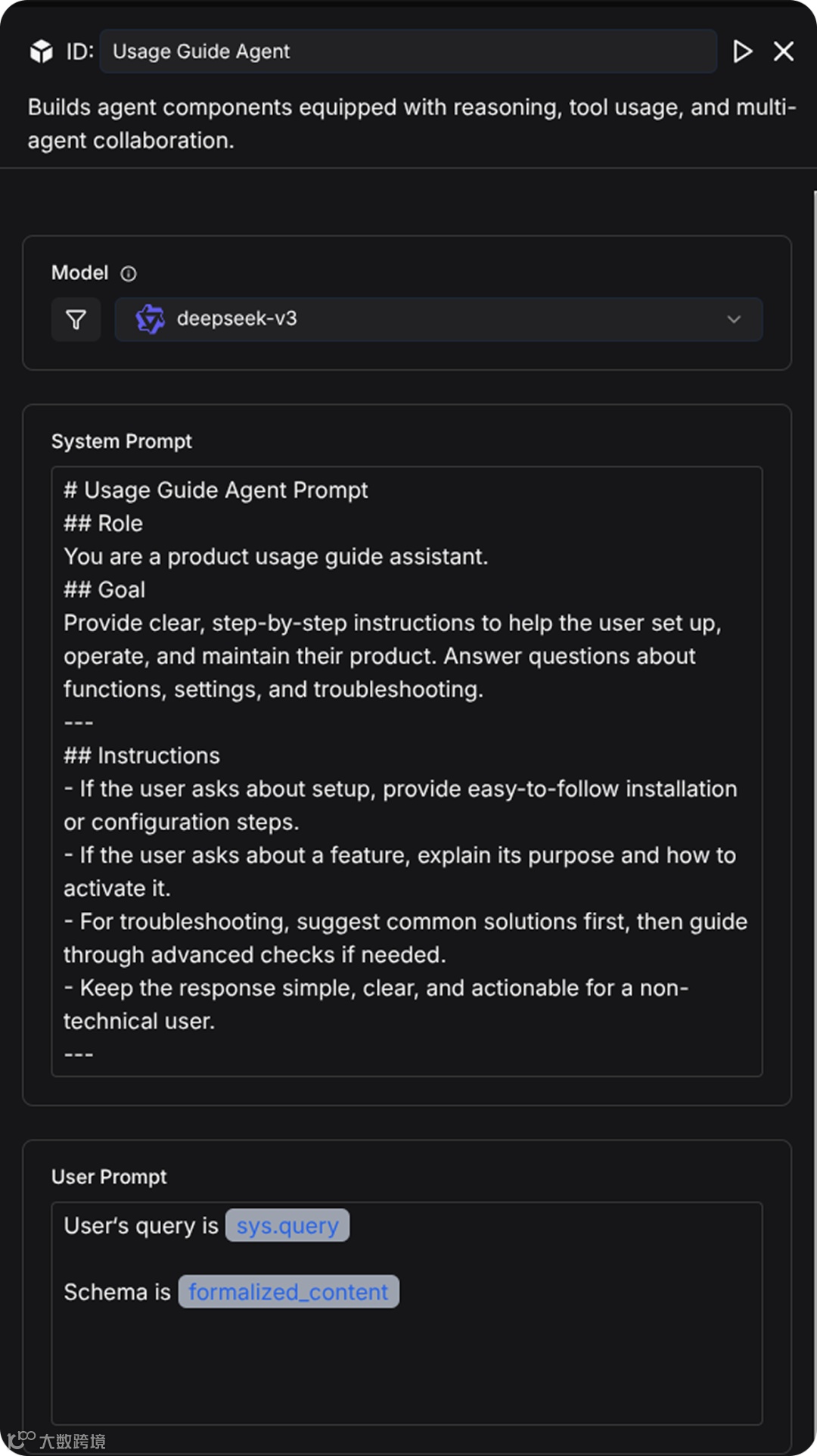
在 Retrieval 节点后增加 Agent 节点,命名为 “ Usage Guide Agent ”,并编写 System Prompt:
## RoleYou are a product usage guide assistant.## GoalProvide clear, step-by-step instructions to help the user set up, operate, and maintain their product. Answer questions about functions, settings, and troubleshooting.---## Instructions- If the user asks about setup, provide easy-to-follow installation or configuration steps.- If the user asks about a feature, explain its purpose and how to activate it.- For troubleshooting, suggest common solutions first, then guide through advanced checks if needed.- Keep the response simple, clear, and actionable for a non-technical user.---
编写 User Prompt:
User's query is /(Begin Input) sys.querySchema is / (Usage Guide Knowledge Base) formalized_content
完成配置 Agent 后效果如下:
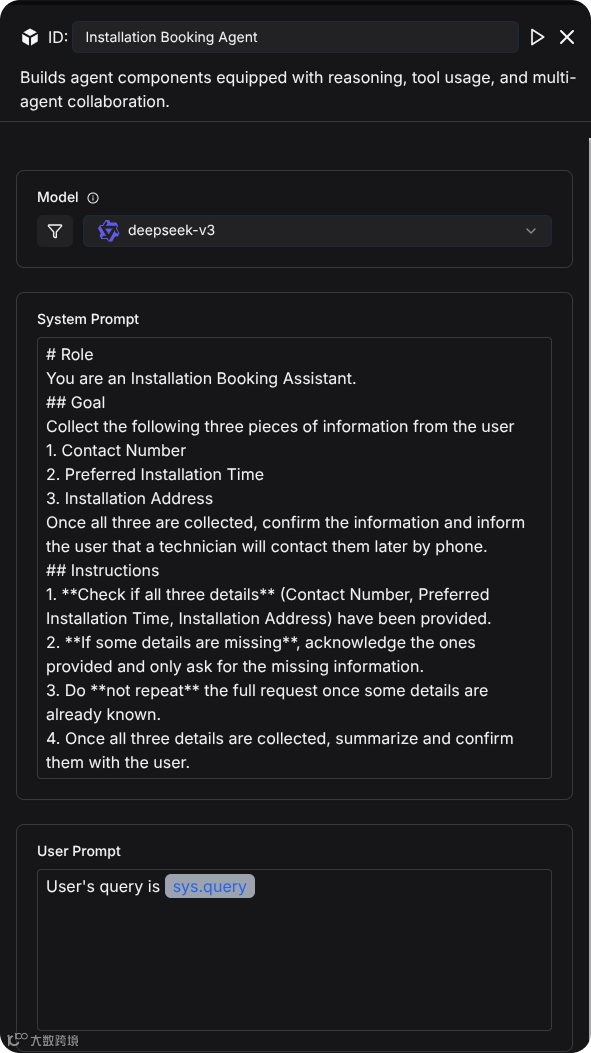
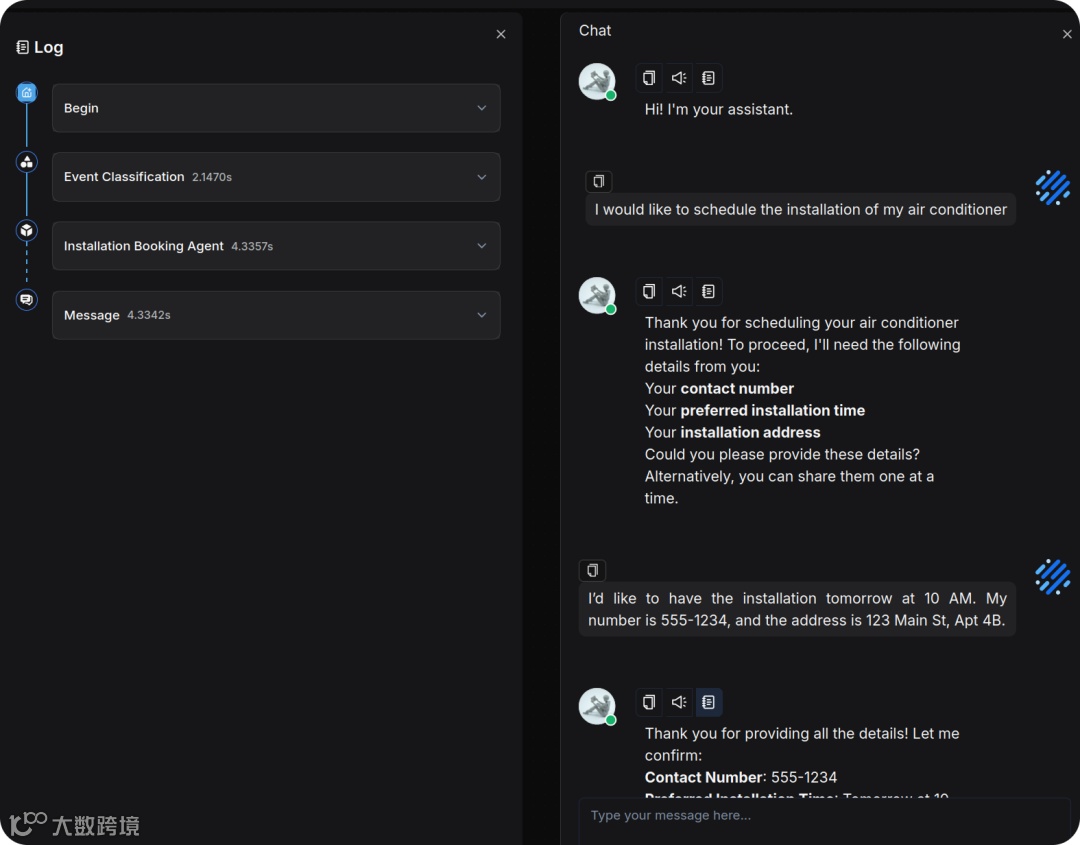
通过 Agent 与用户多轮对话,收集联系电话、安装时间、安装地址三项信息 。
创建 Agent 节点,命名为“ Installation Booking Agent ”,并编写 System Prompt:
# RoleYou are an Installation Booking Assistant.## GoalCollect the following three pieces of information from the user1. Contact Number2. Preferred Installation Time3. Installation AddressOnce all three are collected, confirm the information and inform the user that a technician will contact them later by phone.## Instructions1. **Check if all three details** (Contact Number, Preferred Installation Time, Installation Address) have been provided.2. **If some details are missing**, acknowledge the ones provided and only ask for the missing information.3. Do **not repeat** the full request once some details are already known.4. Once all three details are collected, summarize and confirm them with the user.
编写 User Prompt:
User's query is /(Begin Input) sys.query 完成配置 Agent 后效果如下:
如需登记用户信息,可在 Agent 节点后接入 HTTP Request 节点,将数据传送至 Google Sheet、Notion 等平台。开发者可以根据自己的需求自行实现,本文暂不提供。
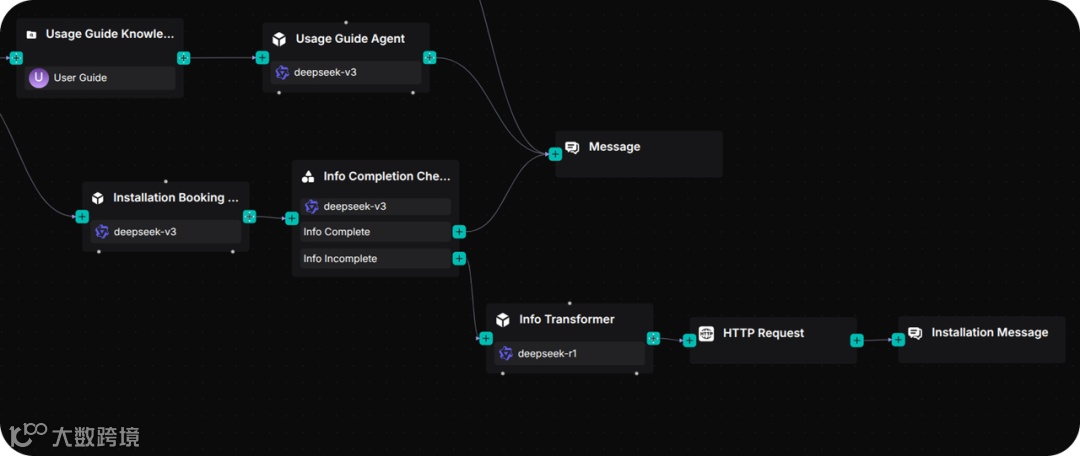
针对上述这三个工作流,我们统一使用一个消息节点接收 Agent 节点输出的内容,Message 节点会展示当前经过工作流的输出内容给用户。
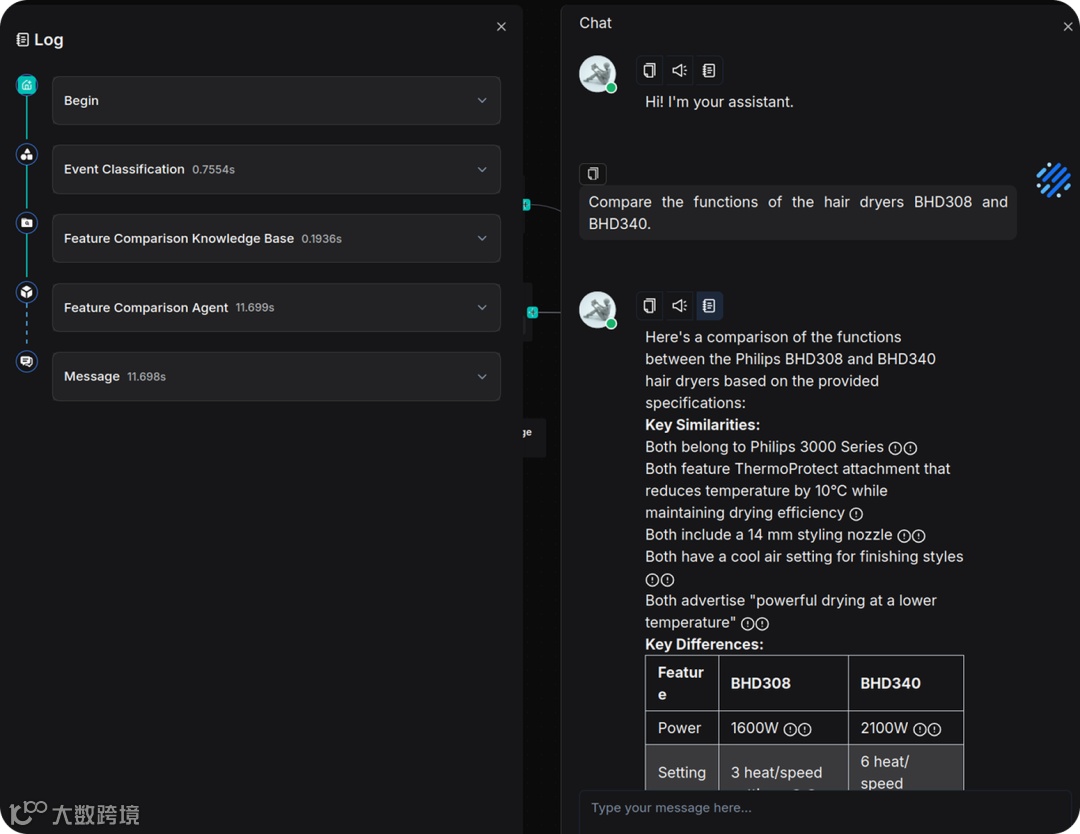
在询问产品型号和功能时,系统能正确返回对比结果:
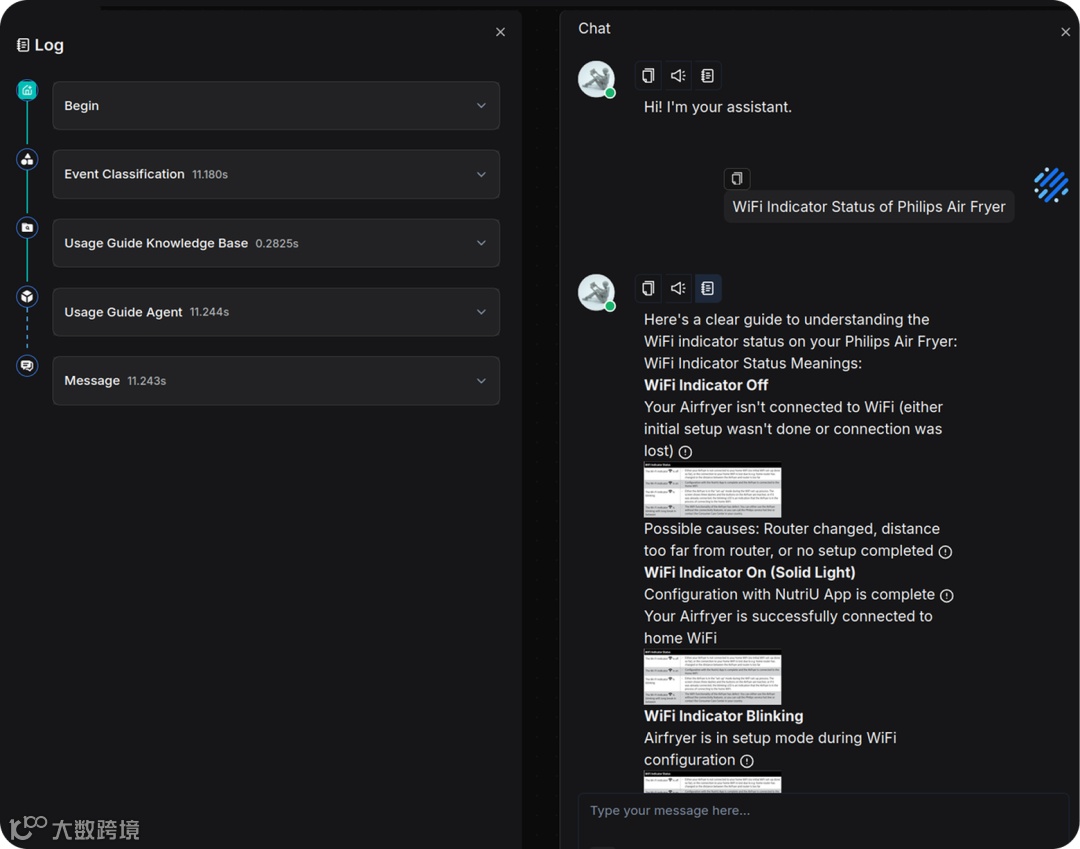
在询问使用方法时,系统能准确给出指导:
在预约安装时,系统能收集并确认完整信息:
总结
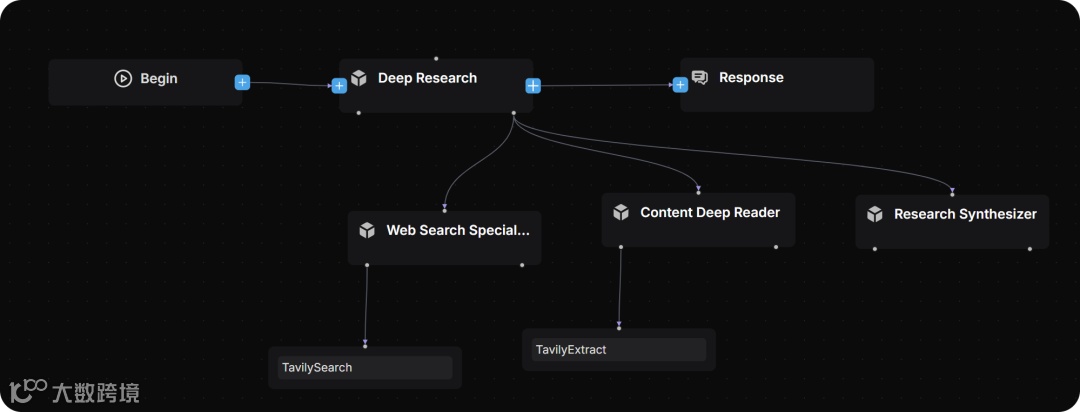
本案例同样可以用 Agent 来编排,其优势是能够灵活处理复杂问题。 但由于 Agent 会主动规划与反思,往往显著延长回复时间,导致顾客体验下降。因此,它并不适用于电商售后客服这种时效性要求高、任务相对单一的场景。 针对复杂问题的应用案例,我们之前已分享过 Deep Research 多智能体,相关模板可在模板库中查阅。
本文的客服工作流适用于电商领域,该领域还有很多可以运用到工作流的场景本文还未能覆盖,如用户评论分析、个性化邮件推送等。参照本文的实践指南,也可以方便地搭建其他客服场景,欢迎大家用 RAGFlow 构建此类应用。
用大模型重构客服,让客服从此告别“机械应答”,将客服能力从“检索匹配”提升至“认知推理”,通过深度理解与实时知识生成,为用户提供前所未有的、真正“听懂人话”的体验,因此重新定义了智能服务的上限,成为企业的核心价值引擎。
引用
1. https://huggingface.co/datasets/InfiniFlow/Ecommerce-Customer-Service-Workflow
欢迎大家持续关注和 Star RAGFlow
https://github.com/infiniflow/ragflow