大数跨境
0
0

大模型推理适配实战:手把手带你完成vLLM Ascend迁移实操

大模型推理适配实战:手把手带你完成vLLM Ascend迁移实操 CSDN技术社区
2025-12-04
0
导读:基于vLLM Ascend的大模型推理适配实战。
图片

今天这篇实用指南,聚焦基于vLLM Ascend的大模型推理适配实战,从环境配置、三种推理方式实操到模型上传、常见问题排查,一步步拆解落地全流程,让开发者能快速复刻、少踩坑。

以下为详细实践教程,欢迎进入魔乐社区官网实操体验:https://modelers.cn

图片

环境配置

基础环境选择

在魔乐社区选择合适的镜像创建体验空间,注意选择NPU算力资源,基础镜像选择vllm:openeuler-python3.9-cann8.2.RC1-openmind1.0.0,接入SDK选择Application,许可证可以随意选择,这里选择的是apache-2.0。

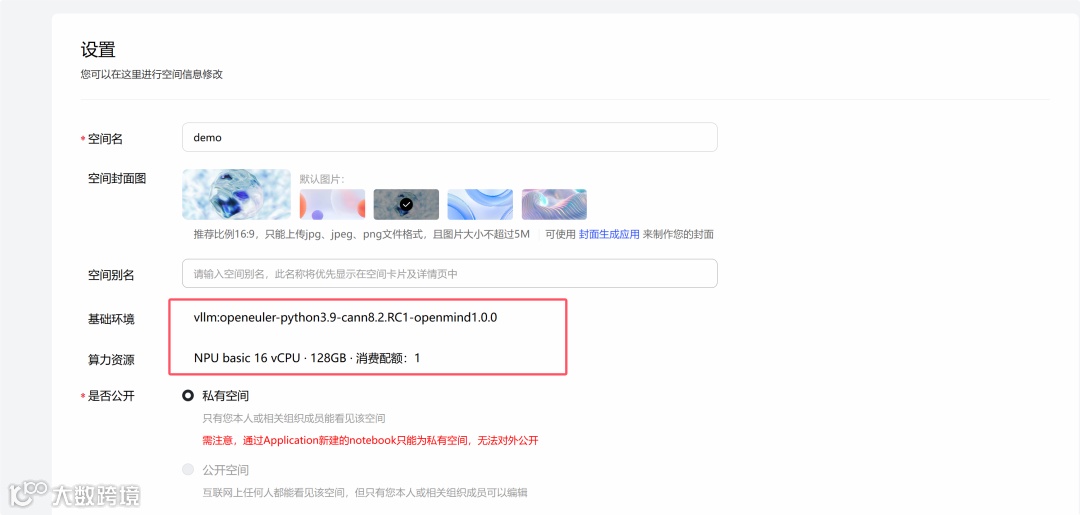
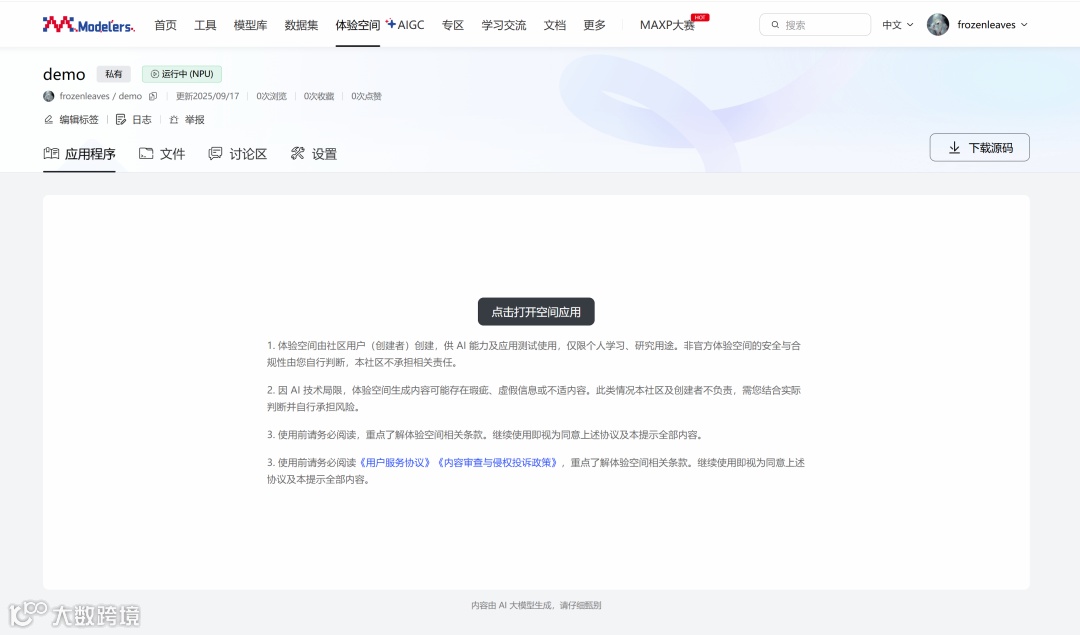
配置完体验空间后,等待镜像容器构建完成并启动后,在应用程序界面点击打开空间应用,输入界面提示的令牌即可进入jupyter lab。
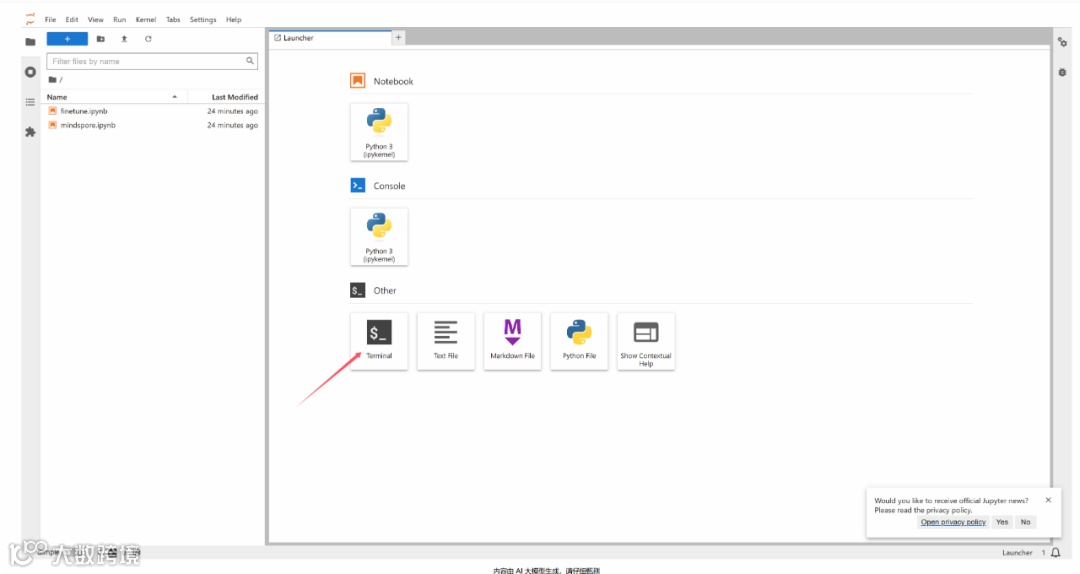
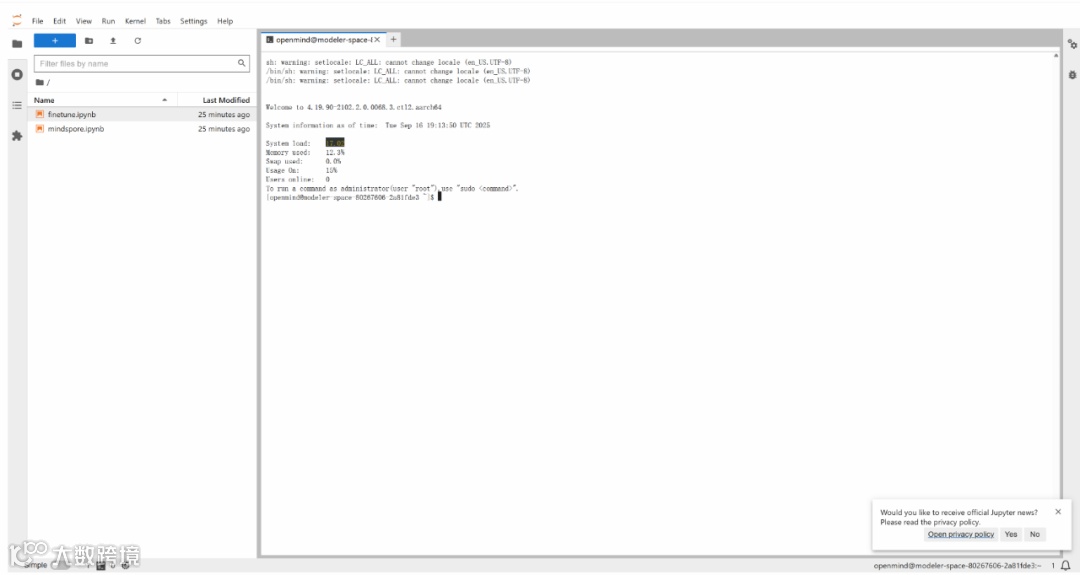
我们在jupyter lab中新建一个终端,除了文件上传下载操作,后续其他所有操作均在终端中进行。
依赖包安装

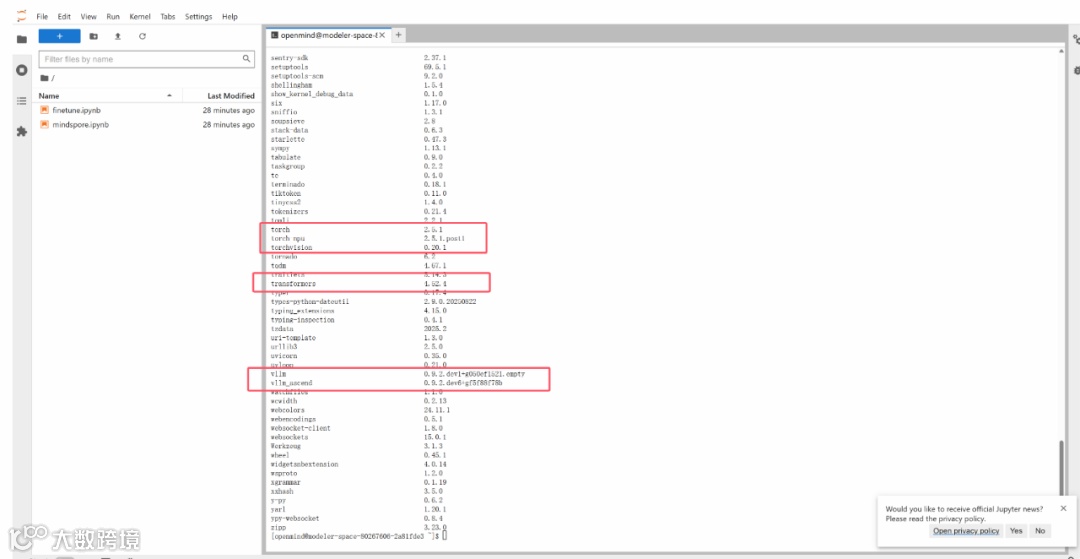
基础镜像中已经安装过vllm和vllm-ascend等基础包,仅需要安装llama factory及其依赖即可。
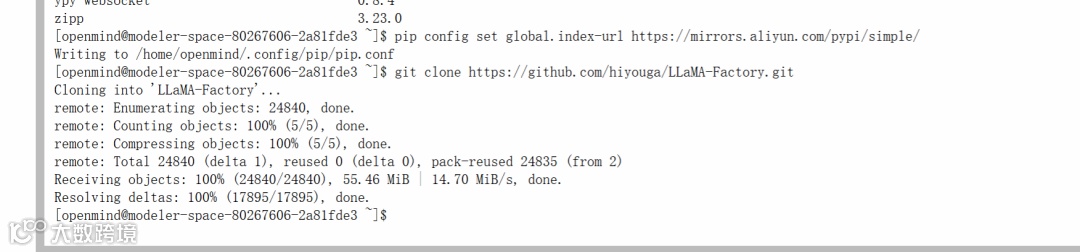
# 配置pip源

pip config set global.index-url https://mirrors.aliyun.com/pypi/simple/


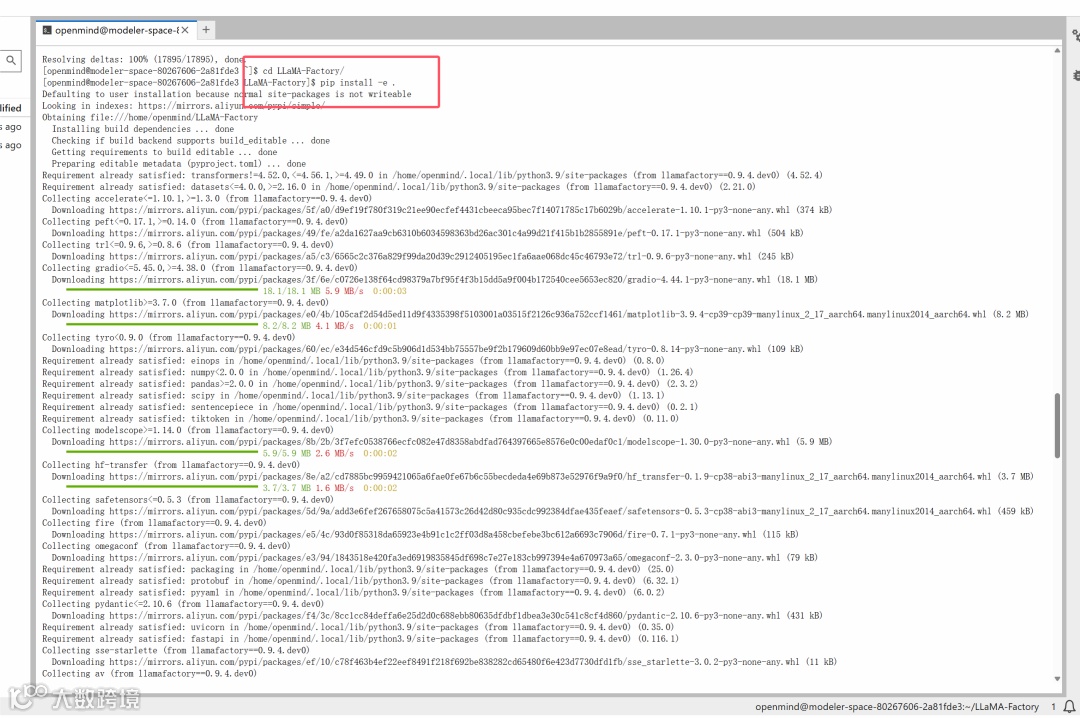
# 源码安装llama factory

git clone http://git.lcx.ac.cn:3000/frozenleaves/LLaMA-Factory

cd LLaMA-Factory

pip install -e .

环境校验

首先需要source cann包,这个步骤在新启动终端的时候都需要操作,执行如下命令:

source ~/Ascend/ascend-toolkit/set_env.sh

source ~/Ascend/nnal/asdsip/set_env.sh

source ~/Ascend/nnal/atb/set_env.sh

如果执行失败,请检查体验空间的配置,查看基础环境是否按照文档中基础配置选的,一定要严格按照文档的基础配置,进行环境配置。

在配置完成环境依赖后,可以启动python交互终端,导入torch、torch-npu、vllm以及vllm- ascend等包来校验环境是否可用。
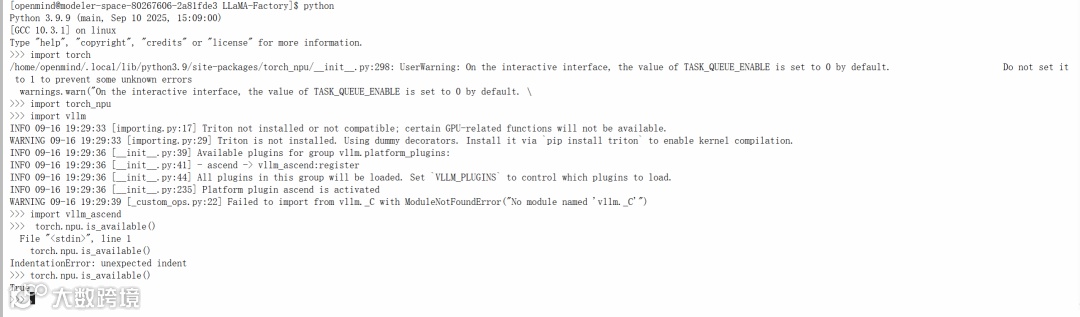
Python 3.9.9 (main, Sep 10 2025, 15:09:00) 

[GCC 10.3.1] on linux

Type "help", "copyright", "credits" or "license" for more information.

>>> import torch

/home/openmind/.local/lib/python3.9/site-packages/torch_npu/__init__.py:298: UserWarning: On the interactive interface, the value of TASK_QUEUE_ENABLE is set to 0 by default.                      Do not set it to 1 to prevent some unknown errors

  warnings.warn("On the interactive interface, the value of TASK_QUEUE_ENABLE is set to 0 by default. \

>>> import torch_npu

>>> import vllm

INFO 09-16 19:29:33 [importing.py:17] Triton not installed or not compatible; certain GPU-related functions will not be available.

WARNING 09-16 19:29:33 [importing.py:29] Triton is not installed. Using dummy decorators. Install it via `pip install triton` to enable kernel compilation.

INFO 09-16 19:29:36 [__init__.py:39] Available plugins for group vllm.platform_plugins:

INFO 09-16 19:29:36 [__init__.py:41] - ascend -> vllm_ascend:register

INFO 09-16 19:29:36 [__init__.py:44] All plugins in this group will be loaded. Set `VLLM_PLUGINS` to control which plugins to load.

INFO 09-16 19:29:36 [__init__.py:235] Platform plugin ascend is activated

WARNING 09-16 19:29:39 [_custom_ops.py:22] Failed to import from vllm._C with ModuleNotFoundError("No module named 'vllm._C'")

>>> import vllm_ascend

>>>  torch.npu.is_available()

  File "<stdin>", line 1

    torch.npu.is_available()

IndentationError: unexpected indent

>>> torch.npu.is_available()

True

>>> 

通过llamafactory-cli env校验llamafactory可用性。
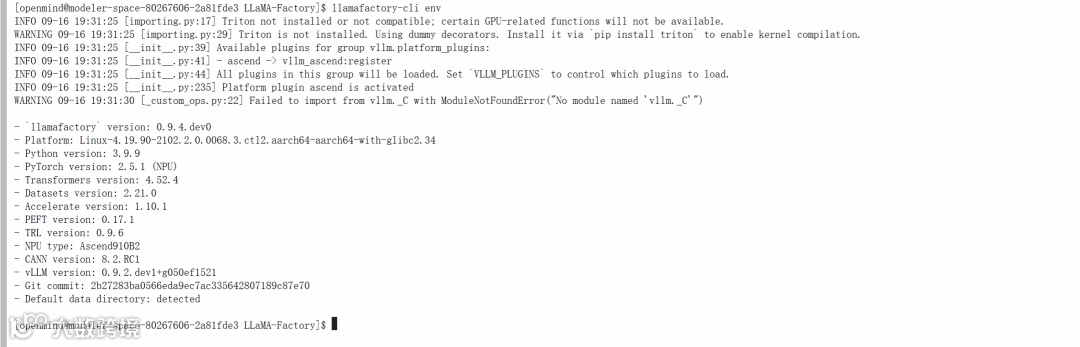
[openmind@modeler-space-80267606-2a81fde3 LLaMA-Factory]$ llamafactory-cli env

INFO 09-16 19:31:25 [importing.py:17] Triton not installed or not compatible; certain GPU-related functions will not be available.

WARNING 09-16 19:31:25 [importing.py:29] Triton is not installed. Using dummy decorators. Install it via `pip install triton` to enable kernel compilation.

INFO 09-16 19:31:25 [__init__.py:39] Available plugins for group vllm.platform_plugins:

INFO 09-16 19:31:25 [__init__.py:41] - ascend -> vllm_ascend:register

INFO 09-16 19:31:25 [__init__.py:44] All plugins in this group will be loaded. Set `VLLM_PLUGINS` to control which plugins to load.

INFO 09-16 19:31:25 [__init__.py:235] Platform plugin ascend is activated

WARNING 09-16 19:31:30 [_custom_ops.py:22] Failed to import from vllm._C with ModuleNotFoundError("No module named 'vllm._C'")


- `llamafactory` version: 0.9.4.dev0

- Platform: Linux-4.19.90-2102.2.0.0068.3.ctl2.aarch64-aarch64-with-glibc2.34

- Python version: 3.9.9

- PyTorch version: 2.5.1 (NPU)

- Transformers version: 4.52.4

- Datasets version: 2.21.0

- Accelerate version: 1.10.1

- PEFT version: 0.17.1

- TRL version: 0.9.6

- NPU type: Ascend910B2

- CANN version: 8.2.RC1

- vLLM version: 0.9.2.dev1+g050ef1521

- Git commit: 2b27283ba0566eda9ec7ac335642807189c87e70

- Default data directory: detected

图片

模型推理部署

完成上述环境配置后,我们可以下载权重来部署模型推理服务

权重下载

我们可以通过如下命令来下载Qwen2.5-VL-3B-Instructd的模型权重:
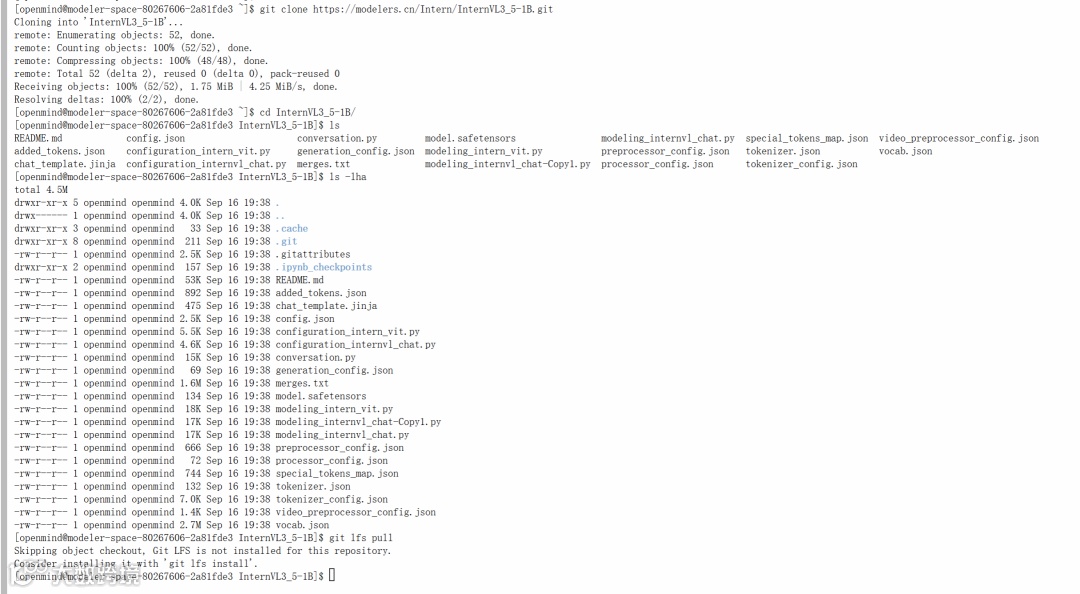
git clone https://modelers.cn/PyTorch-NPU/Qwen2.5-VL-3B-Instruct.git

git clone https://modelers.cn/Intern/InternVL3_5-1B.git


"""由于使用了LFS大文件追踪,直接通过上述命令clone下来的权重可能不包含大文件,需要分别进入到每个仓库根目录下执行git lfs install 和git lfs pull命令"""

更多的模型可以在魔乐社区模型库下载:https://modelers.cn/models。

在准备好环境和所需的模型权重之后,可以通过如下方式部署推理服务:

交互式终端推理

通过LLama- Factory的chat接口打开交互对话终端:

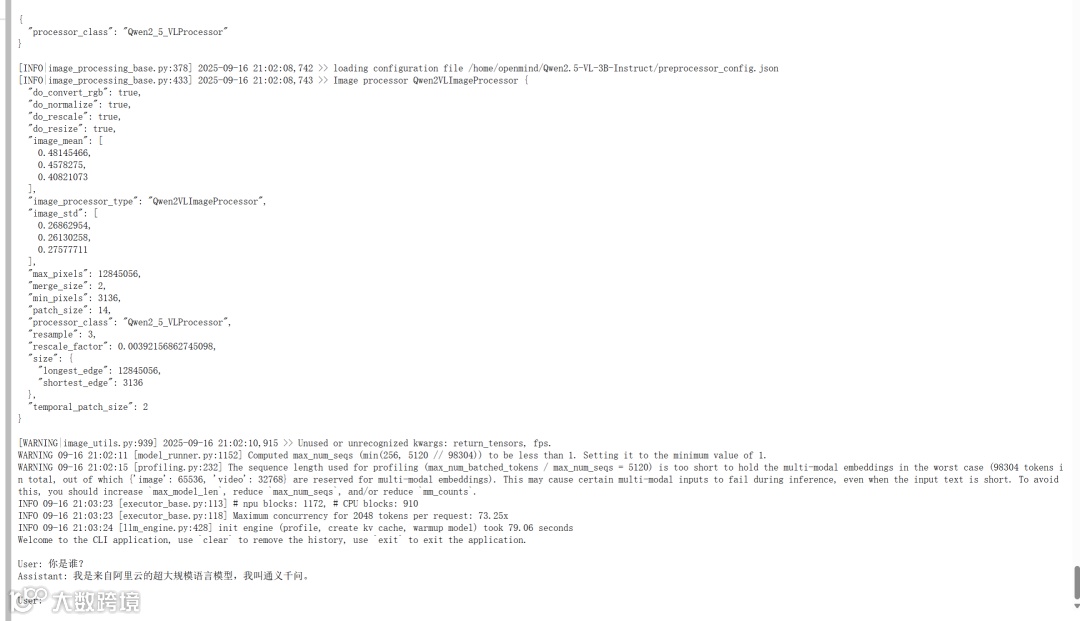
通过llamafactory的cli chat接口,可以启动交互式推理终端窗口。

llamafactory-cli chat需要一个yaml配置文件来指定模型路径等参数
# inference.yaml

model_name_or_path: /home/openmind/Qwen2.5-VL-3B-Instruct/

template: qwen2_vl

infer_backend: vllm  # choices: [huggingface, vllm]

trust_remote_code: true

infer_dtype: bfloat16

vllm_gpu_util: 0.9

vllm_enforce_eager: true

vllm_maxlen: 2048


llamafactory-cli chat inference.yaml


在线推理

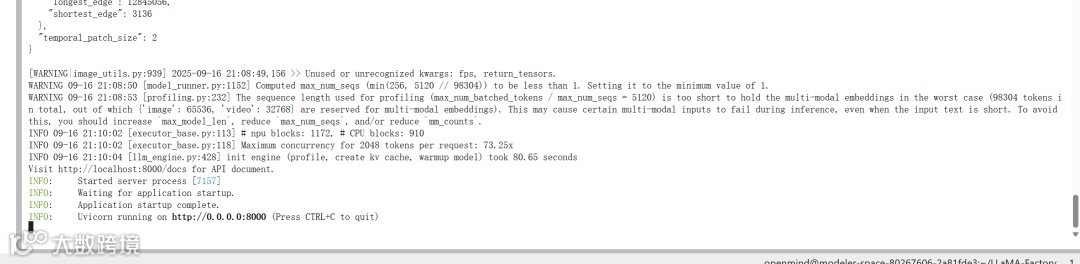
1.通过LLama-Factory部署 OpenAI API服务:

# 以vllm为推理后端

API_PORT=8000 llamafactory-cli api inference.yaml infer_backend=vllm vllm_enforce_eager=true


# 以huggingface为推理后端,需要

API_PORT=8000 llamafactory-cli api inference.yaml infer_backend=huggingface

注:通过llama factory部署InternVL3_5系列模型存在bug,该模型暂时推荐使用vllm直接拉起服务,参见:https://github.com/hiyouga/LLaMA-Factory/issues/9080。

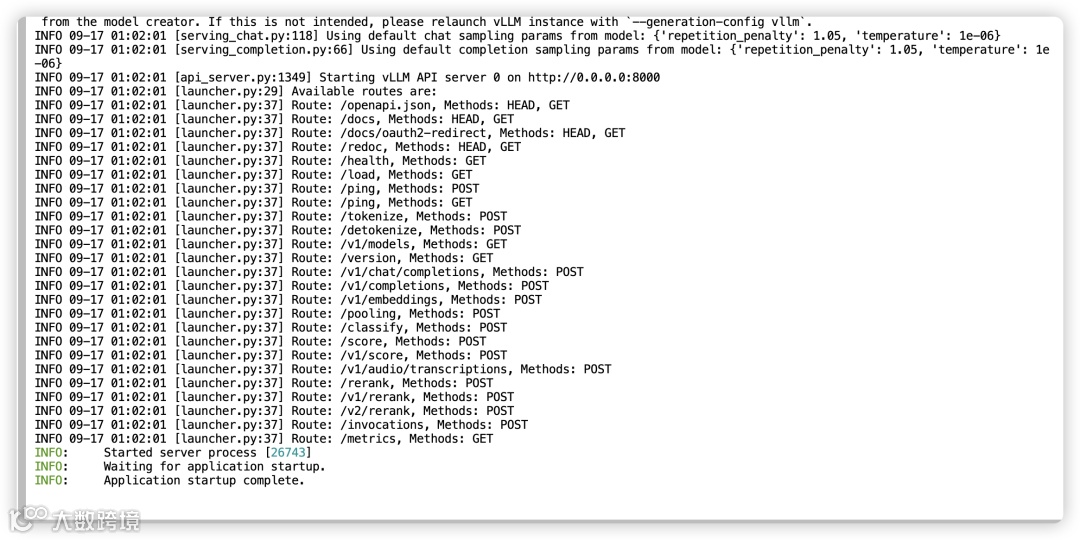
2.通过vllm直接拉起服务:
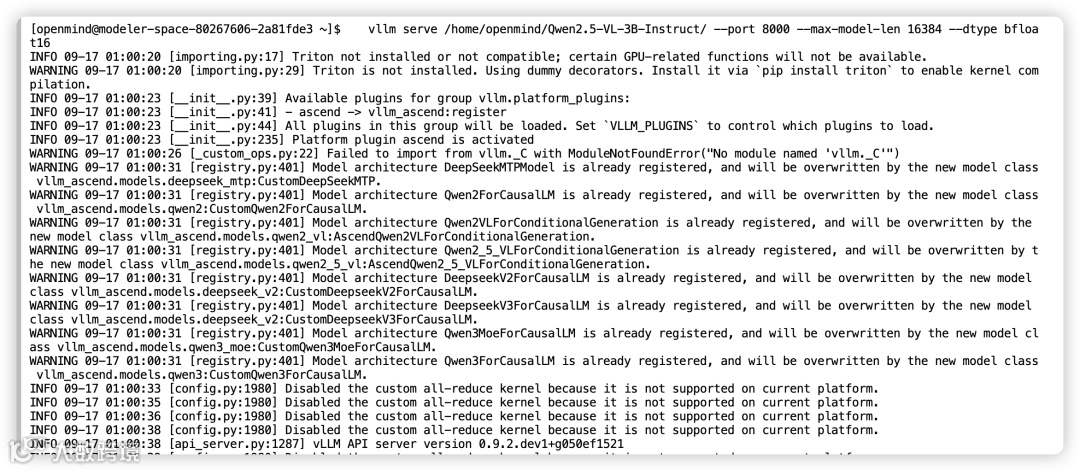
vllm serve /home/openmind/Qwen2.5-VL-3B-Instruct/ --port 8000 --max-model-len 16384 --dtype bfloat16

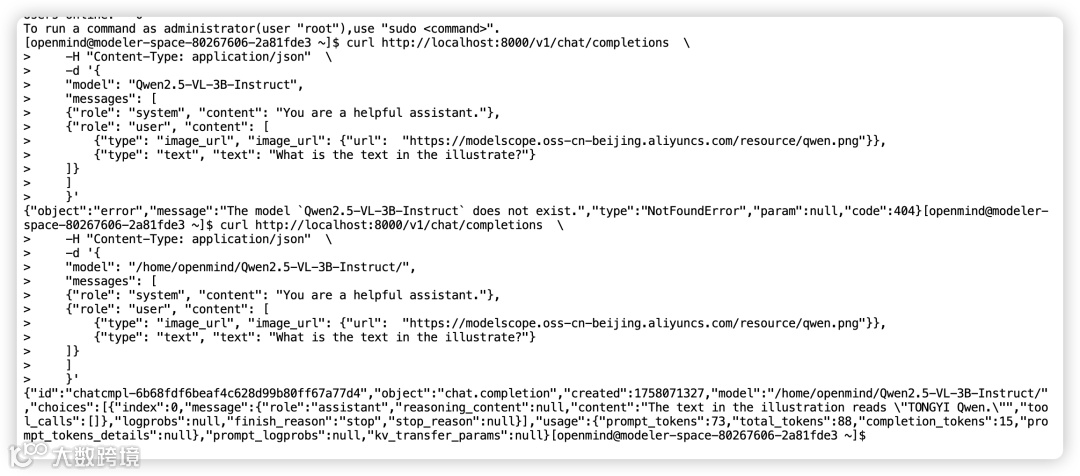
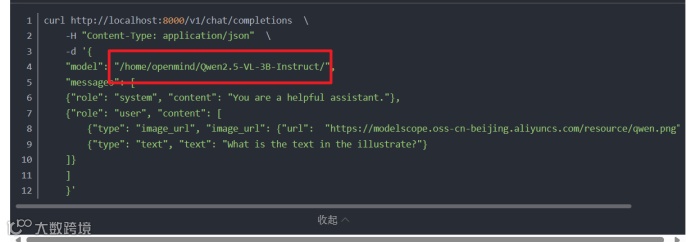
在完成模型部署后,即可通过curl发起post请求来进行推理,或者通过任何与OpenAI兼容的客户端发起推理请求。此处仅以curl请求为例:

curl http://localhost:8000/v1/chat/completions  \

    -H "Content-Type: application/json"  \

    -d '{

    "model": "/home/openmind/Qwen2.5-VL-3B-Instruct/",

    "messages": [

    {"role": "system", "content": "You are a helpful assistant."},

    {"role": "user", "content": [

        {"type": "image_url", "image_url": {"url":  "https://modelscope.oss-cn-beijing.aliyuncs.com/resource/qwen.png"}},

        {"type": "text", "text": "What is the text in the illustrate?"}

    ]}

    ]

    }'

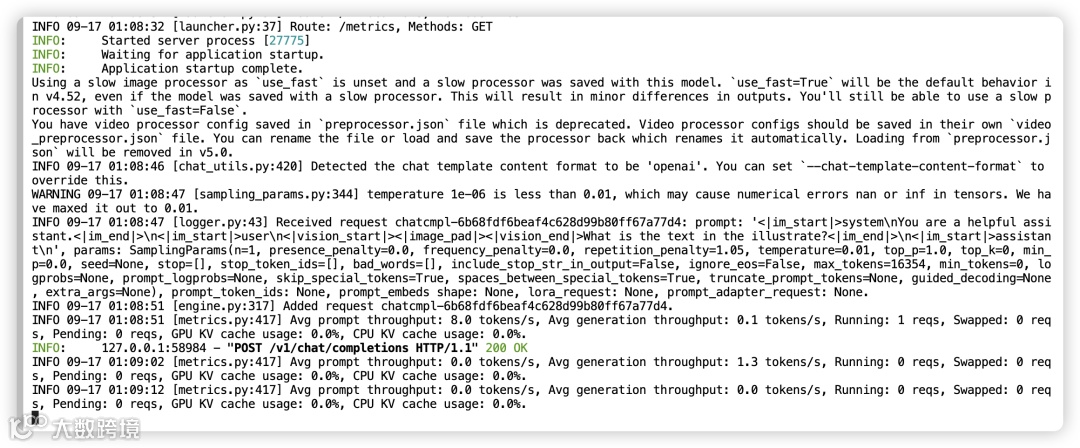
服务端输出

客户端输出

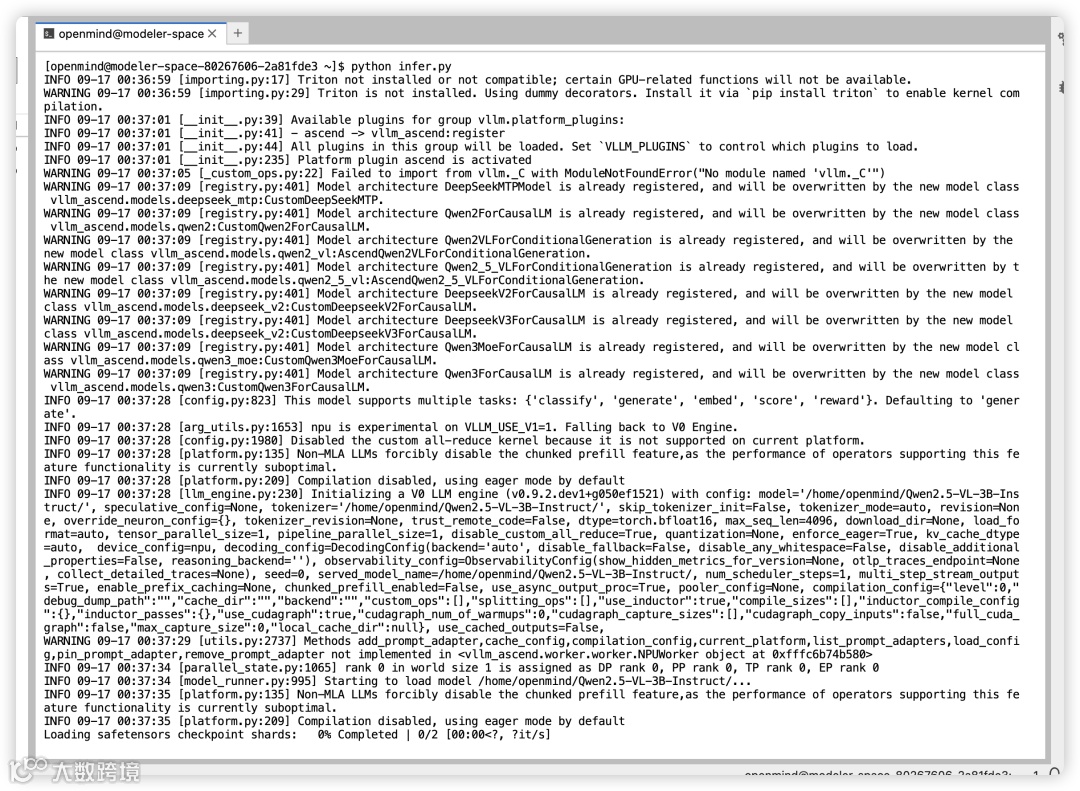
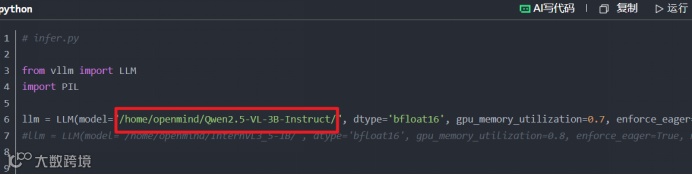
离线推理

# infer.py


from vllm import LLM

import PIL


llm = LLM(model="/home/openmind/Qwen2.5-VL-3B-Instruct/", dtype='bfloat16', gpu_memory_utilization=0.7, enforce_eager=True, max_model_len=15565)

#llm = LLM(model="/home/openmind/InternVL3_5-1B/", dtype='bfloat16', gpu_memory_utilization=0.8, enforce_eager=True, max_model_len=2048)


# 参考 HuggingFace 仓库以使用正确的格式

prompt = "user:\n<image>这张图片描述了什么" # InternVL3_5采用<image>作为占位符

prompt = "user:\n<|image_pad|>这张图片是什么" # Qwen2.5-VL采用<|image_pad|>作为占位符


"""

当用错了占位符,会在生成内容的时候出现异常:

 RuntimeError: Expected there to be 1 prompt updates corresponding to 1 image items, but instead found 0 prompt updates!

This is likely because you forgot to include input placeholder tokens (e.g., `<image>`, `<|image_pad|>`) in the prompt.

 If the model has a chat template, make sure you have applied it before calling `LLM.generate`.

"""


# 使用 PIL.Image 加载图像

image = PIL.Image.open("/home/openmind/LLaMA-Factory/data/mllm_demo_data/1.jpg")


# 单提示词推理

outputs = llm.generate({

    "prompt": prompt,

    "multi_modal_data": {"image": image},

})


for o in outputs:

    generated_text = o.outputs[0].text

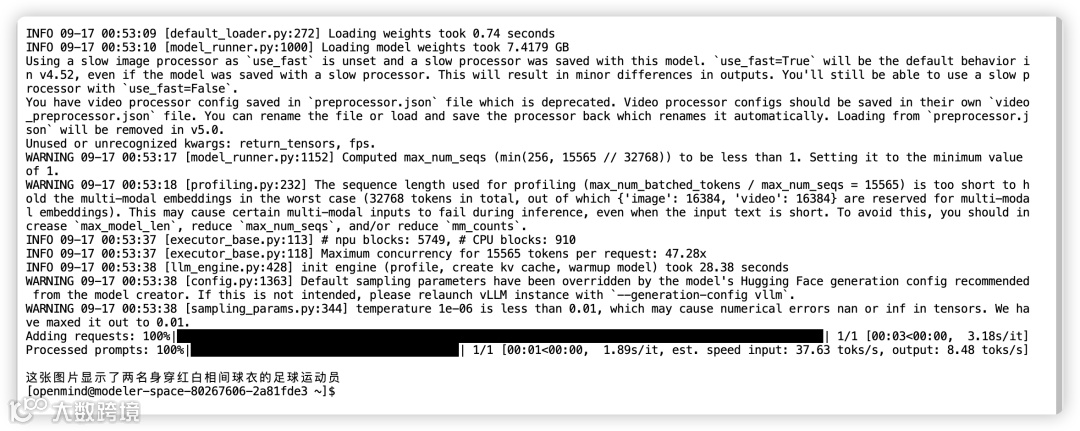
    print(generated_text)

更多离线推理样例可以参见:https://vllm.hyper.ai/docs/inference-and-serving/multimodal_inputs。

至此,基于魔乐社区体验空间部署多模态模型推理服务已经全部完成,接下来,是将验证适配可用的模型上传至魔乐社区模型库,分享给更多的用户。

图片

模型上传

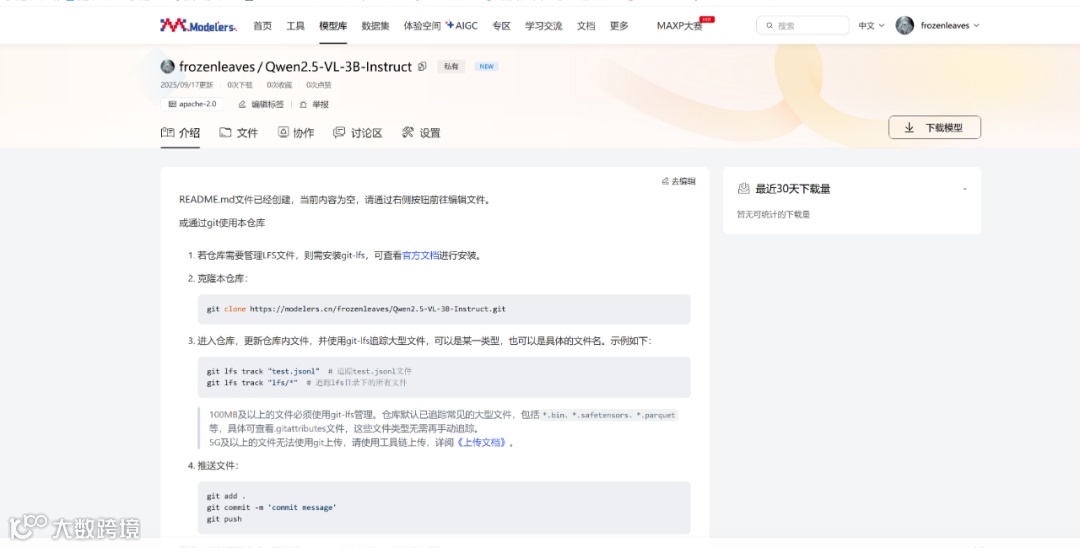
首先,在魔乐社区主页个人中心,点击创建模型

然后按照要求填写基本信息,点击创建,这样就在魔乐社区的模型库里创建了一个新的仓库。
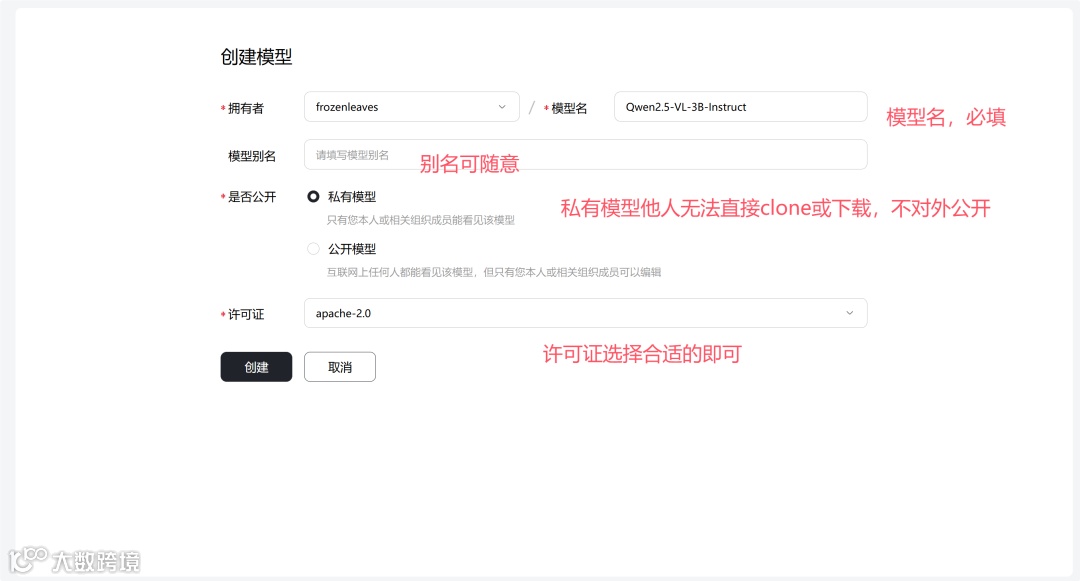
但是此时这个仓库是空的,还需要将权重等模型文件上传至这个仓库。上传详细教程可参见此处,此次以Git工具上传作为演示。
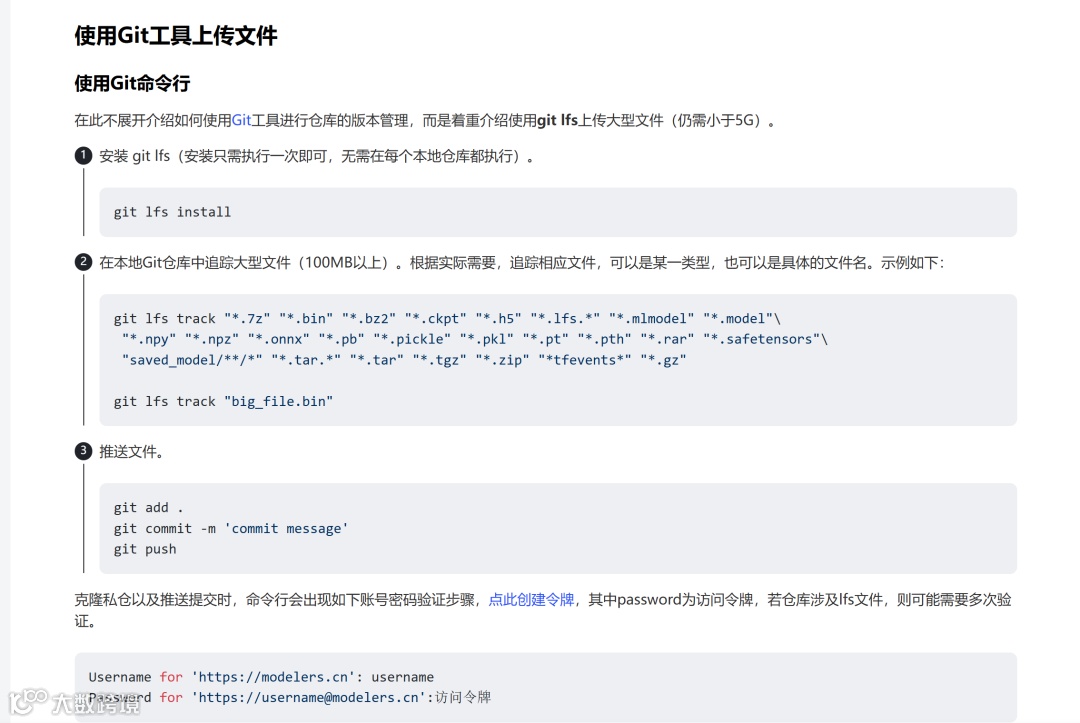
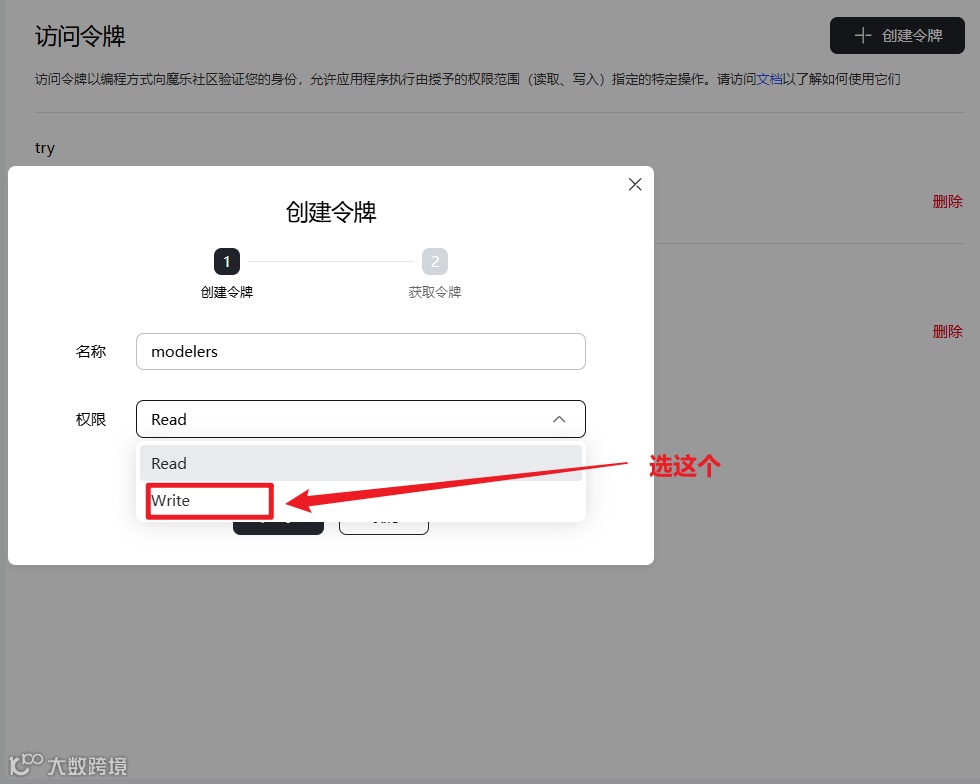
为了将本地文件上传至模型仓库,首先需要在个人中心创建一个权限为write的令牌,用于授权写入该仓库。
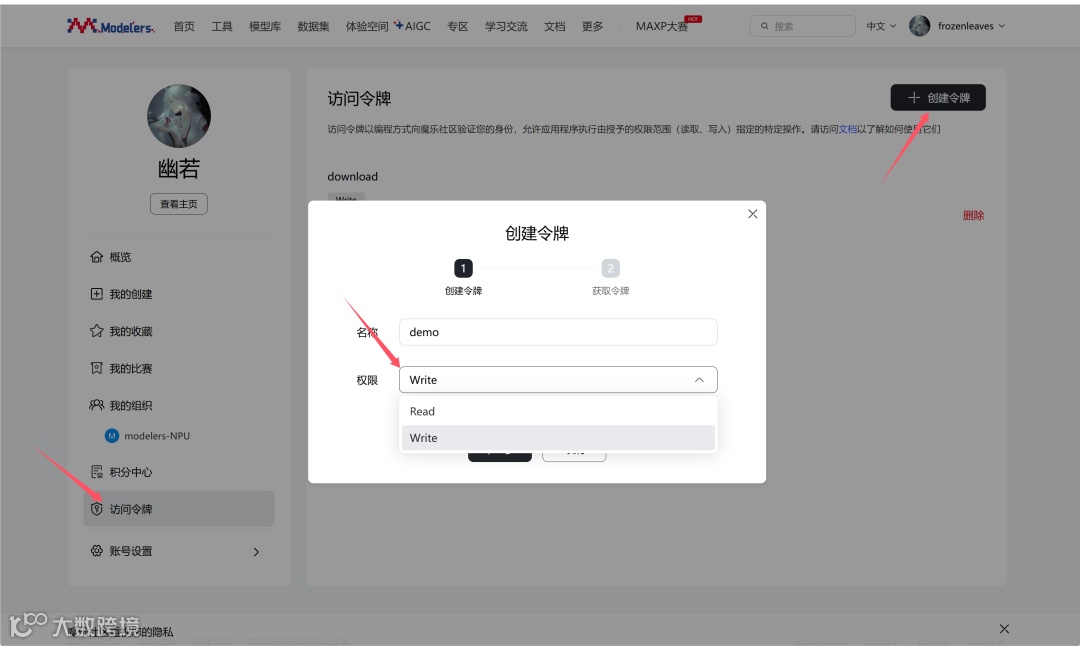
保存好该令牌,然后在本地仓库执行如下命令:

fastapi

uvicorn

sse-starlette

pydantic

requests

transformers==4.47.1

git clone https://modelers.cn/frozenleaves/Qwen2.5-VL-3B-Instruct.git

cd Qwen2.5-VL-3B-Instruct/

# cp权重文件到此目录

git lfs track "*.7z" "*.bin" "*.bz2" "*.ckpt" "*.h5" "*.lfs.*" "*.mlmodel" "*.model"\

 "*.npy" "*.npz" "*.onnx" "*.pb" "*.pickle" "*.pkl" "*.pt" "*.pth" "*.rar" "*.safetensors"\

 "saved_model/**/*" "*.tar.*" "*.tar" "*.tgz" "*.zip" "*tfevents*" "*.gz"

git add .

git commit -m "init commit"

git push

# 推送提交时,命令行会出现输入账号密码的提示,其中password处需要输入访问令牌,可以点此创建令牌。

# 若仓库涉及lfs文件,则可能需要多次验证。

至此,模型上传完成,后续如有修改,重复上述push操作即可。

图片

常见问题

地址问题

在创建inference.yaml文件时候,在如下地方填写自己的模型地址:
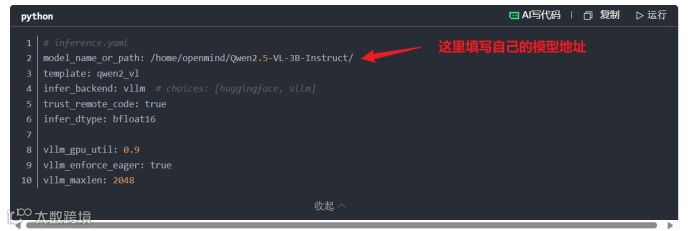
找到模型地址方式:我们可以先cd进入模型的根目录,然后使用pwd命令查看本地路径;

注意:我们复制路径后最后面是没有/的需要我们自己加上。

下面的模型地址必须都是自己当前的模型所在地址:

如果大家不想怎么麻烦,我们可以在执行完安装llama factory后cd出来到根目录再执行后面的操作。

新终端问题

如果大家重新开了一个新的终端运行的时候一定要重新运行以下启动命令:

运行成功之后再执行其他任务。

导包问题

如果大家在进入python环境后,使用import torch命令的时候,发现报not torch_npu错误我们先ctrl+D退出,然后在终端输入pip list查看以下是否存在torch_npu,如果存在我们再运行一遍以下命令:

之后再去python环境,运行一次import torch命令,如果还是报错,就将环境重新构建。

最后最重要的点,不要擅自更新环境和包,不然会产生冲突,一定不要擅自更新环境和包,如果更新了,就删除空间重新构建。

模型缺失问题

在进行模型的拉取的时候完之后,一定要按照注释的内容将模型拉取过来:

"""由于使用了LFS大文件追踪,直接通过上述命令clone下来的权重可能不包含大文件,

需要分别进入到每个仓库根目录下执行git lfs install 和git lfs pull命令"""

如果拉取失败,是因为云端模型需要 clone 到根目录下,否则会导致无法push,所以一定要进入到模型的根目录下,进行上面注释的命令。

上传失败

现在上传失败,如果出现权限不够的情况,很有可能是大家在创建访问令牌时,选择了read,我们这里一定要选择write。
【声明】内容源于网络
0
0
CSDN技术社区
内容 589
粉丝 0
CSDN技术社区
总阅读22
粉丝0
内容589