


dotnet-exec 0.12.0 released
Intro
dotnet-exec 是一个 C# 程序的小工具,可以用来运行一些简单的 C# 程序而无需创建项目文件,让 C# 像 python/nodejs 一样简单,而且可以自定义项目的入口方法,支持但不限于 Main 方法。
Install/Update
dotnet-exec 是一个 dotnet tool,可以使用安装 dotnet tool 的命令来安装
安装/更新最新稳定版本:
dotnet tool update -g dotnet-execute
安装最新的 preview 版本:
dotnet tool update -g dotnet-execute --prerelease
执行 dotnet-exec -h 或者 dotnet-exec --help 即可看到一些使用说明

Features
Config profile
在这个版本中我们加入了一个 config profile 的功能,我们可以将常用的选项配置保存到一个 profile 中,这样我们就可以直接重用 profile 就可以了就不需要每次都用,我们可以使用 dotnet-exec profile --help 查看使用帮助
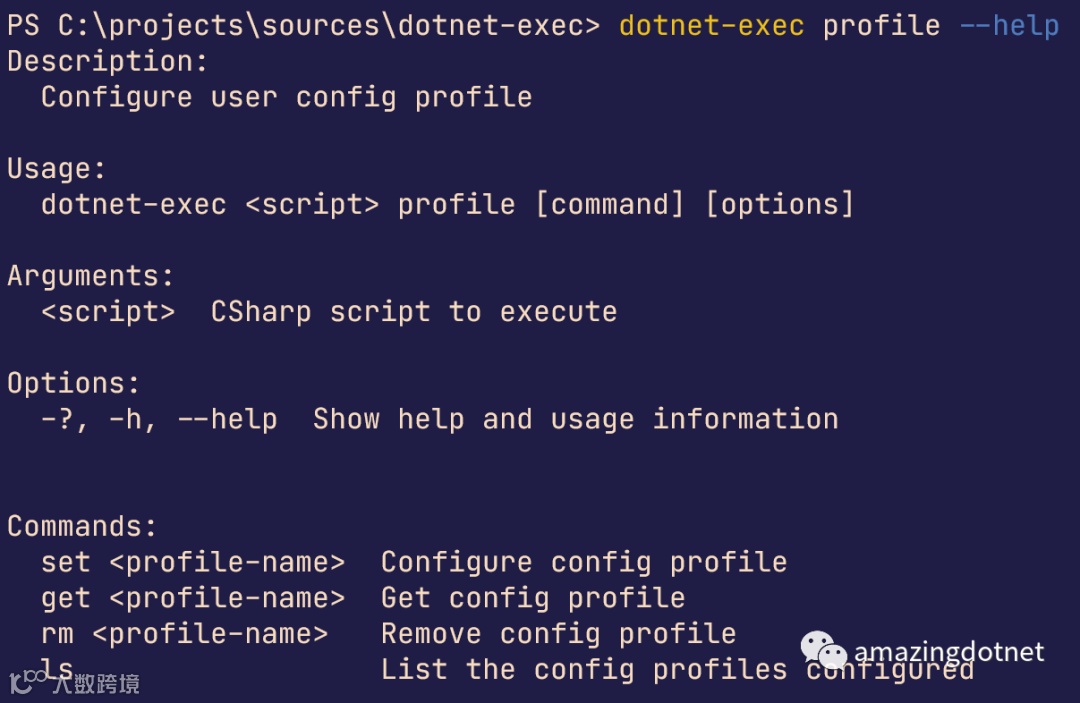
可以使用 ls 命令列出所有的 profiles
dotnet-exec profile ls
使用 get 命令获取 profile 的详细配置:
dotnet-exec profile get web
使用 set 命令来配置 profile 对应的配置:
dotnet-exec profile set web -r "nuget:WeihanLi.Web.Extensions" -u 'WeihanLi.Web.Extensions' --web --wide false
使用 rm 命令来删除某一个 profile 的配置
dotnet-exec profile rm web
在执行代码的时候可以通过 --profile 指定要使用的 profile 配置,也可以额外补充 using 以及 reference 信息,也可以移除 profile 中的某一个 using 或者 reference
dotnet-exec 'WebApplication.Create().Chain(_=>_.MapRuntimeInfo()).Run();' --profile web --using 'WeihanLi.Extensions'

Additional script for scripts
在之前版本中增加了对代码的依赖支持,但是,script 的漏掉了,在这个版本中补充了上去
一个简单的示例如下:

需要注意的是 script 的依赖也是script代码有一些特殊,不能包含命名空间声明的操作,否则会报错
Gitee url transform
在之前的版本中我们已经添加了对于 github 和 gist 的支持,在这个版本中增加了对 gitee 的支持
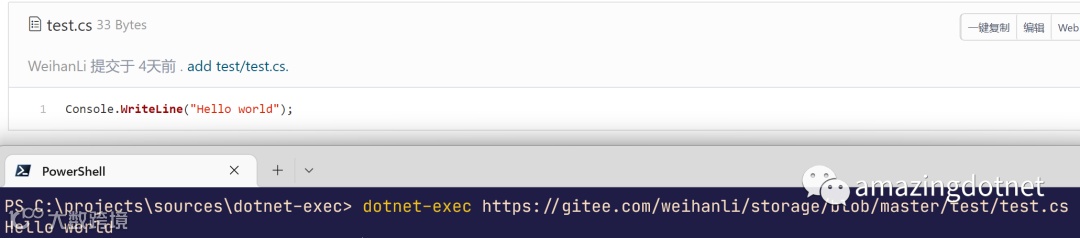
在请求 https://gitee.com/weihanli/storage/blob/master/test/test.cs 的时候会自动转换成 https://gitee.com/weihanli/storage/raw/master/test/test.cs
执行结果如下:
Reference && Using enhancements
在之前的版本中我们不支持 reference 的 remove,添加了 profile 功能之后有些 reference 可能会希望执行的时候移除掉,所以在新的版本中支持了 reference 的 remove,移除的时候和 using 类似,以 - 开头即可,另外移除的优先级比较高,如果既有添加又有移除最终会被移除,示例如下:
移除 using

移除 reference

在新的版本中支持了从 project file 解析 project 引用,但只支持本地的 project file,远程的 project file 不支持,因为要 build 项目,项目不在本地无法进行 build
另外改进了一下 framework reference,针对某个 framework 的引用会自动尝试加载隐式命名空间引用
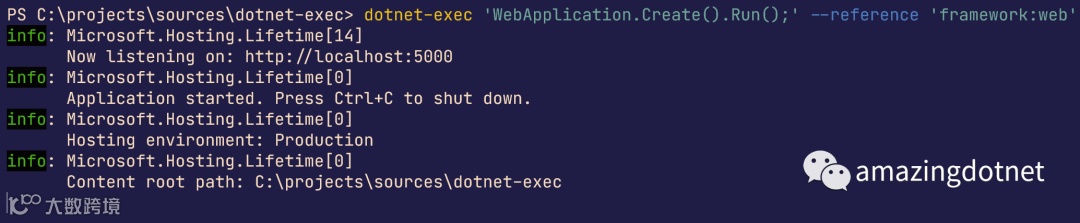
通过 framework reference 的形式来跑一个 web api,这等于是直接使用 --web 选项
dotnet-exec 'WebApplication.Create().Run();' --reference 'framework:web'
我们给 asp.net core web 框架加了几个别名,可以根据自己需要选择,目前支持的有
web/aspnet/aspnetcore
再来看一下 WindowsDesktop 的框架引用示例:

More
.NET Conf China 2022 release~~
References
-
https://github.com/WeihanLi/dotnet-exec -
https://www.nuget.org/packages/dotnet-execute/ -
https://hub.docker.com/r/weihanli/dotnet-exec -
https://github.com/WeihanLi/dotnet-exec/compare/0.11.0...0.12.0