


01
引言
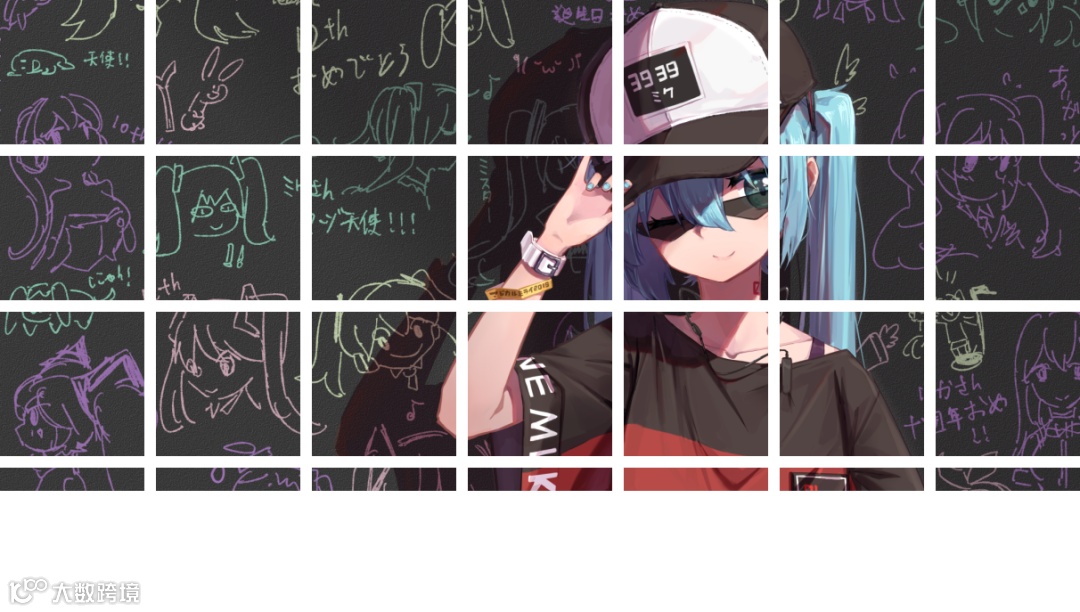
最近无意中看到有同学对图像进行分割后,形成拼图效果,如上图所示.猛然一看,感觉很酷炫有木有.
既然我们是专门搞图像的,那我们就来研究下如何使用Python-OpenCV来实现上述效果吧.
02
分析
上述问题,主要目的就是将图像切成一块一块的正方形,考虑相邻正方形之间是否留有空白,以及是否对不能整除的图像进行空白填充,我们可以得到四种切分方式.
不考虑间隔,忽略不能整除部分
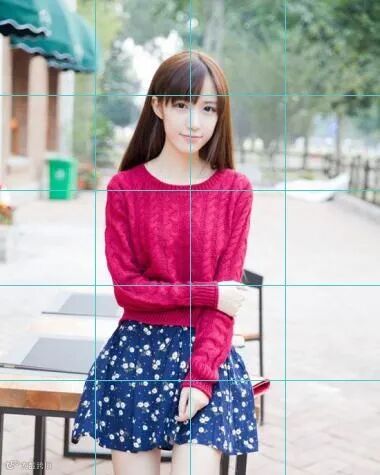
这种模式下,相邻正方形之间没有间隔,同时高度不能整除的部分直接被忽略掉.

不考虑间隔,对不能整除部分进行空白填充
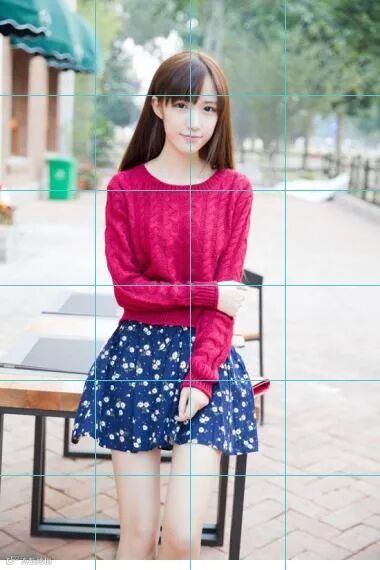
这种模式下,相邻正方形之间没有间隔,同时对高度不能整除的部分进行白色填充.样例图如下:

考虑间隔,忽略不能整除部分
这种模式下,相邻正方形之间存在间隙,间隔距离为3pixel,同时高度不能整除的部分直接被忽略掉.

考虑间隔,对不能整除部分进行空白填充
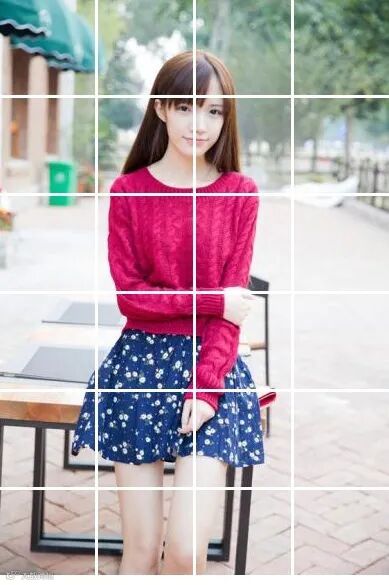
这种模式下,相邻正方形之间存在间隙,间隔距离为3pixel,同时对高度不能整除的部分进行白色填充.样例图如下:

03
通用配置
为了统一上述代码,我们设置通用配置项如下:
config = {"cell_num":7,"whether_crop_image_height": True,"whether_with_gap": True,"gap_width":3}
上述配置中,各项含义如下:
cell_num: 表示每行划分格子个数
whether_crop_image_height: 表示是否对高度不能整除部分进行空白填充
whether_with_gap: 表示相邻正方形之间是否存在间隔
gap_width: 表示相邻正方形间间隔的大小
04
不考虑间隔代码实现
1). 获取每行格子数目和输入图像信息
w_count = config['cell_num']src_height = img.shape[0]src_width = img.shape[1]
2).计算每个格子的长度以及结果图像的宽度
sub_length = int(src_width / w_count)new_width = sub_length * w_count
3).根据是否需要对高度进行空白填充,计算结果图像的高度
if config['whether_crop_image_height']:h_count = int(src_height / sub_length)else:h_count = math.ceil(src_height / sub_length)new_height = sub_length * h_count
4).对结果图进行赋值
img_t = np.zeros(shape=(new_height,new_width,3),dtype=np.uint8) + 255if config['whether_crop_image_height']:img_t = img[:new_height,:new_width,:]else:img_t[:src_height, :new_width, :] = img[:src_height, :new_width, :]
5).画格子
for x_i in range(1, w_count):cv2.line(img_t,(x_i*sub_length,0),(x_i*sub_length,new_height-1),color=(205,205,74),thickness=1)for y_i in range(1, h_count):cv2.line(img_t,(0,y_i*sub_length),(new_width-1,y_i*sub_length), color=(205,205,74), thickness=1)
不带填充的结果如下:
05
考虑间隔代码实现
1). 获取每行格子数目和输入图像信息
w_count = config['cell_num']src_height = img.shape[0]src_width = img.shape[1]
2).计算每个格子的长度,间隔长度以及结果图像的宽度
sub_length = int(src_width / w_count)gap_length = int(config["gap_width"])new_width = sub_length * w_count + gap_length * (w_count -1)
3).根据是否需要对高度进行空白填充,计算结果图像的高度
if config['whether_crop_image_height']:h_count = int( (src_height + gap_length) / (sub_length+gap_length))else:h_count = math.ceil((src_height + gap_length) / (sub_length+gap_length))new_height = sub_length * h_count + gap_length * (h_count-1)
4).对结果图进行赋值
img_t = np.zeros(shape=(new_height,new_width,3),dtype=np.uint8) + 255if config['whether_crop_image_height']:for i in range(h_count):for j in range(w_count):begin_x = sub_length * jbegin_y = sub_length * isrc_x = gap_length * j + begin_xsrc_y = gap_length * i + begin_y:src_y+sub_length,src_x:src_x + sub_length,:] = img[begin_y:begin_y + sub_length,begin_x:begin_x + sub_length, :]else:for i in range(h_count):for j in range(w_count):begin_x = sub_length * jbegin_y = sub_length * isrc_x = gap_length * j + begin_xsrc_y = gap_length * i + begin_yif i<h_count-1::src_y+sub_length,src_x:src_x + sub_length,:] = img[begin_y:begin_y + sub_length,begin_x:begin_x + sub_length, :]else:diff_height = src_height - sub_length * (h_count-1):src_y + diff_height, src_x:src_x + sub_length, :] = img[begin_y:begin_y + diff_height,begin_x:begin_x + sub_length, :]
不带填充的结果如下:

带填充的结果如下:
06
总结
本文介绍了利用Python生成图像拼接效果的原理和相应的代码实现,并给出了完整的代码供参考学习.
您学废了吗?
注:完整代码,关注公众号,后台回复 cut_pic , 即可获取。