


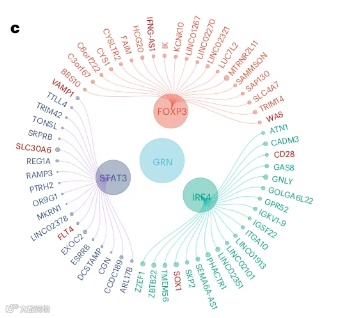
📌本期分享发表在Nature Biomedical Engineering题为“A pre-trained large generative model for translating single-cell transcriptomes to proteomes”的富集花瓣图。(如下图)
参考网址:https://github.com/gaospecial/ccgraph

#---加载数据集及R包--------#devtools::install_github("gaospecial/ccgraph")library(ccgraph)# load packageslibrary(tidyverse)library(ggraph)library(ccgraph)#install.packages("treemap")library(treemap)data("GNI2014")GNI2014 %>% arrange(desc(GNI)) %>% head(20)n <- 1000microbiome <- data.frame(otu = paste("OTU",1:n,sep="_"),phylum = sample(paste("phylum",1:5,sep="_"),n,replace = T),class = sample(paste("class",6:30,sep="_"),n,replace=T),order = sample(paste("order",31:80,sep="_"),n,replace = T),value = runif(n,min=1,max=1000))
treemap(microbiome,index = c("phylum","class"),vSize = "value")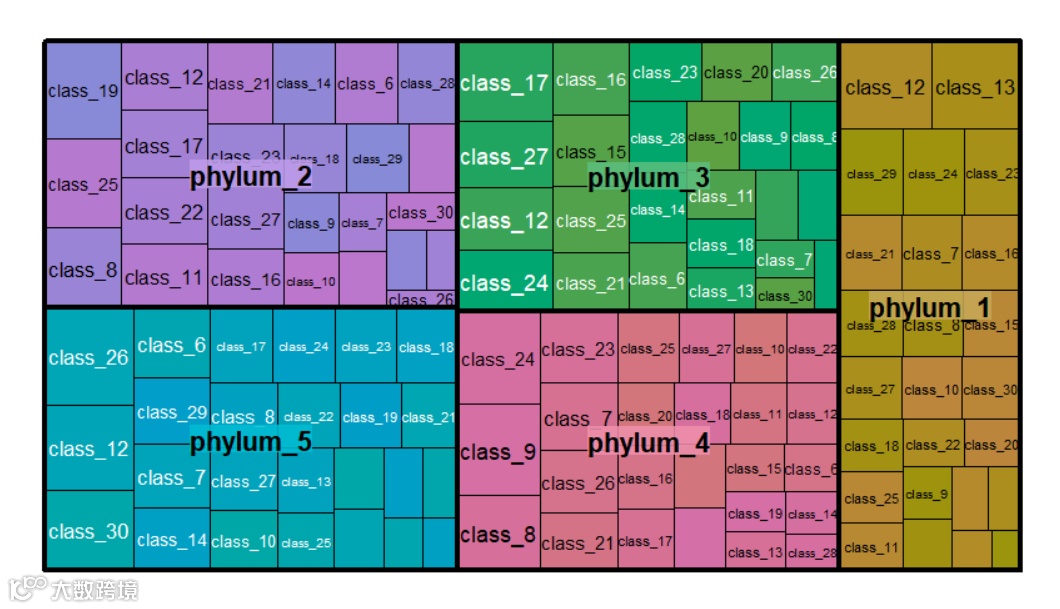
country_index <- c("continent","country")nodes_country <- gather_graph_node(GNI2014,index = country_index, value = "population",root="world")edges_country <- gather_graph_edge(GNI2014,index = country_index,root="world")head(nodes_country,10)head(edges_country,10)

#devtools::install_github("gaospecial/ccgraph")library(ccgraph)# load packageslibrary(tidyverse)library(ggraph)library(ccgraph)#install.packages("treemap")library(treemap)data("GNI2014")GNI2014 %>% arrange(desc(GNI)) %>% head(20)n <- 1000microbiome <- data.frame(otu = paste("OTU",1:n,sep="_"),phylum = sample(paste("phylum",1:5,sep="_"),n,replace = T),class = sample(paste("class",6:30,sep="_"),n,replace=T),order = sample(paste("order",31:80,sep="_"),n,replace = T),value = runif(n,min=1,max=1000))country_index <- c("continent","country")nodes_country <- gather_graph_node(GNI2014,index = country_index, value = "population",root="world")edges_country <- gather_graph_edge(GNI2014,index = country_index,root="world")head(nodes_country,10)head(edges_country,10)
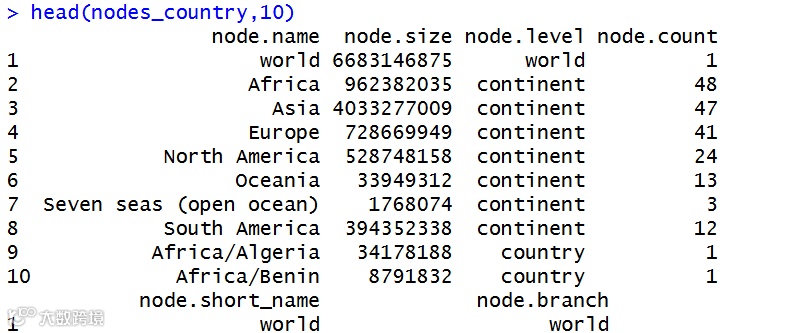
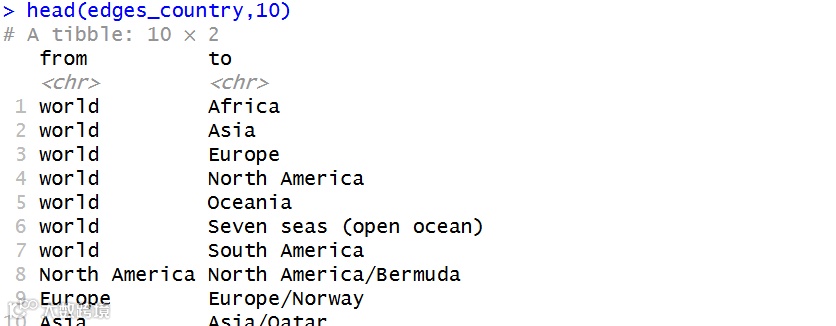
❗图由两个部分组成,节点(node)和边(edge)。处理数据就是要从上面的数据框中采集节点和边的信息。
gather_graph_node() 和 gather_graph_edge() 来完成这一个任务。
这两个函数的参数设置借鉴了上面 treemap() 的实现方式。
df:一个数据框
index:一个索引项(分组项)
value:要采集的数值
为了确保 node.name 的唯一性,在图中使用了长名,而把原有的名字放在 node.short_name 中去了。
node.level 则用来指示节点应该处于第几个圆环。
节点的属性统一以 node 作为前缀,而边的属性则以 edge 作为前缀。

library(tidygraph)graph_country <- tbl_graph(nodes_country,edges_country)gc <- ggraph(graph_country,layout = 'dendrogram', circular = TRUE) +geom_edge_diagonal(aes(color=node1.node.branch),alpha=1/3) +geom_node_point(aes(size=node.size,color=node.branch),alpha=1/3) +coord_fixed() +theme(legend.position = "none")gc
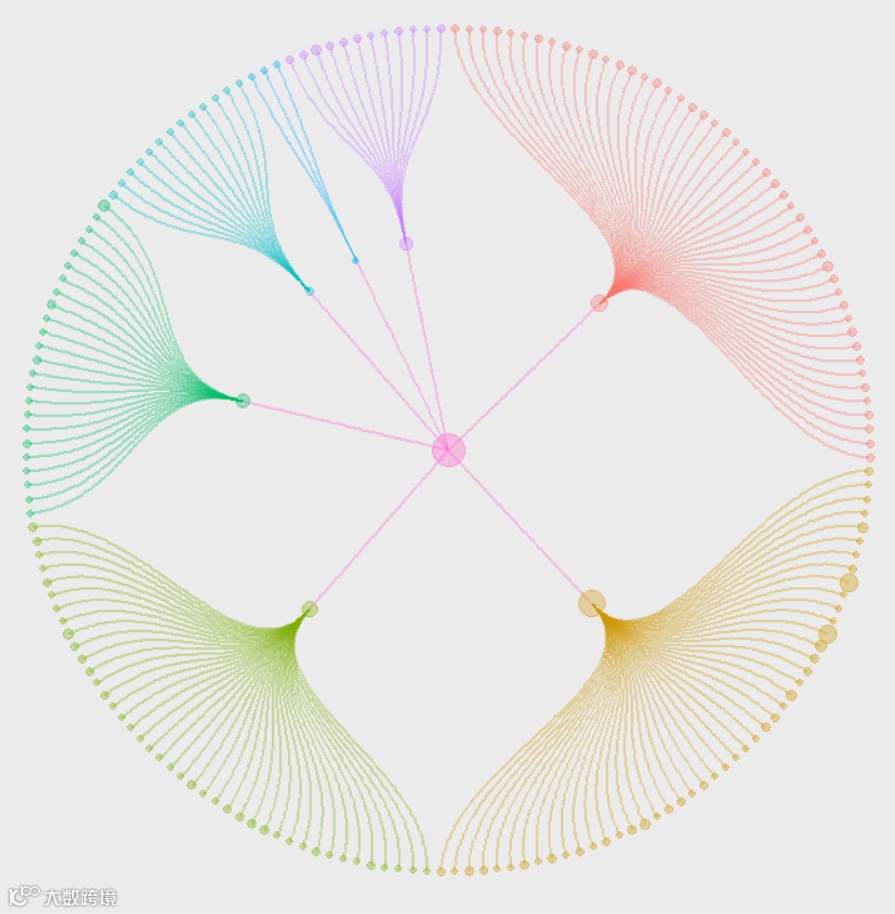

gc <- ggraph(graph_country,layout = 'dendrogram', circular = TRUE)gc+geom_edge_diagonal(aes(color=node1.node.branch),alpha=1/3,data = ) +geom_node_point(aes(size=node.size,color=node.branch),alpha=1/3,filter(gc$data, node.level != "world")) +coord_fixed() +theme(legend.position = "none")gc
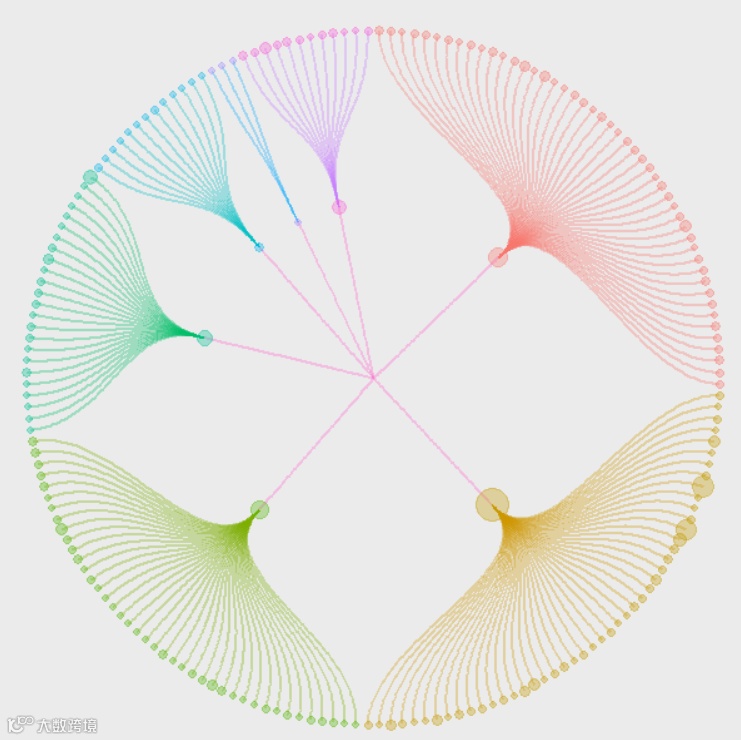
graph_country <- tbl_graph(nodes_country,edges_country)gc <- ggraph(graph_country, layout = 'dendrogram', circular = TRUE) +geom_edge_diagonal(aes(color = node1.node.branch,# 关键:不画从 world 出来的边filter = node1.node.level != "world" # 或者 node1.node.name != "world"),alpha = 1/3) +geom_node_point(aes(size = node.size, color = node.branch), alpha = 1/3) +coord_fixed() +theme(legend.position = "none")gc

library(ggsci)graph_country <- tbl_graph(nodes_country,edges_country)library(ggraph)library(tidygraph)library(ggplot2)ggraph(graph_country, layout = 'dendrogram', circular = TRUE) +# 边:按起点的 branch 上色,并隐藏 world→洲 的边geom_edge_diagonal(aes(color = node1.node.branch,filter = node1.node.level != "world"),alpha = 1/3) +# 点:按自己的 branch 上色geom_node_point(aes(size = node.size, color = node.branch),alpha = 1/3) +# 外环文字geom_node_text(aes(x = 1.0175 * x,y = 1.0175 * y,label = node.short_name,angle = -((-node_angle(x, y) + 90) %% 180) + 90,filter = leaf,color = node.branch),size = 3, hjust = 'outward') +# 内环文字geom_node_text(aes(label = node.short_name,filter = !leaf,color = node.branch),fontface = "bold",size = 3,family = "sans") +# 点大小scale_size(range = c(0.5, 30)) +# 主题 & 画布theme(panel.background = element_blank(),panel.grid.minor = element_blank(),panel.grid.major = element_blank(),legend.position = "none") +coord_fixed() +coord_cartesian(xlim = c(-1.3, 1.3), ylim = c(-1.3, 1.3))
❗这里用的默认颜色
自定义颜色
branches <- graph_country %>%activate(nodes) %>%as_tibble() %>%pull(node.branch) %>%unique() %>%sort()my_cols <- c("#E64B35FF","#4DBBD5FF","#00A087FF","#3C5488FF","#F39B7FFF","#7E6148FF","#35978f")[seq_along(branches)]names(my_cols) <- branchesggraph(graph_country, layout = 'dendrogram', circular = TRUE) +# 边:按起点的 branch 上色,并隐藏 world→洲 的边geom_edge_diagonal(aes(edge_colour = node1.node.branch, # ✅ 用 edge_colour 映射filter = node1.node.level != "world"),edge_alpha = 1/3) +# 点:按自己的 branch 上色geom_node_point(aes(size = node.size, colour = node.branch), # 这里用 colouralpha = 1/3) +# 外环文字geom_node_text(aes(x = 1.0175 * x,y = 1.0175 * y,label = node.short_name,angle = -((-node_angle(x, y) + 90) %% 180) + 90,filter = leaf,colour = node.branch),size = 3,hjust = 'outward') +# 内环文字geom_node_text(aes(label = node.short_name,filter = !leaf,colour = node.branch),fontface = "bold",size = 3,family = "sans") +scale_size(range = c(0.5, 30)) +# 节点颜色:按 node.branch 使用 my_colsscale_color_manual(values = my_cols) +# 边颜色:按 node1.node.branch 使用同一套 my_colsscale_edge_colour_manual(values = my_cols) +theme(panel.background = element_blank(),panel.grid.minor = element_blank(),panel.grid.major = element_blank(),legend.position = "none") +coord_fixed() +coord_cartesian(xlim = c(-1.3, 1.3), ylim = c(-1.3, 1.3))
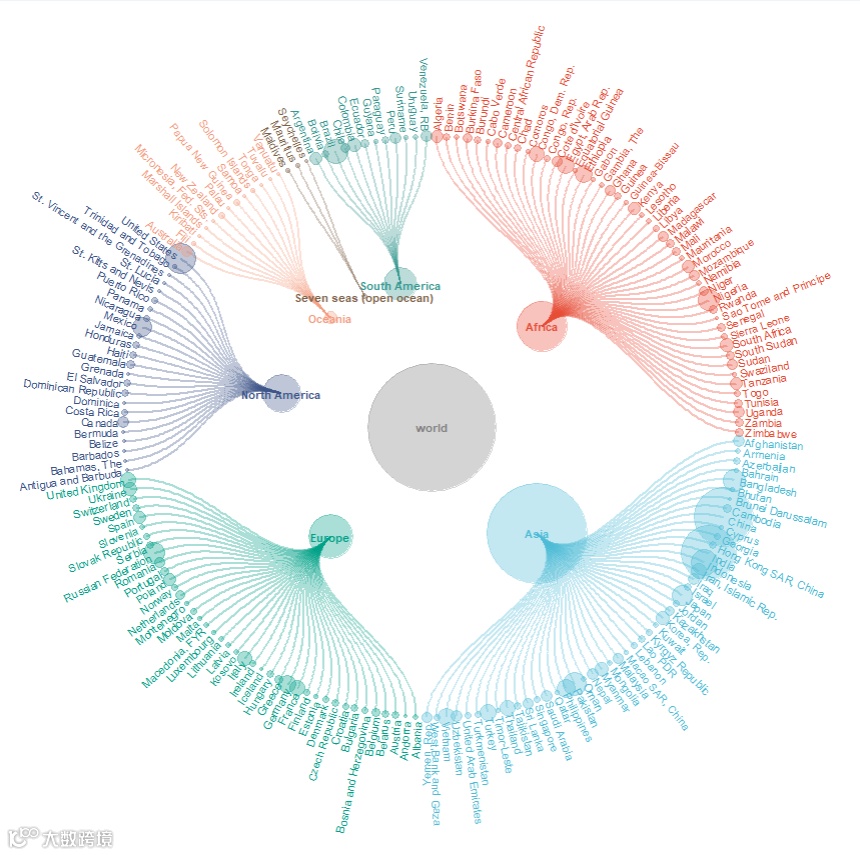
本期分享就到这结束啦,感谢大家关注支持,代码可复制也可打赏后获得,祝大家科研顺利


 ~
~