


读完需要
速读仅需 6 分钟
/ 一、这个插件是干什么的? /
wlb-webpack-plugin 插件会在非工作日及下班时间自动将「反内卷和代码防沉迷逻辑」注入到 webpack 打包产物中,是追求 work-life-balance 的前端工程师们的最佳选择。(手动滑稽)
项目地址(欢迎各位 star):
https://github.com/shadowings-zy/wlb-webpack-plugin
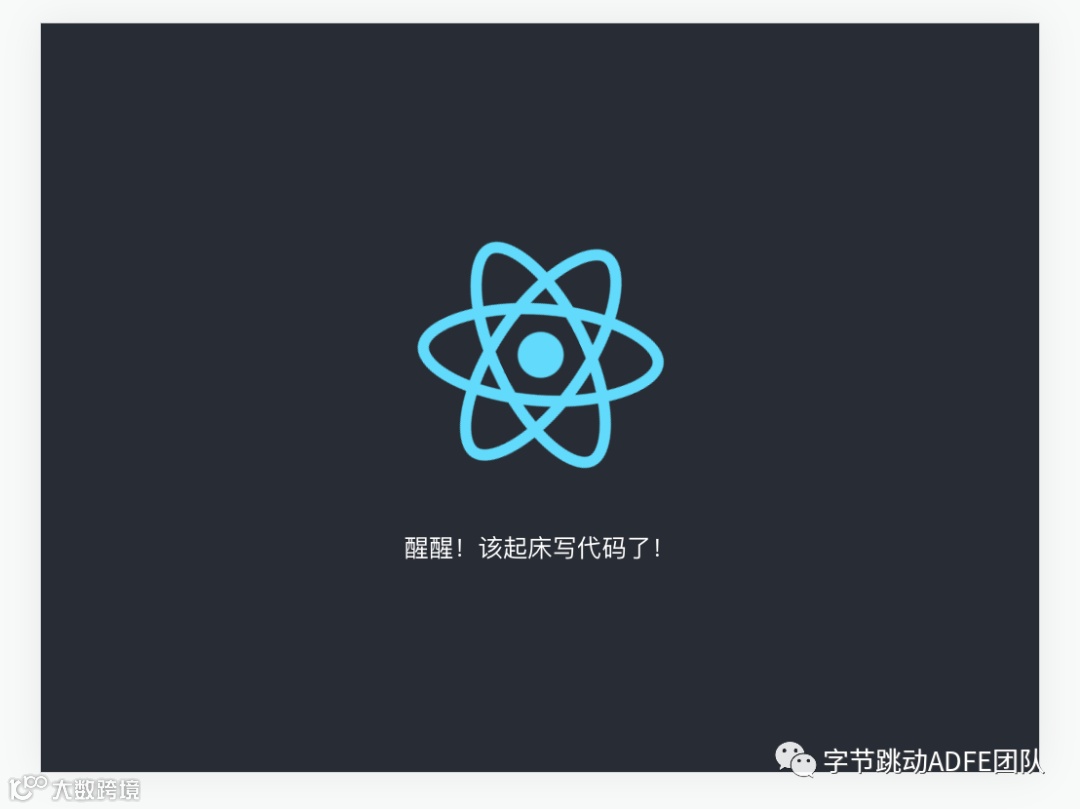
防沉迷前:
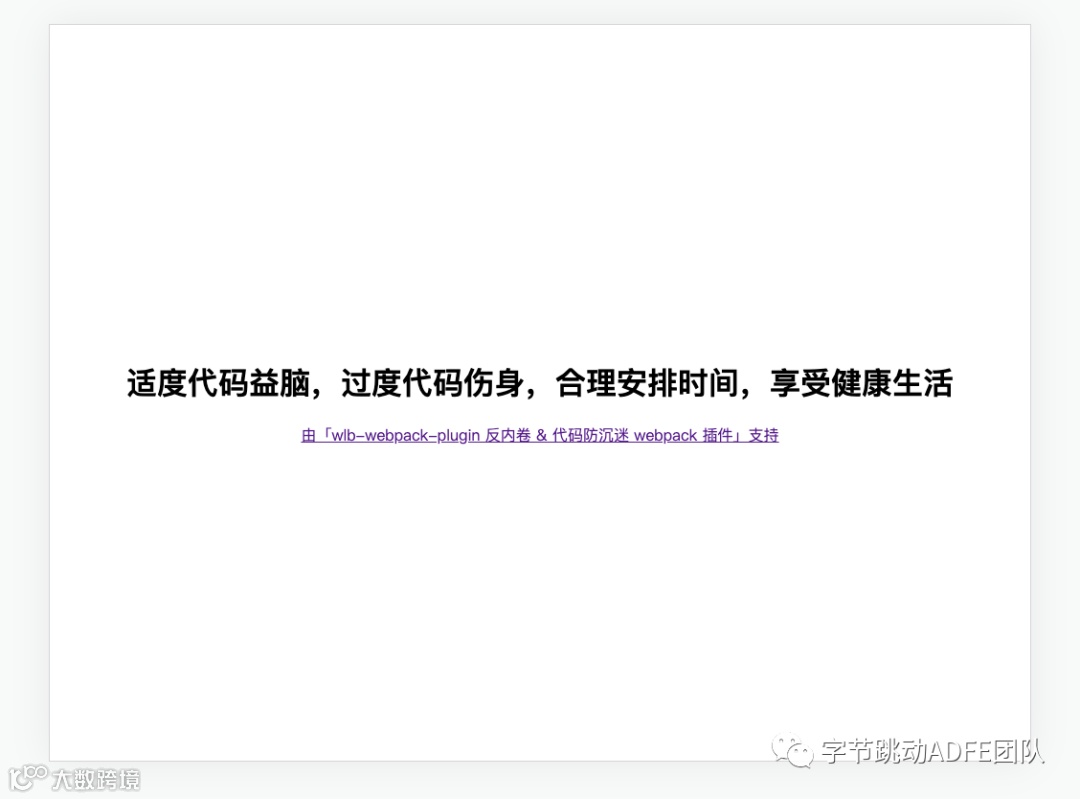
防沉迷后:
使用 webpack 打包时会有如下提示:

/ 二、这个插件是怎么做的? /
要实现 wlb-webpack-plugin,我们首先得知道这个插件有什么功能,我在构思做这个插件的时候,列出了如下四个功能点:
1、它得是一个 webpack 插件 —— 它需要遵守 webpack 的插件规范。
2、它得能判断工作时间和非工作时间,并支持用户配置。
3、它得能在非工作时间,注入「特定逻辑」到打包产物里。
4、「特定逻辑」包含:如果是 node 端,直接打印出「防沉迷标语」;如果是 web 端,需要在页面上展示「防沉迷标语」。
那么针对上述四个功能点,我们就可以开始愉快的写代码了~
2-1、先写一个 webpack 插件吧
webpack 官网中的例子已经写得很明白了,可以直接看这个:https://www.webpackjs.com/contribute/writing-a-plugin/
简单概括一下,一个 webpack 插件由以下组成:
1、一个 JavaScript 命名函数。(在我们的插件中,我们使用了 class,而非 function,当然这两者实际上没差)
2、在插件函数的 prototype 上定义一个 apply 方法。
3、指定一个绑定到 webpack 自身的事件钩子。
4、处理 webpack 内部实例的特定数据。
5、功能完成后调用 webpack 提供的回调。
那我们的 wlb-webpack-plugin 的大体结构就是这个样子:
class WLBPlugin {constructor(options) {// 处理初始化参数的逻辑}apply(compiler) {// 处理判断是否为工作时间的逻辑compiler.hooks.emit.tap('WLBPlugin', (compilation) => {// 处理注入「反内卷 & 防沉迷代码」到打包产物中的逻辑})}}module.exports = WLBPlugin;
2-2、处理用户配置
在处理用户配置之前,我们需要定义一下用户可以传哪些配置,我在构思插件的时候,定义了如下配置项:
startWorkingTime 开始工作的时间
endWorkingTime 结束工作的时间
ignoreWeekend 是否忽略周末
warningMessage 非工作时间提示信息
replaceOriginBundle 是否替换原来生成的 bundle
这里特别提一下 replaceOriginBundle 这个配置项吧,这个配置项是用于决定「增量添加防沉迷代码」或「直接将 bundle 内容替换为防沉迷代码」用的。虽然大部分场景下简单粗暴的直接替换代码就够用了。但如果你用了一些自定义的脚手架,直接替换代码会导致整个项目都跑不起来,所以这种情况下增量添加才能达到效果。
定义好配置之后,我们需要把这些配置设定初始值,并将它们存到 WLBPlugin 类中,这里用 Object.assign 函数就非常合适了,注意看 constructor 中的逻辑:
const DEFAULT_WARNING_MESSAGE ='别卷了!现在不是工作时间!为了营造良好的工作环境,WLB插件已经将「反内卷 & 防沉迷逻辑」注入到打包产物中。';const DEFAULT_OPTIONS = {startWorkingTime: 10,endWorkingTime: 20,ignoreWeekend: false,warningMessage: DEFAULT_WARNING_MESSAGE,replaceOriginBundle: true,};class WLBPlugin {constructor(options) {this.options = Object.assign(DEFAULT_OPTIONS, options || {});}apply(compiler) {// 处理判断是否为工作时间的逻辑compiler.hooks.emit.tap('WLBPlugin', (compilation) => {// 处理注入「反内卷 & 防沉迷代码」到打包产物中的逻辑})}}
2-3、判断是否为工作时间
当我们能够使用 this.options 读取到配置项后,直接使用内置的 Date 对象来获取当前时间和星期,并与配置项比较即可,也就是如下的代码:
const date = new Date();const day = date.getDay();const hour = date.getHours();const isWorkdays = day <= 4 || ignoreWeekend;const isWorkOvertime =!isWorkdays || hour < startWorkingTime || hour >= endWorkingTime;if (isWorkOvertime) {// 处理非工作时间的逻辑}
2-4、生成并注入「反内卷 & 防沉迷代码」
最后一步也是最关键的一步 —— 生成并注入代码,这里先从「生成代码」开始。
2-4-1、生成代码
根据最开始的构思,生成的代码需要满足:
1、在 node 端,直接打印出「防沉迷标语」
2、在 web 端,需要在页面上展示「防沉迷标语」。
node 端比较简单,直接 console.log 就搞定了。但在 web 端,我们需要通过操作 DOM 来完成。
具体可以看下述代码,在 web 端会起一个定时器,每一秒钟把 <body> 标签中的内容替换为「防沉迷标语」,并通过判断 window.showWLBPluginInfo 来保证只会起一个定时器。
const htmlTemplate = (slogan) => {return `<div><h1>${slogan}</h1><a href=\"https://github.com/shadowings-zy/wlb-webpack-plugin\">由「wlb-webpack-plugin 反内卷 & 代码防沉迷 webpack 插件」支持</a></div>`;};const generateCode = () => {const slogan = getRandomSlogan();return `;(function() {const introduction = '${slogan.introduction}';const content = '${slogan.content}';console.log(introduction + content);if (typeof window!=='undefined' && !window.showWLBPluginInfo) {window.setInterval(function() {document.body.innerHTML="${htmlTemplate(slogan.content)}";}, 1000)window.showWLBPluginInfo=true}})()`;};
2-4-2、注入代码
注入代码则需要使用 webpack 提供的 hook ,遍历并读取其构建产物,然后生成代码,最后注入,可以看如下代码:
class WLBPlugin {// ...apply(compiler) {// ...if (isWorkOvertime) {console.log(chalk.red(warningMessage));compiler.hooks.emit.tap('WLBPlugin', (compilation) => {// 遍历构建产物Object.keys(compilation.assets).forEach((item) => {let content = compilation.assets[item].source();if (this.options.replaceOriginBundle) {content = generateCode();} else {content = content + generateCode();}// 更新构建产物对象compilation.assets[item] = {source: () => content,size: () => content.length,};});});})}}
2-5、整体代码展示
具体模块化的代码可以看这个代码仓库中的代码:https://github.com/shadowings-zy/wlb-webpack-plugin ( https://github.com/shadowings-zy/wlb-webpack-plugin )
下面的代码仅供展示
const chalk = require('chalk');const WORK_LIFE_BALANCE_SLOGAN_LIST = [{introduction:'[work-life-balance-webpack-plugin] 反内卷 & 防沉迷插件提醒您: ',content: '需求千万条,反卷第一条,非要搞内卷,加班两行泪',},{introduction:'[work-life-balance-webpack-plugin] 反内卷 & 防沉迷插件提醒您: ',content: '今天你卷我,明天我卷你,争相当卷王,迟早要遭殃',},{introduction:'[work-life-balance-webpack-plugin] 反内卷 & 防沉迷插件提醒您: ',content: '适度代码益脑,过度代码伤身,合理安排时间,享受健康生活',},];const DEFAULT_WARNING_MESSAGE ='别卷了!现在不是工作时间!为了营造良好的工作环境,WLB插件已经将「反内卷 & 防沉迷逻辑」注入到打包产物中。';const DEFAULT_OPTIONS = {startWorkingTime: 10,endWorkingTime: 20,ignoreWeekend: false,warningMessage: DEFAULT_WARNING_MESSAGE,replaceOriginBundle: true,};const getRandomSlogan = () => {const index = Math.floor(Math.random() * WORK_LIFE_BALANCE_SLOGAN_LIST.length,);return WORK_LIFE_BALANCE_SLOGAN_LIST[index];};const htmlTemplate = (slogan) => {return `<div><h1>${slogan}</h1><a href=\"https://github.com/shadowings-zy/wlb-webpack-plugin\">由「wlb-webpack-plugin 反内卷 & 代码防沉迷 webpack 插件」支持</a></div>`;};const generateCode = () => {const slogan = getRandomSlogan();return `;(function() {const introduction = '${slogan.introduction}';const content = '${slogan.content}';console.log(introduction + content);if (typeof window!=='undefined' && !window.showWLBPluginInfo) {document.body.setAttribute('style', 'display:flex;flex-direction:column;width:100vw;height:100vh;padding:0;margin:0;justify-content:center;text-align:center;')window.setInterval(function() {document.body.innerHTML="${htmlTemplate(slogan.content)}";}, 1000)window.showWLBPluginInfo=true}})()`;};class WLBPlugin {constructor(options) {this.options = Object.assign(DEFAULT_OPTIONS, options || {});}apply(compiler) {const {startWorkingTime,endWorkingTime,ignoreWeekend,warningMessage,replaceOriginBundle,} = this.options;const date = new Date();const day = date.getDay();const hour = date.getHours();const isWorkdays = day <= 4 || ignoreWeekend;const isWorkOvertime =!isWorkdays || hour < startWorkingTime || hour >= endWorkingTime;if (isWorkOvertime) {console.log(chalk.red(warningMessage));compiler.hooks.emit.tap('WLBPlugin', (compilation) => {// 遍历构建产物Object.keys(compilation.assets).forEach((item) => {let content = compilation.assets[item].source();if (replaceOriginBundle) {content = generateCode();} else {content = content + generateCode();}// 更新构建产物对象compilation.assets[item] = {source: () => content,size: () => content.length,};});});}}}module.exports = WLBPlugin;
这样,我们的插件就开发完成了!