
资源编排是一项简化云计算资源管理和运维的服务。用户通过模板描述多个云资源的配置信息和依赖关系,通过模板创建资源栈,自动完成所有资源的创建和配置,以实现资源的统一管理和自动化运维等目的。服务本身免费,仅收取所使用资源的费用:如云主机、公网IP、云数据库实例等。
一、准备工作
1.说明
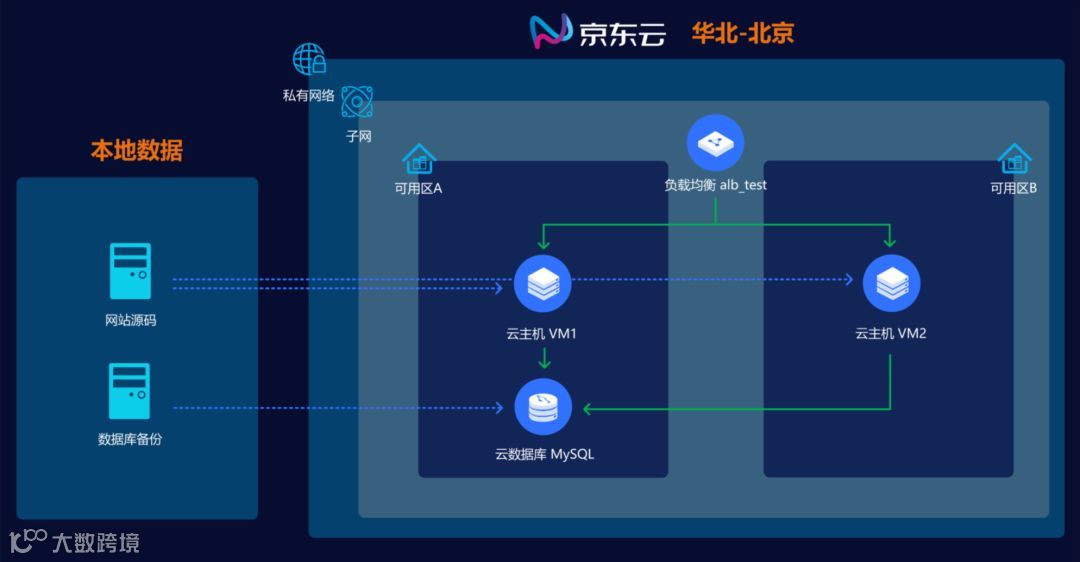
我们用wordpress模拟网站源代码,*.sql文件模拟网站数据库备份,将网站源代码迁移到位于华北-北京不同可用区的两台云主机上,将sql备份文件恢复到云数据库RDS MySQL上,云主机与云数据库都由京东云资源编排产品自动创建生成。
模板的常用参数说明详见:https://docs.jdcloud.com/cn/resource-orchestration/templates-structure
2.测试示意图
二、开始
1. 创建资源栈(模板)
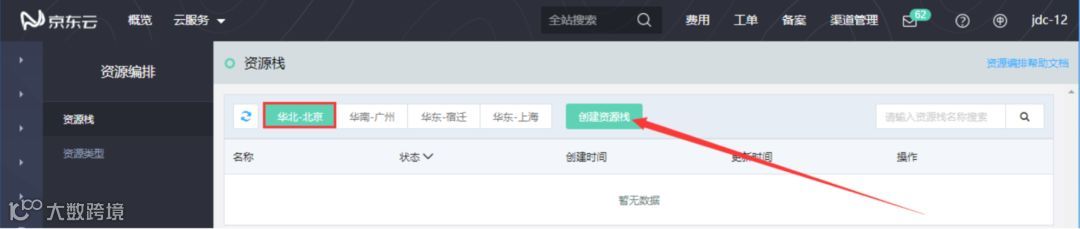
打开控制台,选择管理-资源编排-资源栈,选择需要创建的资源栈所在的地域,支持华北-北京、华南-广州、华东-宿迁、华东-上海,我这里选择华北-北京,点击创建资源栈按钮。
点击我的模板,将原模板内容删除,复制下面的json代码到模板内容中(此json代码内容中创建的资源较多,所以代码较多,复制时仔细认真点),点击下一步

  1json
  2{
  3    "JDCLOUDTemplateFormatVersion": "2018-10-01",
  4    "Description": "JDRO WORDPRESS_WITH_CLUSTER TEMPLATE",
  5    "Parameters": {
  6        "VPCName": {
  7            "Default": "vpc",
  8            "Type": "String",
  9            "MinLength": "1",
 10            "MaxLength": "32",
 11            "Description": "Define the VPC Name. It cannot be same as an existing VPC name, otherwise the resource will fail to be created",
 12            "AllowedPattern": "^[a-zA-Z_][a-zA-Z0-9_-]*$",
 13            "ConstraintDescription": "Name only supports numbers, capital and lowercase letters, English underline and hyphen ."
 14        },
 15        "SubnetName": {
 16            "Default": "subnet",
 17            "Type": "String",
 18            "MinLength": "1",
 19            "MaxLength": "32",
 20            "Description": "Define the Subnet Name. It cannot be same as an existing Subnet name, otherwise the resource will fail to be created",
 21            "AllowedPattern": "^[a-zA-Z_][a-zA-Z0-9_-]*$",
 22            "ConstraintDescription": "Name only supports numbers, capital and lowercase letters, English underline and hyphen ."
 23        },
 24        "AddressPrefix": {
 25            "Default": "10.0.0.0/16",
 26            "Type": "String",
 27            "Description": "Give an exact CIDR",
 28            "AllowedValues": [
 29                "192.168.0.0/16",
 30                "172.16.0.0/16",
 31                "10.0.0.0/16"
 32            ],
 33            "ConstraintDescription": "Need give an exact CIDR."
 34        },
 35        "InstanceName1": {
 36            "Default": "vm1",
 37            "Type": "String",
 38            "MinLength": "1",
 39            "MaxLength": "32",
 40            "Description": "Define the Instance Name",
 41            "AllowedPattern": "^[a-zA-Z_][a-zA-Z0-9_-]*$",
 42            "ConstraintDescription": "Name only supports numbers, capital and lowercase letters, English underline and hyphen."
 43        },
 44        "InstanceName2": {
 45            "Default": "vm2",
 46            "Type": "String",
 47            "MinLength": "1",
 48            "MaxLength": "32",
 49            "Description": "Define the Instance Name",
 50            "AllowedPattern": "^[a-zA-Z_][a-zA-Z0-9_-]*$",
 51            "ConstraintDescription": "Name only supports numbers, capital and lowercase letters, English underline and hyphen."
 52        },
 53        "VMPassword": {
 54            "NoEcho": true,
 55            "Description": "Password for vm access",
 56            "Type": "String",
 57            "MinLength": "8",
 58            "MaxLength": "16",
 59            "AllowedPattern": "[a-zA-Z0-9]*"
 60        },
 61        "DiskName1": {
 62            "Default": "disk1",
 63            "Type": "String",
 64            "MinLength": "1",
 65            "MaxLength": "32",
 66            "Description": "The Disk Name",
 67            "AllowedPattern": "^[a-zA-Z_][a-zA-Z0-9_-]*$",
 68            "ConstraintDescription": "Name only supports numbers, capital and lowercase letters, English underline and hyphen."
 69        },
 70        "DiskName2": {
 71            "Default": "disk2",
 72            "Type": "String",
 73            "MinLength": "1",
 74            "MaxLength": "32",
 75            "Description": "The Disk Name",
 76            "AllowedPattern": "^[a-zA-Z_][a-zA-Z0-9_-]*$",
 77            "ConstraintDescription": "Name only supports  numbers, capital and lowercase letters, English underline and hyphen."
 78        },
 79        "DBName": {
 80            "Default": "wordpress",
 81            "Description": "MySQL database name",
 82            "Type": "String",
 83            "MinLength": "2",
 84            "MaxLength": "32",
 85            "AllowedPattern": "^[a-z][a-z0-9_]*$",
 86            "ConstraintDescription": "The name only supports lower case letters, numbers and English underline, no less than 2 characters and no more than 32 characters."
 87        },
 88        "DBUser": {
 89            "Default": "wordpress",
 90            "Description": "Username for MySQL database access",
 91            "Type": "String",
 92            "MinLength": "1",
 93            "MaxLength": "16",
 94            "AllowedPattern": "^[a-zA-Z][a-zA-Z0-9]*$",
 95            "ConstraintDescription": "must begin with a letter and contain only alphanumeric characters."
 96        },
 97        "DBPassword": {
 98            "NoEcho": true,
 99            "Description": "Password must contain and only supports letters both in upper case and lower case as well as figures, no less than 8 characters and no more than 16 characters. e.g. Ptest1130",
100            "Type": "String",
101            "MinLength": "8",
102            "MaxLength": "16",
103            "AllowedPattern": "[a-zA-Z0-9]*"
104        },
105        "LoadBalancerName": {
106            "Default": "lb",
107            "Description": "LoadBalancer name",
108            "Type": "String",
109            "MinLength": "1",
110            "MaxLength": "32",
111            "AllowedPattern": "^[a-zA-Z_][a-zA-Z0-9_-]*$",
112            "ConstraintDescription": "Name only supports  numbers, capital and lowercase letters, English underline  and hyphen."
113        },
114        "TargetGroupName": {
115            "Default": "lbtargetgroup",
116            "Description": "TargetGroup Name",
117            "Type": "String",
118            "MinLength": "1",
119            "MaxLength": "32",
120            "AllowedPattern": "^[a-zA-Z_][a-zA-Z0-9_-]*$",
121            "ConstraintDescription": "Name only supports  numbers, capital and lowercase letters, English underline  and hyphen."
122        },
123        "LBBackendName": {
124            "Default": "lbbackend",
125            "Description": "Backend Name",
126            "Type": "String",
127            "MinLength": "1",
128            "MaxLength": "32",
129            "AllowedPattern": "^[a-zA-Z_][a-zA-Z0-9_-]*$",
130            "ConstraintDescription": "Name only supports  numbers, capital and lowercase letters, English underline  and hyphen."
131        }
132    },
133    "Mappings": {
134        "AZInfo": {
135            "cn-north-1": {
136                "az1": "cn-north-1a",
137                "az2": "cn-north-1b",
138                "az3": "cn-north-1c"
139            },
140            "cn-east-1": {
141                "az1": "cn-east-1a"
142            },
143            "cn-east-2": {
144                "az1": "cn-east-2a",
145                "az2": "cn-east-2b"
146            },
147            "cn-south-1": {
148                "az1": "cn-south-1a"
149            }
150        },
151        "ImageInfo": {
152            "cn-north-1": {
153                "image": "img-9ha1rgelkq"
154            },
155            "cn-east-1": {
156                "image": "img-htaupmjlqq"
157            },
158            "cn-east-2": {
159                "image": "img-ssazsh60t6"
160            },
161            "cn-south-1": {
162                "image": "img-uxgb28v2y3"
163            }
164        }
自定义参数中内容可根据自己的情况更改):
栈名称:资源编排测试
超时时间(分钟):10
VPCName:vpc
SubnetName:subnet
AddressPrefix:10.0.0.0/16
InstanceName1:vm1
InstanceName2:vm2
VMPassword:自定义
DiskName1:disk1
DiskName2:disk2
DBName:wordpress
DBUser:wordpress
DBPassword:自定义
LoadBalancerName:lb
TargetGroupName:lbtargetgroup
LBBackendName:lbbackend

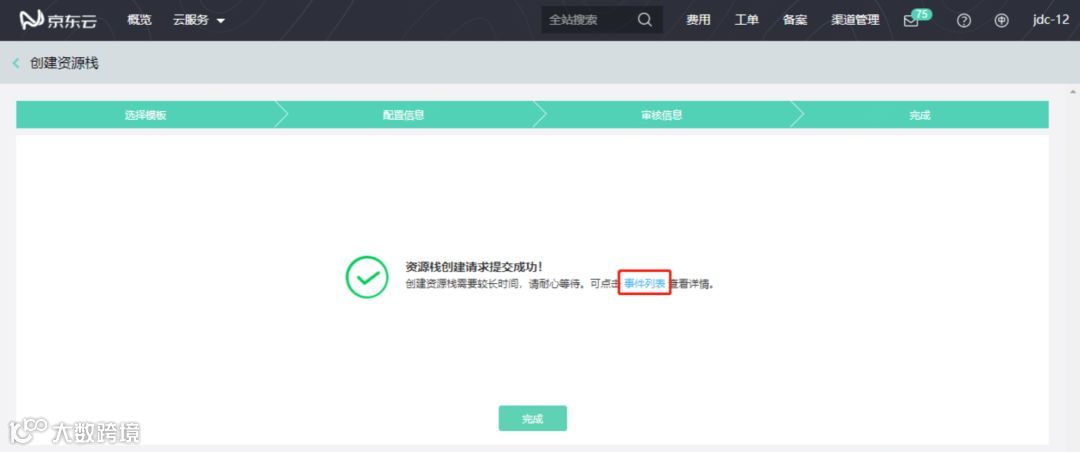
确认资源栈信息后,点击创建资源栈
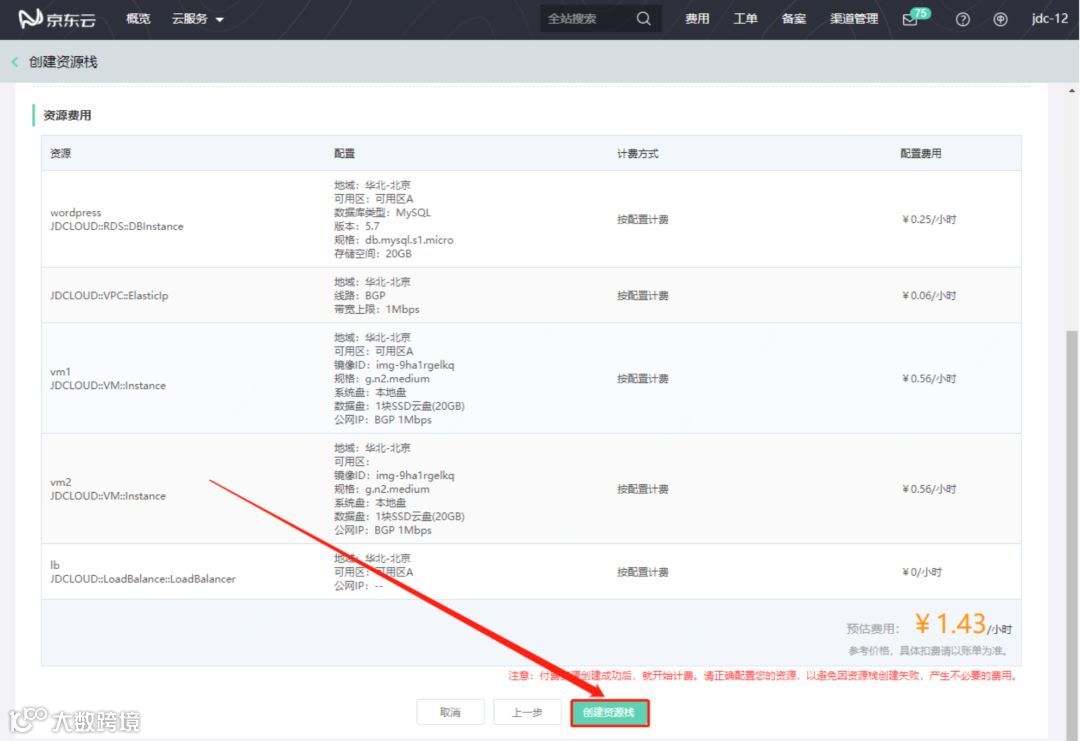
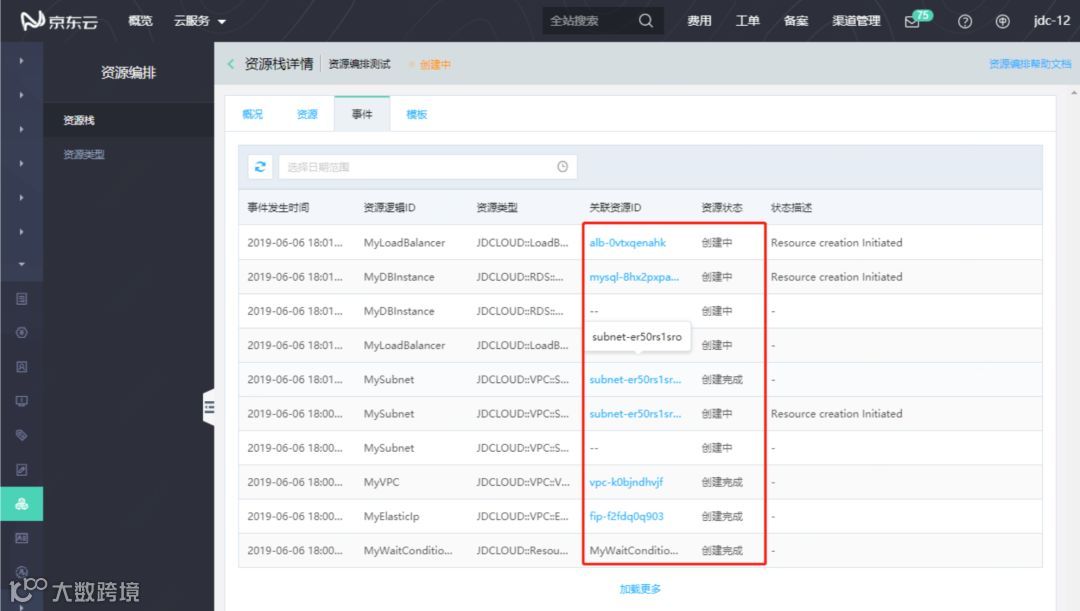
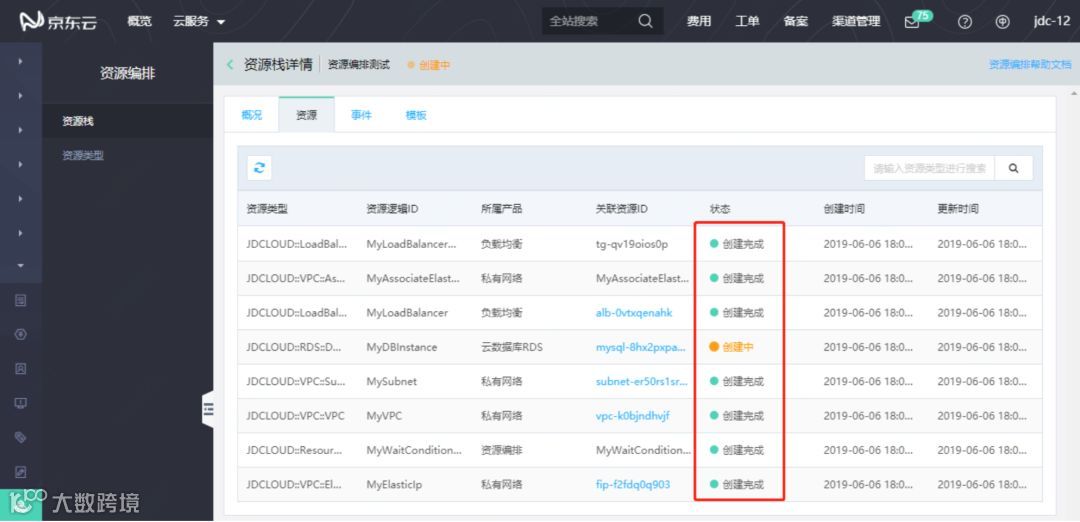
ta创建完成后点击时间列表能够查看整个资源栈的创建过程
2. 测试上云
所有资源创建完成后,我们找到创建好的负载均衡实例公网IP,粘贴到浏览器打开查看效果
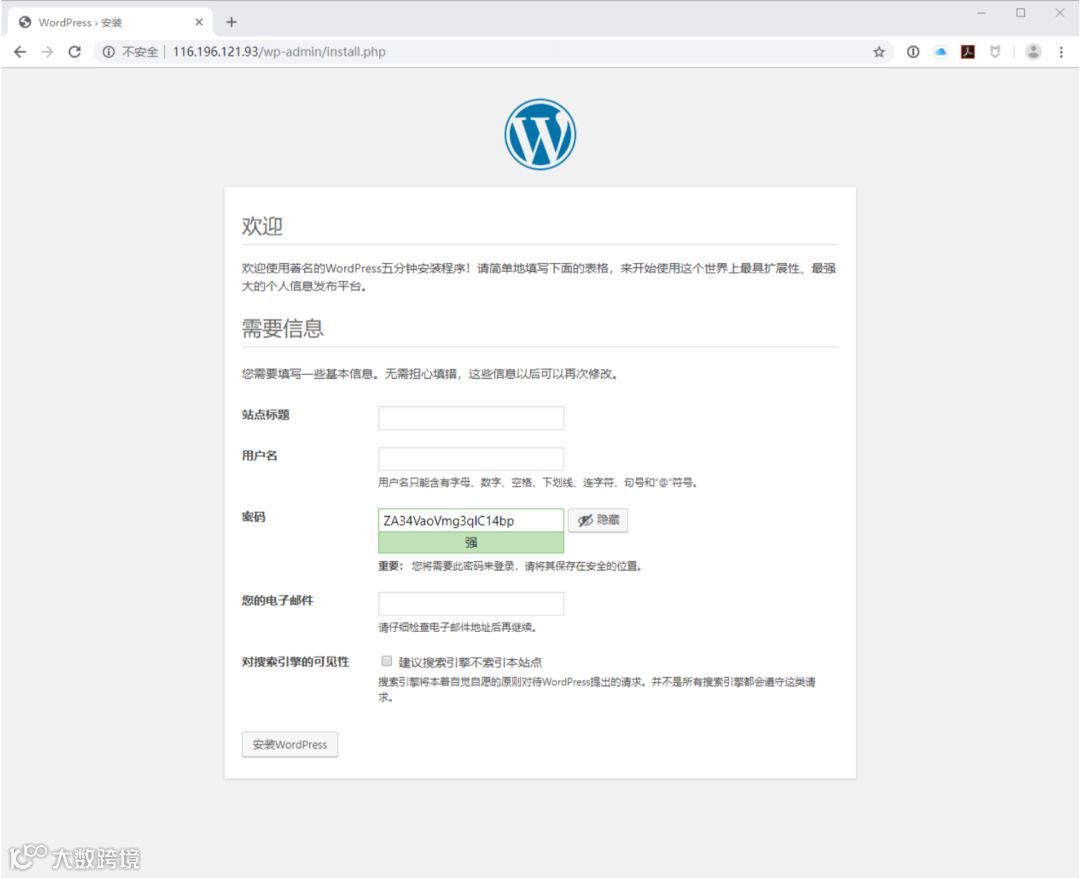
接下来我们将本地的MySQL数据库备份文件导入到我们创建的云数据库RDS MySQL中
备份本地数据库,命令如下:
1mysqldump -u用户名 -p密码 --single-transaction --set-gtid-purged=OFF -B 数据库名称 > /路径/导出文件名.sql
将本地MySQL备份完成后,我们需要创建一台与云数据库RDS MySQL在相同VPC的云主机(不在同一VPC默认情况下无法访问云数据库),创建云主机方法见:https://docs.jdcloud.com/cn/virtual-machines/create-instance
创建完云主机后,将本地备份的.sql文件上传到京东云对象存储
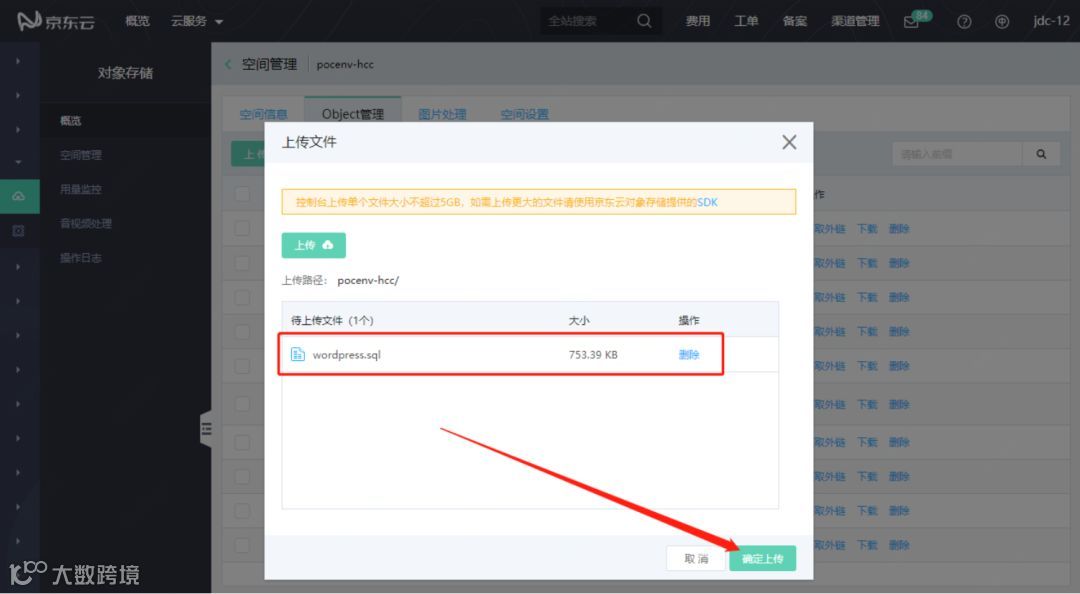
上传完备份SQL后,我们获取相应备份文件的外链地址
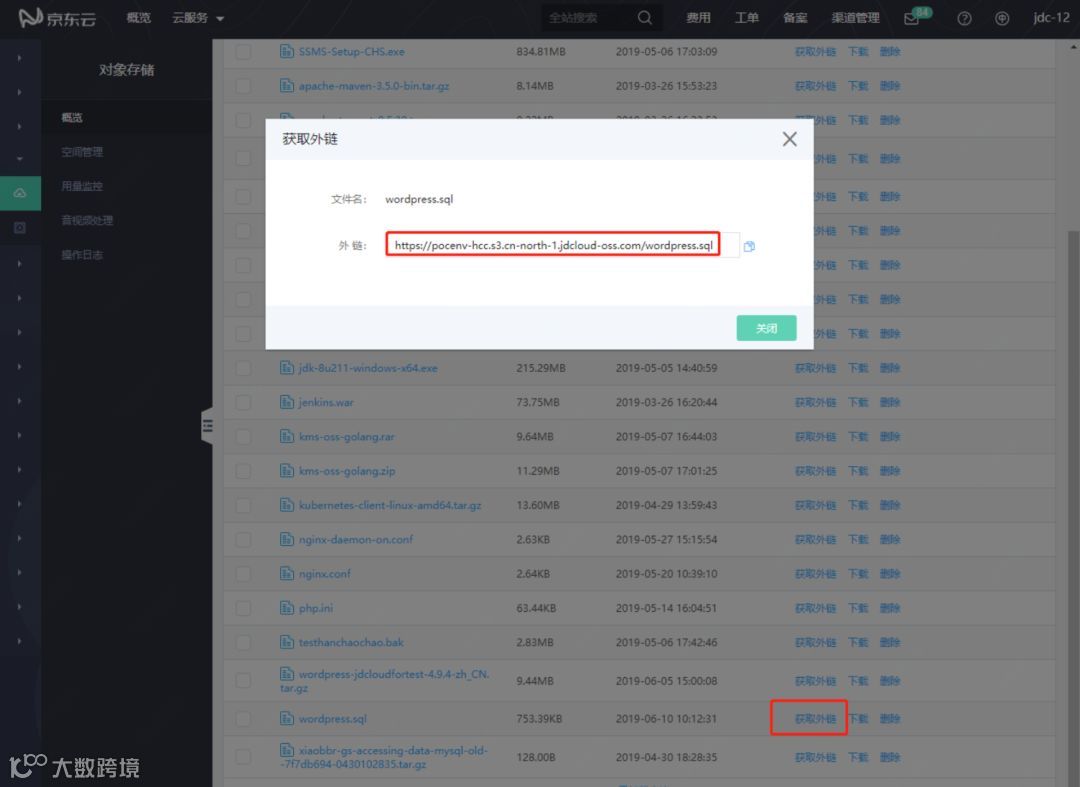
然后通过wget命令下载到上面我们创建的云主机
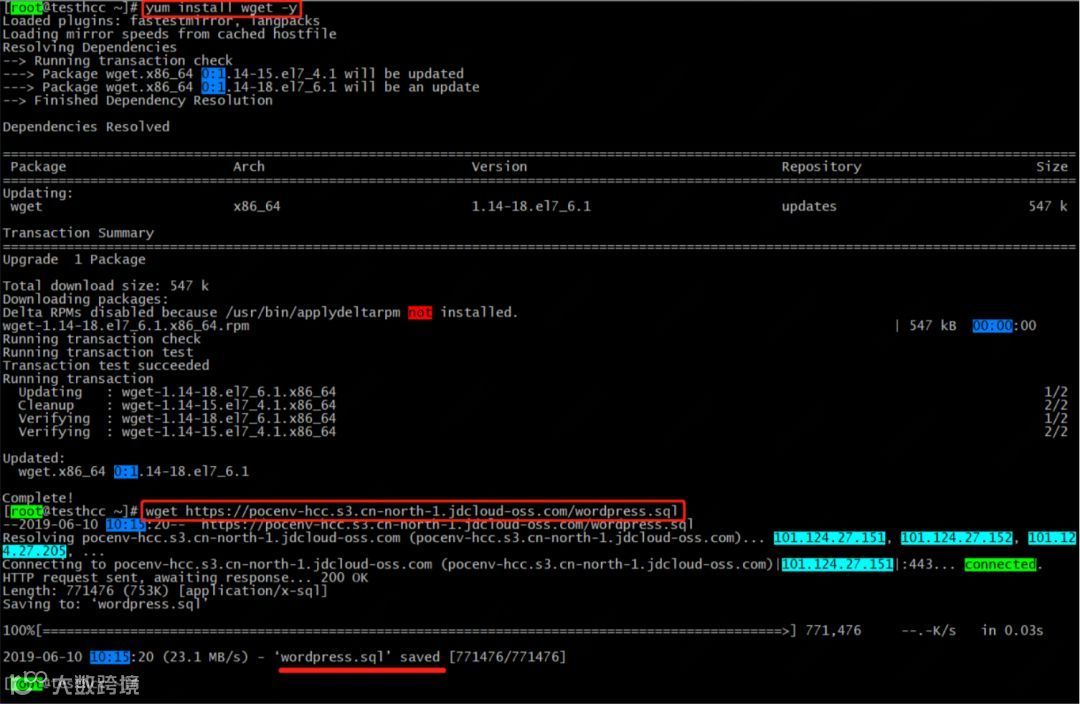
然后通过如下命令进行备份文件的导入
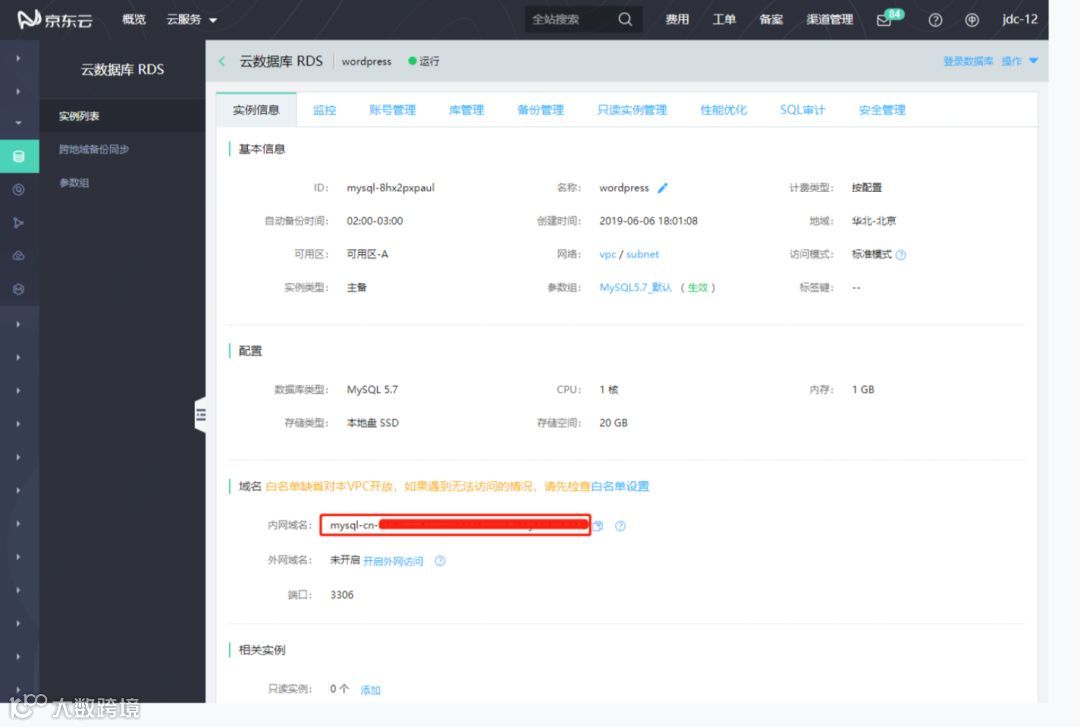
1mysql -h云数据库域名 -u用户名 -p 数据库名 < /云主机路径/导出文件名.sql
云数据库域名查看方式:

最大复制负载均衡公网IP到浏览器,查看结果:

注:京东云资源编排服务目前支持云主机、私有网络、负载均衡、云数据库RDS,详见:https://docs.jdcloud.com/cn/resource-orchestration/resource-type