


新式安全现已超出组织的网络边界,其中涵盖了用户和设备标识。在做出访问控制决策的过程中,组织现在会使用标识驱动的信号。Microsoft Entra 条件访问统合信号,以做出决策并强制实施组织策略。条件访问是 Microsoft 的零信任策略引擎,在强制执行策略决策时会考虑来自各种源的信号。
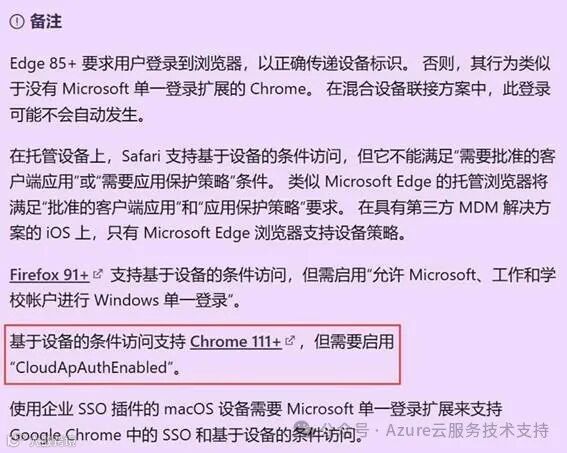
测试启用CloudApAuthEnabled的方式如下:
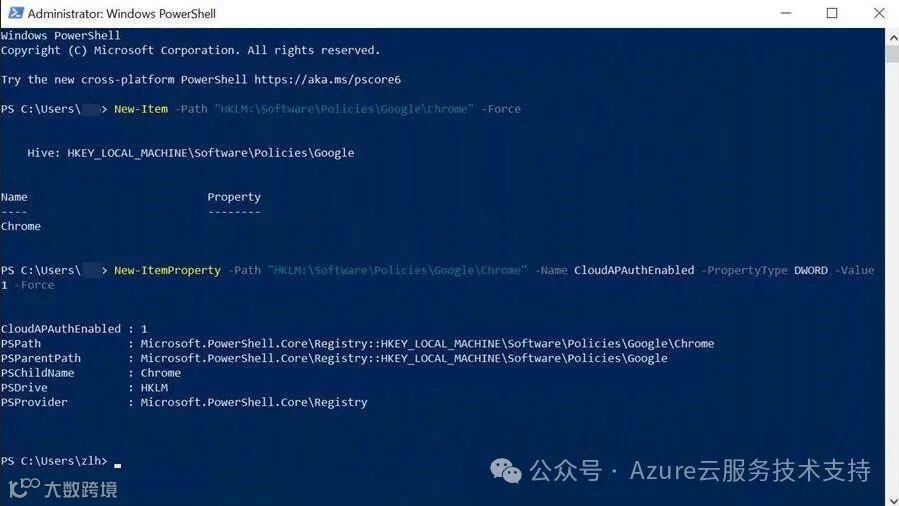
在Powershell中运行以下命令,添加注册表键值。
New-Item -Path "HKLM:\Software\Policies\Google\Chrome" -Force
New-ItemProperty -Path "HKLM:\Software\Policies\Google\Chrome" -Name CloudAPAuthEnabled -PropertyType DWORD -Value 1 -Force
参考截图:
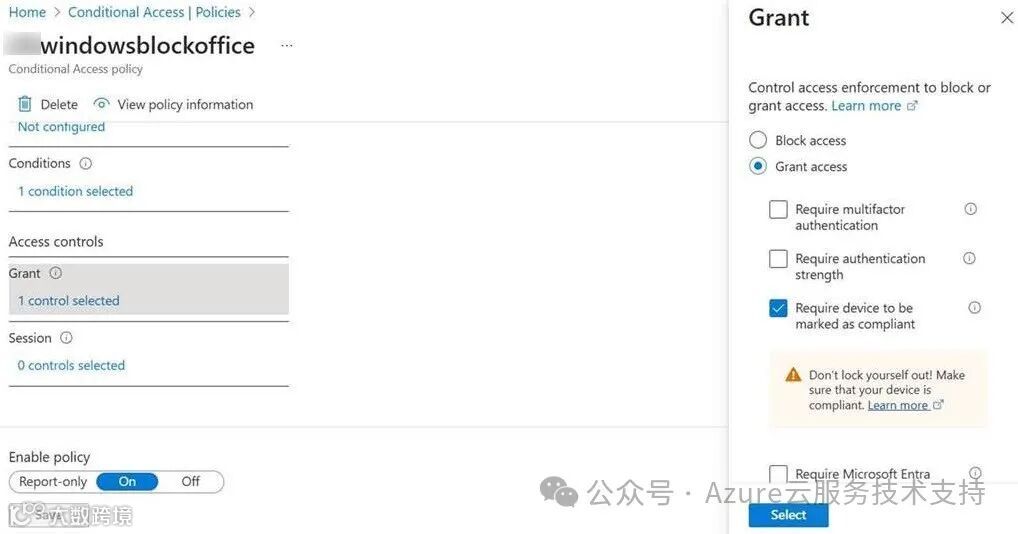
条件访问设置需要兼容的设备才能访问Office365
未启用CloudApAuthEnabled,使用Chrome访问Sharepoint截图:
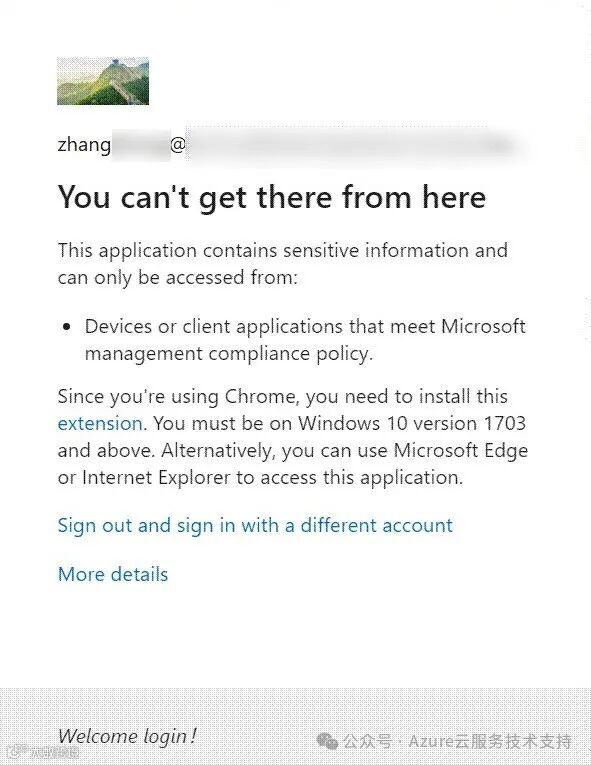
启用CloudApAuthEnabled后,即可正常访问对应的站点。

相关官方文档:https://docs.azure.cn/zh-cn/entra/identity/conditional-access/overview
https://docs.azure.cn/zh-cn/entra/identity/conditional-access/concept-conditional-access-conditions#supported-browsers