


之前有分享过一个veridata 12.2版本的docker镜像(详见 全网唯一,让你分分钟拥有一个OGG Veridata环境),本次分享最新版的veridata 23c的docker镜像,来看看veridata 23c都有哪些变化吧。
Veridata Server 镜像下载
--从腾讯云下载上传的镜像文件
# docker pull ccr.ccs.tencentyun.com/szrsu/veridata23c:v1
v1: Pulling from szrsu/veridata23c
2d473b07cdd5: Already exists
4f4fb700ef54: Already exists
26c3cb98dc64: Already exists
e324fc265691: Already exists
27bfbbde803c: Already exists
bbead8c69930: Already exists
ba0b28df9992: Extracting [===================================>               ]  1.094GB/1.534GB
ba0b28df9992: Pull complete
Digest: sha256:0659b119ca289b506d65d6f9b5bdcb865630120ee344be3f3df10dd191453981
Status: Downloaded newer image for ccr.ccs.tencentyun.com/szrsu/veridata23c:v1
ccr.ccs.tencentyun.com/szrsu/veridata23c:v1


# docker images
REPOSITORY                                 TAG       IMAGE ID       CREATED          SIZE
ccr.ccs.tencentyun.com/szrsu/veridata23c   v1        26849df7f8a0   54 minutes ago   5.59GB
--修改tag
# docker tag ccr.ccs.tencentyun.com/szrsu/veridata:v1 veridata:v1

[root@ora19c:~]# docker tag ccr.ccs.tencentyun.com/szrsu/veridata23c:v1 veridata23c:v1
[root@ora19c:~]# docker images
REPOSITORY                                 TAG       IMAGE ID       CREATED          SIZE
ccr.ccs.tencentyun.com/szrsu/veridata23c   v1        26849df7f8a0   55 minutes ago   5.59GB
veridata23c                                v1        26849df7f8a0   55 minutes ago   5.59GB
创建容器
--创建docker主机
docker run -d --name vd23c -h vd23c -p5122:22 -p8801:8801 -p8802:8802 -p8831:8831 -p8830:8830 -v /home/share:/media --privileged=true --restart=always veridata23c:v1 /usr/sbin/init
相关端口说明:
5122:docker虚拟机的ssh端口,可以通过ssh 宿主机的 5122端口直接访问容器
8831:veridata server端口(https)
8830:veridata server端口
8801:veridata agent 的端口,可以作为连接源端数据库的agent
8802:veridata agent 的端口,可以作为连接目标端数据库的agent
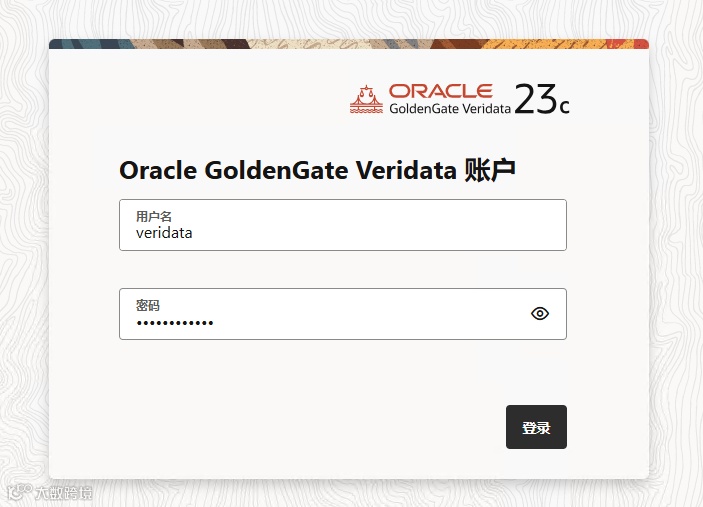
Veridata Server访问地址:https://宿主机IP:8831/veridata veridata/Veridata@123
--查看容器
# docker ps
CONTAINER ID   IMAGE            COMMAND            CREATED         STATUS         PORTS                                                                                                                                                                 NAMES
7a6e758fd86d   veridata23c:v1   "/usr/sbin/init"   2 minutes ago   Up 2 minutes   0.0.0.0:8801-8802->8801-8802/tcp, :::8801-8802->8801-8802/tcp, 0.0.0.0:8830-8831->8830-8831/tcp, :::8830-8831->8830-8831/tcp, 0.0.0.0:5122->22/tcp, :::5122->22/tcp   vd23c
--登录容器
# docker exec -it vd23c /bin/bash
或者直接 ssh 宿主机IP 5122端口也可登录容器,登录用户和密码:root/123456
veridata启动过程需要一定的时间,耐心等待一下,查看相关端口是否启动成功:
 netstat -tnlp
Active Internet connections (only servers)
Proto Recv-Q Send-Q Local Address           Foreign Address         State       PID/Program name
tcp        0      0 0.0.0.0:8830            0.0.0.0:*               LISTEN      439/java
tcp        0      0 0.0.0.0:8831            0.0.0.0:*               LISTEN      439/java
tcp        0      0 0.0.0.0:8801            0.0.0.0:*               LISTEN      255/java
tcp        0      0 0.0.0.0:8802            0.0.0.0:*               LISTEN      226/java
tcp        0      0 0.0.0.0:22              0.0.0.0:*               LISTEN      200/sshd
tcp6       0      0 :::33060                :::*                    LISTEN      273/mysqld
tcp6       0      0 :::3306                 :::*                    LISTEN      273/mysqld
tcp6       0      0 :::22                   :::*                    LISTEN      200/sshd
主要的8831、8801、8802端口要启动成功,如果不成功,看一下相关的服务状态,失败的服务可尝试重启一下:
# systemctl status veridata
# systemctl status veridata-agent1
# systemctl status veridata-agent2

[root@vd23c ~]# systemctl status veridata
● veridata.service - Veridata Server
   Loaded: loaded (/usr/lib/systemd/system/veridata.service; enabled; vendor preset: disabled)
   Active: active (running) since Tue 2025-07-22 09:38:32 CST; 4min 4s ago
  Process: 367 ExecStart=/ogg/vd23c/bin/run.sh (code=exited, status=0/SUCCESS)
 Main PID: 439 (java)
   CGroup: /docker/7a6e758fd86d69e01053b78b9f2e82ed8bef1cdb9433c531159f77760090cee1/system.slice/veridata.service
           └─439 java -Xms2g -Xmx4g -Dapp_yaml_path=/ogg/vd23c/bin/../config/application.yaml -Dapp_prop_path=/ogg/vd23c/bin/../config/oggvdt_cainput.properties -Doracle.veridata.domain.home=/og...
           ‣ 439 java -Xms2g -Xmx4g -Dapp_yaml_path=/ogg/vd23c/bin/../config/application.yaml -Dapp_prop_path=/ogg/vd23c/bin/../config/oggvdt_cainput.properties -Doracle.veridata.domain.home=/og...

Jul 22 09:38:48 vd23c run.sh[367]: [EL Warning]: 2025-07-22 09:38:48.961--Reverting the lazy setting on the OneToOne or ManyToOne attribute [jobName] for the entity class [class co...did not occur.
Jul 22 09:38:48 vd23c run.sh[367]: [EL Warning]: 2025-07-22 09:38:48.961--Reverting the lazy setting on the OneToOne or ManyToOne attribute [groupName] for the entity class [class ...did not occur.
Jul 22 09:38:48 vd23c run.sh[367]: [EL Warning]: 2025-07-22 09:38:48.961--Reverting the lazy setting on the OneToOne or ManyToOne attribute [name] for the entity class [class com.g...did not occur.
Jul 22 09:38:48 vd23c run.sh[367]: [EL Warning]: 2025-07-22 09:38:48.962--Reverting the lazy setting on the OneToOne or ManyToOne attribute [targConnection] for the entity class [c...did not occur.
Jul 22 09:38:48 vd23c run.sh[367]: [EL Warning]: 2025-07-22 09:38:48.963--Reverting the lazy setting on the OneToOne or ManyToOne attribute [srcConnection] for the entity class [cl...did not occur.
Jul 22 09:38:48 vd23c run.sh[367]: [EL Warning]: 2025-07-22 09:38:48.963--Reverting the lazy setting on the OneToOne or ManyToOne attribute [fullProfile] for the entity class [clas...did not occur.
Jul 22 09:38:48 vd23c run.sh[367]: [EL Warning]: 2025-07-22 09:38:48.963--Reverting the lazy setting on the OneToOne or ManyToOne attribute [connection] for the entity class [class...did not occur.
Jul 22 09:38:48 vd23c run.sh[367]: [EL Warning]: 2025-07-22 09:38:48.969--Reverting the lazy setting on the OneToOne or ManyToOne attribute [jobStats] for the entity class [class c...did not occur.
Jul 22 09:38:48 vd23c run.sh[367]: [EL Warning]: 2025-07-22 09:38:48.969--Reverting the lazy setting on the OneToOne or ManyToOne attribute [job] for the entity class [class com.go...did not occur.
Jul 22 09:38:48 vd23c run.sh[367]: [EL Warning]: 2025-07-22 09:38:48.969--Reverting the lazy setting on the OneToOne or ManyToOne attribute [group] for the entity class [class com....did not occur.
Hint: Some lines were ellipsized, use -l to show in full.
[root@vd23c ~]# systemctl status veridata-agent1
● veridata-agent1.service - Veridata Agent1 Service
   Loaded: loaded (/usr/lib/systemd/system/veridata-agent1.service; enabled; vendor preset: disabled)
   Active: active (running) since Tue 2025-07-22 09:38:24 CST; 4min 22s ago
  Process: 201 ExecStart=/ogg/agent1/agent.sh start /ogg/agent1/agent.properties (code=exited, status=0/SUCCESS)
 Main PID: 255 (java)
   CGroup: /docker/7a6e758fd86d69e01053b78b9f2e82ed8bef1cdb9433c531159f77760090cee1/system.slice/veridata-agent1.service
           └─255 /usr/lib/jvm/jdk-17.0.16-oracle-x64/bin/java -Djava.util.logging.config.class=oracle.core.ojdl.logging.LoggingConfiguration -Doracle.core.ojdl.logging.config.file=/ogg/agent1/co...
           ‣ 255 /usr/lib/jvm/jdk-17.0.16-oracle-x64/bin/java -Djava.util.logging.config.class=oracle.core.ojdl.logging.LoggingConfiguration -Doracle.core.ojdl.logging.config.file=/ogg/agent1/co...

Jul 22 09:38:24 vd23c systemd[1]: Starting Veridata Agent1 Service...
Jul 22 09:38:24 vd23c systemd[1]: Started Veridata Agent1 Service.
[root@vd23c ~]# systemctl status veridata-agent2
● veridata-agent2.service - Veridata Agent2 Service
   Loaded: loaded (/usr/lib/systemd/system/veridata-agent2.service; enabled; vendor preset: disabled)
   Active: active (running) since Tue 2025-07-22 09:38:24 CST; 4min 24s ago
  Process: 198 ExecStart=/ogg/agent2/agent.sh start /ogg/agent2/agent.properties (code=exited, status=0/SUCCESS)
 Main PID: 226 (java)
   CGroup: /docker/7a6e758fd86d69e01053b78b9f2e82ed8bef1cdb9433c531159f77760090cee1/system.slice/veridata-agent2.service
           └─226 /usr/lib/jvm/jdk-17.0.16-oracle-x64/bin/java -Djava.util.logging.config.class=oracle.core.ojdl.logging.LoggingConfiguration -Doracle.core.ojdl.logging.config.file=/ogg/agent2/co...
           ‣ 226 /usr/lib/jvm/jdk-17.0.16-oracle-x64/bin/java -Djava.util.logging.config.class=oracle.core.ojdl.logging.LoggingConfiguration -Doracle.core.ojdl.logging.config.file=/ogg/agent2/co...

Jul 22 09:38:24 vd23c systemd[1]: Starting Veridata Agent2 Service...
Jul 22 09:38:24 vd23c systemd[1]: Started Veridata Agent2 Service.
Veridata Agent配置
有两个agent服务,可以分别配置连接源端和目标端,使用的端口分别是8801和8802,相关的配置目录如下:
8801:/ogg/agent1/
8802:/ogg/agent2/
如要修改配置,可以进入相关目录,修改agent.properties文件里面的配置
[root@vd23c agent1]# cat /ogg/agent1/agent.properties|grep -v '^#'|grep -v '^$'
server.port=8801
server.jdbcDriver=ojdbc11-23.2.0.0.jar

database.url=jdbc:oracle:thin:@10.10.10.1:1521/orcl
server.driversLocation=/ogg/vd23c/agent/drivers
server.useSsl=false
coos.batch.fetch=false


[root@vd23c agent1]# cat /ogg/agent2/agent.properties|grep -v '^#'|grep -v '^$'
server.port=8802
server.jdbcDriver=postgresql-42.7.4.jar

database.url=jdbc:postgresql://10.10.10.1:5432/mydb
server.driversLocation=/ogg/vd23c/agent/drivers
server.useSsl=false
coos.batch.fetch=false
根据实际情况,进行配置,修改完成后,重启服务生效。
# systemctl restart veridata-agent1
# systemctl restart veridata-agent2
创建新的Veridata Agent
当然,你也可以新增agent(如agent3),方法如下:
# su - oracle
Last login: Mon Jul 21 21:52:42 CST 2025 on pts/0
[oracle@vd23c ~]$
[oracle@vd23c ~]$
[oracle@vd23c agent2]$ cd /ogg/vd23c/agent/
[oracle@vd23c agent]$ ./agent_config.sh /ogg/agent3/
Successfully deployed the agent.
[oracle@vd23c agent]$ cd /ogg/agent3/
[oracle@vd23c agent3]$ ls
agent.properties.sample  agent.sh  config  configure_agent_ssl.sh  ReadMe.txt  VAOH.sh
[oracle@vd23c agent3]$ cp agent.properties.sample agent.properties
[oracle@vd23c agent3]$ cat agent.properties|grep -v '^#' |grep -v '^$'
server.port=8803
server.jdbcDriver=mysql-connector-j-8.3.0.jar

database.url=jdbc:mysql://10.10.10.1:3306/mydb
server.driversLocation=/ogg/vd23c/agent/drivers
server.useSsl=false
coos.batch.fetch=false

[oracle@vd23c agent3]$ nohup ./agent.sh start &
nohup: ignoring input and appending output to ‘nohup.out’


[oracle@vd23c agent3]$ netstat -tnlp
(Not all processes could be identified, non-owned process info
 will not be shown, you would have to be root to see it all.)
Active Internet connections (only servers)
Proto Recv-Q Send-Q Local Address           Foreign Address         State       PID/Program name
tcp        0      0 127.0.0.11:33173        0.0.0.0:*               LISTEN      -
tcp        0      0 0.0.0.0:22              0.0.0.0:*               LISTEN      -
tcp        0      0 0.0.0.0:8830            0.0.0.0:*               LISTEN      2170/java
tcp        0      0 0.0.0.0:8831            0.0.0.0:*               LISTEN      2170/java
tcp        0      0 0.0.0.0:8801            0.0.0.0:*               LISTEN      3630/java
tcp        0      0 0.0.0.0:8802            0.0.0.0:*               LISTEN      5975/java
tcp        0      0 0.0.0.0:8803            0.0.0.0:*               LISTEN      6374/java
tcp6       0      0 :::3306                 :::*                    LISTEN      -
tcp6       0      0 :::22                   :::*                    LISTEN      -
tcp6       0      0 :::33060                :::*                    LISTEN      -
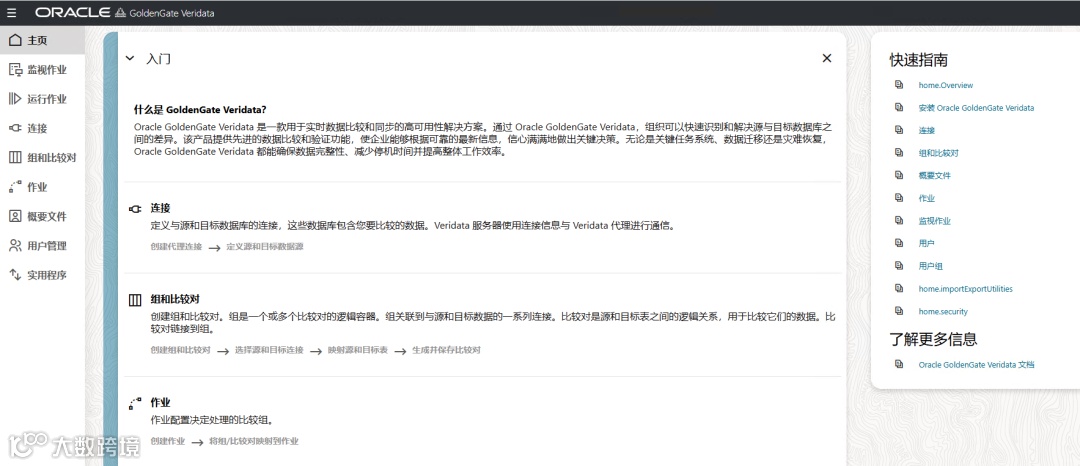
Veridata 访问
如果你觉得这篇文章有帮助,欢迎点赞收藏🌟,有任何问题也可以在评论区留言讨论~