


我们很高兴地宣布,2025年1月21日又更新SeeSAR“Atlas”14.1和HPSee 2.1“Electra”。共勉 | 让生命绽放,让资源流动
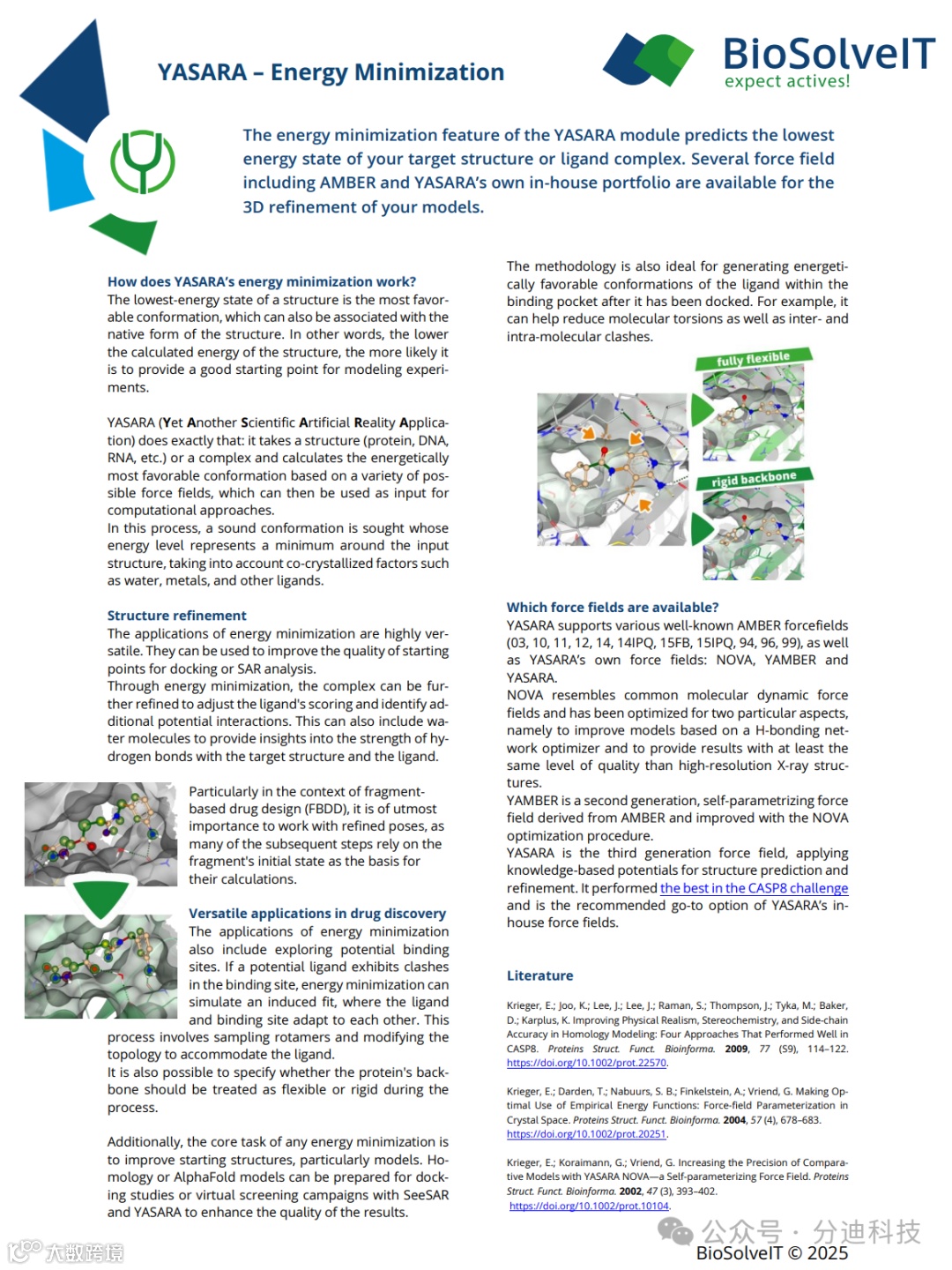
"SeeSAR 14.1"版本的重点是与YASARA合作。SeeSAR将逐步引入基于力场的分子建模方法的各个方面。第一步涉及结构和复合物的能量最小化,为虚拟筛选和对接研究提供更好的起点。在我们的愿景中,目标是以熟悉的便捷方式将分子动力学引入SeeSAR,使用户能够轻松启动它,而无需其他软件包,一键完成。
很多科研企业药物科学家经常问我一个问题“SeeSAR跟其他工具的区别与优势”,答案官网已经用行动回答了,它无时无刻\直观将技术更新内容都公布出来了,BioSolveIT公司一直专注自己擅长的技术不断深根,不断的更新,不断的站在用户需求去优化解决方案。
但是,即使我们为平台添加越来越多的功能,在评估用户将产生的结果质量时,它们也无法完全弥补知识差距。评估目标结构或复杂结构是一项需要发展的技能,即使我对自己正在做的事情有很好的了解(或者至少我希望如此),仍然有很多东西需要学习。
掌握药物发现是一个持续的过程,它永远不会结束,但每个人都必须从某个地方开始。 (非常喜欢这句话)

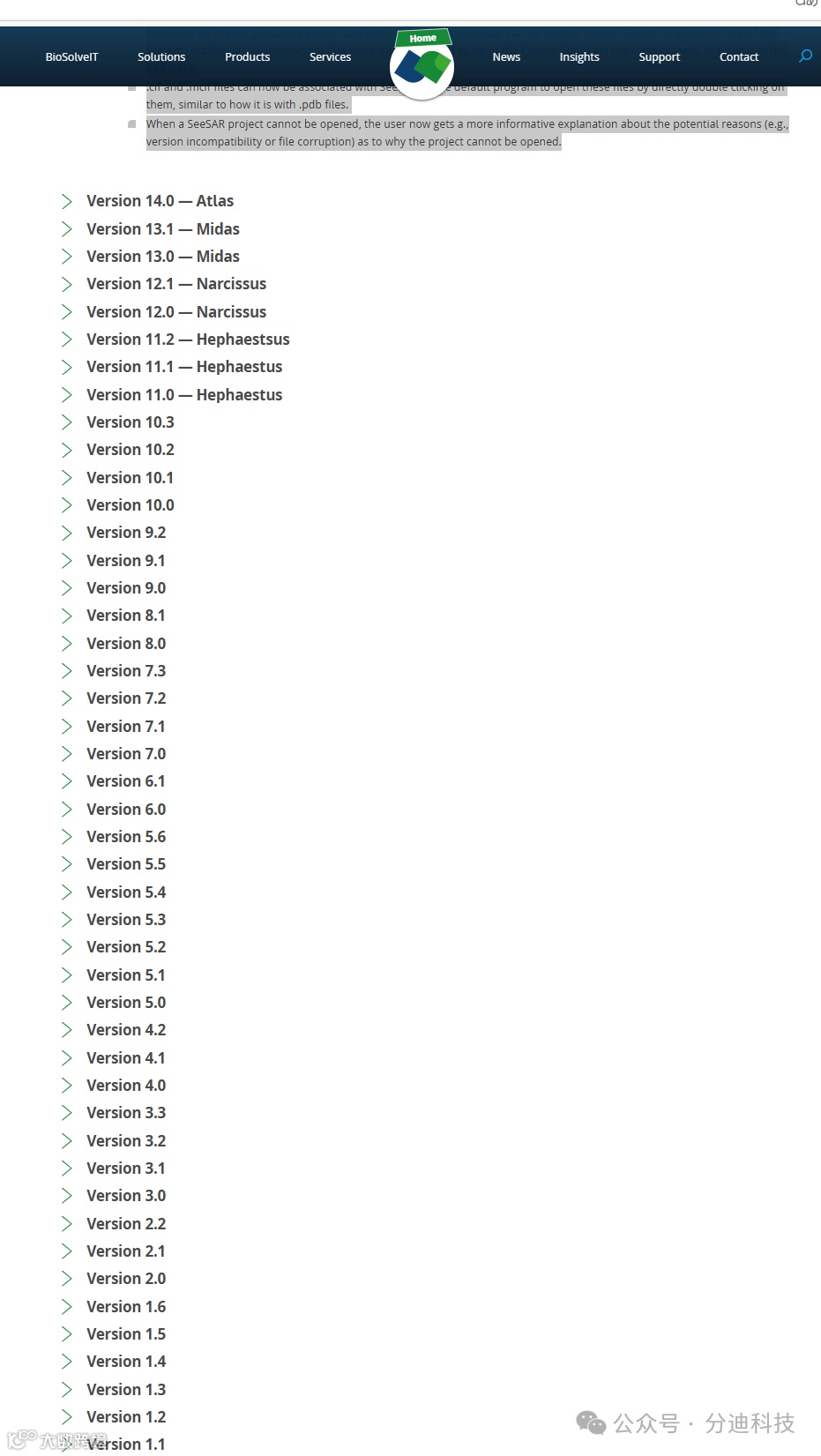
技术更新的日志
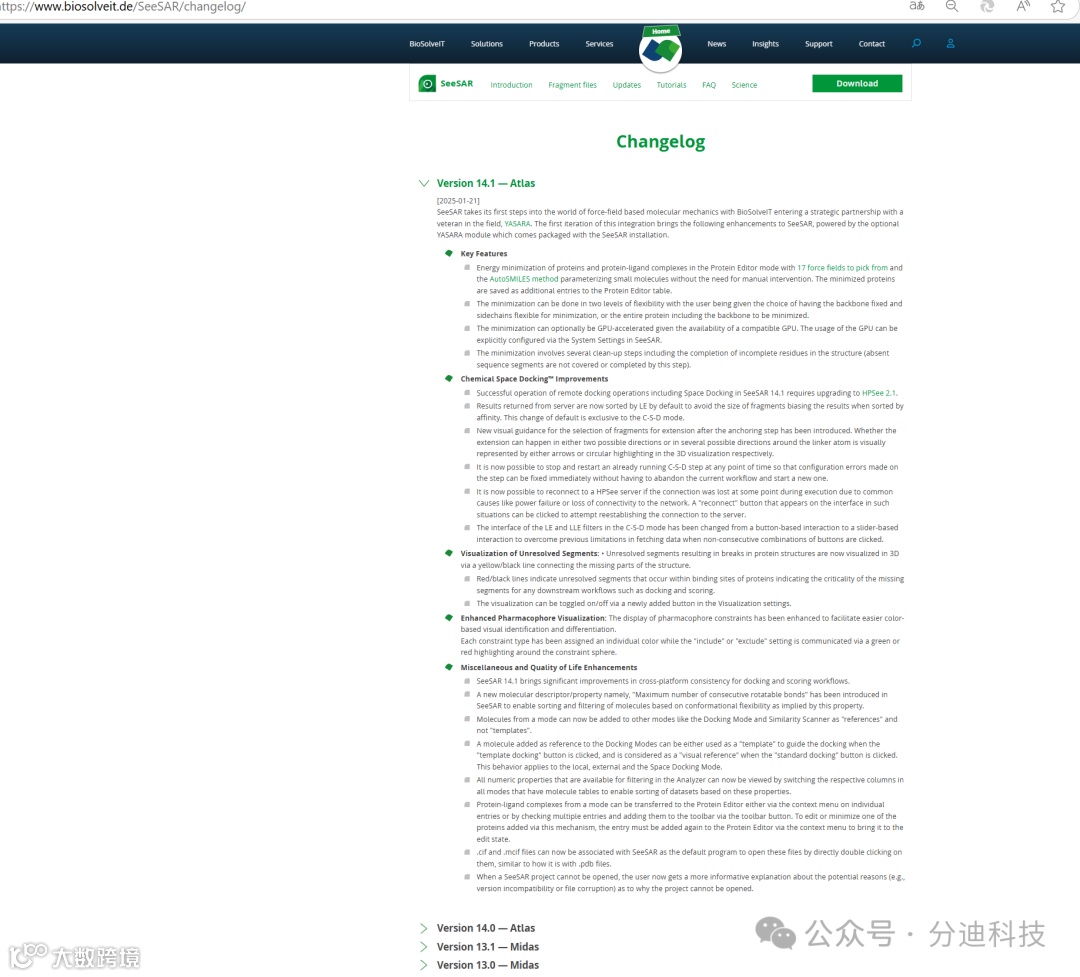
Version 14.1 — Atlas
[2025-01-21]
SeeSAR takes its first steps into the world of force-field based molecular mechanics with BioSolveIT entering a strategic partnership with a veteran in the field, YASARA. The first iteration of this integration brings the following enhancements to SeeSAR, powered by the optional YASARA module which comes packaged with the SeeSAR installation.
Key Features
Energy minimization of proteins and protein-ligand complexes in the Protein Editor mode with 17 force fields to pick from and the AutoSMILES method parameterizing small molecules without the need for manual intervention. The minimized proteins are saved as additional entries to the Protein Editor table.
The minimization can be done in two levels of flexibility with the user being given the choice of having the backbone fixed and sidechains flexible for minimization, or the entire protein including the backbone to be minimized.
The minimization can optionally be GPU-accelerated given the availability of a compatible GPU. The usage of the GPU can be explicitly configured via the System Settings in SeeSAR.
The minimization involves several clean-up steps including the completion of incomplete residues in the structure (absent sequence segments are not covered or completed by this step).
Chemical Space Docking™ Improvements
Successful operation of remote docking operations including Space Docking in SeeSAR 14.1 requires upgrading to HPSee 2.1.
Results returned from server are now sorted by LE by default to avoid the size of fragments biasing the results when sorted by affinity. This change of default is exclusive to the C-S-D mode.
New visual guidance for the selection of fragments for extension after the anchoring step has been introduced. Whether the extension can happen in either two possible directions or in several possible directions around the linker atom is visually represented by either arrows or circular highlighting in the 3D visualization respectively.
It is now possible to stop and restart an already running C-S-D step at any point of time so that configuration errors made on the step can be fixed immediately without having to abandon the current workflow and start a new one.
It is now possible to reconnect to a HPSee server if the connection was lost at some point during execution due to common causes like power failure or loss of connectivity to the network. A "reconnect" button that appears on the interface in such situations can be clicked to attempt reestablishing the connection to the server.
The interface of the LE and LLE filters in the C-S-D mode has been changed from a button-based interaction to a slider-based interaction to overcome previous limitations in fetching data when non-consecutive combinations of buttons are clicked.
Visualization of Unresolved Segments: • Unresolved segments resulting in breaks in protein structures are now visualized in 3D via a yellow/black line connecting the missing parts of the structure.
Red/black lines indicate unresolved segments that occur within binding sites of proteins indicating the criticality of the missing segments for any downstream workflows such as docking and scoring.
The visualization can be toggled on/off via a newly added button in the Visualization settings.
Enhanced Pharmacophore Visualization: The display of pharmacophore constraints has been enhanced to facilitate easier color-based visual identification and differentiation.
Each constraint type has been assigned an individual color while the "include" or "exclude" setting is communicated via a green or red highlighting around the constraint sphere.Miscellaneous and Quality of Life Enhancements
SeeSAR 14.1 brings significant improvements in cross-platform consistency for docking and scoring workflows.
A new molecular descriptor/property namely, "Maximum number of consecutive rotatable bonds" has been introduced in SeeSAR to enable sorting and filtering of molecules based on conformational flexibility as implied by this property.
Molecules from a mode can now be added to other modes like the Docking Mode and Similarity Scanner as "references" and not "templates".
A molecule added as reference to the Docking Modes can be either used as a "template" to guide the docking when the "template docking" button is clicked, and is considered as a "visual reference" when the "standard docking" button is clicked. This behavior applies to the local, external and the Space Docking Mode.
All numeric properties that are available for filtering in the Analyzer can now be viewed by switching the respective columns in all modes that have molecule tables to enable sorting of datasets based on these properties.
Protein-ligand complexes from a mode can be transferred to the Protein Editor either via the context menu on individual entries or by checking multiple entries and adding them to the toolbar via the toolbar button. To edit or minimize one of the proteins added via this mechanism, the entry must be added again to the Protein Editor via the context menu to bring it to the edit state.
.cif and .mcif files can now be associated with SeeSAR as the default program to open these files by directly double clicking on them, similar to how it is with .pdb files.
When a SeeSAR project cannot be opened, the user now gets a more informative explanation about the potential reasons (e.g., version incompatibility or file corruption) as to why the project cannot be opened.
参考资料:
www.biosolveit.de/SeeSAR/changelog
关于我们

关于分迪
成都分迪科技有限公司(简称“分迪科技”),是一家专为中国创新药研发提供全球领先工业药物设计解决方案的服务供应商。“分迪科技”为全球领先工业药物设计软件公司德国BiosolveIT大中华区独家代理,负责该公司软件SeeSAR和InfiniSee的销售及相关技术服务,为企业、科研院所等提供虚拟筛选、药物设计等技术服务,助力客户加速高成药性先导化合物的发现。
从90年代开始,创始团队一直思考如何站在药物科学家们的应用需求上打造一款符合药物化学家、合成化学家、计算化学家的友好工具,前期进行了多年市场的验证,了解工具在药物科学家们的实际工作中应用价值,如:大家耳熟能详的Chemical Space Docking、Covalent Docking、FlexX、FlexS、FTrees、HYDE、Recore、Fastgrow、DoGSiteScorer、POSEVIEW、MONA、LEADIT等工具。(Clients: 100+ pharma and universities, 80% of fortune top 10, for ex.: Pfizer, AstraZeneca, Johnson&Johnson, Roche, Bayer, Merck, AbbVie, Novartis, Boehringer Ingelheim, Syngenta, BASF, …