


容器安全加固实战:镜像漏洞扫描+运行时零信任防护完整指南
1. 适用场景 & 前置条件
适用场景:生产容器环境安全加固、CI/CD 漏洞自动化检测、镜像供应链安全、运行时攻击防御。
前置条件:
-
• OS:RHEL 8+/Ubuntu 20.04+;内核 5.4+(支持 seccomp/AppArmor) -
• 容器运行时:Docker 20.10+/containerd 1.6+/CRI-O 1.24+ -
• Kubernetes:1.25+(PSP 已废弃,使用 Pod Security Admission) -
• 权限:root 或 docker/kubectl admin;镜像仓库读写权限 -
• 网络:能访问 NVD、GitHub Advisory 等漏洞数据库(或离线镜像) -
• 工具:Trivy 0.48+、Cosign 2.0+、Falco 0.36+(可选)
2. 环境与版本矩阵
3. 快速清单(Checklist)
-
1. 安装扫描工具(Trivy/Grype)并验证漏洞检测 -
2. 配置 Dockerfile 安全基线(多阶段构建、非 root 用户) -
3. 集成 CI/CD 流水线阻断高危漏洞镜像 -
4. 部署镜像签名与验证(Cosign + OPA Gatekeeper) -
5. 配置 Kubernetes SecurityContext(readOnlyRootFilesystem/runAsNonRoot) -
6. 实施 Network Policy 最小化网络暴露 -
7. 启用 Pod Security Admission(Restricted 策略) -
8. 部署运行时防护(Falco 规则 + 告警) -
9. 配置镜像仓库安全(Harbor 漏洞扫描 + 签名验证) -
10. 建立定期扫描与修复流程(CVE 追踪 + 镜像重建)
4. 实施步骤
Step 1:安装与配置 Trivy 扫描工具
RHEL/CentOS:
# 安装 Trivy
sudo rpm -ivh https://github.com/aquasecurity/trivy/releases/download/v0.48.3/trivy_0.48.3_Linux-64bit.rpm

# 验证安装
trivy --version

# 更新漏洞数据库
trivy image --download-db-only

# 检查数据库路径
ls -lh ~/.cache/trivy/db/
Ubuntu/Debian:
# 安装 Trivy
wget https://github.com/aquasecurity/trivy/releases/download/v0.48.3/trivy_0.48.3_Linux-64bit.deb
sudo dpkg -i trivy_0.48.3_Linux-64bit.deb

# 离线环境配置(可选)
trivy image --download-db-only --cache-dir /opt/trivy-db
export TRIVY_CACHE_DIR=/opt/trivy-db
关键参数:
-
• --severity CRITICAL,HIGH:仅扫描高危漏洞 -
• --exit-code 1:发现漏洞时返回非零退出码(用于 CI 阻断) -
• --ignore-unfixed:忽略暂无修复版本的 CVE
验证扫描功能:
# 扫描官方 Nginx 镜像
trivy image nginx:latest

# 仅输出 CRITICAL 和 HIGH 级别
trivy image --severity CRITICAL,HIGH nginx:latest

# JSON 格式输出
trivy image -f json -o nginx-scan.json nginx:latest

# 检查输出
jq '.Results[0].Vulnerabilities | length' nginx-scan.json
预期输出示例:
nginx:latest (debian 12.2)
Total: 87 (CRITICAL: 2, HIGH: 15, MEDIUM: 70)
┌────────────┬───────────────┬──────────┬──────────────────┬───────────────┐
│  Library   │ Vulnerability │ Severity │ Installed Version│ Fixed Version │
├────────────┼───────────────┼──────────┼──────────────────┼───────────────┤
│ openssl    │ CVE-2023-5678 │ CRITICAL │ 3.0.9-1          │ 3.0.11-1      │
└────────────┴───────────────┴──────────┴──────────────────┴───────────────┘
Step 2:配置 Dockerfile 安全基线
多阶段构建 + 最小镜像 + 非 root 运行:
# 构建阶段:使用完整镜像
FROM golang:1.21-alpine AS builder
WORKDIR /app
COPY go.mod go.sum ./
RUN go mod download
COPY . .
RUN CGO_ENABLED=0 GOOS=linux go build -a -ldflags '-extldflags "-static"' -o myapp

# 运行阶段:使用 distroless
FROM gcr.io/distroless/static-debian12:nonroot
# 使用非特权用户(UID 65532)
USER nonroot:nonroot
WORKDIR /app
# 只读根文件系统(需要在 /tmp 挂载可写卷)
COPY --from=builder --chown=nonroot:nonroot /app/myapp .
EXPOSE8080
ENTRYPOINT ["/app/myapp"]
关键安全实践:
-
• 多阶段构建:分离构建依赖与运行依赖,减少攻击面 -
• Distroless 镜像:无 shell/包管理器,减少 70% 漏洞 -
• 非 root 用户:UID ≥ 10000,防止容器逃逸提权
扫描验证:
# 构建镜像
docker build -t myapp:secure .

# 扫描对比
trivy image --severity HIGH,CRITICAL myapp:secure

# 检查用户配置
docker inspect myapp:secure | jq '.[0].Config.User'
# 预期输出:"nonroot"
Alpine 基础镜像替代方案:
FROM alpine:3.19
RUN apk add --no-cache ca-certificates && \
    addgroup -S appgroup && adduser -S appuser -G appgroup
USER appuser
COPY --chown=appuser:appgroup myapp /app/
ENTRYPOINT ["/app/myapp"]
Step 3:集成 CI/CD 流水线(GitLab CI 示例)
.gitlab-ci.yml 配置:
stages:
-build
-scan
-sign
-deploy

variables:
IMAGE_NAME:myapp
IMAGE_TAG:$CI_COMMIT_SHORT_SHA
REGISTRY:registry.example.com

build:
stage:build
image:docker:24-dind
script:
-dockerbuild-t$REGISTRY/$IMAGE_NAME:$IMAGE_TAG.
-dockerpush$REGISTRY/$IMAGE_NAME:$IMAGE_TAG

security-scan:
stage:scan
image:aquasec/trivy:latest
script:
-trivyimage--exit-code1--severityCRITICAL$REGISTRY/$IMAGE_NAME:$IMAGE_TAG
-trivyimage--severityHIGH,CRITICAL--formatjson--outputscan-report.json$REGISTRY/$IMAGE_NAME:$IMAGE_TAG
artifacts:
reports:
container_scanning:scan-report.json
expire_in:30days
allow_failure:false# 发现 CRITICAL 漏洞时阻断流水线

sign-image:
stage:sign
image:gcr.io/projectsigstore/cosign:v2.2
script:
-cosignsign--keycosign.key$REGISTRY/$IMAGE_NAME:$IMAGE_TAG
only:
-main
关键配置:
-
• --exit-code 1:CRITICAL 漏洞阻断部署 -
• allow_failure: false:强制修复后才能继续 -
• 签名仅在主分支执行
GitHub Actions 等效配置:
-name:ScanwithTrivy
uses:aquasecurity/trivy-action@master
with:
image-ref:${{env.REGISTRY}}/${{env.IMAGE_NAME}}:${{github.sha}}
severity:'CRITICAL,HIGH'
exit-code:1
Step 4:镜像签名与验证(Cosign)
生成签名密钥:
# 生成 Cosign 密钥对
cosign generate-key-pair

# 输出:cosign.key(私钥)+ cosign.pub(公钥)
# 私钥存储到 GitLab/GitHub Secrets

# 签名镜像
cosign sign --key cosign.key registry.example.com/myapp:v1.0

# 验证签名
cosign verify --key cosign.pub registry.example.com/myapp:v1.0
Kubernetes 准入控制(OPA Gatekeeper + Cosign):
# 安装 Gatekeeper
kubectlapply-fhttps://raw.githubusercontent.com/open-policy-agent/gatekeeper/v3.14.0/deploy/gatekeeper.yaml

# 创建签名验证策略
apiVersion:templates.gatekeeper.sh/v1
kind:ConstraintTemplate
metadata:
name:cosignsignedimages
spec:
crd:
spec:
names:
kind:CosignSignedImages
targets:
-target:admission.k8s.gatekeeper.sh
rego:|
        package cosignsignedimages
        violation[{"msg": msg}] {
          input.review.object.kind == "Pod"
          image := input.review.object.spec.containers[_].image
          not cosign_verify(image)
          msg := sprintf("Image %v is not signed", [image])
        }
        cosign_verify(image) {
          # 调用外部 Cosign 验证服务
          response := http.send({
            "method": "GET",
            "url": sprintf("http://cosign-verifier.default.svc/verify?image=%v", [image])
          })
          response.status_code == 200
        }
部署验证服务(简化示例):
# 使用 Policy Controller(Sigstore 官方)
kubectl apply -f https://github.com/sigstore/policy-controller/releases/download/v0.8.0/release.yaml

# 配置全局签名验证策略
kubectl apply -f - <<EOF
apiVersion: policy.sigstore.dev/v1beta1
kind: ClusterImagePolicy
metadata:
  name: require-signed-images
spec:
  images:
  - glob: "registry.example.com/**"
  authorities:
  - key:
      data: |
        $(cat cosign.pub)
EOF
验证阻断效果:
# 尝试部署未签名镜像
kubectl run test --image=nginx:latest

# 预期错误:
# Error: admission webhook denied the request:
# no matching signatures found for image nginx:latest
Step 5:Kubernetes SecurityContext 配置
Pod 安全上下文模板:
apiVersion:v1
kind:Pod
metadata:
name:secure-app
spec:
securityContext:
runAsNonRoot:true
runAsUser:10000
fsGroup:10000
seccompProfile:
type:RuntimeDefault
containers:
-name:app
image:registry.example.com/myapp:v1.0
securityContext:
allowPrivilegeEscalation:false
readOnlyRootFilesystem:true
capabilities:
drop:
-ALL
add:
-NET_BIND_SERVICE# 仅允许绑定 1024 以下端口
runAsNonRoot:true
volumeMounts:
-name:tmp
mountPath:/tmp
-name:cache
mountPath:/app/cache
volumes:
-name:tmp
emptyDir: {}
-name:cache
emptyDir: {}
关键参数解释:
-
• readOnlyRootFilesystem: true:防止运行时篡改文件系统 -
• capabilities.drop: ALL:移除所有 Linux Capabilities -
• seccompProfile: RuntimeDefault:启用 seccomp 系统调用过滤
验证安全配置:
# 检查 Pod 运行用户
kubectl exec secure-app -- id
# 预期输出:uid=10000 gid=10000

# 尝试写入根目录(应失败)
kubectl exec secure-app -- touch /test.txt
# 预期错误:touch: /test.txt: Read-only file system

# 检查 Capabilities
kubectl exec secure-app -- capsh --print
# 预期输出:Current: cap_net_bind_service=ep
Step 6:Network Policy 最小化暴露
默认拒绝策略:
apiVersion:networking.k8s.io/v1
kind:NetworkPolicy
metadata:
name:default-deny-all
namespace:production
spec:
podSelector: {}
policyTypes:
-Ingress
-Egress
精细化白名单策略:
apiVersion:networking.k8s.io/v1
kind:NetworkPolicy
metadata:
name:allow-app-egress
namespace:production
spec:
podSelector:
matchLabels:
app:myapp
policyTypes:
-Egress
egress:
# 允许访问内部数据库
-to:
-podSelector:
matchLabels:
app:mysql
ports:
-protocol:TCP
port:3306
# 允许 DNS 查询
-to:
-namespaceSelector:
matchLabels:
name:kube-system
-podSelector:
matchLabels:
k8s-app:kube-dns
ports:
-protocol:UDP
port:53
# 允许访问外部 API(CIDR 限定)
-to:
-ipBlock:
cidr:203.0.113.0/24
ports:
-protocol:TCP
port:443
验证网络隔离:
# 测试内部连接(应成功)
kubectl exec -n production myapp-pod -- nc -zv mysql-service 3306

# 测试未授权连接(应超时)
kubectl exec -n production myapp-pod -- nc -zv redis-service 6379
# 预期输出:Connection timed out

# 检查策略生效
kubectl get netpol -n production
kubectl describe netpol allow-app-egress -n production
Step 7:Pod Security Admission(替代 PSP)
启用 PSA(K8s 1.25+ 默认启用):
# 查看当前策略
kubectl get ns production -o yaml | grep pod-security

# 配置 Namespace 级别策略
kubectl label namespace production \
  pod-security.kubernetes.io/enforce=restricted \
  pod-security.kubernetes.io/audit=restricted \
  pod-security.kubernetes.io/warn=restricted
Restricted 策略限制内容:
-
• 禁止特权容器( privileged: true) -
• 禁止主机网络/IPC/PID 命名空间 -
• 禁止主机端口映射 -
• 强制非 root 用户 -
• 强制只读根文件系统或明确的卷挂载 -
• 禁止 ALL Capabilities(除已批准列表)
测试策略阻断:
# 尝试部署特权容器
cat <<EOF | kubectl apply -f -
apiVersion: v1
kind: Pod
metadata:
  name: privileged-test
  namespace: production
spec:
  containers:
  - name: test
    image: nginx
    securityContext:
      privileged: true
EOF

# 预期错误:
# Error: pods "privileged-test" is forbidden:
# violates PodSecurity "restricted:latest": privileged
豁免特定工作负载(谨慎使用):
apiVersion:v1
kind:Namespace
metadata:
name:monitoring
labels:
pod-security.kubernetes.io/enforce:baseline
pod-security.kubernetes.io/audit:restricted
pod-security.kubernetes.io/warn:restricted
# 豁免特定用户/ServiceAccount
pod-security.kubernetes.io/exempt:prometheus-sa
Step 8:运行时防护(Falco 规则)
安装 Falco(Helm):
# 添加 Helm 仓库
helm repo add falcosecurity https://falcosecurity.github.io/charts
helm repo update

# 安装 Falco(eBPF 模式)
helm install falco falcosecurity/falco \
  --namespace falco --create-namespace \
  --set driver.kind=ebpf \
  --set falcosidekick.enabled=true \
  --set falcosidekick.webui.enabled=true

# 验证 DaemonSet 运行
kubectl get pods -n falco
自定义安全规则(/etc/falco/rules.d/custom.yaml):
-rule:UnauthorizedProcessinContainer
desc:Detectshellorpackagemanagerexecutioninproductioncontainers
condition:>
    spawned_process and
    container and
    (proc.name in (sh, bash, ash, zsh, apt, apt-get, yum, dnf)) and
    container.image.repository != "debug-tools"
output:>
    Unauthorized process started (user=%user.name command=%proc.cmdline
    container=%container.name image=%container.image.repository)
priority:WARNING
tags: [process, mitre_execution]

-rule:WritetoNon-WhitelistedDirectory
desc:Detectfilewritesoutside/tmpor/app/cache
condition:>
    open_write and
    container and
    not fd.directory in (/tmp, /app/cache) and
    not fd.name startswith /proc
output:>
    File write to unexpected location (file=%fd.name command=%proc.cmdline
    container=%container.name)
priority:ERROR
tags: [filesystem, mitre_persistence]

-rule:OutboundConnectiontoSuspiciousIP
desc:DetectconnectionstoknownmaliciousIPsorunusualports
condition:>
    outbound and
    container and
    (fd.sport in (22, 3389, 4444, 6667) or
     fd.sip in (198.51.100.0/24))
output:>
    Suspicious outbound connection (ip=%fd.sip port=%fd.sport
    command=%proc.cmdline container=%container.name)
priority:CRITICAL
tags: [network, mitre_command_and_control]
验证规则触发:
# 触发 shell 执行告警
kubectl exec -it myapp-pod -- /bin/sh

# 查看 Falco 日志
kubectl logs -n falco -l app.kubernetes.io/name=falco | grep "Unauthorized process"

# 预期输出:
# 16:45:23.456789: Warning Unauthorized process started
# (user=root command=/bin/sh container=myapp-pod image=myapp:v1.0)
集成告警(Falcosidekick → Slack/PagerDuty):
# 更新 Helm values
falcosidekick:
config:
slack:
webhookurl:"https://hooks.slack.com/services/XXX"
minimumpriority:"warning"
pagerduty:
integrationkey:"YOUR_KEY"
minimumpriority:"error"
Step 9:镜像仓库安全配置(Harbor)
启用自动扫描:
# Harbor API 配置自动扫描
curl -u admin:Harbor12345 -X PUT \
"https://harbor.example.com/api/v2.0/projects/myproject" \
  -H "Content-Type: application/json" \
  -d '{
    "metadata": {
      "auto_scan": "true",
      "severity": "high",
      "prevent_vul": "true"
    }
  }'

# 验证配置
curl -u admin:Harbor12345 \
"https://harbor.example.com/api/v2.0/projects/myproject" | jq '.metadata'
配置镜像签名验证:
# Harbor Notary 配置(已废弃,推荐 Cosign)
# 改用 Cosign + Harbor Webhook

# 配置 Webhook 回调验证签名
curl-uadmin:Harbor12345-XPOST\
"https://harbor.example.com/api/v2.0/projects/myproject/webhook/policies"\
-H"Content-Type: application/json"\
-d'{
    "name": "Verify Cosign Signature",
    "targets": [
      {
        "type": "http",
        "address": "http://cosign-verifier.default.svc/webhook",
        "skip_cert_verify": false
      }
    ],
    "event_types": ["PUSH_ARTIFACT"],
    "enabled": true
  }'
阻止高危镜像拉取:
# 配置 CVE 白名单(Harbor 2.8+)
curl -u admin:Harbor12345 -X POST \
"https://harbor.example.com/api/v2.0/system/CVEAllowlist" \
  -d '{
    "items": [
      {"cve_id": "CVE-2023-1234"}  # 已评估风险可接受
    ],
    "expires_at": 1735689600  # 2025-01-01
  }'

# 测试拉取被阻止的镜像
docker pull harbor.example.com/myproject/vulnerable-app:v1.0
# 预期错误:Error: image has vulnerabilities exceeding severity threshold
Step 10:定期扫描与修复流程
自动化扫描脚本(Cron Job):
#!/bin/bash
# /opt/scripts/scan-running-images.sh

set -euo pipefail

NAMESPACE="production"
REPORT_DIR="/var/log/trivy"
SLACK_WEBHOOK="https://hooks.slack.com/services/XXX"

mkdir -p "$REPORT_DIR"

# 获取所有运行中的镜像
IMAGES=$(kubectl get pods -n "$NAMESPACE" -o jsonpath='{.items[*].spec.containers[*].image}' | tr' ''\n' | sort -u)

# 扫描每个镜像
for IMAGE in$IMAGES; do
    SAFE_NAME=$(echo"$IMAGE" | tr'/:''_')
    REPORT="$REPORT_DIR/${SAFE_NAME}_$(date +%Y%m%d).json"

echo"Scanning $IMAGE..."
    trivy image --severity CRITICAL,HIGH --format json --output "$REPORT""$IMAGE"

    CRITICAL=$(jq '[.Results[].Vulnerabilities[] | select(.Severity=="CRITICAL")] | length'"$REPORT")
    HIGH=$(jq '[.Results[].Vulnerabilities[] | select(.Severity=="HIGH")] | length'"$REPORT")

if [[ $CRITICAL -gt 0 || $HIGH -gt 5 ]]; then
        MESSAGE="⚠️ Image $IMAGE has $CRITICAL CRITICAL and $HIGH HIGH vulnerabilities. Report: $REPORT"
        curl -X POST -H 'Content-type: application/json' \
          --data "{\"text\":\"$MESSAGE\"}""$SLACK_WEBHOOK"
fi
done

# 清理 30 天前的报告
find "$REPORT_DIR" -name "*.json" -mtime +30 -delete
Kubernetes CronJob 部署:
apiVersion:batch/v1
kind:CronJob
metadata:
name:image-security-scan
namespace:security
spec:
schedule:"0 2 * * *"# 每天凌晨 2 点
jobTemplate:
spec:
template:
spec:
serviceAccountName:image-scanner
containers:
-name:scanner
image:aquasec/trivy:latest
command: ["/bin/sh", "-c"]
args:
-|
              apk add --no-cache curl jq kubectl
              /opt/scripts/scan-running-images.sh
volumeMounts:
-name:scan-script
mountPath:/opt/scripts
-name:reports
mountPath:/var/log/trivy
restartPolicy:OnFailure
volumes:
-name:scan-script
configMap:
name:scan-script
defaultMode:0755
-name:reports
persistentVolumeClaim:
claimName:scan-reports
---
apiVersion:v1
kind:ServiceAccount
metadata:
name:image-scanner
namespace:security
---
apiVersion:rbac.authorization.k8s.io/v1
kind:ClusterRole
metadata:
name:image-scanner
rules:
-apiGroups: [""]
resources: ["pods"]
verbs: ["get", "list"]
---
apiVersion:rbac.authorization.k8s.io/v1
kind:ClusterRoleBinding
metadata:
name:image-scanner
subjects:
-kind:ServiceAccount
name:image-scanner
namespace:security
roleRef:
kind:ClusterRole
name:image-scanner
apiGroup:rbac.authorization.k8s.io
5. 监控与告警
Prometheus 指标采集(Falco Exporter):
# ServiceMonitor for Falco
apiVersion:monitoring.coreos.com/v1
kind:ServiceMonitor
metadata:
name:falco
namespace:falco
spec:
selector:
matchLabels:
app.kubernetes.io/name:falco
endpoints:
-port:metrics
interval:30s
关键指标与告警规则:
# /etc/prometheus/rules/container-security.yaml
groups:
-name:container-security
interval:30s
rules:
-alert:HighSeverityVulnerabilitiesDetected
expr:sum(falco_events_total{priority="Critical"})>10
for:5m
labels:
severity:critical
annotations:
summary:"High severity security events detected"
description:"{{ $value }} critical Falco events in last 5 minutes"

-alert:UnauthorizedProcessExecution
expr:rate(falco_events_total{rule="UnauthorizedProcessinContainer"}[5m])>0
for:2m
labels:
severity:warning
annotations:
summary:"Shell execution detected in production container"

-alert:ImagePullFromUntrustedRegistry
expr:|
      kube_pod_container_info{image!~"registry.example.com/.*"} == 1
labels:
severity:warning
annotations:
summary:"Pod using image from untrusted registry"
description:"Pod {{ $labels.namespace }}/{{ $labels.pod }} uses image {{ $labels.image }}"

-alert:PodRunningAsRoot
expr:|
      kube_pod_container_status_running{} == 1
      and on(namespace, pod, container)
      kube_pod_container_info{container_id!="", image!~".*debug.*"}
      unless on(namespace, pod, container)
      kube_pod_security_context_run_as_non_root == 1
for:10m
labels:
severity:warning
annotations:
summary:"Container running as root user"
Grafana Dashboard 关键面板:
{
"panels":[
{
"title":"Top 10 Vulnerable Images",
"targets":[{
"expr":"topk(10, count by (image) (trivy_vulnerability_count{severity=\"Critical\"}))"
}]
},
{
"title":"Falco Security Events",
"targets":[{
"expr":"sum(rate(falco_events_total[5m])) by (priority, rule)"
}]
},
{
"title":"Unsigned Images Running",
"targets":[{
"expr":"count(kube_pod_container_info{image!~\".*@sha256:.*\"})"
}]
}
]
}
PromQL 查询示例:
# 每个命名空间的 CRITICAL 漏洞数量
sum by (namespace) (trivy_vulnerability_count{severity="Critical"})

# 过去 24 小时 Falco 告警趋势
increase(falco_events_total[24h])

# 未使用 SecurityContext 的 Pod 比例
(count(kube_pod_container_info{})
 - count(kube_pod_security_context_run_as_non_root == 1))
/ count(kube_pod_container_info{}) * 100
6. 性能与容量
扫描性能基准:
# 测试 Trivy 扫描速度
time trivy image nginx:latest

# 典型结果:
# - 小镜像(Alpine 基础):3-5 秒
# - 中型镜像(Debian/Ubuntu):10-20 秒
# - 大型镜像(>1GB):30-60 秒

# 并发扫描测试
seq 1 10 | xargs -P 5 -I {} sh -c 'time trivy image nginx:latest > /dev/null'

# 数据库缓存影响(首次 vs 后续)
rm -rf ~/.cache/trivy  # 清除缓存
time trivy image nginx:latest  # 首次:~15 秒
time trivy image nginx:latest  # 缓存后:~3 秒
资源消耗基准:
调优参数:
# Trivy 离线模式(减少网络延迟)
trivy image --skip-db-update --cache-dir /mnt/fast-ssd/trivy-cache nginx:latest

# Falco 减少采样频率(降低 CPU)
# /etc/falco/falco.yaml
syscall_event_drops:
  threshold: 0.1  # 允许 10% 事件丢弃
  actions:
    - log
    - alert

# Harbor 扫描并发控制
# harbor.yml
jobservice:
  max_job_workers: 10  # 默认 10,根据 CPU 核心数调整
容量规划建议:
-
• 中小团队(< 100 镜像):单节点 Trivy + Harbor,4C/8G 足够 -
• 中型团队(100-500 镜像):Harbor 高可用(2 节点),专用扫描节点 8C/16G -
• 大型团队(> 500 镜像):Trivy 集群 + 分布式缓存(Redis),单节点 16C/32G
7. 安全与合规
镜像供应链最佳实践:
# 1. 使用 SBOM(软件物料清单)
trivy image --format cyclonedx --output sbom.json myapp:v1.0

# 2. 验证 SBOM 签名
cosign verify-attestation --key cosign.pub \
  --type cyclonedx registry.example.com/myapp:v1.0

# 3. 存储 SBOM 到 OCI 仓库
cosign attach sbom --sbom sbom.json registry.example.com/myapp:v1.0
合规配置检查表:
RBAC 最小权限配置:
# 仅允许特定 SA 拉取生产镜像
apiVersion:rbac.authorization.k8s.io/v1
kind:Role
metadata:
name:image-puller
namespace:production
rules:
-apiGroups: [""]
resources: ["secrets"]
resourceNames: ["registry-credentials"]
verbs: ["get"]
---
apiVersion:rbac.authorization.k8s.io/v1
kind:RoleBinding
metadata:
name:app-image-puller
namespace:production
subjects:
-kind:ServiceAccount
name:app-sa
namespace:production
roleRef:
kind:Role
name:image-puller
apiGroup:rbac.authorization.k8s.io
审计日志配置(Kubernetes API Server):
# /etc/kubernetes/audit-policy.yaml
apiVersion:audit.k8s.io/v1
kind:Policy
rules:
# 记录所有镜像拉取
-level:Metadata
verbs: ["create"]
resources:
-group:""
resources: ["pods", "pods/exec"]
omitStages:
-RequestReceived

# 记录 Secret 访问
-level:RequestResponse
verbs: ["get", "list", "watch"]
resources:
-group:""
resources: ["secrets"]
resourceNames: ["registry-credentials"]
启用审计日志:
# kube-apiserver 参数(/etc/kubernetes/manifests/kube-apiserver.yaml)
--audit-policy-file=/etc/kubernetes/audit-policy.yaml
--audit-log-path=/var/log/kubernetes/audit.log
--audit-log-maxage=30
--audit-log-maxbackup=10
--audit-log-maxsize=100

# 查询镜像拉取记录
jq 'select(.verb=="create" and .objectRef.resource=="pods") | {time: .requestReceivedTimestamp, user: .user.username, image: .requestObject.spec.containers[].image}' /var/log/kubernetes/audit.log
8. 常见故障与排错
调试技巧:
# 1. 检查 Trivy 数据库版本
trivy image --list-all-pkgs --format json nginx | jq '.Metadata.ImageID'

# 2. 测试 Cosign 密钥配对
echo"test" | cosign sign-blob --key cosign.key - | \
  cosign verify-blob --key cosign.pub --signature -

# 3. 模拟 Network Policy 测试
kubectl run test-$RANDOM --image=busybox --rm -it --restart=Never -- \
  nc -zv <target-service> <port>

# 4. 查看 Falco 内核模块状态
lsmod | grep falco
dmesg | grep falco

# 5. 验证 Pod Security Admission 级别
kubectl label --dry-run=server ns production pod-security.kubernetes.io/enforce=restricted
9. 变更与回滚剧本
镜像更新灰度发布流程:
# Step 1:扫描新版本镜像
trivy image --severity CRITICAL,HIGH myapp:v2.0 > scan-v2.0.txt
if grep -q "Total: 0" scan-v2.0.txt; then
echo"✓ No critical vulnerabilities"
else
echo"✗ Vulnerabilities found, blocking deployment"
exit 1
fi

# Step 2:签名新版本
cosign sign --key cosign.key registry.example.com/myapp:v2.0

# Step 3:灰度发布(10% 流量)
kubectl set image deployment/myapp app=myapp:v2.0
kubectl patch deployment myapp -p '{"spec":{"strategy":{"rollingUpdate":{"maxSurge":1,"maxUnavailable":0}}}}'
kubectl rollout pause deployment/myapp

# 等待 Canary Pod 启动
kubectl wait --for=condition=ready pod -l app=myapp,version=v2.0 --timeout=300s

# Step 4:健康检查(5 分钟)
for i in {1..10}; do
    ERROR_RATE=$(kubectl logs -l app=myapp,version=v2.0 --tail=100 | grep -c ERROR || true)
if [[ $ERROR_RATE -gt 5 ]]; then
echo"✗ High error rate, rolling back"
        kubectl rollout undo deployment/myapp
exit 1
fi
sleep 30
done

# Step 5:全量发布
kubectl rollout resume deployment/myapp
kubectl rollout status deployment/myapp --timeout=600s
回滚剧本(发现运行时漏洞利用):
#!/bin/bash
# 紧急回滚脚本

set -euo pipefail

NAMESPACE="production"
DEPLOYMENT="myapp"
BACKUP_TAG="last-good-$(date +%Y%m%d)"

# 1. 记录当前版本
CURRENT_IMAGE=$(kubectl get deployment $DEPLOYMENT -n $NAMESPACE -o jsonpath='{.spec.template.spec.containers[0].image}')
echo"Current image: $CURRENT_IMAGE"

# 2. 标记当前版本为 backup
docker tag "$CURRENT_IMAGE""myapp:$BACKUP_TAG"
docker push "myapp:$BACKUP_TAG"

# 3. 回滚到上一个已知良好版本
LAST_GOOD=$(kubectl rollout history deployment/$DEPLOYMENT -n $NAMESPACE | grep -B 1 "last-good" | head -1 | awk '{print $1}')
kubectl rollout undo deployment/$DEPLOYMENT -n $NAMESPACE --to-revision=$LAST_GOOD

# 4. 验证回滚成功
kubectl rollout status deployment/$DEPLOYMENT -n $NAMESPACE --timeout=300s

# 5. 立即扫描被回滚的版本
trivy image --severity CRITICAL,HIGH "$CURRENT_IMAGE" > /tmp/vulnerable-image-report.json

# 6. 发送告警
curl -X POST -H 'Content-type: application/json' \
  --data "{\"text\":\"⚠️ EMERGENCY ROLLBACK: $DEPLOYMENT rolled back from $CURRENT_IMAGE due to security issue. Report: /tmp/vulnerable-image-report.json\"}" \
"$SLACK_WEBHOOK"
配置备份与恢复:
# 备份所有 SecurityContext 和 NetworkPolicy
kubectl get deploy,sts,ds -n production -o yaml > /backup/security-configs-$(date +%Y%m%d).yaml
kubectl get networkpolicy -A -o yaml > /backup/netpol-$(date +%Y%m%d).yaml

# 恢复配置
kubectl apply -f /backup/security-configs-20250101.yaml
kubectl apply -f /backup/netpol-20250101.yaml
10. 最佳实践
-
1. 镜像构建:使用多阶段构建 + Distroless/Alpine 基础镜像,减少 70% 漏洞面。 -
2. 扫描阈值:CI 阻断 CRITICAL,告警 HIGH,忽略 MEDIUM(除非合规要求)。 -
3. 签名验证:生产环境强制启用,开发环境可选;使用 Digest 替代 Tag。 -
4. 运行时策略:默认 Restricted PSA + readOnlyRootFilesystem + 非 root 用户。 -
5. 网络隔离:Namespace 级别默认拒绝 + 精细化 Egress 白名单。 -
6. 扫描频率:CI/CD 每次构建 + 生产环境每日全量扫描 + 关键服务实时监控。 -
7. 漏洞响应 SLA:CRITICAL 24 小时修复,HIGH 7 天修复,MEDIUM 30 天评估。 -
8. 误报管理:使用 .trivyignore白名单 + Jira 工单追踪评估结果。 -
9. 权限最小化:镜像拉取使用专用 SA + ImagePullSecrets,禁止使用 default SA。 -
10. 审计留痕:启用 Kubernetes Audit Log + Harbor 访问日志,保留 90 天以上。
11. 附录
完整 Trivy CI/CD 模板(Jenkins Pipeline):
pipeline {
    agent any
    environment {
        IMAGE_NAME = "myapp"
        IMAGE_TAG = "${env.GIT_COMMIT.take(8)}"
        REGISTRY = "registry.example.com"
    }
    stages {
        stage('Build') {
            steps {
                sh "docker build -t ${REGISTRY}/${IMAGE_NAME}:${IMAGE_TAG} ."
            }
        }
        stage('Security Scan') {
            steps {
                script {
                    sh """
                        trivy image \
                          --severity CRITICAL,HIGH \
                          --exit-code 1 \
                          --format json \
                          --output trivy-report.json \
                          ${REGISTRY}/${IMAGE_NAME}:${IMAGE_TAG}
                    """
                }
            }
            post {
                always {
                    archiveArtifacts artifacts:'trivy-report.json', allowEmptyArchive:false
                }
                failure {
                    slackSend(
color:'danger',
message:"Security scan failed for ${IMAGE_NAME}:${IMAGE_TAG}. Check artifacts."
                    )
                }
            }
        }
        stage('Sign Image') {
            when {
                branch 'main'
            }
            steps {
                withCredentials([file(credentialsId:'cosign-key', variable:'COSIGN_KEY')]) {
                    sh """
                        cosign sign --key ${COSIGN_KEY} ${REGISTRY}/${IMAGE_NAME}:${IMAGE_TAG}
                    """
                }
            }
        }
        stage('Push to Registry') {
            steps {
                sh "docker push ${REGISTRY}/${IMAGE_NAME}:${IMAGE_TAG}"
            }
        }
    }
}
Kubernetes 完整安全 Deployment 模板:
apiVersion:apps/v1
kind:Deployment
metadata:
name:secure-app
namespace:production
labels:
app:secure-app
version:v1.0.0
spec:
replicas:3
selector:
matchLabels:
app:secure-app
template:
metadata:
labels:
app:secure-app
version:v1.0.0
annotations:
# 强制使用已签名镜像
policy.sigstore.dev/signature-required:"true"
spec:
serviceAccountName:secure-app-sa
automountServiceAccountToken:false
securityContext:
runAsNonRoot:true
runAsUser:10000
fsGroup:10000
seccompProfile:
type:RuntimeDefault
containers:
-name:app
image:registry.example.com/myapp@sha256:abc123# 使用 Digest
imagePullPolicy:Always
ports:
-containerPort:8080
name:http
protocol:TCP
securityContext:
allowPrivilegeEscalation:false
readOnlyRootFilesystem:true
runAsNonRoot:true
capabilities:
drop:
-ALL
add:
-NET_BIND_SERVICE
resources:
requests:
cpu:100m
memory:128Mi
limits:
cpu:500m
memory:512Mi
livenessProbe:
httpGet:
path:/healthz
port:8080
initialDelaySeconds:30
periodSeconds:10
readinessProbe:
httpGet:
path:/ready
port:8080
initialDelaySeconds:5
periodSeconds:5
volumeMounts:
-name:tmp
mountPath:/tmp
-name:cache
mountPath:/app/cache
env:
-name:APP_ENV
value:"production"
-name:DB_PASSWORD
valueFrom:
secretKeyRef:
name:app-secrets
key:db-password
volumes:
-name:tmp
emptyDir: {}
-name:cache
emptyDir: {}
imagePullSecrets:
-name:registry-credentials
---
apiVersion:v1
kind:ServiceAccount
metadata:
name:secure-app-sa
namespace:production
automountServiceAccountToken:false
Prometheus 完整告警规则:
groups:
-name:container-security-critical
interval:30s
rules:
-alert:CriticalVulnerabilityInProduction
expr:|
      trivy_vulnerability_count{severity="Critical", namespace="production"} > 0
for:5m
labels:
severity:critical
team:security
annotations:
summary:"Critical vulnerability detected in production"
description:"{{ $labels.image }} has {{ $value }} CRITICAL vulnerabilities"
runbook:"https://wiki.example.com/security/critical-vuln-response"

-alert:UnsignedImageRunning
expr:|
      kube_pod_container_info{image!~".*@sha256:.*", namespace="production"} == 1
for:10m
labels:
severity:warning
annotations:
summary:"Unsigned or tag-based image in production"
description:"Pod {{ $labels.namespace }}/{{ $labels.pod }} uses {{ $labels.image }}"

-alert:FalcoRuntimeThreat
expr:|
      rate(falco_events_total{priority="Critical"}[5m]) > 0
for:1m
labels:
severity:critical
team:sre
annotations:
summary:"Runtime security threat detected by Falco"
description:"Rule: {{ $labels.rule }} triggered in pod {{ $labels.k8s_pod_name }}"

-alert:PrivilegedContainerRunning
expr:|
      kube_pod_container_status_running{} == 1
      and on(namespace, pod, container)
      kube_pod_container_security_context_privileged == 1
for:5m
labels:
severity:high
annotations:
summary:"Privileged container detected"
description:"Container {{ $labels.container }} in {{ $labels.namespace }}/{{ $labels.pod }}"
Trivy 忽略文件(.trivyignore):
# 已评估风险可接受的 CVE(需 JIRA 工单记录)
CVE-2023-12345  # 已验证不影响我们的使用场景(JIRA-1234)
CVE-2024-67890  # 供应商已确认误报(JIRA-5678)

# 临时豁免(2025-12-31 前修复)
CVE-2024-11111  # 等待上游发布补丁(JIRA-9999)
Harbor 批量扫描脚本:
#!/bin/bash
# 扫描 Harbor 所有项目的镜像

HARBOR_URL="https://harbor.example.com"
HARBOR_USER="admin"
HARBOR_PASS="Harbor12345"

# 获取所有项目
PROJECTS=$(curl -s -u $HARBOR_USER:$HARBOR_PASS \
"$HARBOR_URL/api/v2.0/projects" | jq -r '.[].name')

for PROJECT in$PROJECTS; do
echo"Scanning project: $PROJECT"

# 获取项目下所有仓库
    REPOS=$(curl -s -u $HARBOR_USER:$HARBOR_PASS \
"$HARBOR_URL/api/v2.0/projects/$PROJECT/repositories" | jq -r '.[].name')

for REPO in$REPOS; do
# 获取所有 tags
        TAGS=$(curl -s -u $HARBOR_USER:$HARBOR_PASS \
"$HARBOR_URL/api/v2.0/projects/$PROJECT/repositories/${REPO##*/}/artifacts" | \
          jq -r '.[].tags[].name')

for TAG in$TAGS; do
            FULL_IMAGE="$HARBOR_URL/$PROJECT/${REPO##*/}:$TAG"
echo"  Triggering scan: $FULL_IMAGE"

            curl -s -u $HARBOR_USER:$HARBOR_PASS -X POST \
"$HARBOR_URL/api/v2.0/projects/$PROJECT/repositories/${REPO##*/}/artifacts/$TAG/scan"
done
done
done

echo"All scans triggered. Check Harbor UI for results."
测试环境:本文所有命令测试于 2025-10,Ubuntu 22.04 + Kubernetes 1.28 + Trivy 0.48.3 + Cosign 2.2。
文末福利
网络监控是保障网络系统和数据安全的重要手段,能够帮助运维人员及时发现并应对各种问题,及时发现并解决,从而确保网络的顺畅运行。
谢谢一路支持,给大家分享6款开源免费的网络监控工具,并准备了对应的资料文档,建议运维工程师收藏(文末一键领取)。
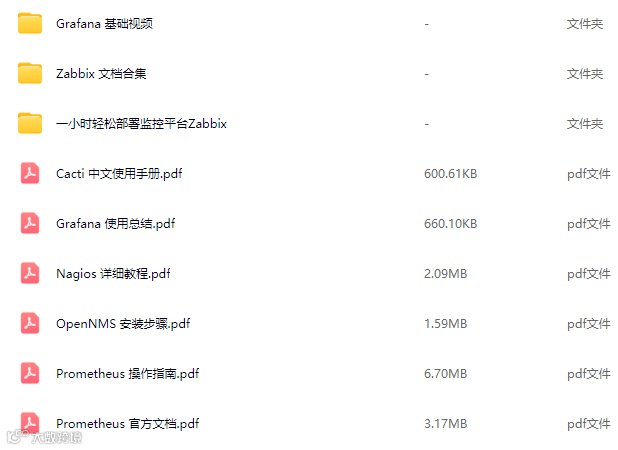

100%免费领取
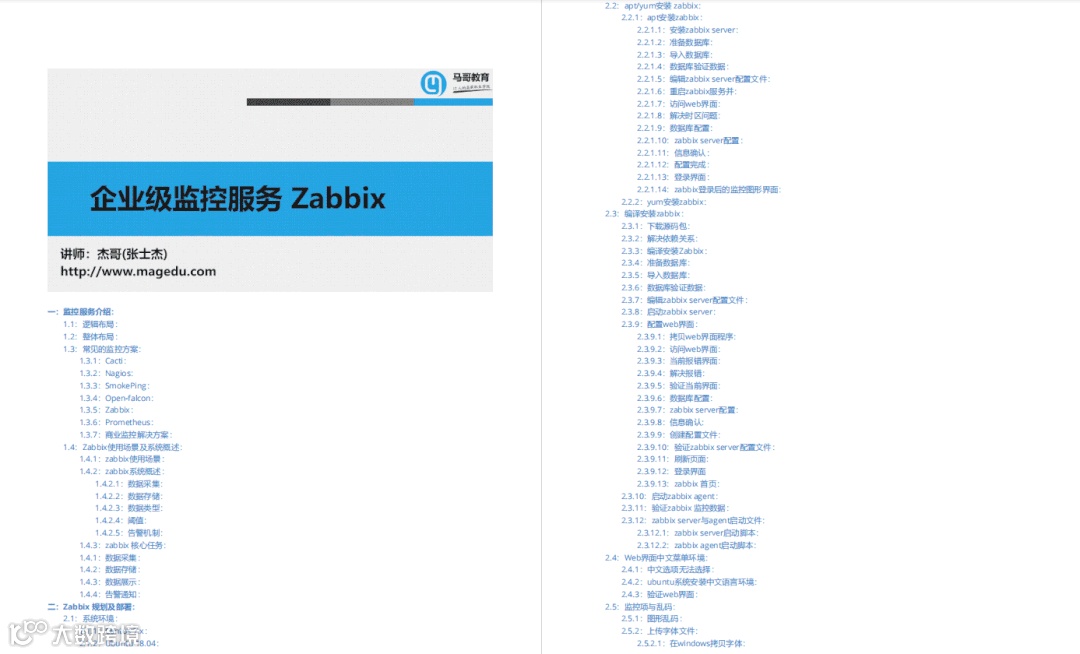
一、zabbix
二、Prometheus
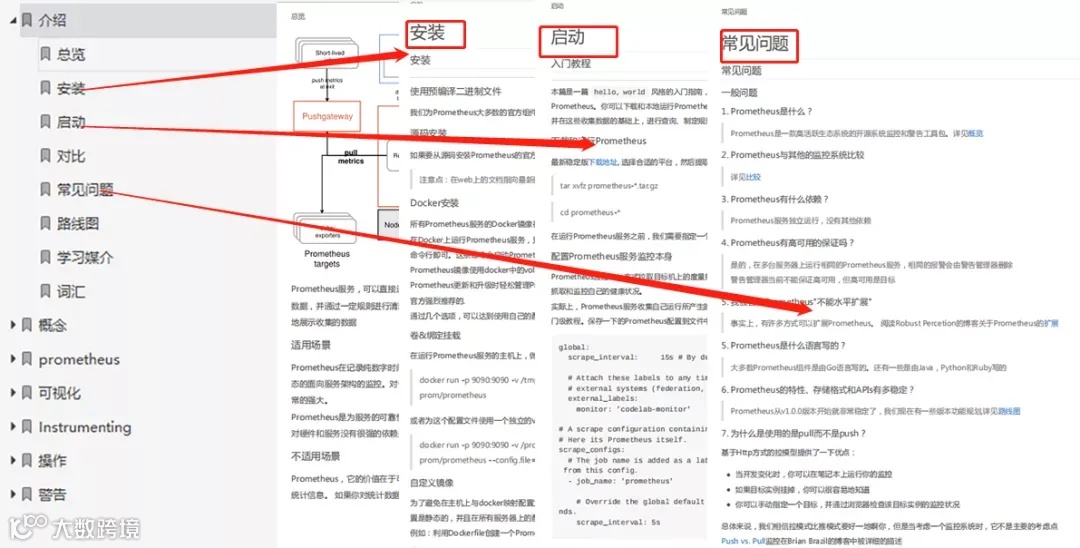
内容较多,6款常用网络监控工具(zabbix、Prometheus、Cacti、Grafana、OpenNMS、Nagios)不再一一介绍, 需要的朋友扫码备注【监控合集】,即可100%免费领取。

以上所有资料获取请扫码

100%免费领取
(后台不再回复,扫码一键领取)