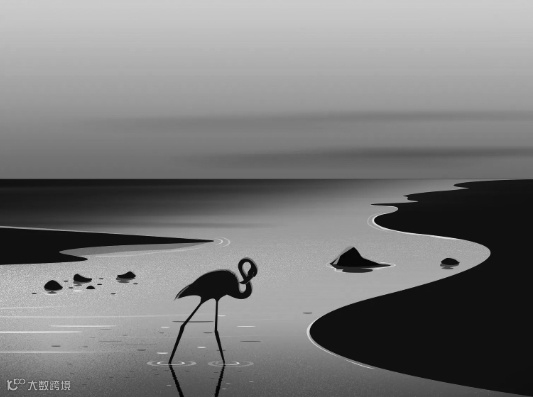
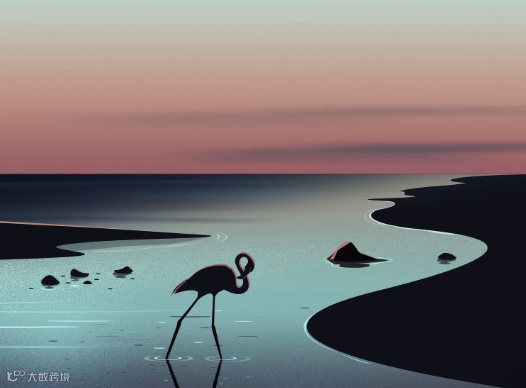
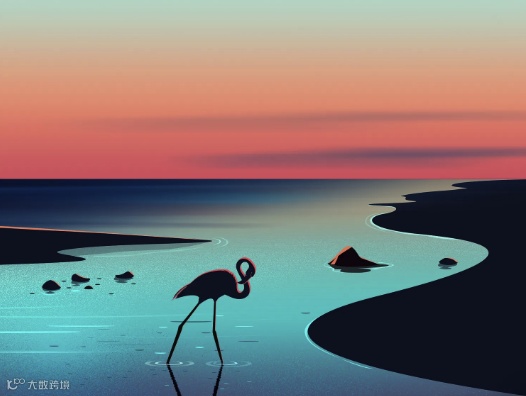
对图片进行灰度转换。当值为 100% 时,灰度最大。0% 时与原图没有区别
<!DOCTYPE html><html lang="en"> <head> <meta charset="UTF-8" /> <meta name="viewport" content="width=device-width, initial-scale=1.0" /> <title>Grayscale CSS 灰度转换</title> <style> * { margin: 0; padding: 0; } html { font-family: Poppins; color: #f0f0f0; } body { min-height: 100vh; background: #000; color: #a2a5b3; display: flex; align-items: center; justify-content: center; } .card { position: relative; } .img { max-height: 400px; animation: grayscale 2s ease infinite alternate-reverse; } @keyframes contrast { from { filter: grayscale(0%); } to { filter: grayscale(100%); } } </style> </head> <body> <div class="card"> <img class="img" src="./img/0923.webp" alt="" /> </div> </body></html>