Google Drive团队盘
Google Drive团队盘是谷歌旗下的一款团队协作类的网盘工具,开通团队盘需要商业授权、教育版等管理员权限,开通后都是无限空间(只要有管理员权限即可,本篇文章无管理员即可开通)。
本篇文章讲解挂载谷歌云盘到本地磁盘教程
准备工具
电脑
谷歌帐号
自备梯子
你的脑子
Google Drive团队盘在线自助领取
无限次免费Google TeamDrive:https://td.fastio.me
YesYesxx.Me团队盘:https://gd.zxd.workers.dev
404 NOT FOUND团队盘:http://leon.educationhost.cloud
台湾中正大学团队盘:https://gd.404edu.workers.dev
英国老牌名校谢菲尔德大学团队盘:https://gdrive.zppcw.cn
洛杉矶加利福尼亚大学团队盘:https://ucla.ur.workers.dev
日本国际大学团队盘:https://iuj.ur.workers.dev
美国西南学院团队盘:https://teamdrive.xcpx.workers.dev
台湾正规大学团队盘:https://gd.404edu.workers.dev
开始
1、rclone下载地址:
官网下载:https://rclone.org/downloads
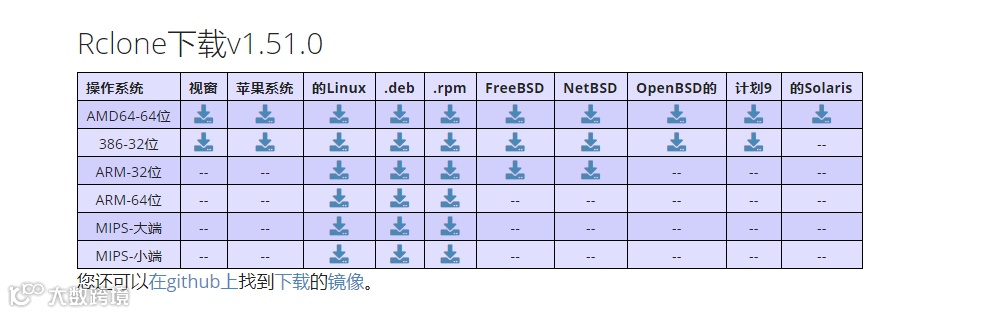
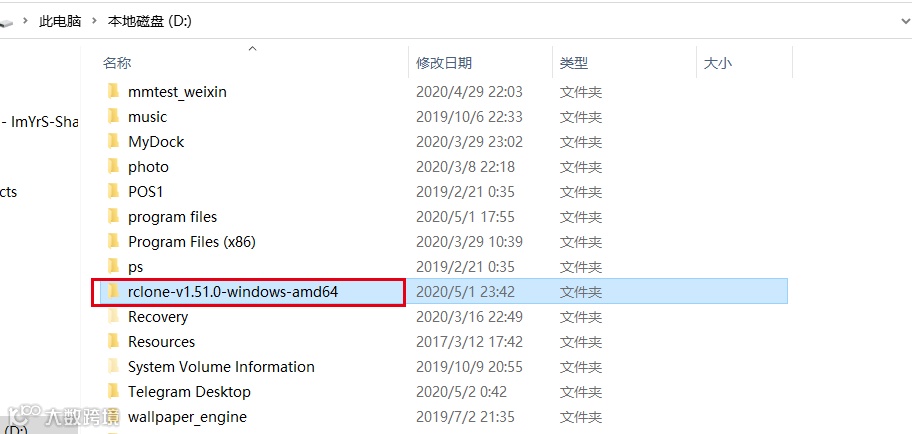
下载完成后在解压到你喜欢的文件夹下
另外Windows使用rclone还需要另一个依赖工具winfsp,下载地址:http://www.secfs.net/winfsp/rel/
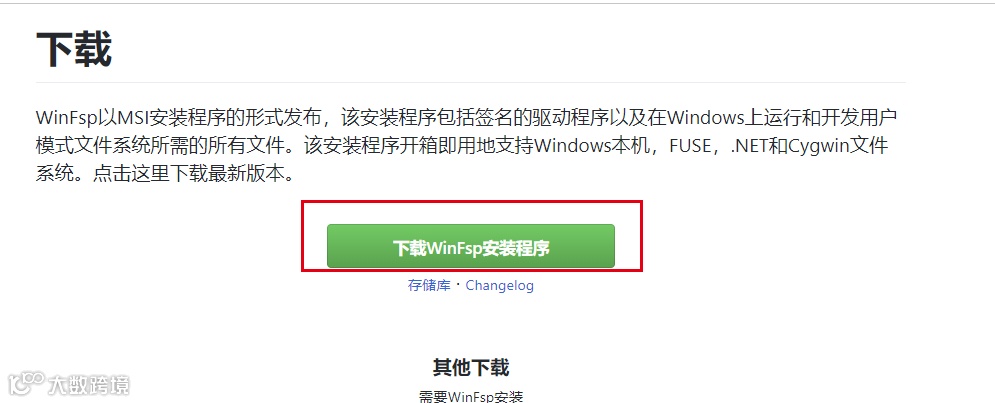
下载完 一路安装。
2、配置环境变量
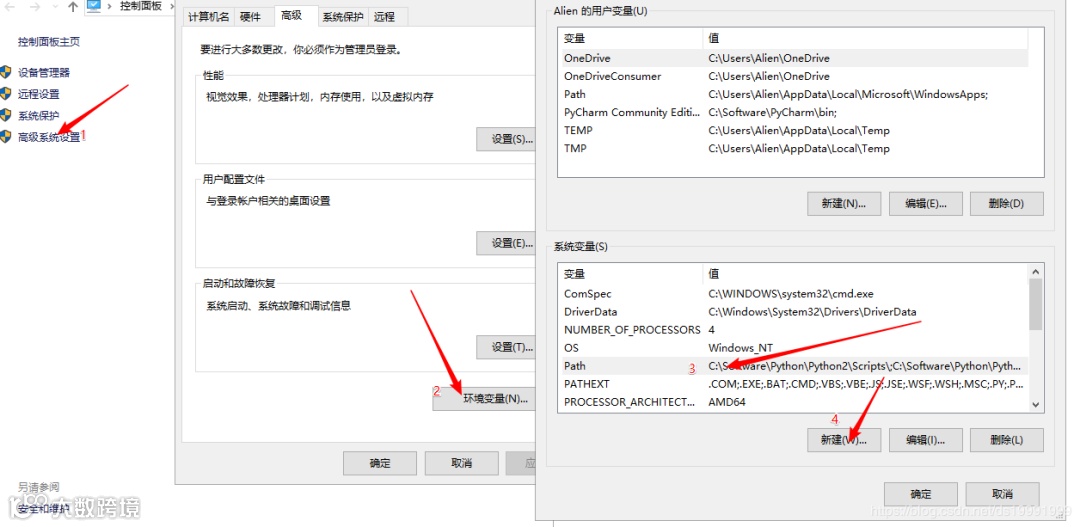
双击Path,把刚才解压到的文件路径新加到Path,比如我的D:\rclone-v1.51.0-windows-amd64: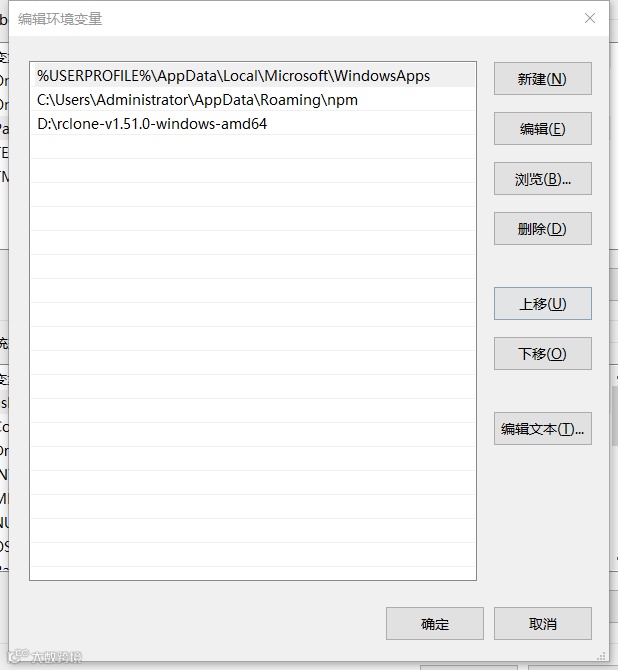
3、检查rclone是否配置成功
按win+X,然后按A,输入rclone --version,如果出现下面的输出则安装成功,否则重复上面步骤。
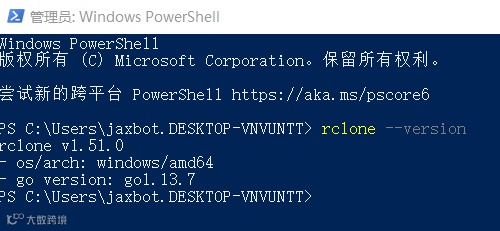
4、开始配置rclone
继续输入命令 rclone config
PS C:\Users\jaxbot.DESKTOP-VNVUNTT> rclone config
Current remotes:
e) Edit existing remote
n) New remote
d) Delete remote
r) Rename remote
c) Copy remote
s) Set configuration password
q) Quit config
e/n/d/r/c/s/q> n //输入N
name> godrive
Type of storage to configure.
Enter a string value. Press Enter for the default ("").
Choose a number from below, or type in your own value
1 / 1Fichier
\ "fichier"
2 / Alias for an existing remote
\ "alias"
3 / Amazon Drive
\ "amazon cloud drive"
4 / Amazon S3 Compliant Storage Provider (AWS, Alibaba, Ceph, Digital Ocean, Dreamhost, IBM COS, Minio, etc)
\ "s3"
5 / Backblaze B2
\ "b2"
6 / Box
\ "box"
7 / Cache a remote
\ "cache"
8 / Citrix Sharefile
\ "sharefile"
9 / Dropbox
\ "dropbox"
10 / Encrypt/Decrypt a remote
\ "crypt"
11 / FTP Connection
\ "ftp"
12 / Google Cloud Storage (this is not Google Drive)
\ "google cloud storage"
13 / Google Drive
\ "drive"
14 / Google Photos
\ "google photos"
15 / Hubic
\ "hubic"
16 / In memory object storage system.
\ "memory"
17 / JottaCloud
\ "jottacloud"
18 / Koofr
\ "koofr"
19 / Local Disk
\ "local"
20 / Mail.ru Cloud
\ "mailru"
21 / Mega
\ "mega"
22 / Microsoft Azure Blob Storage
\ "azureblob"
23 / Microsoft OneDrive
\ "onedrive"
24 / OpenDrive
\ "opendrive"
25 / Openstack Swift (Rackspace Cloud Files, Memset Memstore, OVH)
\ "swift"
26 / Pcloud
\ "pcloud"
27 / Put.io
\ "putio"
28 / QingCloud Object Storage
\ "qingstor"
29 / SSH/SFTP Connection
\ "sftp"
30 / Sugarsync
\ "sugarsync"
31 / Transparently chunk/split large files
\ "chunker"
32 / Union merges the contents of several remotes
\ "union"
33 / Webdav
\ "webdav"
34 / Yandex Disk
\ "yandex"
35 / http Connection
\ "http"
36 / premiumize.me
\ "premiumizeme"
Storage> 13 //选择13 Google Drive
** See help for drive backend at: https://rclone.org/drive/ **
Google Application Client Id
Setting your own is recommended.
See https://rclone.org/drive/#making-your-own-client-id for how to create your own.
If you leave this blank, it will use an internal key which is low performance.
Enter a string value. Press Enter for the default ("").
client_id> //回车
Google Application Client Secret
Setting your own is recommended.
Enter a string value. Press Enter for the default ("").
client_secret> //回车
Scope that rclone should use when requesting access from drive.
Enter a string value. Press Enter for the default ("").
Choose a number from below, or type in your own value
1 / Full access all files, excluding Application Data Folder.
\ "drive"
2 / Read-only access to file metadata and file contents.
\ "drive.readonly"
/ Access to files created by rclone only.
3 | These are visible in the drive website.
| File authorization is revoked when the user deauthorizes the app.
\ "drive.file"
/ Allows read and write access to the Application Data folder.
4 | This is not visible in the drive website.
\ "drive.appfolder"
/ Allows read-only access to file metadata but
5 | does not allow any access to read or download file content.
\ "drive.metadata.readonly"
scope> 1 // 全局 输入1
ID of the root folder
Leave blank normally.
Fill in to access "Computers" folders (see docs), or for rclone to use
a non root folder as its starting point.
Note that if this is blank, the first time rclone runs it will fill it
in with the ID of the root folder.
Enter a string value. Press Enter for the default ("").
root_folder_id> //目录id 默认无视 直接回车
Service Account Credentials JSON file path
Leave blank normally.
Needed only if you want use SA instead of interactive login.
Enter a string value. Press Enter for the default ("").
service_account_file>
Edit advanced config? (y/n)
y) Yes
n) No (default)
y/n> n //输入N
Remote config
Use auto config?
* Say Y if not sure
* Say N if you are working on a remote or headless machine
y) Yes (default)
n) No
y/n> y //输入 Y
If your browser doesn't open automatically go to the following link: http://127.0.0.1:53682/auth?state=Xc7rf78XGUCzSTZBsGlXwg
Log in and authorize rclone for access
Waiting for code...
网页弹出 授权申请好的谷歌团队盘帐号
Got code //已经获取到 授权验证
Configure this as a team drive?
y) Yes
n) No (default)
y/n> y //是否为谷歌团队盘 选择 Y
Fetching team drive list...
Choose a number from below, or type in your own value
1 / jaxbot
\ "0AE7n-XS5irgYUk****" //列出你的团队网盘
Enter a Team Drive ID> 1 //选择网盘所属ID
--------------------
[godrive]
type = drive
scope = drive
token = {"access_token":"ya29.a0Ae4lvC2OqVis_5***************k1MpJe88TBEfI***********kZBp-a0yHj_Jr********htoUIw************R5_qfNAkeG2Nju7hIovS4n7-LaVT********oken_type":"Bearer","refresh_token":"1//03Df********gYIARAAGAMSNwF-L9IrS***********GZ6Q**************7QBp79kG-N4J8REpks","expiry":"2020-05-02T09:41:05.4430961+02:00"}
team_drive = 0A***n-XS*******VA* //抓取到 token
--------------------
y) Yes this is OK (default)
e) Edit this remote
d) Delete this remote
y/e/d> y //输入 Y
Current remotes:
Name Type
==== ====
godrive drive
e) Edit existing remote
n) New remote
d) Delete remote
r) Rename remote
c) Copy remote
s) Set configuration password
q) Quit config
e/n/d/r/c/s/q>q // 输入Q 保存退出
挂载网盘
rclone mount godrive:/ H: --cache-dir E:\Temp --vfs-cache-mode writes
godrive:/ H: // rclone 配置的网盘名称 上面代码 name> godrive H 分配的盘符
E:\Temp E盘为缓存盘
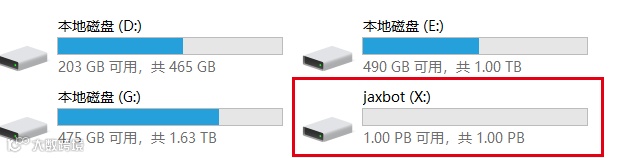
如果出现:The service rclone has been started.则说明挂载成功
开机自动挂载
Option Explicit
Dim WMIService, Process, Processes, Flag, WS
Set WMIService = GetObject("winmgmts:{impersonationlevel=impersonate}!\\.\root\cimv2")
Set Processes = WMIService.ExecQuery("select * from win32_process")
Flag = true
for each Process in Processes
if strcomp(Process.name, "rclone.exe") = 0 then
Flag = false
exit for
end if
next
Set WMIService = nothing
if Flag then
Set WS = Wscript.CreateObject("Wscript.Shell")
WS.Run "rclone mount godrive:/ H: --cache-dir E:\Temp --vfs-cache-mode writes", 0
end if
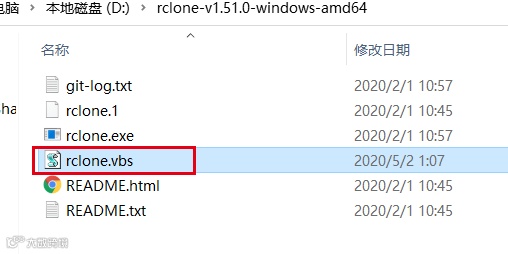
打开D:\rclone-v1.51.0-windows-amd64文件夹 新建文本 将以上代码复制进去。
保存 修改文本格式为 .VBS 后缀
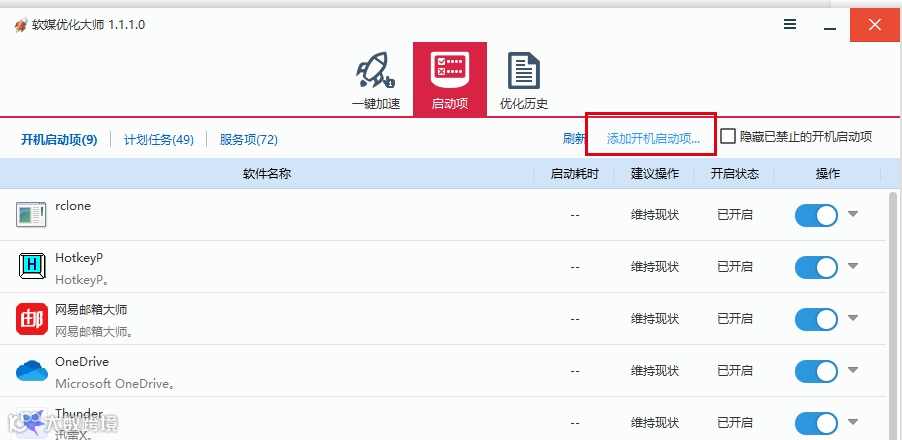
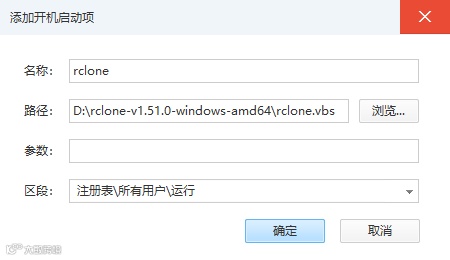
使用工具添加到启动项