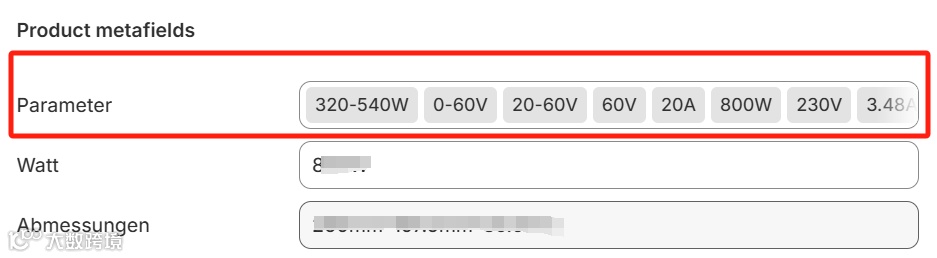
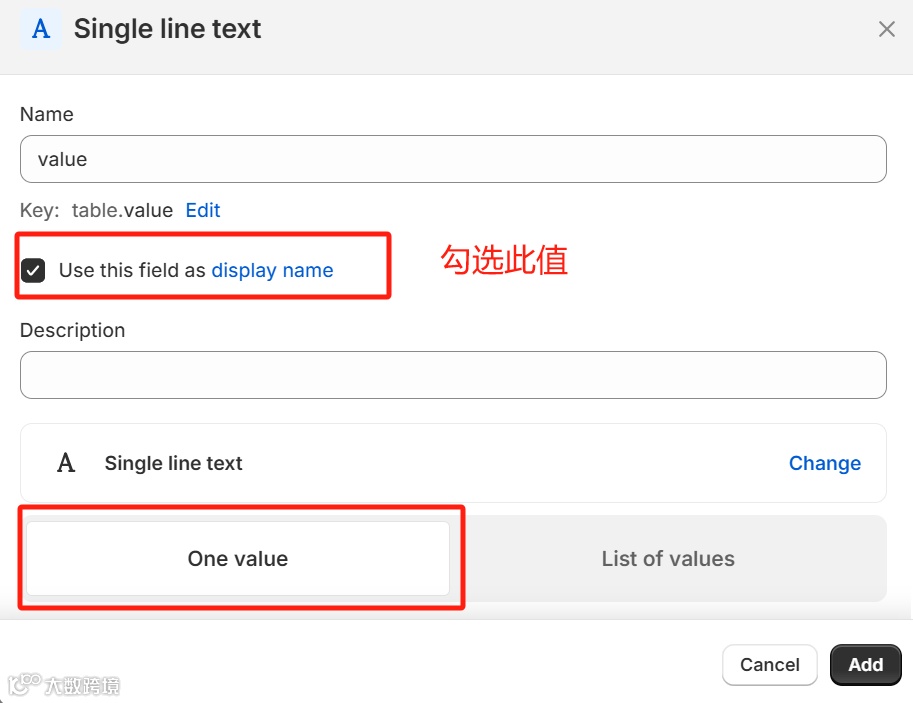
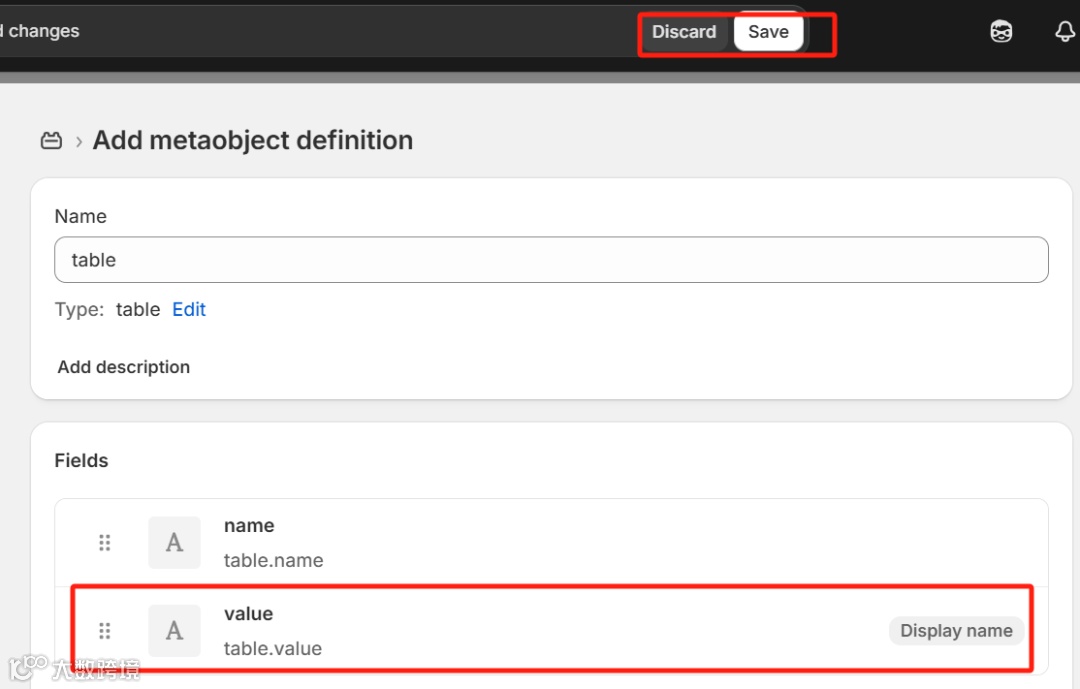
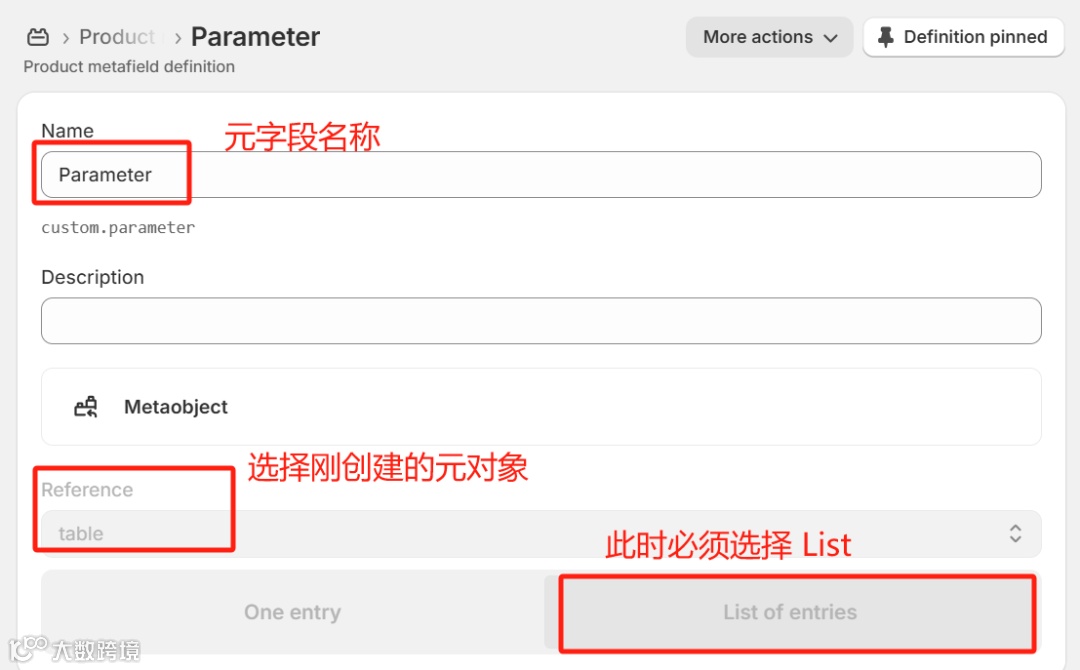
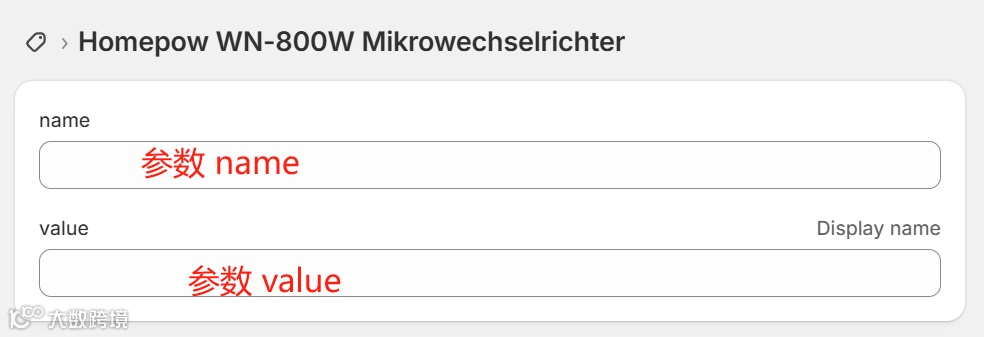
Content > Metaobjects 建立一个元对象,包括 2 个 Fields。
Settings > Metafields and metaobjects > Products
4. 在主题 Sections 中添加一个 Table 模板:table.liquid
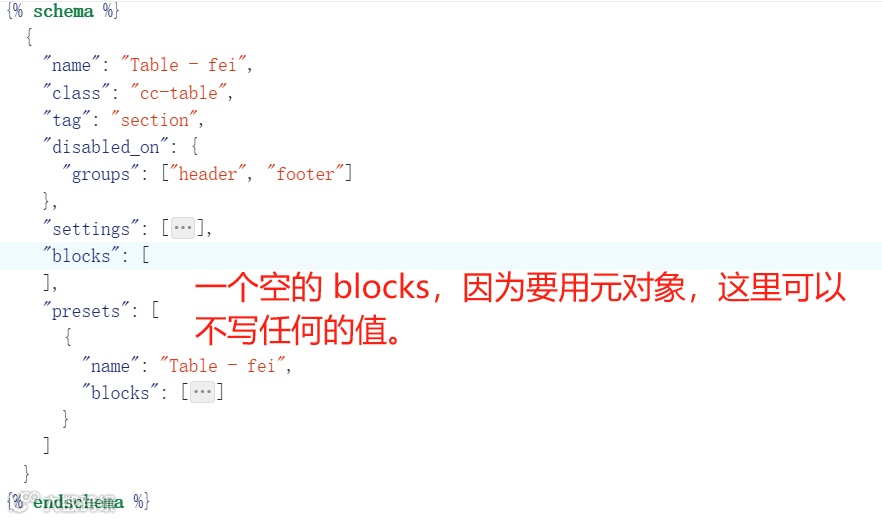
{% schema %}  {    "name": "Table - fei",    "class": "cc-table",    "tag": "section",    "disabled_on": {      "groups": ["header", "footer"]    },    "settings": [      {        "type": "checkbox",        "id": "full_line_display_enable",        "default": false,        "label": "Full line display"      },      {        "type": "header",        "content": "Layout"      },      {        "type": "range",        "id": "padding_top",        "min": 0,        "max": 100,        "step": 4,        "unit": "px",        "label": "t:sections.all.padding.padding_top",        "default": 36      },      {        "type": "range",        "id": "padding_bottom",        "min": 0,        "max": 100,        "step": 4,        "unit": "px",        "label": "t:sections.all.padding.padding_bottom",        "default": 36      },      {        "type": "header",        "content": "Table th"      },      {        "type": "text",        "id": "table_th_name",        "label": "Table th name"      },      {        "type": "text",        "id": "table_th_value",        "label": "Table th value"      },      {        "type": "color",        "id": "table_tr_bg",        "label": "Table tr background"      },      {        "type": "header",        "content": "Title"      },      {        "type": "inline_richtext",        "id": "title",        "label": "t:sections.multicolumn.settings.title.label"      },      {        "type": "select",        "id": "heading_size",        "options": [          {            "value": "h2",            "label": "t:sections.all.heading_size.options__1.label"          },          {            "value": "h1",            "label": "t:sections.all.heading_size.options__2.label"          },          {            "value": "h0",            "label": "t:sections.all.heading_size.options__3.label"          },          {            "value": "hxl",            "label": "t:sections.all.heading_size.options__4.label"          },          {            "value": "hxxl",            "label": "t:sections.all.heading_size.options__5.label"          }        ],        "default": "h1",        "label": "t:sections.all.heading_size.label"      }    ],    "blocks": [     ],    "presets": [      {        "name": "Table - fei",        "blocks": [
        ]      }    ]  }{% endschema %}
{% style %}  .section-{{ section.id }}-padding {    padding-top: {{ section.settings.padding_top | times: 0.75 | round: 0 }}px;    padding-bottom: {{ section.settings.padding_bottom | times: 0.75 | round: 0 }}px;  }  .table-warp .table-box table{    width:100%;    height:100%;    border-collapse:collapse;  }
  .table-warp .table-box table td, th {    border: 1px solid {{ section.settings.table_tr_bg }};    text-align: left;    padding: 8px;  }  .table-warp .table-box table tr{    background-color: #fff;  }  .table-warp .table-box table tr td:first-child{    width:50%;    font-weight:400;  }  .table-warp .table-box table tr:nth-child(even) {    background-color: {{ section.settings.table_tr_bg }};  }  .table-warp .table-box table td{
  }  @media screen and (max-width: 989px) {     .table-warp .table-box table{        max-width: 97%;        margin: auto;     }    .table-warp .page-width {        padding-left: 0;        padding-right: 0;    }}  @media screen and (min-width: 750px) {    .section-{{ section.id }}-padding {      padding-top: {{ section.settings.padding_top }}px;      padding-bottom: {{ section.settings.padding_bottom }}px;    }  }{% endstyle %}
<div class="table-warp gradient{% if section.settings.title == blank %} no-heading{% endif %}"  {% if section.settings.table_th_name != blank %} style="display:none;"{% endif %}>  <div class="table-box page-width section-{{ section.id }}-padding isolate">    {%- unless section.settings.title == blank -%}      <div class="title-wrapper-with-link title-wrapper--self-padded-mobile title-wrapper--no-top-margin multicolumn__title">        <h2 class="title inline-richtext {{ section.settings.heading_size }}">          {{ section.settings.title }}        </h2>      </div>    {%- endunless -%}
    <table class="multicolumn-card__info">      {% comment %}        {% if section.settings.table_th_name != blank %}          <tr>            <th>{{ section.settings.table_th_name }}</th>            <th>{{ section.settings.table_th_value }}</th>         </tr>        {% endif %}      {% endcomment %}
      {% for block in shop.metaobjects.table.values %}        {% if block.name.value == null %}          <tr><td>Es wurden noch keine Daten eingetragen.</td></tr>        {% else %}          <tr>            <td>{{ block.name.value }}</td>            <td>{{ block.value.value }}</td>          </tr>        {% endif %}
      {% endfor %}    </table>  </div></div>
样式,你们可以自己写,不想写的话,复制这两块也可以直接用。