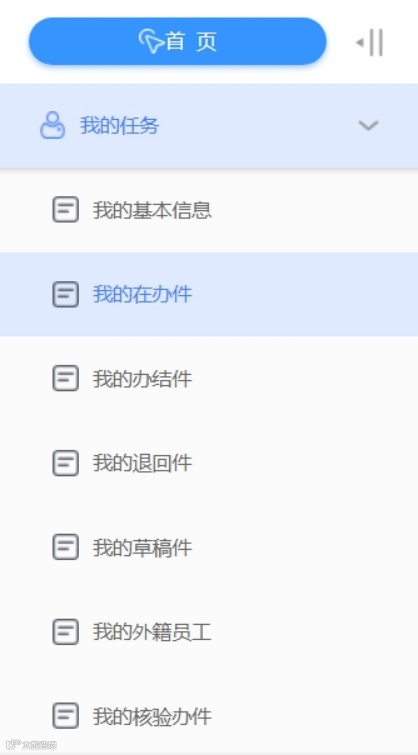


A step-by-step guide to completing the Work Permit application for foreigners in China (Categories A and B).
Filing Instructions for New Applications for the Work Permit for Foreigners in China (Categories A and B)
I. Selecting the Application Path
Is the applicant inside or outside China?
(i) Application Inside China
Eligible foreign nationals may apply within China.
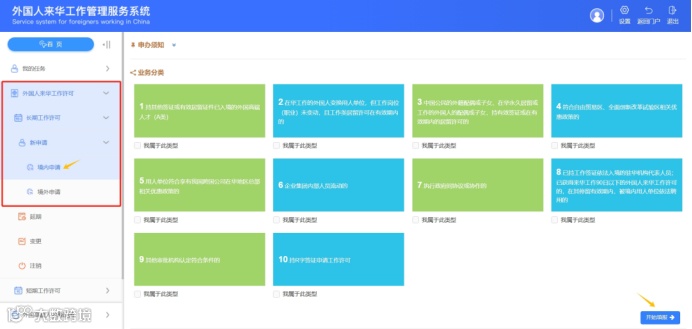
[Application Path] In the left-hand menu, select "Application Inside China"→ On the main page, select the applicable scenario → Select the personnel category.
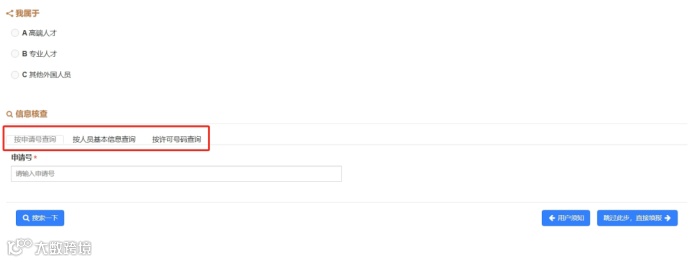
If the applicant has previously obtained a Work Permit, click "Information Verification" to perform information matching.
(ii) Application Outside China
For applicants outside China, apply for the Work Permit for Foreigners in China and then enter China with a Z visa.
[Application Path] In the left-hand menu, select"Application Outside China" → Select the personnel category.
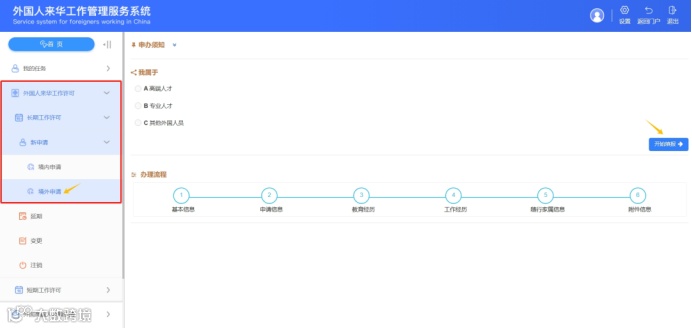
After selecting the application path, complete the sections in the following order: Basic Information → Application Information → Education Background → Work Experience → Accompanying Family Information (only application outside China) → Upload Attachment Information.
II. Completing the Information
Fields marked with an asterisk (*) are mandatory.
Application Information
1.Basic Information: Enter information as shown on the passport.
✘Do not use abbreviations not displayed on the passport.
2.Employment Type generally falls into the following two categories:
✔Direct employment by a domestic employer.
✔Overseas assignment: Enter the name of the overseas dispatching organization and the country where it is located.
3.Job position in China, monthly salary, employment contract/appointment certificate start date, employment contract/appointment certificate end date, intended start date of work in China, and intended end date of work in China must be entered accurately according to the contract.
4. Place of visa issuance: For applications outside China, ensure the correct visa issuance location is selected.
5.For points-based applications, accurately enter information such as the number of months worked in China per year, and whether the applicant graduated from a world-renowned university.
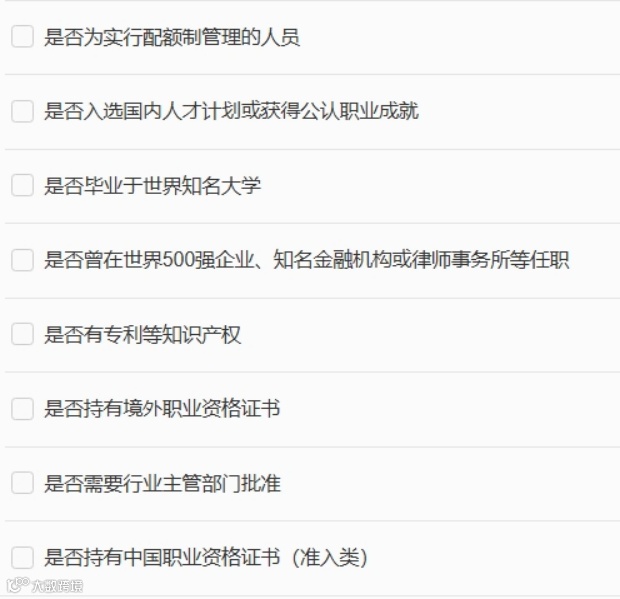
6. Check the following items as applicable:
Education Background List
1. Click the "+ Add Education Background" button in the upper right corner.
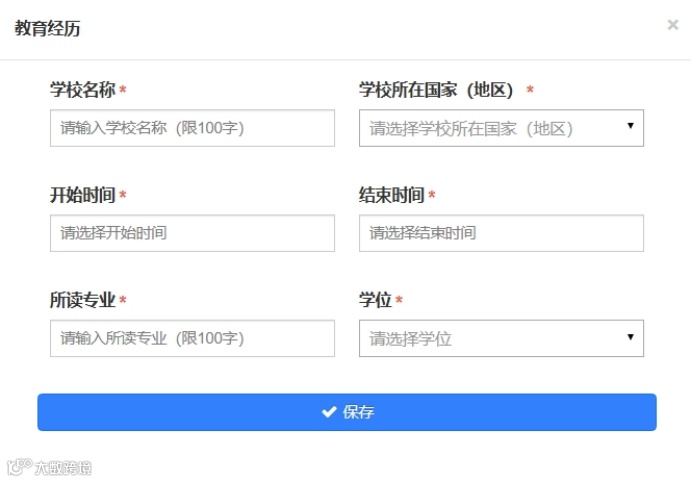
2. In the pop-up box, fill in the study period, school name, country/region of the school, major, and degree based on the information shown on the diploma.

Work Experience List
1.Click the "+ Add Work Experience" button in the upper right corner.
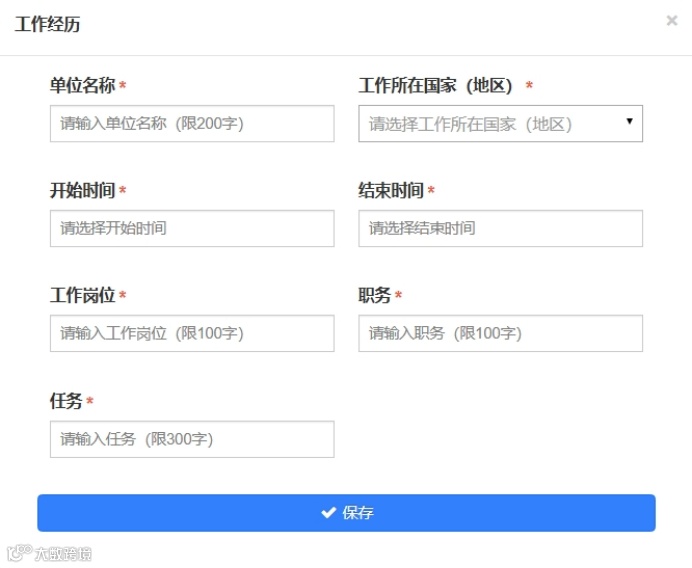
2.In the pop-up box, enter work experience (covering the most recent ten years; for points-based applications, provide all work experience relevant to the points calculation).

Internships are not considered work experience.
III. Finalizing the Application
Fields marked with an asterisk (*) indicate required attachments.
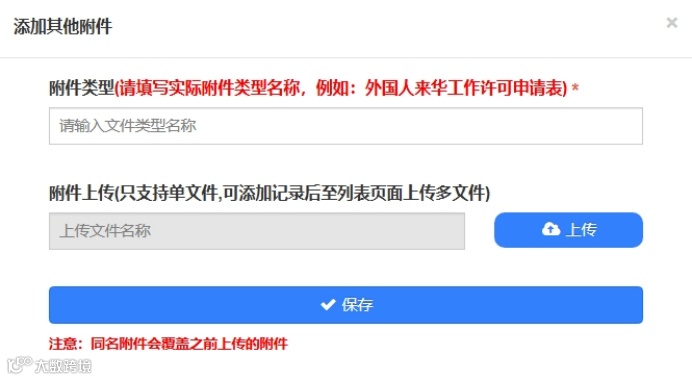
If additional supporting materials are needed, click the "+ Add Other Attachments" button in the upper right corner.
Do not use duplicate file names for self-uploaded attachments.
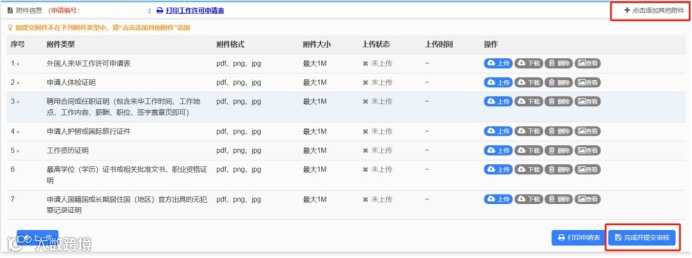
Once it's confirmed to be accurate, click "Complete and Submit for Review".
Unsubmitted applications can be viewed in "My Drafts". Submitted applications can be viewed in "My In-Progress Applications", "My Returned Applications", or "My Completed Applications".