


点击右上角,设为 ⭐星标 ,
才能接收到最新 AI 设计实战教程哦!
先说结论:还在拿 NotebookLM 当“会总结的网盘”,真的就是开着核聚变反应堆去烤一片吐司。

01. 这台“安静”的工具
是你值得去学会的AI
NotebookLM本来就是圈君最常安利给所有人的AI 工具之一。但在最近的这次更新之后,它又加了一堆离谱但好用的新功能,尤其是对「做设计、做方案、做PPT的人」来说:直接变成一台“设计师专属反应堆”。
这篇文章会讲三件事:
· NotebookLM 新版到底强在哪?(用设计视角讲人话版)
· 作为设计/策划/增长/老师,你应该怎么搭一个项目宇宙?
· 送你 10 套可以直接复制的 NotebookLM PPT 神级提示词 ,真的可以直接抄进 NotebookLM 里用。
国内外最新 AI 技巧
上万条爆改级 Prompt 全收录
营销人用 AI 的实战手册
和同频创作者一起互相赋能

扫码进群,提前占领 2026 的创造力高地
02. NotebookLM 不是聊天机器人
它是“封闭式大脑”
如果你之前没用过 NotebookLM,先快速对齐一下认知:
它是 Google 出的一款免费工具,你可以创建一个个「Notebook(笔记本)」,把各种不同类型的资料都扔进去——PDF、网页、DOC、Slides、视频转录、甚至你的 Figma 文档导出的 PDF。
真正关键的是这几个点:
· 它只在你给的资料里思考,超出范围就直接说“不知道”,不乱编。
· 每一句话都能点开看引用来源,非常适合做设计提案、复盘、学术、教学这种“不能胡说八道”的场景。
· 你的资料不会被拿去训练公共模型,对公司内部文档、甲方资料、项目方案来说比较安心。
别人家的 AI 在追求「什么都知道」。NotebookLM 在追求 「在自己宇宙里尽量不瞎说」。
对设计人最直观的好处是:
· 做品牌提案、竞品分析:不会突然给你编一个根本不存在的竞品数据;
· 做项目复盘、活动汇报:所有结论都能追溯到报表、飞书文档、用户调研;
· 做课程、讲义:引用、案例、图表,都能看到出自哪一页 PDF。
简单一句话:你给它一个「项目宇宙」,它在里面当一个不会扯淡的脑子。
03. 新版最大的升级:
会自己找资料,还能自动做视觉

先说两个真正改变游戏规则的大升级 :
1.Deep Research:会自己补完你的资料宇宙:
以前:你得自己去找论文、案例、报告,再丢进 NotebookLM。现在多了一个「深度研究(Deep research)」+「来源发现(Source discovery)」
你只要输入主题,比如:“2026年平面设计趋势报告”
Deep Research 会像一个代理人一样:自动上网查,自己分析,不断调整关键词,把空白补上。
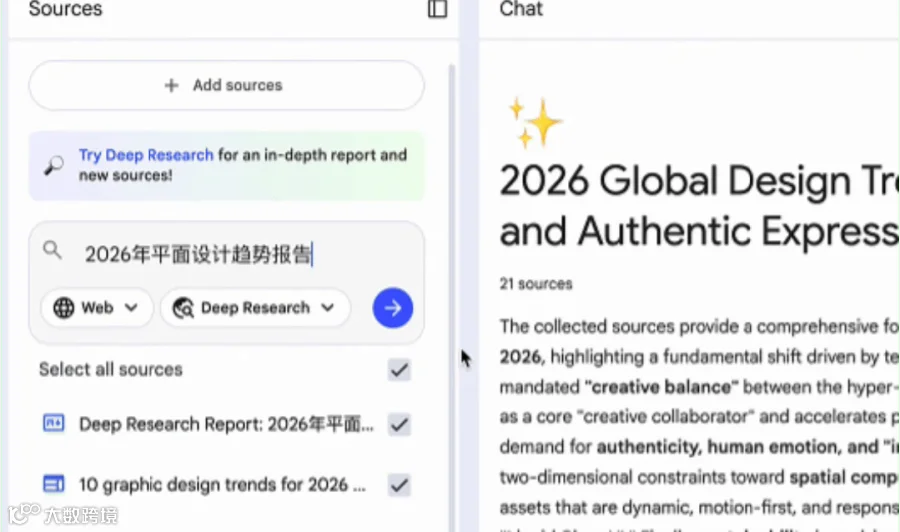
最后给你两样东西:一整份「研究报告」以及它在过程中用到的几十个来源,全部导入 Notebook 里。你可以再筛选一遍:哪些是广告、软文就删掉,哪些是真报告、真调研就留下来。

对设计/策略/品牌同学来说,这一步超关键:你不再是到处搜 PDF,而是「用 AI 帮你准备 moodboard 背后的所有资料宇宙」。
2)Nano Banana Pro:开始认真帮你“画东西”和“排版”
这次更新最爽的一点,是把 Nano Banana Pro 直接塞进了 NotebookLM 里,用在三个地方:
· Infographic(信息图)
· Slide Deck(PPT 幻灯片)
· Video Overview(解说视频)
并且都是基于你的资料来的,不是凭空乱画。
Infographic 信息图
你可以选择:横版 / 竖版 / 正方形,信息密度:简洁 / 标准 / 详细,还可以用简单的几句话描述自己想要的风格:例如“扁平插画风,适合产品手册”/ “数据感强一点,适合年终汇报”。
它就能帮你:把一堆晦涩的 AGI 文献,变成一张视觉结构清晰的信息图,把一摞用户访谈,变成“痛点旅程图”,把一堆品牌价值观,变成“品牌金字塔”
准确度上:简洁版:内容最稳,标准版:信息最均衡,详细版:最炫,但拼写错误会略多一点
设计同学的正确打开方式:把它当信息架构 + 版式草稿生成器,再用自己熟悉的工具(Figma / Keynote / PPT)做最后润色。


Slide Deck 幻灯片
一键 PPT 的核心,也是这次更新的重点功能:在 NotebookLM 右侧 Studio 的 Slide Decks 里,你可以选择 Detailed deck:给阅读者看的“完整版文档型 PPT”,选择 Presenter slides:给演讲者用的「大标题 + 关键要点 + 图形」型 PPT。
再配合一个好提示词,它可以帮你做到:自动搭好整套 PPT 结构,用图表来表达数据(并附上图表建议),出每页的「讲稿备注」。
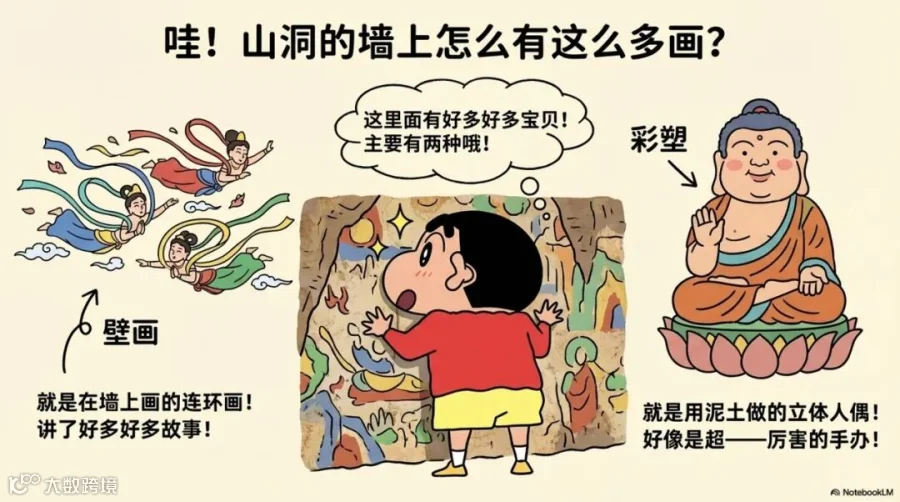
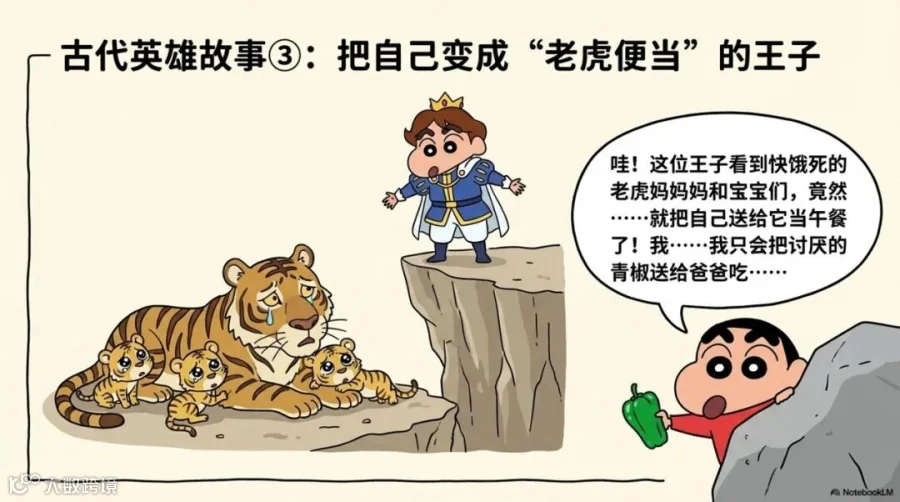
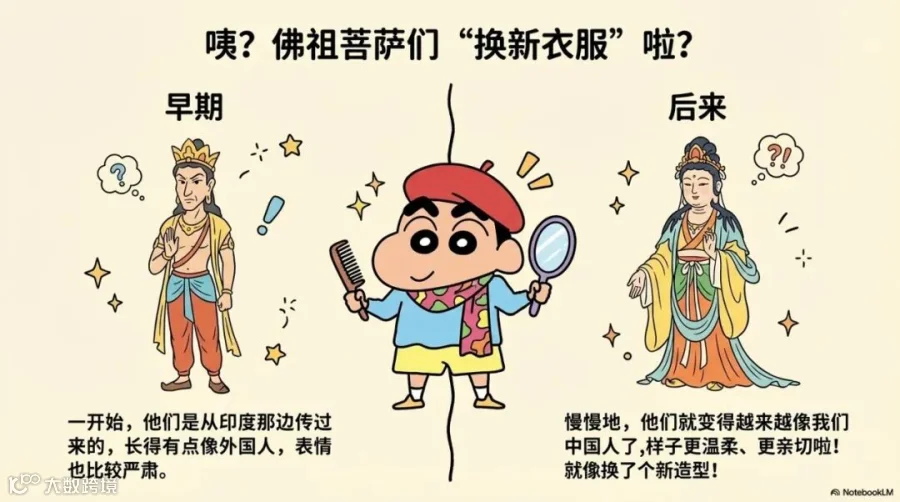
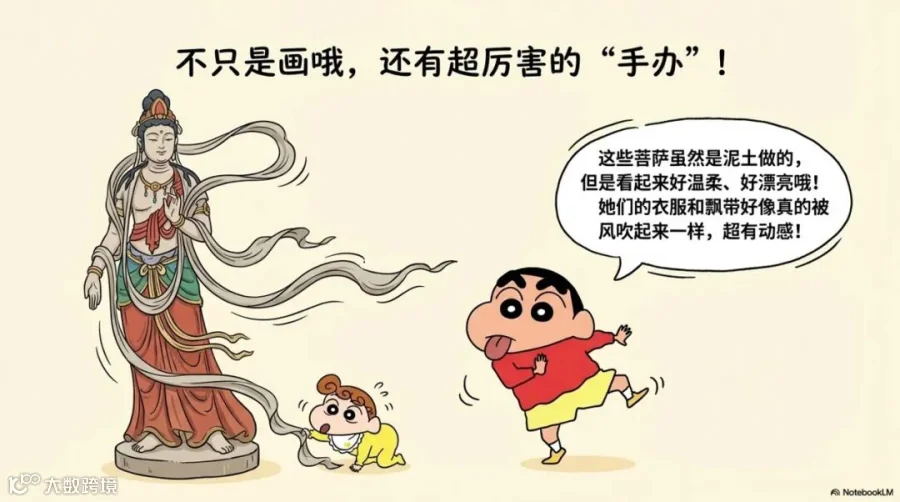
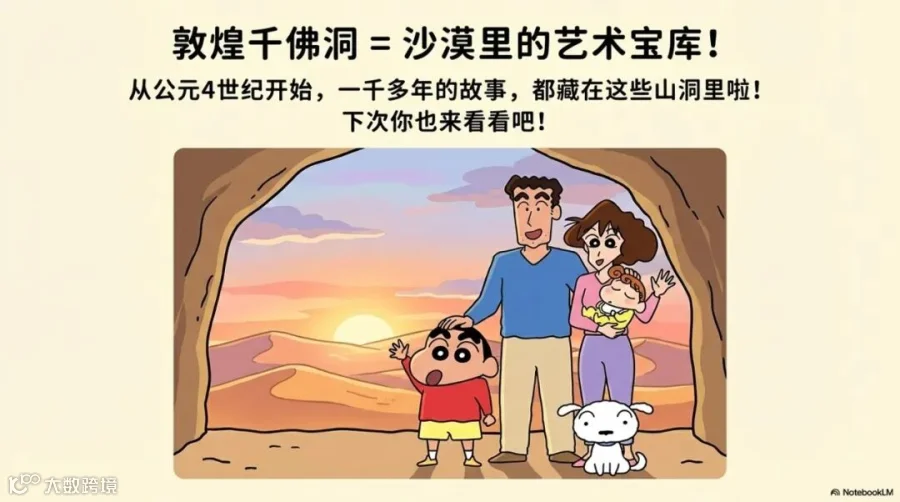
比如圈君上传了一本蒋勋老师的中国美术史书籍,要求把它根据「千佛洞的佛像壁画与彩塑」章节的理论内容,为新手生成一份 Crayon Shin-chan(蜡笔小新)风格的 PPT,插图丰富,中文不要出错,就得到了非常不错的效果。艺术老师的福气来了!





Video Overview:视频概览
从文档到“解说视频”的加速器这个功能本来就有,但这次升级加了自定义视觉风格(同样用 Nano Banana Pro)
比如你可以直接要求:“手绘插画+ 扁平涂鸦风 + 温暖柔色调”
用处在哪?如果你做课程 / 培训 / 内部学习营:可以用 NotebookLM 把一整本 PDF,直接变成一个讲解视频的「视觉分镜草稿」。再加上真人配音 / 虚拟主播,就是一套完整课程内容。
比如圈君在 NotebookLM 里导入了一整套《2026 包装趋势》的资料库,然后点击 Video Overview。
NotebookLM 立刻根据 27 份资料自动串联结构、生成旁白、搭建视觉框架,把原本分散在不同报告、文章和研究里的观点整理成一支逻辑顺滑、视角完整的设计趋势讲解。
04. 10 套 NotebookLM PPT
神级提示词(直接抄)

下面这部分,就是你可以直接复制到 NotebookLM 里的 实战提示词模板。
用法提醒:
·先把所有项目资料上传到 NotebookLM(报告、PPT、Excel、访谈、图片导出的 PDF 等)
·打开右侧 Studio → Slide Decks
·点「编辑 / 自定义」,把对应场景的 Prompt 复制进去,让它先生成一版,再迭代修改:改主题色 / 改语言 / 加 Logo
· 视觉摘要基础总结型(7 张)
Create a 7-slide visual-summary deck that feels like a clean editorial artbook. Use a blue–gray modernist palette, generous white space, and grid-based layouts. Structure the deck as a succinct visual essay: a title page with bold typography and an atmospheric abstract image; slides 2–5 presenting key insights distilled into 3–4 design-conscious bullets with suggested visuals (diagrams, minimal charts, conceptual shapes); key takeaways articulated as design principles; and next steps rendered as a closing composition. Include elegant speaker notes and use inline citations treated as small typographic footnotes.

· 数据之美数据驱动型(10 张)
Build a 10-slide data-visual narrative with a neo-tech, grid-heavy aesthetic and green luminous accents. Charts should feel like designed objects—precise, geometric, and minimal. Present a dashboard-style overview rendered as a data sculpture. Slides 2–7 should depict trend insights with intentional chart choices (bar = strength, line = motion, pie = proportion). Frame challenges and opportunities through visual contrasts, present recommendations as modular blocks, and conclude with a summary infographic designed with architectural balance. Add designer-level speaker notes explaining the visual logic throughout.

· 故事舞台TED 叙事型(8 张)
Craft an 8-slide TED-style narrative deck with a warm cinematic palette: orange, amber, off-white.
Think storytelling + typography-led art direction.
Opening question as a hero title over a dramatic photo.2–6. Story arc in 5 acts:problem → tension → insight → breakthrough → resolution,each paired with 2–3 symbolic visuals (icons, timelines, metaphor diagrams).Call to action as an empowering typographic spread.Closing quote as a minimal poster.Add 30–60 sec speaker notes / flow guidance.

· 可爱机能趣味卡通风(6 张)
Create a 6-slide cartoon-style playful deck inspired by contemporary anime illustration—think Crayon Shin-chan × kawaii minimalism. Use bright pastels, hand-drawn icons, and comic frames, and ensure the slides feel like a mini picture book. Begin with a title slide featuring a chibi-style mascot; slides 2–4 should turn the main insights into cute, humorous visual metaphors. Add an interactive question illustrated with comic bubbles, and present the recap as a fun “sticker sheet.” Include lively speaker notes full of personality.

· 整合构建多源企划书(12 张)
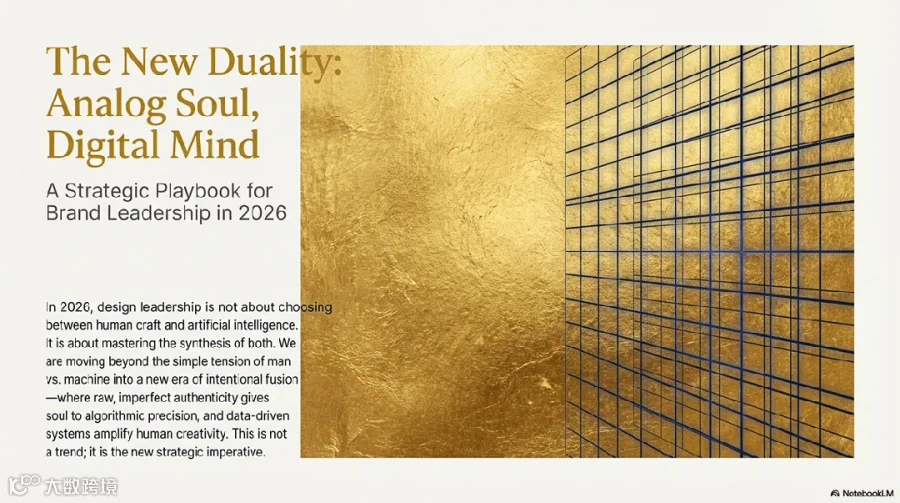
Design a 12-slide multi-source business concept deck that resembles a luxury brand strategy book, using a navy × gold palette, serif headers, and modern grids. Begin with an executive summary presented as a visual manifesto; slides 2–3 should deliver market analysis woven with highlighted quotations from transcripts. Slides 4–8 should outline strategy paths as visual frameworks, including SWOT grids, timelines, and architecture diagrams. Slides 9–10 should present budget and risk through elegant graphic layouts, followed by milestones rendered as a crafted timeline and a scholarly appendix. Speaker notes should read like those of a creative strategy director.

· 极简未来投资者路演(8 张)
Create an 8-slide investor pitch with a hyper-minimal black canvas and neon orange/green accents—think Apple × Cyberpunk. Begin with a problem statement featuring one shocking metric in giant type; present the solution as a clean product mockup floating on black; illustrate market size with three glowing circle diagrams; depict the business model using a thin-line system flow; show traction as a timeline of light streaks; introduce the team with monochrome portraits; visualize financials with neon block-style bar charts; and conclude with a simple, confident ask slide. Add concise, high-impact notes throughout.

· 知识模块化教育培训课件(12 张)
Build a 12-slide educational deck in a modular, Scandinavian-inspired aesthetic—light blues, soft neutrals, and geometric diagrams. Begin with a course title and learning goals presented as a clean chapter header; slides 2–10 should each introduce one concept using four bullets and one diagram (flowchart, process loop, or annotated example). Follow with a case activity designed as a workshop layout, then conclude with a quiz and key takeaways presented as clean cards. Include thoughtful, teacher-friendly notes and a progress bar throughout.
· 运营叙事季度/年度汇报(9 张)
Design a 9-slide business review deck with a structured corporate aesthetic—navy, white, precise grids, and editorial spacing. Begin with the team and date, followed by an executive summary expressed in four high-level strokes and a KPI dashboard designed in a data-journalism style. Slides 4–6 should present achievements with photo evidence and clean captions, followed by a challenge/solution matrix and a next-quarter roadmap rendered as a Gantt ribbon. Conclude with a thanks slide and an appendix, and add rigorous notes and sources throughout.

· 沉默的力量苹果风产品发布(10 张)
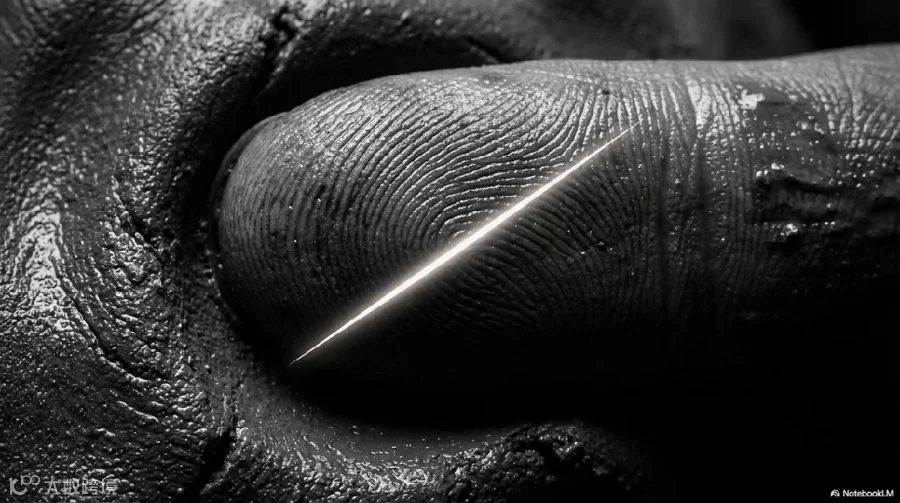
Create a 10-slide ultra-minimal product launch deck inspired by Apple’s quiet luxury, using a black–white palette, massive margins, and strong typography. Begin with a full-screen product hero, followed by “Introducing {Product Name}” in oversized text; slides 3–7 should each highlight one iconic feature using photographic elegance or mockup GIF suggestions. Present pricing and availability in a balanced layout, compare competitors in a simple grey table, and close with a final CTA delivered with poetic simplicity.
· 学术美学会议快讲(6 张)
Convert materials into a 6-slide academic presentation with an art–science hybrid aesthetic—deep blue, fine lines, and precise diagrams. Begin with the title, authors, and a QR code; present the research question and hypothesis framed like a scientific poster; depict the methodology as a controlled-flow diagram; showcase key results using clean, high-resolution charts; organize the discussion into structured argument blocks; and conclude with conclusions, future work, and references arranged with typographic order.

如果你看到这里,建议:先收藏,再转给那个每次赶方案都在熬夜改 PPT 的同事。
下次,让 NotebookLM 熬夜就好。你,真的可以去睡觉了。🌙
站酷设计Agent 双活动来袭!
《现在就出发3 × 站酷设计Agent》上线了!POHA 的私人衣橱频道正式开放。这一次,你不只是观众,而是 POHA 的专属 AI 造型师!上传你的 POHA 旅途穿搭 / 名场面打卡 / 明星同款 AI 作品,就有机会拿下:站酷 AI 荣誉勋章,小Z周边,腾讯视频会员,站酷 PRO计划。
👇快点击下图立即参与!

2.《晒晒你的冬日毛绒收藏》:这个冬天,我们一起“炸毛”出击!以 “冬 × 材质”为灵感,用站酷设计Agent 打造你的冬日收藏夹:毛绒、羽绒、皮草、呢绒……越有质感越出片!
奖励超丰厚👇快点击下图立即参与!

加入站酷 AI 圈,解锁新时代创造力,和万千创作者一起变强。