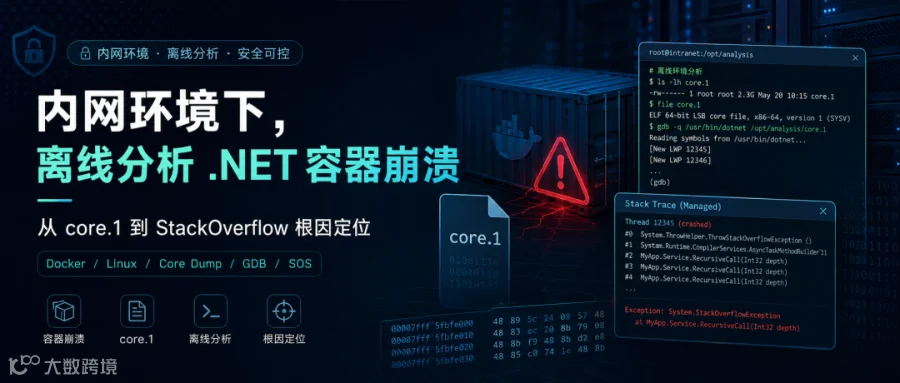
某 Linux 环境下的 .NET 容器偶发重启,管理端无异常且预设 dump 目录为空,唯一线索是容器内生成的 core.1 文件。若能获取该文件,问题分析将事半功倍。
然而,客户环境为内网隔离状态,文件无法外传。
最终方案是通过构建离线分析镜像,从 Linux core 的原始栈内存中统计出 582 个重复返回地址,将其还原为具体方法,从而定位问题根源。
本文核心内容涵盖:
-
-
-
如何从事故镜像中提取精确的 Runtime、App 和 Rootfs。
-
如何在隔离容器中完成 GDB、dotnet-dump 和 SOS 分析。
-
当
clrstack 损坏时,如何扫描原始栈、统计重复地址并解析 ip2md 及 MethodDef token。
本文命令与脚本基于以下环境验证:
-
-
-
glibc 发行版(非 Alpine/musl);
-
-
-
“容器重启”仅是现象,成因可能包括应用崩溃、OOM、人工 docker restart、定时任务、主机重启或健康检查。
2.1、查看当前状态
CONTAINER=your-api-container

docker inspect -f '
Name={{.Name}}
Image={{.Config.Image}}
StartedAt={{.State.StartedAt}}
FinishedAt={{.State.FinishedAt}}
ExitCode={{.State.ExitCode}}
OOMKilled={{.State.OOMKilled}}
RestartCount={{.RestartCount}}
MemoryLimit={{.HostConfig.Memory}}
RestartPolicy={{.HostConfig.RestartPolicy.Name}}
'"$CONTAINER"
注意:docker inspect 的 .State 仅反映当前或最近一次状态,容器重启后旧现场可能被覆盖。
2.2、利用 Docker events 还原现场
CONTAINER=your-api-container
CID="$(docker inspect -f '{{.Id}}' "$CONTAINER")"

docker events \
  --since '2026-01-01T10:00:00+08:00' \
  --until '2026-01-01T10:10:00+08:00' \
  --filter "container=$CID" \
  --format '{{.Time}} action={{.Action}} signal={{index .Actor.Attributes "signal"}} exit={{index .Actor.Attributes "exitCode"}}'
常见信号与退出码解读:
|
|
|
|
ExitCode=137 |
128 + 9
|
不一定是 OOM,docker restart 超时也会触发
|
ExitCode=139 |
128 + 11
|
|
OOMKilled=true |
Docker/cgroup 记录 OOM kill
|
|
先 kill signal=15 再 kill signal=9
|
|
通常为外部 stop/restart,非应用自崩溃
|
SIGKILL 无法被捕获,此类事件通常不留 managed dump。
故障时服务器内存占用不高也不能排除 OOM,需综合容器 cgroup 限额、峰值及内核记录判断。MemoryLimit=0 表示未设上限。
经日志排查发现 StackOverflow,基本排除内存溢出可能。
journalctl -k \
  --since '2026-01-01 10:00:00' \
  --until '2026-01-01 10:10:00' |
grep -Ei 'out of memory|oom-killer|killed process'
2.3、进一步确认 StackOverflow
CONTAINER=your-api-container

docker logs \
  --since '2026-01-01T10:00:00+08:00' \
  --until '2026-01-01T10:10:00+08:00' \
  "$CONTAINER"2>&1 |
grep -Ei 'StackOverflow|OutOfMemory|terminating|Unhandled|Fatal|SIGSEGV'

docker exec "$CONTAINER" \
  find / -maxdepth 4 -type f \
  \( -name 'core' -o -name 'core.*' -o -name 'coredump.*' \) \
  -exec stat -c 'file=%n bytes=%s mtime=%y inode=%i' {} \; 2>/dev/null
若同一时间点出现以下特征:
Process is terminating due to StackOverflowException.
Docker die / exit 139
core 文件修改时间与崩溃时间一致
restart policy 随后将容器拉起
2.4、为何配置 dump 目录为空却有 core.1?
这通常涉及两套机制:
COMPlus_DbgEnableMiniDump
等变量依赖 .NET Runtime 在致命错误路径调用 createdump。
core.1
由 Linux 内核根据 kernel.core_pattern、ulimit -c 及进程工作目录生成的 ELF core。
StackOverflow 发生时线程栈几近耗尽,旧版 Runtime 可能无法完整执行 managed dump 流程。因此,预设目录为空不代表配置未生效。
仅有 core 文件通常不足。对 Linux .NET Core dump 进行可靠分析,至少需要:
-
GDB、
file、readelf、eu-readelf 等原生工具;
-
-
事故时的精确
dotnet、libcoreclr.so、libmscordaccore.so;
-
-
尽可能精确的 glibc、libpthread、libstdc++ 等 Rootfs 原生库。
在生产容器直接安装工具会破坏现场,且内网无法在线安装,离线部署繁琐且不符合合规要求。
推荐流程:
联网机:构建、验证、导出分析镜像
                   ↓ 移动介质/受控传输
内网测试机:导入镜像,只读挂载 core 和事故二进制
                   ↓
输出小型文本报告,审查、脱敏后再分享
4.1、准备目录
mkdir -p core-analyzer
cd core-analyzer
最终目录结构:
core-analyzer/
├── Dockerfile
├── prepare-analyzer.sh
├── analyze-core-offline.sh
├── run-core-analysis.sh
├── extract-exact-image.sh
├── analyze-stackoverflow-raw-stack.sh
├── resolve-dotnet-method-token.py
├── vendor/
│   ├── dotnet-runtime-2.1.30-linux-x64.tar.gz
│   └── dotnet-dump.3.0.47001.nupkg
└── rootfs/
    └── opt/core-tools/...
4.2、prepare-analyzer.sh:下载与解包
保存以下为 prepare-analyzer.sh:
#!/usr/bin/env bash
set -euo pipefail

script_dir="$(cd "$(dirname "${BASH_SOURCE[0]}")" && pwd)"
vendor_dir="$script_dir/vendor"
rootfs_dir="$script_dir/rootfs"
package_dir="$rootfs_dir/opt/core-tools/dotnet-dump"
bin_dir="$rootfs_dir/opt/core-tools/bin"

runtime_name="dotnet-runtime-2.1.30-linux-x64.tar.gz"
dump_name="dotnet-dump.3.0.47001.nupkg"

runtime_url="https://dotnetcli.azureedge.net/dotnet/Runtime/2.1.30/$runtime_name"
dump_url="https://api.nuget.org/v3-flatcontainer/dotnet-dump/3.0.47001/$dump_name"

runtime_sha256="24222e3bdd0d65eba02fc87f928d5912831b3dc6dd7b833d503d496f7bcb7ab2"
dump_sha256="664ab4700c29c0717dbe01eb12b751330e56837ca44ecb0d1e47ffd39b4ec1fe"

for tool in curl unzip sha256sum; do
  if ! command -v "$tool" >/dev/null 2>&1; then
    echo "ERROR: required tool is missing: $tool" >&2
    exit 2
  fi
done

mkdir -p "$vendor_dir""$package_dir""$bin_dir"

download() {
  local url="$1"
  local output="$2"
  if ! -s "$output"; then
    curl -fL --retry 3 --connect-timeout 20"$url" -o "$output"
  fi
}

verify_file() {
  local expected="$1"
  local file="$2"
  local actual
  actual="$(sha256sum "$file" | awk '{print $1}')"
  if"$actual" != "$expected"; then
    echo "ERROR: SHA-256 mismatch: $file" >&2
    echo "expected=$expected" >&2
    echo "actual=$actual" >&2
    exit 3
  fi
}

download "$runtime_url""$vendor_dir/$runtime_name"
download "$dump_url""$vendor_dir/$dump_name"

verify_file "$runtime_sha256""$vendor_dir/$runtime_name"
verify_file "$dump_sha256""$vendor_dir/$dump_name"

tmp_dir="$(mktemp -d)"
cleanup() {
  rm -rf "$tmp_dir"
}
trap cleanup EXIT

unzip -q -o "$vendor_dir/$dump_name" -d "$tmp_dir/dotnet-dump"

source_dir="$tmp_dir/dotnet-dump/tools/netcoreapp2.1/any"
if ! -f "$source\_dir/dotnet-dump.dll"; then
  echo "ERROR: dotnet-dump.dll was not found in the NuGet package" >&2
  exit 4
fi

rm -rf "$package_dir"
mkdir -p "$package_dir"
cp -a "$source_dir/.""$package_dir/"

cat >"$bin_dir/dotnet-dump" <<'WRAPPER'
#!/usr/bin/env bash
set -e
exec /opt/dotnet/dotnet \
  /opt/core-tools/dotnet-dump/dotnet-dump.dll "$@"
WRAPPER

chmod 0755"$bin_dir/dotnet-dump"

test -f "$package_dir/linux-x64/libsos.so"
test -f "$package_dir/linux-x64/libsosplugin.so"

echo "Offline analyzer dependencies are ready."
echo "Runtime: $vendor_dir/$runtime_name"
echo "dotnet-dump: $vendor_dir/$dump_name"
echo "Image rootfs: $rootfs_dir"
执行:
chmod +x prepare-analyzer.sh
./prepare-analyzer.sh
此步骤必须在联网机器运行。
4.3、完整 Dockerfile
保存内容为 Dockerfile:
FROM quay.io/centos/centos:7@sha256:e4ca2ed0202e76be184e75fb26d14bf974193579039d5573fb2348664deef76e

RUN sed -i \
      -e 's|^mirrorlist=|#mirrorlist=|g' \
      -e 's|^#baseurl=http://mirror.centos.org|baseurl=https://vault.centos.org|g' \
      /etc/yum.repos.d/CentOS-*.repo \
    && yum -y install \
      bash binutils elfutils file findutils gdb gzip python \
      procps-ng tar unzip util-linux which \
      ca-certificates curl krb5-libs libcurl libicu libunwind \
      libuuid openssl-libs zlib \
    && yum clean all \
    && rm -rf /var/cache/yum

COPY vendor/dotnet-runtime-2.1.30-linux-x64.tar.gz \
  /tmp/dotnet-runtime.tar.gz

RUN mkdir -p /opt/dotnet \
    && tar -xzf /tmp/dotnet-runtime.tar.gz -C /opt/dotnet \
    && rm -f /tmp/dotnet-runtime.tar.gz \
    && /opt/dotnet/dotnet --info

COPY rootfs/ /
COPY analyze-core-offline.sh /opt/core-tools/bin/analyze-core-offline

RUN chmod 0755 \
      /opt/core-tools/bin/analyze-core-offline \
      /opt/core-tools/bin/dotnet-dump \
    && /opt/core-tools/bin/dotnet-dump --version \
    && gdb --version | head -n 1 \
    && file --version | head -n 1 \
    && readelf --version | head -n 1 \
    && python --version

ENV PATH="/opt/core-tools/bin:/opt/dotnet:${PATH}" \
    DOTNET_ROOT="/opt/dotnet" \
    DOTNET_CLI_TELEMETRY_OPTOUT="1" \
    DOTNET_SKIP_FIRST_TIME_EXPERIENCE="1" \
    HOME="/tmp"

WORKDIR /work
ENTRYPOINT ["/opt/core-tools/bin/analyze-core-offline"]
镜像中的 .NET Core 2.1.30 为“工具运行时”,用于启动 dotnet-dump 3.0.47001,不替代事故现场的 Runtime。分析 core 时需额外挂载事故镜像的精确 Runtime。
4.4、通用分析脚本 analyze-core-offline.sh
该脚本执行首轮“广谱检查”:确认 core 身份,采集原生线程栈,尝试提取托管线程、异常和 GC 堆摘要。通过 timeout 和 ulimit 限制执行时间与报告大小,防止损坏的 core 产生过大日志。
保存为 analyze-core-offline.sh:
#!/usr/bin/env bash
set -uo pipefail

usage() {
  cat >&2 <<'USAGE'
Usage:
  analyze-core-offline CORE OUTPUT_DIR RUNTIME_ROOT APP_DIR ROOTFS_DIR
USAGE
  exit 2
}

[ "$#" -eq 5 ] || usage

core_file=$1
output_dir=$2
runtime_root=$3
app_dir=$4
rootfs_dir=$5

[ -f "$core_file" ] || { echo "Core not found: $core_file" >&2; exit 1; }
[ -d "$runtime_root" ] || { echo "Runtime not found: $runtime_root" >&2; exit 1; }
[ -d "$app_dir" ] || { echo "App not found: $app_dir" >&2; exit 1; }
[ -d "$rootfs_dir" ] || { echo "Rootfs not found: $rootfs_dir" >&2; exit 1; }

mkdir -p "$output_dir"

target_dotnet=$(find "$runtime_root" -type f -name dotnet -perm -0100 | head -n 1)
runtime_version_dir=$(find "$runtime_root" -type f -name libcoreclr.so \
  -printf '%h\n' | head -n 1)
dac_file=$(find "$runtime_root" -type f -name libmscordaccore.so | head -n 1)

[ -n "$target_dotnet" ] || { echo "dotnet not found under $runtime_root" >&2; exit 1; }
[ -n "$runtime_version_dir" ] || { echo "libcoreclr.so not found" >&2; exit 1; }
[ -n "$dac_file" ] || { echo "libmscordaccore.so not found" >&2; exit 1; }

runtime_version=$(basename "$runtime_version_dir")
summary="$output_dir/00-summary.txt"
metadata="$output_dir/01-core-metadata.txt"
native_report="$output_dir/02-native-gdb.txt"
managed_report="$output_dir/03-managed-dotnet-dump.txt"

{
  echo "CollectedAt=$(date -u +%Y-%m-%dT%H:%M:%S%z)"
  echo "CoreFile=$core_file"
  echo "RuntimeRoot=$runtime_root"
  echo "RuntimeVersionDir=$runtime_version_dir"
  echo "RuntimeVersion=$runtime_version"
  echo "AppDir=$app_dir"
  echo "RootfsDir=$rootfs_dir"
  echo "TargetDotnet=$target_dotnet"
  echo "DAC=$dac_file"
} >"$summary"

{
  echo '===== FILE ====='
  file "$core_file"
  echo
  echo '===== STAT ====='
  stat "$core_file"
  echo
  echo '===== SHA-256 ====='
  sha256sum "$core_file"
  echo
  echo '===== ELF NOTES ====='
  readelf -n "$core_file"
} >"$metadata"2>&1

solib_path="$runtime_version_dir:$app_dir"
for candidate in \
  "$rootfs_dir/lib64" \
  "$rootfs_dir/lib/x86_64-linux-gnu" \
  "$rootfs_dir/usr/lib64" \
  "$rootfs_dir/usr/lib/x86_64-linux-gnu"; do
  [ -d "$candidate" ] && solib_path="$solib_path:$candidate"
done

set +e
(
  ulimit -f 204800
  timeout -k 10s 15m gdb -q -batch \
    -ex 'set pagination off' \
    -ex 'set auto-load safe-path /' \
    -ex "set sysroot $rootfs_dir" \
    -ex "set solib-search-path $solib_path" \
    -ex "file $target_dotnet" \
    -ex "core-file $core_file" \
    -ex 'info files' \
    -ex 'info sharedlibrary' \
    -ex 'info threads' \
    -ex 'thread apply all bt 64'
) >"$native_report"2>&1
gdb_status=$?

(
  ulimit -f 204800
  timeout -k 10s 15m dotnet-dump analyze "$core_file" <<COMMANDS
clrthreads
clrstack -all
pe
eeheap -gc
dumpheap -stat
exit
COMMANDS
) >"$managed_report"2>&1
managed_status=$?
set -e

{
  echo "GdbExitStatus=$gdb_status"
  echo "ManagedExitStatus=$managed_status"
  echo
  echo 'GeneratedFiles:'
  find "$output_dir" -maxdepth 1 -type f -printf '%f %s bytes\n' | sort
} >>"$summary"

echo "Analysis completed: $output_dir"
echo "Review reports before sharing; a core can contain secrets and customer data."
exit 0
此处使用容器内统一路径。运行脚本时将宿主机的 core、Runtime、App、Rootfs 分别只读挂载至对应位置。
4.5、构建、验证与导出
文件齐备后执行:
chmod +x prepare-analyzer.sh analyze-core-offline.sh
./prepare-analyzer.sh

docker build --platform linux/amd64 \
  -t core-analyzer:centos7-x64 .

docker run --rm --entrypoint /bin/sh \
  core-analyzer:centos7-x64 -c \
  'uname -m; gdb --version | head -n 1; dotnet-dump --version; python --version'

docker save core-analyzer:centos7-x64 | gzip > core-analyzer.tar.gz
sha256sum core-analyzer.tar.gz > SHA256SUMS
Dockerfile 的 yum 阶段需联网,内网机器仅加载已构建的 tar 包,无需重新 build。
上述准备工作在本机完成后,将相关文件拷贝至内网即可开始排查。
5.1、导入分析镜像
将 core-analyzer.tar.gz 和 SHA256SUMS 拷贝至内网机器:
sha256sum -c SHA256SUMS
gzip -dc core-analyzer.tar.gz | docker load

docker image inspect core-analyzer:centos7-x64 \
  --format 'OS={{.Os}} Arch={{.Architecture}} ID={{.Id}}'
5.2、为何必须使用“精确”镜像
分析 .NET core 需四要素:
-
-
生成 core 的 Runtime(特别是
libcoreclr.so 和 libmscordaccore.so);
-
-
当时镜像的 glibc、libpthread、libstdc++ 等原生库。
仅 tag 同名不足够,应优先记录 Image ID 或 digest,并对关键文件做 SHA-256 校验。
5.3、完整提取脚本 extract-exact-image.sh
该脚本创建停止状态的容器,不启动业务服务。
#!/usr/bin/env bash
set -euo pipefail

usage() {
  cat >&2 <<'USAGE'
Usage:
  extract-exact-image.sh IMAGE OUTPUT_DIR [DOTNET_ROOT_IN_IMAGE] [APP_DIR_IN_IMAGE]

Example:
  ./extract-exact-image.sh app-api@sha256:... ./exact /usr/share/dotnet /app
USAGE
  exit 2
}

[ "$#" -ge 2 ] && [ "$#" -le 4 ] || usage

image=$1
output_dir=$2
dotnet_path=${3:-/usr/share/dotnet}
app_path=${4:-/app}

docker image inspect "$image" >/dev/null
if [ -d "$output_dir" ] && find "$output_dir" -mindepth 1 -print -quit | grep -q .; then
  echo "Output directory must be empty: $output_dir" >&2
  exit 3
fi
mkdir -p "$output_dir/runtime""$output_dir/app""$output_dir/rootfs"

container_id=$(docker create "$image")
cleanup() {
  docker rm -f "$container_id" >/dev/null 2>&1 || true
}
trap cleanup EXIT INT TERM

docker cp "$container_id:$dotnet_path/.""$output_dir/runtime/"
docker cp "$container_id:$app_path/.""$output_dir/app/"
docker export"$container_id" | tar -xf - -C "$output_dir/rootfs"

{
  echo "CollectedAt=$(date -u +%Y-%m-%dT%H:%M:%S%z)"
  echo "ImageReference=$image"
  echo "ImageID=$(docker image inspect -f '{{.Id}}' "$image")"
  echo "RepoDigests=$(docker image inspect -f '{{json .RepoDigests}}' "$image")"
  echo "ImageCreated=$(docker image inspect -f '{{.Created}}' "$image")"
  echo "Architecture=$(docker image inspect -f '{{.Architecture}}' "$image")"
  echo "DotnetPath=$dotnet_path"
  echo "AppPath=$app_path"
  echo "DeclaredVolumes=$(docker image inspect -f '{{json .Config.Volumes}}' "$image")"
} >"$output_dir/IMAGE-MANIFEST.txt"

find "$output_dir/runtime""$output_dir/app" -type f -print0 \
  | sort -z \
  | xargs -0 sha256sum >"$output_dir/FILE-SHA256SUMS"

find "$output_dir/runtime" -type f -name dotnet -print -quit | grep -q .
find "$output_dir/runtime" -type f -name libcoreclr.so -print -quit | grep -q .
find "$output_dir/runtime" -type f -name libmscordaccore.so -print -quit | grep -q .
find "$output_dir/app" -type f -name '*.dll' -print -quit | grep -q .

echo "Exact image files extracted to: $output_dir"
echo "Keep IMAGE-MANIFEST.txt and FILE-SHA256SUMS with the reports."
使用示例:
chmod +x extract-exact-image.sh

./extract-exact-image.sh \
  'your-api-image@sha256:replace-with-real-digest' \
  /data/core-case/exact \
  /usr/share/dotnet \
  /app

cat /data/core-case/exact/IMAGE-MANIFEST.txt
find /data/core-case/exact/runtime \
  \( -name libcoreclr.so -o -name libmscordaccore.so \) -print
若镜像声明了 VOLUME /app,docker export 不包含卷内容,故脚本额外用 docker cp 提取 App。若业务启动后替换卷中 DLL,需在授权下从事故容器复制并单独保存哈希。
建议在生产服务器获取所需内容后,拷贝至独立测试服务器分析,避免影响生产系统。
6.1、宿主机启动脚本 run-core-analysis.sh
#!/usr/bin/env bash
set -euo pipefail

if [ "$#" -lt 4 ] || [ "$#" -gt 5 ]; then
  echo "Usage: $0 CORE RUNTIME_ROOT APP_DIR ROOTFS_DIR [OUTPUT_DIR]" >&2
  exit 2
fi

core_file=$(cd "$(dirname "$1")" && pwd)/$(basename "$1")
runtime_root=$(cd "$2" && pwd)
app_dir=$(cd "$3" && pwd)
rootfs_dir=$(cd "$4" && pwd)
output_dir=${5:-"$PWD/core-analysis-$(date +%Y%m%d-%H%M%S)"}
mkdir -p "$output_dir"
output_dir=$(cd "$output_dir" && pwd)

docker run --rm \
  --platform linux/amd64 \
  --network none \
  --read-only \
  --log-driver none \
  --cap-drop ALL \
  --security-opt no-new-privileges \
  --user "$(id -u):$(id -g)" \
  --tmpfs /tmp:rw,nosuid,nodev,noexec,size=256m \
  -v "$core_file:/work/core.1:ro" \
  -v "$runtime_root:/usr/share/dotnet:ro" \
  -v "$app_dir:/app:ro" \
  -v "$rootfs_dir:/target-rootfs:ro" \
  -v "$output_dir:/work/output:rw" \
  core-analyzer:centos7-x64 \
  /work/core.1 /work/output /usr/share/dotnet /app /target-rootfs

echo "Reports: $output_dir"
执行:
chmod +x run-core-analysis.sh

./run-core-analysis.sh \
  /data/core-case/core.1 \
  /data/core-case/exact/runtime \
  /data/core-case/exact/app \
  /data/core-case/exact/rootfs \
  /data/core-case/first-pass
建议阅读顺序:
cat /data/core-case/first-pass/00-summary.txt
cat /data/core-case/first-pass/01-core-metadata.txt
grep -nE 'Program terminated|Current thread|signal|#0 |#1 |#2 ' \
  /data/core-case/first-pass/02-native-gdb.txt | head -n 100
sed -n '1,240p' \
  /data/core-case/first-pass/03-managed-dotnet-dump.txt
6.2、常见错误解读
|
|
|
|
wrong library or version mismatch |
|
重新提取精确 Rootfs,勿用分析机自带 libc
|
Can not load or initialize libmscordaccore.so |
DAC 与 core 中 Runtime 不匹配或路径错误
|
核对 libcoreclr.so 和 libmscordaccore.so 是否同源
|
Failed to request Module data from assembly |
|
|
|
|
|
用 ip2md 取 MethodDef token,离线解析 DLL
|
Unrecognized command 'setclrpath' |
|
勿重试;将精确 Runtime 挂载至 core 记录的原路径
|
|
|
|
示例挂载至 /usr/share/dotnet;若事故镜像路径不同,同步修改
|
|
|
StackOverflow 可能已覆盖常规展开所需的栈链
|
|
若 clrstack -all 给出清晰重复调用序列,可直接转向代码。若仅见 abort / SIGSEGV、ArrayCopy 及大量 Unknown,则需 StackOverflow 专项方法。
7、StackOverflow 专项分析:扫描原始栈
7.1 确认信号线程与扫描起点
StackOverflow 在 Linux/.NET Core 2.1 上可能表现为 abort 或 SIGSEGV。先在 GDB 报告中定位信号线程 LWP 和原生栈:
grep -nE 'Program terminated|Current thread|LWP|#0 |#1 |#2 |#3 |#4 ' \
  /data/core-case/first-pass/02-native-gdb.txt | head -n 120
典型原生栈示例:
#0  abort
#1  PROCAbort
#2  sigsegv_handler
#3  <signal handler called>
#4  ArrayNative::ArrayCopy
frame 4 仅为示例。应从 abort 向下寻找第一个能正常读取 $rsp 的崩溃前栈帧,作为脚本参数。
7.2、完整脚本 analyze-stackoverflow-raw-stack.sh
该脚本执行七步操作:
-
-
从指定栈帧的
$rsp 开始扫描 256 KiB;
-
-
-
通过
clrthreads 映射 LWP/OSID 到 SOS 线程;
-
对候选地址执行
ip2md 提取 MethodDef token;
-
在分析镜像内用 Python 标准库解析精确 DLL,获取完整方法名。
保存为 analyze-stackoverflow-raw-stack.sh:
#!/usr/bin/env bash
set -uo pipefail

usage() {
  cat >&2 <<'USAGE'
Usage:
  analyze-stackoverflow-raw-stack.sh \
    CORE RUNTIME_ROOT APP_DIR ROOTFS_DIR TARGET_ASSEMBLY \
    [OUTPUT_DIR] [OSID_HEX] [GDB_FRAME]

Example:
  ./analyze-stackoverflow-raw-stack.sh \
    /data/core-case/core.1 \
    /data/core-case/exact/runtime \
    /data/core-case/exact/app \
    /data/core-case/exact/rootfs \
    Business.Engine.dll \
    /data/core-case/stackoverflow \
    34d 4
USAGE
  exit 2
}

[ "$#" -ge 5 ] && [ "$#" -le 8 ] || usage

core_file=$1
runtime_root=$2
app_dir=$3
rootfs_dir=$4
target_assembly=$(basename "$5")
output_dir=${6:-"$PWD/stackoverflow-$(date +%Y%m%d-%H%M%S)"}
target_osid=${7:-}
scan_frame=${8:-4}

image=${CORE_ANALYZER_IMAGE:-core-analyzer:centos7-x64}
target_dotnet_root=/usr/share/dotnet
stack_scan_kib=${STACK_SCAN_KIB:-256}
max_candidates=${MAX_CANDIDATES:-512}
script_dir=$(cd "$(dirname "${BASH_SOURCE[0]}")" && pwd)
token_resolver="$script_dir/resolve-dotnet-method-token.py"

command -v docker >/dev/null 2>&1 || { echo 'docker is missing' >&2; exit 3; }
[ -r "$core_file" ] || { echo "Core is not readable: $core_file" >&2; exit 4; }
[ -d "$runtime_root" ] || { echo "Runtime is missing: $runtime_root" >&2; exit 4; }
[ -d "$app_dir" ] || { echo "App is missing: $app_dir" >&2; exit 4; }
[ -d "$rootfs_dir" ] || { echo "Rootfs is missing: $rootfs_dir" >&2; exit 4; }
[ -f "$app_dir/$target_assembly" ] || {
  echo "Assembly is missing: $app_dir/$target_assembly" >&2; exit 4;
}
[ -f "$token_resolver" ] || { echo "Resolver is missing: $token_resolver" >&2; exit 4; }
docker image inspect "$image" >/dev/null 2>&1 || {
  echo "Analyzer image is not loaded: $image" >&2; exit 5;
}

case"$scan_frame"in
  ''|*[!0-9]*) echo 'GDB_FRAME must be a non-negative integer' >&2; exit 6 ;;
esac
case"$stack_scan_kib"in
  ''|*[!0-9]*) echo 'STACK_SCAN_KIB must be an integer' >&2; exit 6 ;;
esac
[ "$stack_scan_kib" -ge 64 ] && [ "$stack_scan_kib" -le 1024 ] || {
  echo 'STACK_SCAN_KIB must be between 64 and 1024' >&2; exit 6;
}

target_osid=$(printf '%s'"$target_osid" | tr '[:upper:]''[:lower:]')
target_osid=${target_osid#0x}
if [ -n "$target_osid" ] && ! printf '%s'"$target_osid" | grep -Eq '^[0-9a-f]+$'; then
  echo 'OSID must be hexadecimal, for example 34d or 0x34d' >&2
  exit 6
fi

core_file=$(readlink -f "$core_file")
runtime_root=$(readlink -f "$runtime_root")
app_dir=$(readlink -f "$app_dir")
rootfs_dir=$(readlink -f "$rootfs_dir")
mkdir -p "$output_dir"
output_dir=$(readlink -f "$output_dir")

dac_file=$(find "$runtime_root" -type f -name libmscordaccore.so \
  -print | sort -V | tail -n 1)
[ -n "$dac_file" ] || { echo 'libmscordaccore.so was not found' >&2; exit 7; }
runtime_version_dir=$(dirname "$dac_file")
runtime_version=$(basename "$runtime_version_dir")
[ -f "$runtime_version_dir/libcoreclr.so" ] || {
  echo "Matching libcoreclr.so is missing: $runtime_version_dir" >&2; exit 7;
}

if [ -f "$runtime_root/dotnet" ]; then
  exact_dotnet="$runtime_root/dotnet"
else
  exact_dotnet=$(find "$runtime_root" -maxdepth 3 -type f -name dotnet \
    -print | head -n 1)
fi
[ -n "$exact_dotnet" ] || { echo 'Exact dotnet host was not found' >&2; exit 7; }

summary_file="$output_dir/00-summary.txt"
native_file="$output_dir/01-native-stack-scan.txt"
frequency_file="$output_dir/02-repeated-pointers.txt"
threads_file="$output_dir/03-clrthreads.txt"
resolved_file="$output_dir/04-ip2md-resolved.txt"
key_file="$output_dir/05-key-methods.txt"
token_file="$output_dir/06-token-methods.txt"
candidate_file="$output_dir/.candidate-ips.txt"
token_candidate_file="$output_dir/.candidate-tokens.txt"
active_container=''

cleanup() {
  if [ -n "$active_container" ]; then
    docker rm -f "$active_container" >/dev/null 2>&1 || true
  fi
  rm -f "$candidate_file""$token_candidate_file"
}
trap cleanup EXIT INT TERM

solib_path="$target_dotnet_root/shared/Microsoft.NETCore.App/$runtime_version"
solib_path="$solib_path:/target-rootfs/lib/x86_64-linux-gnu"
solib_path="$solib_path:/target-rootfs/usr/lib/x86_64-linux-gnu"
solib_path="$solib_path:/target-rootfs/lib64:/target-rootfs/usr/lib64"
solib_path="$solib_path:/app:/app/runtimes/linux/native:/app/runtimes/linux-x64/native"

scan_words=$((stack_scan_kib * 1024 / 8))
active_container="so-gdb-$$"
set +e
(
  ulimit -f 163842>/dev/null || true
  timeout -k 10s 10m docker run --rm \
    --name "$active_container" \
    --platform linux/amd64 \
    --log-driver none \
    --network none \
    --read-only \
    --cap-drop ALL \
    --security-opt no-new-privileges \
    --tmpfs /tmp:rw,nosuid,nodev,noexec,size=128m \
    --user "$(id -u):$(id -g)" \
    -e HOME=/tmp \
    -v "$core_file:/work/core.1:ro" \
    -v "$exact_dotnet:$target_dotnet_root/dotnet:ro" \
    -v "$runtime_version_dir:$target_dotnet_root/shared/Microsoft.NETCore.App/$runtime_version:ro" \
    -v "$app_dir:/app:ro" \
    -v "$rootfs_dir:/target-rootfs:ro" \
    --entrypoint /usr/bin/gdb \
    "$image" --batch --quiet \
    -ex 'set pagination off' \
    -ex 'set confirm off' \
    -ex 'set print thread-events off' \
    -ex 'set auto-load safe-path /' \
    -ex 'set sysroot /target-rootfs' \
    -ex "set solib-search-path $solib_path" \
    -ex "file $target_dotnet_root/dotnet" \
    -ex 'core-file /work/core.1' \
    -ex 'printf "===== CRASH THREAD =====\n"' \
    -ex 'thread' \
    -ex 'bt 32' \
    -ex "printf \"===== SCAN FRAME $scan_frame =====\\n\"" \
    -ex "frame $scan_frame" \
    -ex 'info registers' \
    -ex "printf \"===== RAW STACK ${stack_scan_kib}K =====\\n\"" \
    -ex "x/${scan_words}gx \$rsp"
) >"$native_file"2>&1
gdb_status=$?
set -e
docker rm -f "$active_container" >/dev/null 2>&1 || true
active_container=''

signal_lwp_decimal=$(sed -nE 's/.*\(LWP ([0-9]+)\).*/\1/p' \
  "$native_file" | head -n 1)
if [ -z "$target_osid" ] && [ -n "$signal_lwp_decimal" ]; then
  target_osid=$(printf '%x'"$((10#$signal_lwp_decimal))")
fi
[ -n "$target_osid" ] || {
  echo "Could not detect signal LWP; inspect $native_file" >&2; exit 8;
}

grep -aoE '0x[0-9A-Fa-f]{8,16}'"$native_file" \
  | tr '[:upper:]''[:lower:]' \
  | sort \
  | uniq -c \
  | sort -k1,1nr -k2,2 \
  | awk '$1 >= 2 { print }' \
  | head -n "$max_candidates" >"$frequency_file" || true

awk '{print $2}'"$frequency_file" >"$candidate_file"
if [ ! -s "$candidate_file" ]; then
  grep -aoE '0x[0-9A-Fa-f]{8,16}'"$native_file" \
    | tr '[:upper:]''[:lower:]' \
    | sort -u \
    | head -n 256 >"$candidate_file" || true
fi

run_dotnet_dump() {
  destination=$1
  stage=$2
  duration=$3
  commands=$4
  active_container="so-${stage}-$$"
  set +e
  (
    ulimit -f 163842>/dev/null || true
    printf '%s'"$commands" | timeout -k 10s "$duration" docker run --rm -i \
      --name "$active_container" \
      --platform linux/amd64 \
      --log-driver none \
      --network none \
      --read-only \
      --cap-drop ALL \
      --security-opt no-new-privileges \
      --tmpfs /tmp:rw,nosuid,nodev,noexec,size=128m \
      --user "$(id -u):$(id -g)" \
      -e HOME=/tmp \
      -v "$core_file:/work/core.1:ro" \
      -v "$exact_dotnet:$target_dotnet_root/dotnet:ro" \
      -v "$runtime_version_dir:$target_dotnet_root/shared/Microsoft.NETCore.App/$runtime_version:ro" \
      -v "$app_dir:/app:ro" \
      --entrypoint /opt/core-tools/bin/dotnet-dump \
      "$image" analyze /work/core.1
  ) >"$destination"2>&1
  status=$?
  set -e
  docker rm -f "$active_container" >/dev/null 2>&1 || true
  active_container=''
  return"$status"
}

run_dotnet_dump "$threads_file" threads 5m $'clrthreads\nexit\n'
threads_status=$?

target_thread_line=$(awk -v wanted="$target_osid"'
  BEGIN { wanted = tolower(wanted) }
  $1 ~ /^[0-9]+$/ && tolower($3) == wanted { print; exit }
'"$threads_file")
debugger_thread_id=$(printf '%s\n'"$target_thread_line" | awk '{print $1}')

commands=''
if [ -n "$debugger_thread_id" ]; then
  commands="setthread $debugger_thread_id"$'\n''clrstack -a'$'\n'
fi
while IFS= read -r ip; do
  [ -n "$ip" ] && commands="${commands}ip2md $ip"$'\n'
done <"$candidate_file"
commands="${commands}exit"$'\n'

run_dotnet_dump "$resolved_file" resolve 15m "$commands"
resolve_status=$?

awk -v wanted="/app/$target_assembly!"'
  BEGIN { wanted = tolower(wanted); matched = 0 }
  /^> ip2md/ { matched = 0 }
  {
    line = tolower($0)
    if (index(line, wanted) > 0) matched = 1
  }
  matched && tolower($1) == "mdtoken:" {
    value = tolower($2)
    sub(/^0x/, "", value)
    if (length(value) >= 8) {
      value = substr(value, length(value) - 7)
      if (substr(value, 1, 2) == "06") print value
    }
  }
'"$resolved_file" | sort -u >"$token_candidate_file"

{
  echo '===== STATIC METHODDEF TOKEN RESOLUTION ====='
  echo "Assembly=$app_dir/$target_assembly"
  echo 'RecoveredMethodDefTokens:'
  if [ -s "$token_candidate_file" ]; then
    cat "$token_candidate_file"
  else
    echo none
  fi
  while IFS= read -r token; do
    [ -n "$token" ] || continue
    echo
    active_container="so-token-${token}-$$"
    set +e
    (
      ulimit -f 20482>/dev/null || true
      timeout -k 5s 1m docker run --rm \
        --name "$active_container" \
        --platform linux/amd64 \
        --network none \
        --read-only \
        --log-driver none \
        --cap-drop ALL \
        --security-opt no-new-privileges \
        --user "$(id -u):$(id -g)" \
        -e HOME=/tmp \
        --tmpfs /tmp:rw,nosuid,nodev,noexec,size=32m \
        -v "$app_dir:/app:ro" \
        -v "$token_resolver:/tools/resolve-dotnet-method-token.py:ro" \
        --entrypoint /usr/bin/python \
        "$image" /tools/resolve-dotnet-method-token.py \
        "/app/$target_assembly""$token"
    ) || true
    docker rm -f "$active_container" >/dev/null 2>&1 || true
    active_container=''
  done <"$token_candidate_file"
} >"$token_file"2>&1

{
  echo '===== RESOLVED METHOD LINES ====='
  grep -a -m 2500 -nEi \
    '^> ip2md|Method Name:|mdToken:|FullMethod=|Failed|Error' \
    "$resolved_file""$token_file" || true
  echo
  echo '===== MOST REPEATED POINTERS ====='
  sed -n '1,120p'"$frequency_file"
} >"$key_file"

{
  echo "CollectedAt=$(date -u +%Y-%m-%dT%H:%M:%S%z)"
  echo "CoreFile=$core_file"
  echo "CoreSHA256=$(sha256sum "$core_file" | awk '{print $1}')"
  echo "RuntimeVersion=$runtime_version"
  echo "RuntimeVersionDir=$runtime_version_dir"
  echo "AppDir=$app_dir"
  echo "RootfsDir=$rootfs_dir"
  echo "TargetAssembly=$target_assembly"
  echo "TargetAssemblySHA256=$(sha256sum "$app_dir/$target_assembly" | awk '{print $1}')"
  echo "AnalyzerImage=$image"
  echo "TargetOSID=0x$target_osid"
  echo "SignalLWPDecimal=${signal_lwp_decimal:-not-found}"
  echo "DebuggerThreadIndex=${debugger_thread_id:-not-found}"
  echo "GdbFrame=$scan_frame"
  echo "StackScanKiB=$stack_scan_kib"
  echo "GdbExitStatus=$gdb_status"
  echo "ClrThreadsExitStatus=$threads_status"
  echo "Ip2MdExitStatus=$resolve_status"
  echo "CandidatePointerCount=$(wc -l <"$candidate_file")"
  echo
  echo 'GeneratedFiles:'
  find "$output_dir" -maxdepth 1 -type f ! -name '.candidate-*' \
    -printf '%f %s bytes\n' | sort
} >"$summary_file"

echo "Finished: $output_dir"
echo "Read 00-summary.txt, 02-repeated-pointers.txt and 06-token-methods.txt first."
[ -n "$debugger_thread_id" ] || exit 12
exit 0
脚本先做频次排序再交 ip2md 验证,因栈上常反复出现对象地址等非代码数据,“频次高”不等于“一定是代码”。
7.3、无第三方依赖的 resolve-dotnet-method-token.py
ip2md 在老 Runtime 或无 PDB 环境中可能仅返回:
Method Name: /app/Business.Engine.dll!Unknown
mdToken:     0000000006001234
06001234 即 MethodDef token。以下解析器仅用 Python 标准库读取 PE/CLI 元数据,无需 SDK 或 NuGet 包。保存为 resolve-dotnet-method-token.py。
#!/usr/bin/env python
"""Resolve a .NET MethodDef token without external Python packages."""

from __future__ import print_function

import argparse
import os
import struct
import sys


class FormatError(Exception):
    pass


def u16(data, off):
    return struct.unpack_from("<H", data, off)[0]


def u32(data, off):
    return struct.unpack_from("<I", data, off)[0]


def u64(data, off):
    return struct.unpack_from("<Q", data, off)[0]


def align4(value):
    return (value + 3) & ~3


def read_index(data, off, size):
    if size == 2:
        return u16(data, off), off + 2
    return u32(data, off), off + 4


def heap_string(strings_heap, index):
    if index == 0:
        return""
    if index >= len(strings_heap):
        raise FormatError("#Strings index outside heap: 0x%x" % index)
    end = strings_heap.find(b"\0", index)
    if end < 0:
        end = len(strings_heap)
    return strings_heap[index:end].decode("utf-8", "replace")


def parse_token(text):
    value = text.strip().lower()
    if value.startswith("0x"):
        value = value[2:]
    try:
        token = int(value, 16)
    except ValueError:
        raise argparse.ArgumentTypeError(
            "token must be hexadecimal, for example 06001234"
        )
    if token >> 24 != 0x06 or token & 0x00FFFFFF == 0:
        raise argparse.ArgumentTypeError(
            "token must be a MethodDef token (06xxxxxx)"
        )
    return token


def rva_to_offset(rva, sections):
    for virtual_address, virtual_size, raw_offset, raw_size in sections:
        span = max(virtual_size, raw_size)
        if virtual_address <= rva < virtual_address + span:
            return raw_offset + (rva - virtual_address)
    raise FormatError("RVA 0x%x is not covered by a PE section" % rva)


def parse_pe_metadata(data):
    if data[:2] != b"MZ":
        raise FormatError("not a PE file: MZ header is missing")
    pe = u32(data, 0x3C)
    if data[pe:pe + 4] != b"PE\0\0":
        raise FormatError("not a PE file: PE signature is missing")

    coff = pe + 4
    section_count = u16(data, coff + 2)
    optional_size = u16(data, coff + 16)
    optional = coff + 20
    magic = u 16(data, optional)
    if magic == 0 x 10 B:
        data_directories = optional + 96
    elif magic == 0 x 20 B:
        data_directories = optional + 112
    else:
        raise FormatError("unsupported optional-header magic 0 x%x" % magic)

    cli_rva = u 32(data, data_directories + 14 * 8)
    if cli_rva == 0:
        raise FormatError("PE file has no CLI header")

    sections = []
    section_offset = optional + optional_size
    for index in range(section_count):
        off = section_offset + index * 40
        sections.append((
            u 32(data, off + 12),
            u 32(data, off + 8),
            u 32(data, off + 20),
            u 32(data, off + 16),
        ))

    cli = rva_to_offset(cli_rva, sections)
    metadata_rva = u 32(data, cli + 8)
    metadata = rva_to_offset(metadata_rva, sections)
    if data[metadata:metadata + 4] != b"BSJB":
        raise FormatError("invalid CLI metadata signature")
    return metadata


def parse_streams(data, metadata):
    version_length = u 32(data, metadata + 12)
    cursor = align 4(metadata + 16 + version_length)
    cursor += 2
    stream_count = u 16(data, cursor)
    cursor += 2
    streams = {}
    for _ in range(stream_count):
        stream_offset = u 32(data, cursor)
        stream_size = u 32(data, cursor + 4)
        cursor += 8
        name_end = data.find(b"\0", cursor)
        if name_end < 0:
            raise FormatError("unterminated metadata stream name")
        name = data[cursor:name_end].decode("ascii", "replace")
        cursor = align 4(name_end + 1)
        start = metadata + stream_offset
        streams[name] = data[start:start + stream_size]
    return streams


def index_size(row_counts, table):
    return2if row_counts.get(table, 0) < 0 x 10000else4


def coded_size(row_counts, tables, tag_bits):
    limit = 1 << (16 - tag_bits)
    largest = max([row_counts.get(table, 0) for table in tables] or [0])
    return2if largest < limit else4


def row_size(table, rows, string_size, guid_size, blob_size):
    table_index = lambda value: index_size(rows, value)
    coded = lambda values, bits: coded_size(rows, values, bits)

    if table == 0 x 00:  # Module
        return2 + string_size + guid_size * 3
    if table == 0 x 01:  # TypeRef
        return coded([0 x 00, 0 x 1 A, 0 x 23, 0 x 01], 2) + string_size * 2
    if table == 0 x 02:  # TypeDef
        return (4 + string_size * 2 + coded([0 x 02, 0 x 01, 0 x 1 B], 2)
                + table_index(0 x 04) + table_index(0 x 06))
    if table == 0 x 03:  # FieldPtr
        return table_index(0 x 04)
    if table == 0 x 04:  # Field
        return2 + string_size + blob_size
    if table == 0 x 05:  # MethodPtr
        return table_index(0 x 06)
    if table == 0 x 06:  # MethodDef
        return4 + 2 + 2 + string_size + blob_size + table_index(0 x 08)
    raise FormatError(
        "cannot size metadata table 0 x%02 x before MethodDef" % table
    )


def resolve_method(data, token):
    metadata = parse_pe_metadata(data)
    streams = parse_streams(data, metadata)
    tables = streams.get("#~") or streams.get(" #- ")
    strings_heap = streams.get(" #Strings ")
    if tables isNone or strings_heap isNone:
        raise FormatError("assembly has no #~/ #- or #Strings stream")

    heap_sizes = tables[6]
    if not isinstance(heap_sizes, int):
        heap_sizes = ord(heap_sizes)
    valid = u 64(tables, 8)
    cursor = 24
    rows = {}
    for table in range(64):
        if valid & (1 << table):
            rows[table] = u 32(tables, cursor)
            cursor += 4

    method_row = token & 0 x 00 FFFFFF
    method_count = rows.get(0 x 06, 0)
    if method_row > method_count:
        raise FormatError(
            "MethodDef row %d is outside table (rows=%d)"
            % (method_row, method_count)
        )

    string_size = 4if heap_sizes & 0 x 01else2
    guid_size = 4if heap_sizes & 0 x 02else2
    blob_size = 4if heap_sizes & 0 x 04else2
    table_offsets = {}
    table_cursor = cursor
    for table in range(0 x 07):
        if not (valid & (1 << table)):
            continue
        table_offsets[table] = table_cursor
        table_cursor += (
            row_size(table, rows, string_size, guid_size, blob_size)
            * rows[table]
        )

    method_size = row_size(0 x 06, rows, string_size, guid_size, blob_size)
    method_offset = table_offsets[0 x 06] + (method_row - 1) * method_size
    method_rva = u 32(tables, method_offset)
    impl_flags = u 16(tables, method_offset + 4)
    flags = u 16(tables, method_offset + 6)
    position = method_offset + 8
    name_index, position = read_index(tables, position, string_size)
    method_name = heap_string(strings_heap, name_index)

    declaring_name = "<unknown>"
    declaring_namespace = ""
    type_count = rows.get(0 x 02, 0)
    if type_count:
        type_size = row_size(0 x 02, rows, string_size, guid_size, blob_size)
        method_index_size = index_size(rows, 0 x 06)
        extends_size = coded_size(rows, [0 x 02, 0 x 01, 0 x 1 B], 2)
        field_index_size = index_size(rows, 0 x 04)
        selected = None
        for type_row in range(1, type_count + 1):
            off = table_offsets[0 x 02] + (type_row - 1) * type_size
            position = off + 4
            type_name_index, position = read_index(
                tables, position, string_size
            )
            namespace_index, position = read_index(
                tables, position, string_size
            )
            position += extends_size + field_index_size
            first_method, _ = read_index(
                tables, position, method_index_size
            )
            if first_method <= method_row:
                selected = (type_name_index, namespace_index)
            else:
                break
        if selected:
            declaring_name = heap_string(strings_heap, selected[0])
            declaring_namespace = heap_string(strings_heap, selected[1])

    full_type = declaring_name
    if declaring_namespace:
        full_type = declaring_namespace + "." + declaring_name
    return {
        "token": token,
        "method_row": method_row,
        "method_count": method_count,
        "type": full_type,
        "method": method_name,
        "rva": method_rva,
        "flags": flags,
        "impl_flags": impl_flags,
    }


def main():
    parser = argparse.ArgumentParser(
        description=(
            "Resolve a .NET MethodDef token using the Python standard library"
        )
    )
    parser.add_argument("assembly", help="exact DLL from the crashing image")
    parser.add_argument("token", type=parse_token, help="token such as 06001234")
    arguments = parser.parse_args()

    try:
        with open(arguments.assembly, "rb") as handle:
            data = handle.read()
        result = resolve_method(data, arguments.token)
    except (OSError, FormatError, struct.error) as error:
        print("ERROR: %s" % error, file=sys.stderr)
        return1

    print("Assembly=%s" % os.path.abspath(arguments.assembly))
    print("Token=0 x%08 x" % result["token"])
    print("MethodDefRow=%d" % result["method_row"])
    print("MethodDefRows=%d" % result["method_count"])
    print("Type=%s" % result["type"])
    print("Method=%s" % result["method"])
    print("FullMethod=%s.%s" % (result["type"], result["method"]))
    print("RVA=0 x%08 x" % result["rva"])
    print("Flags=0 x%04 x" % result["flags"])
    print("ImplFlags=0 x%04 x" % result["impl_flags"])
    return0


if __name__ == "__main__":
    sys.exit(main())
必须解析生成 core 时的 DLL。即使方法名未变,重编译也可能改变 MethodDef 行号,不可用其他版本 DLL 替代。
7.4、执行与结果读取
chmod +x \
  analyze-stackoverflow-raw-stack.sh \
  resolve-dotnet-method-token.py

./analyze-stackoverflow-raw-stack.sh \
  /data/core-case/core.1 \
  /data/core-case/exact/runtime \
  /data/core-case/exact/app \
  /data/core-case/exact/rootfs \
  Business.Engine.dll \
  /data/core-case/stackoverflow \
  34 d \
  4
若不传 OSID,脚本尝试自动获取 LWP,但扫描帧号仍需人工确认。执行后优先查看:
cd /data/core-case/stackoverflow

cat 00-summary.txt
sed -n '1,120 p'02-repeated-pointers.txt
grep -nE 'Method Name:|mdToken:|FullMethod=' \
  04-ip 2 md-resolved.txt 06-token-methods.txt
七大报告文件用途:
|
|
|
00-summary.txt |
记录 core/DLL 哈希、Runtime、OSID、帧号及各阶段退出码
|
01-native-stack-scan.txt |
GDB 信号线程、寄存器和 256 KiB 原始栈
|
02-repeated-pointers.txt |
|
03-clrthreads.txt |
|
04-ip2md-resolved.txt |
|
05-key-methods.txt |
|
06-token-methods.txt |
MethodDef token 对应的类名和方法名
|
实际案例中,某 8 字节值在信号线程原始栈重复 582 次,且 ip2md 映射至同一 JIT 方法,此为同一返回地址被递归压栈数百次的强证据。
8.1、代码检查
获得如 GetPostTokenId 的方法名后,需搜索本方法、重载、间接调用及委托回调。StackOverflow 未必是 A -> A,也可能是 A -> B -> C -> A、属性 getter 互引或遍历关系图遇环。
常见缺陷抽象如下:
string GetPostTokenId(string tokenId)
{
    var next = FindNextToken(tokenId);

    if (next == null)
        return tokenId;

    // 错误:罕见分支下 next.Id 与 tokenId 相同,
    // 或数据形成 A -> B -> A,递归参数未向终止条件前进。
    return GetPostTokenId(next.Id);
}
重点排查该方法在哪些场景下可能出现递归死循环。
8.2、区分根因、触发条件与暴露放大器
- 根因
:遍历逻辑缺环检测、深度上限,或未验证下一步确实前进。
- 触发条件
- 暴露放大器
回滚后频率降低不能证明回退代码即根因,可能是差异改动让触发条件更易满足。
8.3、修复要点
关系图遍历优先改为迭代,显式维护 visited、深度和分支策略。脱敏示例:
string FindTerminalToken(string startId, int maxDepth = 1024)
{
    if (string.IsNullOrWhiteSpace(startId))
        thrownew ArgumentException("startId is empty");

    var visited = new HashSet<string>(StringComparer.OrdinalIgnoreCase);
    var current = startId;

    for (var depth = 0; depth < maxDepth; depth++)
    {
        if (!visited.Add(current))
            thrownew InvalidOperationException("Cycle detected at " + current);

        var next = FindNextTokens(current);
        if (next == null || next.Count == 0)
            return current;

        if (next.Count > 1)
            thrownew InvalidOperationException("Ambiguous successors at " + current);

        if (string.IsNullOrWhiteSpace(next[0].Id))
            thrownew InvalidOperationException("Broken successor at " + current);

        current = next[0].Id;
    }

    thrownew InvalidOperationException("Traversal depth exceeded " + maxDepth);
}
生产环境异常消息勿输出完整业务对象,仅记录请求关联 ID、节点、深度等并进行频率限制。
8.4、回归测试覆盖
此类事故易让人停留在表象:容器重启、内存充足、/dumps 为空、GDB 仅显示 ??、SOS 仅显示 Unknown。
有效方法是建立证据链:
Docker 事件确认退出原因 → core 时间与日志对齐 → 精确 Runtime/App/Rootfs 恢复现场 → 原始栈找重复地址 → ip2md 验证代码地址 → MethodDef token 还原方法 → 代码与数据触发条件回溯。
在此链条中,分析镜像解决“内网无工具”,精确镜像文件解决“库符号不匹配”,原始栈扫描解决"StackOverflow 后托管栈无法常规展开”。三层对齐,即便 core 仅剩 ??,仍可定位至具体方法与数据结构。
整个过程借助 AI 辅助提供方法、脚本与步骤,手动在内网执行并反馈结果,直至问题解决。本文亦由 AI 整理对话过程而成,经少量修改调整。