


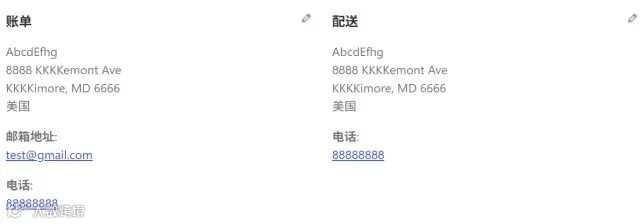
在 WooCommerce 商城后台查看订单时,常遇到客户姓名中“名”与“姓”紧密相连、缺乏空格的问题,导致阅读体验不佳。针对此痛点,可通过注入前端 JS 代码进行即时修正。
方案一:姓名间添加空格
以下代码可自动识别订单后台的姓名输入框,并在“姓”与“名”之间插入空格,优化显示效果。
<script>
jQuery(function($){
// 仅订单后台运行
if(!$('body.post-type-shop_order').length)return;

let nameMap ={};

// 1. 抓取、替换
$('input[name$="_first_name"], input[name$="_last_name"]').each(function(){
const prefix =$(this).attr('name').replace(/_(first|last)_name/,'');
const $first =$('input[name="'+ prefix +'_first_name"]');
const $last =$('input[name="'+ prefix +'_last_name"]');

const first = $first.val().trim();
const last = $last.val().trim();

if(first && last){
const noSpace = last + first;
const hasSpace = last +' '+ first;
nameMap[noSpace]= hasSpace;
}
});

// 2. 批量替换
$('.order_data_column .address p:first-child').each(function(){
let html =$(this).html();
// 循环匹配
Object.keys(nameMap).forEach(raw=>{
html = html.replace(raw, nameMap[raw]);
});
$(this).html(html);
});
});
</script>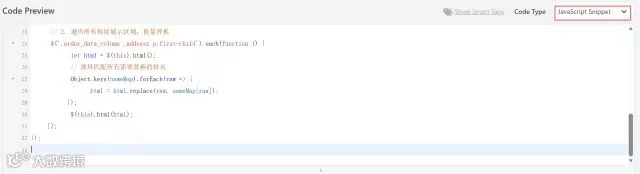
部署方法:将上述代码复制至 WP Code 等代码管理插件中,Code Type 选择"JavaScript Snippet"。
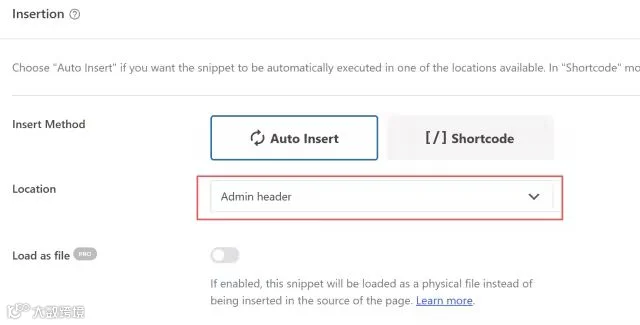
关键设置:在 Location 选项中选择"Admin header",确保代码仅在后台环境执行。保存并启用后即可生效。
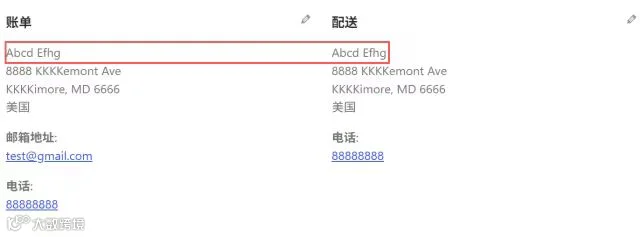
方案二:调整姓名顺序(名在前,姓在后)
若业务需求需符合英文习惯(名在前、姓在后),可使用以下改良版代码。该脚本不仅添加空格,同时交换了姓名的显示顺序。
<script>
jQuery(function($){
// 仅订单后台运行
if(!$('body.post-type-shop_order').length)return;

let nameMap ={};

// 1. 抓取、替换
$('input[name$="_first_name"], input[name$="_last_name"]').each(function(){
const prefix =$(this).attr('name').replace(/_(first|last)_name/,'');
const $first =$('input[name="'+ prefix +'_first_name"]');
const $last =$('input[name="'+ prefix +'_last_name"]');

const first = $first.val().trim();// A
const last = $last.val().trim();// B

if(first && last){
const noSpace = last + first;
// 交换顺序:名 空格 姓 → B A
const hasSpace = first +' '+ last;
nameMap[noSpace]= hasSpace;
}
});

// 2. 批量替换
$('.order_data_column .address p:first-child').each(function(){
let html =$(this).html();
Object.keys(nameMap).forEach(raw=>{
html = html.replace(raw, nameMap[raw]);
});
$(this).html(html);
});
});
</script>
使用方法同上,粘贴至插件并设置为后台运行即可。