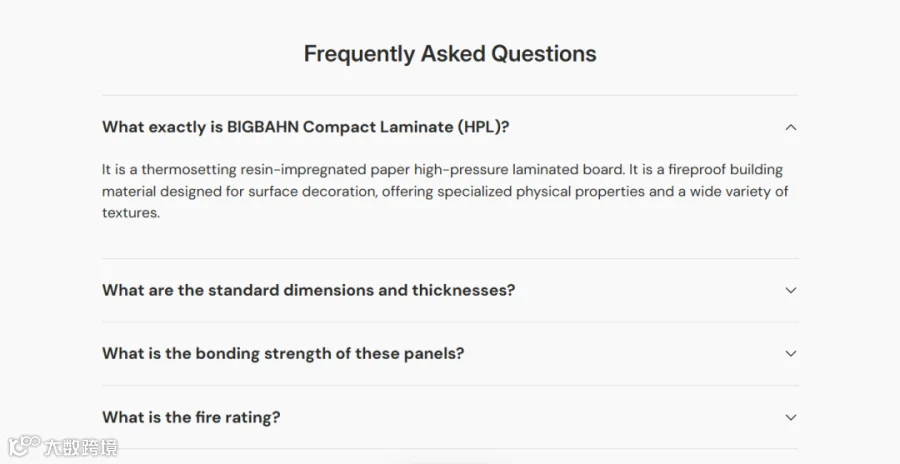
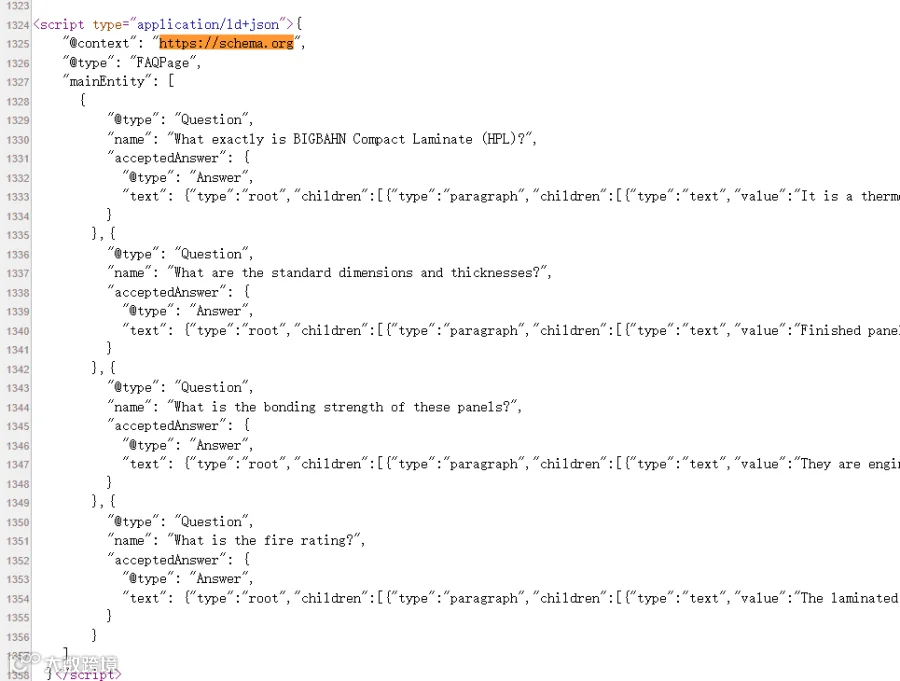
为获得 AI 推荐,网站基础设置中,需要对产品以及博客单独设置与主题相关的 FAQ,这样通用的 FAQ 就不再合适。
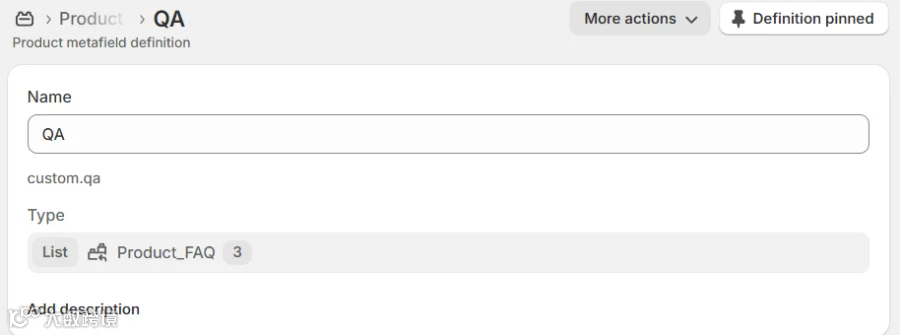
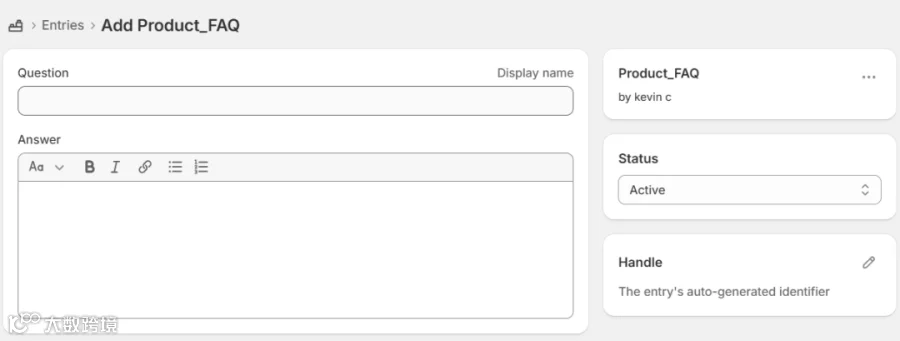
这里是使用元对象的方式来对不同主题内容分别设置,以下为实现逻辑。
-
-
list 中是一个元对象叫 product_faq
-
在 Metaobjects 中新建 product_faq 实体对象
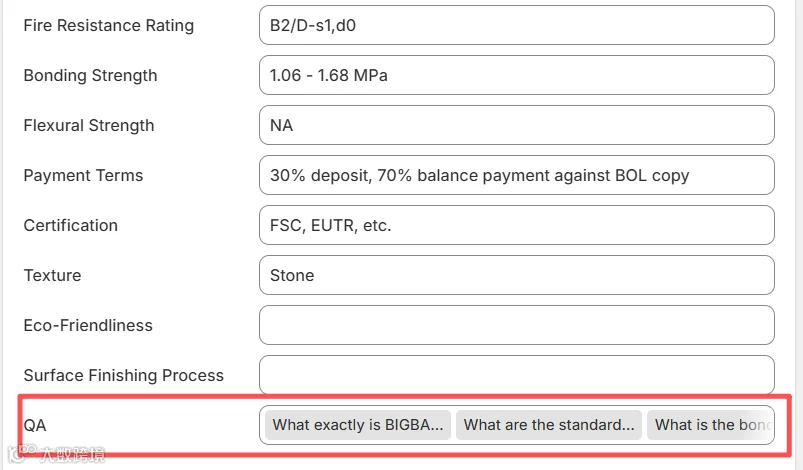
在不同的 product 中分别添加各自相关的 Faqs. 以下是代码实现方式:
{% liquid assign qa_list = product.metafields.custom.qa.value%}
{% if qa_list != blank %} <div class="faq-list mt-16 mb-16"{% if settings.animations_enabled != "disabled" %} data-cc-animate{% endif %}> {%- if section.settings.faq_heading != blank -%} <h2 class="h4 section__heading mb-12 {{ section.settings.faq_heading_align }}">{{ section.settings.faq_heading | escape }}</h2> {%- endif -%} {% for qa_item in qa_list %} <details-disclosure> <details class="disclosure disclosure--row"> <summary> <div class="flex justify-between items-center"> <h4 class="disclosure__title xs:regular-text h6 font-body flex flex-auto items-center mb-0 text-current"> {{- qa_item.question -}} </h4> <span class="disclosure__toggle"> {%- if settings.disclosure_toggle == 'plus' -%} {% render 'icon-plus' %} {%- else -%} {% render 'icon-chevron-down' %} {%- endif -%} </span> </div> </summary> <div class="disclosure__panel has-motion"> <div class="disclosure__content rte"> {{ qa_item.answer | metafield_tag }} </div> </div> </details> </details-disclosure> {% endfor %} </div> {% endif %}
每个产品新增的结构化数据,需要单独放在不同的产品页面中,所有数据都基于元字段中添加的对象。
{% liquid assign faqs_list = product.metafields.custom.qa.value%}<script type="application/ld+json"> {%- capture faq_json -%} {%- for qa_item in faqs_list -%} {%- if qa_item.question != blank and qa_item.answer != blank -%} { "@type": "Question", "name": {{ qa_item.question | json }}, "acceptedAnswer": { "@type": "Answer", "text": {{ qa_item.answer }} } }, {%- endif -%} {%- endfor -%} {%- endcapture -%} {%- if faq_json != blank -%} { "@context": "https://schema.org", "@type": "FAQPage", "mainEntity": [ {{ faq_json | remove_last: ',' }} ] } {%- endif -%}</script>