
You can do anything on WeChat wallet - top up your phone, buy train tickets or send pitifully small randomised hongbaos to annoy your friends. And you can also pay your bills without the unpleasantness of handing over the cash or even leaving the house. You'll need to have WeChat wallet set up to do this (you can find out how to do that on our website).
Once you've done that, follow our step-by-step guide below to pay your bills with ease.
1. Open the bill
This might be the hardest part of the entire process.
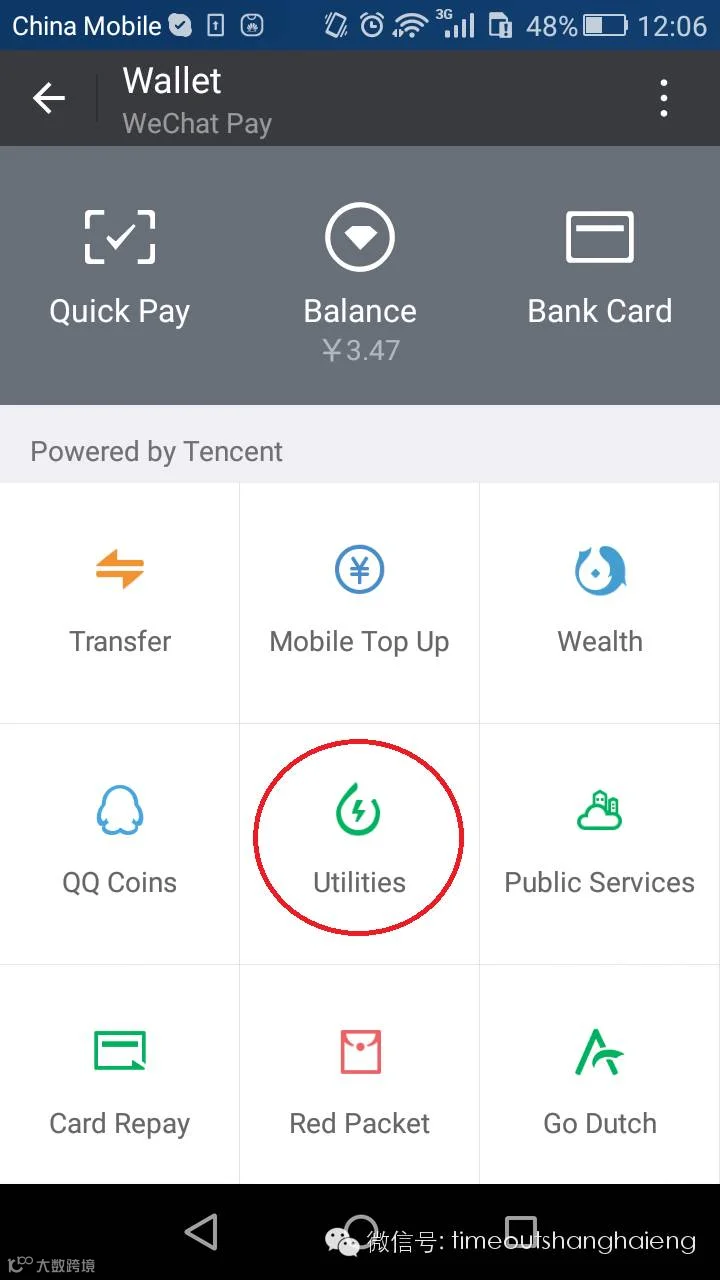
2. Open WeChat wallet
And then hit the utilities button.
3. Choose your bill
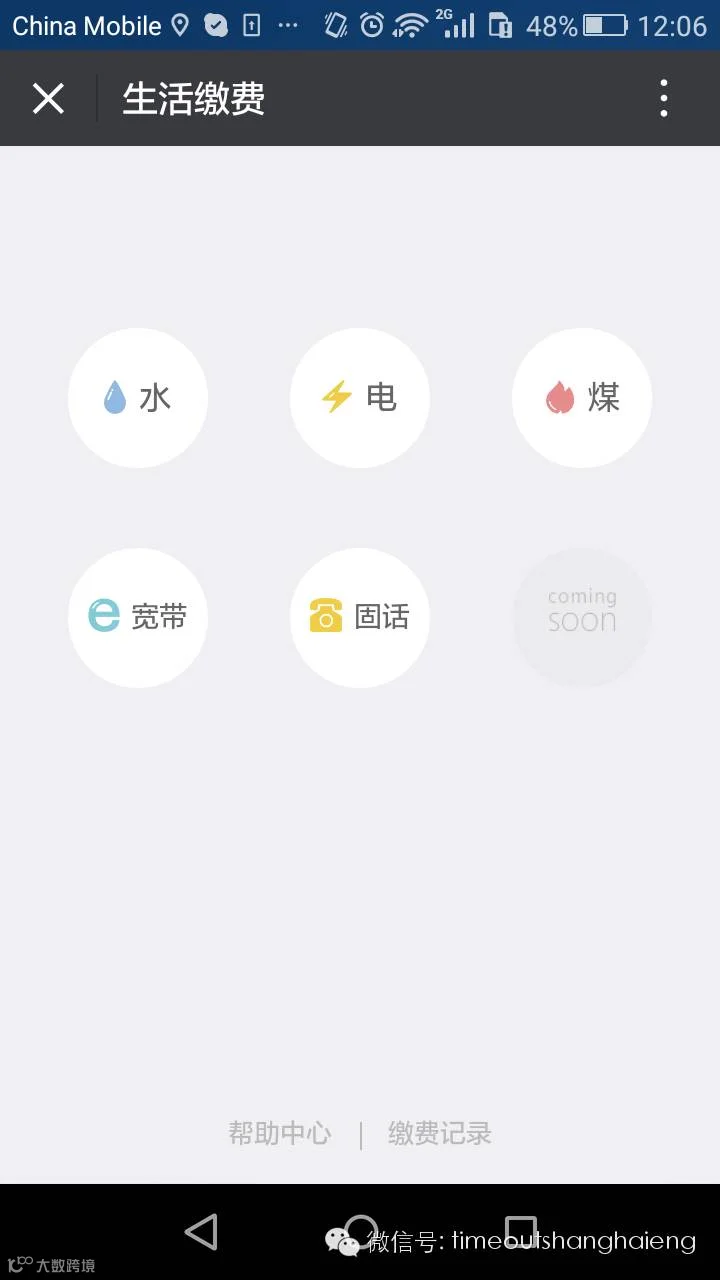
You'll then be presented with the full array of utility options, with appropriate symbols for those of you who kan bu dong the Chinese. Since we're paying an electricity bill, we hit the 电 lightning bolt.
4. Find the account number
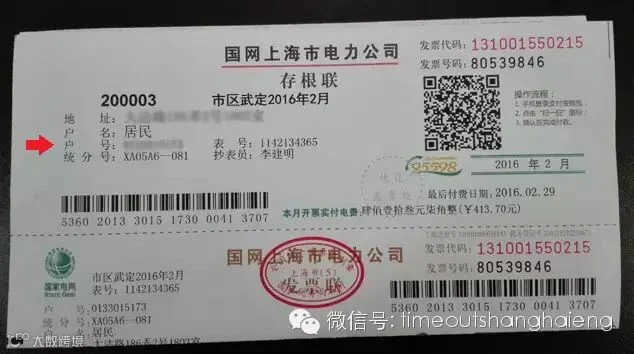
Grab the bill and find the account number (户号). Here, it's third down on the left.
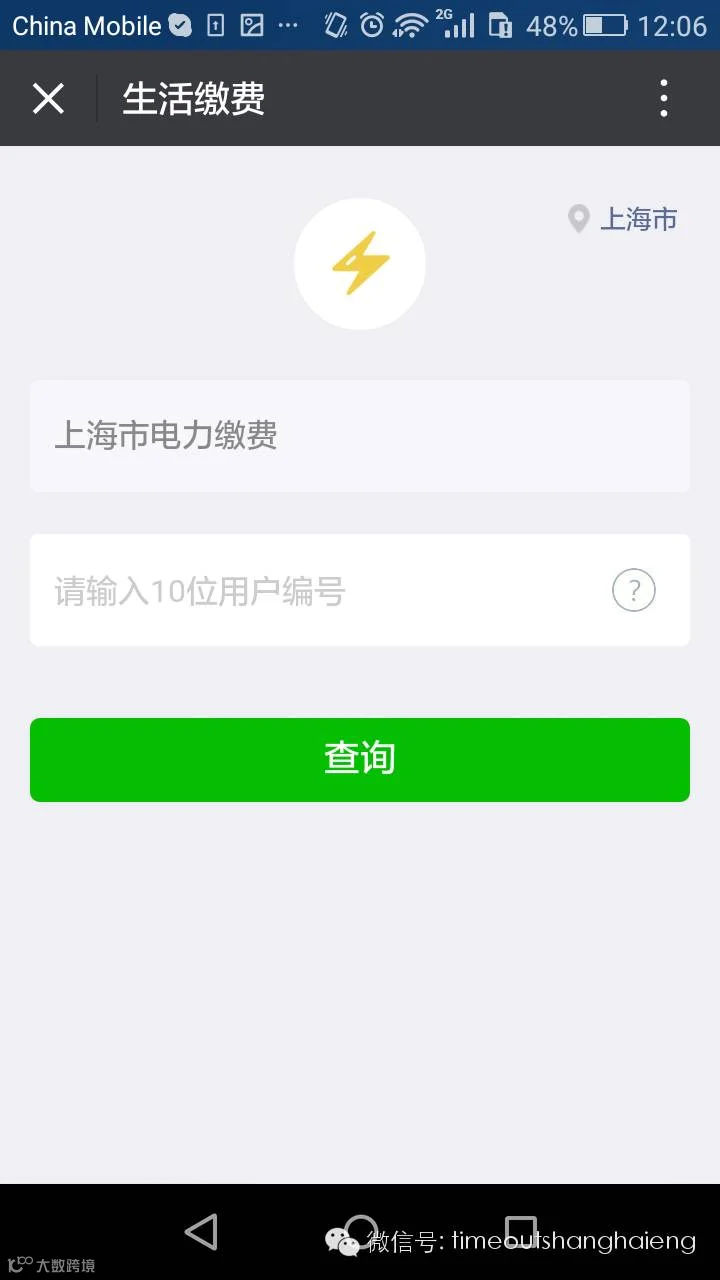
Then all you need to do is put this number into the box and hit the green button.
5. Select the month
Here we select Feb 2016 (it was a cold month guys), then hit the green button.
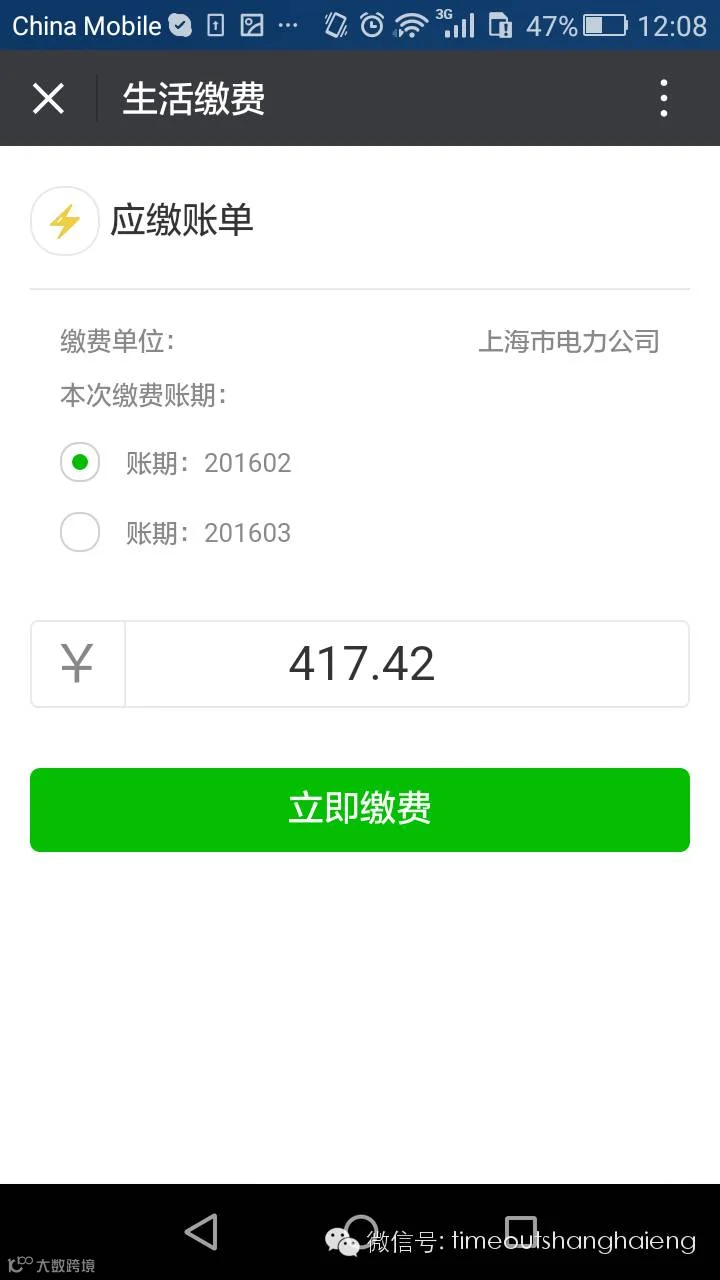
6. Boom
You've successfully paid your bill on WeChat. And now you can ask your roommates to WeChat you their share using the new 'AA收款' option inside WeChat wallet (aka the 'going Dutch feature'), plus your commission for cleverly sorting it all out.