




We're all guilty of occasionally indulging in a little too much retail therapy. But if you've found yourself the recipient of a few questionable Single's Day bargains, fear not. We've got you covered with a handy guide to returning Taobao mistakes. (We mean, an inflatable watermelon mattress, what were you thinking?)
Find and hover over the '我的淘宝' button
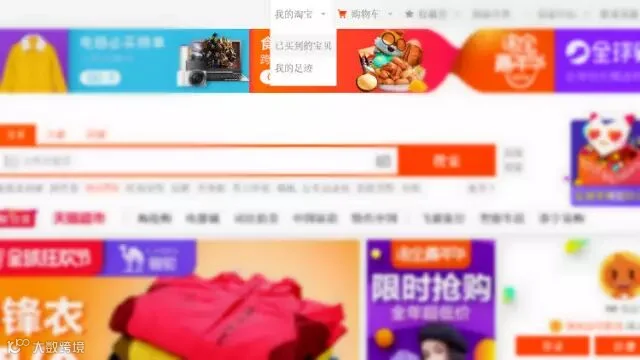
From the drop-down menu, click the '已买到的宝贝' button. A new page will load listing all your Taobao purchases.
Find the items you want to return
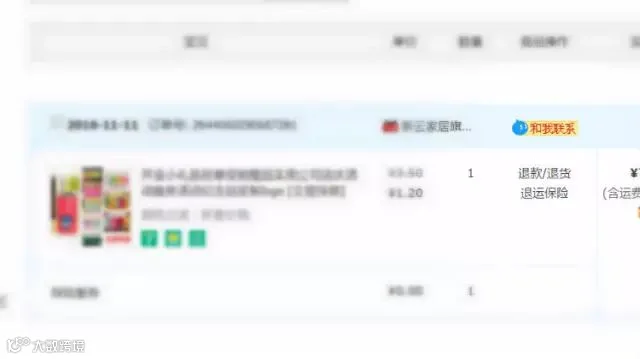
Isolate those not-so-pricey mistakes and then click the '退款/退货' button in the fourth column (highlighted). Boom!
Choose to return or exchange
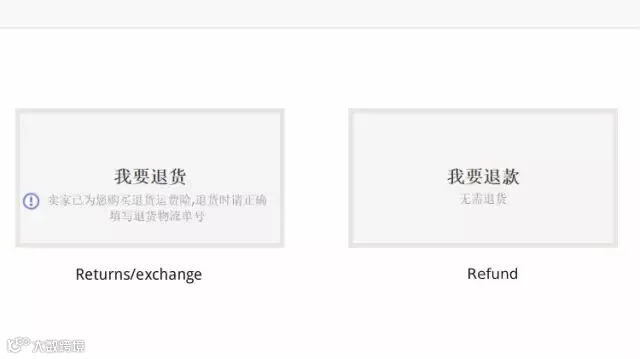
Now you have two options: '退货' and '退款'. The left-hand option is for returns and exchange (you have received the item, but there is a problem), while the right-hand option is for refunds. Choose whichever is appropriate.
Fill in the returns information form
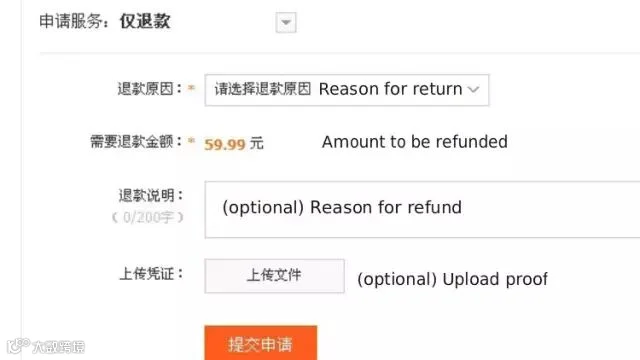
You will need to give a reason for the return or refund and the amount to be refunded. Depending upon the reasons you give, the form changes slightly, so you may need an online translator open in another tab. It is important to fill this in accurately; if the seller spots a problem, it will delay your returns process.
Generally, if you’re returning the item because it is faulty, the seller will pay for the return. If you’re returning the item because you no longer want it, you will usually have to pay for it to be posted back.
Submit the returns form
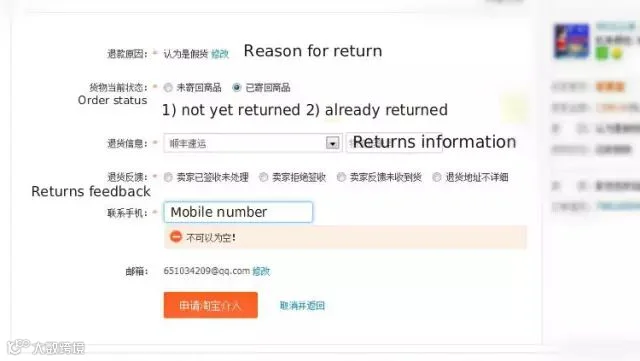
Once the form is filled in, submit by clicking the button. Taobao says everything should be done in five days, so keep an eye on your account. Refunded money is returned to your Alipay account, not your credit card, so bear this in mind before sending off a grumpy email.
(Optional) Find out how you have been reviewed by sellers
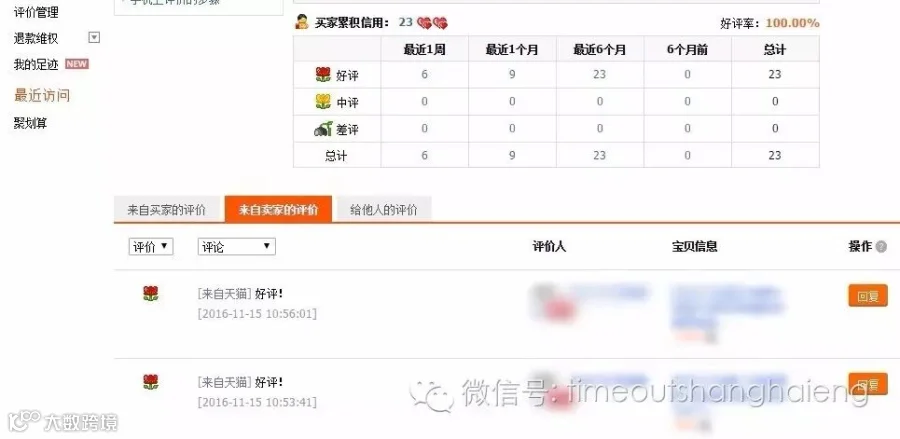
If you are conscious of what sellers have been saying about you, click '我的淘宝' on the top menu and find '评价管理' on the left menu.
Reviews from sellers are classified '好评' (good), '中评' (average), and '差评' (poor). The date of the reviews is also viewable in the column.
Most of the time, sellers will opt for the default and give you a '好评' review, unless you have been a tremendous nuisance.
More from Time Out Shanghai
 6 brilliant things to do this week
 Love Shanghai Awards Shortlist: Food Personality of the Year