


点击上方  蓝字关注我们

作者 | 小钻风
编辑 | 小哲


01
背景


(停,请停止你那万恶的幻想,没有,没有,都没有)
额……咱们言归正传。
02
租户是什么?


DolphinScheduler 中用户、租户、角色关系:
DolphinScheduler 用户有两种角色:管理员、普通用户,管理员为 DolphinScheduler 初始账号给定,普通用户由管理员创建;
DolphinScheduler 用户在创建资源时,会使用创建或修改该用户时指定的唯一租户创建;
DolphinScheduler 用户在执行任务时,可以指定多个租户中的某个租户执行。

好,天气冷,屁股凉,话不多说,让咱们进入 DolphinScheduler 源码,一探租户如何工作的究竟。
03
准备运行环境
(若已有,请忽略,直接进入下个环节)
1、下载 DolphinScheduler 最新 2.0.1 版本的安装包
https://dlcdn.apache.org/dolphinscheduler/2.0.1/apache-dolphinscheduler-2.0.1-bin.tar.gz
2、按照官方提供的安装教程来启动
比如单机部署:
https://dolphinscheduler.apache.org/zh-cn/docs/latest/user_doc/guide/installation/standalone.html

04
创建资源示例
1、页面创建文件夹
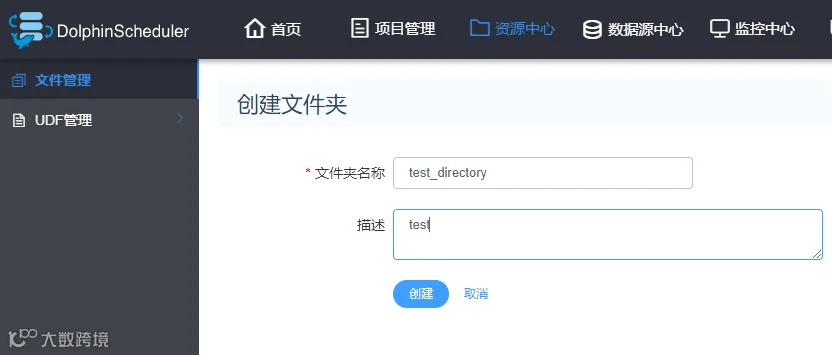
2、进入文件夹创建流程
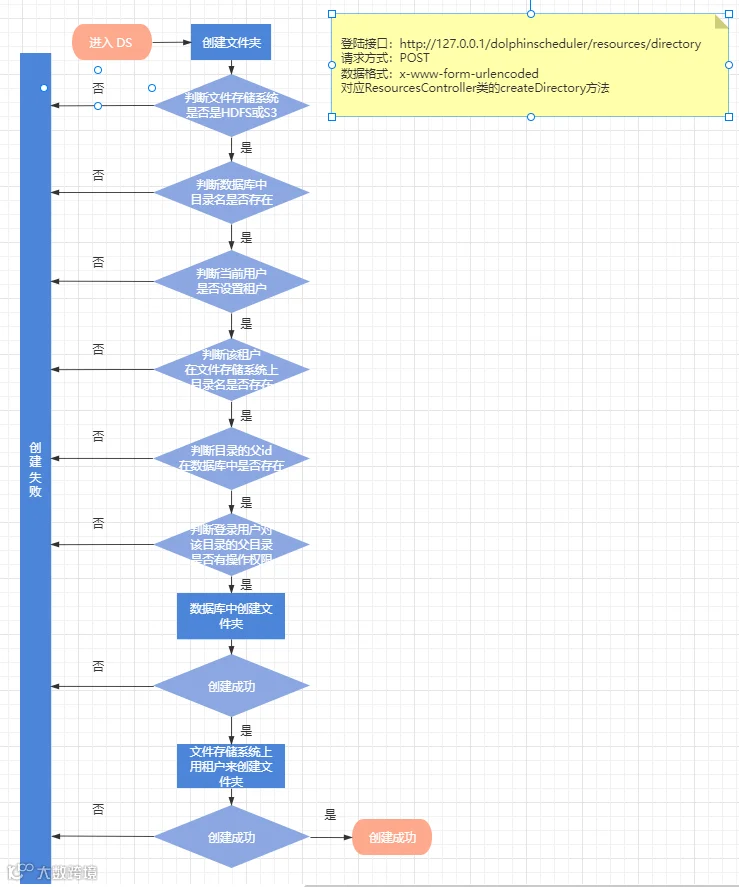
咱们从源码扒一扒上述流程中有以下几点与 租户 相关的方法
ResourcesServiceImpl 实现类的 verifyResourceName 方法中:
@Overridepublic Result<Object> verifyResourceName(String fullName, ResourceType type, User loginUser) {Result<Object> result = new Result<>();putMsg(result, Status.SUCCESS);if (checkResourceExists(fullName, 0, type.ordinal())) {logger.error("resource type:{} name:{} has exist, can't create again.", type, RegexUtils.escapeNRT(fullName));putMsg(result, Status.RESOURCE_EXIST);} else {// query tenant// 判断当前登录用户是否设置了 租户Tenant tenant = tenantMapper.queryById(loginUser.getTenantId());if (tenant != null) {String tenantCode = tenant.getTenantCode();try {// 判断当前登录用户的 租户 是否已经创建过同名文件夹String hdfsFilename = HadoopUtils.getHdfsFileName(type,tenantCode,fullName);if (HadoopUtils.getInstance().exists(hdfsFilename)) {logger.error("resource type:{} name:{} has exist in hdfs {}, can't create again.", type, RegexUtils.escapeNRT(fullName), hdfsFilename);putMsg(result, Status.RESOURCE_FILE_EXIST,hdfsFilename);}} catch (Exception e) {logger.error(e.getMessage(),e);putMsg(result,Status.HDFS_OPERATION_ERROR);}} else {putMsg(result,Status.TENANT_NOT_EXIST);}}return result;}
ResourcesServiceImpl 实现类的 createDirectory 方法中:
private void createDirectory(User loginUser,String fullName,ResourceType type,Result<Object> result) {// 获取当前登录用户的 租户String tenantCode = tenantMapper.queryById(loginUser.getTenantId()).getTenantCode();String directoryName = HadoopUtils.getHdfsFileName(type,tenantCode,fullName);String resourceRootPath = HadoopUtils.getHdfsDir(type,tenantCode);try {// 判断 租户 是否在文件存储系统上有根目录if (!HadoopUtils.getInstance().exists(resourceRootPath)) {createTenantDirIfNotExists(tenantCode);}// 用 租户 的身份创建文件夹if (!HadoopUtils.getInstance().mkdir(directoryName)) {logger.error("create resource directory {} of hdfs failed",directoryName);putMsg(result,Status.HDFS_OPERATION_ERROR);throw new ServiceException(String.format("create resource directory: %s failed.", directoryName));}} catch (Exception e) {logger.error("create resource directory {} of hdfs failed",directoryName);putMsg(result,Status.HDFS_OPERATION_ERROR);throw new ServiceException(String.format("create resource directory: %s failed.", directoryName));}}
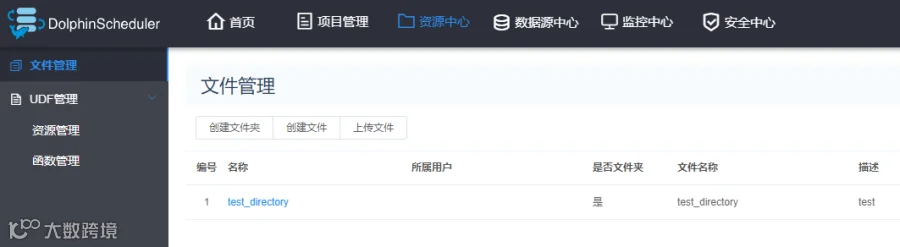
3、创建成功后,页面返回
05
执行任务示例

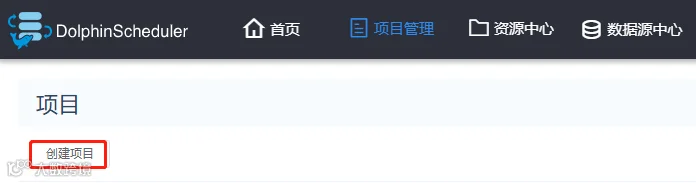
1、点击 创建项目
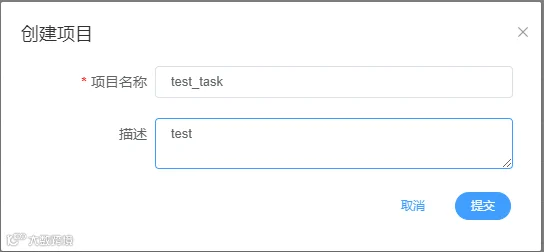
2、输入 项目名称 与 描述 后点击提交
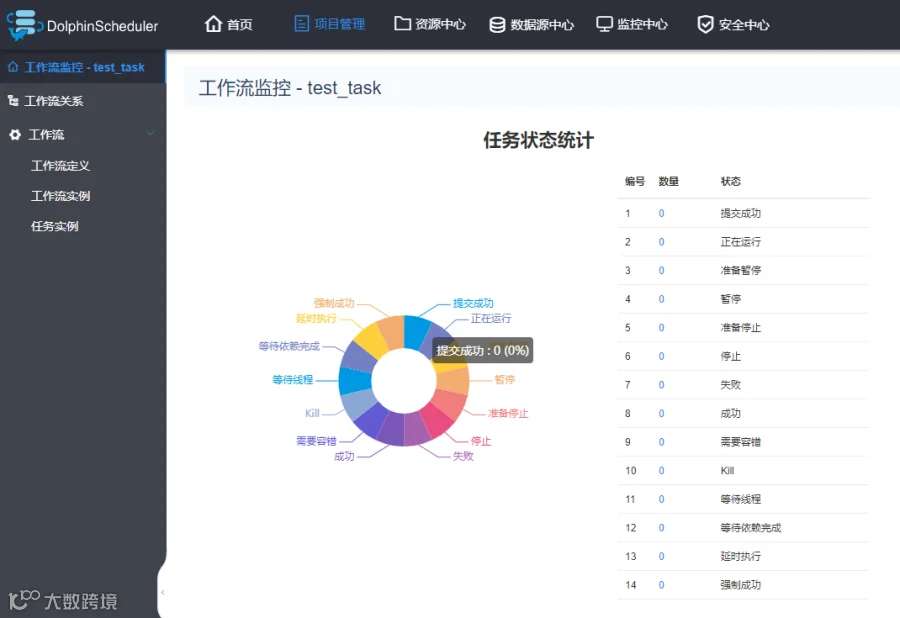
3、点击创建好的项目 test_task
将自动进入该项目的工作流监控页面。
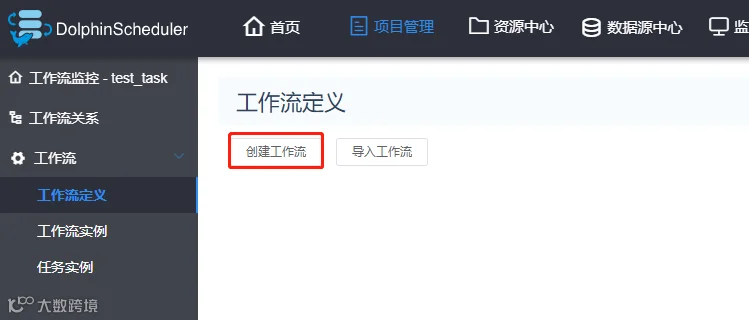
4、点击工作流定义页面 并点击 创建工作流
5、拖拽 SHELL 组件,设置参数,点击 确认添加
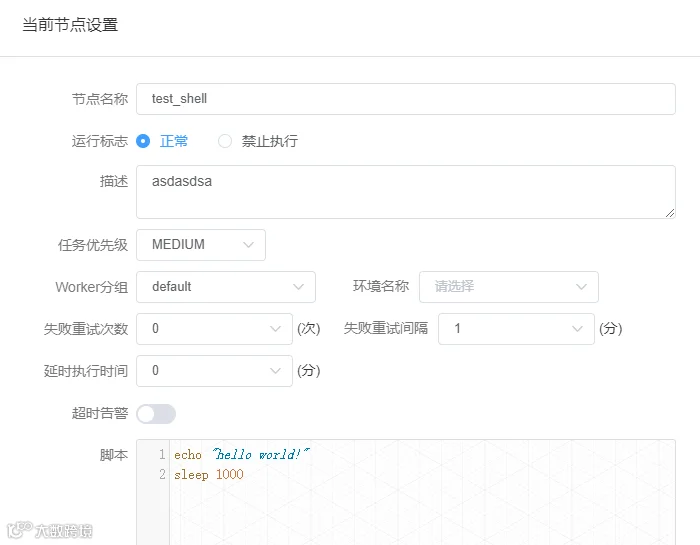
为了查看其过程中是什么样的,咱先让它睡个 1000 秒。

6、点击 保存,设置 DAG 图 名称 与 描述,选择租户(如 root,生产环境不建议配置 root 租户)
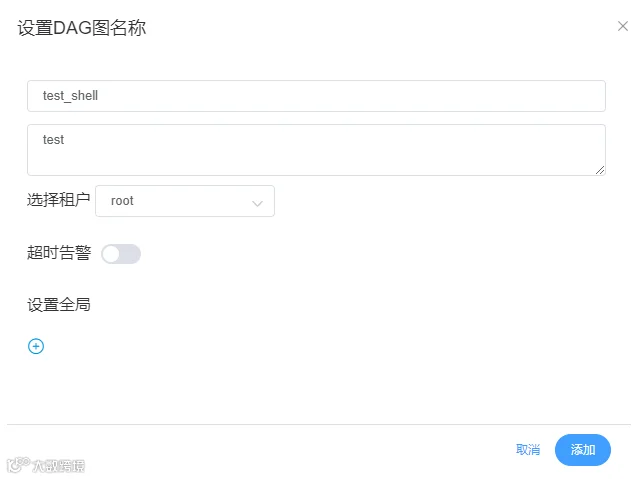
7、添加后,点击上线
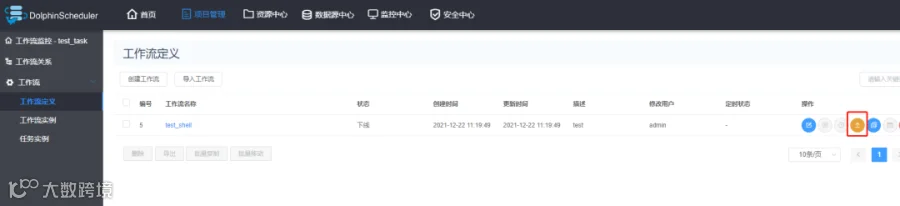
8、点击运行,并运行
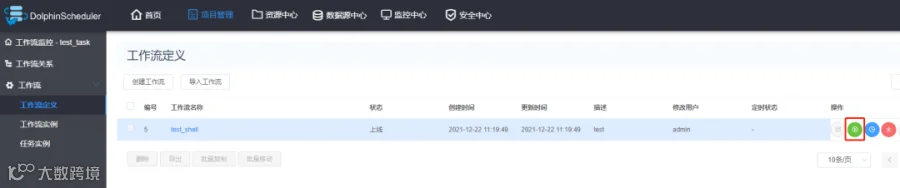
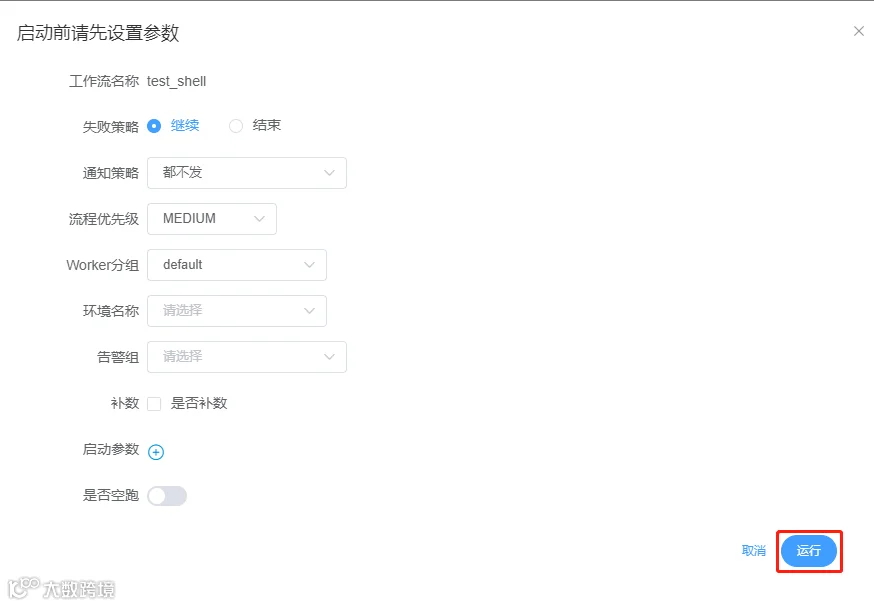
9、查看执行效果
执行日志

从日志上咱们看到 2 个有用信息。切换到worker 节点 对应的路径,可以看到/tmp/dolphinscheduler/exec/process/3931179920032/3931236986272_1/11/21 目录下生成了两个文件:



使用租户执行 11_21.command 文件
sudo -u root sh /tmp/dolphinscheduler/exec/process/3931179920032/3931236986272_1/11/21/11_21.command10、执行流程(盗一波官网用图)
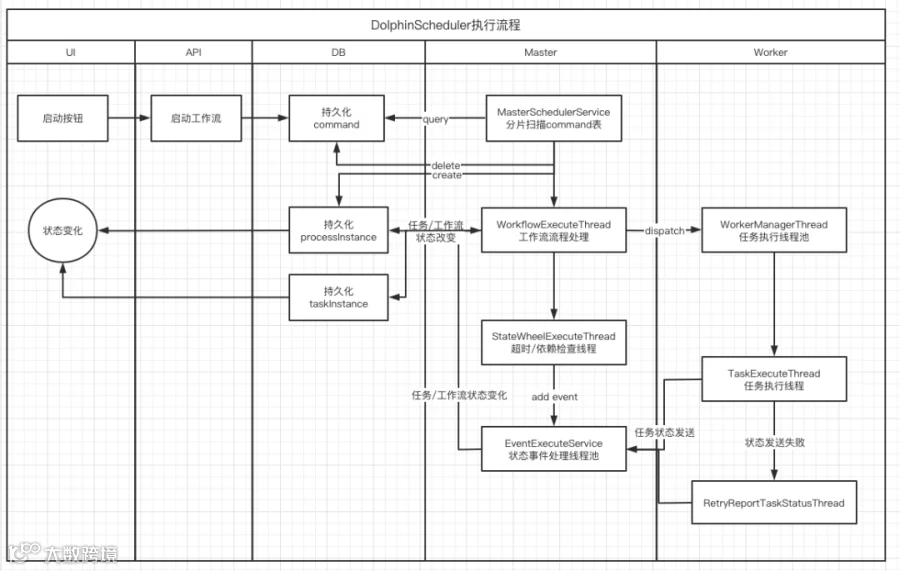
(图片来自https://dolphinscheduler.apache.org/zhcn/docs/latest/user_doc/architecture/design.html)

11、以上图涉及到 租户 有 2 处:
其一:持久化 command 前,即 ExecutorServiceImpl 实现类中的 checkTenantSuitable 方法。
// 当前工作流的租户是否存在if (!checkTenantSuitable(processDefinition)) {logger.error("there is not any valid tenant for the process definition: id:{},name:{}, ",processDefinition.getId(), processDefinition.getName());putMsg(result, Status.TENANT_NOT_SUITABLE);return result;}
// task handlethis.task.handle();
12、本次测试任务为 SHELL 类型,则继续跟踪,SHELL 任务类中的 handle 方法
@Overridepublic void handle() throws Exception {try {// 创建任务脚本 即本例中的 **_**_node.shString command = buildCommand();// 执行shell 任务,主要两个要点// 1、创建执行脚本 即本例中的 **_**.command// 2、使用 租户 执行TaskResponse commandExecuteResult = shellCommandExecutor.run(command);setExitStatusCode(commandExecuteResult.getExitStatusCode());setAppIds(commandExecuteResult.getAppIds());setProcessId(commandExecuteResult.getProcessId());shellParameters.dealOutParam(shellCommandExecutor.getVarPool());} catch (Exception e) {logger.error("shell task error", e);setExitStatusCode(EXIT_CODE_FAILURE);throw e;}}
13、ShellCommandExecutor 类 继承 AbstractCommandExecutor 类,其 run 方法大致如下
public TaskResponse run(String execCommand) throws IOException, InterruptedException {......String commandFilePath = buildCommandFilePath();// 创建任务脚本createCommandFileIfNotExists(execCommand, commandFilePath);//build process// 执行任务脚本buildProcess(commandFilePath);// 处理任务脚本输出内容parseProcessOutput(process);......}
private void buildProcess(String commandFile) throws IOException {// setting up user to run commandsList<String> command = new LinkedList<>();//init process builderProcessBuilder processBuilder = new ProcessBuilder();// setting up a working directoryprocessBuilder.directory(new File(taskRequest.getExecutePath()));// merge error information to standard output streamprocessBuilder.redirectErrorStream(true);// setting up user to run commandscommand.add("sudo");command.add("-u");command.add(taskRequest.getTenantCode());command.add(commandInterpreter());command.addAll(Collections.emptyList());command.add(commandFile);// setting commandsprocessBuilder.command(command);process = processBuilder.start();printCommand(command);}
15、该方法实现了使用 租户 执行该任务脚本,也就是咱们在前面看到的那句。
sudo -u root sh /tmp/dolphinscheduler/exec/process/3931179920032/3931236986272_1/11/21/11_21.command到这儿,咱们这个追踪过程也该结束咯。

06
结尾
经过漫长煎熬,您终于看到了这儿……

本次主要和小伙伴们分享了在 DolphinScheduler 中理解租户的作用,希望该篇文章能够有幸帮助到您更好的理解在 DolphinScheduler 中租户的概念。好,话不多说,风紧,扯呼 ……
07
加入社区
随着国内开源的迅猛崛起,Apache DolphinScheduler 社区迎来蓬勃发展,为了做更好用、易用的调度,真诚欢迎热爱开源的伙伴加入到开源社区中来,为中国开源崛起献上一份自己的力量,让本土开源走向全球。

参与 DolphinScheduler 社区有非常多的参与贡献的方式,包括:

贡献第一个PR(文档、代码) 我们也希望是简单的,第一个PR用于熟悉提交的流程和社区协作以及感受社区的友好度。
社区汇总了以下适合新手的问题列表:https://github.com/apache/dolphinscheduler/issues/5689
非新手问题列表:https://github.com/apache/dolphinscheduler/issues?q=is%3Aopen+is%3Aissue+label%3A%22volunteer+wanted%22
如何参与贡献链接:https://dolphinscheduler.apache.org/zh-cn/community/development/contribute.html
来吧,DolphinScheduler开源社区需要您的参与,为中国开源崛起添砖加瓦吧,哪怕只是小小的一块瓦,汇聚起来的力量也是巨大的。
参与开源可以近距离与各路高手切磋,迅速提升自己的技能,如果您想参与贡献,我们有个贡献者种子孵化群,可以添加社区小助手微信(Leonard-ds) 手把手教会您( 贡献者不分水平高低,有问必答,关键是有一颗愿意贡献的心 )。添加小助手微信时请说明想参与贡献。
https://dolphinscheduler.apache.org/
(Leonard-ds)



☞开源并不是大牛的专属,普通人也能有属于自己的一亩三分地
☞恭喜社区喜提三枚新 Committer!
☞在 Apache DolphinScheduler 上调试 LDAP 登录,亲测有效!
☞4 亿用户,7W+ 作业调度难题,Bigo 基于 Apache DolphinScheduler 巧化解
☞荔枝机器学习平台与大数据调度系统“双剑合璧”,打造未来数据处理新模式!
☞看到社区代码不规范,强迫症的我顺手就给格式化了!
☞最佳实践|联通数科基于 DolphinScheduler 的二次开发
☞DolphinScheduler 荣获 2021 中国开源云联盟优秀开源项目奖!
☞巨变!a16z 关于新一代数据基础设施架构的深度洞察
☞手把手教你 Apache DolphinScheduler 本地开发环境搭建 | 中英文视频教程
点击阅读原文,加入开源!

点个在看你最好看