Agoda Customer Messaging
对客讯息功能
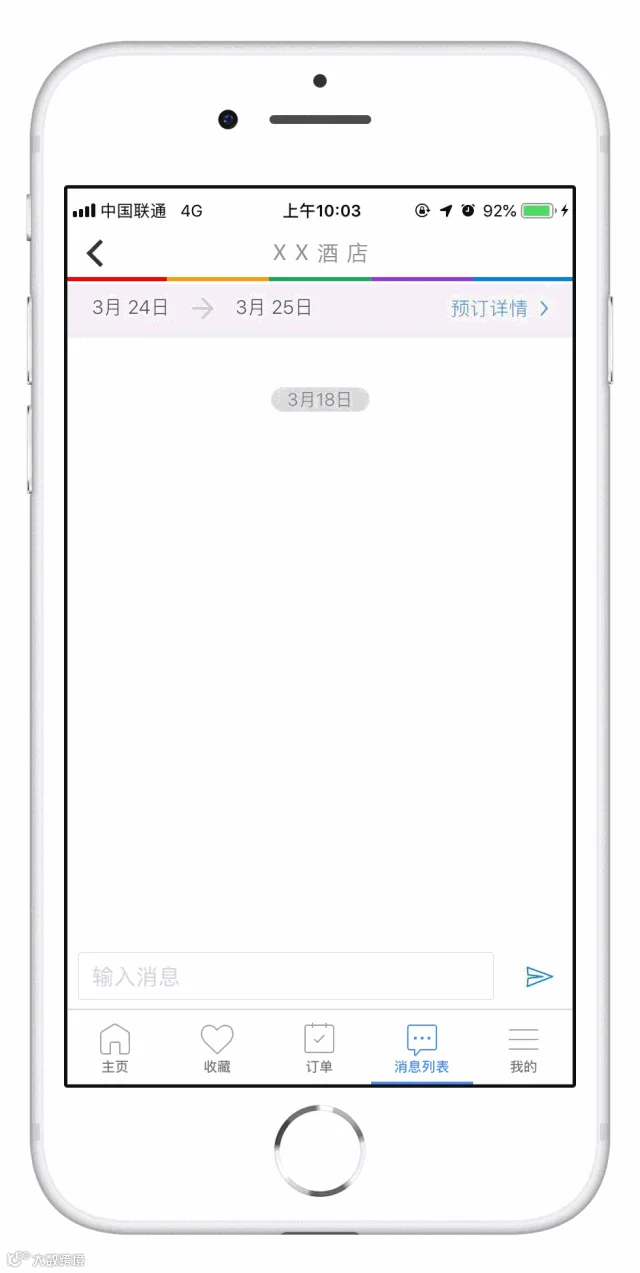
如果你使用过Agoda App预订酒店,一定会发现,客人可以通过Customer Messaging功能随时随地向酒店发起会话信息:
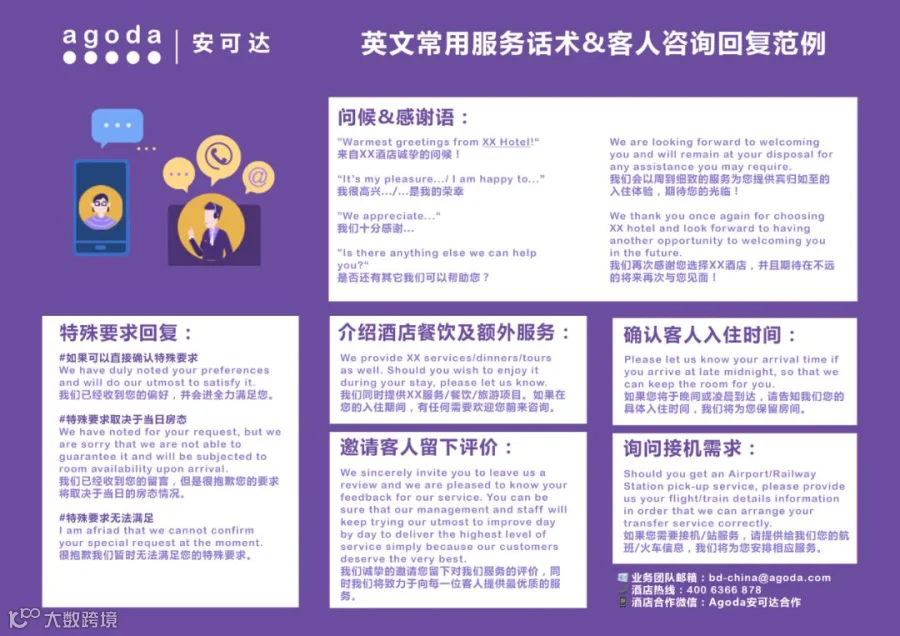
在收到越来越多客人咨询的同时,特别是当客人发来英文咨询,除了“OK”和“Sorry”,是否还有更加得体的话术和方式来回复客人?
在冬季入境高峰即将到来之际,Agoda小讲堂准备了一些常用英文沟通用语,教你巧用对客讯息功能,提升客人好感度,积攒更多好评!(看完下面五个场景,还有一份超实用福利准备给你~)
❝场景1 回复关于床型/入住时间的要求❞
Twin Beds; High Floor; Arrival Time: 10:00 AM
#特殊要求能够直接确认
Dear XXX,
Greetings from XX Hotel!
We have duly noted your preferences and will do our utmost to satisfy you.
Best regards,
XXX

#特殊要求需取决于当日房态
Dear XXX,
Greetings from XX Hotel!
We have noted for your request, but we are sorry that we are not able to guarantee it and will be subjected to room availability upon arrival.
Best regards,
XXX

❝场景2 回复客人接机需求❞
Airport transfer service
Dear XXX,
Should you get an Airport/Railway Station pick-up service, please provide us your flight/train details information in order that we can arrange your transfer service correctly.
Best regards,
XXX

❝场景3 确认客人入住时间❞
#特别针对无24小时前台的酒店
Dear XXX,
Please let us know your arrival time if you arrive at late midnight, so that we can keep the room for you.
Best regards,
XXX

❝场景4 介绍酒店额外服务/餐饮❞
#向即将入住的客人介绍酒店服务、餐饮、旅行服务等其它亮点
Dear XXX,
Warmest greeting from XX Hotel!
We also have XX services/dinners/tours. Should you wish to enjoy it during your stay, please let us know.
We are looking forward to welcoming you and will remain at your disposal for any assistance you may require.
Best regards,
XXX

❝场景5 鼓励客人退房后留下好评❞
Dear XXX,
We hope this email finds you well. We would like to thank you very much for choosing XX Hotel for your stay in XX City.
We sincerely invite you to leave us a review and we are pleased to know your feedback for our service.
You can be sure that our management and staff will keep trying our utmost to improve day by day to deliver the highest level of service simply because our customers deserve the very best.
We thank you once again for choosing XX hotel and look forward to having another opportunity to welcoming you in the future.
Best regards,
XXX

点击大图
即可保存/分享给同事小伙伴
打印贴在前台超实用
👇
Customer Messaging 功能激活步骤
01 进入YCS-设置-Contacts(New)
02 在酒店住宿通讯录右侧点击“+创建新账户”
03 填写基本信息并点击右上方“Create”按钮
04 点击“通知”栏,在“Customer Messages”勾选希望接受的客人咨询类型
05 通知您的市场经理或业务团队激活功能!
激活后
即可通过YCS-报告-订单管理-订单详情
点击订单下方对话框
或通过客人咨询邮件
查看并回复客人信息
⚠ 通过邮件回复客人的信息,请务必直接点击“回复”按钮,请不要复制邮件内的邮箱地址粘贴至新邮件回复,客人无法收到哦~

如需更多帮助
欢迎联络
bd-china@agoda.com