


SpecuCheck
https://github.com/ionescu007/SpecuCheck/releases(32/64位)
https://github.com/gentilkiwi/spectre_meltdown(64位)
Linux下可以使用多个工具,比如:
Meltdown checker
https://github.com/raphaelsc/Am-I-affected-by-Meltdown
https://github.com/ssstonebraker/meltdown_specre
https://github.com/paboldin/meltdown-exploit
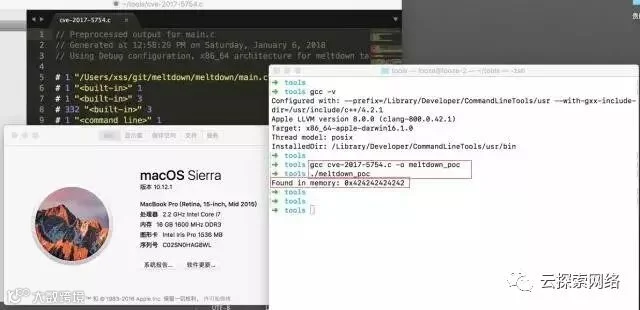
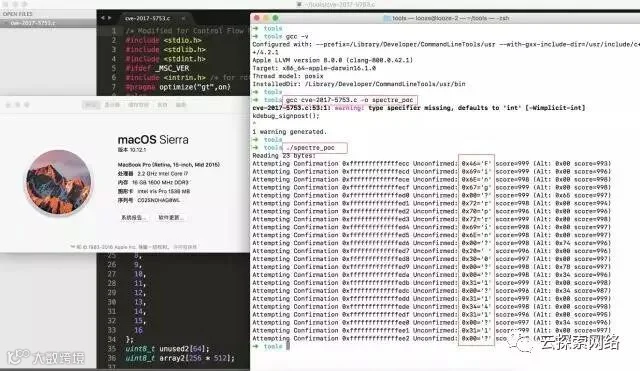
MacOS下可使用多个工具,比如:
https://github.com/hackernix/CVE-2017-5754
https://github.com/xsscx/cve-2017-5753
测试参考:
https://gist.github.com/ErikAugust/724d4a969fb2c6ae1bbd7b2a9e3d4bb6
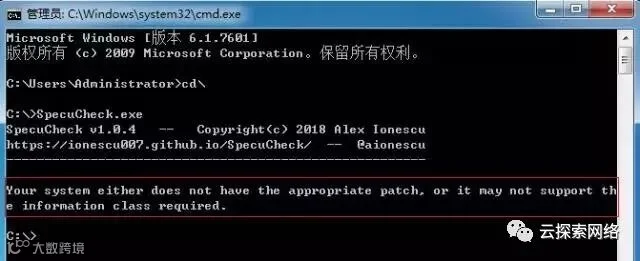
表明未打补丁或采取缓解措施,存在风险。
Spectre测试结果:
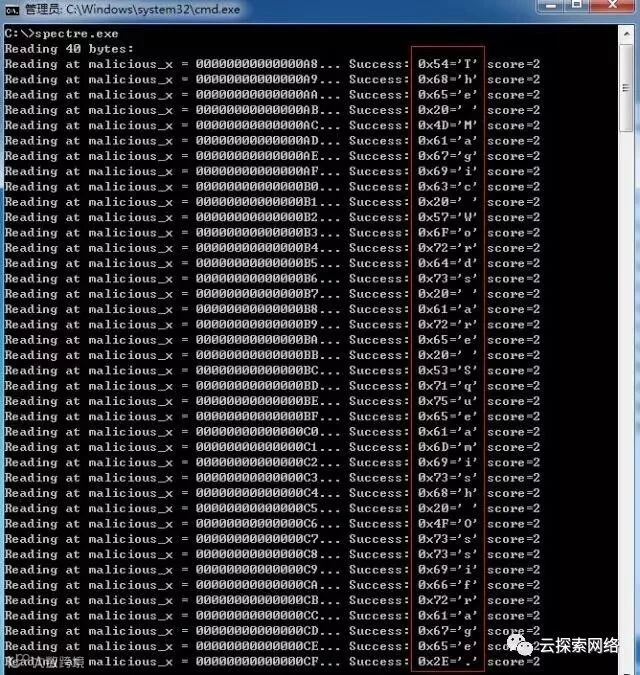
The Magic Words are Squeamish Ossifrage.存在风险。
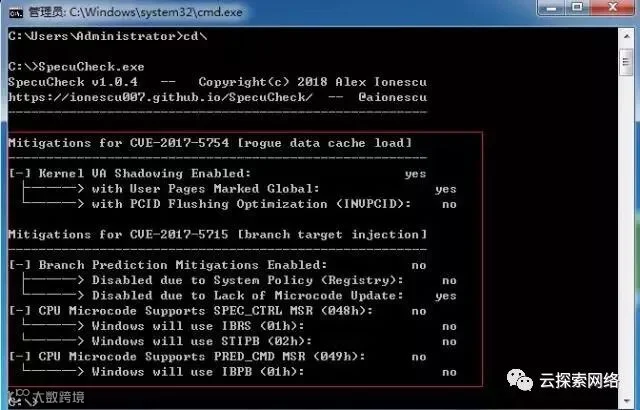
打完操作系统补丁后,再运行可看到缓解措施开启情况:
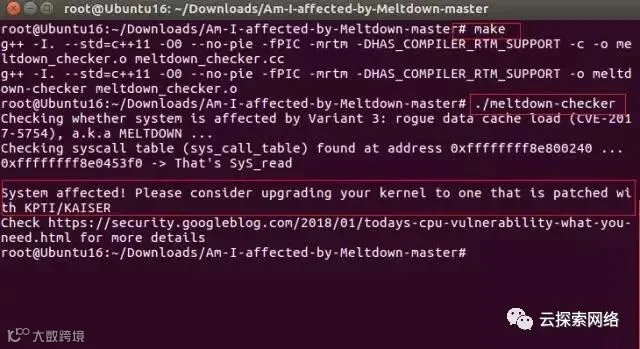
System affected! Please consider upgrading your kernel to one that is patched with KAISER
表示存在风险,需要采取缓解措施。
Spectre测试,先运行gcc spectre.c -o specre编译源码,然后运行./specre:
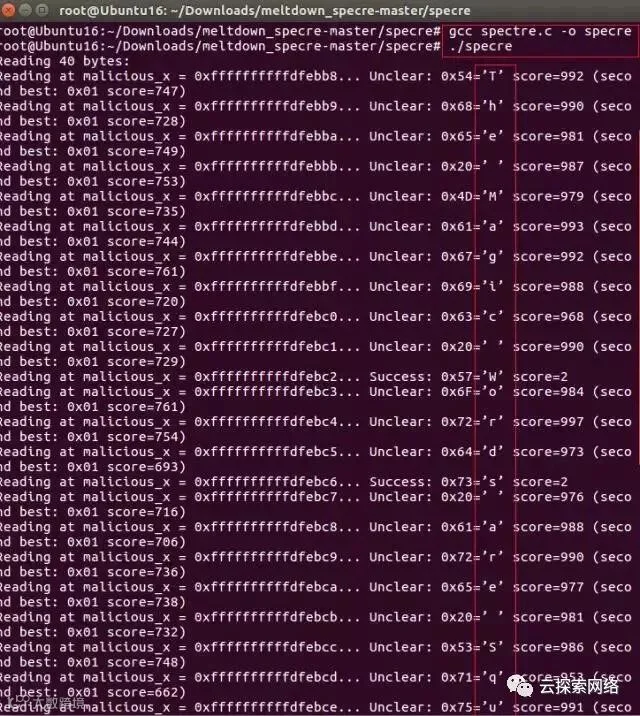
The Magic Words are Squeamish Ossifrage.存在风险。
测试MELTDOWN EXPLOIT POC,先make编译源码,然后运行./run.sh即可:
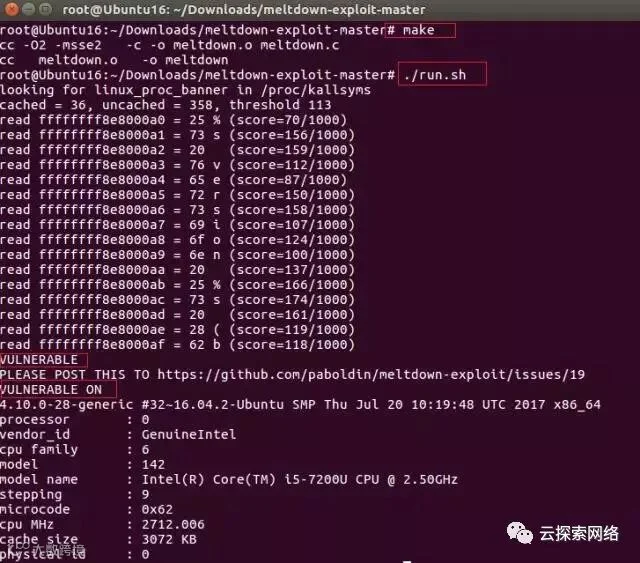
升级内核版本(Ubuntu 16.04.3 4.10.0-28升级倒4.4.110-0404110)测试:
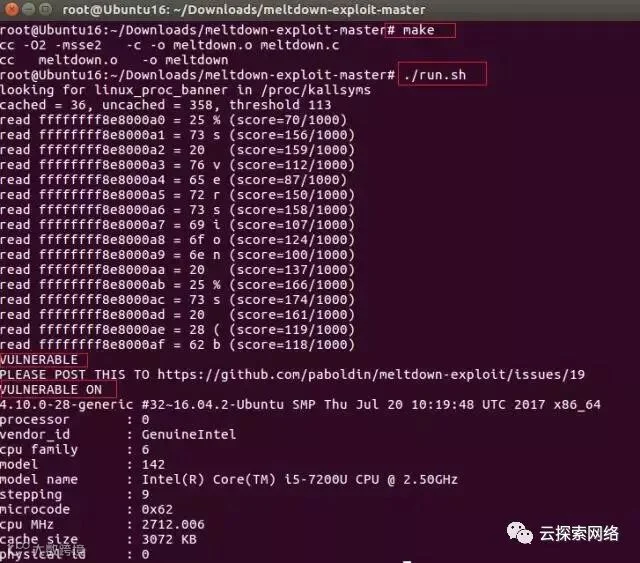
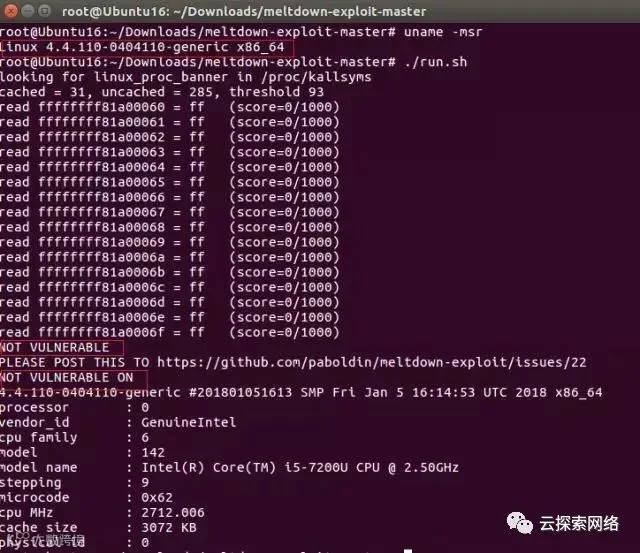
Spectre测试结果:
转载请注明来自华盟网,本文标题:《CPU漏洞检测工具使用指南》
标签:CPU,CPU漏洞,检测工具,使用指南