As we all know, China’s high-speed rails are well known in the world, criss-crossing the nation at speeds of up to 350 km an hour. And tickets are relatively affordable that people can pick them up quickly at automated tellers... however only with a Chinese ID.
© Image | Baidu
But to make expats gratifying is: you do not need to wait in crowded lines to pick up your ticket. Order through WeChat and you can get the ticket delivered for only RMB20 more. Just order before your journey and switch your WeChat to Chinese for the ordering.
1. Switch Your WeChat to Chinese
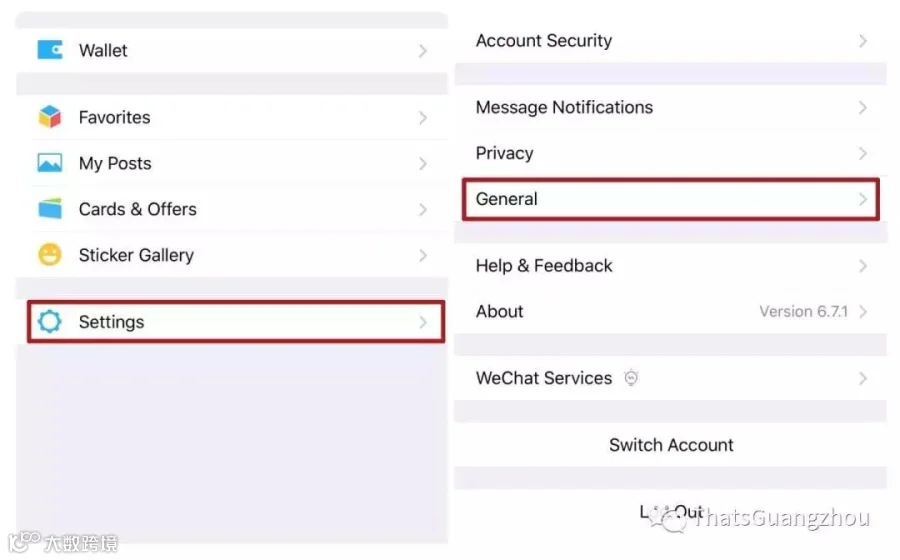
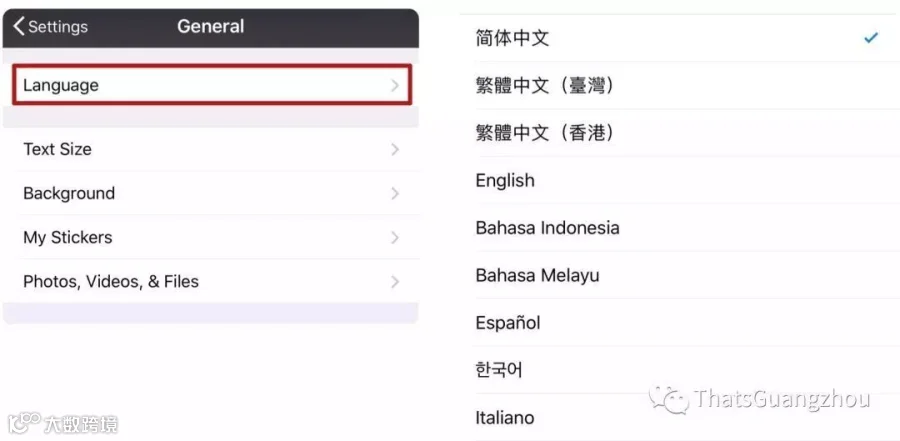
Look at the picture, here is how: Settings > General > Language. You just need to tap the same buttons to return your WeChat to English afterwards.
© Image | ThatsGuangzhou
2. Select Your Ticket
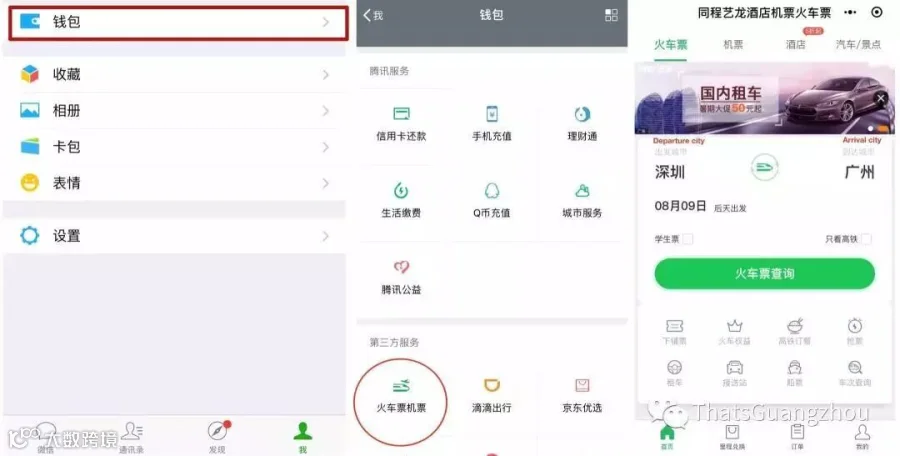
You need to click into your wallet, and then select 'train and plane tickets', Chinese layout of WeChat is identical to the English interface.
© Image | ThatsGuangzhou
According to your actual situation, choose the appropriate departure and arrival cities, as well as the date (month followed by day). And then, you need to check the box on the right to view high-speed rail tickets before hitting the green button.
3. Add/Modify Passengers
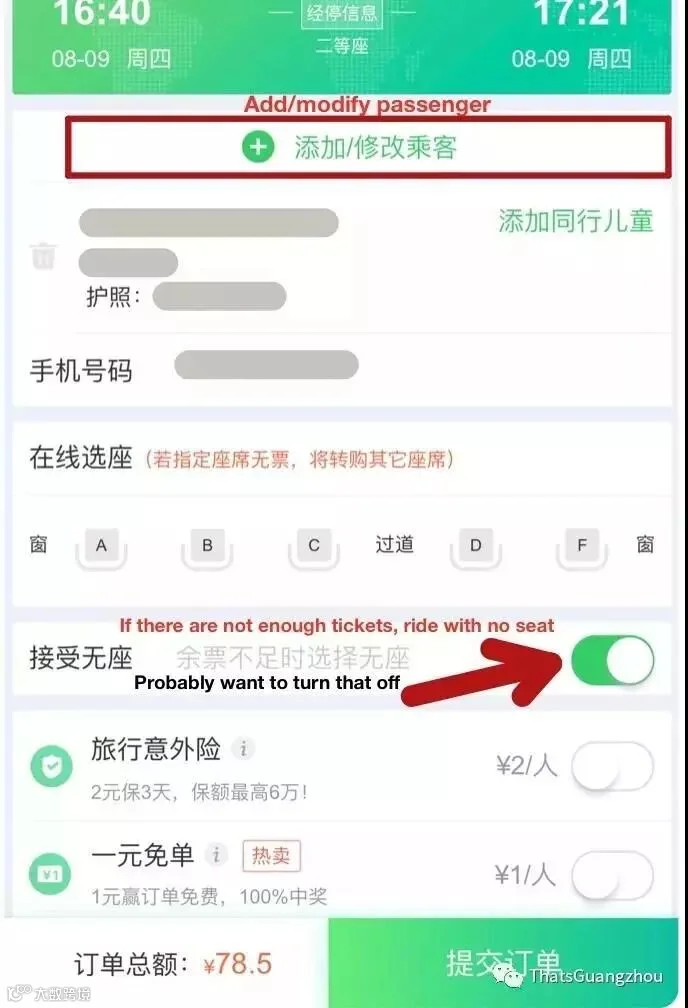
You will reach the tricky part once you have chosen an itinerary: even if the system recognizes you from a previous order, you must select the highlighted button below to trigger the delivery option. And switch off that first button, unless you would like to standing.
© Image | ThatsGuangzhou
4. Add Your Information
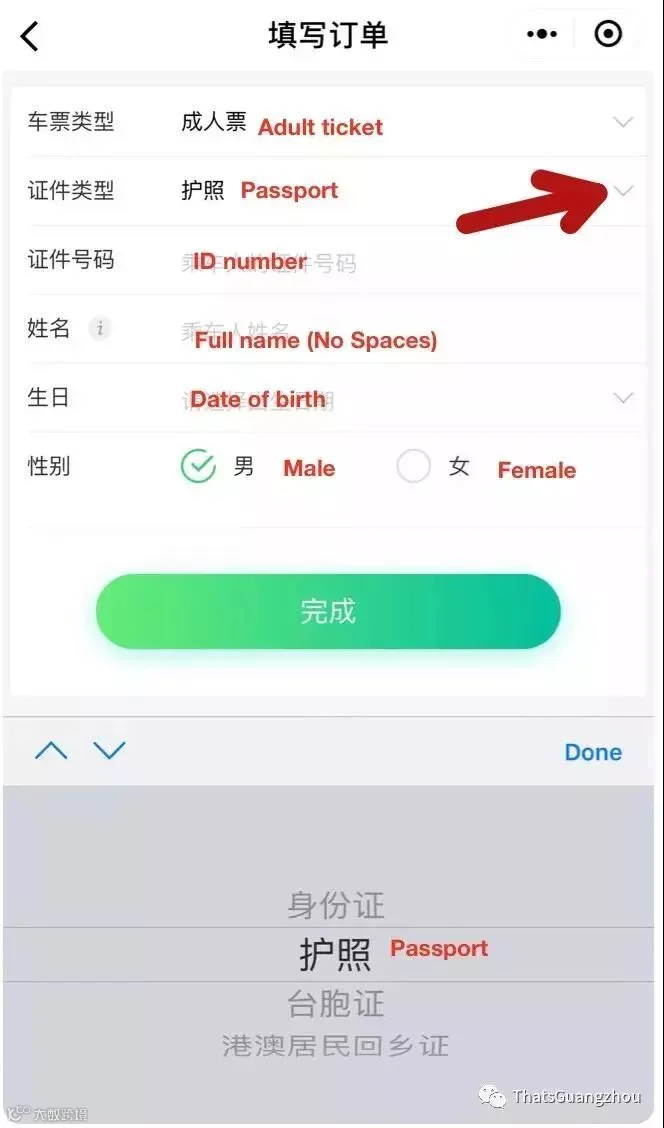
Look at the picture, if this is your first order, select passport from the pull-down menu. And add your passport number, name as it appears there, then date of birth and gender.
© Image | ThatsGuangzhou
If your information is already there, you just need to click the green button at the bottom.
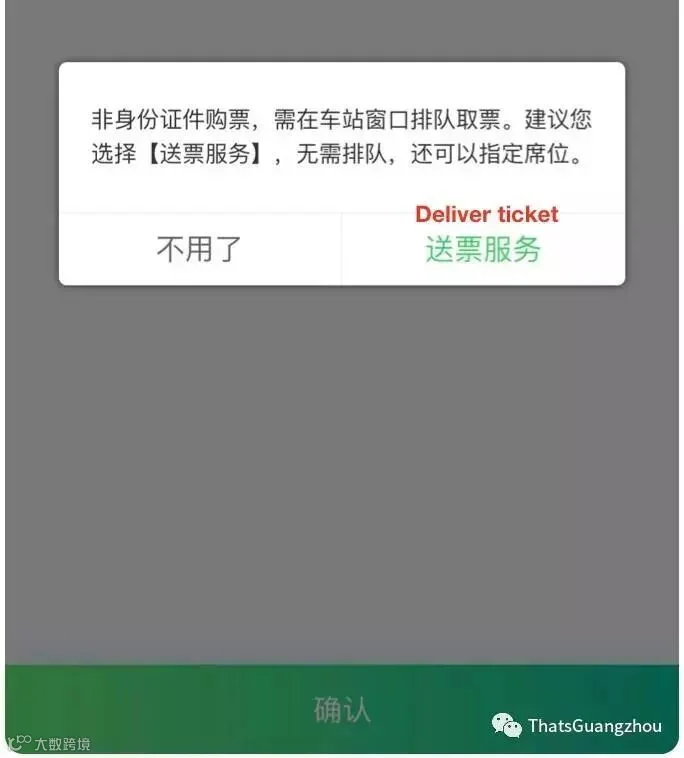
5. Choose Ticket Delivery
Select the green option for delivery when the window pops up.
© Image | ThatsGuangzhou
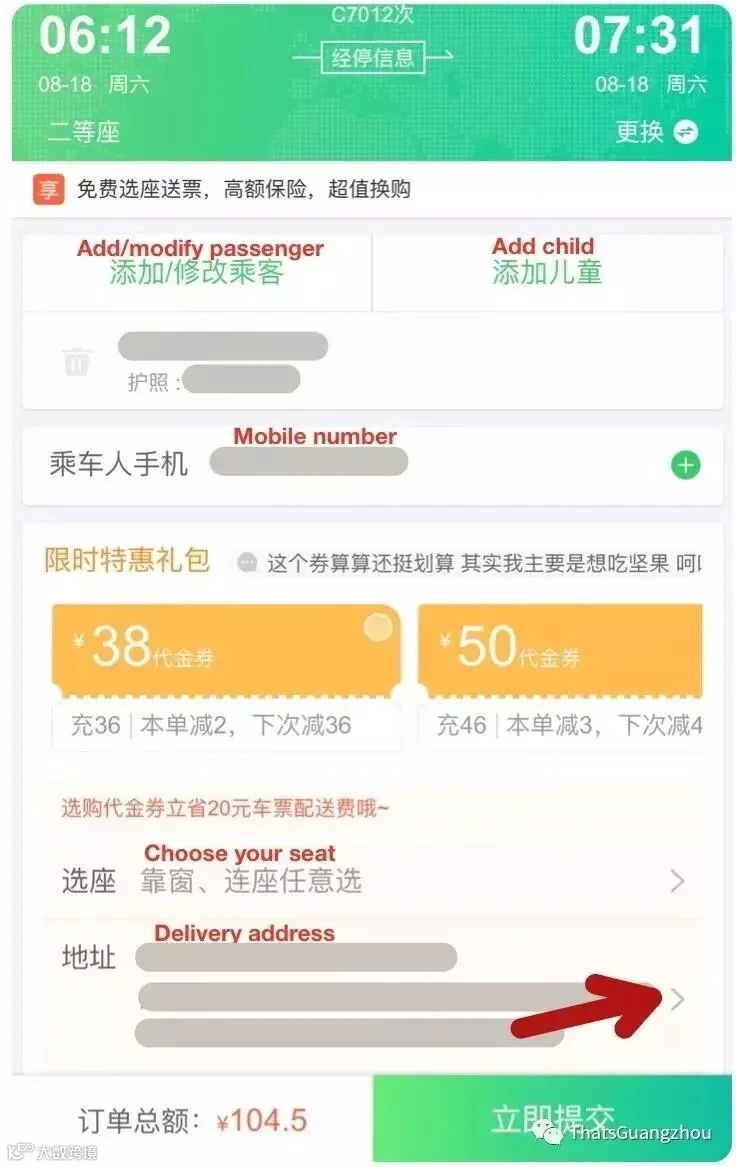
6. Confirm Details
In this step, you need to confirm your mobile number is correct at the top, choose your seat and confirm your delivery address is correct. If this is your first delivery, please click through to add an address.
© Image | ThatsGuangzhou
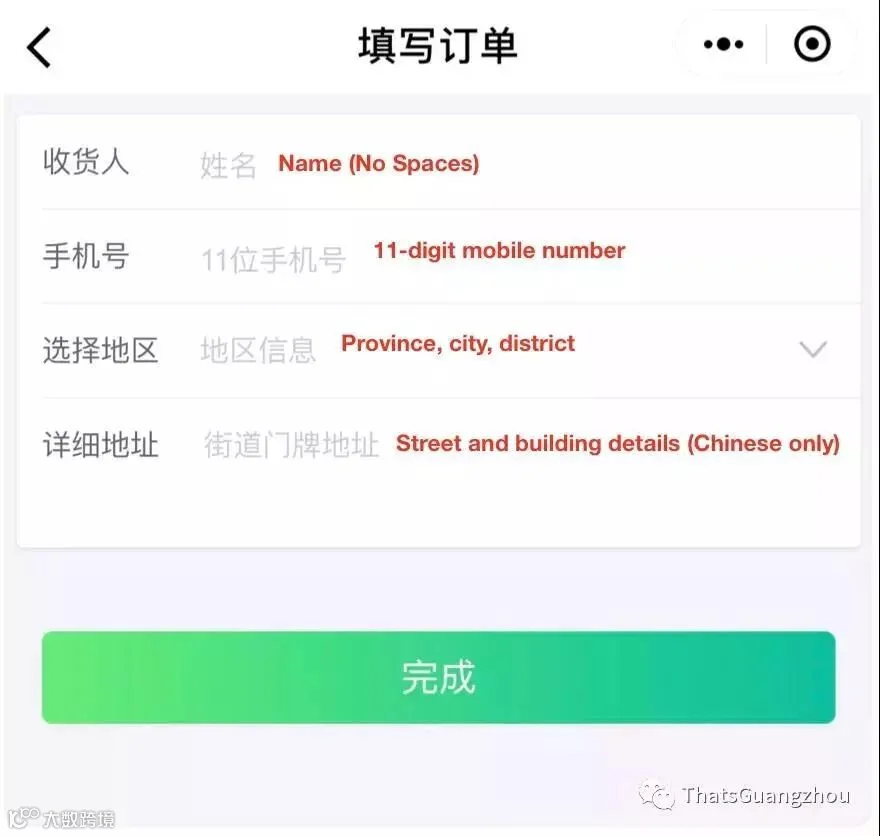
7. Add Address
Add your name and mobile number if necessary. Select your city and district from the pull-down menu,and then, add the Chinese characters for your building address.
© Image | ThatsGuangzhou
8. Complete Your Order
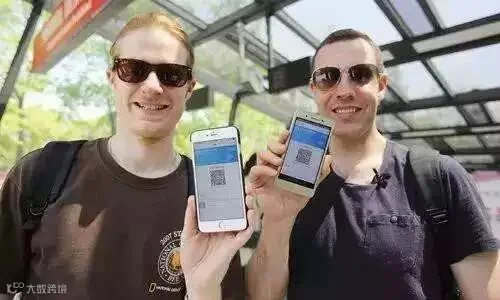
In this step, you need to click through the green buttons to purchase your ticket. Follow step 1 to change your settings back to English and never worry about lining up for tickets in China again.
© Image | Baidu
Have you get it?
If you feel it useful,
do not forget to share it with your friends!
Source | ThatsGuangzhou



HACOS,Business Services Solutions Master