Probably, most foreigners have the experience of getting lost in China, since it`s really hard to find a way in an exotic land. But after reading this article, you may get rid of that embarrassment!
Actually I`m going to introduce an App to you, the“Baidu Map(百度地图)“, which is very very useful in China.
First of all, we should download the App.
Android Phone user can scan the QR above to download the App(about 37mb) instantly.

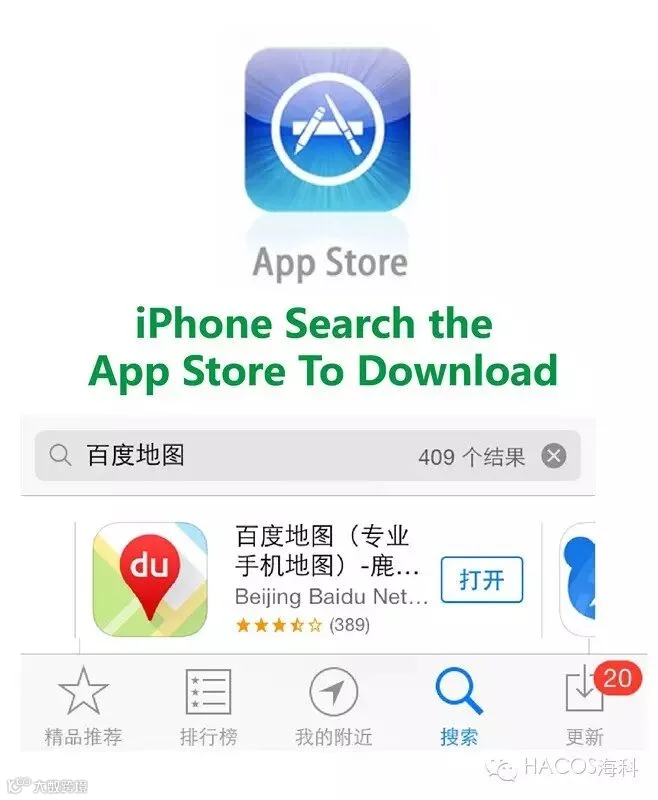
iPhone user should find the “Appstore”on your phone, and search the “百度地图”(if you can not type Chinese, just copy&paste the words) to download the app manually.
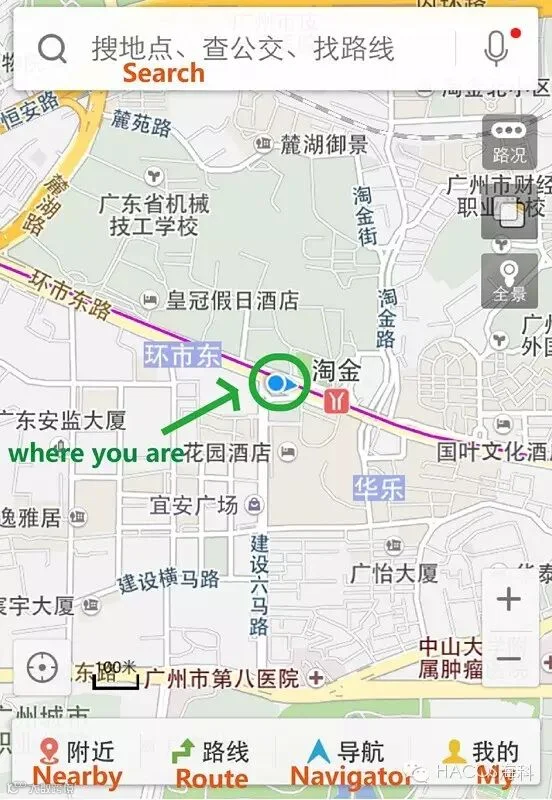
Take the IOS version for example, we`re going to show you the basic function of it.
That`s the HomePage of the App, we can see a main SearchBar above, and four Main function buttons at the bottom.
First of all, Click the Bottom “我的(My)”, you`ll get into this page, there`are two useful functions here.
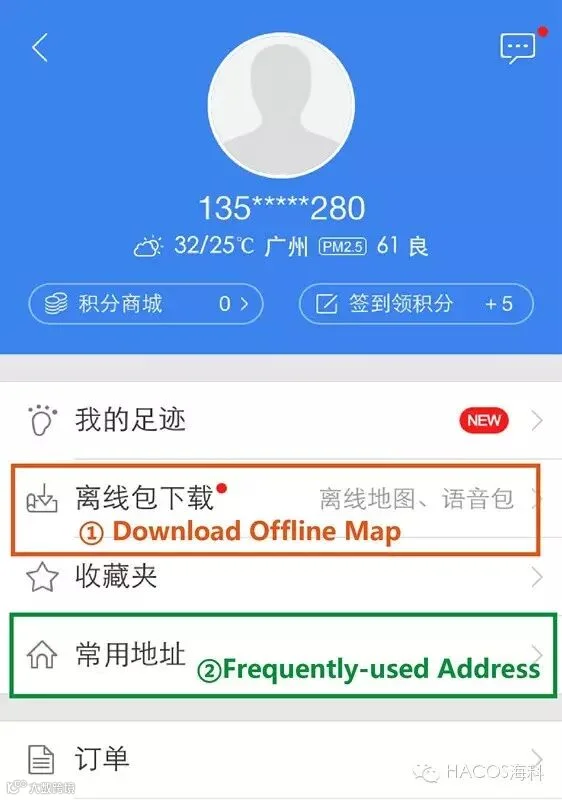
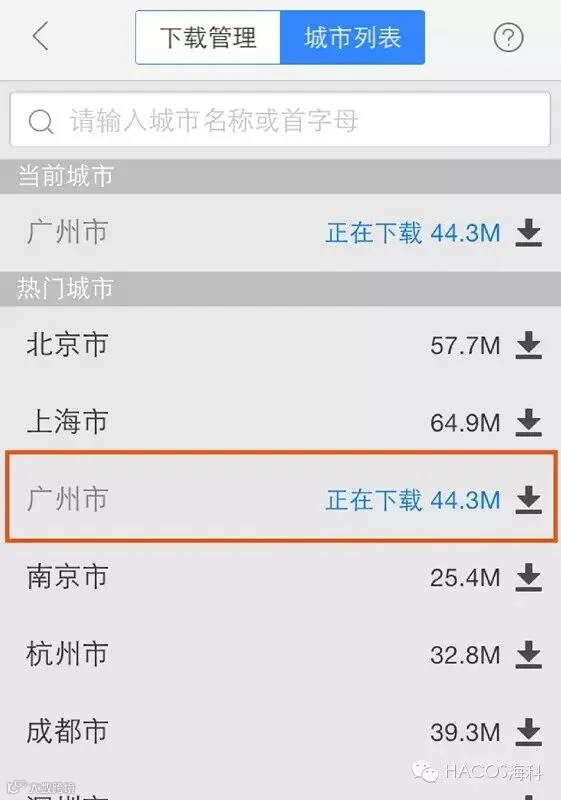
①Press the botton of “离线包下载(download offline map)”, search the city you`re located in and download it. With the offline map, you can still find your route in bad network environment.
②Press the botton of “常用地址(frequently-used address)”.
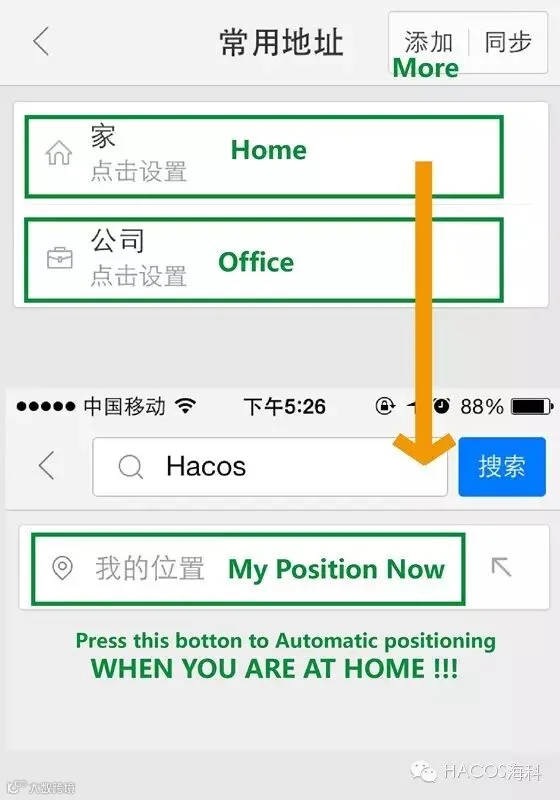
There are two modules at the beginning, “家(Home)”and “公司(Office)”, if you want know more you can add them yourself.
Press the botton of“家(home)”, it`s used for recording the location of your residence.
When you`re at home , press “我的位置(my position now)”, it will automatically positioning your current loaction and record it.
Finally, we finish the Preparation!
Back to the HomePage, Press the the Button of “路线(Route)”

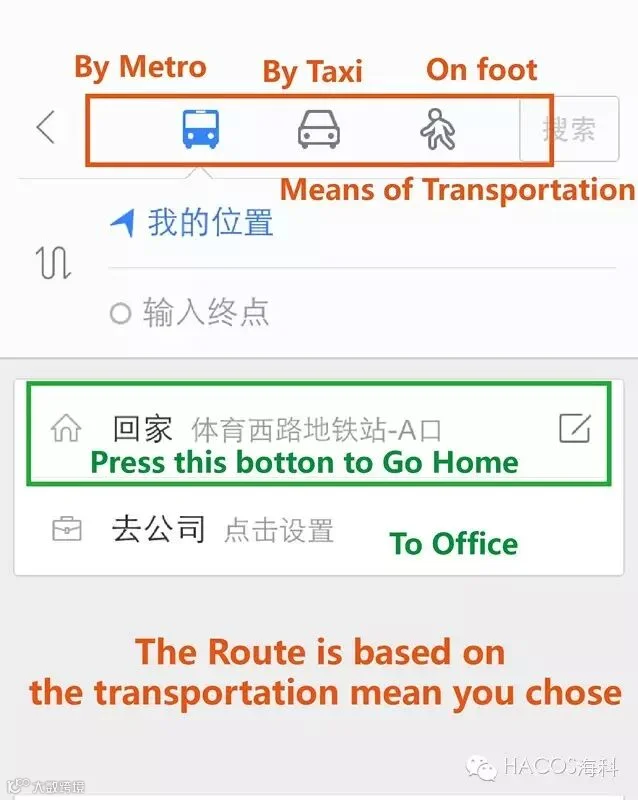
Press the botton of “回家(Go home)” , then the route for going home will be shown based on the transportation mean(Metro, Taxi, On foot) you`ve chosen.
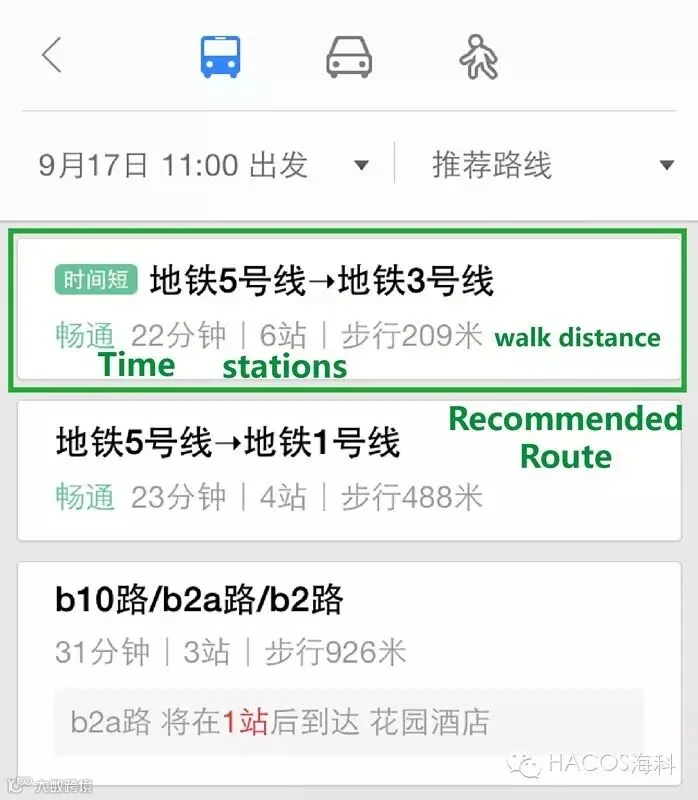
Then several valid route will come up, and the first one is the recommended route. Press it and view the detail.
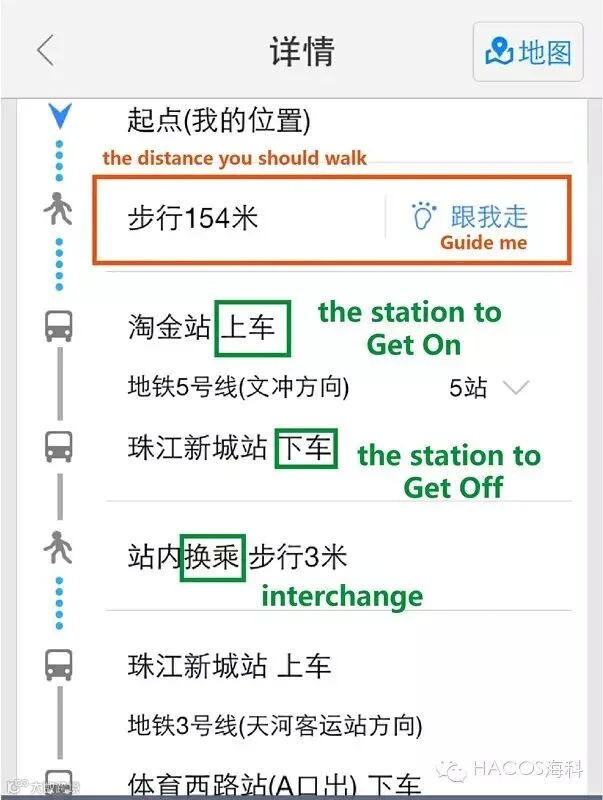
The Baidu Map will show how far it is to walk to the nearest metro station, and which station to get on, which station to interchange, which station to get off. If you don`t know how to walk to the staion, you can press the botton of “跟我走(Guide Me)” , the app will lead you the way.
If you do not want to take a metro, just go back to press the“taxi” icon, details about the approximate distance&time&fee will be shown.
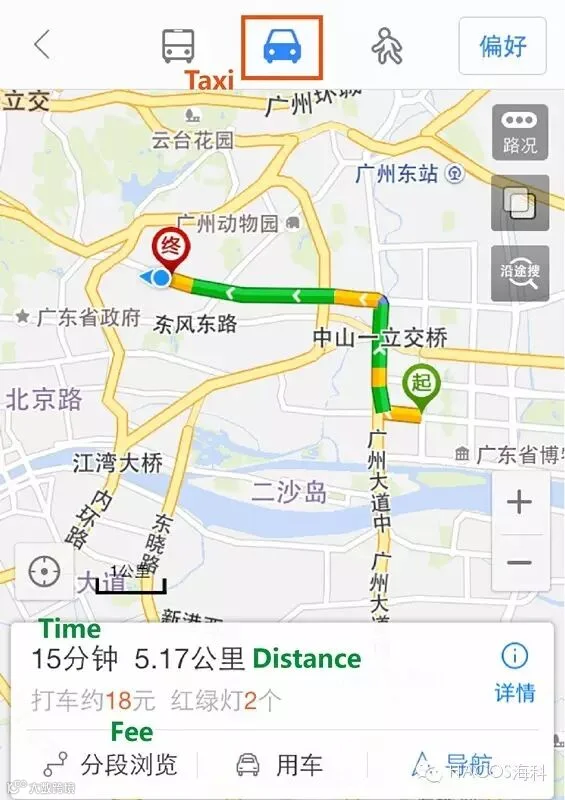
Congratulation, you`ll never lose your way home now!
If you want to search the route of going to somewhere else, that`s also easy!
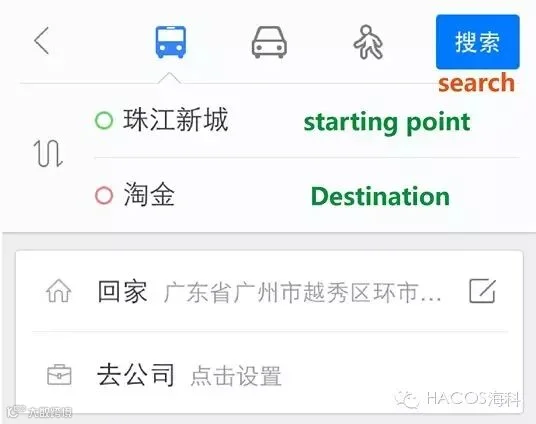
Type the Starting Point and the Destination( if you can`t type chinese, take good use of the copy&paste skill) , then press “搜索(Search)”. 
Just enjoy exploring China now!
tutorial pics by HACOS
idea refers to wechat: Crackingchina
HACOS is the Original Author, please inform us before repost
and indicate the resource
HACOS,Business Services Solution Master