For dailywork, enterprises usually need to set up company accounts ( basic account),which are used for dealing with payment and taxation. When you activate the E-bankservice on the counter, the bank will provide you with a coded USB key.

Enterprisecan use the USB key to pass the coded verification and log in the E-bank tomake transaction, account viewing and etc. Consequently, an account checking is necessary, so that the companycan confirm whether the account balance matches the E-bank'srecord or not.
Q1: When should I check the account?
A: By the end of each quarter, in other words, earlier January,earlier April, earlier July, earlier October, 4 times a year. But rarely , itmight require account checking every month, so we suggest you log in the e-bankonce a month to make a check.
Q2: What're the consequences of doing no account checking?
A:
1. If you miss the account checking requirements for over 2 times, your account will be frozen and shut down, you have to bring the documents to set up the account again.
2. If your account can not run normally, the tax bureau will fail to charge the tax, and you'll have a bad record. What's worse, the tax bureau will charge you fine for overdue payment.
3. If you do no account checking, the officers of the bank would be affected. Their performance bonus would probably gone beacuse they can not fulfill the jobs.
Q3:How to handle the account checking?
A: Please follow the procedures below:
One:
Insert the USB Key , install the softwareas the hints. Or download the software from the official website. After theinstallation, those shortcut icons would show up on the desktop.

Two:
Click the link: www.icbc.com.cn
Then click the button“ Corporate Banking ”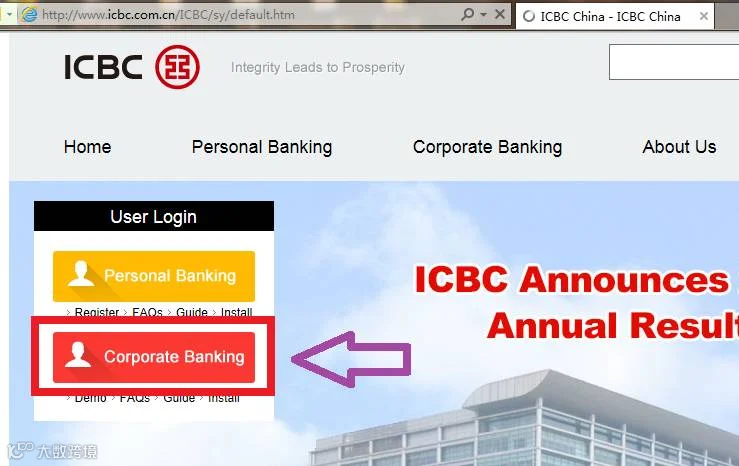
Three:
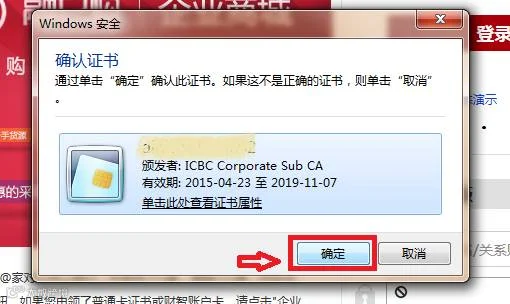
Insert the USB Key, click the button “确定” to confirm the certification,.
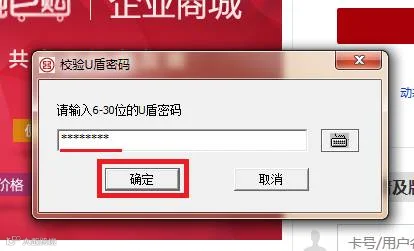
Then input the Code numbers of the USB Key.
Four:
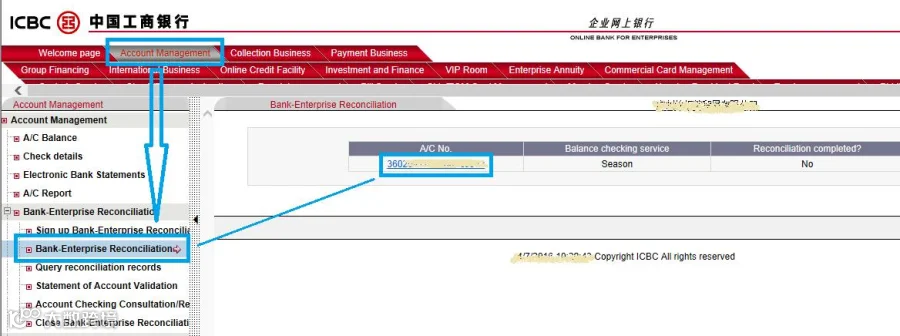
Click the button “Account Management” above.
Then click the “ Bank-EnterpriseReconciliation” on the left side.
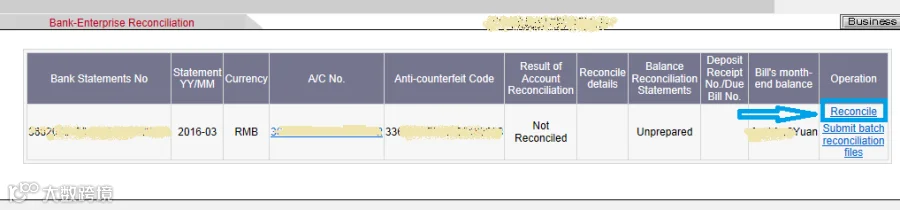
Five:
Click the button “Reconcile” on the form
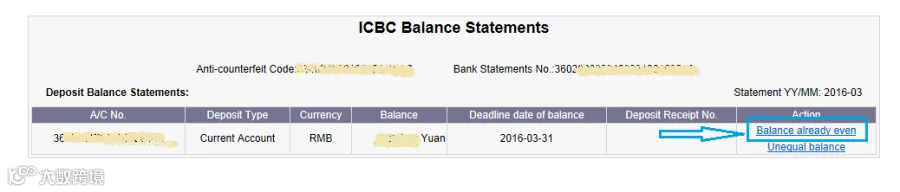
Six: Check the account.
Click the button ” Balance already even” or“Unequal Balance” base on the real situation.
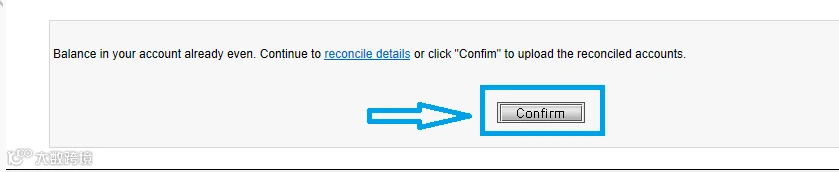
Seven:
Click the button “Confirm” to confirm theaccount checking.
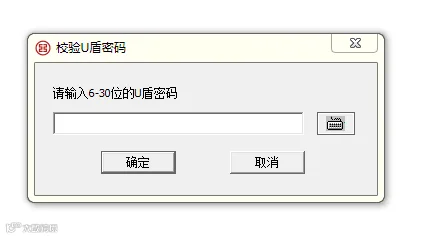
Eight:
Input the USB Key code again.
Nine:
Finish!

*In this article, we take the ICBC bank asan example. Generally speaking, the entrance of account checking can be found throughthe button of “Account Management” *
In order to keep your account available,please remember to log in the E-bank to make the account checking, and stay away from getting into account troubles!
HACOS is the original author
please inform us before repost
and indicate the resource
HACOS,Business Services Solutions Master