The "Resident evil" of Internet is taking place around the world. A ransomware virus is spreading aggressively around the globe, with over 100,000 computers in 99 countries having been targeted, according to the latest data.
The virus infects computer files and then demands bitcoins to unblock them.

What’s going on?
An increase in activity of the malware was noticed starting from 8am CET (07:00 GMT) last Friday, security software company Avast reported, adding that it "quickly escalated into a massive spreading."
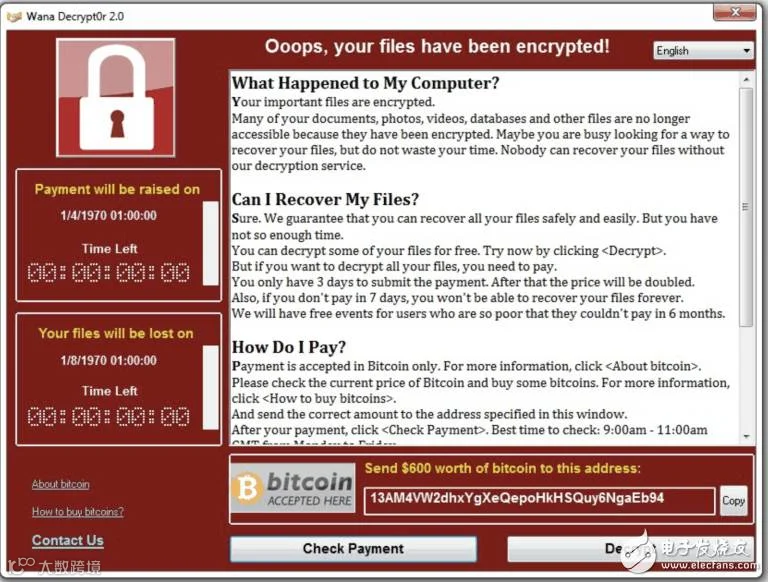
In a matter of hours, over 75,000 attacks have been detected worldwide, the company said. Meanwhile, the MalwareTech tracker detected over 100,000 infected systems over the past 24 hours.
The ransomware, known as WanaCrypt0r 2.0, or WannaCry, is believed to have infected National Health Service (NHS) hospitals in the UK and Spain's biggest national telecommunications firm, Telefonica.
What’s this horrible virus?
The virus is apparently the upgraded version of the ransomware that first appeared in February. Believed to be affecting only Windows operated computers, it changes the affected file extension names to ".WNCRY."
It then drops ransom notes to a user in a text file, demanding $300 worth of bitcoins to be paid to unlock the infected files within a certain period of time.
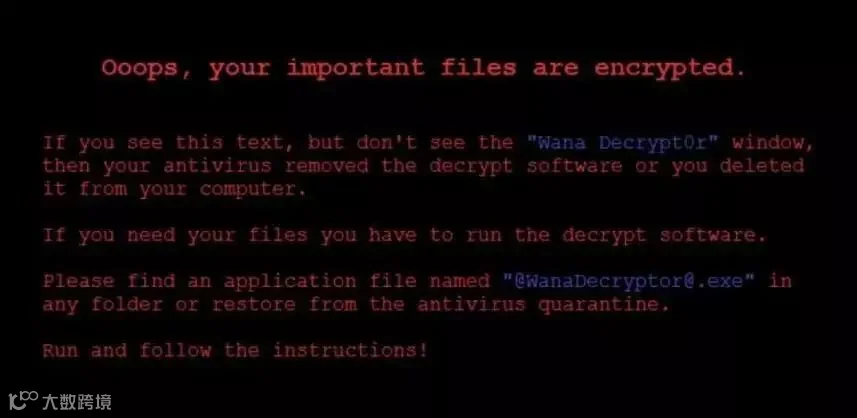
While the victim's wallpaper is being changed, affected users also see a countdown timer to remind them of the limited time they have to pay the ransom. If they fail to pay, their data will be deleted, cybercriminals warn.
How to avoid being attacked?
The most effective way is to install patch of antivirus software so as to keep your computer from being attacked.
Usually, the offline version of“360 Safeguard”is most commonly introduced.
Download Link
http://dl.360safe.com/setup_jiuzai.exe
#Since the version is Chinese, we will teach you step by step.
The Steps Are As Follows
1. Download “360 Safeguard”in your USB (a safe one free of virus).
2. Turn off Wi-Fi and the Internet, turn your computer on then back up important files as soon as possible.
3. Use “360 Safeguard”antivirus software (already in your USB) to repair system bugs.
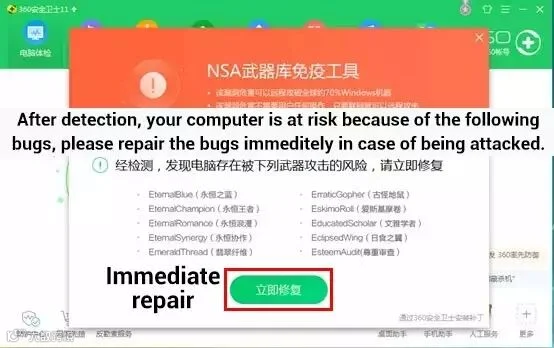
▲ After open the software, you may see the page like this. Click "立即修复" to repair the bugs.
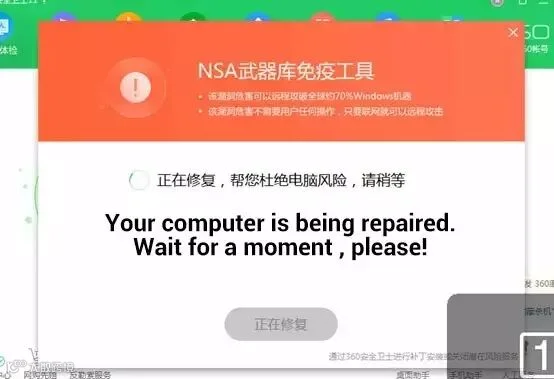
▲ It's being repaired. It will take you 3-4 minutes.
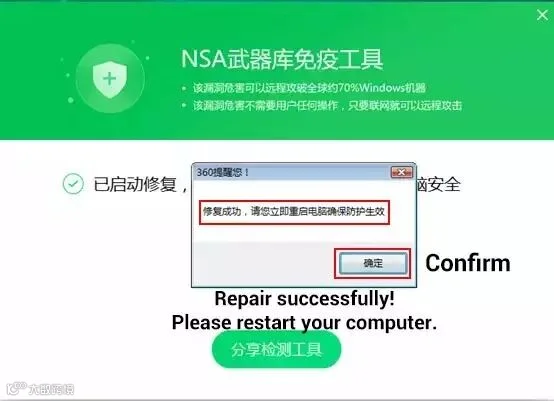
▲ Repair successfully! You need to restart your computer.

▲ After restart your computer and open the software again, you will see the page like this. And your computer is safe now.
4. Reconnect Wi-Fi and Internet, done!
Source:ChinaWire






HACOS,Business Services Solutions Master